1
TRENDnet User’s Guide
Advanced Wireless Settings
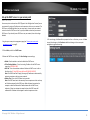
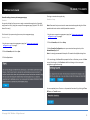
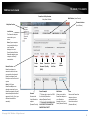
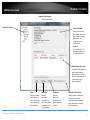
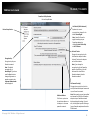
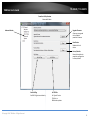
Wireless > Advanced
These settings are advanced options that can be configured to change advanced
wireless broadcast specifications. It is recommended that these settings remain set to
their default values unless you are knowledgeable about the effects of changing these
values. Changing these settings incorrectly can degrade performance.
•
•
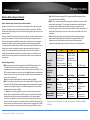
Gating Index: Select the option that works best for your installation. It may be
best to keep this option at its default setting.
o
Half - Using this setting can increase throughput. However, it can also
increase error rate in some installations, due to increased sensitivity to
radio-frequency reflections.
o
Full – Using this setting can help to decrease the error rate in wireless
data transmission and receiving.
TPL-410AP / TPL-410APK
• WMM: Wi-Fi Multimedia is a Quality of Service (QoS) feature which prioritizes
audio and video data packets. This feature requires the wireless device to also
support WMM. Click Enabled (recommended) or Disabled to turn this feature on
or off on your access point.
• Coexistence: If set to Enable, will not allow legacy devices such as 802.11b/g to
connect wireless. This will ensure that access point will provide the best possible
performance rate available. If set to Disable, will allow all wireless clients to
connect including 802.11b/g.
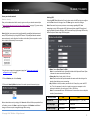
Aggregation: This setting allows you to enable the aggregation feature to
increase overall wireless throughput by sending more frames in a single
wireless transmission and decreasing the frame overhead. Enabling this feature
may increase performance, however, in busy wireless environments, this may
decrease your overall performance as the percentage of data loss may increase
in busy environment. It may be best to keep this option at its default setting.
o
Enable – Enables or turns on the aggregation feature.
o
Disable – Disables or turns off the aggregation feature.
•
Aggregation Frames: Allows you to specify the maximum number of
aggregation frames that can be sent in a single wireless transmission.
•
Aggregation Size: Allows you to specify the maximum size of each aggregation
frame (Bytes) to be sent in a single wireless transmission.
•
Aggregation Min Size: Allows you to specify the minimum size of each
aggregation frame to be sent in a single wireless transmission.
© Copyright 2014 TRENDnet. All Rights Reserved.
19