1
MAXTM Data Collection Monitor
Labor Transactions
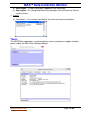
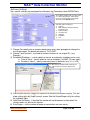
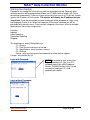
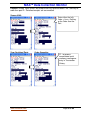
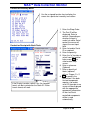
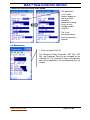
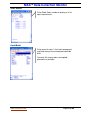
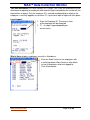
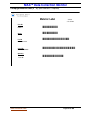
Labor Menu:
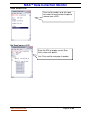
Use the assigned function key to display the
screen for a particular inventory transaction.
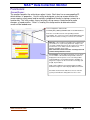
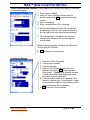
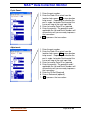
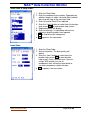
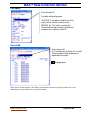
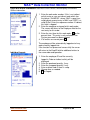
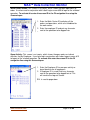
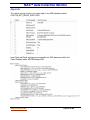
Individual or Crew Login to Work Order:
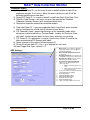
1. Enter the work-order number. If this is an indirect
activity enter or scan an indirect code which has
the format: “IXGGG “, where ‘X’ is a valid indirect
account entry in MAX, and “GGG” is a valid GLRef.
Enter the sequence number. If indirect this field is
skipped.
2. Enter the employee assigned to this work-order.
The screen will return to the Employee field for the
next entry for this order.
3. Enter the start time for this work-order. F3 for the
present time. This entry is only activated if the
System password has been entered.
4. If all entries are correct press F1
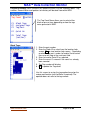
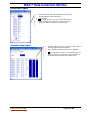
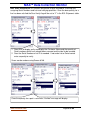
The employee will be automatically logged out of any
order currently logged into.
If the function has processed successfully the cursor
will return to the EmpID field for additional entries to
the same order and operation.
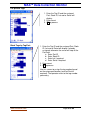
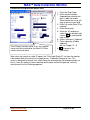
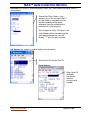
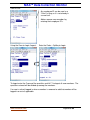
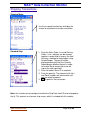
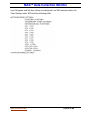
If multiple orders is in effect for the entered Employee then this screen requires the Work
Order + OpSeq be entered, otherwise if single order login is in effect the currently logged
in activity is displayed automatically.
www.maxtoolkit.com
Page 64 of 86