1
Time Lapse
Record still images at specific intervals you can set and play them as one video file.
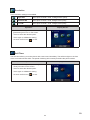
Off
Disable Time Lapse.
1 Second
Record one frame per second.
3 Seconds
Record one frame every 3 seconds.
5 Seconds
Record one frame every 5 seconds.
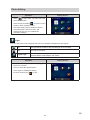
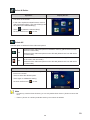
Operation
Display Screen
1. In the Video Setting menu, touch the [Time
Lapse] icon twice on the screen.
2. Touch to select the desired option.
3. Touch again to validate the setting.
4. Or touch the Exit icon (
) to exit.
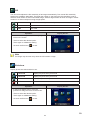
Note
• Motion Detect, Time Lapse, and Slow Motion functions can not be used simultaneously.
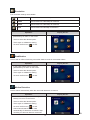
Continuous Play
Playback the files continuously.
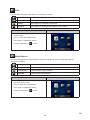
Operation
Display Screen
1. In the Video Setting menu, touch the
[Continuous Play] icon twice on the screen.
2. Touch to select the desired option.
3. Touch again to validate the setting.
4. Or touch the Exit icon (
) to exit.
21
EN