1
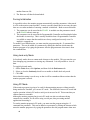
For details on saving and loading parameters, see Changing Between Board Files.
Plot Time area
This area is located in the top right portion of the main window. It holds the PLOT
TIME field for each axis. Refer to this topic for details on its use. This area is updated
on startup and each time that a new module is connected to the serial port.
To the right of the “PLOT TIME” heading is a column for each axis. You can change
these values using the keyboard as described in Changing Data from the Keyboard.
Changes are sent to the motion control module immediately.
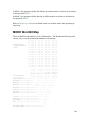
Status area
This area is located in the upper left portion of the main window. It holds the Status
fields (also called Read-back Parameters) for each axis. This area is updated constantly
when a motion control module is connected to the program. Refer to the following
sections for details on the Read-back Parameters:
COMMAND POSITION
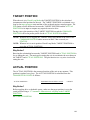
TARGET POSITION
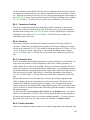
ACTUAL POSITION
TRANSDUCER COUNTS
AXIS STATUS Word
DRIVE
ACTUAL SPEED
NULL DRIVE
STEP
LINK VALUE
To the right of each of the Status field labels are the values for each axis’s command
fields. These values cannot be changed.
Status Bar
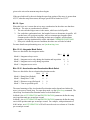
The status bar is located at the bottom of the main screen. This bar is divided into four
areas:
Menu Help - All of the status bar except the three panes described below is used to
display help on menu items. When no menu item is selected, it
displays "For help, press F1." If a menu item is selected, or the cursor
is over a toolbar button, then a brief line of help is displayed here.
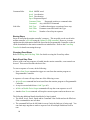
COMx This pane displays the current serial port in use and the state of the
serial port. This pane responds to double-clicks and right-clicks; see
Selecting a Serial Port to Use for details.
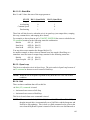
The serial port can be in one of the following states:
24