1
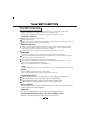
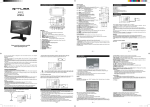
DVD FUNCTION SETUP
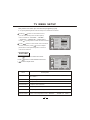
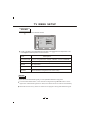
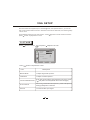
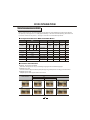
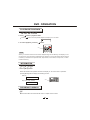
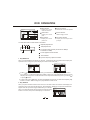
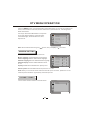
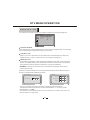
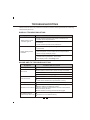
VIDEO SETUP
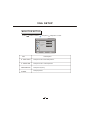
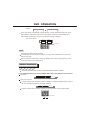
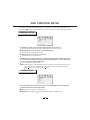
Video Quality Setup
Sharpness
Brightness
Contrast
Gamma
Hue
Saturation
Med
00
00
None
00
00
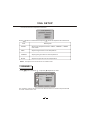
Go To Video Setup Page
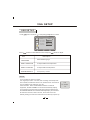
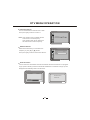
1. Sharpness: This item is used to set the sharpness of video outputs.
Optional settings: High, Medium, Low; Default: Med.
2. Brightness: This item is used to set the brightness of video outputs.
3. Contrast: This item is used to set the contrast of video outputs.
4. Gamma: This item is used to set the color temperature of video output.
Optional settings: High, Medium, Low, None ; Default: None
5. Hue: This item is used to set the hue of video outputs.
6. Saturation: This item is used to set the saturation of video outputs.
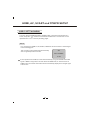
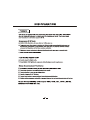
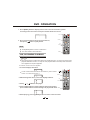
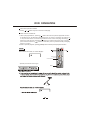
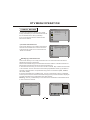
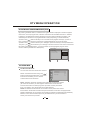
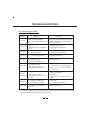
PREFERENCE SETUP
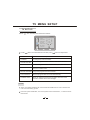
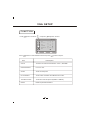
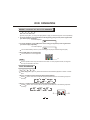
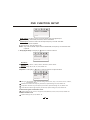
Preference Page
TV Type
PBC
Audio
Subtitle
Disc Menu
Parental
Country Region
Default
PAL
On
ENG
ENG
ENG
Off
ENG
Go To Preference Page
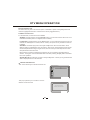
1. TV Type: To set the output video system of this player.
Optional settings: PAL, Auto, NTSC; Default: PAL.
2. PBC: To set the PBC status.
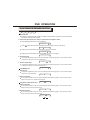
When playing SVCD, VCD2.0 discs, if PBC is set On, this unit enters PBC playback mode; if PBC
is set Off, the unit plays the disc according to track sequence.
Optional settings: On, Off; Default: On
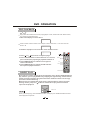
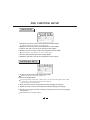
3. Audio: This item is used to set the preference audio language when playing.
4. Subtitle: This item is used to set the preference subtitle language when playing.
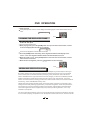
5. Disc menu language: This item is used to set the preference disc menu language
when playing.
Default of disc menu language: English
41