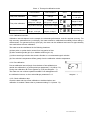
1
7.3. Submenu of pH parameter setting (press
or
key to switch)
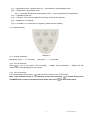
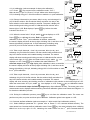
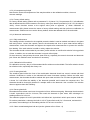
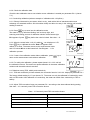
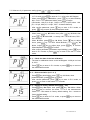
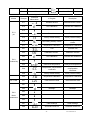
P1.1. - Select pH standard solution (USA-NIST-CUS)
1. In P1.0 mode, press
to enter in P1.1, refer to the left Diagram.
2. When press
key, USA blinks, press
key to select blinking
NIS→CUS. When parameter blinks, press
to confirm
(USA series: 1.68 pH, 4.00 pH, 7.00 pH, 10.01 pH; NIST series: 1.68
pH, 4.01 pH, 6.86 pH, 9.18 pH; CUS – customer-defined).
3. After confirm parameter, press
key to enter in P1.2 mode, or
press
key to return to the measurement mode.
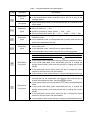
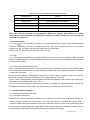
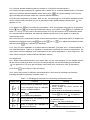
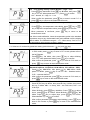
P1.2. – Set due calibration (NO – H00 – D00)
1. When press
key, No blinks, then press
key, H blinks, then
press
key, D blinks. NO – no setup, H00 – set 0-99 hours, D00 –
set 0-99 days.
2. When H blinks, press
key, 00 blinks. Press
key to adjust
hours, press
key to confirm. When D blinks, press
key, 00
blinks. Adjust
key to adjust days, press
key to confirm.
When No blinks, press
to confirm.
3. After confirm parameter (parameter stops blinking), press
key to
enter in P1.3 mode, or press
key to return to the measurement
mode.
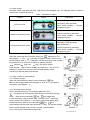
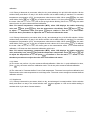
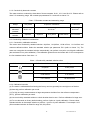
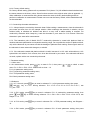
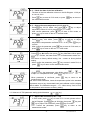
P1.3. – Check the date of the last calibration
1. The time for calibration shown on the left Diagram: 18:08 pm on June
8, 2012.
2. Press
key to enter in P1.4 mode, or press
key to return to
the measurement mode.
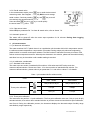
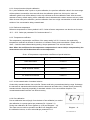
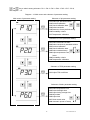
P1.4. – Select resolution (0.01 – 0.1)
1. Press
key, 0.01 blinks, press
key, 0.1 blinks, when
parameter blinks, press
key to confirm.
2. After confirm parameter, press
key to enter in P1.5 mode, or
press
to return to the measurement mode.
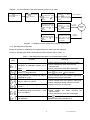
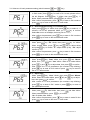
P1.5. – Restore to factory default setting (NO – Yes)
1. Press
key, No blinks, then press
key, Yes blinks. When
press
key to confirm, the meter returns to the measurement
mode. No – Not restore to factory default setting, Yes – restore to
factory default setting.
2. Press
key to enter in P1.6. mode, or press
key to return to
the measurement mode.
20
PC70 Version1.4