1
C-Scape Manual
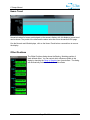
Move Project
Projects are often pre-defined ashore and
sent to the vessel on a removable media
such as thumb drive. Likewise once a project
is completed it is often required to send the
data ashore for further processing. The
move project dialog enables both these
functions. Note DO NOT use recordable CD
(CDR) to create projects ashore. Files stored
to CD are automatically marked as read only
and cannot be altered by the system, even
when copied to a different media such as a
hard drive. It is possible to change such files
from read only to archive using “windows
explorer” but this must be done before the
files are used by the system.
Project Export
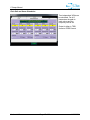
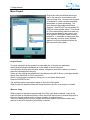
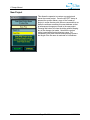
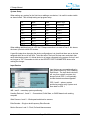
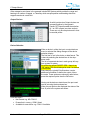
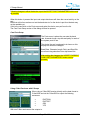
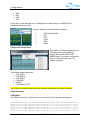
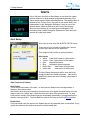
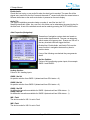
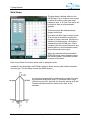
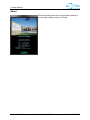
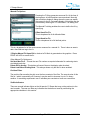
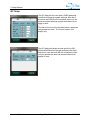
To export a project from the system to a removable disc, first select the destination.
Select the drive using the dropdown list in the middle of the archive panel.
In the Directory list box below the drive selector, navigate to the directory where you want to
place the exported project directory.
If there are any other project directories in this directory they will be shown in the upper window.
Select either the MOVE or COPY radio button.
Select a current project to export by clicking on it in the System Data list box.
Press the EXPORT button
The exported project name should appear in the Archive Data panel.
When a project is exported all data and setup information specific to the project is included.
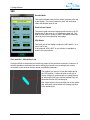
Move vs. Copy
When a project is exported or imported with the COPY radio button selected, a copy of the
project is made in the selected location. When the MOVE radio button is pressed the project is
moved to the new location and is no longer located in its original location.
There is no delete project function, projects should be moved to a removable medium and
returned to shore for evaluation, processing, or deletion.
Version 1.10
Page 21 of 86
11/26/2012