1
FLAT PAR TRI18XS
Operating Instructions
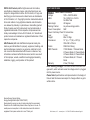
enter the Flash (strobe) mode.
6. “FS.XX” will be displayed, this is Flash mode. The Flash can be
adjusted between “FS.00” (flash off) to “FS.15” (fastest flash).
DMX Mode:
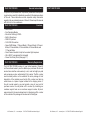
Operating through a DMX controller gives the user the freedom to create their own programs tailored to their own individual needs. This
function also allows you to use your fixtures as spot lights. The FLAT
PAR TRI18XS has 7 DMX modes: 1 Channel mode, 2 Channel mode, 3
Channel mode, 4 Channel mode, 5 Channel mode, 6 Channel mode, and
a 7 Channel mode. See pages 13-16 for each modes’ DMX traits.
1. This function will allow you to control each individual fixture’s traits
with a standard DMX 512 controller.
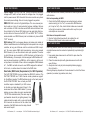
2. To run your fixture in DMX mode press the MODE button until “d.XXX” is displayed. “XXX” represents the current displayed address. Use the UP or DOWN buttons to select your desired DMX address, then press the SETUP button to select your DMX Channel
mode.
3. Use the UP or DOWN buttons to scroll through the DMX Channel
modes. The Channel modes are listed below:
To run the 1 Channel Mode, press the MODE button until “Ch.01”
is displayed. This is the 1 Channel DMX Mode.
To run the 2 Channel Mode, press the MODE button until “Ch.02”
is displayed. This is the 2 Channel DMX Mode.
To run the 3 Channel Mode, press the MODE button until “Ch.03”
is displayed. This is the 3 Channel DMX Mode.
To run the 4 Channel Mode, press the MODE button until “Ch.04”
is displayed. This is the 4 Channel DMX Mode.
To run the 5 Channel Mode, press the MODE button until “Ch.05”
is displayed. This is the 5 Channel DMX Mode.
To run the 6 Channel Mode, press the MODE button until “Ch.06”
is displayed. This is the 6 Channel DMX Mode.
To run the 7 Channel Mode, press the MODE button until “Ch.07”
is displayed. This is the 7 Channel DMX Mode.
4. Please see pages 13-16 for DMX values and traits.
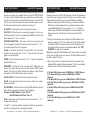
5. After you have chosen your desired DMX Channel mode plug in
the fixture via the XLR connections to any standard DMX controller.
FLAT PAR TRI18XS
Channel
Value
1
1 - 255
2
1 - 255
FLAT PAR TRI18XS
Channel
1
2
3
1
2
3
4
Function
COLOR MACROS
(See 1 Channel DMX mode for colors)
DIMMER 0% - 100%
3 Channel - DMX Values & Functions
Value
1 - 255
1 - 255
4 Channel - DMX Values & Functions
Value
1 - 255
1 - 255
1 - 255
1 - 255
Function
RED
0% - 100%
GREEN
0% - 100%
BLUE
0% - 100%
1 - 255
FLAT PAR TRI18XS
Channel
2 Channel - DMX Values & Functions
Function
RED
0% - 100%
GREEN
0% - 100%
BLUE
0% - 100%
MASTER DIMMER
0% - 100%
Default Running Mode:
This is a default running mode. When this mode is activated all modes
ADJ Products, LLC - www.adj.com - FLAT PAR TRI18XS User Manual Page 9
ADJ Products, LLC - www.adj.com - FLAT PAR TRI18XS User Manual Page 14