1
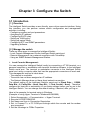
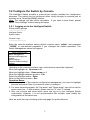
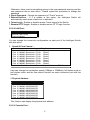
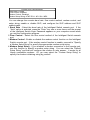
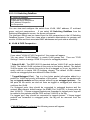
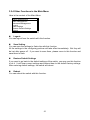
Map of Functions in Menu :
Basic
General
Management
LAN Port
Console Port
Advances
L2 Switching
Management
Database
Logout
Save
Settings
Restore
Default
Settings
Reboot
System Name, Software Version, Password, Http
Enable/Disable, . . .
Port Physical Configuration, Mac ID
Console Port Settings
VLAN & PVID VLAN Settings / Status
Perspective
IP Multicast Group IP Multicast Groups Operation
Perspective
Status
Mac Address
Mac ID Activity in the switch
Perspective
Port Perspective Port Status/Statistics, Mac
Limit Setting
IP Networking IP Address, ARP Table, Routing Table, DHCP
Gateway, Ping
Bridging
Aging Time, Flooding Limit
Static Filtering Static Mac ID Filter-in, Filter-out
Spanning Tree Spanning Tree Status / Configuration
SNMP
SNMP Configuration
Other
GVRP / IGMP Protocols Enable/Disable and
Protocols
Configuration
QoS Setup Configure the QoS operation of the switch.
1. Enable / Disable
2. VLAN Tag / ToS / Logical Port QoS
Configuration
3. Priority queues QoS Policy configuration
File Transfer Software / Firmware upload & download
Logout the management interface.
Save current settings.
Restore the factory default settings.
Reboot the switch.
6