1
172
Qtronic2 Manual
7.4 Preparing Eclipse Workbench
The recommended way of building Java plugins is to use Eclipse. This and the following
sections detail the process of building Qtronic Java plugins using Eclipse as the development
environment. For more information about Eclipse and Java development in Eclipse, please
refer to Java Development User Guide that is part of the Eclipse distribution.
The first step is to verify that the Eclipse is properly set up for Java development i.e. the JRE
(Java Runtime Environment) installation.
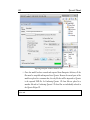
1. On the main menu bar, select Window > Preferences... and select Java > Installed
JREs page to display the installed JREs. Confirm that a JRE has been detected by
Eclipse and it should appear with a mark in the list of installed JREs.
2. On the Preferences Wizard, select Java > Compiler and set Compiler compliance
level to 6.0.
3. In order to automatically build the Java code, select General > Workspace page to
display Workspace related preferences. Confirm that the Build automatically has
been checked.
4. Click OK to confirm the changes.
7.5 Creating Java Project for Scripting Backends
Once Eclipse has been configured properly, we can proceed into building a Java project for
the plugin. The following steps detail this process.
1. On the main menu bar, select File > New > Project.... This will open New Project
wizard.
2. Select Java Project and click Next to launch New Java Project Wizard.
3. Enter a name for the project and click Finish.
Once the project has been created, click the newly created project in the Project Explorer
view and select Properties from the drop down menu.