1
3.6. Tutorial Amplitude Modulation
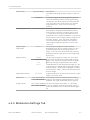
3.6.2. Generate the Test Signal
In this tutorial, you are going to generate an AM signal with a carrier frequency of 1 MHz and a
modulation frequency of 100 kHz. The signal is generated at Signal Output 2 and is demodulated
by the first lock-in unit by feeding it into Signal Input 1. The HF2LI-MOD option requires the HF2LIMF option to generate and demodulate AM or FM signals: changing the settings of Mod1 and Mod2
in ziControl Modulation tab will modify some of the settings typically in the Lock-in MF tab. The
reader is referred to Section 4.2.3 .
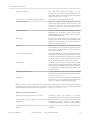
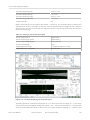
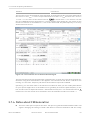
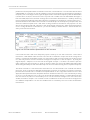
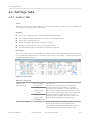
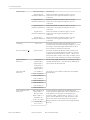
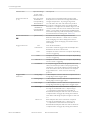
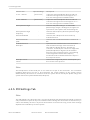
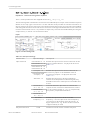
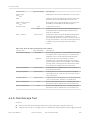
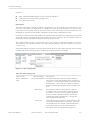
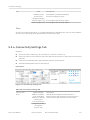
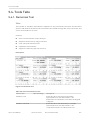
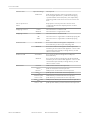
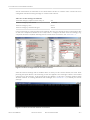
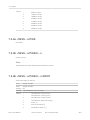
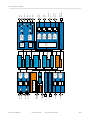
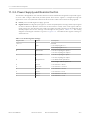
In the Modulation tab, in the Mod2 section, select the following parameters:
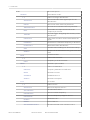
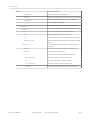
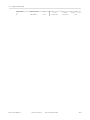
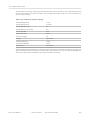
Table 3.19. Settings: generate the AM signal
Carrier frequency / Frequency
Osc 1 / 1 MHz
Signal Frequency / Frequency
Osc 2 / 100 kHz
Mode
AM
Sideband
Both
Carrier / Modulation
200 mV / 100 mV
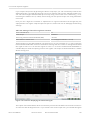
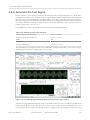
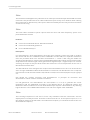
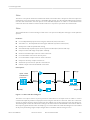
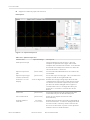
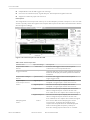
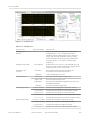
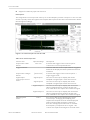
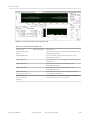
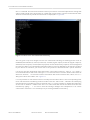
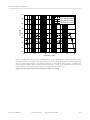
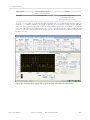
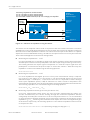
This generates an AM signal with the two sidebands of equal amplitude. To look at this signal,
connect Signal Output 2 to Signal Input 1 of the HF2LI.
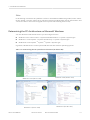
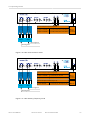
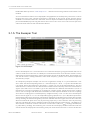
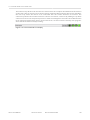
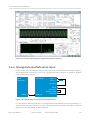
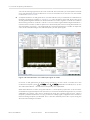
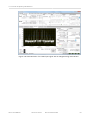
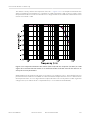
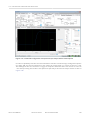
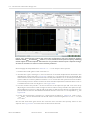
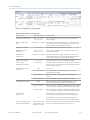
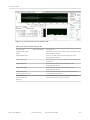
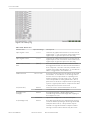
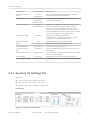
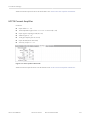
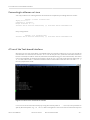
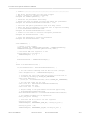
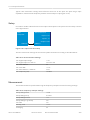
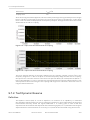
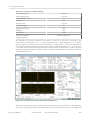
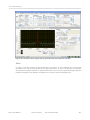
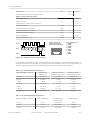
Figure 3.33. The AM signal generated by Mod2 as measured on Signal Input 1
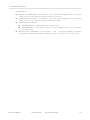
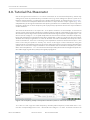
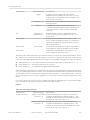
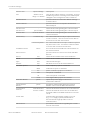
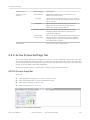
Select the correct input parameters: in the Lock-in tab, for the Ch1 section, make sure Differential
mode and 50 Ω are turned off. Then click on the auto-range button (marked by A). In the
oscilloscope tab, select Source to be Signal Input 1, Trigger to be Signal Output 2 and click on Run
HF2 User Manual
Revision 30817
Zurich Instruments
69