1
j
Installing the software_ _ _~
If there are any software applications running in the background,
including1virus softwate, please shut them down.
Using Windows
Operating environment of the computer having this program installed.
The following operating environment is recommend·ed for the computer having this
software tnstal led.
OS
Windows 2000/Windows XP
CPU
Pentium 4 or
Memory
1 GB or more
Display
1024 .x 768 pixels or more, capable of 24-bit full color
Hard Disk
256 MB or more available disk space
higher~
2.4 GHz or taster
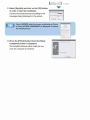
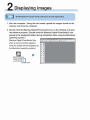
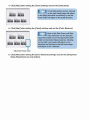
1. Start the computer and insert the included
CD-ROM into the CD-ROM drive of the
computer. Double click the [MAMIYA_DP]
JI. tUVNA_fll> (il;J
f(j.j...
(ffil-
icon and then open [SETUP.EXE].
SEllt EXE
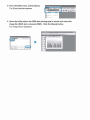
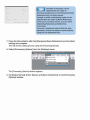
A screen fo r sel.e cting the language type of t he
installed software wiH be displaye.d .
ll!t!<'l,,:l .o M'•. ,l+\<i:Y.i:<>
I
"f .,J
:>,I
'1 .