1
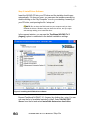
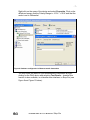
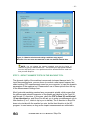
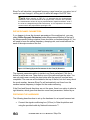
-5Similarly, install Microsoft Visual Basic Support and Microsoft Visual C
Support.
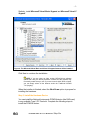
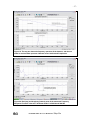
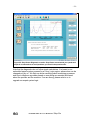
Figure 6: The Microsoft Visual Basic and Visual C Support features will be installed
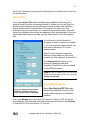
Click Next to continue the installation.
NOTE: If you are using an older version NI-DAQ driver software
(earlier than v8.0), the above procedure is similar, but the graphics may
not exactly match what you see. If you are not sure which items to install,
you can simply select all the features under the Traditional NI-DAQ
7.4.1(Legacy).
When the installer is finished, select the Shut Down option to prepare for
installing the hardware.
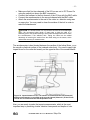
Step 3: Install the Hardware Device
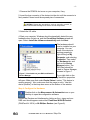
You can install the National Instruments PCMCIA device (the DAQ card)
in any available Type II PC Card slot. Complete the following steps to
install the PCMCIA device:
07/06/2006 MAL Inc. User Manual for Shop-Pro