1
SYSTEM OVERVIEW
Features
General Information
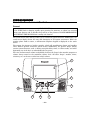
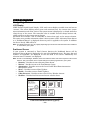
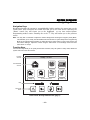
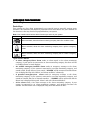
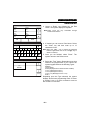
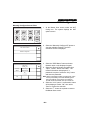
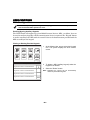
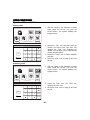
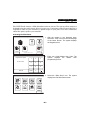
This system offers you three forms of protection: burglary, fire, and emergency, depending on
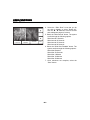
the configuration of your system. The system consists of a touch screen control for system
operation, various wireless sensors that provide perimeter and interior burglary protection,
and optional smoke or combustion detectors to provide early fire warning. In addition,
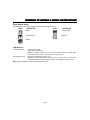
optional wireless keypads or key fobs may have been installed to allow you to control the
system away from the touch screen control. The system may also be used as a speaker phone.
The system monitors protection zones and system status, displays appropriate information
on the touch screen display, and initiates appropriate alarms. Your system may also have
been programmed to automatically send alarm or status messages over the phone lines or via
the cellular/GSM network or the internet to a central alarm monitoring station, and may also
be capable of two-way voice communication with the central station.
IMPORTANT SECURITY NOTICE
Your key fob is similar to your keys or access card. If lost or stolen, another person can compromise your
security system. Immediately notify your Dealer/Installer of a lost or stolen key fob. The Dealer/Installer will
then remove the key fob programming from the security system.
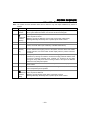
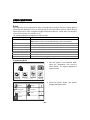
The user features of this security system are listed below. Ask your installer which features
have been programmed for your system.
• Stay and Away arming modes: By using these modes you can protect either the
perimeter only, or the entire premises.
• Panic key functions: A designated key allow you to manually activate fire, medical
emergency, or silent police alarms. Refer to the Panic Keys section for detailed information.
• Follow me reminder announcements: Allows the panel to dial a number that you have
specified, at a programmed day/time and deliver a message programmed by your installer.
• Real-time clock: Touch screen displays current date and time. Refer to the
Clock/Calendar section for procedures for setting the time.
• Message center: The system allows recording and play back of brief voice messages. Refer
to the Recording/Playback Messages section for procedures.
• Two-way voice: Allows the central station to listen, talk to or conduct two-way
conversations with individuals on the premises Refer to the Two-Way Voice section for
detailed information.
• Phone Control: Provides a remote interactive phone capability that permits access to the
security system from any off-site touch-tone telephone. Refer to the Remote Phone Control
Feature section for detailed information.
• Speaker Phone: The system is capable of operating as a speaker phone allowing hands
free telephone conversation. Refer to the Speaker Phone Feature section for detailed
information.
• Security Codes: The system is capable of supporting an Installer code, Master user code
and 14 additional User codes including Babysitter and Duress codes. Refer to the Security
Codes section for detailed information.
–5–