1
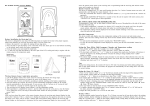
AS5013 – Demo Kit User Manual Figure 1: AS5013-DB-2 Demo board USB plug (to PC) EasyPoint Vertical mode LED TM Module Horizontal mode-, Hall Push-, Center- LED Direction Switch Joystick button , , EasyPoint™ module Moving the EasyPoint TM knob acts like an analog joystick, sending progressive XY coordinates to Windows via USB. Button EP (EasyPoint™ module push) The EasyPoint™ module push button is used in different ways: Mode 0 (default): Button EP emulates the standard HID button I (simultaneously with Button ). Thus when using the AS501x evaluation software, button EP emulates the left mouse button Mode 1: Button EP is disabled. Button is still active as standard HID button I. Buttons , , : Those switches are standard HID gamepad buttons I, II and III. When using the AS501x evaluation software, button emulates the left mouse button, and button emulates the right mouse button. www.ams.com Revision 2.1 / 08/01/13 page 3/12