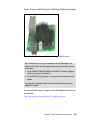
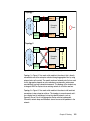
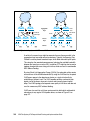
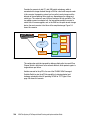
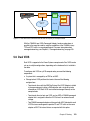
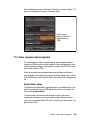
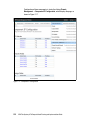
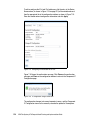
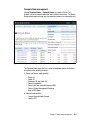
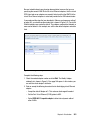
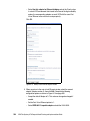
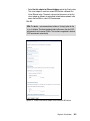
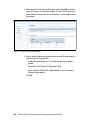
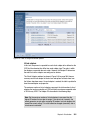
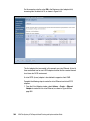
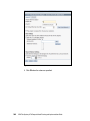
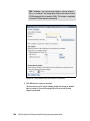
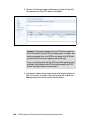
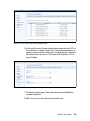
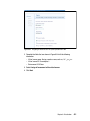
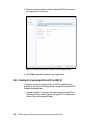
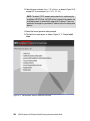
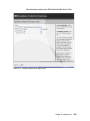
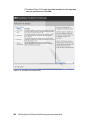
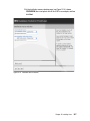
1
Front cover IBM Flex System p270 Compute Node Planning and Implementation Guide Describes the new POWER7+ compute node for IBM Flex System Provides detailed product and planning information Explains setting up converged networking, partitioning, and OS installation David Watts Kerry Anders Simon Casey Fabien Willmann ibm.com/redbooks International Technical Support Organization IBM Flex System p270 Compute Node Planning and Implementation Guide December 2013 SG24-8166-00 Note: Before using this information and the product it supports, read the information in “Notices” on page xi. First Edition (December 2013) This edition applies to the IBM Flex System p270 Compute Node, 7954-24X. © Copyright International Business Machines Corporation 2013. All rights reserved. Note to U.S. Government Users Restricted Rights -- Use, duplication or disclosure restricted by GSA ADP Schedule Contract with IBM Corp. Contents Notices . . . . . . . . . . . . . . . . . . . . . . . . . . . . . . . . . . . . . . . . . . . . . . . . . . . . . . . xi Trademarks . . . . . . . . . . . . . . . . . . . . . . . . . . . . . . . . . . . . . . . . . . . . . . . . . . . xii Preface . . . . . . . . . . . . . . . . . . . . . . . . . . . . . . . . . . . . . . . . . . . . . . . . . . . . . . xiii Authors . . . . . . . . . . . . . . . . . . . . . . . . . . . . . . . . . . . . . . . . . . . . . . . . . . . . . . . xiv Now you can become a published author, too! . . . . . . . . . . . . . . . . . . . . . . . . xvi Comments welcome. . . . . . . . . . . . . . . . . . . . . . . . . . . . . . . . . . . . . . . . . . . . . xvi Stay connected to IBM Redbooks . . . . . . . . . . . . . . . . . . . . . . . . . . . . . . . . . xvii Chapter 1. Introduction . . . . . . . . . . . . . . . . . . . . . . . . . . . . . . . . . . . . . . . . . . 1 1.1 IBM PureFlex System . . . . . . . . . . . . . . . . . . . . . . . . . . . . . . . . . . . . . . . . . 3 1.2 Choosing an IBM PureFlex System or IBM Flex System . . . . . . . . . . . . . . 4 1.2.1 PureFlex System . . . . . . . . . . . . . . . . . . . . . . . . . . . . . . . . . . . . . . . . . 4 1.3 IBM Flex System p270 Compute Node . . . . . . . . . . . . . . . . . . . . . . . . . . . . 5 1.4 Flex System components . . . . . . . . . . . . . . . . . . . . . . . . . . . . . . . . . . . . . . 5 1.4.1 IBM Flex System Enterprise Chassis . . . . . . . . . . . . . . . . . . . . . . . . . 5 1.4.2 Management: IBM Flex System Manager . . . . . . . . . . . . . . . . . . . . . . 6 1.4.3 Power Systems virtualization management: FSM, HMC, and IVM . . . 8 1.4.4 Chassis I/O modules . . . . . . . . . . . . . . . . . . . . . . . . . . . . . . . . . . . . . . 9 1.4.5 Compute nodes. . . . . . . . . . . . . . . . . . . . . . . . . . . . . . . . . . . . . . . . . 10 1.4.6 Storage . . . . . . . . . . . . . . . . . . . . . . . . . . . . . . . . . . . . . . . . . . . . . . . 11 1.4.7 Networking . . . . . . . . . . . . . . . . . . . . . . . . . . . . . . . . . . . . . . . . . . . . 11 1.4.8 Infrastructure . . . . . . . . . . . . . . . . . . . . . . . . . . . . . . . . . . . . . . . . . . . 12 1.5 This book. . . . . . . . . . . . . . . . . . . . . . . . . . . . . . . . . . . . . . . . . . . . . . . . . . 13 Chapter 2. IBM PureFlex System . . . . . . . . . . . . . . . . . . . . . . . . . . . . . . . . . 15 2.1 Introduction . . . . . . . . . . . . . . . . . . . . . . . . . . . . . . . . . . . . . . . . . . . . . . . . 16 2.2 Components . . . . . . . . . . . . . . . . . . . . . . . . . . . . . . . . . . . . . . . . . . . . . . . 17 2.2.1 Configurator for IBM PureFlex System . . . . . . . . . . . . . . . . . . . . . . . 19 2.3 PureFlex solutions. . . . . . . . . . . . . . . . . . . . . . . . . . . . . . . . . . . . . . . . . . . 20 2.3.1 PureFlex Solution for IBM i . . . . . . . . . . . . . . . . . . . . . . . . . . . . . . . . 20 2.3.2 PureFlex Solution for SmartCloud Desktop Infrastructure . . . . . . . . 21 2.4 IBM PureFlex System Express . . . . . . . . . . . . . . . . . . . . . . . . . . . . . . . . . 22 2.4.1 Available Express configurations . . . . . . . . . . . . . . . . . . . . . . . . . . . 22 2.4.2 Chassis . . . . . . . . . . . . . . . . . . . . . . . . . . . . . . . . . . . . . . . . . . . . . . . 26 2.4.3 Compute nodes. . . . . . . . . . . . . . . . . . . . . . . . . . . . . . . . . . . . . . . . . 27 2.4.4 IBM FSM . . . . . . . . . . . . . . . . . . . . . . . . . . . . . . . . . . . . . . . . . . . . . . 27 2.4.5 PureFlex Express storage requirements and options . . . . . . . . . . . . 28 2.4.6 Video, keyboard, mouse option. . . . . . . . . . . . . . . . . . . . . . . . . . . . . 32 © Copyright IBM Corp. 2013. All rights reserved. iii 2.4.7 Rack cabinet . . . . . . . . . . . . . . . . . . . . . . . . . . . . . . . . . . . . . . . . . . . 33 2.4.8 Available software for Power Systems compute nodes . . . . . . . . . . 33 2.4.9 Available software for x86-based compute nodes . . . . . . . . . . . . . . 34 2.5 IBM PureFlex System Enterprise . . . . . . . . . . . . . . . . . . . . . . . . . . . . . . . 35 2.5.1 Enterprise configurations . . . . . . . . . . . . . . . . . . . . . . . . . . . . . . . . . 35 2.5.2 Chassis . . . . . . . . . . . . . . . . . . . . . . . . . . . . . . . . . . . . . . . . . . . . . . . 39 2.5.3 Top-of-rack switches . . . . . . . . . . . . . . . . . . . . . . . . . . . . . . . . . . . . . 40 2.5.4 Compute nodes. . . . . . . . . . . . . . . . . . . . . . . . . . . . . . . . . . . . . . . . . 40 2.5.5 IBM FSM . . . . . . . . . . . . . . . . . . . . . . . . . . . . . . . . . . . . . . . . . . . . . . 41 2.5.6 PureFlex Enterprise storage options . . . . . . . . . . . . . . . . . . . . . . . . . 41 2.5.7 Video, keyboard, and mouse option . . . . . . . . . . . . . . . . . . . . . . . . . 44 2.5.8 Rack cabinet . . . . . . . . . . . . . . . . . . . . . . . . . . . . . . . . . . . . . . . . . . . 45 2.5.9 Available software for Power Systems compute node . . . . . . . . . . . 46 2.5.10 Available software for x86-based compute nodes . . . . . . . . . . . . . 46 2.6 Services for IBM PureFlex System Express and Enterprise . . . . . . . . . . . 47 2.6.1 PureFlex FCoE Customization Service . . . . . . . . . . . . . . . . . . . . . . . 49 2.6.2 PureFlex Services for IBM i. . . . . . . . . . . . . . . . . . . . . . . . . . . . . . . . 49 2.6.3 Software and hardware maintenance . . . . . . . . . . . . . . . . . . . . . . . . 50 2.7 IBM SmartCloud Entry for Flex system . . . . . . . . . . . . . . . . . . . . . . . . . . . 50 Chapter 3. Introduction to IBM Flex System . . . . . . . . . . . . . . . . . . . . . . . . 53 3.1 IBM Flex System Enterprise Chassis . . . . . . . . . . . . . . . . . . . . . . . . . . . . 54 3.2 Compute nodes . . . . . . . . . . . . . . . . . . . . . . . . . . . . . . . . . . . . . . . . . . . . . 56 3.3 I/O modules . . . . . . . . . . . . . . . . . . . . . . . . . . . . . . . . . . . . . . . . . . . . . . . . 57 3.4 Systems Management. . . . . . . . . . . . . . . . . . . . . . . . . . . . . . . . . . . . . . . . 61 3.4.1 Private management network . . . . . . . . . . . . . . . . . . . . . . . . . . . . . . 61 3.4.2 Management controllers . . . . . . . . . . . . . . . . . . . . . . . . . . . . . . . . . . 61 3.4.3 Chassis Management Module. . . . . . . . . . . . . . . . . . . . . . . . . . . . . . 61 3.4.4 IBM Flex System Manager . . . . . . . . . . . . . . . . . . . . . . . . . . . . . . . . 62 3.5 Power supplies . . . . . . . . . . . . . . . . . . . . . . . . . . . . . . . . . . . . . . . . . . . . . 63 3.6 Cooling . . . . . . . . . . . . . . . . . . . . . . . . . . . . . . . . . . . . . . . . . . . . . . . . . . . 69 3.6.1 Node cooling . . . . . . . . . . . . . . . . . . . . . . . . . . . . . . . . . . . . . . . . . . . 70 3.6.2 Switch and Chassis Management Module cooling . . . . . . . . . . . . . . 72 3.6.3 Power supply cooling . . . . . . . . . . . . . . . . . . . . . . . . . . . . . . . . . . . . 72 Chapter 4. Product information and technology . . . . . . . . . . . . . . . . . . . . 73 4.1 Overview . . . . . . . . . . . . . . . . . . . . . . . . . . . . . . . . . . . . . . . . . . . . . . . . . . 74 4.1.1 Comparing the compute nodes . . . . . . . . . . . . . . . . . . . . . . . . . . . . . 75 4.2 Front panel . . . . . . . . . . . . . . . . . . . . . . . . . . . . . . . . . . . . . . . . . . . . . . . . 76 4.2.1 Light path diagnostic LED panel . . . . . . . . . . . . . . . . . . . . . . . . . . . . 77 4.2.2 Labeling. . . . . . . . . . . . . . . . . . . . . . . . . . . . . . . . . . . . . . . . . . . . . . . 79 4.3 Chassis support. . . . . . . . . . . . . . . . . . . . . . . . . . . . . . . . . . . . . . . . . . . . . 80 4.4 System architecture. . . . . . . . . . . . . . . . . . . . . . . . . . . . . . . . . . . . . . . . . . 81 iv IBM Flex System p270 Compute Node Planning and Implementation Guide 4.5 IBM POWER7+ processor. . . . . . . . . . . . . . . . . . . . . . . . . . . . . . . . . . . . . 82 4.5.1 Processor options . . . . . . . . . . . . . . . . . . . . . . . . . . . . . . . . . . . . . . . 82 4.5.2 Unconfiguring . . . . . . . . . . . . . . . . . . . . . . . . . . . . . . . . . . . . . . . . . . 83 4.5.3 Architecture . . . . . . . . . . . . . . . . . . . . . . . . . . . . . . . . . . . . . . . . . . . . 84 4.6 Memory subsystem . . . . . . . . . . . . . . . . . . . . . . . . . . . . . . . . . . . . . . . . . . 93 4.6.1 Memory placement rules . . . . . . . . . . . . . . . . . . . . . . . . . . . . . . . . . . 93 4.7 Active Memory Expansion. . . . . . . . . . . . . . . . . . . . . . . . . . . . . . . . . . . . . 96 4.8 Storage . . . . . . . . . . . . . . . . . . . . . . . . . . . . . . . . . . . . . . . . . . . . . . . . . . . 98 4.8.1 Storage configuration impact to memory configuration . . . . . . . . . . . 99 4.8.2 Local storage and cover options . . . . . . . . . . . . . . . . . . . . . . . . . . . 100 4.8.3 Local drive connection . . . . . . . . . . . . . . . . . . . . . . . . . . . . . . . . . . 101 4.8.4 RAID capabilities. . . . . . . . . . . . . . . . . . . . . . . . . . . . . . . . . . . . . . . 102 4.9 I/O adapters. . . . . . . . . . . . . . . . . . . . . . . . . . . . . . . . . . . . . . . . . . . . . . . 102 4.9.1 I/O adapter slots . . . . . . . . . . . . . . . . . . . . . . . . . . . . . . . . . . . . . . . 103 4.9.2 PCI hubs . . . . . . . . . . . . . . . . . . . . . . . . . . . . . . . . . . . . . . . . . . . . . 104 4.9.3 Available adapters. . . . . . . . . . . . . . . . . . . . . . . . . . . . . . . . . . . . . . 105 4.9.4 Adapter naming convention . . . . . . . . . . . . . . . . . . . . . . . . . . . . . . 106 4.9.5 IBM Flex System EN2024 4-port 1Gb Ethernet Adapter. . . . . . . . . 106 4.9.6 IBM Flex System EN4054 4-port 10Gb Ethernet Adapter. . . . . . . . 108 4.9.7 IBM Flex System CN4058 8-port 10Gb Converged Adapter . . . . . 110 4.9.8 IBM Flex System EN4132 2-port 10Gb RoCE Adapter. . . . . . . . . . 112 4.9.9 IBM Flex System IB6132 2-port QDR InfiniBand Adapter. . . . . . . . 113 4.9.10 IBM Flex System FC3172 2-port 8Gb FC Adapter . . . . . . . . . . . . 114 4.9.11 IBM Flex System FC5052 2-port 16Gb FC Adapter . . . . . . . . . . . 116 4.9.12 IBM Flex System FC5054 4-port 16Gb FC Adapter . . . . . . . . . . . 117 4.10 System management . . . . . . . . . . . . . . . . . . . . . . . . . . . . . . . . . . . . . . 118 4.10.1 Flexible Support Processor . . . . . . . . . . . . . . . . . . . . . . . . . . . . . . 119 4.10.2 Serial-over-LAN. . . . . . . . . . . . . . . . . . . . . . . . . . . . . . . . . . . . . . . 119 4.11 IBM EnergyScale. . . . . . . . . . . . . . . . . . . . . . . . . . . . . . . . . . . . . . . . . . 119 4.11.1 IBM EnergyScale technology . . . . . . . . . . . . . . . . . . . . . . . . . . . . 120 4.11.2 Power Capping and Power Saving options and capabilities . . . . . 122 4.11.3 Energy consumption estimation . . . . . . . . . . . . . . . . . . . . . . . . . . 124 4.12 Anchor card . . . . . . . . . . . . . . . . . . . . . . . . . . . . . . . . . . . . . . . . . . . . . . 124 4.13 External USB device support . . . . . . . . . . . . . . . . . . . . . . . . . . . . . . . . 125 4.13.1 Supported IBM USB devices. . . . . . . . . . . . . . . . . . . . . . . . . . . . . 125 4.13.2 Supported non-IBM USB devices . . . . . . . . . . . . . . . . . . . . . . . . . 127 4.14 Operating system support . . . . . . . . . . . . . . . . . . . . . . . . . . . . . . . . . . . 127 4.15 Warranty and maintenance agreements . . . . . . . . . . . . . . . . . . . . . . . . 128 4.16 Software support and remote technical support . . . . . . . . . . . . . . . . . . 128 Chapter 5. Planning. . . . . . . . . . . . . . . . . . . . . . . . . . . . . . . . . . . . . . . . . . . 129 5.1 Planning your system: An overview . . . . . . . . . . . . . . . . . . . . . . . . . . . . 130 5.1.1 Hardware planning . . . . . . . . . . . . . . . . . . . . . . . . . . . . . . . . . . . . . 130 Contents v 5.1.2 Software planning . . . . . . . . . . . . . . . . . . . . . . . . . . . . . . . . . . . . . . 132 5.2 Network connectivity . . . . . . . . . . . . . . . . . . . . . . . . . . . . . . . . . . . . . . . . 136 5.2.1 Ethernet switch module connectivity . . . . . . . . . . . . . . . . . . . . . . . . 136 5.2.2 Virtual LANs . . . . . . . . . . . . . . . . . . . . . . . . . . . . . . . . . . . . . . . . . . 138 5.3 SAN connectivity . . . . . . . . . . . . . . . . . . . . . . . . . . . . . . . . . . . . . . . . . . . 139 5.4 Converged networking . . . . . . . . . . . . . . . . . . . . . . . . . . . . . . . . . . . . . . 141 5.5 Configuring redundancy . . . . . . . . . . . . . . . . . . . . . . . . . . . . . . . . . . . . . 141 5.5.1 Network redundancy . . . . . . . . . . . . . . . . . . . . . . . . . . . . . . . . . . . . 141 5.5.2 SAN and Fibre Channel redundancy . . . . . . . . . . . . . . . . . . . . . . . 147 5.6 Dual VIOS . . . . . . . . . . . . . . . . . . . . . . . . . . . . . . . . . . . . . . . . . . . . . . . . 149 5.6.1 Dual VIOS on Power Systems compute nodes. . . . . . . . . . . . . . . . 150 5.7 Power planning . . . . . . . . . . . . . . . . . . . . . . . . . . . . . . . . . . . . . . . . . . . . 152 5.7.1 Power supply features. . . . . . . . . . . . . . . . . . . . . . . . . . . . . . . . . . . 152 5.7.2 PDU and UPS planning. . . . . . . . . . . . . . . . . . . . . . . . . . . . . . . . . . 152 5.7.3 Chassis power supplies . . . . . . . . . . . . . . . . . . . . . . . . . . . . . . . . . 154 5.7.4 Power limiting and capping policies . . . . . . . . . . . . . . . . . . . . . . . . 155 5.7.5 Chassis power requirements. . . . . . . . . . . . . . . . . . . . . . . . . . . . . . 156 5.8 Cooling . . . . . . . . . . . . . . . . . . . . . . . . . . . . . . . . . . . . . . . . . . . . . . . . . . 157 5.8.1 Enterprise Chassis fan population . . . . . . . . . . . . . . . . . . . . . . . . . 157 5.8.2 Supported environment. . . . . . . . . . . . . . . . . . . . . . . . . . . . . . . . . . 159 5.9 Planning for virtualization . . . . . . . . . . . . . . . . . . . . . . . . . . . . . . . . . . . . 159 5.9.1 Virtual servers without VIOS . . . . . . . . . . . . . . . . . . . . . . . . . . . . . . 160 5.9.2 Virtual servers with VIOS . . . . . . . . . . . . . . . . . . . . . . . . . . . . . . . . 161 Chapter 6. Converged networking . . . . . . . . . . . . . . . . . . . . . . . . . . . . . . . 163 6.1 Introduction . . . . . . . . . . . . . . . . . . . . . . . . . . . . . . . . . . . . . . . . . . . . . . . 164 6.1.1 Fibre Channel over Ethernet . . . . . . . . . . . . . . . . . . . . . . . . . . . . . . 166 6.1.2 FCoE protocol stack . . . . . . . . . . . . . . . . . . . . . . . . . . . . . . . . . . . . 168 6.1.3 Converged Network Adapters . . . . . . . . . . . . . . . . . . . . . . . . . . . . . 169 6.1.4 Fibre Channel Forwarders . . . . . . . . . . . . . . . . . . . . . . . . . . . . . . . 170 6.1.5 FCoE port types . . . . . . . . . . . . . . . . . . . . . . . . . . . . . . . . . . . . . . . 170 6.2 Configuring an FCoE network with the CN4093 . . . . . . . . . . . . . . . . . . . 172 6.2.1 FCoE VLANs . . . . . . . . . . . . . . . . . . . . . . . . . . . . . . . . . . . . . . . . . . 174 6.2.2 Administration interface for the CN4093 . . . . . . . . . . . . . . . . . . . . . 176 6.2.3 Configuring for Fibre Channel Forwarding . . . . . . . . . . . . . . . . . . . 176 6.2.4 Creating zoning on CN4093 with CLI . . . . . . . . . . . . . . . . . . . . . . . 179 Chapter 7. Power node management . . . . . . . . . . . . . . . . . . . . . . . . . . . . 183 7.1 Management network . . . . . . . . . . . . . . . . . . . . . . . . . . . . . . . . . . . . . . . 185 7.2 Chassis Management Module. . . . . . . . . . . . . . . . . . . . . . . . . . . . . . . . . 187 7.2.1 CMM overview . . . . . . . . . . . . . . . . . . . . . . . . . . . . . . . . . . . . . . . . 188 7.2.2 CMM user interfaces . . . . . . . . . . . . . . . . . . . . . . . . . . . . . . . . . . . . 189 7.2.3 CMM default network information . . . . . . . . . . . . . . . . . . . . . . . . . . 190 vi IBM Flex System p270 Compute Node Planning and Implementation Guide 7.2.4 CMM requirements . . . . . . . . . . . . . . . . . . . . . . . . . . . . . . . . . . . . . 190 7.3 IBM Flex System Manager . . . . . . . . . . . . . . . . . . . . . . . . . . . . . . . . . . . 191 7.3.1 FSM overview . . . . . . . . . . . . . . . . . . . . . . . . . . . . . . . . . . . . . . . . . 191 7.3.2 FSM user interfaces . . . . . . . . . . . . . . . . . . . . . . . . . . . . . . . . . . . . 195 7.3.3 FSM requirements. . . . . . . . . . . . . . . . . . . . . . . . . . . . . . . . . . . . . . 196 7.4 IBM HMC. . . . . . . . . . . . . . . . . . . . . . . . . . . . . . . . . . . . . . . . . . . . . . . . . 196 7.4.1 HMC overview . . . . . . . . . . . . . . . . . . . . . . . . . . . . . . . . . . . . . . . . . 197 7.4.2 HMC user interfaces . . . . . . . . . . . . . . . . . . . . . . . . . . . . . . . . . . . . 197 7.4.3 HMC requirements . . . . . . . . . . . . . . . . . . . . . . . . . . . . . . . . . . . . . 198 7.5 IBM IVM. . . . . . . . . . . . . . . . . . . . . . . . . . . . . . . . . . . . . . . . . . . . . . . . . . 199 7.5.1 IVM overview. . . . . . . . . . . . . . . . . . . . . . . . . . . . . . . . . . . . . . . . . . 199 7.5.2 IVM user interfaces . . . . . . . . . . . . . . . . . . . . . . . . . . . . . . . . . . . . . 200 7.5.3 IVM requirements . . . . . . . . . . . . . . . . . . . . . . . . . . . . . . . . . . . . . . 201 7.6 Comparing FSM, HMC, and IVM management. . . . . . . . . . . . . . . . . . . . 202 7.7 Management by using a CMM . . . . . . . . . . . . . . . . . . . . . . . . . . . . . . . . 204 7.7.1 Accessing the CMM . . . . . . . . . . . . . . . . . . . . . . . . . . . . . . . . . . . . 204 7.7.2 Connecting a Power compute node to the CMM . . . . . . . . . . . . . . 208 7.7.3 Power compute node management . . . . . . . . . . . . . . . . . . . . . . . . 209 7.7.4 Service and Support option. . . . . . . . . . . . . . . . . . . . . . . . . . . . . . . 220 7.8 Management by using FSM . . . . . . . . . . . . . . . . . . . . . . . . . . . . . . . . . . 224 7.8.1 Accessing the FSM . . . . . . . . . . . . . . . . . . . . . . . . . . . . . . . . . . . . . 224 7.8.2 Connecting a Power compute node to the FSM . . . . . . . . . . . . . . . 226 7.8.3 Manage Power Systems Resources navigation basics . . . . . . . . . 229 7.8.4 Managing Power compute node basics . . . . . . . . . . . . . . . . . . . . . 238 7.8.5 Service and Support Manager . . . . . . . . . . . . . . . . . . . . . . . . . . . . 255 7.9 Management by using an HMC. . . . . . . . . . . . . . . . . . . . . . . . . . . . . . . . 265 7.9.1 Accessing an HMC . . . . . . . . . . . . . . . . . . . . . . . . . . . . . . . . . . . . . 265 7.9.2 Connecting a Power compute node to an HMC . . . . . . . . . . . . . . . 269 7.9.3 Power compute node management basics . . . . . . . . . . . . . . . . . . . 283 7.10 Management by using IVM . . . . . . . . . . . . . . . . . . . . . . . . . . . . . . . . . . 299 7.10.1 Installing IVM. . . . . . . . . . . . . . . . . . . . . . . . . . . . . . . . . . . . . . . . . 299 7.10.2 Accessing IVM . . . . . . . . . . . . . . . . . . . . . . . . . . . . . . . . . . . . . . . 299 7.10.3 Power compute node basic management . . . . . . . . . . . . . . . . . . . 300 7.10.4 Service and support . . . . . . . . . . . . . . . . . . . . . . . . . . . . . . . . . . . 326 Chapter 8. Virtualization . . . . . . . . . . . . . . . . . . . . . . . . . . . . . . . . . . . . . . 333 8.1 Introduction . . . . . . . . . . . . . . . . . . . . . . . . . . . . . . . . . . . . . . . . . . . . . . . 334 8.2 PowerVM. . . . . . . . . . . . . . . . . . . . . . . . . . . . . . . . . . . . . . . . . . . . . . . . . 334 8.2.1 PowerVM editions . . . . . . . . . . . . . . . . . . . . . . . . . . . . . . . . . . . . . . 336 8.2.2 PowerVM features. . . . . . . . . . . . . . . . . . . . . . . . . . . . . . . . . . . . . . 338 8.3 POWER Hypervisor. . . . . . . . . . . . . . . . . . . . . . . . . . . . . . . . . . . . . . . . . 340 8.3.1 Logical partitioning technologies . . . . . . . . . . . . . . . . . . . . . . . . . . . 342 8.3.2 Virtual I/O adapters . . . . . . . . . . . . . . . . . . . . . . . . . . . . . . . . . . . . . 343 Contents vii 8.4 Planning for a virtual server environment . . . . . . . . . . . . . . . . . . . . . . . . 346 8.5 Creating a VIOS virtual server. . . . . . . . . . . . . . . . . . . . . . . . . . . . . . . . . 349 8.5.1 Using the CLI . . . . . . . . . . . . . . . . . . . . . . . . . . . . . . . . . . . . . . . . . 349 8.5.2 GUI methods . . . . . . . . . . . . . . . . . . . . . . . . . . . . . . . . . . . . . . . . . . 354 8.5.3 Modifying the VIOS profile . . . . . . . . . . . . . . . . . . . . . . . . . . . . . . . 399 8.6 Creating an AIX or Linux virtual server . . . . . . . . . . . . . . . . . . . . . . . . . . 413 8.6.1 Using the IVM GUI . . . . . . . . . . . . . . . . . . . . . . . . . . . . . . . . . . . . . 413 8.7 Creating an IBM i virtual server . . . . . . . . . . . . . . . . . . . . . . . . . . . . . . . . 422 8.8 Creating a full system partition . . . . . . . . . . . . . . . . . . . . . . . . . . . . . . . . 430 8.8.1 Creating a full system partition with the FSM UI . . . . . . . . . . . . . . . 430 8.8.2 Creating a full system partition with the HMC UI. . . . . . . . . . . . . . . 432 Chapter 9. Operating system installation methods . . . . . . . . . . . . . . . . . 437 9.1 Comparison of methods . . . . . . . . . . . . . . . . . . . . . . . . . . . . . . . . . . . . . 438 9.2 Accessing System Management Services . . . . . . . . . . . . . . . . . . . . . . . 438 9.3 Installios installation of the VIOS. . . . . . . . . . . . . . . . . . . . . . . . . . . . . . . 440 9.3.1 Interactive installation . . . . . . . . . . . . . . . . . . . . . . . . . . . . . . . . . . . 440 9.3.2 CLI installation. . . . . . . . . . . . . . . . . . . . . . . . . . . . . . . . . . . . . . . . . 445 9.4 Network Installation Management method . . . . . . . . . . . . . . . . . . . . . . . 446 9.5 Optical media installation . . . . . . . . . . . . . . . . . . . . . . . . . . . . . . . . . . . . 462 9.5.1 Preparing for a physical optical device . . . . . . . . . . . . . . . . . . . . . . 463 9.5.2 Preparing for a physical optical device virtualized by the VIOS . . . 467 9.5.3 Using a VIOS media repository . . . . . . . . . . . . . . . . . . . . . . . . . . . . 468 9.5.4 Using the optical device as an installation source. . . . . . . . . . . . . . 472 9.6 TFTP network installation for Linux . . . . . . . . . . . . . . . . . . . . . . . . . . . . . 478 9.6.1 SUSE Linux Enterprise Server 11 . . . . . . . . . . . . . . . . . . . . . . . . . . 479 9.6.2 Red Hat Enterprise Linux 6 . . . . . . . . . . . . . . . . . . . . . . . . . . . . . . . 485 9.7 Cloning methods . . . . . . . . . . . . . . . . . . . . . . . . . . . . . . . . . . . . . . . . . . . 487 Chapter 10. Installing VIOS and AIX . . . . . . . . . . . . . . . . . . . . . . . . . . . . . 489 10.1 Installing VIOS. . . . . . . . . . . . . . . . . . . . . . . . . . . . . . . . . . . . . . . . . . . . 490 10.2 Installing AIX . . . . . . . . . . . . . . . . . . . . . . . . . . . . . . . . . . . . . . . . . . . . . 491 Chapter 11. Installing IBM i . . . . . . . . . . . . . . . . . . . . . . . . . . . . . . . . . . . . 497 11.1 Planning the installation . . . . . . . . . . . . . . . . . . . . . . . . . . . . . . . . . . . . 498 11.1.1 Concepts of virtualized I/O for IBM i . . . . . . . . . . . . . . . . . . . . . . . 498 11.1.2 Client storage . . . . . . . . . . . . . . . . . . . . . . . . . . . . . . . . . . . . . . . . 499 11.2 Creating an IBM i client virtual server . . . . . . . . . . . . . . . . . . . . . . . . . . 501 11.3 Configuring an IBM i console connection . . . . . . . . . . . . . . . . . . . . . . . 512 11.4 Installing the IBM i operating system. . . . . . . . . . . . . . . . . . . . . . . . . . . 513 11.5 Installing Licensed Programs . . . . . . . . . . . . . . . . . . . . . . . . . . . . . . . . 528 11.6 IPL and Initialize System . . . . . . . . . . . . . . . . . . . . . . . . . . . . . . . . . . . . 536 11.7 Installing Program Temporary Fix packages . . . . . . . . . . . . . . . . . . . . . 537 11.7.1 Reviewing fix cover letters before installation . . . . . . . . . . . . . . . . 537 viii IBM Flex System p270 Compute Node Planning and Implementation Guide 11.7.2 Preparing the system for installation of PTFs . . . . . . . . . . . . . . . . 537 11.7.3 Installing a Cumulative PTF package . . . . . . . . . . . . . . . . . . . . . . 538 11.7.4 Completing fix installation . . . . . . . . . . . . . . . . . . . . . . . . . . . . . . . 541 11.7.5 Verifying fix installation . . . . . . . . . . . . . . . . . . . . . . . . . . . . . . . . . 543 11.8 Installing software license keys . . . . . . . . . . . . . . . . . . . . . . . . . . . . . . . 545 11.8.1 License key repository . . . . . . . . . . . . . . . . . . . . . . . . . . . . . . . . . 545 11.8.2 Setting usage limit of license-managed programs . . . . . . . . . . . . 546 11.9 Basic TCP/IP configuration . . . . . . . . . . . . . . . . . . . . . . . . . . . . . . . . . . 547 11.9.1 Configuring a line description . . . . . . . . . . . . . . . . . . . . . . . . . . . . 547 11.9.2 Turning on IP datagram forwarding. . . . . . . . . . . . . . . . . . . . . . . . 548 11.9.3 Configuring an interface . . . . . . . . . . . . . . . . . . . . . . . . . . . . . . . . 548 11.9.4 Configuring a default route . . . . . . . . . . . . . . . . . . . . . . . . . . . . . . 548 11.9.5 Defining TCP/IP domain . . . . . . . . . . . . . . . . . . . . . . . . . . . . . . . . 549 11.9.6 Defining a host table . . . . . . . . . . . . . . . . . . . . . . . . . . . . . . . . . . . 550 11.9.7 Starting TCP/IP . . . . . . . . . . . . . . . . . . . . . . . . . . . . . . . . . . . . . . . 551 Chapter 12. Installing Linux . . . . . . . . . . . . . . . . . . . . . . . . . . . . . . . . . . . . 553 12.1 IBM Installation Toolkit for PowerLinux . . . . . . . . . . . . . . . . . . . . . . . . . 554 12.1.1 Using the toolkit. . . . . . . . . . . . . . . . . . . . . . . . . . . . . . . . . . . . . . . 555 12.2 Installing Red Hat Enterprise Linux . . . . . . . . . . . . . . . . . . . . . . . . . . . . 581 12.3 Installing SUSE Linux Enterprise Server . . . . . . . . . . . . . . . . . . . . . . . . 592 Abbreviations and acronyms . . . . . . . . . . . . . . . . . . . . . . . . . . . . . . . . . . . 601 Related publications . . . . . . . . . . . . . . . . . . . . . . . . . . . . . . . . . . . . . . . . . . 605 IBM Redbooks . . . . . . . . . . . . . . . . . . . . . . . . . . . . . . . . . . . . . . . . . . . . . . . . 605 Online resources . . . . . . . . . . . . . . . . . . . . . . . . . . . . . . . . . . . . . . . . . . . . . . 606 Help from IBM . . . . . . . . . . . . . . . . . . . . . . . . . . . . . . . . . . . . . . . . . . . . . . . . 606 Contents ix x IBM Flex System p270 Compute Node Planning and Implementation Guide Notices This information was developed for products and services offered in the U.S.A. IBM may not offer the products, services, or features discussed in this document in other countries. Consult your local IBM representative for information on the products and services currently available in your area. Any reference to an IBM product, program, or service is not intended to state or imply that only that IBM product, program, or service may be used. Any functionally equivalent product, program, or service that does not infringe any IBM intellectual property right may be used instead. However, it is the user's responsibility to evaluate and verify the operation of any non-IBM product, program, or service. IBM may have patents or pending patent applications covering subject matter described in this document. The furnishing of this document does not grant you any license to these patents. You can send license inquiries, in writing, to: IBM Director of Licensing, IBM Corporation, North Castle Drive, Armonk, NY 10504-1785 U.S.A. The following paragraph does not apply to the United Kingdom or any other country where such provisions are inconsistent with local law: INTERNATIONAL BUSINESS MACHINES CORPORATION PROVIDES THIS PUBLICATION “AS IS” WITHOUT WARRANTY OF ANY KIND, EITHER EXPRESS OR IMPLIED, INCLUDING, BUT NOT LIMITED TO, THE IMPLIED WARRANTIES OF NON-INFRINGEMENT, MERCHANTABILITY OR FITNESS FOR A PARTICULAR PURPOSE. Some states do not allow disclaimer of express or implied warranties in certain transactions, therefore, this statement may not apply to you. This information could include technical inaccuracies or typographical errors. Changes are periodically made to the information herein; these changes will be incorporated in new editions of the publication. IBM may make improvements and/or changes in the product(s) and/or the program(s) described in this publication at any time without notice. Any references in this information to non-IBM websites are provided for convenience only and do not in any manner serve as an endorsement of those websites. The materials at those websites are not part of the materials for this IBM product and use of those websites is at your own risk. IBM may use or distribute any of the information you supply in any way it believes appropriate without incurring any obligation to you. Any performance data contained herein was determined in a controlled environment. Therefore, the results obtained in other operating environments may vary significantly. Some measurements may have been made on development-level systems and there is no guarantee that these measurements will be the same on generally available systems. Furthermore, some measurements may have been estimated through extrapolation. Actual results may vary. Users of this document should verify the applicable data for their specific environment. Information concerning non-IBM products was obtained from the suppliers of those products, their published announcements or other publicly available sources. IBM has not tested those products and cannot confirm the accuracy of performance, compatibility or any other claims related to non-IBM products. Questions on the capabilities of non-IBM products should be addressed to the suppliers of those products. This information contains examples of data and reports used in daily business operations. To illustrate them as completely as possible, the examples include the names of individuals, companies, brands, and products. All of these names are fictitious and any similarity to the names and addresses used by an actual business enterprise is entirely coincidental. COPYRIGHT LICENSE: This information contains sample application programs in source language, which illustrate programming techniques on various operating platforms. You may copy, modify, and distribute these sample programs in any form without payment to IBM, for the purposes of developing, using, marketing or distributing application programs conforming to the application programming interface for the operating platform for which the sample programs are written. These examples have not been thoroughly tested under all conditions. IBM, therefore, cannot guarantee or imply reliability, serviceability, or function of these programs. You may copy, modify, and distribute these sample programs in any form without payment to IBM for the purposes of developing, using, marketing, or distributing application programs conforming to IBM's application programming interfaces. © Copyright IBM Corp. 2013. All rights reserved. xi Trademarks IBM, the IBM logo, and ibm.com are trademarks or registered trademarks of International Business Machines Corporation in the United States, other countries, or both. These and other IBM trademarked terms are marked on their first occurrence in this information with the appropriate symbol (® or ™), indicating US registered or common law trademarks owned by IBM at the time this information was published. Such trademarks may also be registered or common law trademarks in other countries. A current list of IBM trademarks is available on the Web at http://www.ibm.com/legal/copytrade.shtml The following terms are trademarks of the International Business Machines Corporation in the United States, other countries, or both: Active Memory™ AIX® AIX 5L™ BladeCenter® DB2® Electronic Service Agent™ EnergyScale™ Focal Point™ IBM® IBM Flex System™ IBM Flex System Manager™ iDataPlex® iSeries® Micro-Partitioning® POWER® POWER Hypervisor™ Power Systems™ Power Systems Software™ POWER6® POWER6+™ POWER7® POWER7 Systems™ POWER7+™ PowerHA® PowerLinux™ PowerVM® PureFlex™ PureSystems™ Redbooks® Redpaper™ Redbooks (logo) ® ServerProven® Storwize® System i® System Storage® System x® Tivoli® VMready® Workload Partitions Manager™ The following terms are trademarks of other companies: Evolution, and Kenexa device are trademarks or registered trademarks of Kenexa, an IBM Company. Intel, Intel Xeon, Intel logo, Intel Inside logo, and Intel Centrino logo are trademarks or registered trademarks of Intel Corporation or its subsidiaries in the United States and other countries. Linux is a trademark of Linus Torvalds in the United States, other countries, or both. Microsoft, and the Windows logo are trademarks of Microsoft Corporation in the United States, other countries, or both. Java, and all Java-based trademarks and logos are trademarks or registered trademarks of Oracle and/or its affiliates. UNIX is a registered trademark of The Open Group in the United States and other countries. Other company, product, or service names may be trademarks or service marks of others. xii IBM Flex System p270 Compute Node Planning and Implementation Guide Preface To meet today’s complex and ever-changing business demands, you need a solid foundation of compute, storage, networking, and software resources that is simple to deploy and can quickly and automatically adapt to changing conditions. You also need to make full use of broad expertise and proven preferred practices in systems management, applications, hardware maintenance, and more. The IBM® Flex System p270 Compute Node is an IBM Power Systems™ server that is based on the new dual-chip module POWER7+™ processor and is optimized for virtualization, performance, and efficiency. The server supports IBM AIX®, IBM i, or Linux operating environments, and is designed to run various workloads in IBM PureFlex™ System. The p270 Compute Node is a follow-on to the IBM Flex System™ p260 Compute Node. This IBM Redbooks® publication is a comprehensive guide to the p270 Compute Node. We introduce the related Flex System offerings and describe the compute node in detail. We then describe planning and implementation steps including converged networking, management, virtualization, and operating system installation. This book is for customers, IBM Business Partners, and IBM technical specialists who want to understand the new offerings and plan and implement an IBM Flex System installation that involves the Power Systems compute nodes. © Copyright IBM Corp. 2013. All rights reserved. xiii Authors This book was produced by a team of specialists from around the world working at the International Technical Support Organization, Raleigh Center. David Watts is a Consulting IT Specialist at the IBM ITSO Center in Raleigh. He manages residencies and produces IBM Redbooks publications about hardware and software topics that are related to IBM Flex System, IBM System x®, and BladeCenter® servers and associated client platforms. He has authored over 250 books, papers, and Product Guides. He holds a Bachelor of Engineering degree from the University of Queensland (Australia), and has worked for IBM in the United States and Australia since 1989. David is an IBM Certified IT Specialist and a member of the IT Specialist Certification Review Board. Kerry Anders is a Consultant for IBM POWER® systems and IBM PowerVM® in IBM Lab Services that is based in Austin, Texas. He is part of the Lab Service core team that implements IBM PureFlex System solutions and supports clients in implementing IBM Power Systems blades that use VIOS, IVM, and AIX. He was the Systems Integration Test Team Lead for the IBM BladeCenter JS21 blade with IBM SAN storage that uses AIX and Linux. Kerry began his career with IBM supporting NASA at the Johnson Space Center as a Systems Engineer. He transferred to Austin in 1993. Kerry has authored five other IBM Redbooks publications. Simon Casey is an IT specialist working in the Power Systems and Flex Systems team for IBM UK, based in Hursley. With over a decade of Power Systems client experience in the Financial Services sector, he is now part of IBM’s core team that implements Flex System and PureFlex System solutions, including proof of concepts for clients. He specializes in IBM i for Flex, enterprise storage, PowerHA®, and datacenter migrations. xiv IBM Flex System p270 Compute Node Planning and Implementation Guide Fabien Willmann is an IT Specialist working for IBM Techline Europe in France. After teaching hardware courses on Power Systems servers, he joined ITS in 2006 as an AIX consultant where he developed his competencies in AIX, Hardware Management Console management, and PowerVM virtualization. His expertise today is building new Power Systems configurations and upgrades for Systems and Technology Group presales, including BladeCenter and PureSystems. He participates as a speaker to the Symposium for French Business Partners in Montpellier, France where he gives presentations that are focused on building configurations with the e-config configurator tool. Thanks to the following people for their contributions to this project: From IBM Development: Debbie Anglin Roger Bullard Doug Evans Kaena Freitas David Drez Erich Hauptli Walter Lipp Jose Morales Hoa Nguyen Rob Ord Raymond Perry Mike Stys Lee Webber Kris Whitney From IBM Marketing: John Biebelhausen Richard Mancini Tim Martin Randi Wood From IBM Redbooks: Tamikia Barrow Deana Coble Shari Deiana Ilya Krutov Preface xv IBMers from around the world: Dave Ridley Fabiano Matassa Ricardo Marin Matinata Matt Slavin Now you can become a published author, too! Here’s an opportunity to spotlight your skills, grow your career, and become a published author—all at the same time! Join an ITSO residency project and help write a book in your area of expertise, while honing your experience by using leading-edge technologies. Your efforts help to increase product acceptance and customer satisfaction, as you expand your network of technical contacts and relationships. Residencies run from two to six weeks in length, and you can participate either in person or as a remote resident working from your home base. Find out more about the residency program, browse the residency index, and apply online at: http://www.ibm.com/redbooks/residencies.html Comments welcome Your comments are important to us! We want our books to be as helpful as possible. Send us your comments about this book or other IBM Redbooks publications in one of the following ways: Use the online Contact us review Redbooks form found at: http://www.ibm.com/redbooks Send your comments in an email to: [email protected] Mail your comments to: IBM Corporation, International Technical Support Organization Dept. HYTD Mail Station P099 2455 South Road Poughkeepsie, NY 12601-5400 xvi IBM Flex System p270 Compute Node Planning and Implementation Guide Stay connected to IBM Redbooks Find us on Facebook: http://www.facebook.com/IBMRedbooks Follow us on Twitter: http://twitter.com/ibmredbooks Look for us on LinkedIn: http://www.linkedin.com/groups?home=&gid=2130806 Explore new Redbooks publications, residencies, and workshops with the IBM Redbooks weekly newsletter: https://www.redbooks.ibm.com/Redbooks.nsf/subscribe?OpenForm Stay current on recent Redbooks publications with RSS Feeds: http://www.redbooks.ibm.com/rss.html Preface xvii xviii IBM Flex System p270 Compute Node Planning and Implementation Guide 1 Chapter 1. Introduction During the last 100 years, information technology moved from a specialized tool to a pervasive influence on nearly every aspect of life. From tabulating machines that counted with mechanical switches or vacuum tubes to the first programmable computers, IBM was a part of this growth, while always helping customers solve problems. Information technology (IT) is a constant part of business and of our lives. IBM expertise in delivering IT solutions helped the planet become smarter. As organizational leaders seek to extract more real value from their data, business processes, and other key investments, IT is moving to the strategic center of business. To meet those business demands, IBM introduces a new category of systems that combine the flexibility of general-purpose systems, the elasticity of cloud computing, and the simplicity of an appliance that is tuned to the workload. Expert integrated systems are the building blocks of this capability. This new category of systems represents the collective knowledge of thousands of deployments, established preferred practices, innovative thinking, IT leadership, and distilled expertise. The new IBM Flex System p270 Compute Node is part of this new Expert Integrated category of systems. © Copyright IBM Corp. 2013. All rights reserved. 1 This chapter includes the following topics: 2 1.1, “IBM PureFlex System” 1.2, “Choosing an IBM PureFlex System or IBM Flex System” on page 4 1.3, “IBM Flex System p270 Compute Node” on page 5 1.4, “Flex System components” on page 5 1.5, “This book” on page 13 IBM Flex System p270 Compute Node Planning and Implementation Guide 1.1 IBM PureFlex System If you are looking for a highly integrated system for infrastructure consolidation or cloud implementation, IBM PureFlex System offerings can help simplify your IT experience. IBM PureFlex Systems are comprehensive infrastructure systems that provide an expert integrated computing system, which combines servers, enterprise storage, networking, virtualization, and management into a single structure. Its built-in expertise enables organizations to manage and flexibly deploy integrated patterns of virtual and hardware resources through unified management. These systems are ideally suited for customers who are interested in a system that delivers the simplicity of an integrated solution, but that also want control over tuning middleware and the runtime environment. IBM PureFlex Systems recommend workload placement is based on virtual machine compatibility and resource availability. By using built-in virtualization across servers, storage, and networking, the infrastructure system enables automated scaling of resources and true workload mobility. IBM PureFlex Systems undergo significant testing and experimentation, so they can mitigate IT complexity without compromising the flexibility to tune systems to the tasks that businesses demand. By providing flexibility and simplicity, an IBM PureFlex System can provide extraordinary levels of IT control, efficiency, and operating agility that enable businesses to rapidly deploy IT services at a reduced cost. Moreover, they are built on decades of expertise, enabling deep integration and central management of a comprehensive, open-choice infrastructure system, and dramatically cutting down on the skills and training that is required for management and deployment. IBM PureFlex Systems combine advanced IBM hardware and software with patterns of expertise and integrates them into optimized configurations that are simple to acquire and deploy, which helps you to get faster time to value for your solution. Chapter 1. Introduction 3 1.2 Choosing an IBM PureFlex System or IBM Flex System If you are looking to build your own system or upgrade an existing blade server installation, you can make use of an IBM Flex System, which is a build-to-order (BTO) solution that is designed to help you go beyond blade servers. These offerings include the following features: IBM PureFlex System The IBM PureFlex System is a pre-configured and pre-integrated IT infrastructure solution that is available in three configurations with x86 or POWER processor-based compute nodes. More configuration options are available to meet your precise IT infrastructure needs. If you want a pre-configured, pre-integrated infrastructure with integrated management and cloud capabilities that is factory-tuned from IBM, IBM PureFlex System is the answer. IBM Flex System Custom-build infrastructure to your specific requirements, IBM Flex System offers a broad range of x86 and POWER compute nodes in an innovative chassis design that goes beyond blade servers. With advanced networking and system management, it provides the capability to support extraordinary simplicity, flexibility, and upgradeability. 1.2.1 PureFlex System PureFlex System offers the following configurations that include the p270: IBM PureFlex System Express: Designed for small and medium businesses, it is the most affordable entry point in the PureFlex Systems family. IBM PureFlex System Enterprise: Optimized for transactional and database systems with built-in redundancy for highly reliable and resilient operation, it supports your most critical workloads. For more information about the PureFlex configurations and specific details and comparisons of the two offerings, see Chapter 2, “IBM PureFlex System” on page 15. 4 IBM Flex System p270 Compute Node Planning and Implementation Guide 1.3 IBM Flex System p270 Compute Node All compute nodes are installed in the Flex System Enterprise Chassis, which provides power, cooling, and connectivity for the compute node. As shown in Figure 1-1, the IBM Flex System p270 Compute Node 7954-24X is a standard-width Power Systems compute node with 2 POWER7+ processor sockets, 16 memory slots, 2 I/O slots, an expansion port, and options for two internal drives to provide local storage. Figure 1-1 IBM Flex System p270 Compute Node 1.4 Flex System components IBM PureSystems consists of no-compromise building blocks that are based on reliable IBM technology that support open standards and offer confident roadmaps. The IBM Flex System is designed for multiple generations of technology, which supports your workload today while being ready for the future demands of your business. 1.4.1 IBM Flex System Enterprise Chassis The IBM Flex System Enterprise Chassis offers compute, networking, and storage capabilities that far exceed products that are currently available in the market. With the ability to handle up to 14 compute nodes and intermixing POWER7®, POWER7+, and Intel x86 architectures, the Enterprise Chassis provides flexibility and tremendous compute capacity in a 10 U package. Additionally, the rear of the chassis accommodates four high-speed networking switches. Interconnecting compute, networking, and storage through a high performance and scalable mid-plane, the Enterprise Chassis can support interfaces with up to 40 Gb speeds. Chapter 1. Introduction 5 The ground-up design of the Enterprise Chassis reaches new levels of energy efficiency through innovations in power, cooling, and air flow. Smarter controls and market-leading designs allow the Enterprise Chassis to break free of “one size fits all” energy schemes. The ability to support the demands of tomorrow’s workloads is built in to a new I/O architecture, which provides choice and flexibility in fabric and speed. With the ability to use Ethernet, InfiniBand, FC, FCoE, RoCE, and iSCSI, the Enterprise Chassis is uniquely positioned to meet the growing I/O needs of the IT industry. Figure 1-2 shows the IBM Flex System Enterprise Chassis. Figure 1-2 The IBM Flex System Enterprise Chassis 1.4.2 Management: IBM Flex System Manager The IBM Flex System Manager (FSM) is designed to optimize the physical and virtual resources of the IBM Flex System infrastructure while simplifying and automating repetitive tasks. From easy system set up procedures with wizards and built-in expertise, to consolidated monitoring for all of your resources (compute, storage, networking, virtualization, and energy), the FSM provides core management functionality and automation. The FSM is an ideal solution to reduce administrative expense and focus freed up resource on business innovation. 6 IBM Flex System p270 Compute Node Planning and Implementation Guide The following features are available from a single user interface: Intelligent automation Resource pooling Improved resource usage Complete management integration Simplified setup The FSM is a high-performance, scalable systems management appliance with a preinstalled software stack. As an appliance, the FSM software runs on a dedicated compute node and is designed to provide a specific purpose: configure, monitor, and manage IBM Flex System resources in multiple IBM Flex System Enterprise Chassis, optimizing time-to-value. The FSM provides a world-class user experience with a truly “single pane of glass” approach for all chassis components. Featuring an instant resource-oriented view of the Enterprise Chassis and its components, the FSM provides vital information for real-time monitoring. An increased focus on optimizing time-to-value is evident in the following features: Setup wizards, including initial setup wizards, which provide intuitive and quick setup of the FSM. A chassis map, which provides multiple view overlays to track health, firmware inventory, and environmental metrics. Configuration management for a repeatable setup of compute, network, and storage devices. Remote presence applications for remote access to compute nodes with single sign-on. Quick search provides results as you type. Beyond the physical world of inventory, configuration, and monitoring, the IBM Flex System Manager enables the following virtualization and workload optimization for a new class of computing: Resource usage: Within the network fabric, the FSM detects congestions, notification policies, and relocation of physical and virtual machines, including storage and network configurations. Resource pooling: The FSM pools network switches, with placement advisors that consider VM compatibility, processor, availability, and energy. Intelligent automation: FSM has automated and dynamic VM placement that is based on usage, energy, hardware predictive failure alerts, or host failures. Chapter 1. Introduction 7 For more information about the FSM, see the following resources: The IBM Flex System Manager™ Product Guide: http://www.redbooks.ibm.com/abstracts/tips0862.html The IBM Flex System topic on the Flex & PureFlex Information Center: http://publib.boulder.ibm.com/infocenter/flexsys/information/topic/c om.ibm.acc.8731.doc/product_page.html Figure 1-3 shows the IBM Flex System Manager. Figure 1-3 The IBM Flex System Manager 1.4.3 Power Systems virtualization management: FSM, HMC, and IVM The IBM Flex System Manager is the preferred appliance for managing an IBM Flex System environment with its high-end management, virtualization, and cloud capabilities. However, if a Hardware Management Console (HMC) or Integrated Virtualization Manager (IVM) is more convenient for the user to manage Power Systems virtualization, these management interfaces are supported for Power Systems compute nodes. IVM must be activated in VIOS on each compute node to use virtualization capabilities. After you configure an IP address on VIOS, you open a browser window to that IP address and the IVM user interface loads. If advanced capabilities are required, such as, Advanced Memory Expansion (AME) or Multiple Shared Processor Pools, an FSM, or HMC is required. For more information about management capabilities and guidelines of Power compute nodes, see Chapter 7, “Power node management” on page 183. 8 IBM Flex System p270 Compute Node Planning and Implementation Guide For more information about IVM, see Integrated Virtualization Manager for IBM Power Systems Servers, REDP-4061, which is available at this website: http://www.redbooks.ibm.com/abstracts/redp4061.html For more information about HMC, see IBM Power Systems HMC Implementation and Usage Guide, SG24-7491, which is available at this website: http://www.redbooks.ibm.com/abstracts/sg247491.html 1.4.4 Chassis I/O modules Data center networking is undergoing a transition from a discrete, traditional model to a more flexible, optimized model. The network architecture in IBM Flex System is designed to address the key challenges customers are facing today in their data centers. The key focus areas of the network architecture on this platform are unified network management, optimized and automated network virtualization, and a simplified network infrastructure. Providing innovation, leadership, and choice in the I/O module portfolio uniquely positions IBM Flex System to provide meaningful solutions to address customer needs. The following I/O technologies are available for Flex System: 40 Gb Ethernet switches 10 Gb Ethernet switches and pass-thru modules 10 Gb Converged networking switches 1 Gb Ethernet switches 16 Gb Fibre Channel switches 8 Gb Fibre Channel switches and pass-thru modules Quad and 14 data rate InfiniBand switches Chapter 1. Introduction 9 Figure 1-4 shows the IBM Flex System Fabric EN4093R 10Gb Scalable Switch. Figure 1-4 IBM Flex System Fabric EN4093R 10Gb Scalable Switch 1.4.5 Compute nodes Making use of the full capabilities of IBM POWER7+ processors or Intel Xeon processors, compute nodes are designed to offer the performance you need for your critical applications. With support for a range of hypervisors, operating systems, and virtualization environments, compute nodes provide the foundation for the following components: Virtualization solutions Database applications Infrastructure support Line of business applications IBM Flex Systems offer compute nodes that vary in architecture, dimension, and capabilities. The new, no-compromise nodes feature market-leading designs for current and future workloads. Optimized for efficiency, density, performance, reliability, and security, the portfolio includes compute nodes that are based on the following processors: 10 IBM POWER7 single-chip modules IBM POWER7+ single-chip modules IBM POWER7+ dual-chip modules Intel Xeon Processor E5-2400 family Intel Xeon Processor E5-2600 family IBM Flex System p270 Compute Node Planning and Implementation Guide Figure 1-5 shows the IBM Flex System p270 Compute Node. Figure 1-5 The IBM Flex System p270 Compute Node 1.4.6 Storage You can use the storage capabilities of IBM Flex System to gain advanced functionality with the IBM Flex System V7000 Storage Node or the IBM V7000 Storwize® in your system while making use of your existing storage infrastructure through advanced virtualization. IBM Flex System simplifies storage administration by using a single user interface for all your storage through a management console that is integrated with the comprehensive management system. You can use these management and storage capabilities to virtualize third-party storage with nondisruptive migration of the current storage infrastructure. You can also make use of intelligent tiering so you can balance performance and cost for your storage needs. The solution also supports local and remote replication and snapshots for flexible business continuity and disaster recovery capabilities. 1.4.7 Networking With a range of available adapters and switches to support key network protocols, you can configure IBM Flex System to fit in your infrastructure while still being ready for the future. The networking resources in IBM Flex System are standards-based, flexible, and fully integrated into the system, so you get no-compromise networking for your solution. Network resources are virtualized and managed by workload. These capabilities are automated and optimized to make your network more reliable and simpler to manage. Chapter 1. Introduction 11 The following key capabilities are included: Supports the networking infrastructure that you have today, including Ethernet, Fibre Channel, and InfiniBand. Offers industry-leading performance with 1 Gb, 10 Gb, and 40 Gb Ethernet, 8 Gb and 16 Gb Fibre Channel, FCoE, RoCE, and QDR/FDR InfiniBand. Provides pay-as-you-grow scalability so you can add ports and bandwidth when needed. 1.4.8 Infrastructure The IBM Flex System Enterprise Chassis is the foundation of the offering, which supports intelligent workload deployment and management for maximum business agility. The 14-node, 10 U chassis delivers high-performance connectivity for your integrated compute, storage, networking, and management resources. The chassis is designed to support multiple generations of technology and offers independently scalable resource pools for higher usage and lower cost per workload. The following features are available: A chassis map that provides multiple view overlays to track health, firmware inventory, and environmental metrics. Configuration management for a repeatable setup of compute, network, and storage devices. Remote presence applications for remote access to compute nodes with single sign-on. Quick search that provides results as you type. Beyond the physical world of inventory, configuration, and monitoring, IBM Flex System Manager enables the following virtualization and workload optimization for a new class of computing: Resource usage: Within the network fabric, FSM detects congestions, notification policies, and relocation of physical and virtual machines, including storage and network configurations. Resource pooling: FSM pools network switches with placement advisors that consider VM compatibility, processor, availability, and energy. Intelligent automation: FSM performs automated and dynamic VM placement that is based on usage, energy, hardware predictive failure alerts, or host failures. 12 IBM Flex System p270 Compute Node Planning and Implementation Guide The ability to support the workload demands of tomorrow’s workloads is built into the new I/O architecture, which provides choice and flexibility in fabric and speed. With the ability to use Ethernet, InfiniBand, FC, FCoE, RoCE, and iSCSI, the Enterprise Chassis is uniquely positioned to meet the growing I/O needs of the IT industry. 1.5 This book This book is a comprehensive guide to IBM PureFlex System and Flex Systems with the p270 Compute Node. The book introduces the new offerings and describes the compute node. Also covered are the management features of IBM PureFlex System and partitioning and installing various operating systems. Chapter 1. Introduction 13 14 IBM Flex System p270 Compute Node Planning and Implementation Guide 2 Chapter 2. IBM PureFlex System IBM PureFlex System is one member of the IBM PureSystems range of expert integrated systems. PureSystems deliver Application as a Service (AaaS), such as, the PureApplication System and PureData™ System, and Infrastructure as a Service (IaaS), which can be enabled with IBM PureFlex System. This chapter includes the following topics: 2.1, “Introduction” on page 16 2.2, “Components” on page 17 2.3, “PureFlex solutions” on page 20 2.4, “IBM PureFlex System Express” on page 22 2.5, “IBM PureFlex System Enterprise” on page 35 2.6, “Services for IBM PureFlex System Express and Enterprise” on page 47 2.7, “IBM SmartCloud Entry for Flex system” on page 50 © Copyright IBM Corp. 2013. All rights reserved. 15 2.1 Introduction IBM PureFlex System provides an integrated computing system that combines servers, enterprise storage, networking, virtualization, and management into a single structure. You can use its built-in expertise to manage and flexibly deploy integrated patterns of virtual and hardware resources through unified management. PureFlex System includes the following features: Configurations that ease acquisition experience and match your needs. Optimized to align with targeted workloads and environments. Designed for cloud with the SmartCloud Entry option. Choice of architecture, operating system, and virtualization engine. Designed for simplicity with integrated, single-system management across physical and virtual resources. Shipped as a single integrated entity directly to you. Included factory integration and lab services optimization. Revised in the fourth quarter of 2013, IBM PureFlex System now consolidates the three previous offerings (Express, Standard, and Enterprise) into two simplified pre-integrated offerings (Express and Enterprise) that support the latest compute, storage, and networking requirements. Clients can select from either of these offerings that help simplify ordering and configuration. As a result, PureFlex System helps cut the cost, time, and complexity of system deployments, which reduces the time to gain real value. Enhancements include support for the latest compute nodes, I/O modules, and I/O adapters with the latest release of software, such as, IBM SmartCloud Entry with the latest Flex System Manager release. PureFlex 4Q 2013 includes the following enhancements: 16 New PureFlex Express New PureFlex Enterprise New Rack offerings for Express: 25U, 42U (or none) New compute nodes: x222, p270, p460 New networking support: 10 GbE Converged New SmartCloud Entry v3.2 offering IBM Flex System p270 Compute Node Planning and Implementation Guide The IBM PureFlex System includes the following offerings: Express: An infrastructure system for small and mid-size businesses. This is the most cost-effective entry point with choice and flexibility to upgrade to higher function. For more information, see 2.4, “IBM PureFlex System Express” on page 22. Enterprise: An infrastructure system that is optimized for scalable cloud deployments with built-in redundancy for highly reliable and resilient operation to support critical applications and cloud services. For more information, see 2.5, “IBM PureFlex System Enterprise” on page 35. 2.2 Components A PureFlex System configuration features the following main components: A preinstalled and configured IBM Flex System Enterprise Chassis. Choice of compute nodes with IBM POWER7, POWER7+, or Intel Xeon E5-2400 and E5-2600 processors. IBM FSM that is preinstalled with management software and licenses for software activation. IBM Flex System V7000 Storage Node or IBM Storwize V7000 external storage system. The following hardware components are preinstalled in the IBM PureFlex System rack: – Express: 25 U, 42 U rack, or no rack configured – Enterprise: 42 U rack only The following choices of software are available: – Operating system: IBM AIX®, IBM i, Microsoft Windows, Red Hat Enterprise Linux, or SUSE Linux Enterprise Server – Virtualization software: IBM PowerVM®, KVM, VMware vSphere, or Microsoft Hyper V – SmartCloud Entry 3.2 (for more information, see 2.7, “IBM SmartCloud Entry for Flex system” on page 50) Complete pre-integrated software and hardware Optional onsite services to get you up and running and provide skill transfer Chapter 2. IBM PureFlex System 17 The hardware differences between Express and Enterprise are summarized in Table 2-1. The base configuration of the two offerings is shown that can be further customized within the IBM configuration tools. Table 2-1 PureFlex System hardware overview configurations Components PureFlex Express PureFlex Enterprise PureFlex Rack Optional: 42 U, 25 U, or no rack Required: 42 U Rack Flex System Enterprise Chassis Required. Single chassis only Required: Multi-chassis, 1, 2, or 3 chassis Chassis power supplies Minimum/maximum 2/6 2/6 Chassis Fans minimum/maximum 4/8 4/8 Flex System Manager Required Required Compute nodes (one minimum) POWER or x86 based p260, p270, p460, x220, x222, x240, x440 p260, p270, p460, x220, x222, x240, x440 VMware ESXi USB key Selectable on x86 nodes Selectable on x86 nodes Top of rack switches Optional: Integrated by client Integrated by IBM Integrated 1 GbE switch Selectable (redundant) Selectable (redundant) Integrated 10 GbE switch Selectable (redundant) Selectable (redundant) Integrated 16 Gb Fibre Channel Selectable (redundant) Selectable (redundant) Converged 10 GbE switch (FCoE) Selectable (Redundant or non-redundant) Selectable (redundant) IBM Storwize V7000 or V7000 Storage Node Required and selectable Required and selectable Media enclosure Selectable DVD or DVD and tape Selectable DVD or DVD and tape 18 IBM Flex System p270 Compute Node Planning and Implementation Guide PureFlex System software can also be customized in a similar manner to the hardware components of the two offerings. Enterprise has a slightly different composition of software defaults than Express, which are summarized in Table 2-2. Table 2-2 PureFlex software defaults overview Software Express Enterprise Storage Storwize V7000 or Flex System V7000 Base Real Time Compression (optional) Flex System Manager (FSM) FSM Standard Upgradeable to Advanced FSM advanced Selectable to Standarda IBM Virtualization PowerVM Standard Upgradeable to Enterprise PowerVM Enterprise Selectable to Standard Virtualization customer installed VMware, Microsoft Hyper-V, KVM, Red Hat, and SUSE Linux Operating systems AIX Standard (V6 and V7), IBM i (7.1, 6.1). RHEL (6), SUSE (SLES 11) Customer installed: Windows Server, RHEL, SLES Security Power SC Standard (AIX only) Tivoli Provisioning Manager (x86 only) Cloud SmartCloud Entry (optional) Software maintenance Standard one year, upgradeable to three years a. Advanced is required for Power Systems 2.2.1 Configurator for IBM PureFlex System For the latest Express and Enterprise PureFlex System offerings, the IBM Configurator for e-business (e-config) tool must be used. Configurations that are composed of x86 and Power Systems compute nodes are configurable. The e-config configurator is available at this website: http://ibm.com/services/econfig/announce/ Chapter 2. IBM PureFlex System 19 2.3 PureFlex solutions To enhance the integrated offerings that are available from IBM, two new PureFlex based solutions are available. One is focused on IBM i and the other on Virtual Desktop. These solutions, which can be selected within the IBM configurators for ease of ordering, are integrated at the IBM factory before they are delivered to the client. Services are also available to complement these PureFlex Solutions offerings. 2.3.1 PureFlex Solution for IBM i The IBM PureFlex System Solution for IBM i is a combination of IBM i and an IBM PureFlex System with POWER and x86 processor-based compute nodes that provide an integrated business system. By consolidating their IBM i and x86 based applications onto a single platform, the solution offers an attractive alternative for small and mid-size clients who want to reduce IT costs and complexity in a mixed environment. The PureFlex Solution for IBM i is based on the PureFlex Express offering and includes the following features: Complete integrated hardware and software solution: – Simple, one button ordering fully enabled in configurator – All hardware is pre-configured, integrated, and cabled – Software preinstall of IBM i OS, PowerVM, Flex System Manager, and V7000 Storage software Reliability and redundancy IBM i clients demand: – Redundant switches and I/O – Pre-configured Dual VIOS servers – Internal storage with pre-configured drives RAID and Mirrored Optimally sized to get started quickly: – p260 compute node that is configured for IBM i – x86 compute node that is configured for x86 workloads – Ideal for infrastructure consolidation of multiple workloads Management integration across all resources Flex System Manager simplifies management of all resources within PureFlex. 20 IBM Flex System p270 Compute Node Planning and Implementation Guide IBM Lab Services (optional) to accelerate deployment Skilled PureFlex and IBM i experts perform integration, deployment, and migration services onsite from IBM or can be delivered by a Business Partner. 2.3.2 PureFlex Solution for SmartCloud Desktop Infrastructure The IBM PureFlex System Solution for SmartCloud Desktop Infrastructure (SDI) offers lower costs and complexity of existing desktop environments while securely manages a growing mobile workforce. This integrated infrastructure solution is made available for clients who want to deploy desktop virtualization. It is optimized to deliver performance, fast time to value, and security for Virtual Desktop Infrastructure (VDI) environments. The solution uses IBM’s breadth of hardware offerings, software, and services to complete successful VDI deployments. It contains predefined configurations that are highlighted in the reference architectures that include integrated Systems Management and VDI management nodes. PureFlex Solution for SDI provides performance and flexibility for VDI and includes the following features: Choice of compute nodes for specific client requirements, including x222 high-density node. Windows Storage Servers and Flex System V7000 Storage Node provide block and file storage for non-persistent and persistent VDI deployments. Flex System Manager and Virtual Desktop Management Servers easily and efficiently manage virtual desktops and VDI infrastructure. Converged FCoE offers clients superior networking performance. Windows 2012 and VMware View are available. New Reference Architectures for Citrix Xen Desktop and VMware View are available. For more information about these and other VDI offerings, see the IBM SmartCloud Desktop Infrastructure page at this website: http://ibm.com/systems/virtualization/desktop-virtualization/ Chapter 2. IBM PureFlex System 21 2.4 IBM PureFlex System Express The tables in this section represent the hardware, software, and services that make up an IBM PureFlex System Express offering. The following items are described: 2.4.1, “Available Express configurations” 2.4.2, “Chassis” on page 26 2.4.3, “Compute nodes” on page 27 2.4.4, “IBM FSM” on page 27 2.4.5, “PureFlex Express storage requirements and options” on page 28 2.4.6, “Video, keyboard, mouse option” on page 32 2.4.7, “Rack cabinet” on page 33 2.4.8, “Available software for Power Systems compute nodes” on page 33 2.4.9, “Available software for x86-based compute nodes” on page 34 To specify IBM PureFlex System Express in the IBM ordering system, specify the indicator feature code that is listed in Table 2-3 for each machine type. Table 2-3 Express indicator feature code AAS feature code XCC feature code Description EFDA Not applicable IBM PureFlex System Express Indicator Feature Code EBM1 Not applicable IBM PureFlex System Express with PureFlex Solution for IBM i Indicator Feature Code 2.4.1 Available Express configurations The PureFlex Express configuration is available in a single chassis as a traditional Ethernet and Fibre Channel combination or converged networking configurations that use Fibre Channel over Ethernet (FCoE) or Internet Small Computer System Interface (iSCSI). The required storage in these configurations can be an IBM Storwize V7000 or an IBM Flex System V7000 Storage Node. Compute nodes can be POWER or x86 based, or a combination of both. The IBM FSM provides the system management for the PureFlex environment Ethernet and Fibre Channel combinations have the following characteristics: 22 POWER, x86 or hybrid combinations of compute nodes 1 Gb or 10 Gb Ethernet adapters or LAN on Motherboard (LOM, x86 only) 1 Gb or 10 Gb Ethernet switches 16 Gb (or 8 Gb for x86 only) Fibre Channel adapters 16 Gb (or 8 Gb for x86 only) Fibre Channel switches IBM Flex System p270 Compute Node Planning and Implementation Guide FCoE configurations have the following characteristics: POWER, x86 or hybrid combinations of compute nodes 10 Gb Converged Network Adapters (CNA) or LOM (x86 only) 10 Gb Converged Network switch or switches Configurations There are seven different configurations that are orderable within the PureFlex express offering. These offerings cover various redundant and non-redundant configurations with the different types of protocol and storage controllers. Table 2-4 summarizes the PureFlex Express offerings. Table 2-4 PureFlex Express Offerings Configuration 1A 2A 2B 3A 3B 4A 4B Networking Ethernet 10 GbE 10 GbE 10 GbE 1 GbE 1 GbE 10 GbE 10 GbE Networking Fibre Channel FCoE FCoE FCoE 16 Gb 16 Gb 16 Gb 16 Gb Number of Switches 1 2 2 4 4 4 4 V7000 Storage node or Storwize V7000 V7000 Storage Node V7000 Storage Node Storwize V7000 V7000 Storage Node Storwize V7000 V7000 Storage Node Storwize V7000 Chassis 1 Chassis with 2 Chassis management modules, fans, and power supple units (PSUs) Rack None or 42 U or 25 U (+PDUs) TF3 KVM Tray Optional Media Enclosure (optional) DVD only V7000 Options Storage Options: (24 HDD, 22 HDD + 2 SSD, 20 HDD + 4 SSD or Custom) Storwize expansion (limit to single rack in Express, overflow storage rack in Enterprise), nine units per controller Up to two Storwize V7000 controllers and up to nine IBM Flex System V7000 Storage Nodes. V7000 Content VIOS, AIX, IBM i, and Solutions Consultant Express on first Controller Nodes P260, p270, p460, x222, x240, x220, x440 DVD and Tape Chapter 2. IBM PureFlex System 23 Configuration 1A 2A 2B 3A POWER Nodes Ethernet I/O Adapters CN4058 8-port 10Gb Converged Adapter EN2024 4-port 1Gb Ethernet Adapter POWER nodes Fibre Channel I/O Adapters Not applicable FC5054 4-port 16Gb FC Adapter x86 Nodes Ethernet I/O adapters CN4054 10Gb Virtual Fabric Adapter EN2024 4-port 1Gb Ethernet Adapter LAN on Motherboard (2-port, 10 GbE) x86 Nodes Fibre Channel I/O Adapters Not applicable FC5022 16Gb 2-port Fibre Channel adapter FC3052 8Gb 2-port Fibre Channel adapter FC5024D 4-port Fibre Channel adapter (x222 only) ESXi USB Key Optional with x86 Nodes Port FoD Activations Ports are computed during configuration that is based on chassis switch, node type, and the I/O adapter selection. IBM i PureFlex Solution Not configurable VDI PureFlex Solution Not configurable Available 3B Not configurable 4A 4B EN4054 4-port 10GbE Adapter EN4054 4-port 10GbE Adapter LAN on Motherboard (2-port, 10 GbE) Available Not configurable Example configuration There are seven configurations for PureFlex Express, as described in Table 2-4 on page 23. Configuration 2B features a single chassis with an external V7000 Storwize controller. This solution uses FCoE and includes the Converged Switch module CN3093 to provide an FC Forwarder. This means that only converged adapters must be installed on the node and that the CN4093 breaks out Ethernet and Fibre Channel externally from the chassis. 24 IBM Flex System p270 Compute Node Planning and Implementation Guide Figure 2-1 shows the connections, including the Fibre Channel and Ethernet data networks and the management network that is presented to the Access Points within the PureFlex Rack. The green box signifies the chassis and its components with the inter-switch link between the two switches. Because this is an Express solution, it is an entry configuration. Node Bays 1 to 14 CN4093 CMM CN4093 CMM ISL Access Points StoreWize V7000 Midplane Connections Management 1GbE Data 10GbE Data 40GbE Data 8Gb FC Label Label Chassis Boundary Chassis Elements Rack Mounted Elements Figure 2-1 PureFlex Express with FCoE and external V7000 Storwize Chapter 2. IBM PureFlex System 25 2.4.2 Chassis The IBM Flex System Enterprise Chassis contains all the components of the PureFlex Express configuration except for the IBM Storwize V7000 and any expansion enclosure. The chassis is installed in a 25 U or 42 U rack. The compute nodes, storage nodes, switch modules, and IBM FSM are installed in the chassis. When the V7000 Storage Node is chosen as the storage type, a “no rack” option is also available. Table 2-5 lists the major components of the Enterprise Chassis, including the switches and options. Feature codes: The tables in this section do not list all feature codes. Some features are not listed here for brevity. Table 2-5 Components of the chassis and switches AAS feature code XCC feature code Description 7893-92X 8721-HC1 IBM Flex System Enterprise Chassis 7955-01M 8731-AC1 IBM FSM A0TF 3598 IBM Flex System EN2092 1GbE Scalable Switch ESW7 A3J6 IBM Flex System Fabric EN4093R 10Gb Scalable Switch ESW2 A3HH IBM Flex System Fabric CN4093 10Gb Converged Scalable Switch EB28 5053 IBM SFP+ SR Transceiver EB29 3268 IBM SFP RJ45 Transceiver 3286 5075 IBM 8 Gb SFP+ Software Optical Transceiver 3771 A2RQ IBM Flex System FC5022 24-port 16Gb ESB SAN Scalable Switch 5370 5084 Brocade 8 Gb SFP+ Software Optical Transceiver 9039 A0TM Base Chassis Management Module 3592 A0UE Additional Chassis Management Module 26 IBM Flex System p270 Compute Node Planning and Implementation Guide 2.4.3 Compute nodes The PureFlex System Express requires at least one of the following compute nodes: IBM Flex System p24l, p260, p270, or p460 Compute Nodes, IBM POWER7, or POWER7+ based (see Table 2-6) IBM Flex System x220, x222, x240, or x440 Compute Nodes, x86 based (see Table 2-7) Table 2-6 Power Based Compute Nodes AAS feature code MTM Description 0497 1457-7FL IBM Flex System p24L Compute Node 0437 7895-22x IBM Flex System p260 Compute Node ECSD 7895-23A IBM Flex System p260 Compute Node (POWER7+, 4 cores only) ECS3 7895-23X IBM Flex System p260 Compute Node (POWER7+) 0438 7895-42X IBM Flex System p460 Compute Node ECS9 7895-43X IBM Flex System p460 Compute Node (POWER7+) ECS4 7954-24X IBM Flex System p270 Compute Node (POWER7+) Table 2-7 x86 based compute nodes AAS feature code MTM Description ECS7 7906-25X IBM Flex System x220 Compute Node ECSB 7916-27X IBM Flex System x222 Compute Node 0457 7863-10X IBM Flex System x240 Compute Node ECSB 7917-45X IBM Flex System x440 Compute Node 2.4.4 IBM FSM The IBM FSM is a high-performance, scalable system management appliance. It is based on the IBM Flex System x240 Compute Node. The FSM hardware is preinstalled with Systems Management software that you can use to configure, monitor, and manage IBM PureFlex Systems. Chapter 2. IBM PureFlex System 27 The IBM FSM 7955-01M includes the following features: Intel Xeon E5-2650 8 C 2.0 GHz 20 MB 1600 MHz 95 W 32 GB of 1333 MHz RDIMMs memory Two 200 GB, 1.8-inch, SATA MLC SSD in a RAID 1 configuration 1 TB 2.5-inch SATA 7.2 K RPM hot-swap 6 Gbps HDD IBM Open Fabric Manager Optional FSM advanced, which adds VM Control Enterprise license 2.4.5 PureFlex Express storage requirements and options The PureFlex Express configuration requires a SAN-attached storage system. The following storage options are available: IBM Storwize V7000 IBM Flex System V7000 Storage Node The required number of drives depends on drive size and compute node type. All storage is configured with RAID-5 with a single hot spare that is included in the total number of drives. The following configurations are available: Power Systems compute nodes only, 16 x 300 GB, or 8 x 600 GB drives Hybrid (Power and x86), 16 x 300 GB, or 8 x 600 GB drives Multi-chassis configurations require 24 x 300 GB drives SmartCloud Entry is optional with Express; if it is selected, the following drives are available: – x86 based nodes only, including SmartCloud Entry, 8 x 300 GB, or 8 x 600 GB drives – Hybrid (both Power and x86) with SmartCloud Entry, 16x 300 GB, or 600 GB drives Solid-state drives (SSDs) are optional. However, if they are added to the configuration, they are normally used for the V7000 Easy Tier® function, which improves system performance. 28 IBM Flex System p270 Compute Node Planning and Implementation Guide IBM Storwize V7000 The IBM Storwize V7000 that is shown in Figure 2-2 is one of the two storage options that is available in a PureFlex Express configuration. This option is installed in the same rack as the chassis. Other expansion units can be added in the same rack or an adjoining rack, depending on the quantity that is ordered. Figure 2-2 IBM Storwize V7000 The IBM Storwize V7000 consists of the following components, disk, and software options: IBM Storwize V7000 Controller (2076-124) SSDs: – 200 GB 2.5-inch – 400 GB 2.5-inch Hard disk drives (HDDs): – – – – – – – 300 GB 2.5-inch 10K RPM 300 GB 2.5-inch 15K RPM 600 GB 2.5-inch 10K RPM 800 GB 2.5-inch 10K RPM 900 GB 2.5-inch 10K RPM 1 TB 2.5-inch 7.2K RPM 1.2 TB 2.5-inch 10K RPM Expansion Unit (2076-224): up to nine per V7000 Controller IBM Storwize V7000 Expansion Enclosure (24 disk slots) Optional software: – IBM Storwize V7000 Remote Mirroring – IBM Storwize V7000 External Virtualization – IBM Storwize V7000 Real-time Compression™ Chapter 2. IBM PureFlex System 29 IBM Flex System V7000 Storage Node IBM Flex System V7000 Storage Node (as shown in Figure 2-3) is one of the two storage options that is available in a PureFlex Express configuration. This option uses four compute node bays (two wide x two high) in the Flex chassis. Up to two expansion units can also be in the Flex chassis, each using four compute node bays. External expansion units are also supported. Figure 2-3 IBM Flex System V7000 Storage Node The IBM Flex System V7000 Storage Node consists of the following components, disk, and software options: IBM Storwize V7000 Controller (4939-A49) SSDs: – 200 GB 2.5-inch – 400 GB 2.5-inch – 800 GB 2.5-inch HDDs: – – – – – – – 300 GB 2.5-inch 10K 300 GB 2.5-inch 15K 600 GB 2.5-inch 10K 800 GB 2.5-inch 10K 900 GB 2.5-inch 10K 1 TB 2.5-inch 7.2K 1.2 TB 2.5-inch 10K Expansion Unit (4939-A29) IBM Storwize V7000 Expansion Enclosure (24 disk slots) Optional software: – IBM Storwize V7000 Remote Mirroring – IBM Storwize V7000 External Virtualization – IBM Storwize V7000 Real-time Compression 30 IBM Flex System p270 Compute Node Planning and Implementation Guide 7226 Multi-Media Enclosure The 7226 system (as shown in Figure 2-4) is a rack-mounted enclosure that can be added to any PureFlex Express configuration and features two drive bays that can hold one or two tape drives, and up to four slim-design DVD-RAM drives. These drives can be mixed in any combination of any available drive technology or electronic interface in a single 7226 Multimedia Storage Enclosure. Figure 2-4 7226 Multi-Media Enclosure The 7226 enclosure media devices offers support for SAS, USB, and Fibre Channel connectivity, depending on the drive. Support in a PureFlex configuration includes the external USB and Fibre Channel connections. Table 2-8 shows the Multi-Media Enclosure and available PureFlex options. Table 2-8 Multi-Media Enclosure and options Machine type Feature Code Description 7226 Model 1U3 Multi-Media Enclosure 7226-1U3 5763 DVD Sled with DVD-RAM USB Drive 7226-1U3 8248 Half-high LTO Ultrium 5FC Tape Drive 7226-1U3 8348 Half-high LTO Ultrium 6 FC Tape Drive Chapter 2. IBM PureFlex System 31 2.4.6 Video, keyboard, mouse option The IBM 7316 Flat Panel Console Kit that is shown in Figure 2-5 is an option to any PureFlex Express configuration that can provide local console support for the FSM and x86 based compute nodes. Figure 2-5 IBM 7316 Flat Panel Console The console is a 19-inch, rack-mounted 1 U unit that includes a language-specific IBM Travel Keyboard. The console kit is used with the Console Breakout cable that is shown in Figure 2-6. This cable provides serial and video connections and two USB ports. The Console Breakout cable can be attached to the keyboard, video, and mouse (KVM) connector on the front panel of x86 based compute nodes, including the FSM. Figure 2-6 Console Breakout cable The CMM in the chassis also allows direct connection to nodes via the internal chassis management network that communicates to the FSP or iMM2 on the node to allow remote out-of-band management. 32 IBM Flex System p270 Compute Node Planning and Implementation Guide 2.4.7 Rack cabinet The Express configuration includes the options of being shipped with or without a rack. Rack options include 25 U or 42 U size. Table 2-9 lists the major components of the rack and options. Table 2-9 Components of the rack AAS feature code XCC feature code Description 7953-94X 93634AX IBM 42 U 1100 mm Enterprise V2 Dynamic Rack EU21 None PureFlex door EC01 None Gray Door EC03 None Side Cover Kit (Black) EC02 None Rear Door (Black/flat) 7014-S25 93072RX IBM S2 25U Standard Rack ERGA None PureFlex door None Gray Door None No Rack specify 42U 25U No Rack 4650 2.4.8 Available software for Power Systems compute nodes In this section, we describe the software that is available for Power Systems compute nodes. VIOS, AIX, and IBM i VIOS are preinstalled on each Power Systems compute node with a primary operating system on the primary node of the PureFlex Express configuration. The primary OS can be one of the following options: AIX v6.1 AIX v7.1 IBM i v7.1 Chapter 2. IBM PureFlex System 33 RHEL and SUSE Linux on Power VIOS is preinstalled on each Linux on Power selected compute node for the virtualization layer. Client operating systems, such as, Red Hat Enterprise Linux (RHEL) and SUSE Linux Enterprise Server (SLES), can be ordered with the PureFlex Express configuration, but they are not preinstalled. The following Linux on Power versions are available: RHEL v5U9 POWER7 RHEL v6U4 POWER7 or POWER7+ SLES v11SP2 2.4.9 Available software for x86-based compute nodes x86-based compute nodes can be ordered with VMware ESXi 5.1 hypervisor preinstalled to an internal USB key. Operating systems that are ordered with x86 based nodes are not preinstalled. The following operating systems are available for x86 based nodes: 34 Microsoft Windows Server 2008 Release 2 Microsoft Windows Server Standard 2012 Microsoft Windows Server Datacenter 2012 Microsoft Windows Server Storage 2012 RHEL SLES IBM Flex System p270 Compute Node Planning and Implementation Guide 2.5 IBM PureFlex System Enterprise The tables in this section show the hardware, software, and services that make up IBM PureFlex System Enterprise. We describe the following items: 2.5.1, “Enterprise configurations” 2.5.2, “Chassis” on page 39 2.5.3, “Top-of-rack switches” on page 40 2.5.4, “Compute nodes” on page 40 2.5.5, “IBM FSM” on page 41 2.5.6, “PureFlex Enterprise storage options” on page 41 2.5.7, “Video, keyboard, and mouse option” on page 44 2.5.8, “Rack cabinet” on page 45 2.5.9, “Available software for Power Systems compute node” on page 46 2.5.10, “Available software for x86-based compute nodes” on page 46 To specify IBM PureFlex System Enterprise in the IBM ordering system, specify the indicator feature code that is listed in Table 2-10 for each machine type. Table 2-10 Enterprise indicator feature code AAS feature code XCC feature code Description EFDC Not applicable IBM PureFlex System Enterprise Indicator Feature Code EVD1 Not applicable IBM PureFlex System Enterprise with PureFlex Solution for SmartCloud Desktop Infrastructure 2.5.1 Enterprise configurations PureFlex Enterprise is available in a single or multiple chassis (up to three chassis per rack) configuration as a traditional Ethernet and Fibre Channel combination or a converged solution that uses Converged Network Adapters (CNAs) and FCoE. All chassis in the configuration must use the same connection technology. The required storage in these configurations can be a IBM Storwize V7000 or a IBM Flex System V7000 Storage Node. Compute nodes can be Power or x86 based, or a hybrid combination that includes both. The IBM FSM provides the system management. Ethernet and Fibre Channel Combinations have the following characteristics: Power, x86, or hybrid combinations of compute nodes 1 Gb or 10 GbE adapters or LAN on Motherboard (LOM, x86 only) 10 GbE switches Chapter 2. IBM PureFlex System 35 16 Gb (or 8 Gb for x86 only) Fibre Channel adapters 16 Gb (or 8 Gb for x86 only) Fibre Channel switches CNA configurations have the following characteristics: Power, x86, or hybrid combinations of compute nodes 10 Gb CNAs or LOM (x86 only) 10 Gb Converged Network switch or switches Configurations There are eight different orderable configurations within the enterprise PureFlex offerings. These offerings cover various redundant and non-redundant configurations with the different types of protocol and storage controllers. Table 2-11 summarizes the PureFlex Enterprise offerings that are fully configurable within the IBM configuration tools. Table 2-11 PureFlex Enterprise Offerings Configuration 5A 5B 6A 6B 7A 7B 8A 8B Networking Ethernet 10 GbE 10 GbE 10 GbE 10 GbE 10 GbE 10 GbE 10 GbE 10 GbE Networking Fibre Channel FCoE FCoE FCoE FCoE 16 Gb 16 Gb 16 Gb 16 Gb Number of Switches up to 18 maximum.a (chassis/TOR) 2/0 2/0 1x: 2/8 2x: 4/10 3x: 6/12 1x: 2/8 2x: 4/10 3x: 6/12 4/0 4/0 1x: 4/10 2x: 8/14 3x: 12/18 1x: 4/10 2x: 8/14 3x: 12/18 V7000 Storage Node or Storwize V7000 V7000 Storage Node Storwize V7000 V7000 Storage Node Storwize V7000 V7000 Storage Node Storwize V7000 V7000 Storage Node Storwize V7000 Chassis 1, 2, or 3x Chassis with two Chassis management modules, fans, and PSUs Rack 42 U Rack mandatory TF3 KVM Tray Optional Media enclosure (optional) DVD only V7000 Options Storage Options: (24 HDD, 22 HDD + 2 SSD, 20 HDD + 4 SSD or Custom) Storwize expansion (limit to single rack in Express, overflow storage rack in Enterprise): nine units per controller Up to two Storwize V7000 controllers, up to nine IBM Flex System V7000 Storage Nodes V7000 Content VIOS, AIX, IBM i, and Solutions Consultant Express on first Controller 36 DVD and tape IBM Flex System p270 Compute Node Planning and Implementation Guide Configuration 5A 5B 6A 6B 7A 7B 8A 8B Nodes P260, p270, p460, x222, x240, x220, x440 POWER Nodes Ethernet I/O Adapters CN4058 8-port 10Gb Converged Adapter EN4054 4-port 10GbE Adapter POWER nodes Fibre Channel I/O Adapters Not applicable FC5054 4-port 16Gb FC Adapter x86 Nodes Ethernet I/O adapters CN4054 10Gb Virtual Fabric Adapter LAN on Motherboard (2-port 10 GbE) + FCoE EN4054 4-port 10GbE Adapter LAN on Motherboard (2-port 10 GbE) x86 Nodes Fibre Channel I/O Adapters Not applicable FC5022 2-port 16Gb FC Adapter FC3052 2-port 8Gb FC Adapter FC5024D 4-port Fibre Channel adapter (x222 only) ESXi USB Key Optional; for x86 compute nodes only Port FoD Activations Ports are computed during configuration that is based upon chassis switch, node type, and the I/O adapter selection. IBM i PureFlex Solution Not configurable VDI PureFlex Solution Supported Not configurable a. 1x = 1 Chassis, 2x = 2 Chassis & 3x = 3 Chassis Example configuration There are eight different configuration starting points for PureFlex Enterprise, as described in Table 2-11 on page 36. These configurations can be enhanced further with multi-chassis and other storage configurations. Figure 2-7 on page 38 shows an example of the wiring for base configuration 6B, which is an Enterprise PureFlex that uses an external Storwize V7000 enclosure and CN4093 10Gb Converged Scalable Switch converged infrastructure switches. Also included are external SAN B24 switches and Top-of-Rack (TOR) G8264 Ethernet switches. The TOR switches enable the data networks to allow other chassis to be configured into this solution (not shown). Chapter 2. IBM PureFlex System 37 G8264 TOR G8264 TOR Access Points 40Gb ISL CN4093 CN4093 Node Bays 1 to 14 CMM CMM G8062 1Gb Mgt G8062 1Gb Mgt SAN 2498-B24 TOR SAN 2498-B24 TOR Storwize V7000 Midplane Connections Management 1GbE Data 10GbE Data 40GbE Data 8Gb FC Label Label Chassis Boundary Chassis Elements Rack Mounted Elements Figure 2-7 PureFlex Enterprise with External V7000 and FCoE 38 IBM Flex System p270 Compute Node Planning and Implementation Guide There is a management network that is included in this configuration that is composed of a 1 GbE G8062 network switch. The Access points within the PureFlex chassis provide connections from the clients network into the internal networking infrastructure of the PureFlex system and connections into to the Management network. 2.5.2 Chassis Table 2-12 lists the major components of the IBM Flex System Enterprise Chassis, including the switches. Feature codes: The tables in this section do not list all feature codes. Some features are not listed here for brevity. Table 2-12 Components of the chassis and switches AAS feature code XCC feature code Description 7893-92X 8721-HC1 IBM Flex System Enterprise Chassis 7955-01M 8731-AC1 IBM FSM A0TF 3598 IBM Flex System EN2092 1GbE Scalable Switch ESW2 A3HH IBM Flex System Fabric CN4093 10Gb Converged Scalable Switch ESW7 A3J6 IBM Flex System Fabric EN4093R 10Gb Scalable Switch EB28 5053 IBM SFP+ SR Transceiver EB29 3268 IBM SFP RJ45 Transceiver 3286 5075 IBM 8 Gb SFP+ Software Optical Transceiver 3771 A2RQ IBM Flex System FC5022 24-port 16Gb ESB SAN Scalable Switch 5370 5084 Brocade 8 Gb SFP+ Software Optical Transceiver 9039 A0TM Base Chassis Management Module 3592 A0UE Other Chassis Management Module Chapter 2. IBM PureFlex System 39 2.5.3 Top-of-rack switches The PureFlex Enterprise configuration can consist of a compliment of six TOR switches, two IBM System Networking RackSwitch G8052, two IBM System Networking RackSwitch G8264, and two IBM System Storage SAN24B-4 Express switches. These switches are required in a multi-chassis configuration and are optional in a single chassis configuration. The TOR switch infrastructure is in place for aggregation purposes, which consolidate the integration point of a multi-chassis system to core networks. Table 2-13 lists the switch components. Table 2-13 Components of the Top-of-Rack Ethernet switches AAS feature code XCC feature code Description 1455-48E 7309-G52 IBM System Networking RackSwitch G8052R 1455-64C 7309-HC3 IBM System Networking RackSwitch G8264R 2498-B24 2498-24E IBM System Storage SAN24B-4 Express 2.5.4 Compute nodes The PureFlex System Enterprise requires one or more of the following compute nodes: IBM Flex System p24L, p260, p270, or p460 Compute Nodes, IBM POWER7, or POWER7+ based (see Table 2-14) IBM Flex System x220, x222, x240 or x440 Compute Nodes, x86 based (see Table 2-15 on page 41) Table 2-14 Power Systems compute nodes AAS feature code MTM Description 0497 1457-7FL IBM Flex System p24L Compute Node 0437 7895-22x IBM Flex System p260 Compute Node ECSD 7895-23A IBM Flex System p260 Compute Node (POWER7+ 4 core only) ECS3 7895-23X IBM Flex System p260 Compute Node (POWER7+) 0438 7895-42X IBM Flex System p460 Compute Node 40 IBM Flex System p270 Compute Node Planning and Implementation Guide AAS feature code MTM Description ECS9 7895-43X IBM Flex System p460 Compute Node (POWER7+) ECS4 7954-24X IBM Flex System p270 Compute Node (POWER7+) Table 2-15 x86 based compute nodes AAS feature code MTM Description ECS7 7906-25X IBM Flex System x220 Compute Node ECSB 7916-27X IBM Flex System x222 Compute Node 0457 7863-10X IBM Flex System x240 Compute Node ECS8 7917-45X IBM Flex System x440 Compute Node 2.5.5 IBM FSM The IBM FSM is a high-performance, scalable system management appliance. It is based on the IBM Flex System x240 Compute Node. The FSM hardware is preinstalled with Systems Management software that you can use to configure, monitor, and manage IBM PureFlex Systems. FSM is based on the following components: Intel Xeon E5-2650 8C 2.0 GHz 20 MB 1600 MHz 95 W 32 GB of 1333 MHz RDIMMs memory Two 200 GB, 1.8-inch, SATA MLC SSD in a RAID 1 configuration 1 TB 2.5-inch SATA 7.2 K RPM hot-swap 6 Gbps HDD IBM Open Fabric Manager Optional FSM advanced, adds VM Control Enterprise license 2.5.6 PureFlex Enterprise storage options Any PureFlex Enterprise configuration requires a SAN-attached storage system. The following storage options are available are the integrated storage node or the external Storwize unit: IBM Storwize V7000 IBM Flex System V7000 Storage Node Chapter 2. IBM PureFlex System 41 The required numbers of drives depends on drive size and compute node type. All storage is configured with RAID5 with a single Hot Spare that is included in the total number of drives. The following configurations are available: Power based nodes only, 16 x 300 GB, or 8 x 600 GB drives Hybrid (both Power and x86), 16 x 300 GB, or 8 x 600 GB drives x86 based nodes only, including SmartCloud Entry, 8 x 300 GB, or 8x 600 GB drives Hybrid (both Power and x86) with SmartCloud Entry, 16x 300 GB, or 600 GB drives SSDs are optional; however, if they are added to the configuration, they are normally used for the V7000 Easy Tier function to improve system performance. IBM Storwize V7000 The IBM Storwize V7000 is one of the two storage options that is available in a PureFlex Enterprise configuration. This option can be rack mounted in the same rack as the Enterprise chassis. Other expansion units can be added in the same rack or a second rack, depending on the quantity ordered. The IBM Storwize V7000 consists of the following components, disk, and software options: IBM Storwize V7000 Controller (2076-124) SSDs: – 200 GB 2.5-inch – 400 GB 2.5-inch HDDs: – – – – – – – 300 GB 2.5-inch 10K RPM 300 GB 2.5-inch 15K RPM 600 GB 2.5-inch 10K RPM 800 GB 2.5-inch 10K RPM 900 GB 2.5-inch 10K RPM 1 TB 2.5-inch 7.2 K RPM 1.2 TB 2.5-inch 10 K RPM Expansion Unit (2076-224): Up to nine per V7000 Controller IBM Storwize V7000 Expansion Enclosure (24 disk slots) Optional software: – IBM Storwize V7000 Remote Mirroring – IBM Storwize V7000 External Virtualization – IBM Storwize V7000 Real-time Compression 42 IBM Flex System p270 Compute Node Planning and Implementation Guide IBM Flex System V7000 Storage Node IBM Flex System V7000 Storage Node is one of the two storage options that is available in a PureFlex Enterprise configuration. This option uses four compute node bays (two wide x two high) in the Flex chassis. Up to two expansion units also can be in the Flex chassis, each using four compute node bays. External expansion units are also supported. The IBM Flex System V7000 Storage Node consists of the following components, disk, and software options: SSDs: – 200 GB 2.5-inch – 400 GB 2.5-inch – 800 GB 2.5-inch HDDs: – – – – – – – 300 GB 2.5-inch 10K RPM 300 GB 2.5-inch 15K RPM 600 GB 2.5-inch 10K RPM 800 GB 2.5-inch 10K RPM 900 GB 2.5-inch 10K RPM 1 TB 2.5-inch 7.2K RPM 1.2 TB 2.5-inch 10K RPM Expansion Unit (4939-A29) IBM Storwize V7000 Expansion Enclosure (24 disk slots) Optional software: – IBM Storwize V7000 Remote Mirroring – IBM Storwize V7000 External Virtualization – IBM Storwize V7000 Real-time Compression 7226 Multi-Media Enclosure The 7226 system that is shown in Figure 2-8 on page 44 is a rack-mounted enclosure that can be added to any PureFlex Enterprise configuration and features two drive bays that can hold one or two tape drives, one or two RDX removable disk drives, and up to four slim-design DVD-RAM drives. These drives can be mixed in any combination of any available drive technology or electronic interface in a single 7226 Multimedia Storage Enclosure. Chapter 2. IBM PureFlex System 43 Figure 2-8 7226 Multi-Media Enclosure The 7226 enclosure media devices offers support for SAS, USB, and Fibre Channel connectivity, depending on the drive. Support in a PureFlex configuration includes the external USB and Fibre Channel connections. Table 2-16 shows the Multi-Media Enclosure and available PureFlex options. Table 2-16 Multi-Media Enclosure and options Machine/Type Feature Code Description 7226 Model 1U3 Multi-Media Enclosure 7226-1U3 5763 DVD Sled with DVD-RAM USB Drive 7226-1U3 8248 Half-high LTO Ultrium 5 FC Tape Drive 7226-1U3 8348 Half-high LTO Ultrium 6 FC Tape Drive 2.5.7 Video, keyboard, and mouse option The IBM 7316 Flat Panel Console Kit that is shown in Figure 2-9 is an option to any PureFlex Enterprise configuration that can provide local console support for the FSM and x86 based compute nodes. Figure 2-9 IBM 7316 Flat Panel Console 44 IBM Flex System p270 Compute Node Planning and Implementation Guide The console is a 19-inch, rack-mounted 1 U unit that includes a language-specific IBM Travel Keyboard. The console kit is used with the Console Breakout cable that is shown in Figure 2-10. This cable provides serial and video connections and two USB ports. The Console Breakout cable can be attached to the KVM connector on the front panel of x86 based compute nodes, including the FSM. Figure 2-10 Console Breakout cable The CMM in the chassis also allows direct connection to nodes via the internal chassis management network that communicates to the FSP or iMM2 on the node, which allows remote out-of-band management. 2.5.8 Rack cabinet The Enterprise configuration includes an IBM PureFlex System 42 U Rack. Table 2-17 lists the major components of the rack and options. Table 2-17 Components of the rack AAS feature code XCC feature code Description 7953-94X 93634AX IBM 42 U 1100 mm Enterprise V2 Dynamic Rack EU21 None PureFlex Door EC01 None Gray Door (selectable in place of EU21) EC03 None Side Cover Kit (Black) EC02 None Rear Door (Black/flat) Chapter 2. IBM PureFlex System 45 2.5.9 Available software for Power Systems compute node In this section, we describe the software that is available for the Power Systems compute node. Virtual I/O Server, AIX, and IBM i VIOS is preinstalled on each Power Systems compute node with a primary operating system on the primary node of the PureFlex Express configuration. The primary OS can be one of the following options: AIX v6.1 AIX v7.1 IBM i v7.1 RHEL and SUSE Linux on Power VIOS is preinstalled on each Linux on Power compute node for the virtualization layer. Client operating systems (such as, RHEL and SLES) can be ordered with the PureFlex Express configuration, but they are not preinstalled. The following Linux on Power versions are available: RHEL v5U9 POWER7 RHEL v6U4 POWER7 or POWER7+ SLES v11SP2 2.5.10 Available software for x86-based compute nodes x86 based compute nodes can be ordered with VMware ESXi 5.1 hypervisor preinstalled to an internal USB key. Operating systems that are ordered with x86 based nodes are not preinstalled. The following operating systems are available for x86 based nodes: 46 Microsoft Windows Server 2008 Release 2 Microsoft Windows Server Standard 2012 Microsoft Windows Server Datacenter 2012 Microsoft Windows Server Storage 2012 RHEL SLES IBM Flex System p270 Compute Node Planning and Implementation Guide 2.6 Services for IBM PureFlex System Express and Enterprise Services are recommended, but can be decoupled from a PureFlex configuration. The following offerings are available and can be added to either PureFlex offering: PureFlex Introduction This three-day offering provides IBM FSM and storage functions but does not include external integration, virtualization, or cloud. It covers the setup of one node. PureFlex Virtualized This offering is a five-day Standard services offering that includes all tasks of the PureFlex Introduction and expands the scope to include virtualization, another FC switch, and up to four nodes in total. PureFlex Enterprise This offering provides advanced virtualization (including VMware clustering) but does not include external integration or cloud. It covers up to four nodes in total. PureFlex Cloud This pre-packaged offering is available which, in addition to all the tasks that are included in the PureFlex Virtualized offering, adds the configuration of the SmartCloud Entry environment, basic network integration, and implementation of up to 13 nodes in the first chassis. PureFlex Extra Chassis Add-on This offering is a services offering that extends the implementation of another chassis (up to 14 nodes), and up to two virtualization engines (for example, VMware ESXi, KVM, or PowerVM VIOS). As shown in Table 2-18 on page 48, the four main offerings are cumulative; for example, Enterprise takes seven days in total and includes the scope of the Virtualized and Introduction services offerings. PureFlex Extra Chassis is per chassis. Chapter 2. IBM PureFlex System 47 Table 2-18 PureFlex Service offerings Function delivered 48 PureFlex Intro 3 days PureFlex Virtualized 5 days PureFlex Enterprise 7 days PureFlex Cloud 10 days PureFlex Extra Chassis Add-on 5 days One node FSM Configuration Discovery, Inventory Review Internal Storage configuration Basic Network Integration using pre-configured switches (factory default) No external SAN integration No FCoE changes No Virtualization No Cloud Skills Transfer Included Included Included Included No add-on Basic virtualization (VMware, KVM, and VMControl) No external SAN Integration No Cloud Up to four nodes Not included Included Included Included Advanced virtualization Server pools or VMware cluster configured (VMware or VMControl) No external SAN integration No FCoE Config Changes No Cloud Not included Configure SmartCloud Entry Basic External network integration No FCoE Config changes No external SAN integration First chassis is configured with 13 nodes Not included Not included Included Included Not included Not included Included IBM Flex System p270 Compute Node Planning and Implementation Guide Configure up to 14 nodes within one chassis Up to two virtualization engines (ESXi, KVM, or PowerVM) Configure up to 14 nodes within one chassis Up to two virtualization engines (ESXi, KVM, or PowerVM) Configure up to 14 nodes within one chassis Up to two virtualization engines (ESXi, KVM, or PowerVM) In addition to the offerings that are listed in Table 2-18 on page 48, two other services offerings are now available for PureFlex System and PureFlex IBM i Solution: PureFlex FCoE Customization Service and PureFlex Services for IBM i. 2.6.1 PureFlex FCoE Customization Service This new services customization is one day in length and provides the following features: Design a new FCoE solution to meet customer requirements Change FCoE VLAN from default Modify internal FCoE Ports Change FCoE modes and Zoning The prerequisite for the FCoE customization service is PureFlex Intro, Virtualized, or Cloud Service and that FCoE is on the system. Limited two pre-configured switches in the single chassis, no External SAN configurations, other chassis, or switches are included. 2.6.2 PureFlex Services for IBM i This package offers five days of support the IBM i PureFlex Solution. IBM performs the following PureFlex Virtualized services for a single Power node: Provisioning of a virtual server through VMControl basic provisioning for the Power node: – Prepare, capture, and deploy an IBM i virtual server. – Perform System Health and Monitoring with basic Automation Plans. – Review Security and roles-based access. Services on a single x86 node: – Verify VMware ESXi installation, create a virtual machine (VM), and install a Windows Server operating system on the VM. – Install and configure vCenter on the VM. This service includes the following prerequisites: One p460 Power compute node Two IBM Flex System Fabric EN2092 10 Gb Scalable Ethernet switch modules Two IBM Flex System 16 Gb FC5022 chassis SAN scalable switches One IBM Flex System V7000 Storage node Chapter 2. IBM PureFlex System 49 This service does not include the following features: External SAN integration FCoE configuration changes Other chassis or switches Services descriptions: The services descriptions that are described in this section (including the number of service days) do not form a contracted deliverable. They are shown for guidance only. In all cases, contact an IBM Lab Services (or your chosen Business Partner) to define a formal statement of work. 2.6.3 Software and hardware maintenance The following service and support offerings can be selected to enhance the standard support that is available with IBM PureFlex System: Service and Support: – Software maintenance: 1-year 9x5 (9 hours per day, 5 days per week). – Hardware maintenance: 3-year 9x5 Next Business Day service. – 24x7 Warranty Service Upgrade Maintenance and Technical Support (MTS): Three years with one microcode analysis per year. 2.7 IBM SmartCloud Entry for Flex system IBM SmartCloud Entry is an easy to deploy, simple to use software offering that features a self-service portal for workload provisioning, virtualized image management, and monitoring. It is an innovative, cost-effective approach that also includes security, automation, basic metering, and integrated platform management. IBM SmartCloud Entry is the first tier in a three-tier family of cloud offerings that is based on the Common Cloud Stack (CCS) foundation. The following offerings form the CCS: SmartCloud Entry SmartCloud Provisioning SmartCloud Orchestrator 50 IBM Flex System p270 Compute Node Planning and Implementation Guide IBM SmartCloud Entry is an ideal choice to get started with a private cloud solution that can scale and expand the number of cloud users and workloads. More importantly, SmartCloud Entry delivers a single, consistent cloud experience that spans multiple hardware platforms and virtualization technologies, which makes it a unique solution for enterprises with heterogeneous IT infrastructure and a diverse range of applications. SmartCloud Entry provides clients with comprehensive IaaS capabilities. For enterprise clients who are seeking advanced cloud benefits, such as, deployment of multi-workload patterns and Platform as a Service (PaaS) capabilities, IBM offers various advanced cloud solutions. Because IBM’s cloud portfolio is built on a common foundation, clients can purchase SmartCloud Entry initially and migrate to an advanced cloud solution in the future. This standardized architecture facilitates client migrations to the advanced SmartCloud portfolio solutions. SmartCloud Entry offers simplified cloud administration with an intuitive interface that lowers administrative overhead and improves operations productivity with an easy self-service user interface. It is open and extensible for easy customization to help tailor to unique business environments. The ability to standardize virtual machines and images reduces management costs and accelerates responsiveness to changing business needs. Extensive virtualization engine support includes the following hypervisors: PowerVM VMware vSphere 5 KVM Microsoft Hyper-V The latest release of PureFlex (announced October 2013) allows the selection of SmartCloud Entry 3.2. This now supports Microsoft Hyper-V and Linux KVM that uses OpenStack. The product also allows the use of OpenStack APIs. Also included is IBM Image Construction and Composition Tool (ICCT). ICCT on SmartCloud is a web-based application that simplifies and automates virtual machine image creation. ICCT is provided as an image that can be provisioned on SmartCloud. You can simplify the creation and management of system images with the following capabilities: Create “golden master” images and software appliances by using corporate-standard operating systems. Convert images from physical systems or between various x86 hypervisors. Chapter 2. IBM PureFlex System 51 Reliably track images to ensure compliance and minimize security risks. Optimize resources, which reduces the number of virtualized images and the storage that is required for them. Reduce time to value for new workloads with the following simple VM management options: Deploy application images across compute and storage resources. Offer users self-service for improved responsiveness. Enable security through VM isolation, project-level user access controls. Simplify deployment; there is no need to know all the details of the infrastructure. Protect your investment with support for existing virtualized environments. Optimize performance on IBM systems with dynamic scaling, expansive capacity, and continuous operation. Improve efficiency with a private cloud that includes the following capabilities: Delegate provisioning to authorized users to improve productivity. Implement pay-per-use with built-in workload metering. Standardize deployment to improve compliance and reduce errors with policies and templates. Simplify management of projects, billing, approvals, and metering with an intuitive user interface. Ease maintenance and problem diagnosis with integrated views of both physical and virtual resources. For more information about IBM SmartCloud Entry on Flex System, see this website: http://www.ibm.com/systems/flex/smartcloud/bto/entry/ 52 IBM Flex System p270 Compute Node Planning and Implementation Guide 3 Chapter 3. Introduction to IBM Flex System IBM Flex System is a solution that consists of hardware, software, and expertise. The IBM Flex System Enterprise Chassis (the major hardware component) is the next generation platform that provides new capabilities in many areas. This chapter includes the following topics: 3.1, “IBM Flex System Enterprise Chassis” on page 54 3.2, “Compute nodes” on page 56 3.3, “I/O modules” on page 57 3.4, “Systems Management” on page 61 3.5, “Power supplies” on page 63 3.6, “Cooling” on page 69 © Copyright IBM Corp. 2013. All rights reserved. 53 3.1 IBM Flex System Enterprise Chassis Figure 3-1 shows the front and rear views of the IBM Flex System Enterprise Chassis. Figure 3-1 IBM Flex System Enterprise Chassis: Front and rear The chassis provides 14 bays for standard width nodes, four scalable I/O switch modules, and two Chassis Management Modules (CMMs). Current node configurations include standard width and double-wide options. The chassis supports other configurations, such as double-wide, double-high nodes, such as, the V7000 Storage Node. Power and cooling can be scaled up as required in a modular fashion as more nodes are added. Table 3-1 shows the specifications of the Enterprise Chassis. Table 3-1 Enterprise Chassis specifications Feature Specifications Machine type-model System x ordering sales channel: 8721-A1x or 8721-LRx Power Systems sales channel: 7893-92X. Form factor 10 U rack mounted unit. Maximum number of compute nodes that are supported 14 standard (single bay), or seven double-wide (two bays) or three double-height, double-wide (four bays). Intermix of node types is supported. Chassis per 42 U rack 4 54 IBM Flex System p270 Compute Node Planning and Implementation Guide Feature Specifications Management One or two CMMs for basic chassis management. Two CMMs form a redundant pair; one CMM is standard in 8721-A1x. The CMM interfaces with the integrated management module (IMM) or flexible service processor (FSP) integrated in each compute node in the chassis. There is an optional IBM Flex System Manager appliance for comprehensive management, including virtualization, networking, and storage management. I/O architecture Up to eight lanes of I/O to an I/O adapter, with each lane capable of up to 16 Gbps bandwidth. Up to 16 lanes of I/O to a standard node with two adapters. There are a wide variety of networking solutions, including Ethernet, Fibre Channel, FCoE, RoCE, and InfiniBand Power supplies Model 8721-A1x (x-config) or 7893-92X (e-config): 2500 W or 2100 W power modules (two minimum, six maximum) Up to six power modules that provide N+N or N+1 redundant power. Power supplies are 80 PLUS Platinum-certified that provides 95% efficiency at 50% load and 92% efficiency at 100% load. Power capacity of 2500 W or 2100 W output rated at 200 VAC. Each power supply contains two independently powered 40 mm cooling fan modules. For more information, see 3.5, “Power supplies” on page 63. Fan modules 10 fan modules (eight 80 mm fan modules and two 40 mm fan modules) Four 80 mm and two 40 mm fan modules are standard in model 8721-A1x 8721-LRx, and 7953-94X Dimensions Height: 440 mm (17.3 inches) Width: 447 mm (17.6 inches) Depth (measured from front bezel to rear of chassis): 800 mm (31.5 inches) Depth (measured from node latch handle to the power supply handle): 840 mm (33.1 inches) Weight Minimum configuration: 96.62 kg (213 lb). Maximum configuration: 220.45 kg (486 lb). Declared sound level 6.3 - 6.8 bels. Temperature Operating air temperature 5 - 40 °C. Electrical power Input power: 200 - 240 V AC (nominal), 50 or 60 Hz. Minimum configuration: 0.51 kVA (two power supplies). Maximum configuration: 13 kVA (six 250 W power supplies). Power consumption 12,900 W maximum Chapter 3. Introduction to IBM Flex System 55 3.2 Compute nodes The IBM Flex System portfolio of servers, or compute nodes, includes IBM POWER7, POWER7+, and Intel Xeon processors. Depending on the compute node design, the following form factors are available: Standard node: This node occupies one chassis bay, or half of the chassis width. An example is the IBM Flex System p270 Compute Node. Double-wide node: This node occupies two chassis bays side-by-side, or the full width of the chassis. An example is the IBM Flex System p460 Compute Node. Figure 3-2 shows a front view of the chassis, with the bay locations identified and several standard width nodes installed. Bay 13 Bay 11 Bay 9 Bay 7 Bay 5 Bay 3 Bay 1 aaaaaaaaaaaaaaaaaaaaaaaaaaaaaaaaaaaaaaaaaaaaaaaaaaaaaaaaaaaaaaaaaaaaaaaaaaa aaaaaaaaaaaaaaaaaaaaaaaaaaaaaaaaaaaaaaaaaaaaaaaaaaaaaaaaaaaaaaaaaaaaaaaaaaa a a a a a a a a a a a a a a a a a a a a a a a a a a a a a a a a a a a a a a a a a a a a a a a a a a aaaaaaaaaaaaaaaaaaaaaaaaaaaaaaaaaaaaaaaaaaaaaaaaaaaaaaaaaaaaaaaaaaaaaaaaaaa aaaaaaaaaaaaaaaaaaaaaaaaaaaaaaaaaaaaaaaaaaaaaaaaaaaaaaaaaaaaaaaaaaaaaaaaaaa a a a a a a a a a a a a a a a a a a a a a a a a a a a a a a a a a a a a a a a a a a a a a a a a a a aaaaaaaaaaaaaaaaaaaaaaaaaaaaaaaaaaaaaaaaaaaaaaaaaaaaaaaaaaaaaaaaaaaaaaaaaaa aaaaaaaaaaaaaaaaaaaaaaaaaaaaaaaaaaaaaaaaaaaaaaaaaaaaaaaaaaaaaaaaaaaaaaaaaaa a a a a a a a a a a a a a a a a a a a a a a a a a a a a a a a a a a a a a a a a a a a a a a a a a a aaaaaaaaaaaaaaaaaaaaaaaaaaaaaaaaaaaaaaaaaaaaaaaaaaaaaaaaaaaaaaaaaaaaaaaaaaa aaaaaaaaaaaaaaaaaaaaaaaaaaaaaaaaaaaaaaaaaaaaaaaaaaaaaaaaaaaaaaaaaaaaaaaaaaa a a a a a a a a a a a a a a a a a a a a a a a a a a a a a a a a a a a a a a a a a a a a a a a a a a aaaaaaaaaaaaaaaaaaaaaaaaaaaaaaaaaaaaaaaaaaaaaaaaaaaaaaaaaaaaaaaaaaaaaaaaaaa aaaaaaaaaaaaaaaaaaaaaaaaaaaaaaaaaaaaaaaaaaaaaaaaaaaaaaaaaaaaaaaaaaaaaaaaaaa aaaaaaaaaaaaaaaaaaaaaaaaaaaaaaaaaaaaaaaaaaaaaaaaaa aaaaaaaaaaaaaaaaaaaaaaaaaaaaaaaaaaaaaaaaaaaaaaaaaa a a a a a a a a a a a a a a a a a a a a a a a a a a a a a a a a a a a a a a a a a a a a a a a a a a aaaaaaaaaaaaaaaaaaaaaaaaaaaaaaaaaaaaaaaaaaaaaaaaaaaaaaaaaaaaaaaaaaaaaaaaaaa aaaaaaaaaaaaaaaaaaaaaaaaaaaaaaaaaaaaaaaaaaaaaaaaaaaaaaaaaaaaaaaaaaaaaaaaaaa a a a a a a a a a a a a a a a a a a a a a a a a a a a a a a a a a a a a a a a a a a a a a a a a a a aaaaaaaaaaaaaaaaaaaaaaaaaaaaaaaaaaaaaaaaaaaaaaaaaaaaaaaaaaaaaaaaaaaaaaaaaaa aaaaaaaaaaaaaaaaaaaaaaaaaaaaaaaaaaaaaaaaaaaaaaaaaaaaaaaaaaaaaaaaaaaaaaaaaaa a a a a a a a a a a a a a a a a a a a a a a a a a a a a a a a a a a a a a a a a a a a a a a a a a a aaaaaaaaaaaaaaaaaaaaaaaaaaaaaaaaaaaaaaaaaaaaaaaaaaaaaaaaaaaaaaaaaaaaaaaaaaa aaaaaaaaaaaaaaaaaaaaaaaaaaaaaaaaaaaaaaaaaaaaaaaaaaaaaaaaaaaaaaaaaaaaaaaaaaa a a a a a a a a a a a a a a a a a a a a a a a a a a a a a a a a a a a a a a a a a a a a a a a a a a aaaaaaaaaaaaaaaaaaaaaaaaaaaaaaaaaaaaaaaaaaaaaaaaaaaaaaaaaaaaaaaaaaaaaaaaaaa aaaaaaaaaaaaaaaaaaaaaaaaaaaaaaaaaaaaaaaaaaaaaaaaaaaaaaaaaaaaaaaaaaaaaaaaaaa a a a a a a a a a a a a a a a a a a a a a a a a a a a a a a a a a a a a a a a a a a a a a a a a a a aaaaaaaaaaaaaaaaaaaaaaaaaaaaaaaaaaaaaaaaaaaaaaaaaaaaaaaaaaaaaaaaaaaaaaaaaaa aaaaaaaaaaaaaaaaaaaaaaaaaaaaaaaaaaaaaaaaaaaaaaaaaaaaaaaaaaaaaaaaaaaaaaaaaaa aaaaaaaaaaaaaaaaaaaaaaaaaaaaaaaaaaaaaaaaaaaaaaaaaa aaaaaaaaaaaaaaaaaaaaaaaaaaaaaaaaaaaaaaaaaaaaaaaaaa a a a a a a a a a a a a a a a a a a a a a a a a a a a a a a a a a a a a a a a a a a a a a a a a a a aaaaaaaaaaaaaaaaaaaaaaaa a a a a a a a a a a a a a a a a a a a a a a a a a aaaaaaaaaaaaaaa aaaaaaaaaaaaaaaa aaaaaaaaaaaaaaaaaaaaaaaaaaaaaaaaaaaaaaaaaaaaaaaaaaaaaaaaaaaaaaaaaaaaaaaaaaa aaaaaaaaaaaaaaaaaaaaaaaaaaaaaa aaaaaaaaaaaaaaaa aaaaaaaaaaaaaaaaaaaaaaaaaaaaaaaaaaaaaaaaaaaaaaaaaa aaaaaaaaaaaaaaa aaaaaaaaaaaaaaaa aaaaaaaaaaaaaaaaaaaaaaaaaaaaaaaaaaaaaaaaaaaaaaaaaa aaaaaaaaaaaaaaa aaaaaaaaaaaaaaaa aaaaaaaaaaaaaaaaaaaaaaaaaaaaaaaaaaaaaaaaaaaaaaaaaa aaaaaaaaaaaaaaa aaaaaaaaaaaaaaaa aaaaaaaaaaaaaaaaaaaaaaaaaaaaaaaaaaaaaaaaaaaaaaaaaa aaaaaaaaaaaaaaa a a a a a a a a aaaaaaaaaaaaaaaaaaaaaaaaaaaaaaaaaaaaaaaaaaaaaaaaaa aaaaaaaaaaaaaaa a a a a a a a aaaaaaaaaaaaaaaaaaaaaaaaaaaaaaaaaaaa aaaaaaaaaaaaaaaaaaaaaaaaaaaaaaaaaaaaaaaaaaaaaaaaaaaa a a a a a a a a a a a a a a a a a a a a a a a a a aaaaaaaaaaaaaaaa a a a a a a a a aaaaaaaaaaaaaaaa aaaaaaaaaaaaaaaaaaaaaa aaaaaaaaaaaaaaaa aaaaaaaaaaaaaaa aaaaaaaaaaaaaaaa aaaaaaaaaaaaaaa aaaaaaaaaaaaaaaa aaaaaaaaaaaaaaa aaaaaaaaaaaaaaaa aaaaaaaaaaaaaaa a a a a a a a a aaaaaaaaaaaaaaa a a a a a a a a aaaaaaaaaaaaaaa aaaaaaaaaaaaaaaaaaaaaa aaaaaaaaaaaaaaa aaaaaaaaaaaaaaa aaaaaaaaaaaaaaa aaaaaaaaaaaaaaa aaaaaaaaaaaaaaa a a a a a a a a aaaaaaaaaaaaaaaa aaaaaaaaaaaaaaaa aaaaaaaaaaaaaaaa aaaaaaaaaaaaaaaa aaaaaaaaaaaaaaaa aaaaaaaaaaaaaaaa a a a a a a a a aaaaaaaaaaaaaaa aaaaaaaaaaaaaaaaaaaaaa aaaaaaaaaaaaaaa aaaaaaaaaaaaaaa aaaaaaaaaaaaaaa aaaaaaaaaaaaaaa aaaaaaaaaaaaaaa a a a a a a a a aaaaaaaaaaaaaaaa aaaaaaaaaaaaaaaa aaaaaaaaaaaaaaaa aaaaaaaaaaaaaaaa aaaaaaaaaaaaaaaa aaaaaaaaaaaaaaaa a a a a a a a a a a a a a a a a a a a a a a a a a a a a a a a a a aaaaaaaaaaaaaaaaaaaaaaaaaaaaaaaaaaaaaaaaaaaaaaaaaaaaaaaaaaaaaaaaaaaaaaaaaaa aaaaaaaaaaaaaaaaaaaaaaaaaaaaaaaaaaaaaaaaaaaaaaaaaa aaaaaaaaaaaaaaaaaaaaaaaaaaaaaaaaaaaaaaaaaaaaaaaaaa aaaaaaaaaaaaaaaaaaaaaaaaaaaaaaaaaaaaaaaaaaaaaaaaaa aaaaaaaaaaaaaaaaaaaaaaaaaaaaaaaaaaaaaaaaaaaaaaaaaa aaaaaaaaaaaaaaaaaaaaaaaaaaaaaaaaaaaaaaaaaaaaaaaaaa a a a a a a a aaaaaaaaaaaaaaaaaaaaaaaaaaaaaaaaaaaa aaaaaaaaaaaaaaaaaaaaaaaaaaaaaaaaaaaaaaaaaaaaaaaaaaaa a a a a a a a a a a a a a a a a a a Bay 14 Bay 12 Bay 10 Bay 8 Bay 6 Bay 4 aaaaaaaaaaaaaaa aaaaaaaaaaaaaaaaaaaaaa aaaaaaaaaaaaaaa aaaaaaaaaaaaaaa aaaaaaaaaaaaaaa aaaaaaaaaaaaaaa aaaaaaaaaaaaaaa a a a a a a a a aaaaaaaaaaaaaaaa aaaaaaaaaaaaaaaa aaaaaaaaaaaaaaaa aaaaaaaaaaaaaaaa aaaaaaaaaaaaaaaa aaaaaaaaaaaaaaaa a a a a a a a a Bay 2 ! Information panel Figure 3-2 Enterprise Chassis: Front view Compute nodes that are based on POWER or Intel processor architectures have options for processors, memory, expansion cards, and internal disks. Virtualization technologies that are supported are PowerVM on Power Systems compute nodes and KVM, VMware ESX, and Microsoft Hyper-V on x86 based compute nodes. 56 IBM Flex System p270 Compute Node Planning and Implementation Guide 3.3 I/O modules The I/O modules provide external connectivity and internal connectivity to the nodes in the chassis. These modules are scalable in terms of the number of internal and external ports that can be enabled, how these ports can be used to aggregate bandwidth, and create virtual switches within a physical switch. The number of internal and external physical ports that are available exceeds previous generations of products. These additional ports can be scaled or enabled as requirements grow, and more capability can be introduced. The Enterprise Chassis can accommodate a total of four I/O modules, which are installed in a vertical orientation into the rear of the chassis, as shown in Figure 3-3. I/O module bay 1 I/O module bay 3 I/O module bay 2 I/O module bay 4 Figure 3-3 Enterprise Chassis I/O module locations Chapter 3. Introduction to IBM Flex System 57 The internal connections between the node ports and the I/O module internal ports are defined by the following components: I/O modules 1 and 2 These modules connect to the ports on an I/O expansion card in slot position 1 for standard width compute nodes (such as, the p270) or slot positions 1 and 3 for double wide compute nodes (such as, the p460). x86-based computer nodes: Certain x86-based compute nodes offer integrated local area network (LAN) networking via LAN On Motherboard (LOM) hardware. Power Systems compute nodes have no LOM capabilities and require I/O cards for network access. I/O modules 3 and 4 These modules are connected to the ports on an I/O expansion card in slot position 2 for standard width compute nodes or slots positions 2 and 4 for double wide compute nodes. An example of I/O Adapter to I/O Module connectivity is shown in Figure 3-4 on page 59. 58 IBM Flex System p270 Compute Node Planning and Implementation Guide Node A1 bay 1 ........ Switch . .... bay 1 .. A2 Node A1 bay 2 ........ Switch . .... bay 3 .. A2 ........ Switch . .... bay 2 .. Node A1 bay 13/14 A2 A3 ........ Switch . .... bay 4 .. A4 Figure 3-4 Connectivity between I/O adapter slots and switch bays The following Ethernet modules were announced at the time of writing: IBM Flex System Fabric EN4093R 10Gb Scalable Switch: – – – – 42x internal ports, 14x 10 Gb and 2x 40 Gb (convertible to 8x 10 Gb) uplinks Base switch: 10x external 10 Gb uplinks, 14x 10 Gb internal 10 Gb ports Upgrade 1: Adds 2x external 40 Gb uplinks and 14x internal 10 Gb ports Upgrade 2: Adds 4x external 10 Gb uplinks, 14x internal 10 Gb ports IBM Flex System EN2092 1Gb Ethernet Scalable Switch: – – – – 28 Internal ports, 20 x 1 Gb and 4 x 10 Gb uplinks Base: 14 internal 1 Gb ports, 10 external 1 Gb ports Upgrade 1: Adds 14 internal 1 Gb ports, 10 external 1 Gb ports Uplinks upgrade: Adds four external 10 Gb uplinks IBM Flex System EN4091 10Gb Ethernet Pass-thru: – 14x 10 Gb internal server ports – 14x 10 Gb external SFP+ ports Chapter 3. Introduction to IBM Flex System 59 EN6131 40Gb Ethernet Switch: – 14x 40 Gb internal ports – 18x External 40 Gb QSFP ports CN4093 10Gb Converged Scalable Switch: – – – – 42x internal ports, 2x 10 Gb, 2x 40 Gb and 12x Omni Ports Base: 14x internal 10 Gb ports, 2x external 10 Gb ports, 6x Omni Ports Upgrade 1: Adds 14x internal ports, 2x 40 GbE QSFP+ Upgrade 2: Adds 14x internal ports and 6x Omni Ports SI4093 System Interconnect Module: – – – – 42x internal ports, 14x 10 Gb and 2x 40 Gb (convertible to 8x 10 Gb) uplinks Base switch: 10x external 10 Gb uplinks, 14x internal 10 Gb ports Upgrade 1: Adds 2x external 40 Gb uplinks and 14x internal 10 Gb ports Upgrade 2: Adds 4x external 10 Gb uplinks and14x internal 10 Gb ports The following Fibre Channel modules were announced at the time of this writing: IBM Flex System FC3171 8Gb SAN Pass-thru 14 internal and six external ports: 2 Gb, 4 Gb, and 8 Gb capable IBM Flex System FC3171 8Gb SAN Switch 14 internal and six external ports: 2 Gb, 4 Gb, and 8 Gb capable IBM Flex System FC5022 16Gb SAN Scalable Switch and IBM Flex System FC5022 24-port 16Gb ESB SAN Scalable Switch: – 28 internal and 20 external ports; 4 Gb, 8 Gb, and 16 Gb capable – FC5022 16 Gb SAN Scalable Switch: Any 12 ports – FC5022 16 Gb ESB Switch: Any 24 ports IBM Flex System IB6131 InfiniBand Switch InfiniBand module: – 14 internal QDR ports (up to 40 Gbps) – 18 external QDR ports – Upgradeable to FDR speeds (56 Gbps) For more information about available switches, see IBM PureFlex System and IBM Flex System Products and Technology, SG24-7984, which is available at this website: http://www.redbooks.ibm.com/abstracts/sg247984.html 60 IBM Flex System p270 Compute Node Planning and Implementation Guide 3.4 Systems Management IBM Flex System uses the following tiered approach to overall system management: Private management network within each chassis Firmware and management controllers for nodes and scalable switches Chassis Management Module for basic chassis management IBM Flex System Manager for advanced chassis management Upward integration with IBM Tivoli® products These tiers are described next. 3.4.1 Private management network At a physical level, the private management network is a dedicated 1 Gb Ethernet network within the chassis. This network is only accessible by the management controllers in the compute nodes or switch elements, the Chassis Management Modules, and the IBM Flex System Manager management appliance. This private network ensures a separation of the chassis management network from the data network. The private management network is the connection for all traffic that is related to the remote presence of the nodes, delivery of firmware packages, and a direct connection to the management controller on each component. 3.4.2 Management controllers At the next level, chassis components have their own core firmware and management controllers. Depending on the processor type of the compute nodes, an Integrated Management Module 2 (IMMv2) or Flexible Service Processor (FSP), serves as the management controller. Additionally, each switch has a controller. In each case, the management controller provides an access point for the next level of system managers and a direct user interface. 3.4.3 Chassis Management Module The Chassis Management Module (CMM) is a hot-swap module that is central to the management of the chassis and is required in each chassis. The CMM automatically detects any installed modules in the chassis and stores vital product data (VPD) from the modules. Chapter 3. Introduction to IBM Flex System 61 The CMM also acts as an aggregation point for the chassis nodes and switches, including enabling all of the management communications by Ethernet connection. EnergyScale™ functions of the POWER7 and POWER7+ processor chips are managed by the CMM. The CMM is also the key component that enables the internal management network. The CMM has a multiport, L2, 1 Gb Ethernet switch with dedicated links to all 14 node bays, the four switch bays, and the optional second CMM. The second optional CMM provides redundancy in an active/standby mode (by using the same internal connections as the primary CMM) and is aware of all activity of the primary CMM through the trunk link between the two CMMs. This configuration ensures that the backup CMM is ready to take over in a failover situation. 3.4.4 IBM Flex System Manager The next tier in the management stack is the IBM Flex System Manager (FSM) management appliance. The FSM a dedicated, special-purpose, standard-width compute node that can be installed in any chassis node bay and provides full management capabilities for up to eight chassis. All functions and software are preinstalled and are initially configured with Quick Start wizards, which integrates all components of the chassis, nodes, and I/O modules. The IBM Flex System Manager includes the following features: A single pane of glass to manage multiple chassis and nodes Discovery of nodes in a managed chassis Integrated x86 and POWER servers, storage, and network management Virtualization management (VMControl) Upward integration to an existing Tivoli environment IBM Flex System Manager is a hardware appliance with a specific hardware configuration and preinstalled software stack. The appliance concept is similar to the Hardware Management Console in Power Systems environments. However, FSM expands upon the capabilities of these products. Although based on a Intel compute node, the hardware platform for FSM is not interchangeable with any other compute node. A unique expansion card that is not available on other compute nodes allows the software stack to communicate on the private management network. The FSM is available in two editions: IBM Flex System Manager and IBM Flex System Manager Advanced. 62 IBM Flex System p270 Compute Node Planning and Implementation Guide The IBM Flex System Manager base feature set offers the following functionality: Support up to 16 managed chassis Support up to 5,000 managed elements Auto-discovery of managed elements Overall health status Monitoring and availability Hardware management Security management Administration Network management (Network Control) Storage management (Storage Control) Virtual machine lifecycle management (VMControl Express) The IBM Flex System Manager Advanced feature set offers all the capabilities of the base feature set and the following features: Image management (VMControl Standard) Pool management (VMControl Enterprise) 3.5 Power supplies A minimum of two and a maximum of six power supplies can be installed in the Enterprise Chassis, as shown in Figure 3-5 on page 64. All power supply modules are combined into a single power domain in the chassis, which distributes power to each of the compute nodes and I/O modules through the Enterprise Chassis midplane. Chapter 3. Introduction to IBM Flex System 63 Power supply bay 6 Power supply bay 3 Power supply bay 5 Power supply bay 2 Power supply bay 1 Power supply bay 4 Figure 3-5 Enterprise Chassis power supply locations Currently, the following types of power supplies are available: 2100 W power supplies 2500 W power supplies The ordering feature codes for these power supplies are listed in Table 3-2. The minimum number of power supplies that is configurable is two and the total number installable is six. Intermixing of 2100 W and 2500 W power supplies in the same chassis is not permitted. Table 3-2 Power supply feature codes AAS (Power Brand,) Description Feature code for base power supplies (quantity must be 2) Feature code for additional power supplies (quantity can be 0, 2 or 4) 2100 Wa #9036 #3666 2500 W #9059 #3590 a. Available in IBM Flex System only; not supported in PureFlex System configurations 64 IBM Flex System p270 Compute Node Planning and Implementation Guide The default chassis configuration ships with two 2500 W supplies, but it is possible to specify installation of two 2100 W supplies, if required. (See Table 3-4 on page 65 for information about how to meet your power requirements.) As shown in Table 3-3, the 2100 W power supplies are rated at 2100 W output that is rated at 200 - 240 VAC, with oversubscription to 2895 W for a short duration. The 2100 W supplies have two independently powered dual 40 mm cooling fans that draw power from the midplane included within the power supply assembly. The 2500 W power supplies are rated at 2500 W output that is rated at 200 VAC, with oversubscription to 3538 W output at 200 VAC. Both power supply types have a C20 socket that is provided for connection to a power cable, such as a C19-C20. They also have two independently powered 40 mm cooling fans that are integrated into the power supply assembly, which draw power from the midplane. Table 3-3 Power supplies comparisons Power supplies Operation voltages Oversubscription 2500 W 200 - 240 V 3538 W 2100 W 200 - 240 V 2895 W Table 3-4 shows the maximum number of configurable Power compute nodes for the power supplies that are installed in the chassis. The following color codes are used in the table: Green: No restriction to the number of compute nodes installable Yellow: Some restrictions apply and some bays must be left unpopulated Table 3-4 Maximum supported number of compute nodes for installed power supplies 2100 W 2500 W Power supply configuration N+1 N=5 6 total N+1 N=4 5 total N+1 N=3 4 total N+N N=3 6 total N+1 N=5 6 total N+1 N=4 5 total N+1 N=3 4 total N+N N=3 6 total p260 14 12 9 10 14 14 12 13 p270 14 12 9 9 14 14 12 12 p460 7 6 4 5 7 7 6 6 V7000 3 3 3 3 3 3 3 3 Chapter 3. Introduction to IBM Flex System 65 Power configurator: For more information about exact configuration support, see the Power configurator (System x), which is available at this website: http://www.ibm.com/systems/bladecenter/resources/powerconfig.html IBM Systems Energy Estimator, which is used for regular Power rack servers, is not supporting Power Systems compute nodes. The 2100 W and 2500 W power supplies are 80 PLUS Platinum certified. The 80 PLUS Platinum standard is a performance specification for power supplies that are used in servers and computers. To meet this standard, the power supply must have an energy efficiency rating of 90% or greater at 20% of rated load, 94% or greater at 50% of rated load, and 91% or greater at 100% of rated load, with a power factor of 0.9 or greater. For more information about the 80 PLUS Platinum standard, see this website: https://www.80PLUS.org The Enterprise Chassis allows configurations of power policies to give N+N or N+1 redundancy. Tip: N+1 in this context means a single backup device for N number of devices. Any component can replace any other component, but only once. N+N means that there are N backup devices for N devices, where N number of devices can fail and each has a backup. 66 IBM Flex System p270 Compute Node Planning and Implementation Guide The redundancy options are configured from the CMM and can be changed nondisruptively. The five policies are shown in Table 3-5. Table 3-5 Chassis power management policies Power management policy Function Basic Power Management Allows the chassis to fully use available power (no N+N or N+1 redundancy). Power Module Redundancy Single power supply redundancy with no compute node throttling (N+1 redundancy). Power Module Redundancy with Compute Node Throttling allowed Single power supply redundancy. Compute nodes can be throttled (if required) to stay within the available power. This setting provides higher power availability over simple Power Module Redundancy (N+1 setting). Power Source Redundancy Maximum power available, limited to one-half of the installed number of power supplies (N+N setting). Power Source Redundancy with Compute Node Throttling allowed Maximum power available, limited to one-half of the installed number of power supplies. Compute nodes can be throttled (if required) to stay within available power. This setting provides higher power availability compared with simple Power Source Redundancy (N+N setting). Throttling: Node throttling is an IBM EnergyScale feature of POWER architecture that allows the processor frequency to be varied to reduce power requirements. Chapter 3. Introduction to IBM Flex System 67 Figure 3-6 shows the available power management policies in the CMM. Figure 3-6 Power Management Policies in CMM In addition to the redundancy settings, a power limiting and capping policy can be enabled by the CMM to limit the total amount of power that a chassis requires. For more information about power supplies, see IBM PureFlex System and IBM Flex System Products and Technology, SG24-7984, which is available at this website: http://www.redbooks.ibm.com/abstracts/sg247984.html 68 IBM Flex System p270 Compute Node Planning and Implementation Guide 3.6 Cooling The flow of air in the Enterprise Chassis follows a front to back cooling path, where cool air is drawn in at the front of the chassis and warm air is exhausted to the rear. Air movement is controlled by hot-swappable fan modules in the rear of the chassis and a series of internal dampers. The cooling is scaled up as required, based on the number of nodes installed. (The number of cooling fan modules that is required for a number of nodes is shown in Table 3-6 on page 71.) Chassis cooling is adaptive and node-based rather than chassis-based. Inputs into the cooling algorithm are determined from the following factors: Node configurations Power monitor circuits Component temperatures Ambient temperature With these inputs, each fan module has greater independent granularity in fan speed control. This results in lower airflow volume (CFM) and lower cooling energy that is spent at the chassis level for any configuration and workload. Chapter 3. Introduction to IBM Flex System 69 Figure 3-7 shows the location of the fan modules. Fan bay 10 Fan bay 5 Fan bay 4 Fan bay 9 Fan bay 3 Fan bay 8 Fan bay 2 Fan bay 7 Fan bay 6 Fan bay 1 Figure 3-7 Enterprise Chassis fan module locations 3.6.1 Node cooling There are two compute node cooling zones: zone 1 on the right side of the chassis, and zone 2 on the left side of the chassis (both viewed from the rear). The chassis can contain up to eight 80 mm fan modules across the two zones. Four 80 mm fan modules are included in the base configuration for node cooling. Other fan modules are added in pairs across the two zones. 70 IBM Flex System p270 Compute Node Planning and Implementation Guide Figure 3-8 shows the node cooling zones and fan module locations. 9 4 8 3 7 2 6 1 Cooling zone 2 Cooling zone 1 Figure 3-8 Enterprise Chassis node cooling zones and fan module locations When a node is not inserted in a bay, an airflow damper closes in the midplane to prevent air from being drawn through the unpopulated bay. By inserting a node into a bay, the damper is opened, thus allowing cooling of the node in that bay. Table 3-6 shows the relationship between the number of fan modules and the number of nodes supported. Table 3-6 Fan module options and numbers of supported nodes Fan module option Total number of fan modules Total number of nodes supported Base 4 4 First option 6 8 Second option 8 14 Chassis area: The chassis area for the node is effectively one large chamber. The nodes can be placed in any slot; however, preferred practices indicate that the nodes must be placed as close together as possible to be inline with the fan modules. Chapter 3. Introduction to IBM Flex System 71 3.6.2 Switch and Chassis Management Module cooling There are two other cooling zones for the I/O switch bays. These zones, zones 3 and 4, are on the right and left side of the bays, as viewed from the rear of the chassis. Cooling zones 3 and 4 are serviced by 40 mm fan modules that are included in the base configuration and cool the four available I/O switch bays. Upon hot-swap removal of a 40 mm fan module, a back flow damper in the fan bay closes. The backflow damper prevents hot air from entering the system from the rear of the chassis. When the fan module is being replaced, the 80 mm fan modules cool the I/O modules and the Chassis Management Module. Figure 3-9 shows cooling zones 3 and 4 that service the I/O modules. Cooling zone 4 Cooling zone 3 9 4 8 3 7 2 6 1 Figure 3-9 Cooling zones 3 and 4 3.6.3 Power supply cooling The power supply modules have two integrated 40 mm fans. Installation or replacement of a power supply and fans is done as a single unit. The integral power supply fans are not dependent upon the power supply being functional. Rather, they are powered independently from the midplane. 72 IBM Flex System p270 Compute Node Planning and Implementation Guide 4 Chapter 4. Product information and technology The IBM Flex System p270 Compute Node is based on IBM POWER7+ architecture and provides a high-density, high-performance environment for AIX, Linux, and IBM i workloads. This chapter includes the following topics: 4.1, “Overview” on page 74 4.2, “Front panel” on page 76 4.3, “Chassis support” on page 80 4.4, “System architecture” on page 81 4.5, “IBM POWER7+ processor” on page 82 4.6, “Memory subsystem” on page 93 4.7, “Active Memory Expansion” on page 96 4.8, “Storage” on page 98 4.9, “I/O adapters” on page 102 4.10, “System management” on page 118 4.11, “IBM EnergyScale” on page 119 4.12, “Anchor card” on page 124 4.13, “External USB device support” on page 125 4.14, “Operating system support” on page 127 4.15, “Warranty and maintenance agreements” on page 128 4.16, “Software support and remote technical support” on page 128 © Copyright IBM Corp. 2013. All rights reserved. 73 4.1 Overview This section introduces the IBM Flex System p270 Compute Node. The system is shown in Figure 4-1. Figure 4-1 The IBM Flex System p270 Compute Node: POWER7+ based compute node The IBM Flex System p270 Compute Node, 7954-24X, is a standard-wide Power Systems compute node with 2 POWER7+ processor module sockets, 16 memory slots, 2 I/O adapter slots, and options for up to two internal drives for local storage and another SAS controller. The IBM Flex System p270 Compute Node includes the following features: Two dual chip modules (DCM) each consisting of two POWER7+ chips to provide a total of 24 POWER7+ processing cores 16 DDR3 memory DIMM slots Supports Very Low Profile (VLP) and Low Profile (LP) DIMMs Two P7IOC I/O hubs A RAID-capable SAS controller that supports up to two solid-state drives (SSDs) or hard disk drives (HDDs) Optional second SAS controller on the IBM Flex System Dual VIOS Adapter to support dual VIO servers on internal drives Two I/O adapter slots Flexible Service Processor (FSP) 74 IBM Flex System p270 Compute Node Planning and Implementation Guide IBM light path diagnostics USB 2.0 port Figure 4-2 shows the system board layout of the IBM Flex System p270 Compute Node. POWER7+ Dual Chip Module (under heatsinks) 16 DIMM slots Two I/O adapter connectors I/O adapter 1 Optional SAS controller card (IBM Flex System Dual VIOS Adapter) (Disks are mounted on the cover, which is over the memory DIMMs.) Figure 4-2 System board layout of the IBM Flex System p270 Compute Node 4.1.1 Comparing the compute nodes The p270 is the follow-on to the p260 Compute Node. Table 4-1 shows a comparison between the various models of two systems. Table 4-1 p260 and p270 comparison table p260 (Machine type 7895) Model number Chip Processor packaging 22X POWER7 23A p270 (7954) 23X POWER7+ Single-chip module (SCM) 24X POWER7+ Dual-chip module (DCM) Chapter 4. Product information and technology 75 p260 (Machine type 7895) Model number 22X p270 (7954) 23A 23X 24X Specifications Total cores per system 8 16 16 4 8 16 16 24 24 Clock speed 3.3 3.22 3.55 4.08 4.08 3.6 4.1 3.1 3.4 L2 cache per chip 2 MB 4 MB 4 MB 2 MB 2 MB 4 MB 4 MB 2 MB 4 per DCM 2 MB 4 per DCM L3 cache per chip 16 MB 32 MB 32 MB 20 MB 40 MB 80 MB 80 MB 60 MB 60 MB L3 cache per server 32 MB 64 MB 64 MB 40 MB 80 MB 160 MB 160 MB 240 MB 240 MB Memory min 8 GB per server Memory max 512 GB per server Relative Performance (rperf) figures for AIX performance and spec_int2006 performance figures for Linux can be found at this website: http://ibm.com/systems/power/hardware/reports/system_perf.html Commercial Processing Workload (CPW) figures for IBM i performance can be found at this website: http://ibm.com/systems/power/software/i/management/performance/resource s.html 4.2 Front panel The front panel of Power Systems compute nodes have the following common elements, as shown in Figure 4-3 on page 77: 76 One USB 2.0 port Power button and light path, light-emitting diode (LED) (green) Location LED (blue) Information LED (amber) Fault LED (amber) IBM Flex System p270 Compute Node Planning and Implementation Guide USB 2.0 port Power button LEDs (left-right): location, info, fault Figure 4-3 Front panel of the IBM Flex System p270 Compute Node The USB port on the front of the Power Systems compute nodes is useful for various tasks, including out-of-band diagnostic tests, hardware RAID setup, operating system access to data on removable media, and local OS installation. It might be helpful to obtain a USB optical (CD or DVD) drive for these purposes, in case the need arises. An externally powered CD/DVD drive is recommended. Tip: There is no optical drive in the IBM Flex System Enterprise Chassis. 4.2.1 Light path diagnostic LED panel The power button on the front of the server (as shown in Figure 4-3) has the following functions: When the system is fully installed in the chassis: Use this button to power the system on and off. When the system is removed from the chassis: Use this button to illuminate the light path diagnostic panel on the top of the front bezel, as shown in Figure 4-4 on page 78. Chapter 4. Product information and technology 77 Figure 4-4 Light path diagnostic panel The LEDs on the light path panel indicate the following subsystems: LP: Light Path panel power indicator S BRD: System board LED (can indicate trouble with a processor or memory) MGMT: Anchor card error (also referred to as the management card) LED. For more information, see 4.12, “Anchor card” on page 124. D BRD: Drive (HDD or SSD) board LED DRV 1: Drive 1 LED (SSD 1 or HDD 1) DRV 2: Drive 2 LED (SSD 2 or HDD 2) ETE: Expansion connector LED If problems occur, you can use the light path diagnostics LEDs to identify the subsystem that is involved. To illuminate the LEDs with the compute node removed, press the power button on the front panel. This action temporarily illuminates the LEDs of the troubled subsystem to direct troubleshooting efforts towards a resolution. Typically, an administrator already obtained this information from the IBM Flex System Manager or Chassis Management Module (CMM) before removing the node. However, having the LEDs helps with repairs and troubleshooting if onsite assistance is needed. 78 IBM Flex System p270 Compute Node Planning and Implementation Guide For more information about the front panel and LEDs, see IBM Flex System p270 Compute Node Installation and Service Guide, which is available at this website: http://www.ibm.com/support 4.2.2 Labeling IBM Flex System offers several options for labeling your server inventory to track your machines. It is important to not put stickers on the front of the server across the bezel’s grating because this inhibits proper airflow to the machine. We provide the following labeling features: Vital Product Data (VPD) sticker On the front bezel of the server is a vital product data sticker that lists the following information about the machine, as shown in Figure 4-5: – Machine type – Model – Serial number Figure 4-5 Vital Product Data sticker Node bay labeling on IBM Flex System Enterprise Chassis Each bay of the IBM Flex System Enterprise Chassis has space for a label to be affixed to identify or provide information about each Power Systems compute node, as shown in Figure 4-6. Figure 4-6 Chassis bay labeling Chapter 4. Product information and technology 79 Pull-out labeling Each Power Systems compute node has two pull-out tabs that can also accommodate labeling for the server. The benefit of using these tabs is that they are affixed to the node rather than the chassis, as shown in Figure 4-7. Figure 4-7 Pull out labeling on the Power Systems compute node 4.3 Chassis support The Power Systems compute nodes can be used only in the IBM Flex System Enterprise Chassis. They do not fit in the previous IBM modular systems, such as, IBM iDataPlex® or IBM BladeCenter. There is no onboard video capability in the Power Systems compute nodes. The machines are designed to use Serial Over LAN (SOL) with Integrated Virtualization Manager (IVM) or the IBM Flex System Manager (FSM) or Hardware Management Console (HMC) when SOL is disabled. For more information about the IBM Flex System Enterprise Chassis, see Chapter 3, “Introduction to IBM Flex System” on page 53. For information about FSM, see 7.3, “IBM Flex System Manager” on page 191. Power supplies: There are restrictions as to the number of p270 systems you can install in a chassis that are based on the power supplies installed and the power policies used. For more information and a support matrix, see 3.5, “Power supplies” on page 63. 80 IBM Flex System p270 Compute Node Planning and Implementation Guide 4.4 System architecture This section describes the system architecture and layout of Power Systems compute nodes. The overall system architecture for the p270 is shown in Figure 4-8. Drive DIMM DIMM SMI DIMM DIMM SMI DIMM DIMM SMI DIMM DIMM SMI SAS POWER7+ dual-chip module 0 GX++ 4 bytes ETE SMI DIMM DIMM SMI DIMM DIMM SMI DIMM DIMM SMI Optional SAS† P7IOC I/O hub PCIe to PCI To front panel USB controller Each: PCIe 2.0 x8 4 bytes each DIMM DIMM Drive PCIe 2.0 x8 I/O connector 1 I/O connector 2 POWER7 + dual-chip module 1 Each: PCIe 2.0 x8 P7IOC I/O hub † SAS controller on the optional Dual VIOS Adapter installed in the ETE connector Flash NVRAM 256 MB DDR2 TPMD Anchor card/VPD FSP Phy BCM5387 Ethernet switch Systems Management connector Gb Ethernet ports Figure 4-8 IBM Flex System p270 Compute Node block diagram The p270 compute node now has its POWER7+ processors packaged as dual-chip modules (DCMs). Each DCM consists of two POWER7+ processors. DCMs installed in the p270 consist of two six-core chips that give 12 processor cores per socket. In Figure 4-8, you can see the two DCMs, with eight memory slots for each module. Each module is connected to a P7IOC I/O hub, which connects to the I/O subsystem (I/O adapters and local storage). At the bottom of the block diagram, you can see a representation of the flexible service processor (FSP) architecture. Chapter 4. Product information and technology 81 Introduced in this generation of Power Systems compute nodes is a secondary SAS controller card, which is inserted in the ETE connector. This secondary SAS controller allows independent assignment of the internal drives to separate partitions. 4.5 IBM POWER7+ processor The IBM POWER7+ processor is an evolution of the POWER7 architecture and represents an improvement in technology and associated computing capability of the POWER7. The multi-core architecture of the POWER7+ processor is matched with a wide range of related technologies to deliver leading throughput, efficiency, scalability, and Reliability, Availability, and Serviceability (RAS). Note: This section provides a general description of the POWER7+ processor design that applies to Power Systems servers in general. The p270 Compute Node uses a six-core chip variant that is packaged in a DCM. Although the processor is an important component in servers, many elements and facilities must be balanced across a server to deliver maximum throughput. As with previous generations of systems that were based on POWER processors, the design philosophy for POWER7+ processor-based systems is one of system-wide balance in which the POWER7+ processor plays an important role. 4.5.1 Processor options Table 4-2 defines the processor options for the p270 Compute Node. Table 4-2 Processor options Feature code Number of sockets POWER7+ chips per socket Cores per POWER7+ chip Total cores Core frequency L3 cache size per POWER7+ processor EPRF 2 2 (DCMs) 6 24 3.1 GHz 60 MB EPRE 2 2 (DCMs) 6 24 3.4 GHz 60 MB 82 IBM Flex System p270 Compute Node Planning and Implementation Guide 4.5.2 Unconfiguring You can order the p270 with Feature Code #2319, which reduces the number of active processor cores in the compute node, which reduces software licensing costs. Feature Code #2319 is listed in Table 4-3. Table 4-3 Deconfiguration of cores Feature code Description Minimum Maximum 2319 Factory Deconfiguration of one core 0 1 less than the total number of cores (23) This core deconfiguration feature can also be updated after installation by using the field core override option. As noted in table Table 4-3, a minimum of one core must be enabled in the compute node. For example, with the EPRE two-socket (four-chip) 24-core Compute Node, you can unconfigure a maximum of 23 cores, leaving one core configured. The field core override option specifies the number of functional cores that are active in the compute node. By using the field core override option, you can increase or decrease the number of active processor cores in the compute node. The compute node firmware sets the number of active processor cores to the entered value. The value takes effect when the compute node is rebooted. The field core override value can be changed only when the compute node is powered off. The advanced system management interface (ASMI) is used to change the number of functional override cores in the compute node. For more information, see this website: http://publib.boulder.ibm.com/infocenter/flexsys/information/topic/com. ibm.acc.psm.hosts.doc/dpsm_managing_hosts_launch_asm.html For more information about the field core override feature, see this website: http://publib.boulder.ibm.com/infocenter/powersys/v3r1m5/topic/p7hby/fi eldcore.htm For more information, see this website: http://publib.boulder.ibm.com/infocenter/powersys/v3r1m5/topic/p7hby/vi ewprocconfig.htm Chapter 4. Product information and technology 83 System maintenance: The configuration information about this feature is stored in the anchor card (see 4.12, “Anchor card” on page 124) and the system board. If the system board is replaced, transfer the anchor card from the old system board to the new system board. If the anchor card is replaced, the information is transferred from the system board to the new anchor card upon the next boot. If the system board and the anchor card are replaced, the field core override option must be used to reset the core count back to the previous value. 4.5.3 Architecture IBM uses innovative methods to achieve the required levels of throughput and bandwidth. Areas of innovation for the POWER7+ processor and POWER7+ processor-based systems include (but are not limited to) the following elements: On-chip L3 cache that is implemented in embedded dynamic random access memory (eDRAM) Cache hierarchy and component innovation Advances in memory subsystem Advances in off-chip signaling Advances in RAS features, such as, power-on reset and L3 cache dynamic column repair The superscalar POWER7+ processor design also provides the following capabilities: Binary compatibility with the prior generation of POWER processors Support for PowerVM virtualization capabilities, including PowerVM Live Partition Mobility to and from POWER6®, POWER6+™, and POWER7 processor-based systems Figure 4-9 on page 85 shows the POWER7+ processor die layout with the following major areas identified: 84 Eight POWER7+ processor cores L2 cache L3 cache Chip power bus interconnect SMP links GX++ interface IBM Flex System p270 Compute Node Planning and Implementation Guide Memory controllers I/O links Figure 4-9 POWER7+ processor architecture POWER7+ processor overview The POWER7+ processor chip is fabricated with IBM 32 nm silicon-on-insulator (SOI) technology that uses copper interconnects and implements an on-chip L3 cache by using eDRAM. The POWER7+ processor chip is 567 mm2 and is built by using 2,100,000,000 components (transistors). Eight processor cores are on the chip, each with 12 execution units, 256 KB of L2 cache per core, and access to up to 80 MB of shared on-chip L3 cache. For memory access, the POWER7+ processor includes a double data rate 3 (DDR3) memory controller with four memory channels. To scale effectively, the POWER7+ processor uses a combination of local and global high-bandwidth SMP links. Chapter 4. Product information and technology 85 Table 4-4 summarizes the technology characteristics of the POWER7+ processor. Table 4-4 Summary of POWER7+ processor technology Technology POWER7+ processor Die size 567 mm2 Fabrication technology Components 2,100,000,000 components (transistors) which offers the equivalent function of 2,700,000,000 (for more information, see “On-chip L3 intelligent cache” on page 90) Processor cores 8 Max execution threads core or chip 4/32 L2 cache per core or per chip 256 KB/2 MB On-chip L3 cache per core per chip 10 MB/80 MB DDR3 memory controllers Two per processor Compatibility Compatible with prior generations of the POWER processor 32 nm lithography Copper interconnect Silicon-on-insulator eDRAM POWER7+ processor core Each POWER7+ processor core implements aggressive out-of-order (OoO) instruction execution to drive high efficiency in the use of available execution paths. The POWER7+ processor as an Instruction Sequence Unit can dispatch up to six instructions per cycle to a set of queues. Up to eight instructions per cycle can be issued to the instruction execution units. The POWER7+ has the following set of 12 execution units: 86 Two fixed-point units Two load store units Four double precision floating point units One vector unit One branch unit One condition register unit One decimal floating point unit IBM Flex System p270 Compute Node Planning and Implementation Guide The following caches are tightly coupled to each POWER7+ processor: Instruction cache: 32 KB Data cache: 32 KB L2 cache: 256 KB, which is implemented in fast SRAM L3 cache: 10 MB eDRAM Simultaneous multithreading The POWER7+ processor supports Simultaneous Multi-Threading (SMT) mode four, known as SMT4, which enables up to four instruction threads to run simultaneously in each POWER7+ processor core. The processor supports the following instruction thread execution modes: SMT1: Single instruction execution thread per core SMT2: Two instruction execution threads per core SMT4: Four instruction execution threads per core SMT4 mode enables the POWER7+ processor to maximize the throughput of the processor core by offering an increase in processor-core efficiency. SMT4 mode is the latest step in an evolution of multithreading technologies that were introduced by IBM. Chapter 4. Product information and technology 87 Figure 4-10 shows the evolution of simultaneous multithreading. Multi-threading Evolution 1995 Single thread out of order 1997 Hardware mutithread FX0 FX1 FP0 FP1 LS0 LS1 BRX CRL FX0 FX1 FP0 FP1 LS0 LS1 BRX CRL 2003 2 Way SMT 2009 4 Way SMT FX0 FX1 FP0 FP1 LS0 LS1 BRX CRL FX0 FX1 FP0 FP1 LS0 LS1 BRX CRL Thread 0 Executing Thread 3 Executing Thread 1 Executing No Thread Executing Thread 2 Executing Figure 4-10 Evolution® of simultaneous multithreading The various SMT modes that are offered by the POWER7+ processor provides flexibility, which enables the selection of the threading technology that meets a combination of objectives, such as, performance, throughput, energy use, and workload enablement. Intelligent threads The POWER7+ processor features intelligent threads, which can vary based on the workload demand. The system automatically selects (or the system administrator can manually select) whether a workload benefits from dedicating as much capability as possible to a single thread of work, or if the workload benefits more from spreading this capabilty across two or four threads of work. 88 IBM Flex System p270 Compute Node Planning and Implementation Guide With more threads, the POWER7+ processor delivers more total capacity to accomplish more tasks in parallel. With fewer threads, workloads that require fast, individual tasks get the performance that they need for maximum benefit. Memory access Each POWER7+ processor chip in the compute node has two DDR3 memory controllers, with two memory channels. Each channel operates at 6.4 Gbps and can address up to 64 GB of memory. Thus, the POWER7+ DCM that is used in these compute nodes can address up to 256 GB of memory each. Figure 4-11 gives a simple overview of the p270 Compute Node memory access structure. % ! " % % # $ % % % % & % ! " Figure 4-11 Overview of POWER7+ memory access structure Chapter 4. Product information and technology 89 Flexible POWER7+ processor packaging and offerings POWER7+ processors can optimize to various workload types. For example, database workloads typically benefit from fast processors that handle high transaction rates at high speeds. Web workloads typically benefit more from processors with many threads that allow the breakdown of web requests into many parts and handle them in parallel. POWER7+ processor cores The architectural design for the POWER7+ processor is an eight-core processor with 80 MB of on-chip L3 cache (10 MB per core). However, the architecture allows for differing numbers of processor cores to be active from one core to the full eight-core version. On-chip L3 intelligent cache A breakthrough in material engineering and microprocessor fabrication enabled IBM to implement the L3 cache in eDRAM and place it on the POWER7+ processor die. L3 cache is critical to a balanced design, as is the ability to provide good signaling between the L3 cache and other elements of the hierarchy, such as, the L2 cache or SMP interconnect. The L3 cache that is associated with the implementation depends on the number of active cores. For the six-core variant in the p270, this means that 6 x 10 = 60 MB of L3 cache is available. The on-chip L3 cache is organized into separate areas with differing latency characteristics. Each processor core is associated with a Fast Local Region of L3 cache (FLR-L3), but also has access to other L3 cache regions as shared L3 cache. Additionally, each core can negotiate to use the FLR-L3 cache that is associated with another core, depending on reference patterns. Data can also be cloned to be stored in more than one core’s FLR-L3 cache, again, depending on reference patterns. This intelligent cache management enables the POWER7+ processor to optimize the access to L3 cache lines and minimize overall cache latencies. 90 IBM Flex System p270 Compute Node Planning and Implementation Guide Figure 4-12 shows the FLR-L3 cache regions for the cores on the POWER7+ processor chip design. This is the same overall design as the POWER7 processor; the POWER7+ implements this design in a smaller die and packages two chips per processor package. Core L2 Cache L2 Cache Fast local L3 Cache Region Mem Ctrl Core Core L2 Cache L2 Cache Fast local L3 Cache Region L3 Cache and Chip Interconnect Fast local L3 Cache Region L2 Cache L2 Cache Core Core Remote SMP + I/O Links Fast local L3 Cache Region Fast local L3 Cache Region Local SMP Links Core Fast local L3 Cache Region Fast local L3 Cache Region Mem Ctrl Fast local L3 Cache Region L2 Cache L2 Cache Core Core Figure 4-12 FLR-L3 cache regions on the POWER7+ processor The innovation of the use of eDRAM on the POWER7+ processor die is significant for the following reasons: Latency improvement A six-to-one latency improvement occurs by moving the L3 cache on-chip, compared to L3 accesses on an external (on-ceramic) application-specific integrated circuit (ASIC). Bandwidth improvement A 2x bandwidth improvement occurs with on-chip interconnect. Frequency and bus sizes are increased to and from each core. Chapter 4. Product information and technology 91 No off-chip drivers or receivers Removing drivers and receivers from the L3 access path lowers interface requirements, conserves energy, and lowers latency. Small physical footprint The performance of eDRAM when implemented on-chip is similar to conventional SRAM but requires far less physical space. IBM on-chip eDRAM uses only one-third of the components that are used in conventional SRAM, which has a minimum of six transistors to implement a 1-bit memory cell. Low energy consumption The on-chip eDRAM uses only 20% of the standby power of SRAM. POWER7+ processor and intelligent energy Energy consumption is an important area of focus for the design of the POWER7+ processor, which includes intelligent energy features that help to optimize energy usage and performance dynamically, so that the best possible balance is maintained. Intelligent energy features (such as, EnergyScale) are available on the CMM to optimize processor speed dynamically, which is based on thermal conditions and system usage. For more information about the POWER7+ energy management features, see Adaptive Energy Management Features of the POWER7+ Processor, which is available at this website: http://researcher.watson.ibm.com/researcher/files/us-lefurgy/hotchips22 _power7.pdf Comparison of the POWER7+ and POWER7 processors Table 4-4 shows the comparable characteristics between the generations of POWER7+ and POWER7 processors. Table 4-5 Comparing the technology of the POWER7+ and POWER7 processors 92 Characteristic POWER7+ POWER7 Technology 32 nm 45 nm mm2 567 mm2 Die size 567 Maximum cores 8 8 Maximum SMT threads per core 4 4 Maximum frequency 4.3 GHz 4.25 GHz L2 Cache 256 KB per core 256 KB per core IBM Flex System p270 Compute Node Planning and Implementation Guide Characteristic POWER7+ POWER7 L3 Cache 10 MB of FLR-L3 cache per core with each core having access to the full 80 MB of L3 cache, on-chip eDRAM 4 MB or 8 MB of FLR-L3 cache per core with each core having access to the full 32 MB of L3 cache, on-chip eDRAM Memory Support DDR3 DDR3 I/O Bus Two GX++ Two GX++ 4.6 Memory subsystem Each POWER7+ processor that is used in the compute nodes has an integrated memory controller. Industry-standard DDR3 Registered DIMM (RDIMM) technology is used to increase reliability, speed, and density of memory subsystems. 4.6.1 Memory placement rules The minimum and maximum configurable memory for the p270 is listed in Table 4-6. Table 4-6 Configurable memory limits Model Minimum memory Maximum memory p270 - All 8 GB 512 GB (16x 32 GB DIMMs) While the functional minimum memory is shown in Table 4-6, it is recommended to use a minimum of 2 GB of memory per core in the p270 (48 GB). This provides sufficient memory for reasonable production usage of the machine. Low Profile and Very Low Profile form factors One benefit of deploying IBM Flex System systems is the ability to use Low Profile (LP) memory DIMMs. This design allows for more choices to configure the machine to match your needs. Table 4-7 on page 94 lists the available memory options for the p270 Power Systems compute node. Chapter 4. Product information and technology 93 Table 4-7 Memory options Feature code Description Speed Form factor 8196 2x 4 GB DDR3 DIMM 1066 MHz VLP EEMD 2x 8 GB DDR3 DIMM 1066 MHz VLP EEME 2x 16 GB DDR3 DIMM 1066 MHz LP EEMF 2x 32 GB DDR3 DIMM 1066 MHz LP DASD/local storage option dependency on memory form factor: Because of the design of the on-cover storage connections, clients that seek to use SAS HDDs must use VLP DIMMs (4 GB or 8 GB). The cover cannot close properly if LP DIMMs and SAS HDDs are configured in the same system. However, SSDs and LP DIMMs can be used together. For more information, see 4.8, “Storage” on page 98. There are 16 buffered DIMM slots on the p270, as shown in Figure 4-13. POWER7+ dual-chip module 0 POWER7+ dual-chip module 1 SMI DIMM 1 (P1-C1) DIMM 2 (P1-C2) SMI DIMM 3 (P1-C3) DIMM 4 (P1-C4) SMI DIMM 5 (P1-C5) DIMM 6 (P1-C6) SMI DIMM 7 (P1-C7) DIMM 8 (P1-C8) SMI DIMM 9 (P1-C9) DIMM 10 (P1-C10) SMI DIMM 11 (P1-C11) DIMM 12 (P1-C12) SMI DIMM 13 (P1-C13) DIMM 14 (P1-C14) SMI DIMM 15 (P1-C15) DIMM 16 (P1-C16) Figure 4-13 Memory DIMM topology 94 IBM Flex System p270 Compute Node Planning and Implementation Guide The following memory-placement rules should be observed: Install DIMM fillers in unused DIMM slots to ensure proper cooling. Install DIMMs in pairs. Both DIMMs in a pair must be the same size, speed, type, and technology. You can mix compatible DIMMs from multiple manufacturers. Install only supported DIMMs, as described at this IBM ServerProven® website: http://www.ibm.com/servers/eserver/serverproven/compat/us/ For the p270, Table 4-8 shows the required placement of memory DIMMs, depending on the number of DIMMs that are installed. 10 x x x 12 x x 14 x 16 x DIMM 16 x DIMM 15 x DIMM 14 8 DIMM 13 x DIMM 12 x DIMM 11 x DIMM 10 6 DIMM 9 x DIMM 8 x DIMM 7 4 DIMM 6 x DIMM 5 Processor 1 DIMM 4 x DIMM 3 2 DIMM 2 Processor 0 DIMM 1 Number of DIMMs Table 4-8 DIMM placement - p270 x x x x x x x x x x x x x x x x x x x x x x x x x x x x x x x x x x x x x x x x x x x x x x x x x x x x x x x x Using mixed DIMM sizes All installed memory DIMMs do not have to be the same size, but it is a preferred practice that the following groups of DIMMs be kept the same size: Slots 1 - 4 Slots 5 - 8 Slots 9 - 12 Slots 13 - 16 Chapter 4. Product information and technology 95 4.7 Active Memory Expansion The optional Active Memory™ Expansion feature is a POWER7+ technology that allows the effective maximum memory capacity to be much larger than the true physical memory. Applicable to AIX V6.1 Technology Level 4 (TL4) or later, this innovative compression and decompression of memory content that uses processor cycles allows memory expansion of up to 100%. By using this configuration, an AIX V6.1 TL4 or later partition can do more work with the same physical amount of memory. A server also can run more partitions and do more work with the same physical amount of memory. Active Memory Expansion uses processor resources to compress and extract memory contents. The trade-off of memory capacity for processor cycles can be an excellent choice, but the degree of expansion varies, based on how compressible the memory content is, and having adequate spare processor capacity available for the compression and decompression. Tests in IBM laboratories that use sample workloads showed excellent results for many workloads in terms of memory expansion per additional processor used. Other test workloads had more modest results. Clients have a great deal of control over Active Memory Expansion usage. Each AIX partition can turn on or off Active Memory Expansion. Control parameters set the amount of expansion that is wanted in each partition to help control the amount of processor that is used by the Active Memory Expansion function. An IBM Public License (IPL) is required for the specific partition that is turning on or off memory expansion. After it is turned on, monitoring capabilities in standard AIX performance tools are available, such as, lparstat, vmstat, topas, and svmon. Figure 4-14 on page 97 represents the percentage of processor that is used to compress memory for two partitions with various profiles. The green curve corresponds to a partition that has spare processing power capacity. The blue curve corresponds to a partition that is constrained in processing power. 96 IBM Flex System p270 Compute Node Planning and Implementation Guide 2 % CPU utilization for expansion 1 1 = Plenty of spare CPU resource available Very cost effective 2 = Constrained CPU resource – already running at significant utilization Amount of memory expansion Figure 4-14 Processor usage versus memory expansion effectiveness Both cases show the following knee of the curve relationship for processor resources that are required for memory expansion: Busy processor cores do not have resources to spare for expansion. The more memory expansion that is done, the more processor resources are required. The knee varies, depending on how compressible the memory contents are. This situation demonstrates the need for a case-by-case study to determine whether memory expansion can provide a positive return on investment (ROI). To help you perform this study, a planning tool is included with AIX V6.1 TL4 SP2 or later. You can use this planning tool to sample actual workloads and estimate how expandable the partition memory is and how much processor resources are needed. Any Power Compute Node model can run the planning tool. Figure 4-15 on page 98 shows an example of the output that is returned by this planning tool. The tool outputs various real memory and processor resource combinations to achieve the wanted effective memory and proposes one particular combination. In this example, the tool proposes to allocate 58% of a processor core to benefit from 45% extra memory capacity. Chapter 4. Product information and technology 97 Active Memory Expansion Modeled Statistics: ----------------------Modeled Expanded Memory Size : 8.00 GB Expansion Factor --------1.21 1.31 1.41 1.51 1.61 True Memory Modeled Size -------------6.75 GB 6.25 GB 5.75 GB 5.50 GB 5.00 GB Modeled Memory Gain ----------------1.25 GB [ 19%] 1.75 GB [ 28%] 2.25 GB [ 39%] 2.50 GB [ 45%] 3.00 GB [ 60%] CPU Usage Estimate ----------0.00 0.20 0.35 0.58 1.46 Active Memory Expansion Recommendation: --------------------The recommended AME configuration for this workload is to configure the LPAR with a memory size of 5.50 GB and to configure a memory expansion factor of 1.51. This will result in a memory expansion of 45% from the LPAR's current memory size. With this configuration, the estimated CPU usage due to Active Memory Expansion is approximately 0.58 physical processors, and the estimated overall peak CPU resource required for the LPAR is 3.72 physical processors. Figure 4-15 Output from the AIX Active Memory Expansion planning tool For more information, see the white paper Active Memory Expansion: Overview and Usage Guide, which is available at this website: http://www.ibm.com/systems/power/hardware/whitepapers/am_exp.html Note: AME is only available for the AIX operating system. 4.8 Storage The Power Systems compute nodes have an onboard SAS controller that can manage up to two, non-hot-pluggable internal drives. It also has an optional second SAS controller (IBM Flex System Dual VIOS Adapter) that installs in the Expansion connector and can then split control of the drives to be one to each controller to allow for dual VIOS support. 98 IBM Flex System p270 Compute Node Planning and Implementation Guide Ordering information for the Dual VIOS Adapter is shown in Table 4-9. Table 4-9 Dual VIOS Adapter ordering information Feature code Description EC2F IBM Flex System Dual VIOS Adapter For more information about dual VIOS and partitioning, see Chapter 8, “Virtualization” on page 333. Both 2.5-inch HDDs and 1.8-inch SSDs are supported; however, the use of 2.5-inch drives imposes restrictions on DIMMs that are used, as described in the next section. The drives attach to the cover of the server, as shown in Figure 4-16. The IBM Flex System Dual VIOS Adapter sits below the I/O adapter that is installed in I/O connector 2. Dual VIOS Adapter (installs under I/O adapter 2) Drives mounted on the underside of the cover Figure 4-16 The p270 showing the HDD locations on the top cover 4.8.1 Storage configuration impact to memory configuration The type of local drives (2.5-inch HDDs or 1.8-inch SSDs) that are used has the following effects on the form factor of your memory DIMMs: If 2.5-inch HDDs are chosen, only Very Low Profile (VLP) DIMMs can be used because of internal space requirements (currently, 4 GB and 8 GB sizes). Chapter 4. Product information and technology 99 There is not enough room for the 2.5-inch drives to be used with Low Profile (LP) DIMMs. Verify your memory requirements to make sure that it is compatible with the local storage configuration. The use of 1.8-inch SSDs provides more clearance for the DIMMs and, therefore, does not impose the same limitation. LP or VLP DIMMs can be used with SSDs to provide all available memory options. 4.8.2 Local storage and cover options Local storage options are shown in Table 4-10. None of the available drives are hot-swappable. If you use local drives, you must order the appropriate cover with connections for your drive type. The maximum number of drives that can be installed in any Power Systems compute node is two. SSD and HDD drives cannot be mixed. As you see in Figure 4-16 on page 99, the local drives (HDD or SDD) are mounted to the top cover of the system. When you are ordering your Power Systems compute nodes, choose which cover is appropriate for your system (SSD, HDD, or no drives). Table 4-10 Local storage options Feature code Description Optional second SAS adapter, installed in expansion port EC2F IBM Flex System Dual VIOS Adapter 2.5-inch SAS HDDs 7069 Top cover with HDD connectors for the p270 8274 300 GB 10K RPM non-hot-swap 6 Gbps SAS 8276 600 GB 10K RPM non-hot-swap 6 Gbps SAS 8311 900 GB 10K RPM non-hot-swap 6 Gbps SAS 1.8-inch SSDs 7068 Top cover with SSD connectors for the p270 8207 177 GB SATA non-hot-swap SSD No drives 7067 100 Top cover with no drives IBM Flex System p270 Compute Node Planning and Implementation Guide 4.8.3 Local drive connection On covers that accommodate drives, the drives attach to an interposer that connects to the system board when the cover is properly installed. This connection is shown in more detail in Figure 4-17. Figure 4-17 Connector on drive interposer card mounted to server cover On the system board, the connection for the cover’s drive interposer is shown in Figure 4-18. Figure 4-18 Connection for drive interposer card mounted to the system cover Chapter 4. Product information and technology 101 4.8.4 RAID capabilities Disk drives and SSDs in the Power Systems compute nodes can be used to implement and manage various types of RAID arrays in operating systems that are on the ServerProven list. For the compute node, you must configure the RAID array by running smit sasdam, which starts the SAS RAID Disk Array Manager for AIX. Note: Internal drives that are configured with only the onboard SAS controller can use RAID-0 and RAID-10. With the optional SAS controller installed, only RAID-0 is possible because each controller has access to only a single drive. The AIX Disk Array Manager is packaged with the Diagnostics utilities on the Diagnostics CD. Run smit sasdam to configure the disk drives for use with the SAS controller. The diagnostics CD can be downloaded in ISO file format from this website: http://www14.software.ibm.com/webapp/set2/sas/f/diags/download/ For more information, see “Using the Disk Array Manager” in the Systems Hardware Information Center at this website: http://publib.boulder.ibm.com/infocenter/systems/scope/hw/index.jsp?top ic=/p7ebj/sasusingthesasdiskarraymanager.htm Tip: Depending on your RAID configuration, you might need to create the array before you install the operating system in the compute node. Before you can create a RAID array, you must reformat the drives so that the sector size of the drives changes from 512 bytes to 520 bytes. If you later decide to remove the drives, delete the RAID array before you remove the drives. If you decide to delete the RAID array and reuse the drives, you might need to reformat the drives so that the sector size of the drives changes from 520 bytes to 512 bytes. 4.9 I/O adapters The networking subsystem of the IBM Flex System Enterprise Chassis is designed to provide increased bandwidth and flexibility. The new design also allows for more ports on the available expansion adapters, which allow for greater flexibility and efficiency with your system’s design. 102 IBM Flex System p270 Compute Node Planning and Implementation Guide This section includes the following topics: 4.9.1, “I/O adapter slots” on page 103 4.9.2, “PCI hubs” on page 104 4.9.3, “Available adapters” on page 105 4.9.4, “Adapter naming convention” on page 106 4.9.5, “IBM Flex System EN2024 4-port 1Gb Ethernet Adapter” on page 106 4.9.6, “IBM Flex System EN4054 4-port 10Gb Ethernet Adapter” on page 108 4.9.7, “IBM Flex System CN4058 8-port 10Gb Converged Adapter” on page 110 4.9.8, “IBM Flex System EN4132 2-port 10Gb RoCE Adapter” on page 112 4.9.9, “IBM Flex System IB6132 2-port QDR InfiniBand Adapter” on page 113 4.9.10, “IBM Flex System FC3172 2-port 8Gb FC Adapter” on page 114 4.9.11, “IBM Flex System FC5052 2-port 16Gb FC Adapter” on page 116 4.9.12, “IBM Flex System FC5054 4-port 16Gb FC Adapter” on page 117 4.9.1 I/O adapter slots There are two I/O adapter slots available on the p270. The I/O adapter slots on IBM Flex System nodes are identical in shape (form factor). There is no onboard network capability in the Power Systems compute nodes other than the Flexible Service Processor (FSP) NIC interface, so an Ethernet adapter must be installed to provide network connectivity. We describe the reference codes that are associated with the physical adapter slots in “Assigning physical I/O” on page 370. Slot 1 requirements: You must have one of the following I/O adapters installed in slot 1 of the Power Systems compute nodes: EN4054 4-port 10Gb Ethernet Adapter (Feature Code #1762) EN2024 4-port 1Gb Ethernet Adapter (Feature Code #1763) IBM Flex System CN4058 8-port 10Gb Converged Adapter (#EC24) Chapter 4. Product information and technology 103 A typical I/O adapter is shown in Figure 4-19. PCIe connector Midplane connector Guide block to ensure proper installation Adapters share a common size (96.7 mm x 84.8 mm). Figure 4-19 Underside of the IBM Flex System EN2024 4-port 1Gb Ethernet Adapter The large connector plugs into one of the I/O adapter slots on the system board. Also, it has its own connection to the midplane of the Enterprise Chassis. If you are familiar with IBM BladeCenter systems, several of the expansion cards connect directly to the midplane (such as, the CFFh adapters) and others do not (such as, the CIOv and CFFv adapters). 4.9.2 PCI hubs The I/O is controlled by two P7-IOC I/O controller hub chips. This configuration provides additional flexibility when resources are assigned within Virtual I/O Server (VIOS) to specific Virtual Machine/LPARs. 104 IBM Flex System p270 Compute Node Planning and Implementation Guide 4.9.3 Available adapters Table 4-11 shows the available I/O adapter cards for Power Systems compute nodes. Table 4-11 Supported I/O adapter for Power Systems compute nodes Feature code Description Ethernet I/O Adapters 1763 IBM Flex System EN2024 4-port 1Gb Ethernet Adapter 1762 IBM Flex System EN4054 4-port 10Gb Ethernet Adapter EC26 IBM Flex System EN4132 2-port 10Gb RoCE Adapter Converged Ethernet Adapter EC24 IBM Flex System CN4058 8-port 10Gb Converged Adapter Fibre Channel /O Adapters 1764 IBM Flex System FC3172 2-port 8Gb FC Adapter EC23 IBM Flex System FC5052 2-port 16Gb FC Adapter EC2E IBM Flex System FC5054 4-port 16Gb FC Adapter InfiniBand I/O Adapters 1761 IBM Flex System IB6132 2-port QDR InfiniBand Adapter Chapter 4. Product information and technology 105 4.9.4 Adapter naming convention Figure 4-20 shows the naming structure for the I/O adapters. IBM Flex System EN2024 4-port 1 Gb Ethernet Adapter EN2024D Adapter Type Blank = Standard D = Dense Fabric Type: EN = Ethernet FC = Fibre Channel CN = Converged Network IB = InfiniBand SI = Systems Interconnect Series: 2 for 1 Gb 3 for 8 Gb 4 for 10 Gb 5 for 16 Gb 6 for InfiniBand & 40Gb Vendor name where A=01 02 = Broadcom, Brocade 05 = Emulex 09 = IBM 13 = Mellanox 17 = QLogic Maximum number of ports 2 = 2 ports 4 = 4 ports 6 = 6 ports 8 = 8 ports Figure 4-20 Naming structure for the I/O expansion cards 4.9.5 IBM Flex System EN2024 4-port 1Gb Ethernet Adapter The IBM Flex System EN2024 4-port 1Gb Ethernet Adapter is a quad-port network adapter from Broadcom that provides 1 Gbps, full duplex, Ethernet links between a compute node and Ethernet switch modules that are installed in the chassis. The adapter interfaces to the compute node by using the PCIe bus. Table 4-12 lists the ordering part number and feature code. Table 4-12 Ordering part number and feature code Feature Code Description 1763 EN2024 4-port 1Gb Ethernet Adapter The IBM Flex System EN2024 4-port 1Gb Ethernet Adapter has the following features: Dual Broadcom BCM5718 ASICs Connection to 1000BASE-X environments by using Ethernet switches Compliance with US and international safety and emissions standards 106 IBM Flex System p270 Compute Node Planning and Implementation Guide Full-duplex (FDX) capability, enabling simultaneous transmission and reception of data on the Ethernet local area network (LAN) Preboot Execution Environment (PXE) support Wake on LAN support MSI and MSI-X capabilities Receive Side Scaling (RSS) support NVRAM, a programmable, 4 MB flash module Host data transfer: PCIe Gen 2 (one lane) Figure 4-21 shows the IBM Flex System EN2024 4-port 1Gb Ethernet Adapter. Figure 4-21 The EN2024 4-port 1Gb Ethernet Adapter for IBM Flex System For more information about this adapter, see the IBM Redbooks Product Guide at this website: http://www.redbooks.ibm.com/abstracts/tips0845.html?Open Chapter 4. Product information and technology 107 4.9.6 IBM Flex System EN4054 4-port 10Gb Ethernet Adapter The IBM Flex System EN4054 4-port 10Gb Ethernet Adapter from Emulex enables the installation of four 10 Gb ports of high-speed Ethernet into an IBM Power Systems compute node. These ports connect to chassis switches or pass-through modules, which enables connections within or external to the IBM Flex System Enterprise Chassis. The firmware for this four-port adapter is provided by Emulex, while the AIX driver and AIX tool support are provided by IBM. Table 4-13 lists the ordering part number and feature code. Table 4-13 Ordering part number and feature code Feature Code Description 1762 EN4054 4-port 10Gb Ethernet Adapter The IBM Flex System EN4054 4-port 10Gb Ethernet Adapter has the following features and specifications: Dual-ASIC Emulex BladeEngine 3 (BE3) controller, which allows logical partitioning On-board flash memory: 16 MB for FC controller program storage Uses standard Emulex SLI drivers Interoperates with existing FC SAN infrastructures, such as, switches, arrays, SRM tools (including Emulex utilities), and SAN practices Provides 10 Gb MAC features, such as, MSI-X support, jumbo frames (8 KB) support, VLAN tagging (802.1Q, PER priority pause or priority flow control), and advanced packet filtering No host operating system changes are required. NIC and HBA functionality (including device management and utilities) are not apparent to the host operating system 108 IBM Flex System p270 Compute Node Planning and Implementation Guide Figure 4-22 shows the IBM Flex System EN4054 4-port 10Gb Ethernet Adapter. Figure 4-22 The EN4054 4-port 10Gb Ethernet Adapter for IBM Flex System Tip: To make the most use of the capabilities of the EN4054 adapter, the following I/O modules should be upgraded to maximize the number of active internal ports: For the CN4093, EN4093, EN4093R, and SI4093 I/O modules, Upgrade 1 enables all four ports of the adapter. For the EN2092 switch, Upgrade 1 is required to use all four ports of the adapter. If no upgrades are applied to the Flex System switches, only two ports per adapter are enabled. For more information about this adapter, see the IBM Redbooks Product Guide at this website: http://www.redbooks.ibm.com/abstracts/tips0868.html?Open Chapter 4. Product information and technology 109 4.9.7 IBM Flex System CN4058 8-port 10Gb Converged Adapter The IBM Flex System CN4058 8-port 10Gb Converged Adapter from Emulex enables the installation of eight 10 Gb ports of high-speed Ethernet or FCoE into an IBM Power Systems compute node. With eight ports, it makes full use of all Ethernet switches in the IBM Flex System portfolio. Table 4-16 lists the ordering part number and feature code. Table 4-14 Ordering part number and feature code Feature Code Description EC24 IBM Flex System CN4058 8-port 10Gb Converged Adapter The IBM Flex System CN4058 8-port 10Gb Converged Adapter has the following features and specifications: Dual-ASIC controller that uses the Emulex XE201 (Lancer) design, allowing logical partitioning MSI-X support IBM Fabric Manager Support Ethernet-specific features: – IPv4/IPv6 TCP and UDP checksum offload, Large Send Offload (LSO), Large Receive Offload, Receive Side Scaling (RSS), and TCP Segmentation Offload (TSO) – VLAN insertion and extraction – Jumbo frames up to 9000 bytes – Priority Flow Control (PFC) for Ethernet traffic – Network boot – Interrupt coalescing – Load balancing and failover support, including Adapter Fault Tolerance (AFT), switch fault tolerance (SFT), Adapter Load Balancing (ALB), and link aggregation and IEEE 802.1AX FCoE-specific features: – – – – – – 110 Common driver for CNAs and HBAs Total of 3,500 N_Port ID Virtualization (NPIV) interfaces Support for FIP and FCoE Ether Types Fabric Provided MAC Addressing (FPMA) support 2048 concurrent port logins (RPIs) per port 1024 active exchanges (XRIs) per port IBM Flex System p270 Compute Node Planning and Implementation Guide Note: The CN4058 does not support iSCSI hardware offload. Tip: To make the most use of the capabilities of the CN4058 adapter, the following I/O modules should be upgraded to maximize the number of active internal ports. For the CN4093, EN4093, EN4093R, and SI4093 I/O modules, Upgrade 1 enables four ports per adapter and Upgrade 2 enables six ports per adapter. For the EN2092, Upgrade 1 is required to use four ports of the adapter. If no upgrades are applied to the Flex System switches, only two ports per adapter are enabled. Figure 4-23 shows the IBM Flex System CN4058 8-port 10Gb Converged Adapter. Figure 4-23 IBM Flex System CN4058 8-port 10Gb Converged Adapter For more information about this adapter, see the IBM Redbooks Product Guide that is available at this website: http://www.redbooks.ibm.com/abstracts/tips0909.html?Open Chapter 4. Product information and technology 111 4.9.8 IBM Flex System EN4132 2-port 10Gb RoCE Adapter The IBM Flex System EN4132 2-port 10Gb ROCE adapter provides high-bandwidth RDMA over Converged Ethernet (RoCE) for low latency application requirements. Applications, such as, clustered DB2® and high frequency trading applications, can achieve significant throughput and latency improvements, which results in faster access and real-time response. By using Data Center Bridging (DCB) capabilities, RoCE provides efficient low-latency RDMA services over Layer 2 Ethernet. The IBM Flex System EN4132 2-port 10Gb RoCE Adapter has the following features and specifications: Based on Mellanox Connect-X2 technology with a single ASIC CPU offload of transport operations Core-Direct and GPU Direct application offload End-to-end QoS and congestion control Hardware-based I/O virtualization Ethernet encapsulation Figure 4-24 shows the IBM Flex System EN4132 2-port 10Gb RoCE Adapter. Figure 4-24 IBM Flex System EN4132 2-port 10Gb RoCE Adapter 112 IBM Flex System p270 Compute Node Planning and Implementation Guide Note: The IBM Flex System EN4132 2-port 10 Gb RoCE Adapter is only supported in I/O adapter slots 2, 3, and 4. This card cannot be installed in I/O adapter slot 1. For more information about this adapter, see the IBM Redbooks Product Guide that is available at this website: http://www.redbooks.ibm.com/abstracts/tips0913.html?Open 4.9.9 IBM Flex System IB6132 2-port QDR InfiniBand Adapter The IBM Flex System IB6132 2-port QDR InfiniBand Adapter from Mellanox provides the highest performing and most flexible interconnect solution for servers that are used in Enterprise Data Centers, High-Performance Computing, and Embedded environments. Table 4-15 lists the ordering part number and feature code. Table 4-15 Ordering part number and feature code Feature Code Description 1761 IB6132 2-port QDR InfiniBand Adapter The IBM Flex System IB6132 2-port QDR InfiniBand Adapter has the following features and specifications: ConnectX2 based adapter (one ASIC) Virtual Protocol Interconnect (VPI) InfiniBand Architecture Specification V1.2.1 compliant IEEE Std. 802.3 compliant PCI Express 2.0 (1.1 compatible) through an x8 edge connector up to 5 GTps Processor offload of transport operations CORE-Direct application offload GPUDirect application offload Unified Extensible Firmware Interface (UEFI) Wake on LAN (WoL) RDMA over Converged Ethernet (RoCE) End-to-end QoS and congestion control Hardware-based I/O virtualization TCP/UDP/IP stateless offload RoHS-6 compliant Figure 4-22 on page 109 shows the IBM Flex System IB6132 2-port QDR InfiniBand Adapter. Chapter 4. Product information and technology 113 Figure 4-25 IB6132 2-port QDR InfiniBand Adapter for IBM Flex System For more information about this adapter, see the IBM Redbooks Product Guide that is available at this website: http://www.redbooks.ibm.com/abstracts/tips0890.html?Open 4.9.10 IBM Flex System FC3172 2-port 8Gb FC Adapter The IBM Flex System FC3172 2-port 8Gb FC Adapter from QLogic enables high-speed access for IBM Flex System Enterprise Chassis compute nodes to connect to a Fibre Channel storage area network (SAN). This adapter is based on proven QLogic 2532 8 Gb ASIC design and works with any of the 8 Gb or 16 Gb IBM Flex System Enterprise Chassis Fibre Channel switch modules. Table 4-16 lists the ordering part number and feature code. Table 4-16 Ordering part number and feature code Feature Code Description 1764 IBM Flex System FC3172 2-port 8Gb FC Adapter The IBM Flex System FC3172 2-port 8Gb FC Adapter has the following features: Support for Fibre Channel protocol SCSI (FCP-SCSI) and Fibre Channel Internet protocol (FCP-IP) Support for point-to-point fabric connection (F-port fabric login) Support for Fibre Channel service (classes 2 and 3) Configuration and boot support in UEFI 114 IBM Flex System p270 Compute Node Planning and Implementation Guide The IBM Flex System FC3172 2-port 8Gb FC Adapter has the following specifications: Bandwidth: 8 Gbps maximum at half-duplex and 16 Gbps maximum at full-duplex per port Throughput: 3200 MBps (full-duplex) Support for FCP-SCSI and IP protocols Support for point-to-point fabric connections: F-Port Fabric Login Support for Fibre Channel Arbitrated Loop (FCAL) public loop profile: Fibre Loop-(FL-Port)-Port Login Support for Fibre Channel services class 2 and 3 Support for FCP SCSI initiator and target operation Support for full-duplex operation Copper interface AC coupled Figure 4-26 shows the IBM Flex System FC3172 2-port 8Gb FC Adapter. Figure 4-26 FC3172 2-port 8 Gb FC Adapter for IBM Flex System Chapter 4. Product information and technology 115 For more information about this adapter, see the IBM Redbooks Product Guide that is available at this website: http://www.redbooks.ibm.com/abstracts/tips0867.html?Open 4.9.11 IBM Flex System FC5052 2-port 16Gb FC Adapter The FC5052 2-port 16Gb FC Adapter from Emulex enables high-speed access for IBM Flex System Enterprise Chassis compute nodes to connect to a Fibre Channel SAN. This adapter is based on the Emulex XE201 ASIC design and works with the FC5022 16Gb SAN Scalable switch. The FC5052 2-port 16Gb FC Adapter has the following features and specifications: Based on a single Emulex XE201 controller (ASIC) Auto-Negotiate to 16 Gb, 8 Gb, or 4 Gb KR protocol support at 16 Gb ECC protection of high-density RAM Two physical PCIe functions individually configurable into two fully independent FC ports Figure 4-27 on page 117 shows the IBM Flex System FC5052 2-port 16Gb FC Adapter. 116 IBM Flex System p270 Compute Node Planning and Implementation Guide Figure 4-27 The FC5052 2-port 16Gb FC Adapter for IBM Flex System For more information about this adapter, see the IBM Redbooks Product Guide that is available at this website: http://www.redbooks.ibm.com/abstracts/tips1044.html?Open 4.9.12 IBM Flex System FC5054 4-port 16Gb FC Adapter The FC5054 4-port 16Gb FC Adapter from Emulex enables high-speed access for IBM Flex System Enterprise Chassis compute nodes to connect to a Fibre Channel SAN. This adapter is based on the Emulex XE201 ASIC design and works with the FC5022 16Gb SAN Scalable switch. The FC5054 4-port 16Gb FC Adapter has the following features and specifications: Dual Emulex XE201 ASIC, which allows logical partitioning Auto-Negotiate to 16 Gb, 8 Gb, or 4 Gb KR protocol support at 16 Gb ECC protection of high-density RAM Chapter 4. Product information and technology 117 Four physical PCIe functions individually configurable into four fully independent FC ports Figure 4-28 shows the IBM Flex System FC5054 4-port 16Gb FC Adapter. Figure 4-28 FC5054 4-port 16Gb FC Adapter for IBM Flex System For more information about this adapter, see the IBM Redbooks Product Guide that is available at this website: http://www.redbooks.ibm.com/abstracts/tips1044.html?Open 4.10 System management There are several advanced system management capabilities that are built into Power Systems compute nodes. A Flexible Support Processor handles most of the server-level system management. It has features, such as, system alerts and Serial-over-LAN capability, that are described in this section. 118 IBM Flex System p270 Compute Node Planning and Implementation Guide 4.10.1 Flexible Support Processor A Flexible Support Processor (FSP) provides out-of-band system management capabilities, such as, system control, runtime error detection, configuration, and diagnostic tests. You often do not interact with the FSP directly. Instead, you interact by using tools, such as, FSM, CMM, the HMC, and the IVM. The FSP provides a Serial-over-LAN (SOL) interface, which is available by using the CMM and the console command. 4.10.2 Serial-over-LAN The Power Systems compute nodes do not have an on-board video chip and do not support keyboard, video, and mouse (KVM) connections. Server console access is obtained by a SOL connection only. SOL provides a means to manage servers remotely by using a command-line interface (CLI) over a Telnet or Secure Shell (SSH) connection. SOL is required to manage Power Systems compute nodes that do not have KVM support or that are managed by IVM. SOL provides console redirection for both System Management Services (SMS) and the server operating system. The SOL feature redirects server serial-connection data over a LAN without requiring special cabling by routing the data by using the CMM network interface. The SOL connection enables Power Systems compute nodes to be managed from any remote location with network access to the CMM. SOL offers the following advantages: Remote administration without KVM (headless servers) Reduced cabling and no requirement for a serial concentrator Standard Telnet/SSH interface, which eliminates the requirement for special client software The CMM CLI provides access to the text-console command prompt on each server through a SOL connection, which enables the Power Systems compute nodes to be managed from a remote location. 4.11 IBM EnergyScale IBM EnergyScale technology provides functions that help you to understand and dynamically optimize the processor performance versus processor power and system workload, and to control IBM Power Systems power and cooling usage. Chapter 4. Product information and technology 119 The IBM Flex System CMM uses EnergyScale technology, which enables advanced energy management features to conserve power and improve energy efficiency. Intelligent energy optimization capabilities enable the POWER7+ processor to operate at a higher clock frequency for increased performance and performance per watt, or reduce frequency to save energy. This feature is called Turbo-Mode and is a no-charge capability of the IBM Flex System p270 Compute Node. 4.11.1 IBM EnergyScale technology This section describes the design features and the hardware and software requirements of IBM EnergyScale. IBM EnergyScale consists of the following elements: A built-in EnergyScale device, which is known as the Thermal Power Management Device (TPMD) This micro controller runs real-time firmware whose sole purpose is to manage system energy. The TPMD monitors the processor modules, memory, environmental temperature, and fan speed. This information is passed back to the CMM to react to environmental conditions. Power executive software on the IBM Flex System CMM. IBM EnergyScale functions include the following elements: Energy trending EnergyScale provides the continuous collection of real-time server energy consumption data. This function enables administrators to predict power consumption across their infrastructure and to react to business and processing needs. For example, administrators might use such information to predict data center energy consumption at various times of the day, week, or month. Thermal reporting The CMM displays measured ambient temperature and calculated exhaust heat index temperature. This information helps identify data center hot spots that require attention. Soft power capping Soft power capping extends the allowed energy capping range further, beyond a region that can be guaranteed in all configurations and conditions. 120 IBM Flex System p270 Compute Node Planning and Implementation Guide When an energy management goal is to meet a particular consumption limit, soft power capping is the mechanism to use. Processor core nap The IBM POWER7+ processor uses a low-power mode called nap that stops processor execution when there is no work to be done by that processor core. The latency of exiting nap falls within a partition dispatch (context switch), such that the IBM POWER Hypervisor™ uses it as a general purpose idle state. When the operating system detects that a processor thread is idle, it yields control of a hardware thread to the POWER Hypervisor. The POWER Hypervisor immediately puts the thread into nap mode. Nap mode allows the hardware to clock-off most of the circuits inside the processor core. Reducing active energy consumption by turning off the clocks allows the temperature to fall, which further reduces leakage (static) power of the circuits that causes a cumulative effect. Unlicensed cores are kept in core nap mode until they are licensed, and they return to core nap mode when unlicensed again. Processor core sleep mode To save even more energy, the POWER7+ processor has a lower power mode that is referred to as sleep. Before a core and its associated private L2 cache enter sleep mode, the cache is flushed, transition look-aside buffers (TLB) are invalidated, and the hardware clock is turned off in the core and the cache. Voltage is reduced to minimize leakage current. Processor cores that are inactive in the system (such as license deactivated cores) are kept in sleep mode. Sleep mode saves about 80% power consumption in the processor core and its associated private L2 cache. Processor chip winkle mode The most amount of energy can be saved when a whole POWER7+ chipset enters the winkle mode. In this mode, the entire chiplet is turned off, including the L3 cache. This can save more than 95% power consumption. Processor folding Processor folding is a consolidation technique that dynamically adjusts (over the short term) the number of processors available for dispatch to match the number of processors demanded by the workload. As the workload increases, the number of processors made available increases. As the workload decreases, the number of processors made available decreases. This dynamic reallocation of processor cores to task execution optimizes energy efficiency of the entire system as unused processors remain in low-power idle states longer. Chapter 4. Product information and technology 121 4.11.2 Power Capping and Power Saving options and capabilities The IBM Flex System p270 Compute Node supports Power Capping and Power Saving options that can be enabled via the IBM Flex System CMM. Power Capping enables a maximum power limit to be set for the entire Compute Node. This can be used in situations where power capping is required to guarantee maximum power draw and, therefore, can be used to free up power capability to other Compute Nodes in the Flex System chassis. Power Capping affects CPU and memory frequency. Power Capping options can be found in the CMM GUI by clicking Chassis Management Compute Nodes and then clicking the node to show the Compute Node properties. Select the Power tab next. Figure 4-29 shows the Power Capping Option for Compute Nodes. Figure 4-29 Power Capping Options for Compute Nodes The following Power Saving options are available for Compute Nodes via the CMM on the same Power tab as Power Capping: No Power Savings Indicates that there is no power saving policy set. Static Low Power Saver Static Low Power Saver mode lowers the processor frequency and voltage on a fixed amount, which reduces the energy consumption of the Compute Node while still delivering predictable performance. This percentage is predetermined to be within a safe operating limit and is not user-configurable. The Compute Node is designed for a fixed frequency drop of almost 50% down from the nominal frequency (the actual value depends on the type and configuration). 122 IBM Flex System p270 Compute Node Planning and Implementation Guide Static Low Power mode is not supported during boot or reboot, although it is a persistent condition that is sustained after the boot when the system starts running instructions. Dynamic Power Saver (DPS) DPS mode varies processor frequency and voltage based on the usage of the POWER7+ processors. Processor frequency and usage are inversely proportional for most workloads, which implies that as the frequency of a processor increases, its usage decreases, given a constant workload. DPS mode makes the most of this relationship to detect opportunities to save power that are based on measured real-time system usage. When a system is idle, the system firmware lowers the frequency and voltage to power energy saver mode values. When fully used, the maximum frequency varies, depending on whether the user favors power savings or system performance. DPS mode features the following possible settings: Favor Power over Performance If an administrator prefers energy savings and a system is fully used, the system is designed to reduce the maximum frequency to approximately 95% of nominal values. Favor Performance over Power If an administrator prefers performance over energy consumption, the maximum frequency can be increased to up to approximately 110% of the nominal frequency to give extra performance. Note: The maximum frequency in DPS Favor Performance mode comes into effect when the system approaches full usage at the nominal clock speed. To get a higher frequency independent of the usage of the system, a processor option with a higher clock speed should be ordered. The key is that the system must be at a high usage before the additional speed increase is delivered, which generally is in a situation where there is already a high demand for processor resource or there is an increased response time because of a lack of processor resource. System firmware continuously monitors the performance and usage of every processor core that belongs to the Compute Node. Based on this usage and performance data, the firmware dynamically adjusts the processor frequency and voltage, which reacts within milliseconds to adjust workload performance and deliver power savings when the partition is under used. Chapter 4. Product information and technology 123 The maximum achievable clock speed in this situation can vary because of factors, such as, available power to the compute node and cooling capability in the chassis. If DPS infringes upon power or cooling capability to the compute node, clock speed is dynamically throttled back to stay within the confines of such capabilities. DPS mode is mutually exclusive with Static Low Power mode. Only one of these modes can be enabled at a time. 4.11.3 Energy consumption estimation An estimation of the energy consumption for a certain configuration can be calculated by using the IBM Power Configuration for Flex system tool, which is available at this website: http://ibm.com/systems/bladecenter/resources/powerconfig.html In this tool, select the type and model for the system, enter several details of the configuration, and a wanted CPU usage result. The tool shows the estimated energy consumption, the waste heat at idle, the wanted usage and the full usage. 4.12 Anchor card As shown in Figure 4-30 on page 125, the anchor card (also known as a management card in the product publication), contains the smart vital product data chip that stores system-specific information. The pluggable anchor card provides a means for this information to be transferable from a faulty system board to the replacement system board. Before the service processor knows what system it is on, it reads the smart vital product data chip to obtain system information. 124 IBM Flex System p270 Compute Node Planning and Implementation Guide Figure 4-30 Anchor card The vital product data chip includes information, such as, machine type, model, and serial number. 4.13 External USB device support Use this information to determine which USB devices are supported for use with the p270 Compute Node. 4.13.1 Supported IBM USB devices Table 4-17 shows the IBM USB devices that are supported for direct attach to Power Systems compute nodes. Table 4-17 IBM USB devices supported for direct attach to Power Systems compute nodes Feature code Description AIX and VIOS Linux VIOS clients: AIX and Linux VIOS clients: IBM i 1104 RDX USB external dock Yesa,b Yes Nob No EU04 RDX USB external dock Yesa,b Yes Nob No 1106 160 GB RDX removable disk drive Yesa,b Yes Nob No 1107 500 GB RDX removable disk drive Yesa,b Yes Nob No EU01 1 TB RDX removable disk drive Yesa,b Yes Nob No EU08 320 GB RDX removable disk drive Yesa,b Yes Nob No Chapter 4. Product information and technology 125 Feature code Description AIX and VIOS Linux VIOS clients: AIX and Linux VIOS clients: IBM i EU15 1.5 TB RDX removable disk drive Yesa,b Yes Nob No a. The AIX operating system supports the mksysb (system backup and restore) operations by using any of the USB removable media types. The AIX operating system does not support the use of a USB device as a target for an AIX operating system installation. The AIX operating system and VIOS only support writing to DVD-RAM media, but can read all optical media formats through the read interface of the device driver. b. Only USB tape drives and USB DVD-RAM drives can be virtual devices in a client partition. For all other USB devices, the USB controller must be assigned to a partition for the partition to have access to the USB device. Table 4-18 lists the IBM USB devices that are supported for use in the IBM 7226 Multimedia Storage Enclosure Model 1U3 (7226-1U3). Table 4-18 Supported USB devices for the IBM 7226 Multimedia Storage Enclosure Model 1U3 (7226-1U3) Feature code Description AIX and VIOS Linux VIOS clients: AIX and Linux VIOS clients: IBM i 1103 RDX USB internal dock Yesa,b Yes Nob No EU03 RDX USB internal dock Yesa,b Yes Nob No EU16 DAT160 USB tape drive Yesa Yes Yesb Yes 5762 SATA Slimline USB DVD-RAM drive Yesa Yes Yesb Yes IDE Slimline USB DVD-RAM drive Yesa Yes Yesb Yes 5757 a. The AIX operating system supports the mksysb (system backup/restore) operations by using any of the USB removable media types. The AIX operating system does not support using a USB device as a target for an AIX operating system installation. The AIX operating system and VIOS only support writing to DVD-RAM media, but can read all optical media formats through the read interface of the device driver. b. Only USB tape drives and USB DVD-RAM drives can be virtual devices in a client partition. For all other USB devices, the USB controller must be assigned to a partition for the partition to have access to the USB device. 126 IBM Flex System p270 Compute Node Planning and Implementation Guide 4.13.2 Supported non-IBM USB devices Table 4-19 lists the non-IBM USB device types can attach to the Power Systems compute nodes. Due to the large number of manufacturers of these devices, not every device can be guaranteed support. External power: Non-IBM USB DVD-RAM, tape, and RDX drives must use an external power supply. Table 4-19 Non-IBM USB devices that can attach to the Power Systems compute nodes Description AIX and VIOS Linux VIOS clients: AIX and Linux VIOS clients: IBM i USB flash drive Yesa,b,c Yes Nob No USB DVD-RAM drive with non-USB power source Yesa Yes Yesb Yes USB tape drive with non-USB power source Yesa Yes Yesb No USB RDX device with non-USB power source Yesa,b Yes Nob No a. The AIX operating system supports the mksysb (system backup and restore) operations by using any of the USB removable media types. The AIX operating system does not support the use of a USB device as a target for an AIX operating system installation. The AIX operating system and VIOS only support writing to DVD-RAM media, but can read all optical media formats through the read interface of the device driver. b. Only USB tape drives and USB DVD-RAM drives can be virtual devices in a client partition. For all other USB devices, the USB controller must be assigned to a partition for the partition to have access to the USB device. c. Boot from a USB flash drive can only be used for AIX stand-alone diagnostics or mksysb (system restore). Booting or installing AIX based media from a USB flash drive is not supported. 4.14 Operating system support The p270 is designed to run AIX, VIOS, IBM i, and Linux. For more information about the supported operating systems, see 5.1.2, “Software planning” on page 132. Chapter 4. Product information and technology 127 4.15 Warranty and maintenance agreements The Power Systems compute nodes have a three-year limited on-site warranty. Upgrades to the base warranty are available. An upgraded warranty provides a faster response time for repairs, on-site repairs for most work, and after-hours and weekend repairs. For more information about warranty options and our terms and conditions, see this website: http://www.ibm.com/support/warranties/ 4.16 Software support and remote technical support IBM offers technical assistance to help solve software-related challenges. Our team assists with configuration, how-to questions, and setup of your servers. For more information about these options, see this website: http://ibm.com/services/us/en/it-services/tech-support-and-maintenanceservices.html 128 IBM Flex System p270 Compute Node Planning and Implementation Guide 5 Chapter 5. Planning In this chapter, we describe the steps that you should take before you order and install Power Systems compute nodes as part of an IBM Flex System solution. This chapter includes the following topics: 5.1, “Planning your system: An overview” on page 130 5.2, “Network connectivity” on page 136 5.3, “SAN connectivity” on page 139 5.4, “Converged networking” on page 141 5.5, “Configuring redundancy” on page 141 5.6, “Dual VIOS” on page 149 5.7, “Power planning” on page 152 5.8, “Cooling” on page 157 5.9, “Planning for virtualization” on page 159 © Copyright IBM Corp. 2013. All rights reserved. 129 5.1 Planning your system: An overview One of the initial tasks for your team is to plan for the successful implementation of your Power Systems compute node. This planning includes ensuring that the primary reasons for acquiring the server are effectively planned for. Consider the overall uses for the server, the planned growth of your applications, and the operating systems in your environment. Correct planning for these issues ensures that the server meets the needs of your organization. This section includes the following topics: 5.1.1, “Hardware planning” on page 130 5.1.2, “Software planning” on page 132 5.1.1 Hardware planning The following important topics should be considered during your planning activities: Network connectivity On Power Systems compute nodes, several models of expansion cards are available (as described in 4.9, “I/O adapters” on page 102). Make sure that you choose the correct expansion cards for your environment and chassis switches to avoid compatibility issues or performance constraints. Consider network resilience, overall throughput, and ToR compatibility in the decision process for what model chassis switches are required and any associated license upgrades of them. Fibre Channel and storage area network (SAN) connectivity The same considerations that are described for the network connectivity decision process also apply to Fibre Channel and SAN connectivity. Hard disk drives (HDDs) and solid-state drives (SSDs) If you choose to use your Power Systems compute node with internal disks, your memory choices can be affected. SAS and SATA HDD options are available, and SSDs. Very Low Profile (VLP) memory DIMMs are required if HDDs are chosen (as described in 4.8, “Storage” on page 98). If Low Profile (LP) memory options are chosen, only SSDs can be used for internal storage. Choosing the disk type that best suits your needs involves evaluating the size, speed, and price of the options. 130 IBM Flex System p270 Compute Node Planning and Implementation Guide Memory Your Power Systems compute node supports various memory configurations. The memory configuration can be dependent on certain configurations of internal disks that are installed, as described “Hard disk drives (HDDs) and solid-state drives (SSDs)” on page 130). Mixing both types of memory is not recommended. Active memory expansion (AME) is available on POWER7+, as is Active Memory Sharing (AMS) when PowerVM Enterprise Edition is used. For more information about AMS, see IBM PowerVM Virtualization Introduction and Configuration, SG24-7940, and IBM PowerVM Virtualization Managing and Monitoring, SG24-7590. Processor Several processor options are available for the IBM Flex System p270 Compute Node (as described in 4.5.1, “Processor options” on page 82). Evaluate the processor quantity and speed options to determine what processor configuration most closely matches your needs. IBM provides measurements for each operating system, Relative Performance (rperf) for AIX, and spec_int2006 for SLES Linux on Power Compute Nodes that can be used to compare the relative performance of Power Systems in absolute values. The charts can be found at this website: http://www.ibm.com/systems/power/hardware/reports/system_perf.html IBM i Commercial Processing Workload (CPW) performance metrics charts can be found at this website: http://www-03.ibm.com/systems/power/software/i/management/performanc e/resources.html Optical media The IBM Flex System Enterprise Chassis and the Enterprise Chassis do not provide CD-ROM or DVD-ROM devices as the BladeCenter chassis do. If you require a local optical drive, use an external USB drive. Ensure that any optical device is low-power usage or has its own external power source because the USB port might not provide sufficient power for all devices. Interoperability For interoperability of Flex System components see the Flex System Interoperability Guide, which can be found at this website: http://www.redbooks.ibm.com/fsig Chapter 5. Planning 131 5.1.2 Software planning Determine the primary uses for your Power Systems compute node and how it is set up. Will you be using full system partition, or a virtualized environment that includes virtual servers (formerly named logical partitions, LPARs) and workload partitions (WPARs)? Operating system support The IBM POWER7+ processor-based systems support the following families of operating systems: AIX IBM i Linux In addition, the Virtual I/O Server (VIOS) can be installed in special virtual servers that provide support to the other operating systems for using features, such as, virtualized I/O devices, PowerVM Live Partition Mobility (LPM), or PowerVM Active Memory Sharing. For more information about LPM, see PowerVM Live Partition Mobility, SG24-7460, which is available at this website: http://www.redbooks.ibm.com/abstracts/sg247460.html For more information about AMS, see PowerVM Virtualization Active Memory Sharing, redp4470, which is available at this website: http://www.redbooks.ibm.com/abstracts/redp4470.html For general information about software that is available on IBM Power Systems servers, see the IBM Power Systems Software™ website at: http://www.ibm.com/systems/power/software/ The p270 supports the following operating systems and versions. Virtual I/O Server The supported versions are Virtual I/O Server 2.2.2.3, or later. IBM regularly updates the Virtual I/O Server code. For more information about the latest update, see the Virtual I/O Server website at: http://www-304.ibm.com/support/customercare/sas/f/vios/home.html 132 IBM Flex System p270 Compute Node Planning and Implementation Guide AIX V6.1 The supported version is AIX V6.1 with the 6100-08 Technology Level with Service Pack 3 or later. For more information about AIX V6.1 maintenance and support, see the Fix Central website at: http://www.ibm.com/eserver/support/fixes/fixcentral/main/pseries/aix AIX V7.1 The supported version is AIX V7.1 with the 7100-02 Technology Level with Service Pack 3. For more information about AIX V7.1 maintenance and support, see the Fix Central website at: http://www.ibm.com/eserver/support/fixes/fixcentral/main/pseries/aix IBM i The supported versions are: IBM i 6.1 with i 6.1.1-K machine code, or later IBM i 7.1 TR6, or later Virtual I/O Server is required to install IBM i in a Virtual Server on IBM Flex System p270 Compute Node because all I/O must be virtualized. Linux Linux is an open source operating system that runs on numerous platforms from embedded systems to mainframe computers. It provides a UNIX like implementation in many computer architectures. At the time of this writing, the following versions of Linux on POWER7+ processor technology-based servers are supported: SUSE Linux Enterprise Server 11 Service Pack 2 for POWER or later, with current maintenance updates available from Novell to enable all planned functionality Red Hat Enterprise Linux 6.4 for POWER, or later Linux operating system licenses are ordered separately from the hardware. You can obtain Linux operating system licenses from IBM to be included with your POWER7+ processor technology-based servers, or from other Linux distributors. Chapter 5. Planning 133 Important: For systems ordered with the Linux operating system, IBM ships the most current version that is available from the distributor. If you require another version than the one shipped by IBM, you must obtain it by downloading it from the Linux distributor’s website. Information concerning access to a distributor’s website is on the product registration card that is delivered to you as part of your Linux operating system order. For more information about the features and external devices that are supported by Linux, see this website: http://www.ibm.com/systems/p/os/linux/ For more information about SUSE Linux Enterprise Server, see this website: http://www.novell.com/products/server For more information about Red Hat Enterprise Linux Advanced Servers, see this website: http://www.redhat.com/rhel/features Important: Be sure to update your system with the latest Linux on Power service and productivity tools from the IBM website at: http://www14.software.ibm.com/webapp/set2/sas/f/lopdiags/home.html Full system partition planning In the full system partition installation, you have several AIX version options, as described in “Operating system support” on page 132. When you install AIX V6.1 TL8 and AIX V7.1 TL2, you can virtualize through WPARs, as described in 10.2, “Installing AIX” on page 491. (Older versions of AIX 5L 5.3 on lower TL levels can run WPARS within a Virtual Server that is running AIX V7.) For more information about WPARs prerequisites, see this website: http://www-03.ibm.com/systems/power/software/aix/sysmgmt/wpar/v53_prere q.html Linux installations also are supported on the Power Systems compute node. Supported versions are listed in “Operating system support” on page 132. Note: Full System partitions are not supported for IBM i because of the requirement for I/O to be virtualized. 134 IBM Flex System p270 Compute Node Planning and Implementation Guide Important: Methods for installing these operating systems are described in Chapter 9, “Operating system installation methods” on page 437. Virtualized environment planning If you decide to implement a virtualized environment, you can create AIX and Linux partitions on the Power Systems compute node with or without a VIOS. If you choose not to use VIOS, the number of virtual servers is limited by the number of expansion cards in the Power Systems compute node. If you choose to use VIOS, you can virtualize the limited number of expansion cards to create client virtual servers. (You must use VIOS 2.2.2.3 or later.) One of the following management consoles is required to attach to your Power Systems compute node Flexible Service Processor (FSP) to create virtual servers and perform virtualization: IBM Flex System Manager IBM Hardware Management Console (V7R7.7.0.2 or greater) Integrated Virtualization Manager (IVM) For more information about management console options, see Chapter 7, “Power node management” on page 183. Important: PowerVM provides several types of licensing, called editions. Only Standard and Enterprise Editions are supported for Power Systems compute nodes. Be sure to evaluate the options that are available in each of those editions and purchase the correct license for what you are implementing. If you plan to use advanced features, such as, Live Partition Mobility or Active Memory Sharing, the Enterprise Edition is required. For more information about these features, see this website: http://ibm.com/systems/power/software/virtualization/editions/ As described in 5.1.1, “Hardware planning” on page 130, rperf reports can be used to check processor values and equivalences. Implementing a dual VIOS solution is the best way to achieve a high availability (HA) environment. This environment allows for maintenance on one VIOS without disrupting the clients, and avoids depending on just one VIOS to do all of the work functions. For more information about implementing a dual VIOS solution, see 5.6, “Dual VIOS” on page 149. Chapter 5. Planning 135 Note: If you want a dual VIOS environment, external disk access is required for one VIOS or the ETE connected IBM Flex System Dual VIOS Adapter is required to allow diverse SAS controllers for the two internal disks. 5.2 Network connectivity Network connectivity in Power Systems compute nodes is provided by the I/O adapters that are installed in the nodes. The adapters are functionally similar to the CFFh cards that are used in BladeCenter servers. The Ethernet adapters that are currently supported by compute nodes are listed in Table 5-1. For more information about the supported expansion cards, see 4.9, “I/O adapters” on page 102. Table 5-1 Supported Ethernet adapters Feature Code Supported Ethernet adapters Ethernet I/O Adapters 1762 IBM Flex System EN4054 4-port 10Gb Ethernet Adapter 1763 IBM Flex System EN2024 4-port 1Gb Ethernet Adapter Converged Ethernet I/O Adapters EC24 IBM Flex System CN4058 8-port 10Gb Converged Adapter 5.2.1 Ethernet switch module connectivity There are various I/O modules that can be used to provide network connectivity. These modules include Ethernet switch modules that provide integrated switching capabilities for the chassis, and pass-through modules that make internal compute node ports available external to the chassis. The use of the Ethernet switch modules might provide required or enhanced functions and simplified cabling. However, in some circumstances (for example, specific security policies or certain network requirements), it is not possible to use integrated switching capabilities, so pass-through modules are required. Make sure that the external interface ports of the switches that are selected are compatible with the physical cabling used or planned to be used in your data center. Also, make sure that the features and functions that are required in the network are supported by the proposed switch modules such as protocol, speed, and adapter function. 136 IBM Flex System p270 Compute Node Planning and Implementation Guide For more information about I/O module configuration, see IBM PureFlex System and IBM Flex System Products and Technology, SG24-7984. The available Ethernet switches and pass-through modules are listed in Table 5-2 on page 137. Table 5-2 Available switch options for the chassis Feature code Description Ethernet Pass-thru modules 3700 IBM Flex System EN4091 10Gb Ethernet Pass-thru Ethernet Switch modules 3598 IBM Flex System EN2092 1Gb Ethernet Scalable Switch 3593 IBM Flex System Fabric EN4093R 10Gb Scalable Switch ESW2 IBM Flex System Fabric CN4093 10Gb Converged Scalable Switch ESWA IBM Flex System Fabric SI4093 System Interconnect Module Table 5-3 lists the common selection considerations that might be useful when you are selecting an Ethernet switch module. Table 5-3 Switch module selection criteria Suitable switch modulerequirement EN2092 1Gb Ethernet Switch SI4093 Systems Interconnect Module EN4093R 10Gb Scalable Switch CN4093 10Gb Converged Scalable Switch Gigabit Ethernet to nodes Yes Yes Yes Yes 10 Gb Ethernet to nodes No Yes Yes Yes 10 Gb Ethernet uplinks Yes Yes Yes Yes 40 Gb Ethernet uplinks No Yes Yes Yes Basic Layer 2 switching Yes Yes Yes Yes Advanced Layer 2 switching: IEEE features (STP, QoS) Yes No Yes Yes Layer 3 IPv4 switching (forwarding, routing, ACL filtering) Yes No Yes Yes Chapter 5. Planning 137 Suitable switch modulerequirement EN2092 1Gb Ethernet Switch SI4093 Systems Interconnect Module EN4093R 10Gb Scalable Switch CN4093 10Gb Converged Scalable Switch Layer 3 IPv6 switching (forwarding, routing, ACL filtering) Yes No Yes Yes 10 Gb Ethernet CEE No Yes Yes Yes FCoE FIP Snooping Bridge support No Yes Yes Yes FCF support No No No Yes Native FC port support No No No Yes Switch stacking No Noa Yes Yes 802.1Qbg Edge Virtual Bridge support No Noa Yes Yes vLAG support No No Yes Yes Unified Fabric Port (UFP) support No Noa Yes Yes Virtual Fabric mode vNIC support No No Yes Yes Switch independent mode vNIC support No Yes Yes Yes SPAR support Noa Yes Yes Yes Openflow support No No Yes No IBM VMready® Yes No Yes Yes a. Planned support in a later release 5.2.2 Virtual LANs Virtual LANs (VLANs) are commonly used in the Layer 2 network to split up groups of network users into manageable broadcast domains, create a logical segmentation of workgroups, and enforce security policies among logical segments. VLAN considerations include the number and types of supported VLANs, supported VLAN tagging protocols, and specific VLAN configuration protocols that are implemented. All IBM Flex System switch modules support the 802.1Q protocol for VLAN tagging. 138 IBM Flex System p270 Compute Node Planning and Implementation Guide Another usage of 802.1Q VLAN tagging is to divide one physical Ethernet interface into several logical interfaces that belong to more than one VLAN. A compute node can send and receive tagged traffic from several VLANs on the same physical interface. This task can be done with network adapter management software (the same used for NIC teaming). Each logical interface appears as a separate network adapter in the operating system with its own set of characteristics, such as, IP addresses, protocols, and services. Having several logical interfaces can be useful in cases when an application requires more than two separate interfaces and you do not want to dedicate a whole physical interface to it (for example, not enough interfaces or low traffic). It might also help to implement strict security policies for separating network traffic by using VLANs, while having access to server resources from other VLANs without needing to implement Layer 3 routing in the network. To be sure that the deployed application supports logical interfaces, check the application documentation for possible restrictions that applied to the NIC teaming configurations, especially in the case of a clustering solutions implementation. For more information about Ethernet switch modules, see IBM PureFlex System and IBM Flex System Products and Technology, SG24-7984, which is available at this website: http://www.redbooks.ibm.com/abstracts/sg247984.html 5.3 SAN connectivity SAN connectivity in the Power Systems compute nodes is provided by the expansion cards. The list of SAN Fibre Channel (FC) adapters that are currently supported by the Power Systems compute nodes is listed in Table 5-4 on page 140. For more information about the supported expansion cards, see 4.9, “I/O adapters” on page 102. For information about Fibre Channel over Ethernet (FCoE) converged networking, see chapter 5.4, “Converged networking” on page 141. Chapter 5. Planning 139 Table 5-4 Supported FC adapters Feature code Description 1764 IBM Flex System FC3172 2-port 8Gb FC Adapter EC23 IBM Flex System FC5052 2-port 16Gb FC Adapter EC24 IBM Flex System FC5054 4-port 16Gb FC Adapter Fibre Channel I/O modules are installed in the IBM Flex System chassis for internal and external FC traffic. This installation can consist of SAN switch modules that provide integrated switching capabilities or pass-through modules that act as an FC access gateway to make internal compute node ports available to the outside. All switch capable I/O modules can be set to Access Gateway mode if required to act as such. To verify compatibility with storage infrastructure, you want to connect the FC I/O module to check the System Storage® Interoperation Center (SSIC), which is available at this website: http://ibm.com/systems/support/storage/ssic/interoperability.wss Ensure that the external interface ports of the switches or pass-through modules that are selected are compatible with the physical cabling types that are to be used in your data center. Also, ensure that the features and functions that are required in the SAN are supported by the proposed switch modules or pass-through modules. For more information about these modules, see Chapter 3 in IBM PureFlex System and IBM Flex System Products and Technology, SG24-7984. The available switch and pass-through options are listed in Table 5-5. Table 5-5 SAN switch options for the chassis 140 Feature Code Description 3591 IBM Flex System FC3171 8Gb SAN Pass-thru 3595 IBM Flex System FC3171 8Gb SAN Switch 3770 IBM Flex System FC5022 16Gb SAN Scalable Switch IBM Flex System p270 Compute Node Planning and Implementation Guide 5.4 Converged networking For more information about the planning and implementation of a converged Fibre Channel and Ethernet network that uses FCoE, see Chapter 6, “Converged networking” on page 163. 5.5 Configuring redundancy Your environment might require continuous access to your network services and applications. Providing highly available network resources is a complex task that involves the integration of multiple hardware and software components. This availability is required for network and SAN connectivity. 5.5.1 Network redundancy Network infrastructure availability can be achieved by implementing certain techniques and technologies. Most of these items are widely used standards, but several are specific to the IBM Flex System Enterprise Chassis. This section describes the most common technologies that can be implemented in an IBM Flex System environment to provide a highly available network infrastructure. A typical LAN infrastructure consists of server NICs, client NICs, and network devices, such as, Ethernet switches and the cables that connect them. The potential failures in a network include port failures (on switches and servers), cable failures, and network device failures. The following guidelines should be followed to provide high availability and redundancy: Avoid or minimize single points of failure; that is, provide redundancy for network equipment and communication links. The IBM Flex System Enterprise Chassis has the following built-in redundancy: – Two or four ports on I/O expansion cards on each compute node – Two separate communication paths to I/O modules through dual midplane connections – Two I/O module bays per dual port for device redundancy For a sample connection topology between I/O adapters and I/O modules, see Chapter 3 of IBM PureFlex System and IBM Flex System Products and Technology, SG24-7984. Chapter 5. Planning 141 Implement technologies that provide automatic failover in the case of any failure. This implementation can be done by using certain feature protocols that are supported by network devices with server-side software. Consider implementing the following technologies, which can help you to achieve a higher level of availability in an IBM Flex System network solution (depending on your network architecture): – – – – – Spanning Tree Protocol Layer 2 failover (also known as Trunk Failover) Virtual Link Aggregation Groups (VLAG) Virtual Router Redundancy Protocol (VRRP) Routing protocol (such as RIP or OSPF) Redundant network topologies The IBM Flex System Enterprise Chassis can be connected to the enterprise network in several ways, as shown in Figure 5-1 on page 143. 142 IBM Flex System p270 Compute Node Planning and Implementation Guide Topology 1 Switch 1 Enterprise Chassis Enterprise Switch 2 NIC 1 Compute node Rest of Network Enterprise Switch 1 Switch 2 NIC 2 Switch 1 NIC 1 Trunk Rest of Network Enterprise Switch 1 Enterprise Chassis Enterprise Switch 2 Switch 2 Compute node Topology 2 NIC 2 Figure 5-1 IBM Flex System redundant LAN integration topologies Topology 1 in Figure 5-1 has each switch module in the chassis that is directly connected to one of the enterprise switches through aggregation links by using external ports on the switch. The specific number of external ports that are used for link aggregation depends on your redundancy requirements, performance considerations, and real network environments. This topology is the simplest way to integrate IBM Flex System into an existing network, or to build a new one. Topology 2 in Figure 5-1 has each switch module in the chassis with two direct connections to two enterprise switches. This topology is more advanced, and it has a higher level of redundancy, but certain specific protocols, such as, Spanning Tree or Virtual Link Aggregation Groups must be implemented. Otherwise, network loops and broadcast storms can cause the problems in the network. Chapter 5. Planning 143 Spanning Tree Protocol Spanning Tree Protocol is a 802.1D standard protocol that is used in Layer 2 redundant network topologies. When multiple paths exist between two points on a network, Spanning Tree Protocol or one of its enhanced variants can prevent broadcast loops and ensure that the switch uses only the most efficient network path. Spanning Tree Protocol is also used to enable automatic network reconfiguration in case of failure. For example, enterprise switches 1 and 2 with switch 1 in chassis create a loop in a Layer 2 network (see Topology 2 in Figure 5-1 on page 143). We must use Spanning Tree Protocol in that case as a loop prevention mechanism because a Layer 2 network cannot operate in a loop). Assume that the link between enterprise switch 2 and chassis switch 1 is disabled by Spanning Tree Protocol to break a loop, so traffic is going through the link between enterprise switch 1 and chassis switch 1. If there is a link failure, Spanning Tree Protocol reconfigures the network and activates the previously disabled link. The process of reconfiguration can take tenths of a second, and the service is unavailable during this time. Whenever possible, plan to use trunking with VLAN tagging for interswitch connections, which can help you achieve higher performance by increasing interswitch bandwidth. You can also achieve higher availability by providing redundancy for links in the aggregation bundle. STP modifications, such as, Port Fast Forwarding or Uplink Fast, might help improve STP convergence time and the performance of the network infrastructure. Additionally, several instances of STP might run on the same switch simultaneously, on a per-VLAN basis (that is, each VLAN has its own copy of STP to load-balance traffic across uplinks more efficiently). For example, assume that a switch has two uplinks in a redundant loop topology, and several VLANs are implemented. If single STP is used, one of these uplinks is disabled and the other carries traffic from all VLANs. However, if two STP instances are running, one link is disabled for one set of VLANs while carrying traffic from another set of VLANs, and vice versa. Both links are active, thus enabling more efficient use of available bandwidth. Layer 2 failover Depending on the configuration, each compute node can have one IP address per each Ethernet port, or it can have one virtual NIC consisting of two or more physical interfaces with one IP address. This configuration is known as NIC teaming technology. From an IBM Flex System perspective, NIC teaming is useful when you plan to implement high availability configurations with automatic failover if there are internal or external uplink failures. 144 IBM Flex System p270 Compute Node Planning and Implementation Guide We can use only two ports on a compute node per virtual NIC for high availability configurations. One port is active, and the other is standby. One port (for example, the active port) is connected to the switch in I/O bay 1, and the other port (for example, the standby port) is to be connected to the switch in I/O bay 2. If you plan to use an Ethernet expansion card for high availability configurations, the same rules apply. Active and standby ports need to be connected to a switch in separate bays. If there is an internal port or link failure of the active NIC, the teaming driver switches the port roles. The standby port becomes active and the active port becomes standby. This action is done quickly (within a few seconds). After restoring the failed link, the teaming driver can perform a failback or can do nothing, depending on the configuration. Review topology 1 in Figure 5-1 on page 143. Assume that NIC Teaming is on, the compute node NIC port that is connected to switch 1 is active, and the other node is on standby. If something goes wrong with the internal link to switch 1, the teaming driver detects the status of NIC port failure and performs a failover. But what happens if external connections are lost (that is, the connection from chassis switch 1 to Enterprise Switch 1 is lost)? The answer is that nothing happens because the internal link is still on and the teaming driver does not detect any failure. So the network service becomes unavailable. To address this issue, the Layer 2 Failover technique is used. Layer 2 Failover can disable all internal ports on the switch module if there is an upstream links failure. A disabled port means no link, so the NIC Teaming driver performs a failover. This special feature is supported on the IBM Flex System and BladeCenter switch modules. Thus, if Layer 2 Failover is enabled and you lose connectivity with Enterprise Switch 1, the NIC Teaming driver performs a failover and the service is available through Enterprise Switch 2 and chassis switch 2. Layer 2 Failover is used with NIC active or standby teaming. Before NIC Teaming is used, verify whether it is supported by the operating system and applications. Important: To avoid possible issues when you replace a failed switch module, do not use automatic failback for NIC teaming. A newly installed switch module has no configuration data and it can cause service disruption. Virtual Link Aggregation Groups In many data center environments, downstream switches connect to upstream devices, which consolidate traffic, as shown in Figure 5-2 on page 146. Chapter 5. Planning 145 ISL VLAG Peers Aggregation Layer STP blocks implicit loops VLAGs Links remain active Access Layer Servers Figure 5-2 Typical switching layers with STP versus VLAG A switch in the access layer might be connected to more than one switch in the aggregation layer to provide network redundancy. Typically, the Spanning Tree Protocol is used to prevent broadcast loops, which block redundant uplink paths. This setup has the unwanted consequence of reducing the available bandwidth between the layers by as much as 50%. In addition, STP might be slow to resolve topology changes that occur during a link failure, which can result in considerable MAC address flooding. By using Virtual Link Aggregation Groups (VLAGs), the redundant uplinks remain active and use all the available bandwidth. By using the VLAG feature, the paired VLAG peers appear to the downstream device as a single virtual entity for establishing a multiport trunk. The VLAG-capable switches synchronize their logical view of the access layer port structure and internally prevent implicit loops. The VLAG topology also responds more quickly to link failure and does not result in unnecessary MAC address flooding. VLAGs are also useful in multi-layer environments for both uplink and downlink redundancy to any regular LAG-capable device, as shown in Figure 5-3 on page 147. 146 IBM Flex System p270 Compute Node Planning and Implementation Guide Layer 2/3 Border LACP-capable Routers VLAG 5 Layer 2/3 Region with multiple levels VLAG 6 ISL VLAG Peers VLAG 3 VLAG 4 ISL ISL VLAG Peers VLAG Peers VLAG 1 VLAG 2 LACP-capable Switch LACP-capable Server Servers Figure 5-3 VLAG with multiple layers 5.5.2 SAN and Fibre Channel redundancy SAN infrastructure availability can be achieved by implementing certain techniques and technologies. Most of them are widely used standards. This section describes the most common technologies that can be implemented in an IBM Flex System environment to provide high availability for SAN infrastructure. In general, a typical SAN fabric consists of storage devices, client adapters, and SAN devices, such as, SAN switches or gateways and the cables that connect them. The potential failures in a SAN include port failures (both on the switches and in storage), cable failures, and device failures. Chapter 5. Planning 147 Consider the scenario of dual-FC, dual-SAN switch redundancy, which is connected with storage attached through a SAN for a dual-width compute node. In this scenario, the operating system has four paths to each storage, and the behavior of the multipathing driver might vary, depending on the storage and switch type. This scenario is one of the best scenarios for high availability. The two adapters prevent an adapter fault, the two switches prevent the case of a switch fault or firmware upgrade, and, as the SAN has two paths to each storage device, the worst scenario is the failure of the complete storage. Figure 5-4 shows this scenario. V7000 Storage SAN switch FC switch FC adapter Storage Area Network Chassis Compute node FC adapter SAN switch FC switch Figure 5-4 Dual-FC and dual-SAN switch redundancy connection This configuration might be improved by adding multiple paths from each Fibre Channel switch in the chassis to the external switches, which protects against a single cable or port failure. Another scenario for the p270 is the use of the CN4093 10Gb Converged Scalable Switch to give the p270 the capability of retaining adapter level hardware redundancy while still providing 10 GbE for TCP. Figure 5-5 on page 149 shows this scenario. 148 IBM Flex System p270 Compute Node Planning and Implementation Guide V7000 Storage SAN switch FC switch FC adapter CN adapter Storage Area Network SAN switch Chassis Compute node CN switch Figure 5-5 Dual-SAN switch connection with the IBM Flex System p270 Compute Node With the CN4058 8-port 10Gb Converged Adapter, hardware redundancy is possible in the compute node by using the capabilities of the CN4058 to carry TCP and FCP traffic via a converged network. For more information about converged networking, see Chapter 6, “Converged networking” on page 163. 5.6 Dual VIOS Dual VIOS is supported in the Power Systems compute node. Dual VIOS can be set up via multiple configurations, depending on the hardware that is installed in the node. To configure dual VIOS on a p270 compute node, you need the following components: A system that is managed by an FSM or an HMC. Storage to host VIOS partitions that consist of one of the following configurations: – Two internal drives with the IBM Flex System Dual VIOS Adapter installed in the expansion port to allow a SAS controller and a single drive to be allocated per VIOS. Both VIOS are installed on storage internally on the compute node. – Two internal drives to host one VIOS, and an ASIC of CN4058 converged adapter that is assigned to the other VIOS to host it on external-based storage. – Two CN4058 converged adapters with one or both ASIC allocated to each VIOS that uses convergence to provide FC and TCP traffic on the same adapter or ASIC. No internal drives are required with this option. Chapter 5. Planning 149 Because the p270 supports two expansion adapters to host dual VIOS on external-based storage cards and retain adapter-level resiliency, VIOS should be allocated resources at an ASIC level to provide IP and FC traffic. IBM Flex System Dual VIOS Adapter: The Dual VIOS Adapter is only available with the p270 compute nodes and are not with the p260, p460, or p24L compute nodes. 5.6.1 Dual VIOS on Power Systems compute nodes One of the capabilities that is available with Power Systems compute nodes that is managed by an FSM or an HMC is the ability to implement dual Virtual I/O Servers. Note: IVM managed compute nodes cannot run more than one VIOS partition (virtual server). The VIOS/IVM installs on partition 1; other partitions can be created by using IVM. With IBM Flex System Manager, the creation of partitions and the type of operating system environment that they support can occur before any operating system installation. The only limitation from a dual VIOS perspective is the availability of disk and network physical resources. Physical resource assignment to a partition is made at the level of the expansion card slot or controller slot (physical location code). Individual ports and internal disks cannot be individually assigned (this can be done only at the SAS controller level if the optional SAS adapter is installed). This type of assignment is not unique to Power Systems compute nodes and is a common practice for all Power platforms. A dual VIOS environment setup requires the creation of the two partitions, which are set for a VIOS environment. After the partition profiles are created with the appropriate environment setting and physical resources that are assigned to support independent disk and network I/O, the VIOS operating systems then can be installed. When you are planning a dual VIOS environment on a computer node, your hardware configuration requires two partitions, which require a physical Ethernet connection and disk resources available. The following examples describe several of the possible hardware configurations to support a dual VIOS environment. These examples are not intended to be all-inclusive. With the p270 Compute Node, a typical basic configuration for a VIOS is 16 GB of memory, a single internal disk, and two cores of CPU. 150 IBM Flex System p270 Compute Node Planning and Implementation Guide To support a dual VIOS environment, the following hardware is required as a minimum: An IP-capable adapter for each VIOS partition: – EN2024 4-port 1Gb Ethernet Adapter – EN4054 4-port 10Gb Ethernet Adapter – CN4058 8-port 10Gb Converged Adapter An FC-capable adapter for each VIOS partition: – FC3172 2-port 8Gb FC Adapter – FC5054 4-port 16Gb FC Adapter Storage to host VIOS: – If only internal based storage is used, 2x HDD or 2x SSD and the IBM Flex System Dual VIOS Adapter installed so one disk is assigned per VIOS. – If internal-based storage for 1xVIOS is used, external storage via an FC-type adapter or the CN4058 8-port 10Gb Converged Adapter that uses FCoE addressed storage. – Hosting both VIOS on external based storage via CN or FC-type adapters. At least one Ethernet I/O module if you are running a converged network with a CN4058 8-port 10Gb Converged Adapter At least one Fibre Channel I/O module if the compute nodes have an FC Adapter for storage connectivity As described previously in this chapter, 4-port adapters (such as, the FC5054 4-port 16Gb FC Adapter) or 8-port adapters (such as, the CN4058 8-port 10Gb Converged Adapter) can be assigned at an ASIC level. This configuration allows 50% of the adapter’s ports to be assigned to each VIOS in a dual-VIOS environment. While not all-inclusive, the options described here provide the basics for a dual VIOS environment. Memory requirements for other partitions beyond the base order amounts are not considered and must be evaluated before ordering. Tip: Consider the memory and CPU that is required for each VIOS to drive the hardware that is assigned to it to adequately provide network and storage performance for all client LPARs. When the two virtual I/O servers are installed, the normal methods of creating a Shared Ethernet Adapter (SEA) failover for virtual networking and redundant paths for the client partition disks (NPIV and vSCSI) can be used. Chapter 5. Planning 151 5.7 Power planning When you are planning the power consumption for your Power Systems compute node, you must consider the server estimated power consumption highs and lows that are based on the power supply features that are installed in the chassis and tools, such as, the IBM Power Configurator. You can use these features to manage, measure, and monitor your energy consumption. 5.7.1 Power supply features The peak power consumption is 626 W for the IBM Flex System p270 Compute Node with power provided by the chassis power supplies. The maximum measured value is the worst-case power consumption that is expected from a fully populated server under an intensive workload. It also takes into account component tolerance and non-ideal operating conditions. Power consumption and heat load vary greatly by server configuration and use. Use the IBM Systems Energy Estimator to obtain a heat output estimate that is based on a specific configuration. The Estimator is available at this website: http://www-912.ibm.com/see/EnergyEstimator 5.7.2 PDU and UPS planning Planning considerations for your IBM Flex System configuration depend on your geographical location. Your need for power distribution units (PDUs) and uninterruptible power supply (UPS) units varies based on the electrical power that feeds your data center (AC or DC, 220 V or 110 V, and so on). These specifications define the PDUs, UPS units, cables, and support you need. For more information about planning your PDU and UPS configurations, see the following publications: IBM Flex System Power Guide, PRS440: http://www.ibm.com/support/techdocs/atsmastr.nsf/WebIndex/PRS4401 IBM Flex System Interoperability Guide, REDP-FSIG-00: http://www.redbooks.ibm.com/fsig/ The chassis power system is designed for efficiency by using data center power, and consists of three-phase, 60 A Delta 200 VAC (North America) or three-phase 32 A wye 380 - 415 VAC (international). The Chassis can also be fed from single phase 200 - 240 VAC supplies, if required. 152 IBM Flex System p270 Compute Node Planning and Implementation Guide Power cabling for 32A at 380-415V three-phase: International As shown in Figure 5-6, one three-phase 32 A wye PDU (WW) can provide power feeds for two chassis. In this case, an appropriate 3-phase power cable is selected for the Ultra-Dense Enterprise PDU+, which then splits the phases and supplies one phase to each of the three PSUs within each chassis. One three-phase 32 A wye PDU can power two fully populated chassis within a rack. A second PDU can be added for power redundancy from an alternative power source, if the chassis is configured N+N. Figure 5-6 shows a typical configuration with a 32 A 3-phase wye supply at 380 - 415 VAC (often termed “WW” or “International”) N+N. g IEC320 16A C19-C20 3m power cable 46M4002 1U 9 C19/3 C13 Switched and monitored DPI PDU L3 N L2 G L1 40K9611 IBM DPI 32a Cord (IEC 309 3P+N+G) L3 N L2 G L1 = Power cables Figure 5-6 Example power cabling 32 A at 380 - 415 V three-phase: international The maximum number of Enterprise Chassis that can be installed with a 42 U rack is four, so this configuration requires a total of four 32 A 3-phase wye feeds into the rack to provide for a fully redundant N+N configuration. Chapter 5. Planning 153 Power cabling for 60A at 208V 3-phase: North America In North America, this configuration requires four 60 A 3-phase delta supplies at 200 - 208 VAC, so an optimized 3-phase configuration is shown in Figure 5-7. g g pp IEC320 16A C19-C20 3m power cable 46M4003 1U 9 C19/3 C13 Switched and monitored DPI PDI L1 L1 G L2 L3 G L2 L3 46M4003 Includes fixed IEC60309 3P+G 60A line cord Figure 5-7 Example power cabling 60 A at 208 V 3-phase configuration 5.7.3 Chassis power supplies For more information about chassis power supply options and features, see 3.5, “Power supplies” on page 63. The number of power supplies that are required depend on the number of nodes that are installed within a chassis and the level of redundancy that is required. When more nodes are installed, the power supplies are installed starting at the bottom of the chassis. A maximum of six power supplies can be installed in the IBM Flex System Enterprise Chassis. The power supplies are 80 PLUS Platinum-certified and are 2500 W output, which is rated at 200 VAC, with oversubscription to 3538 W output at 200 VAC. The power supplies also contain two independently powered 40 mm cooling fans. 154 IBM Flex System p270 Compute Node Planning and Implementation Guide The 80 PLUS performance specification is for power supplies that are used within servers and computers. To meet the 80 PLUS standard, the power supply must have an efficiency of 80% or greater, at 20 percent, 50 percent, and 100 percent of rated load with a Power Factor (PF) of 0.09 or greater. The standard has several grades, such as, Bronze, Silver, Gold, and Platinum. For more information about 80 PLUS, see this website: http://www.80PLUS.org 5.7.4 Power limiting and capping policies Simple power capping policies can be set to limit the amount of power that is used by the chassis. The following policy options are available, which you can configure with the Chassis Management Module (CMM): No Power Capping: The maximum input power is determined by the active Power Redundancy policy. This is the default setting. Static Capping: Sets an overall chassis limit on the maximum input power. In a situation where powering on a component could cause the limit to be exceeded, the component cannot power on. Static capping can be set as a percentage with the slider, number box, or a Wattage figure. If there is insufficient power available to power on a compute node, the compute node does not come online. The power capping options can be set as shown in Figure 5-8. Figure 5-8 Setting power capping in the CMM Chapter 5. Planning 155 5.7.5 Chassis power requirements It is expected that the initial configuration (based on the IBM PureFlex System configuration that is ordered) plus any other nodes contains the necessary number of power supplies. You need to know the number of power supplies that are needed to support the number of Power Systems compute nodes in the IBM Flex System Enterprise Chassis when a Power Systems compute node is added to an existing chassis. In addition, you must know the relationship between the number of Power Systems compute nodes and the number of power supplies in the chassis. Table 5-6 shows the maximum number of Power compute nodes that can be installed for the power supplies that are used in the chassis. The table uses the following color-coded convention: Green: No restriction to the number of compute nodes installable Yellow: Some bays must be left empty in the chassis Table 5-6 Maximum number of supported compute nodes for installed power supplies 2100W 2500W Power supply configuration N+1 N=5 6 total N+1 N=4 5 total N+1 N=3 4 total N+N N=3 6 total N+1 N=5 6 total N+1 N=4 5 total N+1 N=3 4 total N+N N=3 6 total p260 14 12 9 10 14 14 12 13 p270 14 12 9 9 14 14 12 12 p460 7 6 4 5 7 7 6 6 V7000 3 3 3 3 3 3 3 3 Note: For more information about the exact configuration for the Power configurator (System x), see this website: http://www.ibm.com/systems/bladecenter/resources/powerconfig.html 156 IBM Flex System p270 Compute Node Planning and Implementation Guide 5.8 Cooling The flow of air within the Enterprise Chassis follows a front-to-back cooling path; cool air is drawn in at the front of the chassis and warm air is exhausted to the rear. There are two cooling zones for the nodes: a left zone and a right zone. The cooling is scaled up as required, based on which node bays are populated. The number of cooling fans that are required for a number of nodes is described further in this section. Air is drawn in through the front node bays and the front airflow inlet apertures at the top and bottom of the chassis. When a node is not inserted in a bay, an airflow damper closes in the midplane, meaning that no air is drawn in through an unpopulated bay. When a node is inserted into a bay, the damper is opened mechanically by the insertion of the node, which allows for cooling of the node in that bay. 5.8.1 Enterprise Chassis fan population The fans are populated depending on nodes that are installed. To support the base configuration and up to four standard-width nodes (or two double-wide nodes), a chassis ships with four 80 mm fans and two 40 mm fans installed. The minimum configuration of 80 mm fans is four, which provide cooling for up to four standard width nodes, as shown in Figure 5-9 on page 158. This configuration is the base configuration. Chapter 5. Planning 157 13 14 11 12 9 10 7 8 5 6 3 4 1 2 9 4 8 3 7 2 6 1 Cooling zone Node Bays Front View Cooling zone Rear View Figure 5-9 Four 80 mm fan modules support a maximum of four standard width nodes Six installed 80 mm fans typically support four more standard width nodes within the chassis, to a maximum of eight, as shown in Figure 5-10. 13 14 11 12 9 10 77 88 55 66 33 44 11 22 Node Bays Front View 9 4 8 3 7 2 6 1 Cooling zone Cooling zone Rear View Figure 5-10 Six 80 mm fan modules support a maximum of eight standard width nodes 158 IBM Flex System p270 Compute Node Planning and Implementation Guide To cool more than eight standard width (or more than four double-wide) nodes, all fan positions must be populated, as shown in Figure 5-11. 13 13 14 14 11 11 12 12 99 10 10 77 88 55 66 33 44 11 22 Node Bays 9 4 8 3 7 2 6 1 Cooling zone Front View Cooling zone Rear View Figure 5-11 Eight 80 mm fan modules support 7 - 14 nodes 5.8.2 Supported environment The p270 and the Enterprise Chassis comply with ASHRAE Class A3 specifications. The supported operating environment includes the following specifications: 5 - 40 °C (41 - 104 °F) at 0 - 914 m (0 - 3,000 ft) 5 - 28 °C (41 - 82 °F) at 914 - 3,050 m (3,000 - 10,000 ft) Relative humidity: 8 - 85% Maximum altitude: 3,050 m (10,000 ft) 5.9 Planning for virtualization Power Systems compute nodes provide features that are available in high-end POWER servers (such as, virtualization) when it is connected to the IBM Flex System Manager or an HMC. You can use virtualization to create and manage partitions and make full use of the PowerVM virtualization features, such as, IBM Micro-Partitioning®, Active Memory Sharing (AMS), N-Port ID Virtualization (NPIV), and Live Partition Mobility (LPM). Chapter 5. Planning 159 To partition your Power Systems compute node, it must be attached to the IBM Flex System Manager, HMC, or IVM. The process that is used to connect your Power Systems compute node to both nodes is described in 8.4, “Planning for a virtual server environment” on page 346. The key element for planning your partitioning is knowing the hardware that you have in your Power Systems compute node because that hardware is the only limit that you have for your partitions. Adding VIOS to the equation solves many of those limitations. 5.9.1 Virtual servers without VIOS Partitions on a Power Systems compute node without VIOS might be available on certain configurations, as described in the following configuration examples. You can use the IBM Flex System Manager or HMC management to configure them: Sample Configuration: One p270 Compute Node, with one EN2024 4-port 1Gb Ethernet Adapter, 48 GB of memory, internal disks, and an FC3172 2-port 8Gb FC Adapter. In this sample, you can create the following partitions: – Partition 1 consists of the following components: • • • • • One processor 24 GB of memory Internal disks One port on the EN2024 4-port 1Gb Ethernet Adapter AIX operating system – Partition 2 consists of the following components: • • • • • One processor 24 GB of memory SAN-attached disks through the FC3172 2-port 8Gb FC Adapter One port on the EN2024 4-port 1Gb Ethernet Adapter Linux operating system Sample Configuration 2: One p270 Compute Node, with two CN4058 8-port 10Gb Converged Adapters and 96 GB of memory. In this sample, you can create the following partitions: – Partition 1 consists of the following components: 160 • One processor • 40 GB of memory IBM Flex System p270 Compute Node Planning and Implementation Guide • SAN-attached disks through the CN4058 8-port 10Gb Converged Adapter • One CN4058 8-port 10Gb Converged Adapter ASIC for networking • AIX operating system – Partition 2 consists of the following components: • One processor • 56 GB or memory • SAN-attached disks through the CN4058 8-port 10Gb Converged Adapter • One CN4058 8-port 10Gb Converged Adapter ASIC for networking • AIX operating system Important: Configurations that are shown in the following samples are not the only configurations supported. You can use several combinations of expansion cards and memory; the limitations are disk and network access. 5.9.2 Virtual servers with VIOS You can use the IBM Flex System Manager or HMC management to configure a dual VIOS environment, as described in 5.6, “Dual VIOS” on page 149. Setting up a VIOS environment is the key to overcoming the hardware limitations you might have on your Power Systems compute node. This environment supports up to 480 partitions on the p270 (20 per core). VIOS can solve many of the hardware limitations (buses, cards, disk, and memory) you find when you are creating partitions on your Power Systems compute node. For more information, see Chapter 8, “Virtualization” on page 333. A sample configuration for a dual-VIOS environment: Sample Configuration 1: One IBM Flex System p270 Compute Node with one CN4058 8-port 10Gb Converged Adapter, one FC5054 4-port 16Gb FC Adapter, and 512 GB of memory. For this sample, you can create the following VIOS servers: – VIOS Server 1 consists of the following components: • Two processor cores • 16 GB of memory Chapter 5. Planning 161 • One ASIC allocated for SAN-attached disks through the CN4058 8-port 10Gb Converged Adapter • One ASIC allocated for storage through the FC5054 4-port 16Gb FC Adapter for multipathing of storage. • One ASIC allocated for networking through a CN4058 8-port 10Gb Converged Adapter – VIOS Server 2 consists of the following components: • Two processor cores • 16 GB of memory • One ASIC allocated for SAN-attached disks through the CN4058 8-port 10Gb Converged Adapter • One ASIC allocated for storage through the FC5054 4-port 16Gb FC Adapter for multipathing of storage. • One ASIC allocated for networking through a CN4058 8-port 10Gb Converged Adapter • The VIOS virtual servers should be configured for redundant access to storage by addressing storage through both the CN4058 and FC5054 adapters. A standard width compute node could use two CN4058 adapters, but be aware that because of the nature of routing adapters to I/O modules via the Enterprise Chassis midplane, this requires a compatible I/O module to be installed in I/O Module bays 2 and 4. This would give the capability of using an ASIC off each installed CN4058 8-port 10Gb Converged Adapter and provide access to both forms of traffic over each adapter, which gives resiliency at an adapter level to both kinds of traffic. Additional AIX, Linux, or IBM i client virtual servers can now be configured by using resources from the VIO virtual servers with the assurance that the loss of a VIOS does not result in a client losing access to storage or the network. 162 IBM Flex System p270 Compute Node Planning and Implementation Guide 6 Chapter 6. Converged networking In this chapter, we describe the fundamental information for converged networking on Power Systems compute nodes. We also describe the basic configuration of a converged network IBM Flex System. This chapter includes the following topics: 6.1, “Introduction” on page 164 6.2, “Configuring an FCoE network with the CN4093” on page 172 © Copyright IBM Corp. 2013. All rights reserved. 163 6.1 Introduction Converged networking is a combination of multiple network protocols that use disparate physical layers for transmission; for example, Fibre Channel traffic is transmitted over a separate physical Fibre Channel network, while protocols, such as, TCP/IP, are transmitted over Ethernet networks. Converged networking can reduce the requirement for this disparateness in networking infrastructure, commonly converging FCP and TCP/IP over a common Ethernet physical layer. Fibre Channel storage area networks (SANs) are regarded as the high-performance approach to storage networking. Storage targets, such as, disk arrays and tape libraries, are equipped with FC ports that connect to FC switches. Host servers are similarly equipped with Fibre Channel host bus adapters (HBAs) that connect to the same FC switches. This means that FC SAN fabrics are a separate and exclusive network for storage traffic. FC offers relatively high-speed, low-latency, and (more importantly) built-in back-pressure mechanisms to provide lossless behavior, which is critical for storage subsystems so that data packets are not dropped during periods of network congestion. Until recently, transmission speeds from FC equipment were faster than that of Ethernet where FC used speeds of 2 Gbps, 4 Gbps, 8 Gbps, and 16 Gbps. Ethernet offered 100 Mbps or 1 Gbps. However, with improved and faster Ethernet equipment, 10 Gbps is becoming more widely available and used for host server connections. Higher speeds of 40 Gbps Ethernet are now available, and a 100 Gbps standard was ratified and equipment will become common soon. With an enhancement to Ethernet known as Data Center Bridging (DCB), this can now perform “lossless” transmission on Ethernet-based networks, which means that FCP can now use this physical layer and meet or exceed the speeds that are available on traditional FC SANs. With these advancements, momentum is growing in converged networking of FC and traditional Ethernet data traffic. With it comes the benefits of a reduction in complexity of managing two disparate types of networks, improved usage, hardware consolidation, and lower cost of ownership. By using a single infrastructure for both networks, the costs of procuring, installing, managing, and operating the data center infrastructure can be lowered. The improved speeds and capabilities of a lossless 10 Gbps Ethernet now offer a realistic environment for a converged network. This section describes how the IBM Flex System p270 Compute Node can use the IBM Flex System CN4058 8-port 10Gb Converged Adapter with the EN4093R 10Gb Scalable Switch or the CN4093 10Gb Converged Scalable Switch to run converged network traffic over a single adapter type. 164 IBM Flex System p270 Compute Node Planning and Implementation Guide Figure 6-1 shows the internal layout of the CN4058 for consideration when ports are assigned for use on VIOS for TCP and FCP traffic. Red lines indicate connections from ASIC 1 on the CN4058 adapter and blue lines are the connections from ASIC 2. The dotted blue lines are reserved for future use when switch are offered that support all 8 ports of the adapter. CN4058 8-port 10Gb Converged Adapter I/O Module 1 ASIC 1 (4 ports) 0 P1 INTA1 1 P3 INTB1 4 P5 INTC1 5 P7 INTD1 2 P2 INTA1 3 P4 INTB1 6 P6 INTC1 7 P8 INTD1 ASIC 2 (4 ports) I/O Module 2 Connections from ASIC 1 Connections from ASIC 2 Connections from ASIC 2 (reserved for future use) Figure 6-1 Internal layout of the CN4058 adapter connected to CN4093, EN4093R, or SI4093 switch Note: Port position INTDx is reserved for future use. Dual VIOS note: Enabling both upgrade licenses enables all 42 internal ports, the “A”, “B”, and “C” sets. The first ASIC connects to one “A”, one “B”, and two “C” ports (the red lines). The second ASIC connects to one “A” and one “B” port (the solid blue lines. The other two ports from the second ASIC are unused (dotted blue lines). The implication is if each ASIC is assigned to a different VIOS and both upgrades are installed, the first VIOS has four active ports and the second VIOS has two active ports. Chapter 6. Converged networking 165 For more information about Fibre Channel over Ethernet (FCoE) that uses high-speed Ethernet networks and recommendations, see Storage and Network Convergence Using FCoE and iSCSI, SG24-7986, which is available at this website: http://www.redbooks.ibm.com/abstracts/sg247986.html 6.1.1 Fibre Channel over Ethernet FCoE is a method of sending FC protocol traffic directly over an Ethernet network. It relies on a new Ethernet transport with extensions that provide the lossless transmission that the Fibre Channel - Backbone - 5 (FC-BB-5) standard specifies for operation. This means that an Ethernet network cannot discard frames in the presence of congestion. Such an Ethernet network is called a lossless Ethernet in this standard. The standard also states that devices must ensure in-order delivery of FCoE frames within the Lossless Ethernet network. The set of extensions that are fundamental to FCoE fall under the DCB standard. The enhancements provide a converged network that allows multiple applications to run over a single physical infrastructure. The following DCB standards are included: Priority-based Flow Control 802.1Qbb (PFC) Enhanced Transmission Selection 802.1Qaz (ETS) Congestion Notification 802.1Qau (CN) Data Center Bridging Capabilities Exchange 802.1Qaz Several terms are used to describe these DCB standards, but the term Converged Enhanced Ethernet (CEE) is now widely accepted by IBM and several other vendors. (The official term is Data Center Bridging.) Figure 6-2 on page 167 shows a perspective on FCoE layering that is compared to other storage networking technologies. The FC and FCoE layers are shown with the other storage networking protocols and iSCSI 166 IBM Flex System p270 Compute Node Planning and Implementation Guide Fibre Channel iSCSI FCoE Operating System / Application layer SCSI layer FCP FC iSCSI FCP FCP FCIP iFCP TCP TCP TCP IP IP IP ETHERNET FC SRP FCoE IB Figure 6-2 Storage Network Protocol layering In general, an FCoE network contains servers, DCB capable switches, Fibre Channel Forwarders (FCFs) that provide FC fabric services, and storage devices. An existing FC SAN might not be present. For example, for compute node connectivity to an IBM Flex System V7000 Storage Node, the connection link is by I/O module lossless Ethernet FCF switches (a connected FC SAN does not have to be present). Chapter 6. Converged networking 167 Figure 6-3 shows an example of FCoE connectivity of a compute node via the CN4093 10Gb Converged Scalable Switch to LAN, SAN, and the IBM Flex System V7000 Storage Node. The CN4093 10Gb Converged Scalable Switch is providing FCF and DCB functionality. Internal Ports CN4093 Converged Switch CN4058 Converged Adapter LAN Flex System Compute Node Flex system V7000 Storage Node SAN FCF Service External Ports Figure 6-3 Compute Node with CN4058 adapter and CN4093 Converged Switch 6.1.2 FCoE protocol stack The FCoE requirement is the use of a lossless Ethernet; for example, one that implements DCB extensions to Ethernet. The structure of FCoE is that the upper layers of FC are mapped onto Ethernet, as shown in Table 6-1 on page 169. The upper layer protocols and services of FC remain the same in an FCoE environment. For example, zoning, fabric services, and similar functions still exist within FCoE. The difference is that the lower layers of FC (including the physical layers) are replaced. Therefore, FC concepts, such as, port types and lower layer initialization protocols, are also replaced by new constructs in FCoE. Such mappings are defined by the FC-BB-5 standard. 168 IBM Flex System p270 Compute Node Planning and Implementation Guide Table 6-1 FCoE protocol mapping Fibre Channel protocol stack FCoE protocol stack FC-4 FC-4 FC-3 FC-3 FC-2V FC-2V FC-2M FCoE entity FC-2P FC-1 Ethernet MAC FC-0 Ethernet PHY 6.1.3 Converged Network Adapters Converged Network Adapters (CNAs) are required to service multiple protocol stacks on a single physical adapter. A connection from the CNA connects to a lossless Ethernet switch, such as, the EN4093R 10Gb Scalable Switch or the CN4093 10Gb Converged Scalable Switch. The CN4093 10Gb Converged Scalable Switch supports Fibre Channel Forwarder (FCF) services, so it can connect directly to storage devices or to other SAN switches where physical connectivity and interoperability permits. The EN4093R 10Gb Scalable Switch does not run FCF services, so it requires connectivity to an upstream switch before it connects to SAN switches or FC equipment. For more information about FCF, see 6.1.4, “Fibre Channel Forwarders” on page 170. The converged adapter that is supported by the IBM Flex System p270 Compute Node is the IBM Flex System CN4058 8-port 10Gb Converged Adapter. Table 6-2 shows the supported IBM Flex System Switch modules that provide connectivity for the CN4058 8-port 10Gb Converged Adapter. Table 6-2 Switch modules supported by the CN4058 8-port 10Gb Converged Adapter Feature code Description 3593 IBM Flex System Fabric EN4093R 10Gb Scalable Switch ESW2 IBM Flex System Fabric CN4093 10Gb Converged Scalable Switch Chapter 6. Converged networking 169 6.1.4 Fibre Channel Forwarders The CN4093 10Gb Converged Scalable Switch can act as an optional Fibre Channel Forwarder (FCF). The FCF function is the FC switching element in an FCoE fabric. It provides functions that are analogous to the functions that are provided by an FC switch in a traditional FC Fabric. The most basic function is the forwarding of FCoE frames that are received on one port to another port that is based on the destination address in the encapsulated FC frame. The FCF is also handles Fabric Login (FLOGI), Fabric Provided MAC Address (FPMA), routing, zoning, and other FC services. As shown in Table 6-1 on page 169, the lower layers of FC are changed in FCoE, but the upper layers are intact. For example, the forwarding of FCoE frames between a compute node and an IBM Flex System V7000 Storage Node are contained within the IBM Flex System Enterprise Chassis with the CN4093 10Gb Converged Scalable Switch providing the FCF switching functionality. The CN4093 10Gb Converged Scalable Switch with its FCF function and FC ports can connect to external FC SANs. In this case, the CN4093 switch provides a gateway device function between FCoE and FC, which transmits frames between the two types of networks and handles the encapsulation and de-encapsulation process. As shown in Figure 6-3 on page 168, the V7000 Storage Node can manage external storage controllers by using this capability to attach to FC SAN fabrics. 6.1.5 FCoE port types In an FCoE network, virtual links are used across the lossless Ethernet network in place of the physical links in the FC network. The host negotiates a connection to the FCF device across the Ethernet network by using the FIP. The host end of this connection is called a VN_Port. The FCF end is called the VF_Port. Two FCFs can also negotiate an Inter-Switch Link (ISL) across the Ethernet network, in which case the (virtual) ISL has VE_Ports at both ends. FCoE Initialization Protocol and snooping bridges In traditional FC networks with point-to-point links between end devices and FC switches, the end device logs in to the fabric (FLOGI). The device exchanges information with the switch by using well-known addresses over its direct link to the switch. In an FCoE network, with potentially intermediate Ethernet links and possibly switches, these login functions become more complicated. They are handled by the FIP. 170 IBM Flex System p270 Compute Node Planning and Implementation Guide FIP allows end devices (for example, a p260 host with a CN4058 8-port 10Gb Converged Adapter) to discover FCFs and the VLANs with which to connect to them. Then, FIP allows the device to establish those connections, which are the VN_Port to VF_Port virtual links. FIP includes the following high-level steps: 1. The end device or compute node broadcasts a FIP VLAN request to the CN4093 and any other FCF in the Ethernet network. 2. FCFs that have VF_Ports reply with a VLAN notification frame that lists VLANs that the end device or compute node can use. 3. The compute node discovers the FCFs that it can log in to by broadcasting a Discovery Solicitation frame in the discovered VLAN. 4. FCFs respond with Discover Advertisement frames. These frames contain such information as an FCF priority and the identifier of the fabric to which the FCF connects. 5. The end device determines which FCF it wants to connect to for fabric login and sends a FIP Fabric Login (FLOGI) request to the FCF to log in to the fabric. 6. The FCF replies with a FLOGI Accept frame and then the login is complete. The VN_Port to VF_Port link is now established. The accept frame also provides a mechanism for the FCF to indicate to the device the MAC address to use for its VN_Port, which is the FCoE equivalent of an FCID. These virtual links can be established over arbitrary Ethernet networks and they must now be given security that is equivalent to the security in a point-to-point FC network. This security is provided by having the CN4093 switch “snoop” the FIP frames that it forwards. By using the information that the switch sees during the FIP login sequence, the switch can determine which devices are connected by using a virtual link. Then, the switch dynamically creates narrowly tailored Access Control Lists (ACLs) that permit expected FCoE traffic to be exchanged between the appropriate devices and deny all other undesired FCoE or FIP traffic. The CN4093 FIP snooping function allows the compute node to log in and establish the VN_Port to VF_Port virtual link. For more information about FIP, see the FC-BB-5 standard at this website: http://fcoe.com/09-056v5.pdf Note: The current FCoE standard is FC-BB-5 as agreed by the T11 technical committee. The FC-BB-6 standard is a work-in-progress and brings more flexibility and switch types. Chapter 6. Converged networking 171 MAC addresses used by end devices End devices, such as, the compute nodes (ENodes) use virtual MAC addresses for their VN_Ports. The FC-BB-5 standard allows these MAC addresses to be assigned by the FCF during FLOGI or by the ENode. MAC addresses that are assigned by the FCFs are called Fabric Provided MAC Addresses (FPMAs). MAC addresses that are assigned by the end devices are called Server Provided MAC Addresses (SPMAs). The CNAs and the FCFs today implement only FPMAs; hence, it is provided by the CN4093 or, if the EN4093 is used, it is upstream FCF. FCFs, fabric mode, and N_Port ID Virtualization As described previously, an FCF is the FC switching element in an FCoE network. One of the characteristics of an FC switching element is that it joins the FC fabric as a domain. It gives the CN4093 the capability to switch data between the compute node by using FCoE and an external storage controller that is attached to the external FC SAN fabric. It also provides connectivity to external FCoE but does not support E-port attachment to switches. In a mixed FC-FCoE fabric, the FCF also often acts as the conversion device between FC and FCoE. Each FCF that operates in full-fabric mode or switch mode as an FC switch joins the existing FC fabric as a domain. If the CN4093 is not used in this mode and it becomes a gateway device to an external FC or FCoE SAN, N_Port ID Virtualization (NPIV) is used. Connections involving NPIV equally apply to FCoE as they do in FC connectivity. 6.2 Configuring an FCoE network with the CN4093 In this section, we describe the implementation of FCoE connectivity for an IBM Flex System Enterprise Chassis, the CN4093 10Gb Converged Scalable Switch, and Power compute nodes with the CN4058 8-port 10Gb Converged Adapter installed. There are other I/O modules that can be used with FCoE networks, such as, the EN4093R 10Gb Scalable Switch. Note: FCoE over LAG is supported from I/O Module firmware 7.7 and above. FCoE over VLAG is planned for a future release. To configure FCoE on the CN4093 10Gb Converged Scalable Switch, it is necessary to understand the functions of and different port types within the switch. 172 IBM Flex System p270 Compute Node Planning and Implementation Guide The physical ports consist of internal and external types. An example of internal port connectivity between all components is shown in Figure 6-3 on page 168. Internal ports on the switch module route to compute nodes or storage nodes within the chassis via the midplane and are fixed against node bay positions. The IBM Omni external ports on the CN4093 10Gb Converged Scalable Switch can be cabled to external LAN or SAN network equipment, depending on whether they are configured for Ethernet or FC mode. Figure 6-4 shows the layout of port types on the CN4093 10Gb Converged Scalable Switch. Figure 6-4 CN4093 Scalable switch port layout Table 6-3 shows the different types of ports on the CN4093 10Gb Converged Scalable Switch. Table 6-3 CN4093 10 Gb Converged Scalable Switch port types Port type Port name/Range Description Ethernet Ports (internal) INTA1-INTA14 (ports 1-14), INTB1-INTB14 (15-28) INTC1-INTC14 (29-42) Standard 10 Gb SFP+ Ethernet ports that connect internally to the midplane and route to the node bays at the front of the chassis, which houses compute nodes or V7000 Storage nodes. Ethernet Ports (external) EXT1-EXT2 (ports 43-44) Standard 10 Gb SFP+ Ethernet ports that provide external connectivity. High-Capacity Ethernet Ports (external) EXT3-EXT10 (ports 45-52) 40 Gb QSFP+ Ethernet ports that can be configured as two 40 Gb Ethernet Ports (EXT15 and EXT19), or break out as four 10 Gb Ethernet ports (EXT15-EXT18 and EXT19-EXT22). IBM Omni Ports (external) EXT11-EXT22 (ports 53-64) Hybrid 10 Gb SFP+ ports that can be configured to operate in Ethernet mode (default) or in Fibre Channel mode to provide direct connection to Fibre Channel switches or devices. Chapter 6. Converged networking 173 The Omni ports are all set to Ethernet mode by default and can carry FCoE and TCP traffic. The Omni ports can be configured to Fibre Channel mode. Then, the ports are attached to external Fibre Channel storage controllers or servers. The Omni ports are paired ports, so each concurrent block of two ports must be configured to the same mode; for example, EXT11-EXT12 can be configured to FC, while EXT13-EXT14 can be configured to Ethernet mode. Table 6-4 lists the supported transceivers for each mode. Note: The Omni ports in the CN4093 require different transceivers for Ethernet mode to FC mode and operating at different speeds. Table 6-4 Omni port mode-specific transceivers Feature code Supported Omni port mode Description EB28 10 Gb Ethernet IBM SFP+ SR Transceiver ECB9 10 Gb Ethernet IBM SFP+ LR Transceiver 3382 10 Gb Ethernet 10 Gbase-SR SFP+ (MM-Fiber) Transceiver 3286 8/4 Gb FC IBM 8 Gb SFP+ Software Optical Transceiver 6.2.1 FCoE VLANs Ports that are used to connect by using FCoE must be isolated into a separate VLAN on the CN4093 10Gb Converged Scalable Switch. When defined, the VLAN must have a VLAN number and the following components: Port Membership: Named ports, as described in Table 6-3 on page 173. The VLAN must include at least one FC-defined port (paired FC Omni ports can be in a separate FC VLAN). Switch Role: Full switch fabric or NPV mode. Default VLAN number for FCoE: 1002 The switch mode for the FCoE VLAN determines whether it has the switching element (thus, FCF capability) or must pass all data to an external SAN switch for FCF services (thus, NPV capability). For a compute node to connect to internal storage devices, such as, the V7000 Storage Node, the VLAN must have FCF enabled. Because all storage traffic remains internal to the IBM Flex System Enterprise Chassis, it does not have to rely on any external SAN equipment for its switching or redirection. 174 IBM Flex System p270 Compute Node Planning and Implementation Guide Figure 6-5 shows VLAN 1002, which was created and includes external ports EXT11 and EXT12 with internal ports INTA13 and INTA14 from the V7000 Storage Node. The storage node is in node bays 11 - 14 in the IBM Flex System Enterprise Chassis, so INTA11-INTA14 are available for this VLAN, of which INTA13 and INTA14 were selected. The port from the Compute Node 8 (INTA8) also was included in the Fibre Channel VLAN. Figure 6-5 FCoE VLAN 1002 configuration with internal and external members With this VLAN created, FCoE zones can be configured to map compute node 8 to the V7000 Storage Node via internal ports INTA13 and INTA14, and to external storage devices via EXT11 or EXT12. The connectivity between compute node 8 and the V7000 is FCoE as the internal physical layers are Ethernet-based. Any connection that is outbound to external storage via EXT11 or EXT12 traffic is de-encapsulated by using FCF as the Omni ports in this VLAN are set to Fibre Channel. Any inbound FC traffic that is going to compute node 8 is encapsulated into FCoE by FCF and sent to the compute node. The CN4093 10Gb Converged Scalable Switch with this VLAN configured and using FCF provides an example of FCoE gateway for bridging FCoE and FC networks. It is where compute node 8 that is using FCoE connectivity can attach to external storage, which is FC attached to the CN4093. Chapter 6. Converged networking 175 6.2.2 Administration interface for the CN4093 The following methods can be used to access the CN4093 10Gb Converged Scalable Switch to configure, view, or make changes: A Telnet/SSH connection via the Chassis Management Module A Telnet/SSH connection over the network via data ports (if configured) or the external management port The Browser-Based Interface (BBI) over the network A serial connection via the serial port (mini-USB RS232 cable is required) The Telnet/SSH connection can access two types of CLI: a text menu-based CLI (IBMNOS), or one that is based on the International Standard CLI (ISCLI). In this section, we use the ISCLI to display and enter commands on the CN4093. For more information about the CN4093 10Gb Converged Scalable Switch, see the IBM Information Center at this website: http://publib.boulder.ibm.com/infocenter/flexsys/information/topic/com. ibm.acc.networkdevices.doc/Io_module_compassFC.html 6.2.3 Configuring for Fibre Channel Forwarding In this section, we create the VLAN as shown in Figure 6-5 on page 175. We also create zones and permit access from Compute Node 8 to the V7000 Storage Node that is in the first four bays of the chassis. ISCLI commands are used in the following steps. The output is shown in Example 6-1 on page 177: 1. Run the enable command to enter privilege mode. 2. Run the configure terminal command to enter the configuration terminal mode. 3. Run the cee enable command to enable CEE. 4. Run the fcoe fips enable command to enable FIP. 5. Run the system port EXT11-EXT12 type fc command to set the Omni ports EXT11 and EXT12 (ports 53 and 54) to Fibre Channel mode. 6. Create the FCoE VLAN by running the vlan 1002 command: a. Assign ports member INTA13-INTA14,INTA8 to the FCoE VLAN. b. Enable FCF by assigning fc mode Omni ports member EXT11-EXT12 to the FCoE VLAN. 176 IBM Flex System p270 Compute Node Planning and Implementation Guide These steps must be completed in the order they are listed so that the configuration is successful. In Example 6-1, the ISCLI commands show that the Omni ports EXT11-12 are changed from their default Ethernet mode to Fibre Channel after the CEE and FIP snooping is enabled. The FCoE VLAN is created and the ports are assigned to the VLAN. Example 6-1 Configuring basic FCoE VLAN Router>enable Enable privilege granted. Router#configure terminal Enter configuration commands, one per line. End with Ctrl/Z. Router(config)#cee enable Router(config)#fcoe fips enable Router(config)#system port EXT11-EXT12 type fc Jun 20 13:31:42 fd8c:215d:178e:c0de:7699:75ff:fe70:42ef NOTICE LLDP TX & RX are disabled on port EXT11 Jun 20 13:31:42 fd8c:215d:178e:c0de:7699:75ff:fe70:42ef NOTICE LLDP TX & RX are disabled on port EXT12 Router(config)#vlan 1002 lldp: lldp: VLAN 1002 is created. Router(config-vlan)#member INTA13-INTA14,INTA8 Port INTA8 is an UNTAGGED port and its PVID is changed from 1 to 1002 Port INTA13 is an UNTAGGED port and its PVID is changed from 1 to 1002 Port INTA14 is an UNTAGGED port and its PVID is changed from 1 to 1002 Router(config-vlan)#member EXT11-EXT12 Router(config-vlan)# Example 6-2 uses the show vlan command, which shows all ports were successfully added to VLAN 1002 with VLAN enabled. Example 6-2 Display VLAN and membership VLAN ---1 1002 Name ---------------------Default VLAN VLAN 1002 Status -----ena ena MGT --dis dis 4095 Mgmt VLAN ena ena Ports ------------------------INTA1-INTB14 EXT1-EXT16 INTA8 INTA13 INTA14 EXT11 EXT12 EXTM MGT1 The next step is to enable FCF where Example 6-3 on page 178 shows the fcf enable ISCLI command run where, on completion, FCoE connections are established. Chapter 6. Converged networking 177 Example 6-3 Enabling FCF Router(config)#fcf enable Router(config)# Jun 20 17:11:03 fd8c:215d:178e:c0de:7699:75ff:fe70:42ef NOTICE FCOE connection between VN_PORT 0e:fc:00:01:0c:00 and FCF 74:99:75:70:41:c3 has been established. Jun 20 17:11:08 fd8c:215d:178e:c0de:7699:75ff:fe70:42ef NOTICE FCOE connection between VN_PORT 0e:fc:00:01:0d:00 and FCF 74:99:75:70:41:c4 has been established. fcoe: fcoe: The FCF component is complete. To verify that our configuration is correct, we can examine the FCoE database that shows the Port Worldwide Names (PWWN) that are to be used for zoning. Example 6-4 shows the output of the show fcoe database ISCLI command where connections are established between the V7000 Storage Node on ports INTA13 and INTA14 and the Compute Node 8 in bay 8. FCoE also is configured and a connection is established from port INTA8. Example 6-4 Displaying the FCoE database entries Router(config-vlan)#show fcoe database ---------------------------------------------------------------VLAN FCID WWN MAC Port ---------------------------------------------------------------1002 010c01 10:00:5c:78:24:52:44:43 0e:fc:00:01:0c:01 INTA8 1002 010d00 50:05:07:68:05:08:03:71 0e:fc:00:01:0d:00 INTA14 1002 010c00 50:05:07:68:05:08:03:70 0e:fc:00:01:0c:00 INTA13 Total number of entries = 3 ---------------------------------------------------------------We can also confirm connectivity from the V7000 Storage Node by reviewing the System Details option from the V7000 GUI or lsportfc via the CLI. Figure 6-6 on page 179 shows Canister 1 of the V7000 where the 10 Gb Ethernet port is active, which details the PWWN or WWPN in Figure 6-6 on page 179. 178 IBM Flex System p270 Compute Node Planning and Implementation Guide Figure 6-6 Active 10 Gb adapter on Canister 1 By comparing the canister PWWN with the output from the show fcoe database command in Example 6-4 on page 178, you can see that Canister 1 uses port INTA13. 6.2.4 Creating zoning on CN4093 with CLI By creating a zone with members of the host and the storage controller, the two can connect and storage can be accessed by the operating system platform on the compute node. The following zoning steps are the same as those steps that are used for regular FC zoning: 1. Create the zone. 2. Create the zoneset or add the zone to the existing zoneset. 3. Activate the zoneset. Chapter 6. Converged networking 179 Example 6-5 shows (from the ISCLI) creating a zone and populating it with PWWNs from Compute Node 7 and Canister 1 of the V7000 Storage Node. Member PWWNs in zones can be added directly or as aliases, if defined. Example 6-5 Creating a zone and zoneset Router(config)#zone name v7k_can1_node7_ioa1 Router(config-zone)#member pwwn 50:05:07:68:05:08:30:70 Router(config-zone)#member pwwn 10:00:5c:78:24:52:44:43 Router(config-zone)#show zone zone name v7k_can1_node7_ioa1 pwwn 50:05:07:68:05:08:30:70 pwwn 10:00:5c:78:24:52:44:43 Router(config-zone)#zoneset name CN4093_IOM2_20JUN13 Router(config-zoneset)#member v7k_can1_node7_ioa1 Router(config-zoneset)#show zoneset zoneset name CN4093_IOM2_20JUN13 zone name v7k_can1_node7_ioa1 pwwn 50:05:07:68:05:08:30:70 pwwn 10:00:5c:78:24:52:44:43 Example 6-6 shows (from the ISCLI) activating then verifying the zoneset to ensure that the configuration is correct. Example 6-6 Activating and verifying the zoneset Router(config-zoneset)#zoneset activate name CN4093_IOM2_20JUN13 Router(config)#show zoneset active Active Zoneset CN4093_IOM2_20JUN13 has 1 zones zoneset name CN4093_IOM2_20JUN13 zone name v7k_can1_node7_ioa1 pwwn 50:05:07:68:05:08:30:70 pwwn 10:00:5c:78:24:52:44:43 Default-Zone Deny After this operation is successfully completed, the PWWN should be visible from the V7000 Storage Node where a host definition can be created and storage mapped. It is important to remember that this entire process should be repeated for multipathing between host connectivity and storage end points where required for resilience, and performing similar actions on an adjacent FCoE network to eliminate a CN4093 from being a point of failure in storage addressability. All interfaces that are to use FCoE must be in the same VLAN. 180 IBM Flex System p270 Compute Node Planning and Implementation Guide Figure 6-7 provides an example of a p460 compute node that is equipped with two CN4058 8-port 10Gb Converged Adapter cards that are running a converged network to two CN4093 10Gb Converged Scalable Switches that are installed in the Enterprise Chassis. LEGEND VIOS1 VIOS1 FCP FCS0 / ENT0 INTA1 VIOS1 TCP CN4058 Adapter I/O slot 1 VIOS2 FCP FCS1 / ENT1 INTB1 FCS4 / ENT4 VIOS2 TCP INTA2 FCS5 / ENT5 INTB2 VIOS2 FCS0 / ENT0 INTA1 CN4058 Adapter I/O slot 2 FCS1 / ENT1 FCS4 / ENT4 FCS5 / ENT5 INTB1 INTA2 INTB2 Figure 6-7 Dual VIOS environment in a dual-width compute node with CN4058 Converged adapters The diagram shows each VIOS having both ASICs off a CN4058 adapter. The diagram also shows switch resiliency to provide adapter-level resiliency per VIOS bifurcate the secondary ASIC off each CN4058 card to each VIOS. This example reduces the need for dedicated adapters for FC traffic or any use of FC-based I/O modules for this node. Chapter 6. Converged networking 181 In this example, each VIOS is segregating traffic protocols (TCP and FCP) to separate physical ports on the adapters. It is possible to converge both protocols on to each physical port but consider the management of bandwidth of each protocol. Priority-based Flow Control (PFC), which is part of the CEE/DCBX 802.1Qbb standard, is enabled when cee enable is set on a switch. PFC works at a port level and can have values assigned at a port level or global (switch) level. PFC pauses traffic at a port level that is based on 802.1p priority values in the VLAN tag. PFC is enabled on priority value 3 by default, which ensures lossless behavior that is vital for FCoE. 182 IBM Flex System p270 Compute Node Planning and Implementation Guide 7 Chapter 7. Power node management The IBM Flex System Enterprise Chassis brings a whole new approach to management. This approach is based on a global management appliance, the IBM Flex System Manager (FSM), which you can use to view and manage functions for all of your Enterprise Chassis components. These components include the Chassis Management Module (CMM), I/O modules, computer nodes, and storage. The FSM is standard with IBM PureFlex System configurations that contain Power Systems compute nodes. Traditional methods of managing Power based servers, the Hardware Management Console (HMC), and Integrated Virtualization Manage (IVM) are now supported and are described in this chapter. The HMC and IVM management options are available in Build to Order (BTO) or Configure to Order (CTO) configurations System management at the basic chassis level uses the CMM and the native switch managers on each I/O module. Management of the Enterprise Chassis with the CMM and FSM provides the most comprehensive management over the chassis and all components. Other functions, such as, VM Control, Storage Management, Update Manager, and operating systems monitoring and management are also included in this combination. © Copyright IBM Corp. 2013. All rights reserved. 183 Management that uses the CMM with an HMC provides basic management of the chassis, complete control of all PowerVM functionality, and management of the Power based compute node. These functions are available across all Power based compute nodes in the same chassis, with the HMC managing up to 48 Power compute nodes. Management with a CMM and IVM provides basic management of the chassis, and control of most of the PowerVM functionality. IVM can manage only a single Power based compute node; therefore, each node is independently managed. Important Note: These three methods of managing a Power based compute node are mutually exclusive, only one platform manager type can manage a node at a time. An FSM-managed chassis that contains Power nodes cannot use any other platform manager to manage Power nodes in the same chassis. This chapter includes the following topics: 184 7.1, “Management network” on page 185 7.2, “Chassis Management Module” on page 187 7.3, “IBM Flex System Manager” on page 191 7.4, “IBM HMC” on page 196 7.5, “IBM IVM” on page 199 7.6, “Comparing FSM, HMC, and IVM management” on page 202 7.7, “Management by using a CMM” on page 204 7.8, “Management by using FSM” on page 224 7.9, “Management by using an HMC” on page 265 7.10, “Management by using IVM” on page 299 IBM Flex System p270 Compute Node Planning and Implementation Guide 7.1 Management network The IBM Flex System Enterprise Chassis is designed to provide separate management and data networks. The management network is a private and secure Gigabit Ethernet network that is used to perform management-related functions throughout the chassis, including management tasks on compute nodes, switches, and the chassis. The data network normally is used for operating system administrative and user access, and applications. The management network connection is externalized only through the CMM’s network connection. The data network is externalized through the external switch ports of the switch I/O modules. These switches and switch ports can be configured by using traditional methods. The management network is shown in Figure 7-1 on page 186 (blue lines). It connects the CMM to the compute nodes, the switches in the I/O bays, and the FSM. The FSM connection to the management network is through a special Broadcom 5718-based management network adapter (Eth0). The management networks in multiple chassis are connected through the external ports of the CMMs in each chassis via a GbE top-of-rack switch. Chapter 7. Power node management 185 Separate Management and Data Networks Eth1: Virtual connection to Intel node embedded two-port 10 GbE controller. Enterprise Chassis System x compute node Flex System Manager Eth0 Eth1 IMM IMM Eth0: Virtual connection to special GbE management network adapter Power Systems compute node FSP Port CMM I/O bay 1 CMM CMM I/O bay 2 CMM Data Network CMMs in other Enterprise Chassis Top-of-Rack Switch Management Network Management workstation Figure 7-1 Separate management and production data networks The yellow line in the Figure 7-1 shows the production data network. The FSM also connects to the production network (Eth1) so that it can access the Internet for product updates and other related information. PureFlex System and IPv6: In a PureFlex System configuration, all components on the management network are configured with static IPv6 addresses with the IBM prefix of fd8c:215d:178e:c0de, including eth0 on the FSM. In addition, the eth0 FSM interface does not get an IPv4 address. Normal access to the FSM user interface is through an IPv4 address that is assigned to eth1. 186 IBM Flex System p270 Compute Node Planning and Implementation Guide One of the key functions that the data network supports is discovery of operating systems on the various network endpoints. Discovery of operating systems by the FSM is required to support software updates on an endpoint, such as, a compute node. You can use the FSM Checking and Updating Compute Nodes wizard to discover operating systems as part of the initial setup. HMC connections: The HMC must be able to communicate directly with the Flexible Service Processor (FSP) on the compute nodes. This requirement means the HMC must be able to reach the same IP subnet as the CMM. 7.2 Chassis Management Module This section gives a brief overview of the CMM, as shown in Figure 7-2. Usage information about the CMM when it is used to manage a Power based compute node also is described in 7.7, “Management by using a CMM” on page 204. Figure 7-2 Chassis management module Detailed CMM setup and overall usage information is not covered in this document. For more information, see Implementing Systems Management of IBM PureFlex System, SG24-8060, which is available at this website: http://www.redbooks.ibm.com/abstracts/sg248060.html Chapter 7. Power node management 187 For a hardware overview of the CMM, see IBM PureFlex System and IBM Flex System Products and Technology, SG24-7984, which is available at this website: http://www.redbooks.ibm.com/abstracts/sg247984.html 7.2.1 CMM overview The CMM is a hot-swap module that provides single-chassis management and is used to communicate with the management controller in each compute node. It provides system monitoring, event recording, and alerts, and manages the chassis, its devices, and the compute nodes. The chassis supports up to two CMMs. If one CMM fails, the second CMM (if present) can detect its inactivity, self-activate, and take control of the system without any disruption. The CMM is central to the management of the chassis. The CMMs are inserted in the back of the chassis, and are vertically oriented. When you are looking at the back of the chassis, the CMM bays are on the far right side, as shown in Figure 7-3. CMM bay 1 is the lower position and CMM 2 is the upper position. Figure 7-3 Chassis Management Module bays 188 IBM Flex System p270 Compute Node Planning and Implementation Guide Through an embedded firmware stack, the CMM implements functions to monitor, control, and provide external user interfaces to manage all chassis resources. You can use the CMM to perform the following functions: Define login IDs and passwords Configure security settings, such as, data encryption and user account security Select recipients for alert notification of specific events Monitor the status of the compute nodes and other components Find chassis component information Discover other chassis in the network and enable access to them Control the chassis, compute nodes, and other components Access the I/O modules to configure them Change the startup sequence in a compute node Set the date and time Use a remote console for the compute nodes Enable multi-chassis monitoring Set power policies and view power consumption history Support for IBM Feature on Demand Support for IBM Fabric Manager The CMM automatically detects installed compute and storage nodes, and modules in the Enterprise Chassis and stores vital product data (VPD) on them. 7.2.2 CMM user interfaces The CMM supports a web-based graphical user interface that provides a way to perform chassis management functions within a supported web browser. You can also perform management functions through the CMM command-line interface (CLI). Both the web-based and CLI interfaces are accessible through the single RJ45 Ethernet connector on the CMM, or from any system that is connected to the same network. The default security setting is Secure, so HTTPS or SSH is required to connect to the CMM. Chapter 7. Power node management 189 7.2.3 CMM default network information By default, the CMM is configured to respond to Dynamic Host Configuration Protocol (DHCP) first before a static IPv4 address is used. If a DHCP response is not received within 3 minutes of the CMM Ethernet port connecting to the network, the CMM uses the factory default IP address and subnet mask. During this 3-minute interval, the CMM is inaccessible. The IP behavior can be changed during the initial setup with a locally attached workstation. A new CMM or a CMM that is reset via the “pinhole” has the following default settings: IP address: DHCP; if no response, then 192.168.70.100 Subnet: 255.255.255.0 User ID: USERID (all capital letters) Password: PASSW0RD (all capital letters, with a zero instead of the letter O and requires changing on the first use) IBM PureFlex System defaults: For PureFlex System configurations, the following default settings are used: Static IP address (DHCP off) IP address: 192.168.93.100 Subnet: 255.255.252.0 User ID: USERID (all capital letters) Password: PASSW0RD (all capital letters, with a zero instead of the letter O, and requires changing on the first use) A “pinhole” reset of a CMM in a PureFlex configuration reverts the CMM to the non PureFlex defaults. 7.2.4 CMM requirements At least one CMM is required for each chassis for control and management (a second CMM is optional but recommended for redundancy reasons). The CMM and all service processors on compute nodes (FSP and IMMv2), storage nodes (IMMv2), or I/O modules are required to be on the same subnet. For more information about the CMM when it is used to manage a Power based compute node, see 7.7, “Management by using a CMM” on page 204. 190 IBM Flex System p270 Compute Node Planning and Implementation Guide 7.3 IBM Flex System Manager This section gives a brief overview of the IBM FSM, as shown in Figure 7-4. For more information about the FSM when it is used to manage a Power basedPower based compute node, see 7.8, “Management by using FSM” on page 224. Figure 7-4 IBM Flex System Manager Detailed FSM setup and overall usage information is not covered in this document, but is available in Implementing Systems Management of IBM PureFlex System, SG24-8060, which is available at this website: http://www.redbooks.ibm.com/abstracts/sg248060.html 7.3.1 FSM overview The FSM is a high-performance, scalable system management appliance that is based on the IBM Flex System x240 Compute Node. FSM hardware has Systems Management software preinstalled, and you can configure, monitor, and manage FSM resources in up to four chassis. The FSM looks similar to the x240 Compute Node. However, there are differences that make these two hardware nodes not interchangeable. From a hardware point of view, the FSM is a locked-down compute node with a specific hardware configuration that is designed for optimal performance of the preinstalled software stack. This hardware configuration currently includes an eight-core 2.0 GHz processor, 32 GB of RAM, two 200 GB solid-state drives (SSDs) in an RAID-1 configuration, and one 1 TB hard disk drive (HDD). A management network adapter is a standard feature of the FSM and provides a physical connection into the private management network of the chassis. Chapter 7. Power node management 191 This card is one of the features that makes the FSM unique when it is compared to other nodes that are supported by the chassis. The management network adapter provides a physical connection into the private management network of the chassis so that the software stack has visibility into the data and management networks. The preinstallation contains a set of software components that are responsible for performing certain management functions. These components must be activated by using the available IBM Feature on Demand (FoD) software entitlement licenses, and they are licensed on a per-chassis basis. You need one license for each chassis you plan to manage. The management node comes standard without any entitlement licenses, so you must purchase a license to enable the required FSM functionality. There are two versions of IBM Flex System Manager: base and advanced. PureFlex note: In a PureFlex configuration, FSM base is included as part of the configuration and is licensed for the total number of chassis that is included in the original order. FSM advanced is optional in all PureFlex configurations. The FSM base feature set offers the following functionality: Supports up to 16 managed chassis Supports up to 5,000 managed elements Auto-discovers managed elements Provides overall health status Monitoring and availability Hardware management Security management Administration Network management (Network Control) Storage management (Storage Control) Virtual machine lifecycle management (VMControl Express) The FSM advanced feature set offers all of the capabilities of the base feature set plus the following features: Image management (VMControl Standard) Pool management (VMControl Enterprise) FSM management software includes the following features: Monitoring and problem determination: – A real-time multichassis view of hardware components with overlays for more information. 192 IBM Flex System p270 Compute Node Planning and Implementation Guide – Automatic detection of issues in your environment through event setup that triggers alerts and actions. – Identification of changes that might affect availability. – Server resource usage by a virtual machine or across a rack of systems. Hardware management: – Automated discovery of physical and virtual servers and interconnections, applications, and supported third-party networking. – Inventory of hardware components. – Chassis and hardware component views. – Hardware properties. – Component names and hardware identification numbers. – Firmware levels. – Usage rates. Network management: – Management of network switches from various vendors. – Discovery, inventory, and status monitoring of switches. – Graphical network topology views. – Support for Keyboard, Video, and Mouse (KVM), pHyp, VMware virtual switches, and physical switches. – VLAN configuration of switches. – Integration with server management. – Per-virtual machine network usage and performance statistics that are provided to VMControl. – Logical views of servers and network devices that are grouped by subnet and VLAN. Storage management: – Discovery of physical and virtual storage devices. – Support for virtual images on local storage across multiple chassis. – Inventory of physical storage configuration. – Health status and alerts. – Storage pool configuration. – Disk sparing and redundancy management. – Virtual volume management. Chapter 7. Power node management 193 – Support for virtual volume discovery, inventory, creation, modification, and deletion. Virtualization management (base feature set): – Support for VMware, Hyper-V, KVM, and IBM PowerVM. – Create virtual servers. – Edit virtual servers. – Manage virtual servers. – Relocate virtual servers. – Discover virtual server, storage, and network resources, and visualize the physical-to-virtual relationships. Virtualization management (advanced feature set): – Create image repositories for storing virtual appliances and discover existing image repositories in your environment. – Import external, standards-based virtual appliance packages into your image repositories as virtual appliances. – Capture a running virtual server that is configured the way that you want, complete with guest operating system, running applications, and virtual server definition. – Import virtual appliance packages that exist in the Open Virtualization Format (OVF) from the Internet or other external sources. – Deploy virtual appliances quickly to create virtual servers that meet the demands of your ever-changing business needs. – Create, capture, and manage workloads. – Create server system pools, where you can consolidate your resources and workloads into distinct and manageable groups. – Deploy virtual appliances into server system pools. – Manage server system pools, including adding hosts or more storage space and monitoring the health of the resources and the status of the workloads in them. – Group storage systems by using storage system pools to increase resource usage and automation. – Manage storage system pools by adding storage, editing the storage system pool policy, and monitoring the health of the storage resources. 194 IBM Flex System p270 Compute Node Planning and Implementation Guide Additional features: – A resource-oriented chassis map provides an instant graphical view of chassis resources, including nodes and I/O modules: • A fly-over provides an instant view of individual server’s (node) status and inventory. • A chassis map provides an inventory view of chassis components, a view of active statuses that require administrative attention, and a compliance view of server (node) firmware. • Actions can be taken on nodes, such as working with server-related resources, showing and installing updates, submitting service requests, and starting the remote access tools. – Remote console: • Open video sessions and mount media, such as DVDs with software updates, to their servers from their local workstation. • Remote KVM connections. • Remote Virtual Media connections (mount CD, DVD, ISO, and USB media). • Power operations against servers (Power On, Off, and Restart). – Hardware detection and inventory creation. – Firmware compliance and updates. – Automatic detection of hardware failures: • • • Provides alerts. Takes corrective action. Notifies IBM of problems to escalate problem determination. – Health status (such as, processor usage) on all hardware devices from a single chassis view. – Administrative capabilities, such as, setting up users within profile groups, assigning security levels, and security governance. 7.3.2 FSM user interfaces The FSM supports a web-based graphical user interface that provides access to all FSM management functions from a supported web browser. You can also perform management functions through the FSM CLI. The web-based and CLI interfaces should be available through a network connection after the FSM setup wizard completes. Chapter 7. Power node management 195 The default security setting is Secure, so HTTPS or SSH is required to connect to the FSM. 7.3.3 FSM requirements The FSM requires one open compute node slot in the chassis. When the FSM is installed into an empty slot, all connections to the chassis management and data networks are made automatically through the mid-plane of the chassis to the CMM and I/O switches. After the FSM is installed in the chassis and discovered by the CMM, the FSM setup wizard must be run. The setup wizard requires a virtual console through the compute node’s IMMv2 remote console facility or through a KVM that is connected to the breakout cable that is connected to the front of the FSM. The FSM setup wizard starts automatically during the boot process. For more information about this process, see Implementing Systems Management of IBM PureFlex System, SG24-8060, which is available at this website: http://www.redbooks.ibm.com/abstracts/sg248060.html 7.4 IBM HMC This section gives a brief overview of the HMC, as shown in Figure 7-5. Figure 7-5 Desk side and rack mounted HMCs For more information, see IBM Power Systems HMC Implementation and Usage Guide, SG24-7491, which is available at this website: http://www.redbooks.ibm.com/abstracts/sg247491.html 196 IBM Flex System p270 Compute Node Planning and Implementation Guide 7.4.1 HMC overview The HMC runs as an embedded application on an Intel based workstation that can be a desktop or rack-mounted system. The embedded operating system and applications take over the entire system, and no other applications are allowed to be loaded. With the HMC, a system administrator can perform logical partitioning functions, service functions, and various system management functions by using the web browser-based user interface or the CLI. The HMC uses its connection to one or more systems, which are referred to as managed systems, to perform the following functions: Creating and maintaining logical partitions in a managed system Displaying managed system resources and status Opening a virtual terminal for each partition Displaying virtual operator panel values for each partition Powering managed systems on and off Performing dynamic LPAR (DLPAR) operation Managing virtualization features Managing platform firmware installation and upgrade Acting as a service focal point for all managed compute nodes 7.4.2 HMC user interfaces HMC Version 7 uses a web browser-based user interface. This interface uses a tree-style navigation model that provides hierarchical views of system resources and tasks by using drill-down and launch-in-context techniques to enable direct access to hardware resources and task management capabilities. This version provides views of system resources and provides tasks for system administration. The HMC supports a CLI user interface that provides access to HMC management functions. Both the web-based and CLI interfaces should be available through a network connection when the HMC is correctly configured on a network. Remote access to the HMC web-based UI and CLI is turned off by default and can be enabled only from the local HMC interface. The default security setting is Secure, so HTTPS or SSH is required to connect to the HMC. Chapter 7. Power node management 197 7.4.3 HMC requirements Dual or redundant HMCs are supported; however, both must be at the same version and release. HMC and FSM used together are not supported Note: When dual HMCs are used to manage a Power compute node, the redundancy is only at the HMC level. Traditional Power based rack servers feature dedicated HMC ports that provide redundancy at the network level to the Flexible Service Processor (FSP) across two IP addresses. Power compute nodes communicate through the active or primary CMM, which provides only a single active network path to the FSP. Both HMCs connect to the same IP address that is assigned to the FSP. HMC support for Power compute nodes requires an HMC release version of V7R7.7.0.2. The minimum system firmware levels for the Power compute nodes that are required are shown in Table 7-1. Table 7-1 Minimum required Power compute node system firmware levels Compute Node Model AF763_052 AF773_033 p24L 1457-7FL Supported Supported p260 7895-22X Supported Supported 7895-23A Not available Supported 7895-23X Supported Supported 7895-42X Supported Supported 7895-43X Not available Supported 7954-24X Not available Supported p460 p270 For more information, see IBM Power Systems HMC Implementation and Usage Guide, SG24-7491, which is available at this website: http://www.redbooks.ibm.com/abstracts/sg247491.html 198 IBM Flex System p270 Compute Node Planning and Implementation Guide 7.5 IBM IVM This section gives a brief overview of the software-based IVM, as shown in Figure 7-6. Figure 7-6 IVM login panel For more information, see Integrated Virtualization Manager for IBM Power Systems Servers, REDP-4061, which is available at this website: http://www.redbooks.ibm.com/abstracts/redp4061.html 7.5.1 IVM overview The IVM is a simplified hardware management solution that inherits most of the HMC features. It manages a single server and is accessed by using a web browser on a workstation. It is designed to provide a solution that enables the administrator to reduce system setup time and to make hardware management easier at a lower cost. IVM provides a management model for a single system. Although it does not offer all of the HMC capabilities, it enables the use of IBM PowerVM technology. IVM targets the small and medium systems that are best suited for this product. IVM is an enhancement of the Virtual I/O Server (VIOS), the product that enables I/O virtualization in IBM Power Systems. It enables management of Virtual I/O Server functions and uses a web-based graphical interface that enables the administrator to remotely manage the server with a browser. Chapter 7. Power node management 199 The VIOS is automatically configured to own all of the I/O resources. The resources can be reconfigured as wanted after the VIOS is installed. The server can be configured to provide service to other logical partitions (LPARs) through its virtualization capabilities. However, all other LPARs can have a mix of physical and virtual adapters for disk access, network, and optical devices. The IVM does not interact with the service processor of the system. A specific device named Virtual Management Channel (VMC) was developed on the VIOS to enable a direct hypervisor configuration without requiring more network connections. This device is activated by default when the VIOS is installed as the first partition. The VMC enables IVM to provide the following basic logical partitioning functions: Creating and maintaining logical partitions in a managed system Displaying managed system resources and status Opening a virtual terminal for each partition Displaying virtual operator panel values for each partition Performing dynamic LPAR (DLPAR) operation Managing virtualization features Acting as a service focal point for the individual compute node Because IVM runs on an LPAR, there are limited service-based functions, and the CMM interface must be used. For example, power on the server by physically pushing the server power on button or remotely accessing CMM because IVM does not run while the server power is off. The CMM and IVM together provide a simple but effective solution for a single partitioned server. 7.5.2 IVM user interfaces Power compute node management administration tasks through IVM are done by a web interface with the VIOS acting as the web server. Being integrated within the VIOS code, IVM also handles all virtualization tasks that normally require VIOS commands to be run. 200 IBM Flex System p270 Compute Node Planning and Implementation Guide Figure 7-7 show the main IVM view and is the normal default after a login. The interface has two main sections, a navigation list on the left and a work area on the right. The work area changes with each navigation option. Figure 7-7 IVM main view Because IVM is a software solution that is running on the VIOS, it uses an enhanced VIOS command line structure. HMC-compatible commands are run directly from the protected shell (padmin) of the VIOS. For more information, see Virtual I/O Server and Integrated Virtualization Manager commands, which is available at this website: http://pic.dhe.ibm.com/infocenter/powersys/v3r1m5/topic/p7hcg/p7hcg.pdf 7.5.3 IVM requirements IVM is an integrated part of VIOS. Any supported version of VIOS on a Power Systems compute node can provide the IVM function. Chapter 7. Power node management 201 Because one of the goals of IVM is simplification of management, the following implicit rules apply to configuration and setup: The designated system must not be managed by an HMC or FSM. The VIOS installation process effectively deactivates IVM if another platform manager is detected. The designated system to be managed by IVM must not be partitioned. The first operating system to be installed must be the VIOS. 7.6 Comparing FSM, HMC, and IVM management The three management console or device options are FSM, HMC, and IVM. All of these devices work with the CMM. Only one of the management device types can be attached to a Power based compute node at any time. Changing to a different management console: For more information about the one-way conversion from IVM to HMC, see this website: http://pic.dhe.ibm.com/infocenter/powersys/v3r1m5/topic/p7hchl/iphch addhmc.htm FSM-to-HMC conversions required the FSM to unmanage the chassis that contains the Power nodes before they are added the nodes as a server to the HMC. HMC-to-FSM conversions are not supported. IBM System Director and IBM System Director Management Console (SDMC) introduced common terminology that can be applied to both Power and Intel based compute nodes. This new terminology is often used interchangeably with HMC and IVM terms. Table 7-2 shows of comparison of these terms. Table 7-2 Terminology comparison 202 HMC terminology IVM terminology FSM terminology CMM terminology Managed System Managed System Server Compute Node LPAR/logical partition LPAR/logical partition Virtual Server None Partition Mobility Partition Mobility Migration None Dynamic LPAR/DLPAR Dynamic LPAR/DLPAR Manage Virtual Server None IBM Flex System p270 Compute Node Planning and Implementation Guide Table 7-3 compares the capabilities of the different management devices. Although the CMM is technically not a Power based compute node management device, it does have some unique capabilities in terms of power management that are not found on the other managers. Table 7-3 Power compute node platform manager comparison Capability FSM HMC IVM CMM Web-based user interface Yes Yes Yes Yes CLI Yes Yes Yesa Yesb Management redundancy No Yes No Yes Number of compute nodes managed 82 48 1 14 Power Node/Server on/off/restart Yes Yes Yesc Yes Activate/Shutdown virtual servers/LPARs Yes Yes Yesd No Dual VIOS support Yes Yes No No LPM Yese Yese Yesf No DLPAR Yes Yes Yes No NPIV Yes Yes Yes No Suspend/Resume Yes Yes No No Shared storage pools Yes Yes Yesg No Multiple virtual server/LPAR profiles Yes Yes No No Full system partition support Yes Yes No Yes Virtual Tape Yes Yes No No Active memory sharing Yes Yes Yes No Active memory expansion Yes Yes No No Shared dedicated capacity Yes Yes Yes No Multiple shared processor pools Yes Yes No No Multiple virtual Ethernet switches Yes Yes No No System firmware updates Yes Yes Yes No Concurrent system firmware updates Yes Yes No No Processor compatibility modes Yes Yes Yes No Chapter 7. Power node management 203 Capability FSM HMC IVM CMM Adapter updates Yes Yesh Yesh No Operating system updates Yes No No No i i Cloud-enabled Yes Yes Yes No Energy scale functions Yesj Yesj No Yes Micro-Partitioning Yes Yes Yes No 20 Partitions per core support Yes Yes No No Light path Information Yes Yes No Yes Monitors/Event action plans Yes No No No Service focal point/Call home Yes Yes Yes Yes a. HMC-compatible commands b. BladeCenter AMM compatible commands c. Power off/restart only d. Cannot start VIOS LPAR, can stop or restart only the entire server e. FSM-to-HMC or HMC-to-FSM supported f. IVM-to-IVM only g. Command Line h. With Inventory Scout i. When used with IBM Systems Director and VM Control j. Limited to setting Static power savings only 7.7 Management by using a CMM This section describes the basic steps of managing a Power based compute node from the CMM. 7.7.1 Accessing the CMM Before you begin, you need the IP address of the CMM. You can access the CMM by using SSH or a browser. The browser method is described here. Complete the following steps: 1. Open a browser and point it to the following URL (where system_name is the host name or IP address of the CMM). The protocol to use is https, not http: https://system_name 204 IBM Flex System p270 Compute Node Planning and Implementation Guide The window that is shown in Figure 7-8 opens. Figure 7-8 CMM login window 2. Log in with your user ID and password. The System Status window of the CMM opens, as shown in Figure 7-9 on page 206, with the Chassis tab active. If not, click System Status from the menu bar at the top of the window. Chapter 7. Power node management 205 Figure 7-9 CMM opening view: System Status The CMM web interface has a navigation menu structure at the top of each page that gives you easy access to most functions, as shown in Figure 7-10. Most menu options display more functions when clicked. Figure 7-10 CMM navigation menu The following navigation menu tabs are available: System Status Multi-Chassis Monitor 206 IBM Flex System p270 Compute Node Planning and Implementation Guide Events, as shown in Figure 7-11 on page 207 Figure 7-11 Event options Service and Support, as shown in Figure 7-12 Figure 7-12 Service and support options Chassis Management, as shown in Figure 7-13 Figure 7-13 Chassis Management options Chapter 7. Power node management 207 Management Module management, as shown in Figure 7-14 Figure 7-14 Management Module management options The following menu options are of most interest for managing compute nodes and are described in this section: System Status Chassis Management Compute Nodes Chassis Management Component IP Configuration These options are described in 7.7.3, “Power compute node management” on page 209. The Service and Support tab information is described in 7.7.4, “Service and Support option” on page 220. 7.7.2 Connecting a Power compute node to the CMM During a chassis power up or when the compute node is first inserted into the chassis, the CMM automatically performs a discovery process that detects and collects information about the new system. No other action is required to connect or register the new compute node to the CMM. This process is indicated on a newly inserted compute node by a fast green flash of the power indicator LED. When the discovery process is complete, the LED changes to a slow flash and actions can be performed on the compute node. The discovery process for Power based compute nodes can take several minutes to complete. 208 IBM Flex System p270 Compute Node Planning and Implementation Guide During the discovery process, the System Status view (as shown in Figure 7-15) gives a visual indication of a node in a discovery status. Newly inserted compute node that is discovered by the CMM. Figure 7-15 Bay 6 compute node in discovery status 7.7.3 Power compute node management This section describes Power Systems compute node management options through the CMM and how to use these options to allow management by more advanced platform managers. These options are used mainly with IVM, but can be used with an HMC or FSM. When you are performing management operations on Power or x86 based compute nodes, there are two primary places at the top of page menu structure of the CMM that are used: the System Status tab and the Chassis Management tab. System Status option The System Status option shows a graphical chassis map window, which is the default view when you enter the CMM web interface You can also access this view by clicking System Status. The chassis map is active and shows changes in status of the chassis components by changes in colors and various symbols. Placing the mouse cursor over a component shows VPD, such as, model, type, serial number, and general health status. Chapter 7. Power node management 209 The chassis map is also interactive and allows the selection of a component to display the available actions, such as, power on/off, boot options, and locations LEDs. Below the actions, a detail window shows all available information for a chassis component that is categorized by a row of tabs. These details are read-only from the Chassis View tab, but user-changeable options can be modified by clicking e Chassis Management Compute Node tab. Figure 7-16 shows the active and interactive modes on the System Status view. Figure 7-16 Power compute node management options from System Status 210 IBM Flex System p270 Compute Node Planning and Implementation Guide Component IP configuration The automatic node discovery process of the CMM allows the basic management by the CMM without further configuration. IP address configuration of the individual nodes is required if management by the native interface of the node or an advanced manager such as an HMC or FSM is wanted. The Component IP Configuration option is used to configure the IP addresses for the I/O modules, compute nodes, and storage nodes. These IP addresses are required to be in the same subnet as the CMM. The switch function of the CMM provides the connectivity for each IMM, FSP, and service processor of the different nodes types from the chassis management network to an external network. This network traffic flows through the CMM’s external 1 Gb Ethernet connection. The ability of FSM and HMC to manage a Power compute node are dependent on communicating with the FSP. Proper configuration of the FSP IP information is also required to access the FSP’s web interface or Advanced System Management (ASM) interface. Chapter 7. Power node management 211 Configuration of these components is started by clicking Chassis Management Component IP Configuration, which displays the page, as shown in Figure 7-17. Figure 7-17 Component IP Configuration 212 IBM Flex System p270 Compute Node Planning and Implementation Guide From this view, the IP configuration information of the I/O modules, compute nodes, and storage nodes can be reviewed by clicking the View option of the wanted node, as shown in Figure 7-18. Figure 7-18 Reviewing the current node IP configuration with the view option Chapter 7. Power node management 213 To edit or configure the IPv4 and IPv6 addresses, click the entry in the Device Name column (as shown in Figure 7-18 on page 213) of the wanted node and then the appropriate tab in the configuration window, as shown in Figure 7-19. Enter the wanted network configuration information and click Apply. Figure 7-19 Configuring IPv4 information for an FSP Figure 7-20 shows the confirmation message. Click Close on the confirmation message and Close on the configuration window to return to the Component IP Configuration page. Figure 7-20 IP configuration change confirmation The configuration changes take several moments to occur, and the Component IP Configuration view must be manually refreshed to update the View options. 214 IBM Flex System p270 Compute Node Planning and Implementation Guide Compute Node management Clicking Compute Nodes Compute Nodes (as shown in Figure 7-21) displays a list of all compute nodes that are installed in the chassis. The Device Name column contains active links; the remaining columns are information only. Figure 7-21 Selecting Chassis Management Compute Nodes The Compute Nodes page also has a series of drop-down menus and buttons, which feature the following functions: Power and Restart (node-specific): – – – – – – – Power On Power Off Shutdown OS and Power Off Restart Immediately Restart with Non-maskable Interrupt (NMI) Restart System Management Processor Boot to SMS Menu Actions (node-specific): – Launch Compute Node Console – Identify LED Chapter 7. Power node management 215 Settings (global across all installed nodes)” – Policies: • Enable Local power control • Enable Wake on LAN – Serial Over LAN: Enable Serial Over LAN Columns (user interface display changes): – – – – – – – – – – – Device Name Device Type Health Status Power Bay Bay Type Machine Type Model I/O Compatibility WoL Local Power Control Compute Expansion Module Node-specific options require that a node is selected before the function can be applied. 216 IBM Flex System p270 Compute Node Planning and Implementation Guide Clicking one of the names in the Device Name column opens a window with details about that server, as shown in Figure 7-22. 1. Click for Compute node information 2. Compute node properties Figure 7-22 Compute Nodes tab Serial Over LAN Serial Over LAN (SOL) provides a virtual console session to the first partition or virtual server of a Power compute node. IVM requires the use of SOL for installation of the VIOS and later for virtual console access to the VIOS operating system. By default, Flex System or BTO systems have SOL enabled. PureFlex System configurations have SOL disabled as part of the manufacturing process. Chapter 7. Power node management 217 When a Power compute node is managed by an FSM or HMC, SOL must be disabled at the CMM to allow these platform managers to access the first virtual console session for a compute node. SOL can be disabled for each individual node or globally for the entire chassis. Disabling SOL for chassis To disable SOL globally for the entire chassis, complete the following steps, as shown in Figure 7-23: 1. Click the Chassis Management Compute Nodes menu bar option, as shown in Figure 7-23 1. Click the Settings tab. 2. Click the Serial Over LAN tab. 3. Clear the Serial Over LAN check box. 4. Click OK. The change takes effect when the window closes. 1. 2. 3. 4. Figure 7-23 Disable SOL for all compute nodes from the Chassis Management Module 218 IBM Flex System p270 Compute Node Planning and Implementation Guide Disabling SOL for an individual compute node To disable for an individual compute node, complete the following steps: 1. Click the Chassis Management Compute Nodes menu bar option and then click the wanted compute node, as shown in Figure 7-24. Figure 7-24 Selecting wanted compute node from Compute Nodes view 2. Click the General tab. 3. Clear the Serial Over LAN check box, as shown in Figure 7-25. Figure 7-25 Clearing Serial Over LAN for a compute node option 4. Click Apply Chapter 7. Power node management 219 The change takes effect immediately. 7.7.4 Service and Support option The Service and Support option is used for reviewing detected problems, troubleshooting, opening a service request, and for updating chassis settings. Figure 7-26 Service and Support tab The Service and Support menu has four menu items: Problems: Shows a grid of detected problems. You can open a service request directly to IBM. Settings: Use this menu item to configure the chassis, enter contact information, country, proxy access, and so on. Advanced Status: This menu item provides advanced service information and more service tasks. You might be directed by IBM Support staff to review or perform tasks in this section. Download Service Data: By using this menu item, you can download CMM data, send management module data to an email recipient (SMTP must be set up first), and download blade data. Flex System configurations: In a Flex System configuration that uses IVM or an HMC to manage the Power compute nodes, both of these management devices can be configured to report problems directly to IBM service and support. However, these management devices do not report chassis issues, such as, cooling fan or power supply problems. Therefore, the CMM should also be configured to enable IBM support and report these types of problems directly to IBM service and support. 220 IBM Flex System p270 Compute Node Planning and Implementation Guide PureFlex System configurations: The FSM in a PureFlex System configuration can perform centralized reporting for all devices it manages, including the chassis components. Therefore, it is not necessary to configure this feature on the CMM. Enabling IBM Support IBM Support or the CMM call home feature is enabled and setup from the Settings options under the Service and Support menu bar option. To Enable IBM Support on the CMM, complete the following steps: 1. Click Service and Support Settings from the menu bar option, as shown in Figure 7-27. Figure 7-27 Selecting CMM Service and Support Settings option 2. Read and acknowledge any licensing information that is presented to continue. Chapter 7. Power node management 221 3. Complete the mandatory contact information, as shown in Figure 7-28. Figure 7-28 Required information to enable CMM phone home capability 222 IBM Flex System p270 Compute Node Planning and Implementation Guide 4. Complete the optional information (if needed), as shown in Figure 7-29. Figure 7-29 Optional information to enable CMM phone home capability 5. If a proxy is required for external communication to IBM Support, be sure to include this information in the optional settings, as shown in Figure 7-30. Figure 7-30 CMM to IBM Support proxy information 6. Click Apply to enable IBM Support and acknowledge any confirmation notices as they appear. Chapter 7. Power node management 223 Figure 7-31 shows IBM support is now enabled. Figure 7-31 IBM Support enabled on CMM 7.8 Management by using FSM This section describes the basic management of a Power compute node by the FSM. The assumption is that the initial FSM setup wizard was run and at least one chassis with a Power compute node was managed. 7.8.1 Accessing the FSM Before you begin, you need the IP address of the FSM. You can access the FSM web interface by using a browser or the CLI from an SSH session. The browser method is described here. For more information about supported browsers for accessing the FSM and all devices in the Flex System or PureFlex System, see this website: http://pic.dhe.ibm.com/infocenter/flexsys/information/topic/com.ibm.acc .pureflex.doc/p7eek_pwebbrowsers.html Complete the following steps: 1. Open a browser and point it to the following URL (where system_name is the host name or IP address of the FSM): https://system_name 224 IBM Flex System p270 Compute Node Planning and Implementation Guide 2. When the user login view displays (as shown in Figure 7-32), provide the proper User ID and password to complete the login process. Figure 7-32 FSM web interface login When the login process completes, the home tab view is displayed, as shown in Figure 7-33 on page 226. All functions of the FSM can be accessed from this view with following second row of tabs: Initial Setup Additional Setup Plug-ins Administration Applications Learn Chapter 7. Power node management 225 Figure 7-33 FSM home tab 7.8.2 Connecting a Power compute node to the FSM The following dependencies are available for managing a Power based compute node from the FSM: The CMM must successfully complete the discovery process of the node. The compute node’s IP address is within the same subnet as the CMM. The FSM successfully managed the chassis containing the node. The FSM unlocked or successfully accessed the node’s FSP. The complete process for these dependencies is not described in this document but they are summarized next. 226 IBM Flex System p270 Compute Node Planning and Implementation Guide CMM discovery When the chassis is powered up, the CMM restarted, or a compute node is inserted, a discovery process automatically occurs. This process establishes communications between the compute node and the CMM and allows the CMM to collect VPD from the node. During the chassis power up process or when a compute node is inserted, the power indicator light on the node fast flashes until the discovery process completes. When complete, the power indicator light is in a slow flash mode until power-on, then it is on continuously. The active chassis map that is shown on the CMM System Status status can also show the discovery mode when the mouse cursor is placed over the compute node image, as shown in Figure 7-15 on page 209. Node IP configuration The CMM Component IP Configuration option under Chassis Management is used to configure the IP addresses for the I/O modules, compute nodes, and storage nodes. These IP addresses are required to be in the same subnet as the CMM. For more information about how to configure a node, see “Component IP configuration” on page 211. FSM chassis manage After an FSM completes the initial configuration, the first task is to manage one or more chassis. This process establishes communication between the FSM and the target chassis CMM. During this process, the FSM authenticates with the CMM and collects initial chassis component VPD. It also requests access (unlock) to the service processors in the various nodes and I/O modules in the chassis, including the FSP in Power compute nodes. Chapter 7. Power node management 227 Figure 7-34 show the FSM Chassis Manager graphical view of a managed chassis with p270 Compute Nodes in bays 6, 7, and 8. Figure 7-34 FSM discovered chassis graphical view FSM compute node access Figure 7-35 on page 229 shows the same chassis in a table view. The table view has a column that is labeled “Access”. The wanted status is OK for compute and storage nodes and I/O modules. With this status, the FSM can communicate directly with the FSP in a Power compute node. 228 IBM Flex System p270 Compute Node Planning and Implementation Guide If the Access level is No Access, see “Requesting access to the Flexible Service Processor” on page 238. Figure 7-35 FSM discovered chassis graphical view 7.8.3 Manage Power Systems Resources navigation basics The Manage Power Systems Resources view that is shown in Figure 7-36 on page 230 is the starting point for basic Power compute node management and can be reached by several methods, including the following most common methods: By clicking Home Plug-ins IBM Flex System Manager Manage Power Systems Resources By clicking Chassis Management General Actions Manage Power Systems Resources Chapter 7. Power node management 229 This initial view shows the hardware or compute nodes that are currently known in all the managed chassis. This view has two areas of interest: a navigation list on the left side and the content area on the right side. Figure 7-36 Manage Power Systems Resources view SDMC similarities: Readers who are familiar with the Systems Director Management Console (SDMC) recognize this part of the FSM GUI because the layout and usage is similar. The Manage Power Systems Resources view can automatically be opened and added to the main row of tabs for a User ID each time you log in, as shown in Figure 7-37. Open the drop-down menu in the upper right corner of the FSM browser sections and select Add to My Startup Pages and follow the prompts. Figure 7-37 Adding view to start up pages 230 IBM Flex System p270 Compute Node Planning and Implementation Guide As shown in Figure 7-38, the left side navigation options are used to directly access the following components: Hosts (Servers) Virtual servers (LPARS) Operating Systems (separate discovery process) Power Units (not used) Figure 7-38 Power Systems Resources navigation Selecting these navigation options displays objects in a table inside the content area. Each object has informational and operational options available by a left or right click. We introduce each of these in the following subsections. Hosts All known servers in all managed chassis by an FSM are listed under the Hosts option. Clicking Hosts displays the physical hosts or servers in the content area on the right side of the window, as shown in Figure 7-39. Figure 7-39 Host list in content area Chapter 7. Power node management 231 All virtual servers that are created under an individual host can be displayed in the content area by clicking the host name, as shown in Figure 7-40. Figure 7-40 Displaying single host virtual servers As shown in Figure 7-39 on page 231, clicking the server name in the content area list opens a new main tab that is labeled Resource Explorer, as shown in Figure 7-41. This view shows the virtual servers that are associated with physical server or host. It also lists other resources that are part of the physical server, such as, virtual Ethernet switches. Figure 7-41 Resource Explorer view of a Server object 232 IBM Flex System p270 Compute Node Planning and Implementation Guide Virtual Servers All virtual servers that are created under each individual host can be shown in a single table in the content area by clicking the Virtual Servers option in the navigation area, as shown in Figure 7-42. Figure 7-42 Displaying all virtual servers that are known by FSM Operating Systems Operating systems are separately discovered objects. These objects are discovered by IP address. Clicking Operating Systems in the navigation area displays operating systems that were discovered running on a Power based compute node, as shown in Figure 7-43. Figure 7-43 Displaying discovered operating systems on Power compute nodes Chapter 7. Power node management 233 Content area columns Be default, 12 columns of information are displayed in the content area. Figure 7-44 shows the first four columns of the default order. A slide bar at the bottom of this window can be used to show the remaining columns. The order and the number of columns can be tailored to the users preferences Figure 7-44 Default table view of hosts The table in the content area can be customized for content and order by clicking Columns from the Actions drop-down menu, as shown in Figure 7-45. Figure 7-45 Selecting the Columns option 234 IBM Flex System p270 Compute Node Planning and Implementation Guide The Columns view opens, as shown in Figure 7-46, and allows editing of the columns that were selected for display and the wanted order in the content area table. The example shows the Problems heading highlighted. This heading can be repositioned in the order of the table by using the Up and Down buttons. Figure 7-46 Table column formatting options When the wanted changes are made, click OK to save and apply. In the example that is shown in Figure 7-47, the Problems column was moved up in the list or to the left in the table. The Detailed State column moved to the right (and out of view of this example). Figure 7-47 Revised table view of hosts Chapter 7. Power node management 235 Object menu options Most objects in the FSM that are light blue in color can be clicked for more information and right-clicked to show the main operations that can be performed on that object. The Power On example in Figure 7-48 shows an example of powering on a host or server by right-clicking the object and then selecting Operations Power On. Figure 7-48 Object right-click options 236 IBM Flex System p270 Compute Node Planning and Implementation Guide Typically, operational selections start a wizard or display a set of options that are related to the operation. Figure 7-49 shows the power-on options for the selected Power compute node. Figure 7-49 Power on options Chapter 7. Power node management 237 Right-click options for an object are context-sensitive, meaning only valid options for the state of the object or the number of objects that are selected are shown. The example in Figure 7-50 shows a virtual server on the same physical server that was used previously. This virtual server does not have an Operations option from a right-click operation because the physical server is powered off. Also, the State is Not Available. Figure 7-50 Context-sensitive menu system When the physical server is powered up, the state for the virtual server changes to a value other than Not Available (typically, Stopped or Running). With these values, a right-click of the virtual server now shows an Operations option. 7.8.4 Managing Power compute node basics Basic compute node management consists primarily of the following tasks: “Requesting access to the Flexible Service Processor” on page 238 “Inventory collection” on page 240 “Opening a virtual terminal console with the FSM GUI” on page 243 “Updating system firmware” on page 247 These tasks are described in the following sections. Requesting access to the Flexible Service Processor Typically, a Power compute node is automatically discovered and accessed (unlocked) through the CMM discovery process and FSM chassis management. 238 IBM Flex System p270 Compute Node Planning and Implementation Guide The access must be shown as OK before most operations can be performed. This access allows the FSM to talk to the Power compute node’s Flexible Service Processor (FSP). The following example shows a discovered node in a No Access condition and how to correct the issue. Figure 7-51 shows one of the two available Power compute nodes or servers to be in a No Access condition. Figure 7-51 Power compute node in No access state To request access, complete the following steps: 1. Click No Access in the Access column. 2. In the Request Access window that opens (as shown in Figure 7-52), provide an FSM administrator UserID (centrally managed systems) or CMM supervisor UserID (non-centrally managed systems) and password, then click Request Access. In the Access column, the No Access status should change to OK. Figure 7-52 Requesting access to a Power compute node 3. With the access request complete, click Close to exit the window and return to the server list view in the content area. Chapter 7. Power node management 239 Inventory collection For the FSM to accurately manage a Power Systems compute node, inventory information must be collected. Usage note: A Power based compute node is required to be in a power state of at least Standby before the inventory collection job completes without errors. The example that is shown in Figure 7-48 on page 236 and Figure 7-49 on page 237 show the power-on steps. To accomplish this task, perform the following steps: 1. Right-click the server object in the list, as shown in Figure 7-53. Figure 7-53 Starting inventory request of Power compute node 2. Click Inventory Collect Inventory to start the collection. Nearly all processes in the FSM application are run as jobs and can be scheduled. The scheduling can be immediate or in the future. 240 IBM Flex System p270 Compute Node Planning and Implementation Guide Figure 7-54 shows the job scheduler window that opens when the inventory collection process is started. The start options are to run now (default) or schedule to be run at a later time. For this is example, the default of Run Now is acceptable. Figure 7-54 Starting inventory collection job Chapter 7. Power node management 241 3. Click OK at the bottom of the window. When the job starts, a notification is sent to the originating window with options to Display Properties or Close Message, as shown in Figure 7-55. Figure 7-55 Inventory job start notification Clicking Display Properties opens the window that is shown in Figure 7-56. The job properties window has several tabs that can be used to review other job details. The General tab that is shown indicates that the inventory collection job completed without errors. Figure 7-56 Inventory job status The Active and Scheduled Jobs tab and the View and Collect Inventory tabs near the top of the window can be closed. 242 IBM Flex System p270 Compute Node Planning and Implementation Guide With access and inventory collection complete, the FSM can manage the compute node. Opening a virtual terminal console with the FSM GUI One virtual terminal console for each virtual server can be opened from the FSM. This virtual terminal console can be used for initial operating system installation, network configuration, and debug or general access if wanted for VIOS, AIX, and PowerLinux virtual servers. IBM i uses 5250 emulation for its system console. For more information, see 11.3, “Configuring an IBM i console connection” on page 512. In any view of the FSM that shows a Power compute node virtual server object, a virtual terminal console can be opened by right-clicking the option. In the example, the starting point is the Manage Power Systems Resources view. Flex Note: When a Power Systems compute node is managed by an FSM, SOL must be disabled for the node at the CMM to allow access to the virtual terminal for the first virtual server of the node. For more information about disabling SOL, see “Disabling SOL for chassis” on page 218 or “Disabling SOL for an individual compute node” on page 219. Chapter 7. Power node management 243 To open a virtual terminal console, complete the following steps: 1. Click the wanted server under Hosts in the navigation area. Right-click the virtual server in the work area table. Select Operations Console Window Open Terminal Console, as shown in Figure 7-57. Figure 7-57 Opening a virtual terminal console on a virtual server from the FSM 2. Acknowledge any Java security messages to allow the console applet to start and open the console window. 244 IBM Flex System p270 Compute Node Planning and Implementation Guide 3. When the terminal console opens (as shown in Figure 7-58), the management console (FSM) IP address and the current User ID are shown in the window. Enter the password for the current FSM User ID to access the terminal. Figure 7-58 Terminal console access and authentication 4. The Terminal Console tab that opened on the FSM can be cleared by clicking OK (as shown in Figure 7-59) to return to the virtual server table (or the tab from where you started the console). Figure 7-59 Validating with the FSM Chapter 7. Power node management 245 If SOL is not disabled, you receive the error that is shown in Figure 7-60 when you are trying to open a virtual terminal console to the first virtual server on a Power compute node. For more information about disabling SOL, see “Serial Over LAN” on page 217. Figure 7-60 Console open failure on virtual server ID 1 with SOL enabled Opening a virtual terminal console session with the FSM CLI The FSM CLI alternative to open a virtual terminal session is the vtmenu command. Note: The FSM vtmenu can be used only for VIOS, AIX, and PowerLinux partitions. IBM i does not use SMS and uses 5250 emulation for its system console. For more information, see 11.3, “Configuring an IBM i console connection” on page 512. 1. Open an SSH session to the FSM and log in with a valid user ID and password. At the command prompt, use the vtmenu command. 246 IBM Flex System p270 Compute Node Planning and Implementation Guide 2. The vtmenu initially shows all the Power compute nodes under management control of the FSM, as shown in Figure 7-61. ---------------------------------------------------------Managed Systems: ---------------------------------------------------------1) Server-7954-24X-SN107782B 2) Server-7954-24X-SN1077E3B Enter Number of Managed System. (q to quit): 2 Figure 7-61 Vtmenu initial window 3. Choose a Managed System, the example uses server 7954-24X-SN107782B. 4. A list of partitions that are running on the compute node are displayed, as shown in Figure 7-62. Choose the partition; for example, for itsoAIX1, choose 1. ---------------------------------------------------------Partitions On Managed System: Server-7954-24X-SN1077E3B OS/400 Partitions not listed ---------------------------------------------------------1) itsoAIX1 Open Firmware 2) itsoVIOS6A Running Enter Number of Running Partition (q to quit): 1 Figure 7-62 Vtmenu: Partitions 5. When the partition is chosen, the virtual terminal session starts. (You might need to press Enter to update the sessions and display the current output.) 6. To exit the virtual terminal session, enter the key sequence of ~. (tilde, then a period) to return to the partition selection menu. Updating system firmware The FSM updates system firmware on a Power compute node with Update Manager, an FSM plug-in. Update Manager can download updates directly from IBM across the internet. Updates can also be manually imported to the update library if Internet access is not available. The following example describes the manual import process and updating of a Power compute node. Chapter 7. Power node management 247 Acquiring system firmware package The firmware update for a Power compute node call be downloaded from IBM Fix Central. This package consists of the payload or fix file and other files that are used by update manager and the FSM. Figure 7-63 shows a file list for a typical Power compute node system firmware update. 01AF773_016_016.dd.xml 01AF773_016_016.html 01AF773_016_016.pd.sdd 01AF773_016_016.readme.txt 01AF773_016_016.rpm 01AF773_016_016.xml Figure 7-63 Power compute node system firmware file list FSM and IBM Fix Central: When a Power compute node firmware update is requested from Fix Central, ensure that the option that includes the packaging for IBM System Director is selected. Use SCP to transfer these files from the local workstation to the FSM. Normal user access to the FSM CLI limits the typical commands that can be run. However, the mkdir command is available and the files can transfer to a directory, such as, /home/USERID/power. Importing into the update library The import process and the actual application of the updates can be started as two separate tasks or as one task. The example that is presented here uses the single task approach. Complete the following steps: 1. From the Hosts view, right-click the wanted server to be updated (as shown in Figure 7-64 on page 249), and select Release Management Acquire Updates to start the Acquire Updates wizard. 248 IBM Flex System p270 Compute Node Planning and Implementation Guide Figure 7-64 Acquiring firmware update for Power compute node 2. Select the Import updates from the file system option and enter the complete path on the FSM to the update package, then click OK, as shown in Figure 7-65. Figure 7-65 Importing the update Chapter 7. Power node management 249 3. When the OK button is clicked, the job scheduler opens and asks to run now or schedule in the future. The option to display the running job is shown. For import jobs, it is good practice to verify that an update was processed and the job was completed without errors, as shown in Figure 7-66. Figure 7-66 Update import job log The update import part of the overall update task is now complete. The steps in the next section are a continuation of the compute node update process. 250 IBM Flex System p270 Compute Node Planning and Implementation Guide Applying the system firmware update When you close the Active and Scheduled Jobs tab, the Acquire Updates task can continue by clicking Show and Install Updates to open the Show and Install Updates window, as shown in Figure 7-67. Figure 7-67 Show and Install Updates start option The Show and Install Updates window in Figure 7-68 displays the name of the server or object to which the updates that are listed in the table can be applied. When the wanted package is selected, the Install option is available and can be clicked. When Install is clicked, the update wizard starts. Figure 7-68 Show and Install Updates window Chapter 7. Power node management 251 The update wizard prompts you through a welcome page and then a Start Target Checks page. As shown in Figure 7-69, this page queries the target or, in this case, a Power compute node and determines whether the object is in a state that can be updated. Click Next to continue. Figure 7-69 Readiness checking in the update wizard 252 IBM Flex System p270 Compute Node Planning and Implementation Guide When the readiness check completes, the Target Check Results are displayed, as shown in Figure 7-70. Typical information includes the duration of the update tasks and if the update is disruptive and requires a power cycle. The table that is shown below the informational message indicates the current Applied (temporary), Committed (permanent), and Platform IPL levels. Figure 7-70 Target Check Results window Continue the update process by clicking Next. Chapter 7. Power node management 253 Figure 7-71 shows the Summary window that lists what update is going to be applied to an object or objects. Multiple servers objects can be selected from the Host content window. Click Finish to complete the wizard and open the job scheduler. When the job scheduler is started, you can select to display the update job. Figure 7-71 Update Summary window 254 IBM Flex System p270 Compute Node Planning and Implementation Guide When a job that has multiple steps is displayed, such as, a system firmware update, another tab is created that shows the job steps and the progress of each, as shown in Figure 7-72. Figure 7-72 Active update job showing Job Steps When the update job completes, verify that there were no errors from the General tab or the Logs tab in the active job window. All tabs that are open and associated with this update can be closed. 7.8.5 Service and Support Manager Service and Support Manager is a plug-in for the FSM. Service and Support Manager automatically detects serviceable hardware problems and collects supporting data for serviceable hardware problems that occur on your monitored endpoint systems. The Electronic Service Agent (ESA) tool is integrated with Service and Support Manager and transmits serviceable hardware problems and associated support files to IBM Support. For more information about Service and Support Manager, see the Information Center, which is available at this website: http://pic.dhe.ibm.com/infocenter/flexsys/information/topic/com.ibm.esa .director.help/esa_kickoff.html This section describes how to configure and activate ESA. Chapter 7. Power node management 255 Activating ESA ESA is an IBM monitoring tool that reports hardware events to a support team automatically. Complete the following steps to set up ESA on your IBM Flex System Manager: 1. Access the ESA plug-in from the FSM UI by clicking Home Plug-ins Service and Support Manager, as shown in Figure 7-73. Figure 7-73 Service and Support Manager window 256 IBM Flex System p270 Compute Node Planning and Implementation Guide 2. Click Getting Started with Electronic Service Agent under Setup and Configuration. The agent configuration wizard starts, as shown in Figure 7-74. Figure 7-74 Getting Started with ESA wizard Welcome window Chapter 7. Power node management 257 3. Click Next to continue to the company contact information window, as shown in Figure 7-75. Figure 7-75 Getting started with ESA wizard company contact window 258 IBM Flex System p270 Compute Node Planning and Implementation Guide At a minimum, the required information that is marked by an asterisk must be completed before you click Next. Figure 7-76 shows the request for the system location information. Figure 7-76 Getting started with ESA System location window Chapter 7. Power node management 259 4. Enter the required information and click Next to continue to the Connection page, as shown in Figure 7-77. Figure 7-77 Getting started with ESA Connection page 5. The Connection page allows the setup and testing of access to the Internet. When the configuration process is complete, click Test Internet Connection. An unsuccessful test results in a message that is shown in Figure 7-78. Figure 7-78 Unsuccessful Internet test access error message 260 IBM Flex System p270 Compute Node Planning and Implementation Guide A successful connection test displays the message that is shown in Figure 7-79. Figure 7-79 Successful Internet test access message 6. When the test returns successfully, click Next to continue to the Authorized IBM IDs window, as shown in Figure 7-80. Figure 7-80 Getting started with ESA wizard Authorized IDs window The Authorized IDs page provides for a primary and secondary IBM ID to be listed and associated with the service information that is transmitted to IBM. These IDs are optional and the wizard can continue without any values being entered. Chapter 7. Power node management 261 7. Click Next to continue to the Summary page, as shown in Figure 7-81. Figure 7-81 Getting started with ESA wizard summary window 262 IBM Flex System p270 Compute Node Planning and Implementation Guide In the Summary page, you can review all of the information that was provided to establish the settings for ESA. If any changes are required, click Back to return to the appropriate window or click Finish to accept the settings and complete the wizard. Click Finish to return to the Service and Support Manager window. The status should show Ready for Service and Support Manager, as shown in Figure 7-82. Figure 7-82 Ready status for Service and Support Manager Chapter 7. Power node management 263 Testing the connection to IBM support A further test of connectivity can now be performed from the Service and Support Manager page, click Test connection to IBM under Common Tasks. A confirmation question is displayed, as shown in Figure 7-83. Figure 7-83 Testing connection to IBM support Check the event log by clicking Home Plug-ins Flex System Manager Event Log. When the event log is shown, enter Electronic in the search field and click Search. The search results return a log entry similar to the example that is shown in Figure 7-84. Figure 7-84 Test connection to IBM event log entry 264 IBM Flex System p270 Compute Node Planning and Implementation Guide 7.9 Management by using an HMC This section describes the basic management of a Power compute node by using an HMC. The assumption is that the HMC is operational and is ready to configure an Ethernet adapter for communication on the same network as the CMM. 7.9.1 Accessing an HMC This section describes how to access and perform basic navigation on an HMC web-based user interface to complete tasks on Power compute nodes. The HMC web interface supports the following browsers: Internet Explorer 6.0, 7.0, 8.0, and 9.0 Firefox 4, 5, 6, 7, 8, 9, and 10 Starting the HMC Start the HMC by setting the display and system units to the On position. When the HMC completes the boot process, you see the Welcome window on the local console, as shown in Figure 7-85. This page includes the link to log on to view the online help and the summarized HMC status information. Figure 7-85 HMC Welcome window Chapter 7. Power node management 265 To log on to the HMC, click Log on and launch the Hardware Management Console web application from the Welcome window. The Logon window opens, as shown in Figure 7-86. Figure 7-86 HMC Logon window The HMC is supplied with a predefined user ID, hscroot, and the default password abc123. When you update your password, you can no longer keep it at six characters; the minimum length for a password is now seven characters. User ID and password are case-sensitive: The user ID and password are case-sensitive and must be entered exactly. Session preservation With HMC Version 7, you can remain in the graphical user interface (GUI) session across logins, as shown in Figure 7-87. If you want to preserve your session, choose Disconnect and then click OK. Figure 7-87 HMC logoff or disconnect window 266 IBM Flex System p270 Compute Node Planning and Implementation Guide After you disconnect from the session, you can reconnect to the session by selecting the session that you want to connect. As shown in Figure 7-88, session ID 28 has two running jobs. When you reconnect that session, the jobs that you were doing previously are displayed. You also see that there are three disconnected sessions for the user ID hscroot. This is a typical situation when all users log in with the same user ID (for example, hsroot). The disconnect feature provides another reason to use separate user IDs for each user. Figure 7-88 Reconnecting the previous session Chapter 7. Power node management 267 Components of the web-based user interface The HMC workplace window consists of several major components, as shown in Figure 7-89. 13- -2 -4 5Figure 7-89 HMC workplace window As shown in Figure 7-89, the HMC workplace window features the following components: 1. Banner The banner that is across the top of the workplace window identifies the product and logo. It is optionally displayed and is set by using the Change User Interface Setting task. 2. Taskbar The taskbar is below the banner. It displays the names of any tasks that are running, the user ID you are logged in as, online help information, and the ability to log off or disconnect from the console. The taskbar provides the capability of an active task switcher. You can move between tasks that were started and are not yet closed. However, the task switcher does not pause or resume existing tasks. For example, when you run three tasks on the HMC, you can see tasks name in the taskbar and click to switch them, as shown in Figure 7-90 on page 269. 268 IBM Flex System p270 Compute Node Planning and Implementation Guide Figure 7-90 Active tasks in the taskbar 3. Navigation pane The navigation pane in the left portion of the window contains the primary navigation links for managing your system resources and the HMC. The following links can be found on the navigation pane: – – – – – – Welcome Systems Management System Plans HMC Management Service Management Updates 4. Work pane The work pane in the right portion of the window displays information that is based on the current selection from the navigation pane. For example, when you select Welcome in the navigation pane, the Welcome window content displays in the work pane, as shown in Figure 7-89 on page 268. 5. Status bar The status bar in the lower left portion of the window provides visual indicators of current overall system status. It also includes a status overview icon that can be selected to display more detailed status information in the work pane. 7.9.2 Connecting a Power compute node to an HMC The following dependencies are available for managing a Power based compute node from an HMC: The CMM must successfully complete the discovery process of the node, as described in 7.7.2, “Connecting a Power compute node to the CMM” on page 208. The compute node’s FSP IP address is within the same subnet as the CMM, as described in “Component IP configuration” on page 211. The compute node is added as a Server in the HMC, as described in “Servers” on page 279. The chassis that contains the Power compute node is not managed by an FSM. Chapter 7. Power node management 269 This section describes the following topics: HMC networking HMC adapter configuration Adding a Power compute node as an HMC managed system or server HMC networking overview An HMC can have multiple Ethernet adapters. In a traditional HMC and Power based rack server environment, the HMC typically has a private and open network connection. The private network, with the HMC acting as a DHCP server, is used to communicate with a rack server’s dedicated FSP Ethernet port. The open network is used for access to the HMC’s user interfaces from a more general use or management network. In an HMC and Power based compute node environment, the network configuration typically consists of one or more open networks connections. The DHCP server that is provided by the private side of the HMC might not be desirable in the overall network configuration in a Flex environment because of the limited options available. All the service processors in a Flex chassis, including the FSPs, communicate on the chassis internal management network. All network connectivity with the FSP to a compute node must flow through the CMM’s network external 1 Gb connection. The HMC can manage a Power compute node from anywhere in the network if the IP address of the FSP can be reached. However, for reasons of security and fault tolerance (for example), it is recommended that the HMC open network connection be connected to the same switch as the CMM’s 1 Gb network connection. HMC network adapter configuration This section describes network configuration settings that are available for the HMC. To open the Change Network Setting window, select HMC Management Change Network Settings from the navigation and work pane areas to open the Customize Network Settings window. 270 IBM Flex System p270 Compute Node Planning and Implementation Guide Identification HMC identification provides information that is needed to identify the HMC in the network, as shown in Figure 7-91. Figure 7-91 Identification tab The Identification tab of the Customize Network Settings window (see Figure 7-91) includes the following information: Console name HMC name that identifies the console to other consoles in the network. This console name is the short host name. Domain name An alphabetic name that the domain name server (DNS) can translate to the Internet Protocol (IP) address. Console Description Short description for the HMC. Chapter 7. Power node management 271 LAN Adapters tab The LAN Adapters tab (as shown in Figure 7-92) shows a summarized list of all local area network (LAN) adapters that are installed in the HMC. You can view details of each LAN adapter by clicking the wanted adapter in the list and then clicking Details, which starts the LAN Adapter Details window in which you can change LAN adapter configuration and firewall settings. Figure 7-92 LAN Adapters tab LAN Adapter Details window The LAN Adapter tab of this window includes the following tabs: Basic Settings IPv6 Settings Firewall Settings 272 IBM Flex System p270 Compute Node Planning and Implementation Guide Basic Settings The Basic Settings tab of the LAN Adapter Details window, as shown in Figure 7-93, uses the example of eth1 to describe LAN adapter basic configuration. Figure 7-93 LAN Adapter Details: Basic Settings tab The following options are available: Local Area Network Information The LAN interface address shows Media Access Control (MAC) Address on the card and the adapter name. The following values uniquely identify the LAN adapter and cannot be changed: – Private A private network is used by the HMC to communicate by its managed system. The term private refers to the HMC service network. The only elements on the physical network are the HMC and the service processors of the managed systems. Chapter 7. Power node management 273 – Open The term open refers to any general, public network that contains elements other than HMCs and service processors that are not isolated behind an HMC. The other network connections on the HMC are considered open, which means that they are configured in a way that you expect when any standard network device is attached to an open network. An open network connects the HMC outside the managed system. – Media speed Specifies the speed in duplex mode of an Ethernet adapter. The options are Autodetection, 10 Mbps Half Duplex, 10 Mbps Full Duplex, 100 Mbps Half Duplex, 100 Mbps Full Duplex, or 1000 Mbps Full Duplex. DHCP Server In an HMC private network, the HMC expects that a DHCP server is present. If a DHCP server is unavailable, the HMC can be configured for that function. When it is specified that the adapter be on an open network, the DHCP function is locked and cannot be enabled. IPv4 Address In a private network, the IPv4 settings are locked and cannot be changed. In an open network, the following IPv4 settings can specified: – Turn off (no IPv4 address) – Request IPv4 address from an external DHCP server – Specify a static IP address The connection between the HMC and its managed systems can be implemented as a private or open network. Flex System configurations: In most instances, the HMC adapter that is configured for connecting the Power compute nodes is open. All compute and storage nodes and I/O modules have their service processor IP addresses assigned at the CMM on a subnet that typically fits the HMC open network model. 274 IBM Flex System p270 Compute Node Planning and Implementation Guide IPv6 Settings tab The IPv6 Settings tab of the LAN Adapter Details window (as shown in Figure 7-94) uses the example of eth1 to describe LAN adapter IPv6 configuration. Figure 7-94 LAN Adapter Details: IPv6 Settings The following options are available: Autoconfigure options: – Autoconfigure IPv6 addresses If this option is selected, the autoconfiguration process includes creating a link-local address and verifying its uniqueness on a link, determining what information should be autoconfigured (addresses, other information, or both). In the case of addresses, it is whether they should be obtained through the stateless mechanism, the stateful mechanism, or both. – Use DHCPv6 to configure IP settings This option enables stateful autoconfiguration of IPv6 addresses by using the DHCMv6 protocol. Static IP Addresses As shown in Figure 7-94, clicking Add opens an IPv6 Settings window in which you can specify an IPv6 address and prefix. Chapter 7. Power node management 275 Flex System configurations: Although not required, consider assigning an IPv6 address to the HMC adapter. Chassis components at a minimum use a link-local address (LLA) for internal communications. Often, a Flex System configuration is configured similar to a PureFlex IPv6 environment with an IBM IPv6 prefix of fd8c:215d:178e:c0de and a prefix value of 64. The last half of the address is the last 64 bytes of the LLA address. Firewall Settings tab The Firewall Settings tab of the LAN Adapter Details window (as shown in Figure 7-95) uses the example of eth1 to describe LAN adapter firewall settings configuration. Figure 7-95 LAN Adaptor Details, Firewall Settings 276 IBM Flex System p270 Compute Node Planning and Implementation Guide The HMC also acts as a functional firewall, which limits access by protocol to private and open networks to which the HMC is also attached. The HMC does not allow any IP forwarding. Clients on one network interface of the HMC cannot directly access elements on any other network interface. You use the Firewall Settings tab of the LAN Adapter Details window to view and change current firewall adapter settings for the specified LAN interface address. Select Allow Incoming to allow access to incoming network traffic from all hosts, or select Allow Incoming by IP Address to allow access by incoming network traffic from hosts that are specified by an IP address and network mask. Name Services tab You use the Name Services tab to specify DNS for configuring the console network settings, as shown in Figure 7-96. DNS is a distributed database system for managing host names and their associated IP addresses. With DNS, users can use names to locate a host, rather than using the IP address. Figure 7-96 Name Services tab Chapter 7. Power node management 277 Routing tab In the Routing tab, you specify routing information for configuring the console network settings, such as add, delete, or change routing entries and specify routing options for the HMC, as shown in Figure 7-97. Figure 7-97 Routing tab Routing Information The routing information displays any currently defined network gateways for the HMC. Entries in the table can be selected and changed or deleted by clicking Change or Delete. New entries can be made by clicking New. Default gateway information Typically, as a minimum, a default gateway must be configured for the HMC. The gateway information shown (if any) is locked and cannot be changed or edited from this window. The default gateway information provides the following components: Gateway address The default gateway is the route to all networks. The gateway informs each personal computer or other network device where to send data if the target station is not on the same subnet as the source. Gateway device Network interface that is used as a gateway device. 278 IBM Flex System p270 Compute Node Planning and Implementation Guide To add a new gateway, click New. The Route Entry window opens, as shown in Figure 7-98. Figure 7-98 Route Entry window Select the Default route type and provide the IP address of the gateway and then click OK. The routing information table is updated with the default gateway information. Enable “routed” option You use the Enable “routed” option to enable or disable the network routing daemon, which is routed. If disabled, this option stops the daemon from running and prevents any routing information from being exported from this HMC. Systems Management displays tasks to manage servers, logical partitions, and frames. Use these tasks to set up, configure, view status, troubleshoot, and apply solutions for servers. This section describes the tasks to manage a server. Servers The servers node represents the servers that are managed by this HMC. To add servers, complete the following steps: Before you begin: The Power compute node must be discovered by the CMM and the IP address for the FSP on the same subnet as the CMM. These steps are described in 7.7.2, “Connecting a Power compute node to the CMM” on page 208 and “Component IP configuration” on page 211. Chapter 7. Power node management 279 1. Select Systems Management Servers in the navigation pane. 2. Click Connections Add Managed Systems in the work pane, as shown in Figure 7-99. Figure 7-99 Adding a managed system 280 IBM Flex System p270 Compute Node Planning and Implementation Guide 3. Select Add a managed system and enter an IP address or host name and the password for a CMM supervisor level User ID, then click OK, as shown in Figure 7-100. Figure 7-100 Add Managed Systems window 4. Click Add to confirm the addition of the managed system. Figure 7-101 Managed system add confirmation Chapter 7. Power node management 281 5. The work pane is updated with the added server, as shown in Figure 7-102. Figure 7-102 Work pane that is updated with new managed system If the password that is entered is incorrect, you see a Failed Authentication message in the Status column and Incorrect LDAP password in the reference column, as shown in Figure 7-103. Figure 7-103 Managed system add failing password authentication 282 IBM Flex System p270 Compute Node Planning and Implementation Guide To enter a new password, complete the following steps: 1. In the work pane area, select the wanted server, click the task selection, then click Update Password or click Update Password from the Tasks options in the lower half of the work pane. Figure 7-104 Update Password for managed system access 2. Enter the correct password in the Update Password window, as shown in Figure 7-105. Click OK. Figure 7-105 Update Password window 7.9.3 Power compute node management basics Basic compute node management consists primarily of the following tasks: Powering server on and off Creating virtual server Creating virtual consoles to virtual servers Chapter 7. Power node management 283 Updating firmware Collecting and reporting errors Powering server on and off The Power On process of a Power compute node is the same as any other HMC managed Power based server. From the navigation pane, click Systems Management Servers. In the work pane area, click the option to select the wanted server. When a server is selected, the task button becomes visible and a list of available tasks is also displayed at the bottom of the work pane. The Power On option can be selected from the list of tasks at the bottom of the work pane or by selecting the task button next to the server. In either case, select Operations Power On, as shown in Figure 7-106. Figure 7-106 HMC managed server Power On 284 IBM Flex System p270 Compute Node Planning and Implementation Guide Figure 7-107 shows the Power On server window that opens and is used to select the Power On method option (Normal or Hardware Discovery). The Normal method brings the server to a standby mode if no partitions are set to auto-start. The Hardware Discovery method temporarily creates and activates an all systems resources partition that is used to collected information, such as, network MAC addressees and Fibre Channel WWPNs. After the detailed hardware information is collected, the temporary partition is shut down and deleted and the server remains in an Operating state. Figure 7-107 HMC managed server Power On options For this example, select Normal from the drop-down list, then click OK. The Power On window closes and returns to the work pane view. As the server powers up, reference codes are displayed that indicate the various stages of the Power On process. Figure 7-108 on page 286 shows an early reference code and the final status after the Power On process completes. Chapter 7. Power node management 285 Figure 7-108 HMC managed server Power On status messages Powering off a running server is started the same way as the Power On process, from the task button or task list that is presented by selecting a server, as shown in Figure 7-109. Click Operations Power Off. Figure 7-109 HMC managed server Power Off 286 IBM Flex System p270 Compute Node Planning and Implementation Guide Figure 7-110 shows the Power Off server window that opens and is used to select the Power Off method option, Normal or Fast. A normal power off ends all active jobs in a controlled manner. During that time, programs that are running in those jobs can perform cleanup (end-of-job processing). A Fast power off ends all active jobs immediately. The programs that are running in those jobs cannot perform any cleanup. A best practice is to shut down all active partitions before a server power off is performed. With no active partitions, a fast power off can safely be used. The example that is shown in Figure 7-110 uses the Fast power off option. Click OK to continue and return to the work pane view. Figure 7-110 HMC managed server power off options The work pane view shows the selected server powering down with a message and reference codes, as shown in Figure 7-111. Figure 7-111 HMC managed server in powered off status messages Chapter 7. Power node management 287 Opening a virtual terminal console session with the HMC GUI One virtual terminal console for each LPAR or partition can be opened from the HMC. This virtual terminal console can be used for initial operating system installation, network configuration, and debug or general access, if wanted. HMC CLI interface: The HMC command vtmenu can also be used from the HMC CLI. The command prompts for the server and partition to open a console. Flex System and SOL: When a Power Systems compute node is managed by an HMC, SOL must be disabled for the node at the CMM to allow access to the virtual terminal of the first partition on a node. For more information about disabling SOL, see “Disabling SOL for chassis” on page 218 or “Disabling SOL for an individual compute node” on page 219. To open a virtual terminal console, complete the following steps: 1. Click Servers in the navigation pane, then click the wanted server in the work pane. The work pane updates and shows the available partitions. Click the wanted partition. By using the task button or the task list, select Operations Console Window Open Terminal Console, as shown in Figure 7-112. Figure 7-112 Opening a virtual terminal console to a partition from the HMC 2. Acknowledge any Java security messages so that the console applet can start and open the console window. 288 IBM Flex System p270 Compute Node Planning and Implementation Guide 3. When the terminal console opens (as shown in Figure 7-113), direct access to the virtual terminal of the selected partition is available. No other authentication to the HMC is required. The virtual console window frame header indicates the HMC IP address, partition name, and server name. Figure 7-113 Terminal console access Chapter 7. Power node management 289 If SOL is not disabled, you receive the error message that is shown in Figure 7-114 when you are trying to open a virtual terminal console to the first partition on a Power compute node. For more information about disabling SOL, see “Serial Over LAN” on page 217. Figure 7-114 Console open failure to partition ID 1 when SOL is enabled Opening a virtual terminal console session with the HMC CLI The other alternative that is available with the FSM to access SMS menus for Power system partitions is to use the CLI-based vtmenu. Complete the following steps: vtmenu and IBM i: The FSM vtmenu can be used only for VIOS, AIX, and PowerLinux partitions. IBM i does not use SMS and uses 5250 emulation for its system console. For more information, see 11.3, “Configuring an IBM i console connection” on page 512. 1. Open an SSH session to the FSM and log in with a valid user ID and password. At the command prompt, use the vtmenu command. 290 IBM Flex System p270 Compute Node Planning and Implementation Guide 2. The vtmenu initially shows all the Power compute nodes under management control of the FSM, as shown in Figure 7-115. ---------------------------------------------------------Managed Systems: ---------------------------------------------------------1) Server-7954-24X-SN107782B 2) Server-7954-24X-SN1077E3B Enter Number of Managed System. (q to quit): 2 Figure 7-115 Vtmenu initial window 3. Choose the Managed System (server 7954-24X-SN107782B), as shown in Figure 7-115. 4. A list of partitions that are running on the compute node is displayed, as shown in Figure 7-116. Choose the partition; for example, for itsoAIX1, choose 1. ---------------------------------------------------------Partitions On Managed System: Server-7954-24X-SN1077E3B OS/400 Partitions not listed ---------------------------------------------------------1) itsoAIX1 Open Firmware 2) itsoVIOS6A Running Enter Number of Running Partition (q to quit): 1 Figure 7-116 Vtmenu: Partitions 5. When the partition is chosen, the virtual terminal session starts. The Enter key might need to be pressed to update the sessions and display the current output. 6. To exit the virtual terminal session, press ~. (tilde, then a period) to return to the partition selection menu. Updating system firmware The HMC updates system firmware on a Power compute node through communication with the FSP. The updates can be retrieved from the IBM service website by the HMC; removable media, such as, a DVD or USB flash memory device that is inserted into the HMC; an external FTP site, or the HMC hard disk drive. Chapter 7. Power node management 291 The following example describes the use of an external FTP server for updating the current Licensed Internal Code, which is more commonly known as system firmware on a Power compute node. Terms: The terms system firmware, platform firmware, Licensed Internal Code, LIC, and Machine Code are used interchangeably in this section. Firmware naming convention: In a name, such as, 01AFXXX_YYY_ZZZ, includes the following components: XXX is the stream release level YYY is the service pack level ZZZ is the last disruptive service pack level In this example, the system firmware 01AF773_016 is described as release level 773, service pack 016. Acquiring system firmware update The firmware update for a Power compute node call be downloaded from IBM Fix Central. This package consists of an RPM and .xml file, as shown in Figure 7-117. # ls 01AF773_016_016.rpm 01AF773_016_016.xml Figure 7-117 Power compute node system firmware rpm update file HMC and IBM Fix Central: When a Power compute node firmware update is requested from Fix Central, the option that includes the packaging for IBM System Director should be chosen to include the .xml file that is required by the HMC. Other files are included, but only the .rpm and .xml file are needed. The file that is obtained from IBM Fix Central should be on an FTP server that can be accessed by the HMC during the update process. Installing the system firmware update Complete the following steps to install the system firmware update: 1. Click Servers in the navigation pane, then select the wanted server from the work area. 292 IBM Flex System p270 Compute Node Planning and Implementation Guide 2. Click Now Visible and then click Updates Change License Internal Code for the current release, as shown in Figure 7-118. The option updates the system firmware to a new service pack within the same release. The Upgrade Licensed Internal Code to a new release option is used, for example, in moving from 01AF773_xxx to 01AF776_xxx. Figure 7-118 HMC update of the current system software version From the Change Licensed Internal Code window that is shown in Figure 7-119, you can start the update wizard, view current system firmware information, or select advanced features, such as, selecting the flash side to use (temporary or permanent), and reject fix. Chapter 7. Power node management 293 3. Select Start Change Licensed Internal Code wizard and click OK to open the Specify LIC Repository window, as shown in Figure 7-119. Figure 7-119 Change Licensed Internal Code window 4. The Licensed Internal Code or LIC update code can be in several locations. In our example, an FTP site is used. Select FTP site and click OK to open the FTP Access Information window. Figure 7-120 Choosing a LIC repository 5. The FTP option requires specifying a directory on the FTP server. Click Change Directory, as shown in Figure 7-121. Figure 7-121 FTP server information 294 IBM Flex System p270 Compute Node Planning and Implementation Guide 6. The Change FTP Directory window is shown in Figure 7-122. Enter the full path on the FTP server to the system firmware update then click OK. Figure 7-122 Specifying the FTP directory 7. The previous operation returns to the FTP Site Access Information with the updated path information, as shown in Figure 7-123. Enter the FTP site IP address, user ID, and password information, then click OK. Figure 7-123 Enter the FTP server access information 8. Figure 7-124 shows the results of the readiness check against the selected server. If the server was in a state that cannot be updated, the readiness check fails. Click OK to continue. Figure 7-124 Readiness check results Chapter 7. Power node management 295 9. The Change Licensed Internal Code wizard continues with an information window, as shown in Figure 7-125. Click Next to continue. The FTP server is accessed and a determination is made if a valid update exists in the specified server and location. Figure 7-125 Change Licensed Internal Code wizard code validation 10.The update concurrency window (as shown in Figure 7-126) shows the options that are available for a disruptive (in this example) or nondisruptive installation. Invalid options cannot be selected. After you choose the wanted option, click OK. Figure 7-126 Update installation concurrency options 11.The license agreement for the update must be accepted to continue. Click Agree to continue. 296 IBM Flex System p270 Compute Node Planning and Implementation Guide 12.Figure 7-127 shows the update wizard that is continuing with a request to confirm the update action. Click Finish to proceed with the update. Figure 7-127 Change LIC wizard confirmation window 13.Figure 7-128 shows a final confirmation to continue with a disruptive update or the option to cancel. Click OK to continue. Figure 7-128 Disruptive operation confirmation 14.The update process copies the profile backup files, as shown in Figure 7-129. Click OK to continue. Figure 7-129 Profile data backup0 Chapter 7. Power node management 297 15.Figure 7-130, Figure 7-131, and Figure 7-132 show various progress messages that are displayed during the update process. Figure 7-130 LIC update progress window Figure 7-131 LIC update progress window continued Figure 7-132 LIC update progress window complete 16.When the Completed All Updates message is shown in the Status column, click OK to complete the Change LIC wizard and close the window. The HMC returns the Server list view in the work pane. 298 IBM Flex System p270 Compute Node Planning and Implementation Guide 7.10 Management by using IVM This section describes the basic management of a Power compute node by using the IVM. 7.10.1 Installing IVM IVM is part of the VIOS code base and does not require any other software or licensed program Products (LPPs). However, the Power compute node must meet certain conditions before IVM is enabled during the VIOS installation process. For more information about these conditions, see 7.5.3, “IVM requirements” on page 201. There are no options to select when VIOS is installed to enable IVM, if the conditions are met the enablement is automatic. When the VIOS installation is complete, configure an IP address for the VIOS. This address serves as access to the padmin user ID and the IVM web-based user interface. 7.10.2 Accessing IVM Access to the IVM requires the IP address to the VIOS server. Setting the IP address for the VIOS is described in “Using the IVM GUI” on page 402. The web-based user interface can be accessed from http or https protocol. Open a browser and enter the following URL (where system_name is the host name or IP address of the VIOS: https://system_name Chapter 7. Power node management 299 The initial IVM login page is shown in Figure 7-133. The padmin User ID and password are entered to access the IVM. Figure 7-133 IVM login window IVM-specific commands are integrated in the VIOS padmin user ID CLI. The IVM-specific CLI commands in most cases are the same as HMC CLI commands. These commands can be accessed during a normal padmin user ID login session. 7.10.3 Power compute node basic management The following tasks are basic system administration actions that are required to perform basic management of a Power compute node. Hardware power on or off A Power compute can be in a powered off state while in the chassis. However, the FSP is always active and ready to accept instructions from a platform manager, the CMM, or from the ASMI user interface to the FSP directly. With IVM managed systems, the platform manager is not active unless the VIOS is running. The powering on of a Power compute node can be done by only the CMM or ASMI interface with IVM managed systems. 300 IBM Flex System p270 Compute Node Planning and Implementation Guide CMM method Complete the following steps to use the CMM method: 1. On the CMM, a Power compute node can be powered up from the System Status window by clicking the wanted node and then clicking Power On from the Actions menu, as shown in Figure 7-134. Figure 7-134 CMM System Status compute node actions Chapter 7. Power node management 301 An alternative way to power on a compute node is to click Chassis Management from the main menu line and the Compute Nodes, as shown in Figure 7-135. Figure 7-135 Starting CMM Compute Nodes management 302 IBM Flex System p270 Compute Node Planning and Implementation Guide 2. On the Compute Nodes page, click the wanted node and then click the Power and Restart drop-down menu. Click Power On, as shown in Figure 7-136. Figure 7-136 CMM Compute Node page Power On options 3. Starting the Power On process by using either method requires a confirmation, as shown in Figure 7-137. Click OK to confirm and continue. Figure 7-137 CMM compute node Power On confirmation request Chapter 7. Power node management 303 4. Figure 7-138 and Figure 7-139 show the progress and completion of the Power On task. Click Close to return to the CMM interface. Figure 7-138 CMM compute node power on progress indicator Figure 7-139 CMM compute node power on completion message 304 IBM Flex System p270 Compute Node Planning and Implementation Guide ASMI method Complete the following steps to use the ASMI method: 1. Access the ASMI web page by using the https protocol from a browser session. The ASMI IP address was assigned from the CMM during the initial setup and configuration of the chassis. The address of the all nodes can be found by using the CMM, as shown in Figure 7-140. Figure 7-140 Starting the Component IP Configuration page from the CMM 2. From the menu line, click Chassis Management Component IP Configuration. Chapter 7. Power node management 305 3. Figure 7-141 shows the Component IP Configuration page. From the table, click View of the wanted node. The IP information for the service processor (FSP in this example) is shown. Figure 7-141 Viewing FSP IP address from the CMM 4. With the IP address of the FSP determined, open a browser and enter the following URL (where system_name is the host name or IP address of the FSP): https://system_name 306 IBM Flex System p270 Compute Node Planning and Implementation Guide 5. The ASMI Welcome page opens, as shown in Figure 7-142. Enter the login credentials are an FSM administrator User ID (centrally managed systems) or CMM supervisor User ID (non-centrally managed systems) and password. Click Log in. Figure 7-142 ASMI welcome page Chapter 7. Power node management 307 6. The User ID and Password pane is replaced with a navigation menu, as shown in Figure 7-143. Expand the Power/Restart Control section. Figure 7-143 ASMI node power control 308 IBM Flex System p270 Compute Node Planning and Implementation Guide 7. From the Power/Restart Control options, click Power On/Off System, as shown in Figure 7-144. Full control of power on options are available from this page. The options that are shown are typically the default options that are set by the installation process of the VIOS/IVM. Click Save settings and power on to power on the compute node. Figure 7-144 ASMI platform power on options Chapter 7. Power node management 309 8. The monitoring of the startup progress codes can be monitored in real time from the ASMI. In the navigation area, expand the section on System Information and click Real-time Progress Indicator as shown in Figure 7-145. Figure 7-145 Starting the ASMI Real-time Progress Indicator 310 IBM Flex System p270 Compute Node Planning and Implementation Guide 9. A new window opens that displays the current status (SRC) or AIX progress code. Figure 7-146 shows a sample of real-time start messages and codes from a power off state through the VIOS startup. Figure 7-146 ASMI real-time messages Opening a SOL terminal for the VIOS LPAR A virtual terminal session for the first LPAR or VIOS LPAR of an IVM manage system requires the use of SOL. This virtual terminal session can be used for the VIOS installation process and general access before and after and IP address is configure for the VIOS. Flex System and SOL: When a Power Systems compute node is managed by IVM, SOL must be enabled for the node and globally for the entire chassis by the CMM to allow access to first partition or VIOS (by definition, VIOS must be on the first LPAR on IVM managed systems). By default, SOL is enabled on Flex System or BTO systems. Chapter 7. Power node management 311 SOL to a server partition is started after establishing a Secure Shell (SSH) session to the CMM. After an SSH login to the CMM is complete, use one of the following commands to open the terminal session: Method 1: console -T blade[x] Method 2: env -T blade[x] console The first method directs the console command to the specified blade slot number. The second method sets the environment for future commands to always be to the same blade slot number and then issues the console command. When the console command is run, the virtual terminal session to the first LPAR is opened. No other authentication is required to open the console; however, depending on the operational state of the LPAR, an operating system prompt might request login credentials. If the env command was used, the prompt changes to indicate the target blade slot number, as shown in Figure 7-147. To revert to the system prompt, use the env command with no other parameters. system> env -T blade[10] OK system:blade[10]> system:blade[10]> env OK system> Figure 7-147 Setting the environment to a blade slot for additional CMM commands 312 IBM Flex System p270 Compute Node Planning and Implementation Guide If SOL is not enabled at the node and globally for the chassis, the message that is shown in Figure 7-148 is displayed when you are attempting the console command by using either of the two options. system> env -T blade[10] OK system:blade[10]> console SOL on blade is not enabled system:blade[10]> env OK system> console -T blade[10] SOL on blade is not enabled system> Figure 7-148 SOL console command failure when SOL is not enabled Press ESC then Shift+9 to exit the SOL console session and return to the CMM prompt. Opening a virtual console terminal for IVM LPARs You can open a virtual terminal for a VIOS client LPAR by using one of the following methods: IVM user interface VIOS command line Opening a virtual terminal with the IVM user interface Open the virtual terminal for the VIOS (the only way to access the console remotely for the VIOS managed by IVM) and the VIOS clients by using this method. Java required: Opening the virtual terminal of a partition requires a supported Java enabled browser. Complete the following steps to open the virtual terminal of a partition: 1. Select the partition for which you want to open a terminal. Chapter 7. Power node management 313 2. Click More Tasks Open terminal window, as shown in Figure 7-149. Figure 7-149 IVM option to open terminal window to an LPAR 3. The virtual terminal window opens and prompts for the VIOS/IVM padmin password (for VIOS and client LPARs terminals), as shown in Figure 7-150. Enter the padmin password. Figure 7-150 IVM virtual terminal to an LPAR 4. The terminal session authenticates with IVM and logs you in to the VIOS command line, as shown in Figure 7-151. Figure 7-151 IVM virtual terminal to the VIOS 314 IBM Flex System p270 Compute Node Planning and Implementation Guide When the terminal that is opened connects to a client LPAR, you are prompted for the operating system-level user ID and password credentials before access to the command line access is granted. Opening a virtual terminal by using the VIOS command line By using the command line, you can open a virtual terminal only for VIO clients, not for the VIOS. By using the command line, complete the following steps to open the virtual terminal for VIO clients: 1. Use Telnet or SSH to Virtual I/O Server. 2. Run the mkvt -id <partition ID> command to open the virtual terminal. The partition ID can be obtained from the ID column in the work area when the View/Modify Partitions option was selected from the navigation area. Figure 7-152 shows how to open the virtual terminal of a client LPAR through a VIOS telnet session. telnet (itsoVIOS6A) IBM Virtual I/O Server login: padmin padmin's Password: Last login: Tue Jun 25 14:18:41 CDT 2013 on /dev/pts/2 from 9.42.170.129 $ mkvt -id 2 AIX Version 7 Copyright IBM Corporation, 1982, 2011. Console login: Figure 7-152 Console window through VIOS CLI To close the virtual terminal from the client LPAR, press ~. (tilde then a period). This key sequence cannot be used at the operating system login of the client LPAR. To force a close of the client LPAR console, login to the VIOS by using the padmin ID and run the rmvt -id <partition ID> command. Chapter 7. Power node management 315 Updating the system firmware Updating system firmware on an IVM managed compute node is a two-step process in which the update is acquired and then applied or installed. The following example described the use of the manual download from IBM Fix Central for updating the Licensed Internal Code, which is more commonly known as system firmware on a Power compute node. Terms: The terms system firmware, platform firmware, Licensed Internal Code, LIC, and Machine Code are used interchangeably in this section. Acquiring system firmware update The system firmware update for a Power compute node call be downloaded from IBM Fix Central. This package consists of an RPM and .xml file, as shown in Figure 7-153. # ls 01AF773_021_021.rpm 01AF773_021_021.xml Figure 7-153 Power compute node system firmware update files IVM and IBM Fix Central Note: When a Power compute node firmware update is requested from Fix Central, the option that includes the packaging for IBM System Director does not need to be selected. Only the .rpm file is needed for the update process. On the VIOS, create the directory /tmp/fwupdate by using the command that is shown in Figure 7-154 from the padmin User ID or protected shell: $ mkdir /tmp/fwupdate Figure 7-154 Directory location for update RPM file When you are performing an FTP transfer, get on the VIOS directly from IBM Fix Central or an FTP that was put from another workstation to the VIOS. The target of the transfer should be /tmp/fwupdate. 316 IBM Flex System p270 Compute Node Planning and Implementation Guide Installing the system firmware update The installation process requires two steps: unpacking the update and then the actual installation. Install the system firmware update by completing the following steps: 1. Enter root access authority oem_setup_env. 2. Unpack the RPM file by using the rpm -Uvh --ignoreos /tmp/fwupdate/filename.rpm command. The image file is unpacked to the /tmp/fwupdate directory. The installation process can be completed with a padmin line command or assisted through the diagnostic function. Both methods are shown for this example. 3. From the padmin user ID or protected shell of the VIOS, the ldfware command can be used to manage and install the system firmware, as shown in Figure 7-155. $ ldfware Option flag is not valid. Usage: ldfware [-dev Device] -file filename ldfware -commit ldfware -reject $ Figure 7-155 ldfware command usage options 4. Although typically not required, committing the current temporary firmware image to the permanent location should be considered as a general firmware maintenance task. Figure 7-156 shows the -commit option of the ldfware command. The commit process takes several minutes to complete. $ ldfware -commit The commit operation is in progress. Please stand by. The commit operation was successful. $ Figure 7-156 ldfware -commit option Chapter 7. Power node management 317 5. Figure 7-157 shows the ldfware command is used to update the system firmware. Provide the full path name to the image file with the -file attribute. $ ldfware -file /tmp/fwupdate/01AF773_021_021.img The image is valid and would update the temporary image to FW773.00 (AF773_021). The new firmware level for the permanent image would be FW773.00 (AF773_019). The current permanent system firmware image is FW773.00 (AF773_019). The current temporary system firmware image is FW773.00 (AF773_019). ***** WARNING: Continuing will reboot the system! ***** Do you wish to continue? Enter 1=Yes or 2=No 1 Figure 7-157 ldfware command that is used to update system firmware The command returns the levels of what the new temporary image is and the current values for both firmware locations. Also, a warning that the system will reboot is displayed. 6. Enter 1 and then press Enter to continue. The VIOS operating system shuts down and the Power compute node restarts. When it is used to update system firmware, the ldfware command requires that all partitions except the VIOS LPAR are shut down. An error message is displayed with the count of active partitions if this condition is not met. 7. When the system restarts, verify the new firmware levels from the padmin user ID and the lsfware command, as shown in Figure 7-158. $ lsfware system:AF773_021 (t) AF773_019 (p) AF773_021 (t) $ Figure 7-158 Validating the system firmware update 318 IBM Flex System p270 Compute Node Planning and Implementation Guide Complete the following steps to perform system updates from the built-in diagnostic function: 1. Enter the diagmenu command from the padmin restricted shell or the diag command from root access authority. In either case, the command returns the window that is shown in Figure 7-159. Press Enter to continue. DIAGNOSTIC OPERATING INSTRUCTIONS VERSION 6.1.8.15 801001 LICENSED MATERIAL and LICENSED INTERNAL CODE - PROPERTY OF IBM (C) COPYRIGHTS BY IBM AND BY OTHERS 1982, 2012. ALL RIGHTS RESERVED. These programs contain diagnostics, service aids, and tasks for the system. These procedures should be used whenever problems with the system occur which have not been corrected by any software application procedures available. In general, the procedures will run automatically. However, sometimes you will be required to select options, inform the system when to continue, and do simple tasks. Several keys are used to control the procedures: - The Enter key continues the procedure or performs an action. - The Backspace key allows keying errors to be corrected. - The cursor keys are used to select an option. Press the F3 key to exit or press Enter to continue. Figure 7-159 Diagnostics initial window Chapter 7. Power node management 319 2. The function selection window that is shown in Figure 7-160 displays several options that are available in diagnostics. By using the down arrow key, move to Task Selection and press Enter. FUNCTION SELECTION 801002 Move cursor to selection, then press Enter. Diagnostic Routines This selection will test the machine hardware. Wrap plugs and other advanced functions will not be used. Advanced Diagnostics Routines This selection will test the machine hardware. Wrap plugs and other advanced functions will be used. Task Selection (Diagnostics, Advanced Diagnostics, Service Aids, etc.) This selection will list the tasks supported by these procedures. Once a task is selected, a resource menu may be presented showing all resources supported by the task. Resource Selection This selection will list the resources in the system that are supported by these procedures. Once a resource is selected, a task menu will be presented showing all tasks that can be run on the resource(s). F1=Help F10=Exit F3=Previous Menu Figure 7-160 Diagnostics function selection 320 IBM Flex System p270 Compute Node Planning and Implementation Guide 3. The task selection option present the function selection window, as shown in Figure 7-161. By using the down arrow key, scroll to the bottom of the list until the Update and Manage System Flash option is shown. Press Enter to display the Update and Manage Flash menu options. TASKS SELECTION LIST 801004 From the list below, select a task by moving the cursor to the task and pressing 'Enter'. To list the resources for the task highlighted, press 'List'. [MORE...24] Display or Change Bootlist Format Media Gather System Information Hot Plug Task Identify and Attention Indicators Load ISO Image to USB Mass Storage Device Local Area Network Analyzer Log Repair Action Microcode Tasks RAID Array Manager Update Disk Based Diagnostics Update and Manage System Flash [BOTTOM] F1=Help F3=Previous Menu F4=List F10=Exit Enter Figure 7-161 Diagnostics task selection list The Update and Manage Flash window that is shown in Figure 7-162 on page 322 includes the list of the installed system firmware levels and a list of actions that can be performed. Chapter 7. Power node management 321 Although not required, committing the current temporary image to the permanent location should be considered as a general firmware maintenance task. UPDATE AND MANAGE FLASH 802810 The current permanent system firmware image is FW773.00 (AF773_016) The current temporary system firmware image is FW773.00 (AF773_019) The system is currently booted from the temporary firmware image. Move cursor to selection, then press 'Enter'. Validate and Update System Firmware Validate System Firmware Commit the Temporary Image F1=Help F10=Exit F3=Previous Menu Figure 7-162 Committing the temporary image to the permanent side 4. Use the down arrow key and select Commit the Temporary Image. Press Enter to start the commit process. Figure 7-163 show the commit process in progress. UPDATE AND MANAGE FLASH The commit operation is in progress. Please stand by. F3=Cancel F10=Exit Figure 7-163 Commit operation in progress 322 IBM Flex System p270 Compute Node Planning and Implementation Guide 802830 5. Figure 7-164 shows the completion of the commit process. Press Enter to continue. UPDATE AND MANAGE FLASH 802818 The commit operation was successful. F3=Cancel F10=Exit Enter Figure 7-164 Showing the commit operation is complete 6. Press F3 to exit to the Task Selection menu and select Update and Manage System Flash again. The Update and Manage Flash window is refreshed with the committed firmware levels, as shown in Figure 7-165. UPDATE AND MANAGE FLASH 802810 The current permanent system firmware image is FW773.00 (AF773_019) The current temporary system firmware image is FW773.00 (AF773_019) The system is currently booted from the temporary firmware image. Move cursor to selection, then press 'Enter'. Validate and Update System Firmware Validate System Firmware Commit the Temporary Image F1=Help F10=Exit F3=Previous Menu Figure 7-165 Validate and Update System Firmware option Chapter 7. Power node management 323 7. Select Validate and Update System Firmware to start the update process. As shown in Figure 7-166, the full path to the firmware update image file is requested in the next window. In this example, the following path is used: /tmp/fwupdate/01AF773_021_021.img Press F7 to confirm the entry. UPDATE AND MANAGE FLASH 802812 Enter the fully qualified path name of the file with the flash update image. The file will be copied to /var/update_flash_image. When finished, use 'Commit' to continue. flash update image file <1_021.img] F1=Help F5=Reset F2=Refresh F7=Commit F3=Cancel F10=Exit Figure 7-166 Entering the full path to the update image file 324 IBM Flex System p270 Compute Node Planning and Implementation Guide F4=List Figure 7-167 shows the levels of the new temporary image and the current values for both firmware locations. Also, the warning that the system will reboot is prominently displayed. UPDATE AND MANAGE FLASH 802814 The image is valid and would update the temporary image to FW773.00 (AF773_021). The new firmware level for the permanent image would be FW773.00 (AF773_019). The current permanent system firmware image is FW773.00 (AF773_019). The current temporary system firmware image is FW773.00 (AF773_019). The file /var/update_flash_image can be removed after the reboot. ***** WARNING: Continuing will reboot the system! ***** Do you wish to continue? Make selection, use 'Enter' to continue. NO YES F3=Cancel F10=Exit Figure 7-167 System firmware update information and execution confirmation 8. By using the arrow keys, highlight YES and press Enter to continue. The VIOS operating system shuts down and the Power compute node restarts. Unlike the ldfware command, this method runs even if partitions other than the VIOS are active. Chapter 7. Power node management 325 9. When the system is restarted, verify the new firmware levels from the padmin user ID and the lsfware command, as shown in Figure 7-158. $ lsfware system:AF773_021 (t) AF773_019 (p) AF773_021 (t) $ Figure 7-168 Validating the system firmware update 7.10.4 Service and support IBM Electronic Service Agent™ (ESA) is used to monitor hardware problems and send the information automatically to IBM support. It includes the following attributes: Submits the problems to IBM through the network Is disabled by default, as shown in Figure 7-169 Figure 7-169 IVM showing ESA not activated Access to ESA from the IVM navigation area is done by clicking Electronic Service Area under the Service Management category. New installations of VIOS/IVM require that ESA is activated. 326 IBM Flex System p270 Compute Node Planning and Implementation Guide To activate the ESA feature, complete the following steps: 1. Configure and start ESA by logging into the padmin user ID of the VIOS, and running the cfgassist command. Select Electronic Service Agent, as shown in Figure 7-170. Press Enter. Config Assist for VIOS Move cursor to desired item and press Enter. Set Date and TimeZone Change Passwords Set System Security VIOS TCP/IP Configuration Install and Update Software Storage Management Devices Performance Role Based Access Control (RBAC) Shared Storage Pools Electronic Service Agent F1=Help F9=Shell F2=Refresh F10=Exit F3=Cancel Enter=Do F8=Image Figure 7-170 ESA configuration by using the cfgassist command Chapter 7. Power node management 327 2. Select Configure Electronic Service Agent, as shown in Figure 7-171, and press Enter. Electronic Service Agent Move cursor to desired item and press Enter. Configure Electronic Service Agent Configure Service Connectivity Start Electronic Service Agent Stop Electronic Service Agent Verify Electronic Service Agent Connectivity F1=Help F9=Shell F2=Refresh F10=Exit F3=Cancel Enter=Do Figure 7-171 ESA configure option 328 IBM Flex System p270 Compute Node Planning and Implementation Guide F8=Image 3. Enter the company name and contact details for configuring the ESA, as shown in Figure 7-172. Then, press Enter to confirm the configuration. Configuring Electronic Service Agent Type or select values in entry fields. Press Enter AFTER making all desired changes. [TOP] * Company name * * * * [Entry Fields] [IBM-ITSO] Service contact Name of the contact person Telephone number of the contact person Email address ([email protected]) Country or region of contact person IBM ID [Ben Author] [5555551234] [[email protected]] UNITED STATES [] System location * Telephone number where the system is located * Country or region where the system is located * Street address where the system is located [MORE...7] F1=Help F5=Reset F9=Shell F2=Refresh F6=Command F10=Exit F3=Cancel F7=Edit Enter=Do [5555555678] UNITED STATES [123 Redbooks Drive] + + F4=List F8=Image Figure 7-172 ESA contact configuration Chapter 7. Power node management 329 4. The initial configuration process adds and starts ESA, as shown in Figure 7-173 on page 330. In this particular example, the outbound connectivity test to IBM Service failed. Internal firewalls in the ITSO facility prevent outbound communications. However, the starting of the ESA is not dependent on the connectivity test. COMMAND STATUS Command: OK stdout: yes stderr: no Before command completion, additional instructions may appear below. Performing Connectivity Test ...FAILED 0980-007 Use the Configure Service Connectivity SMIT option to correct the problem. Activation will continue. 0513-071 The IBM.ESAGENT Suysystem has been added. 0513-059 The IBM.ESAGENT Subsystem has been started. Subsystem PID is 15728790. The Electronic Service Agent Component collects information about systems resources, system configyuration, system utilization, performance, capacity planning, system failure logs and preventing maintenance event monitoring (Your Information). Your information excludes your financial, statistical personal dat and your business plans. F1=Help F8=Image n=Find Next F2=Refresh F9=Shell F3=Cancel F10=Exit F6=Command /=Find Figure 7-173 ESA activation from VIOS cfgassist option The ESA service can be stop and started as needed by clicking cfgassist Electronic Service Agent Stop Electronic Service Agent, or by clicking cfgassist Electronic Service Agent Start Electronic Service Agent. 330 IBM Flex System p270 Compute Node Planning and Implementation Guide With ESA now active, clicking Electronic Service Area from the IVM navigation area presents an active link in the work area, as shown in Figure 7-174. Figure 7-174 Starting ESA from the IVM user interface 5. Click Launch the Electronic Service Area interface to open the ESA window, as shown in Figure 7-175. The ESA uses the padmin User ID and password. Enter this information and click OK. Figure 7-175 ESA login Chapter 7. Power node management 331 Figure 7-176 shows the main ESA page. This page is the starting point for the ESA functions. Figure 7-176 ESA web interface main page For more information about configuring and using ESA, see IBM Systems Electronic Service Agent on AIX, which is available at this website: http://publib.boulder.ibm.com/infocenter/aix/v7r1/topic/com.ibm.aix.doc /doc/base/eicbd_aix.pdf 332 IBM Flex System p270 Compute Node Planning and Implementation Guide 8 Virtualization Chapter 8. If you create virtual servers, also known as logical partitions (LPARs), on your Power Systems compute node, you can consolidate your workload to deliver cost savings and improve infrastructure responsiveness. As you look for ways to maximize the return on your IT infrastructure investments, consolidating workloads and increasing server use becomes an attractive proposition. The chapter includes the following topics: 8.1, “Introduction” on page 334 8.2, “PowerVM” on page 334 8.3, “POWER Hypervisor” on page 340 8.4, “Planning for a virtual server environment” on page 346 8.5, “Creating a VIOS virtual server” on page 349 8.6, “Creating an AIX or Linux virtual server” on page 413 8.7, “Creating an IBM i virtual server” on page 422 8.8, “Creating a full system partition” on page 430 © Copyright IBM Corp. 2013. All rights reserved. 333 8.1 Introduction IBM Power Systems, combined with PowerVM technology, are designed to help you consolidate and simplify your IT environment and include the following key capabilities: Improve server use by consolidating diverse sets of applications. Share processor, memory, and I/O resources to reduce the total cost of ownership (TCO). Improve business responsiveness and operational speed by dynamically reallocating resources to applications (as needed) to better anticipate changing business needs. Simplify IT infrastructure management by making workloads independent of hardware resources, so that you can make business-driven policies to deliver resources that are based on time, cost, and service-level requirements. Move running workloads between servers to maximize availability and avoid planned downtime. 8.2 PowerVM The PowerVM platform is the family of technologies, capabilities, and offerings that deliver industry-leading virtualization on the IBM Power Systems. It is the umbrella branding term for Power Systems virtualization (Logical Partitioning, Micro-Partitioning, POWER Hypervisor, Virtual I/O Server, Live Partition Mobility, Workload Partitions, and more). As with Advanced Power Virtualization in the past, PowerVM is a combination of hardware enablement and added value software. The licensed features of each of the three separate editions of PowerVM are described in 8.2.1, “PowerVM editions” on page 336. PowerVM is a combination of hardware enablement and added value software. When we talk about PowerVM, we are talking about the features and technologies that are listed in Table 8-1. Table 8-1 PowerVM features and technologies 334 Features and technologies Function provided by PowerVM Hypervisor Hardware platform Logical partitioning Hypervisor Micro-partitioning Hypervisor IBM Flex System p270 Compute Node Planning and Implementation Guide Features and technologies Function provided by Dynamic logical partitioning Hypervisor Shared Processor Pools Hypervisor Integrated Virtualization Manager Hypervisor, VIOS, Integrated Virtualization Manager (IVM) Shared Storage Pools Hypervisor, VIOS Virtual I/O Server Hypervisor, VIOS Virtual SCSI Hypervisor, VIOS Virtual Fibre Channela Hypervisor, VIOS Virtual optical device & tape Hypervisor, VIOS Live Partition Mobility Hypervisor, VIOS Partition Suspend/Resume Hypervisor, VIOS Active Memory Sharingb Hypervisor, VIOS Active Memory Deduplication Hypervisor Active Memory Mirroringb Hypervisor Host Ethernet Adapter (HEA)c Hypervisor a. Some other documents might call it as N_Port ID Virtualization (NPIV). b. Supported only by mid-tier and large-tier POWER7 Systems™ or later, including Power 770, 780, and 795. c. HEA is a hardware-based Ethernet virtualization technology that is used in IBM POWER6 and early POWER7 processor-based servers. Future hardware-based virtualization technologies will be based on Single Root I/O Virtualization (SR-IOV). For this reason, we do not describe HEA configuration in this publication. The technologies in Table 8-2 also are frequently mentioned with PowerVM. Table 8-2 Complementary technologies Features and technologies Function provided by POWER processor compatibility modes Hypervisor Capacity on Demand Hypervisor Simultaneous Multithreading Hardware, AIX Active Memory Expansion Hardwarea, AIX Chapter 8. Virtualization 335 Features and technologies Function provided by AIX Workload Partitions AIXb System Planning Tool (SPT) SPT a. Only available on POWER7 Systems and later b. Only available on AIX version 6.1 or later 8.2.1 PowerVM editions This section provides information about the virtualization capabilities of PowerVM. The are three versions of PowerVM, which are suited for the following purposes: PowerVM Express Edition PowerVM Express Edition is designed for customers looking for an introduction to more advanced virtualization features at a highly affordable price. PowerVM Standard Edition PowerVM Standard Edition provides the most complete virtualization functionality for AIX, IBM i, and Linux operating systems in the industry. PowerVM Standard Edition is supported on Power Systems servers and includes features that are designed to allow businesses to increase system usage. PowerVM Enterprise Edition PowerVM Enterprise Edition includes all of the features of PowerVM Standard Edition plus two new industry-leading capabilities that are called Active Memory Sharing and Live Partition Mobility. You can upgrade from the Express Edition to the Standard or Enterprise Edition, and from Standard to Enterprise Editions. Table 8-3 outlines the functional elements of the available PowerVM editions. Table 8-3 Overview of PowerVM capabilities by edition 336 PowerVM capability PowerVM Express Edition PowerVM Standard Edition PowerVM Enterprise Edition Maximum VMs 3/Server 1000/Server 1000/Server Micro-partitionsa Yes Yes Yes Virtual I/O Server Yes (Single) Yes (Dual) Yes (Dual) IBM Flex System p270 Compute Node Planning and Implementation Guide PowerVM capability PowerVM Express Edition PowerVM Standard Edition PowerVM Enterprise Edition Management VMControl, IVM VMControl, IVMb, HMC VMControl, IVMb , HMC Shared dedicated capacity Yes Yes Yes Multiple Shared-Processor Poolsc No Yes Yes Live Partition Mobility No No Yes Active Memory Sharingd No No Yes Active Memory Deduplicationd No No Yes Suspend/Resume No Yes Yes Virtual Fibre Channel Yes Yes Yes Shared Storage Pools No Yes Yes Thin provisioning No Yes Yes Thick provisioning No Yes Yes a. When the firmware is at level 7.6 or later, micro-partitions can be defined as small as 0.05 of a processor instead of 0.1 of a processor. b. IVM supports only a single Virtual I/O Server c. Needs IBM POWER6 processor-based system or later d. Needs IBM POWER7 processor-based system with firmware at level 7.4 or later. Table 8-4 lists the feature codes for ordering PowerVM with the p270 Compute Node. Table 8-4 Availability of PowerVM on p270 Power compute nodes PowerVM editions Feature code PowerVM Express 5225 PowerVM Standard 5227 PowerVM Enterprise 5228 For more information about the features that are included on each version of PowerVM, see IBM PowerVM Virtualization Introduction and Configuration, SG24-7940. Chapter 8. Virtualization 337 8.2.2 PowerVM features The latest version of PowerVM contains the following features: The p270 includes support for up to 480 virtual servers (or logical partitions, LPARs). Role Based Access Control (RBAC) RBAC brings an added level of security and flexibility in the administration of the Virtual I/O Server (VIOS). With RBAC, you can create a set of authorizations for the user management commands. You can assign these authorizations to a role named UserManagement, and this role can be given to any other user. So one user with the role UserManagement can manage the users on the system, but does not have any further access. With RBAC, the VIOS can split management functions that can be done only by the padmin user, which provides better security by giving only the necessary access to users. It also provides easy management and auditing of system functions. Suspend/Resume By using Suspend/Resume, you can provide long-term suspension (greater than 5 - 10 seconds) of partitions, saving partition state (memory, NVRAM, and VSP state) on persistent storage. This action makes server resources available that were in use by that partition, which restores the partition state to server resources, and resumes operation of that partition and its applications on the same server or on another server. The requirements for Suspend/Resume dictate that all resources must be virtualized before suspending a partition. If the partition is resumed on another server, the shared external I/O, which is the disk and local area network (LAN), must remain identical. Suspend/Resume works with AIX and Linux workloads when managed by the Hardware Management Console (HMC). Shared storage pools You can use VIOS 2.2 to create storage pools that can be accessed by VIOS partitions that are deployed across multiple Power Systems servers. Therefore, an assigned allocation of storage capacity can be efficiently managed and shared. 338 IBM Flex System p270 Compute Node Planning and Implementation Guide The December 2011 Service Pack enhances capabilities by enabling four systems to participate in a Shared Storage Pool configuration. This configuration can improve efficiency, agility, scalability, flexibility, and availability. Specifically, the Service Pack enables the following functions: – Storage Mobility: A function that allows data to be moved to new storage devices within Shared Storage Pools, while the virtual servers remain active and available. – VM Storage Snapshots/Rollback: A new function that allows multiple point-in-time snapshots of individual virtual server storage. These point-in-time copies can be used to quickly roll back a virtual server to a particular snapshot image. This functionality can be used to capture a VM image for cloning purposes or before applying maintenance. Thin provisioning VIOS 2.2 supports highly efficient storage provisioning, where virtualized workloads in VMs can have storage resources from a shared storage pool that is dynamically added or released, as required. VIOS grouping Multiple VIOS 2.2 partitions can use a common shared storage pool to more efficiently use limited storage resources and simplify the management and integration of storage subsystems. Network node balancing for redundant Shared Ethernet Adapters (SEAs) (with the December 2011 Service Pack). This feature is useful when multiple VLANs are being supported in a dual VIOS environment. The implementation is based on a more granular treatment of trunking, where there are different trunks that are defined for the SEAs on each VIOS. Each trunk serves different VLANs, and each VIOS can be the primary for a different trunk. This situation occurs with just one SEA definition on each VIOS. IBM PowerVM Workload Partitions Manager™ for AIX Version 2.2 has the following enhancements: When used with AIX V6.1 Technology Level 6, the following support applies: – Support for exporting a VIOS SCSI disk into a Workload Partition (WPAR). There is compatibility analysis and mobility of WPARs with VIOS SCSI disk. In addition to Fibre Channel devices, VIOS SCSI disks can be exported into a WPAR. – WPAR Manager Command-Line Interface (CLI). The WPAR Manager CLI allows federated management of WPARs across multiple systems through the command line. Chapter 8. Virtualization 339 – Support for workload partition definitions. The WPAR definitions can be preserved after WPARs are deleted. These definitions can be deployed later to any WPAR-capable system. In addition to the features supported on AIX V6.1 Technology Level 6, the following features apply to AIX V7.1: – Support for AIX 5L™ V5.2 Workload Partitions for AIX V7.1. Lifecycle management and mobility enablement for AIX 5L V5.2 Technology Level 10 SP8 Version WPARs. – Support for AIX 5L V5.3 Workload Partitions for AIX V7.1. Lifecycle management and mobility enablement for AIX 5L V5.3 Technology Level 12 SP4 Version WPARs. – Support for trusted kernel extension loading and configuration from WPARs. Enables exporting a list of kernel extensions that can then be loaded inside a WPAR, while maintaining isolation. 8.3 POWER Hypervisor The IBM POWER Hypervisor is the foundation of IBM PowerVM. By using the POWER Hypervisor, you can divide physical system resources into isolated logical partitions. Each logical partition operates like an independent system that is running its own operating environment: AIX, IBM i, Linux, or the Virtual I/O Server. The Hypervisor can assign dedicated processors, I/O, and memory, which you can dynamically reconfigure as needed to each logical partition. The Hypervisor can also assign shared processors to each logical partition by using its micro-partitioning feature. Unknown to the logical partitions, the Hypervisor creates a Shared Processor Pool from which it allocates virtual processors to the logical partitions as needed. This means that the Hypervisor creates virtual processors so that logical partitions can share the physical processors while running independent operating environments. Combined with features that are designed into the IBM POWER processors, the POWER Hypervisor delivers functions that enable capabilities, including dedicated-processor partitions, micro-partitioning, virtual processors, IEEE VLAN compatible virtual switch, virtual Ethernet adapters, virtual SCSI adapters, virtual Fibre Channel adapters, and virtual consoles. The POWER Hypervisor is a firmware layer that sits between the hosted operating systems and the server hardware, as shown in Figure 8-1 on page 341. 340 IBM Flex System p270 Compute Node Planning and Implementation Guide Virtual and physical resources Partition MEM MEM CPU Partition I/O SLOT MEM I/O SLOT Partition I/O SLOT I/O SLOT CPU I/O SLOT MEM I/O SLOT CPU I/O SLOT MEM CPU I/O SLOT CPU CPU Server hardware resources MEM MEM MEM MEM MEM I/O SLOT CPU I/O SLOT CPU I/O SLOT CPU I/O SLOT CPU I/O SLOT POWER Hypervisor Figure 8-1 POWER Hypervisor abstracts physical server hardware The POWER Hypervisor is always installed and activated, regardless of system configuration. The POWER Hypervisor has no specific or dedicated processor resources that are assigned to it. Memory is required to support the resource assignment to the logical partitions on the server. The amount of memory that is required by the POWER Hypervisor firmware varies according to the following factors: Number of logical partitions Number of physical and virtual I/O devices that are used by the logical partitions Maximum memory values that are specified in the logical partition profiles The POWER Hypervisor performs the following tasks: Enforces partition integrity by providing a security layer between logical partitions. Provides an abstraction layer between the physical hardware resources and the logical partitions that are using them. It controls the dispatch of virtual processors to physical processors and saves and restores all processor state information during virtual processor context switch. Chapter 8. Virtualization 341 Controls hardware I/O interrupts and management facilities for partitions. The POWER Hypervisor firmware and the hosted operating systems communicate with each other through POWER Hypervisor calls (hcalls). 8.3.1 Logical partitioning technologies Logical partitions (LPARs), which are also known as virtual servers in Flex System and PureFlex System, and virtualization increase usage of system resources and add a new level of configuration possibilities. This section provides an overview of these technologies. Dedicated LPAR Logical partitioning is available on all POWER5, POWER6, and POWER7 Systems or later. This technology offers the ability to make a server run as though it were two or more independent servers. When a physical system is logically partitioned, the resources on the server are divided into subsets that are called LPARs. Processors, memory, and I/O devices can be individually assigned to logical partitions. The LPARs hold these resources for exclusive use. You can separately install and operate each dedicated LPAR because LPARs run as independent logical servers with the resources allocated to them. Because the resources are dedicated to use by the partition, it is called Dedicated LPAR. Dynamic LPAR By using dynamic logical partitioning (DLPAR), you can dynamically add or remove resources from a logical partition (LPAR), even while the LPAR is running. Such resources include processors, memory, and I/O components.The ability to reconfigure dynamic LPARs encourages system administrators to dynamically redefine all available system resources to reach the optimum capacity for each defined dynamic LPAR. Micro-partitioning By using micro-partitioning technology, you can allocate fractions of processors to a logical partition. A logical partition that uses fractions of processors is also known as a Shared Processor Partition or Micro-partition. Micro-partitions run over a set of processors that are called a Shared Processor Pool. Within the shared-processor pool, unused processor cycles can be automatically distributed to busy partitions as needed, with which you can right-size partitions so that more efficient server usage rates can be achieved. By implementing the shared-processor pool by using micro-partitioning technology, you can create more partitions on a server, which reduces costs. 342 IBM Flex System p270 Compute Node Planning and Implementation Guide Virtual processors are used to allow the operating system manage the fractions of processing power that is assigned to the logical partition. From an operating system perspective, a virtual processor cannot be distinguished from a physical processor unless the operating system was enhanced to be made aware of the difference. Physical processors are abstracted into virtual processors that are available to partitions. The meaning of the term physical processor here is a processor core. For example, in a six-core server there are six physical processors. 8.3.2 Virtual I/O adapters The POWER Hypervisor provides the following types of virtual I/O adapters, as described in the following sections: “Virtual Ethernet” “Virtual SCSI” on page 344 “Virtual Fibre Channel” on page 344 “Virtual serial adapters (TTY) console” on page 346 Virtual I/O adapters are defined by system administrators during logical partition definition. Configuration information for the adapters is presented to the partition operating system. Virtual Ethernet The POWER Hypervisor provides an IEEE 802.1Q, VLAN-style virtual Ethernet switch that allows partitions on the same server to use fast and secure communication without any need for a physical connection. Virtual Ethernet support starts with AIX 5L V5.3, or the appropriate level of Linux supporting virtual Ethernet devices. The virtual Ethernet is part of the base system configuration. Virtual Ethernet has the following major features: Virtual Ethernet adapters can be used for IPv4 and IPv6 communication and can transmit packets up to 65,408 bytes in size. Therefore, the maximum transmission unit (MTU) for the corresponding interface can be up to 65,394 (65,408 minus 14 for the header) in the non-virtual local area network (VLAN) case, and up to 65,390 (65,408 minus 14, minus 4) if VLAN tagging is used. The POWER Hypervisor presents itself to partitions as a virtual 802.1Q-compliant switch. The maximum number of VLANs is 4096. Virtual Ethernet adapters can be configured as untagged or tagged (following the IEEE 802.1Q VLAN standard). Chapter 8. Virtualization 343 An AIX partition supports 256 virtual Ethernet adapters for each logical partition. Aside from a default port VLAN ID, the number of additional VLAN ID values that can be assigned per virtual Ethernet adapter is 20, which implies that each virtual Ethernet adapter can be used to access 21 virtual networks. Each operating system partition detects the VLAN switch as an Ethernet adapter without the physical link properties and asynchronous data transmit operations. Any virtual Ethernet can also have connectivity outside of the server if a Layer 2 bridge to a physical Ethernet adapter is configured in a VIOS partition. The device that is configured in this fashion is the SEA. Important: Virtual Ethernet is based on the IEEE 802.1Q VLAN standard. No physical I/O adapter is required when a VLAN connection is created between partitions. No access to an outside network is required for inter-partition communication. Virtual SCSI The POWER Hypervisor provides a virtual SCSI mechanism for virtualization of storage devices. Virtual SCSI allows secure communications between a logical partition and the I/O Server (VIOS). The storage virtualization is accomplished by pairing two adapters: a virtual SCSI server adapter on the VIOS and a virtual SCSI client adapter on IBM i, Linux, or AIX partitions. The combination of Virtual SCSI and VIOS provides the opportunity to share physical disk adapters in a flexible and reliable manner. Virtual Fibre Channel A virtual Fibre Channel adapter is a virtual adapter that provides client logical partitions with a Fibre Channel connection to a storage area network (SAN) through the VIOS logical partition. The VIOS logical partition provides the connection between the virtual Fibre Channel adapters on the VIOS logical partition and the physical Fibre Channel adapters on the managed system. N_Port ID virtualization (NPIV) is a standard technology for Fibre Channel networks. You can use NPIV to connect multiple logical partitions to one physical port of a physical Fibre Channel adapter. Each logical partition is identified by a unique worldwide port name (WWPN), which means that you can connect each logical partition to independent physical storage on a SAN. Enabling NPIV: To enable NPIV on a managed system, you must have VIOS V2.1 or later. NPIV is only supported on 8 Gb Fibre Channel and Converged Network adapters on a Power Systems compute node. 344 IBM Flex System p270 Compute Node Planning and Implementation Guide You can configure only virtual Fibre Channel adapters on client logical partitions that run the following operating systems: AIX V6.1 Technology Level 2, or later AIX 5L V5.3 Technology Level 9, or later IBM i V6.1.1, V7.1, or later SUSE Linux Enterprise Server 11, or later RHEL 5.5, 6, or later Systems that are managed by the Integrated Virtualization Manager, a Systems Director Management Console, or IBM Flex System Manager can dynamically add and remove virtual Fibre Channel adapters from logical partitions. Figure 8-2 shows the connections between the client partition virtual Fibre Channel adapters and external storage. Client logical partition 1 Client logical partition 2 Client virtual fibre channel adapter Client virtual fibre channel adapter Virtual I/O Server Physical fibre channel adapter Hypervisor Server virtual fibre channel adapter Server virtual fibre channel adapter Physical Disk 1 Storage Area Network Physical Disk 2 Figure 8-2 Connectivity between virtual Fibre Channel adapters and external SAN devices Chapter 8. Virtualization 345 Virtual serial adapters (TTY) console Virtual serial adapters provide a point-to-point connection from one logical partition to another, or the IBM Flex System Manager to each logical partition on the managed system. Virtual serial adapters are used primarily to establish terminal or console connections to logical partitions. Each partition must have access to a system console. Tasks, such as, operating system installation, network setup, and certain problem analysis activities, require a dedicated system console. The POWER Hypervisor provides the virtual console by using a virtual TTY or serial adapter and a set of Hypervisor calls to operate on it. Virtual TTY does not require the purchase of any other features or software, such as, the PowerVM Edition features. For Power Systems compute nodes, the operating system console can be accessed from IBM Flex System Manager. 8.4 Planning for a virtual server environment The IBM Flex System Manager (FSM), HMC, or IVM can be used to create virtual servers or LPARs on Power Systems compute nodes. It is presumed that FSM or HMC is set up so that it can manage the compute nodes on which the virtual servers or LPARs are created. Because IVM is integral with the Power Systems compute node, installation of VIOS/IVM is always the first step when this system manager is used. Any experience that uses the IVM, HMC, FSM, or the Systems Director Management Console to create LPARs or virtual servers on Power system should easily transfer when any of these platform managers are used. The PowerVM concepts are always the same regardless of the manager; however, the user interface varies how they are presented. Removing an existing configuration IBM Flex System configurations typically are delivered with a full system single partition that is defined for AIX. This LPAR or virtual server can be deleted when the initial configuration of the node is done for PowerVM. If an IBM PureFlex System configuration was ordered, the existing VIOS configuration can be edited as needed instead of installing new. Physical adapters For the VIOS partitions, planning for physical adapter allocation is important because the VIOS provides virtualized access through the physical adapters to network or disk resources. For network adapters, a link aggregation or 346 IBM Flex System p270 Compute Node Planning and Implementation Guide Etherchannel is a common method to improve availability and increase bandwidth. For storage adapters, a multipathing package (for example, an MPIO-PCM or EMC PowerPath) is installed and configured in the VIOS after the operating system is installed. To further enhance availability in a virtualized configuration, implement two VIOS servers, both capable of providing the same network and storage access to the virtual servers on the Power Systems compute node. Identifying the I/O resource in the system manager configuration wizard or CLI commands is necessary for assigning the correct physical resources to the intended virtual servers. Figure 8-3 shows the physical location codes on a p270. The locations codes that are shown in the configuration menus contain a prefix as shown in the following example: Utttt.mmm.ssssss-Px-Cyy, where tttt:Machine Type, mmm:Model, ssssss: 7-digit Serial Number, Px:planar number, Cyy:physical slot number For example, an EN4054 4-port 10Gb Ethernet Adapter in a p270 is represented as shown in the following example: U78AE.001.ssssss-P1-C18 An FC3172 2-port 8Gb FC Adapter is represented as shown in the following example: U78AE.001-ssssss-P1-C19 Ports: The ports on the 4-port and 8-port adapters are evenly split across the following different ASICs: EN4054 4-port 10Gb Ethernet Adapter EN2024 4-port 1Gb Ethernet Adapter CN4058 8-port 10Gb Converged Adapter FC5054 4-port 16Gb FC Adapter Each ASIC and its ports can be assigned independently to different virtual servers. The location code has a suffix of L1 or L2 to distinguish between the two ASICs and sets of ports. Chapter 8. Virtualization 347 Figure 8-3 shows the expansion card location codes for the p270. 1 Un-P1-C18 2 Un-P1-C19 Figure 8-3 p270 adapter location codes The integrated SAS storage controller has a location code of P1-R1. The USB controller has a location code of P1-T1. On the p270, a second SAS controller option (IBM Flex System Dual VIOS Adapter) has a location code of P1-C20. This location is physically under P1-C19. Virtual adapters Assigning and configuring virtual adapters requires more planning and design. For virtual Ethernet adapters, the VLANs that the virtual servers require access to must be considered. The VIOS bridges the virtual Ethernet adapter to the physical. Therefore, the virtual Ethernet adapter in the VIOS must be configured with all of the VLANs that are required for the virtual servers in the node. For virtual storage access, virtual SCSI or NPIV can be used. Virtual SCSI adapters are configured in a client/server relationship, with the client adapter in the client virtual server that is configured to refer to the server adapter that is configured in the VIOS. The server adapter in the VIOS can be configured to refer to one client adapter or allow any client to connect. NPIV configuration differs in that the VIOS serves as a pass-through module for a virtual Fibre Channel adapter in the client virtual server. The SAN administrator assigns LUNs to the virtual Fibre Channel adapters in the virtual servers as they do for a real Fibre Channel adapter. The WWPNs are generated when the virtual Fibre Channel adapter is defined for the client. This configuration can be provided to the SAN administrator to ensure the LUNs are correctly mapped in the SAN. For more information about planning and configuring virtualized environments (including configuring for availability), see the following publications: IBM PowerVM Virtualization Introduction and Configuration, SG24-7940 348 IBM Flex System p270 Compute Node Planning and Implementation Guide IBM PowerVM Best Practices, SG24-8062 IBM PowerVM Virtualization Managing and Monitoring, SG24-7590 8.5 Creating a VIOS virtual server In this section, we describe creating a VIOS virtual server. Only an AIX or Linux virtual server can be created on a compute node, but the number of physical I/O adapters might be limiting. To make full use of the virtualization capabilities that are provided by the POWER Hypervisor and the VIOS together, a virtual server for the VIOS is normally created. The following simplified examples are used only to demonstrate the various techniques and might not use best practices. Also, they should not be considered as recommendations of configurations. This simple configuration that is used in these examples is based on a p270 Compute Node and a single VIOS. All of the installation physical adapters are assigned to this VIOS. A simple virtual networking configuration is used with three virtual Ethernet adapters defined. This section includes the following topics: 8.5.1, “Using the CLI” on page 349 8.5.2, “GUI methods” on page 354 8.5.3, “Modifying the VIOS profile” on page 399 8.5.1 Using the CLI Many integrators and system administrators make extensive and efficient use of the CLI, rather than use a graphical interface for their virtual server creation and administration tasks. Tasks can be scripted, and often the tasks are completed faster by using the command line. Scripts: In many cases, existing scripts that were written for use on an HMC can run unchanged on FSM. Similarly, scripts that are written to run on an HMC usually run on IVM-managed system with minor changes. When you are using any of the command line methods to create a virtual server or LPAR, the Dynamic Reconfiguration Connector Index (DRC Index) of the physical slot location is required. Chapter 8. Virtualization 349 Table 8-5 shows the cross-reference of DRC Indexes to location codes for the p270. Table 8-5 DRC Index numbers for p270 DRC Index Description Location Code 21010218 PCI-E SAS Controller U78AE.001.ssssss-P1-R1 21010219 PCI-to PCI bridge (USB port) U78AE.001.ssssss-P1-T1 2101021A Expansion card position #1, first bus U78AE.001.ssssss-P1-C18-L1 21010238 Expansion card position #1, second bus U78AE.001.ssssss-P1-C18-L2 21010239 Expansion card position #2, second bus U78AE.001.ssssss-P1-C19-L2 2101021C Expansion card position #2, first bus U78AE.001.ssssss-P1-C19-L1 2101021D Dual VIOS adapter (second SAS controller) U78AE.001.ssssss-P1-C20-L1 To create a VIO Server by using a single command, the mksyscfg command is run from the CLI of the HMC or FSM. In an IVM-managed system, the VIOS is installed in the first LPAR and assigned all the physical I/O resources. The mksyscfg command has many attributes, including the following attributes that are used here: 350 name profile_name lpar_env lpar_id min_mem desired_mem max_mem proc_mode min_procs desired_procs max_procs sharing_mode auto_start lpar_io_pool_ids io_slots max_virtual_slots virtual_serial adapters virtual_scsi_adapters virtual_eth_adapters msp IBM Flex System p270 Compute Node Planning and Implementation Guide For more information about the mksyscfg command, see this website: http://pic.dhe.ibm.com/infocenter/powersys/v3r1m5/index.jsp?topic=%2Fip hcx_p5%2Fmksyscfg.htm FSM CLI method The following sections describe an example of the use of the FSM CLI to create a virtual server for a VIOS. Accessing the IBM Flex System Manager To access the FSM, you must know the IP address or host name of the FSM node and have a valid user ID and password. You must start a Secure Shell (SSH) session with FSM and log in. This process is similar to the process of accessing the SDMC or HMC command line. Creating the VIOS virtual server by using the FSM CLI Creating the VIO Server can be done by using the FSM CLI. To ensure that the correct I/O devices are specified in the command, understand and document the intended I/O adapters. Use the information that is described in “Physical adapters” on page 346 and the corresponding DRC Indexes that are shown in Table 8-5 on page 350 for this p270 example. This example uses the mksyscfg command with the FSM-required smcli prefix. The -r option specifies an LPAR as the type of resource to create. The -m option determines the managed system on which to create the resource. FSM usage: The FSM command smcli lssys can be used to display a list of endpoint objects in the FSM, including compute nodes. Run the following command to create a virtual server suitable for a VIOS: smcli mksyscfg -r lpar -m Server-7954-24X-SN107782B -i "name=itsoVIOS6A,profile_name=itsoVIOS6A_new,lpar_env=vioserver,lpar_id =1,min_mem=2048,desired_mem=8192,max_mem=10240,proc_mode=ded,min_procs= 2,desired_procs=4,max_procs=6,sharing_mode=share_idle_procs_active,auto _start=0,\"lpar_io_pool_ids=1,2\",\"io_slots=2101021A/none/1,21010218/n one/1,21010238/none/1,21010219/none/0\",max_virtual_slots=300,\"virtual _serial_adapters=0/server/1/any//any/1,1/server/1/any//any/1\",\"virtua l_scsi_adapters=5/server/2//102/0\",\"virtual_eth_adapters=2/1/4091//1/ 1/ETHERNET0//all/none,3/1/1/4092/1/1/ETHERNET0//all/none,4/0/4094//0/1/ ETHERNET0//all/none\",msp=0" Chapter 8. Virtualization 351 VIOS command: This command creates a VIOS server that matches the one that was created in “Creating the virtual server” on page 358 with the FSM UI, which shows the usage of the graphical interface. Verifying success A successful command produces a prompt with no message displayed. To verify that the VIO Server was created, run the smcli lssyscfg command and scan the results for the name of your virtual server, as shown in the following example: USERID@itsoFSM2: ~> smcli lssyscfg -r lpar -m Server-7954-24X-SN107782B -F name itsoVIOS6A To verify the content of the profile that was created as a result, run the smcli lssyscfg command with different parameters, as shown in the following example: USERID@itsoFSM2: ~> smcli lssyscfg -r prof -m Server-7954-24X-SN107782B --filter lpar_names=itsoVIOS6A HMC CLI method The following sections show an example of the use of the HMC CLI to create a virtual server for a VIOS. Accessing the HMC To access the HMC, you must know the IP address or host name of the HMC and have a valid user ID and password. You must start an SSH session with the HMC and log in. Creating the VIOS virtual server by using the CLI The HMC uses the same command syntax and options as the FSM. The command that is used in this example is the same as used on the FSM, the only difference is the removal of the smcli prefix. HMC usage: The HMC command lssyscfg -r sys -F name can be used to display a list of all managed systems on the HMC. 352 IBM Flex System p270 Compute Node Planning and Implementation Guide To create a VIO Server by using a single command, run the following command: mksyscfg -r lpar -m Server-7954-24X-SN107782B -i "name=itsoVIOS6A,profile_name=itsoVIOS6A_new,lpar_env=vioserver,lpar_id =1,min_mem=2048,desired_mem=8192,max_mem=10240,proc_mode=ded,min_procs= 2,desired_procs=4,max_procs=6,sharing_mode=share_idle_procs_active,auto _start=0,\"lpar_io_pool_ids=1,2\",\"io_slots=2101021A/none/1,21010218/n one/1,21010238/none/1,21010219/none/0\",max_virtual_slots=300,\"virtual _serial_adapters=0/server/1/any//any/1,1/server/1/any//any/1\",\"virtua l_scsi_adapters=5/server/2//102/0\",\"virtual_eth_adapters=2/1/4091//1/ 1/ETHERNET0//all/none,3/1/1/4092/1/1/ETHERNET0//all/none,4/0/4094//0/1/ ETHERNET0//all/none\",msp=0" VIOS command: This command creates a VIOS server that matches the one that was created in “Creating the VIOS logical partition” on page 375 with the HMC UI, which shows the usage of the graphical interface. Verification of success As with the previous FSM commands, the syntax is the same, only the smcli prefix was removed. A successful command produces a prompt with no message displayed. To verify that the VIO Server was created, run the lssyscfg command and scan the results for the name of your virtual server, as shown in the following example: hscroot@itsoHMC1: ~> lssyscfg -r lpar -m Server-7954-24X-SN107782B -F name itsoVIOS6A To verify the content of the profile that was created as a result, run the lssyscfg command with different parameters, as shown in the following example: hscroot@itsoHMC1: ~> lssyscfg -r prof -m Server-7954-24X-SN107782B --filter lpar_names=itsoVIOS6A IVM CLI method IVM can have only a single VIOS LPAR. This LPAR is created when the VIOS is installed on a Power compute node and owns all the physical I/O resources. A fraction of the total CPU and memory also is assigned to the VIOS LPAR during the installation of the VIOS. The values can be changed to match the workload that is expected on the VIOS (if wanted) after the VIOS installation completes. After the VIOS is up, the IVM command line is available and can be used to created client LPARs. Chapter 8. Virtualization 353 Accessing the Integrated Virtualization Manager The IVM command line is combined with the VIOS padmin user ID command line and cannot be accessed until after the VIOS is installed. To access VIOS, you must know the IP address or host name of the VIOS and have a valid user ID and password. Telnet and SSH protocols are enabled by default for the VIOS session login. This example shows the creation of an AIX LPAR with virtual adapters from the CLI. 8.5.2 GUI methods The FSM, HMC, and IVM all provide a GUI to create and manage resources. The following sections follow the same example that was previously created with the CLI interfaces. The following methods are described in this section: “FSM GUI method” “HMC GUI method” on page 373 “IVM GUI method” on page 398 FSM GUI method This section describes the sequence to create a virtual server or LPAR with the same resources used in the “FSM CLI method” on page 351, but with the FSM GUI instead. Accessing the IBM Flex System Manager IBM Flex System Manager can be accessed in one of the following ways: Locally with a keyboard, mouse, and monitor that are attached directly to port at the front panel of the FSM through the Console Breakout Cable. Through a web browser to the FSM web interface. We accessed the FSM remotely by using a browser. Complete the following steps: 1. Open a browser and enter the following URL (where system_name is the host name or IP address of the FSM node): https://system_name A login window opens, as shown in Figure 8-4 on page 355. 354 IBM Flex System p270 Compute Node Planning and Implementation Guide Figure 8-4 IBM Flex System Manager login window 2. Enter a valid FSM user ID and password, and click Log in. The Welcome window opens. Chapter 8. Virtualization 355 3. Click Home and the main window opens, as shown in Figure 8-5. Figure 8-5 IBM Flex System Manager home window 356 IBM Flex System p270 Compute Node Planning and Implementation Guide 4. Click the Plug-ins tab to display the list of installed plug-ins. The list of installed plug-ins opens, as shown in Figure 8-6. Figure 8-6 Highlighting the Manage Power Systems Resources plug-in Chapter 8. Virtualization 357 5. Click Manage Power Systems Resources to display the Manage Power Systems Resources main window, as shown in Figure 8-7. A new tab was added to the main tab area. Figure 8-7 FSM Manage Power Systems Resources Creating the virtual server When you open the Manage Power Systems Resources main window (as shown in Figure 8-7), you see choices to manage hosts and virtual servers. In this section, we describe how to create the VIOS virtual server. 358 IBM Flex System p270 Compute Node Planning and Implementation Guide To create the virtual server, complete the following steps: 1. Click Hosts in the navigation area to display in the content area a list of the physical servers, as shown in Figure 8-8. Figure 8-8 System Configuration, create a virtual server option Chapter 8. Virtualization 359 2. Right-click the wanted server, then click System Configuration Create Virtual Server to start the wizard, as shown in Figure 8-8. The window that is shown in Figure 8-9 opens. Figure 8-9 Setting the VIOS virtual server name and ID 3. Enter the following information: – Virtual server name (we used itsoVIOS6A). – Server ID (we gave our VIOS an ID of 1). Also, specify the Environment option to identify this environment as a VIOS. 4. Click Next. 360 IBM Flex System p270 Compute Node Planning and Implementation Guide Memory and processor settings The next task is to choose the amount of memory for the VIOS virtual server. Starting with Figure 8-10 (which you reach by performing the steps in “Creating the virtual server” on page 358), complete the following steps: Figure 8-10 Specify the memory information for the VIOS virtual server 1. Change the value to reflect the amount of wanted memory in gigabytes. Decimal fractions can be specified to assign memory in megabyte increments. This memory is the amount of memory the hypervisor attempts to assign when the VIOS is activated. We assign the VIOS 8 GB of memory. Minimum and maximum values: You cannot specify minimum or maximum settings. The value that is specified here is the wanted value. Minimum and maximum values can be edited after the virtual servers are created, as described in 8.5.3, “Modifying the VIOS profile” on page 399. Chapter 8. Virtualization 361 2. Click Next to proceed to the processor settings. The window that is shown in Figure 8-11 opens. Figure 8-11 Setting the processor characteristics for the VIOS virtual server We choose to allocate four dedicated processors for itsoVIOS6A. Select the Dedicated option and enter the value. Specifying processor units: When a shared processor from a processor pool is used, you cannot specify processing units (entitlement), either uncapped, capped, or weight. These values can be edited after the virtual servers are created, as described in 8.5.3, “Modifying the VIOS profile” on page 399. No memory or processing resources are committed. In this step, and in the rest of the steps for defining the virtual server, we are defining only the resources that are allocated to this virtual server after it is activated. 3. Click Next to move to the virtual adapter definitions. Virtual Ethernet In this task, the process is repeated for each virtual adapter to be defined on the VIOS, but the characteristics differ from each adapter type. The order in which the adapters are created does not matter. 362 IBM Flex System p270 Compute Node Planning and Implementation Guide Be sure to double-check your planning documentation to ensure that you are specifying the correct VLAN IDs for the virtual Ethernet adapters, that the virtual SCSI client and server adapters are correctly linked, and that the WWPN of the virtual Fibre Channel adapters is noted and provided to the SAN administrators. If you performed the steps that are described in “Memory and processor settings” on page 361, you should see the window that is shown in Figure 8-12. Two virtual Ethernet adapters are created by default. The adapters can be edited, deleted, or more can be added. In this example, we edit the two default adapters and add a third. Figure 8-12 Editing and adding virtual Ethernet adapters for a VIOS Complete the following steps: 1. Check the wanted adapter number and click Edit. The Modify Adapter window that is shown in Figure 8-13 on page 364 opens. In this window, you can edit the virtual adapter’s attributes. 2. Enter or accept the following characteristics for the bridging virtual Ethernet adapter: – Accept the default Adapter of 2. This value can be changed if needed. – Set the Port Virtual Ethernet (PVID) option to 4091. – Select IEEE 802.1Q capable adapter to allow future dynamic adds of other VLANs. Chapter 8. Virtualization 363 – Select Use this adapter for Ethernet bridging and set the Priority value. In a dual VIOS environment that intends to use one of the high availability modes, the corresponding adapters on each VIOS with the same Port Virtual Ethernet value must have a unique priority. Click OK. Figure 8-13 Modify virtual Ethernet adapter window 3. When you return to the main virtual Ethernet window, select the second adapter (Adapter number 3), then click Edit. Complete the following configuration options as shown in Figure 8-14 on page 365: – Accept the default Adapter of 3. This value can change be changed if needed. – Set the Port Virtual Ethernet option to 1. – Select IEEE 802.1Q capable adapter and add the VLAN 4092. 364 IBM Flex System p270 Compute Node Planning and Implementation Guide – Select Use this adapter for Ethernet bridging and set the Priority value. This virtual adapter is used for a second SEA and has a different Port Virtual Ethernet value. The priority value can be the same in as the first virtual adapter or different as one method to load balance network traffic across the two SEAs in a dual VIOS environment. Click OK. SEA: The mkvdev -sea command now includes a “sharing” option for the ha_mode attribute. The sharing option divides traffic across the dual VIOS environment that is based on VLANs. This function is negotiated in the dual VIOS environment automatically. Figure 8-14 Create virtual Ethernet adapter control channel for SEA failover Chapter 8. Virtualization 365 4. When you return to the main virtual Ethernet window, click Add as shown in Figure 8-15 to add a virtual Ethernet adapter. In a dual VIOS environment, a control channel is required that acts as a heartbeat. This new adapter servers that purpose. Figure 8-15 Adding a virtual Ethernet adapter 5. Enter or accept the following characteristics for the new Ethernet adapter as shown in Figure 8-16 on page 367: – Accept the default Adapter of 4. This value change can be changed, if needed. – Set the Port Virtual Ethernet (PVID) option to 4094. – Do not select the IEEE 802.1Q capable adapter or Use this adapter for Ethernet bridging options. Click OK. 366 IBM Flex System p270 Compute Node Planning and Implementation Guide Figure 8-16 Create Adapter window 6. Review the virtual Ethernet adapters that were modified or added, as shown in Figure 8-17 on page 368. Click Next to save the settings and move on to the Virtual Storage Adapters window. Chapter 8. Virtualization 367 Figure 8-17 Defined virtual Ethernet adapter properties Virtual storage Here we show an example of creating a virtual SCSI adapter for the VIOS virtual server. When a virtual Fibre Channel adapter is created, the same windows that are shown in “Virtual Ethernet” on page 362 are shown. However, change the Adapter type field to Fibre Channel. Complete the following steps: 1. Click Create adapter... to open the Create Virtual Adapter window, as shown in Figure 8-18 on page 369. 368 IBM Flex System p270 Compute Node Planning and Implementation Guide Figure 8-18 Create a virtual SCSI adapter on VIOS 2. Complete the fields by using the following values: – Accept the default Adapter of 5. This value change can be changed if needed. – To create a virtual SCSI relationship between this VIOS and a client virtual server, specify SCSI as the Adapter type. If other client virtual servers were created, the Connecting Virtual Server ID box features a drop-down menu. When the VIOS is the first virtual server that is defined on the physical server and there are no drop-down options, enter the planned number of the Connecting Virtual Server ID, in this case 2. In the Connecting adapter ID field, enter the number of the corresponding connecting adapter ID for an existing client virtual server or the number that is planned for a future virtual SCSI adapter on a client virtual server. Connecting adapter ID of 102 is used in this example. Click OK to save the settings for this virtual storage adapter, and return to the main virtual storage adapter window. Chapter 8. Virtualization 369 Note: The number of virtual adapters that are allowed on the virtual server can be set in this window. Set it to one more than the highest ID number that you plan to assign. If you do not set it correctly, it automatically increases (if necessary) when you are assigning ID numbers to virtual adapters that exceed the current setting. This value cannot be changed dynamically after a virtual server is activated. 3. Click OK to save the settings for this virtual storage adapter, and return to the main virtual storage adapter window, as shown in Figure 8-19. Figure 8-19 Defined virtual storage adapter properties 4. When all virtual storage adapters are defined, click Next to save the settings and proceed to the physical adapters window. Assigning physical I/O Any virtual server can be assigned from installed physical I/O adapters from one of the following sources: Expansion cards Integrated SAS Storage controller SAS Storage controller USB (PCI to PCI bridge) Identifying the I/O resource in the FSM configuration menus is necessary to assign the correct physical resources to the intended virtual servers. 370 IBM Flex System p270 Compute Node Planning and Implementation Guide Complete the following steps: 1. Choose the expansion card and storage controller from the list, as shown in Figure 8-20. Figure 8-20 Physical adapter selections on VIOS virtual server The default view of Physical I/O Adapters is to show only available adapters, or adapters that are not assigned to another virtual server. This view can be altered by clearing the Display only adapters that are currently available option. 2. Click Next to proceed to the Summary window. Chapter 8. Virtualization 371 Virtual server summary The definitions and options that are selected in the wizard can be reviewed on one page, as shown in Figure 8-21. Figure 8-21 Virtual server wizard summary Complete the following steps: 1. Review the summary to ensure that the VIOS virtual server is created as you expect. If you must make corrections, click Back to return to the wanted section and makes changes as needed. 2. Click Finish to complete the definition of the VIOS virtual server. The wizard ends and the FSM displays the Manage Power Systems Resources window. To verify that the virtual server was defined, click the wanted server under the Hosts heading from the navigation area. The content area table displays the new virtual server, as shown in Figure 8-22. Figure 8-22 Virtual server list for specified server 372 IBM Flex System p270 Compute Node Planning and Implementation Guide HMC GUI method This section describes the sequence to perform the same steps that are described in “HMC CLI method” on page 352, but with the HMC user interface instead. Accessing the HMC HMC can be accessed in one of the following ways: Locally from the HMC console FSM. Through a web browser to the FSM web interface. When you are accessing HMC remotely by using a browser, complete the following steps: 1. Open a browser and enter the following URL (where system_name is the host name or IP address of the HMC node): https://system_name The HMC launch page opens, as shown in Figure 8-23. Figure 8-23 The HMC launch page Chapter 8. Virtualization 373 2. Start the HMC user interface and login page by clicking Log on and launch the Hardware Management Console web application. The request for login credentials opens, as shown in Figure 8-24. Enter a valid Userid and password and click Logon. Figure 8-24 HMC logon page 3. Enter a valid FSM user ID and password and then click Log in. The Welcome page opens, as shown in Figure 8-25. Figure 8-25 HMC Welcome window 374 IBM Flex System p270 Compute Node Planning and Implementation Guide 4. From the left-side navigation area, expand the Servers options and click the wanted server or managed system. The Server page opens in the work pane area. Figure 8-26 shows the list of LPARs that are defined for the managed system. In this example, no LPARs exist and the VIOS LPAR is the first to be created on the selected managed system. Figure 8-26 Highlighting the Manage Power Systems Resources plug-in Creating the VIOS logical partition The lower part of the work pane area shows the available tasks for the selected managed system. These tasks are the starting point for creating a VIOS LPAR on the selected managed system. To create the LPAR, complete the following steps: 1. From the list that is shown under tasks, expand Configuration/Create Partition, then click VIO Server to open the Create Partition window, as shown in Figure 8-27 on page 376. – Enter the Partition ID. This example uses an ID of 1. Chapter 8. Virtualization 375 – Enter the Partition name. This example uses itsoVIOS6A. – If this VIOS is used for Live Partition Mobility, select the Mover service partition option. – If Trusted Virtual Platform Module (vTPM) is to be enabled, select the Allow this partition to be vTPM capable option. Figure 8-27 HMC Create Partition window 2. Click Next to continue. The Partition Profile window opens (as shown in Figure 8-28 on page 377) and requires that a profile name be provided. 376 IBM Flex System p270 Compute Node Planning and Implementation Guide Figure 8-28 HMC Partition Profile window 3. Click Next, then click Next again. Processor settings The next step is to choose the type of processing model (shared or dedicated) and the quantities of the selected processor type. This section describes how to create a partition with a dedicated processor. Complete the following steps to configure a dedicated processor partition: 1. Select Dedicated and then select Next, as shown in Figure 8-29 on page 378. Chapter 8. Virtualization 377 Figure 8-29 HMC Processors type selection window 2. Specify the following number of minimum, desired, and maximum processors for the partition, as shown in Figure 8-30 on page 379: – Minimum processors The minimum value is the total of processor resources that must be available before the LPAR can be activated. The value also represents the lower end of the Dynamic LPAR (DLPAR) range or the minimum number or processors that are assigned without disruption. – Desired processors The desired value is the total number of processors to allocate when the LPAR starts. The LPAR normally starts with this value available but might be activated if any value between the desired and minimum can be allocated. – Maximum processors The maximum value represents the upper end of the DLPAR range, or the total number of processors that can be made available without disruption. 378 IBM Flex System p270 Compute Node Planning and Implementation Guide In this example, the number of dedicated processes can vary between two and eight dynamically without disruption. Changing the minimum or maximum values of a running LPAR is an LPAR profile change that requires a stop and start of the LPAR. Figure 8-30 HMC Processing Settings window 3. Click Next to continue to the Memory Settings window. Setting Partition Memory This section defines the memory allocation for the LPAR in the Memory Settings window as show in Figure 8-31 on page 381. Complete the following steps to set the partition memory: 1. Specify the minimum, desired, and maximum memory requirements processors for the partitions shown. Chapter 8. Virtualization 379 The following minimum, desired, and maximum settings are similar to their processor counterparts: – Minimum memory Represents the absolute memory that is required to make the partition active. If the amount of memory that is specified under minimum is not available on the managed server, the partition cannot become active. – Desired memory Specifies the amount of memory beyond the minimum that can be allocated to the partition. If the minimum is set at 2 GB and the desired is set at 8 GB, the partition in question can become active with anywhere between 2 MB and 8 GB. – Maximum memory Represents the absolute maximum amount of memory for this partition. This value can be a value greater than or equal to the number that is specified in Desired memory. In this example, the number of dedicated processes can be varied 2 GB 8 GB dynamically without disruption. Changing the minimum or maximum values of a running LPAR is an LPAR profile change and requires a stop and start of the LPAR. 2. After you make your memory selections, select Next to open the I/O window, as shown in Figure 8-31 on page 381. 380 IBM Flex System p270 Compute Node Planning and Implementation Guide Figure 8-31 HMC Memory Settings window Assigning physical I/O resources In this section, we describe the process that is used to assign physical I/O resources to the LPAR in the I/O window, as show in Figure 8-32 on page 382. Any virtual server can be assigned installed physical I/O adapters from one of the following sources on the p270: Expansion cards Integrated SAS Storage controller SAS Storage controller (also know as dual VIOS adapter) Integrated PCI-to PCI bridge (USB port) Complete the following steps to assign the physical I/O resources: 1. Assign the desired physical I/O resources by selecting one of the following resources: – Required Represents the I/O resource that is required to make the partition active. Required I/O resource cannot be dynamically (DLPAR) removed from the partition. Chapter 8. Virtualization 381 – Desired If during the partition startup the desired I/O resource is not assigned to any other running partitions, it is assigned to that partition. The desired I/O resources can be dynamically (DLPAR) removed from the partition. Typically, physical I/O adapters that are assigned for the VIOS LPAR are added as required. 2. In this example, click Add as required, Figure 8-32 on page 382. Figure 8-32 HMC I/O assignment window 3. The I/O window is refreshed (as shown in Figure 8-33 on page 383) with the Added column in the table updated to reflect the Required or Desired state. Click Next to continue to the Virtual Adapters window. 382 IBM Flex System p270 Compute Node Planning and Implementation Guide Figure 8-33 HMC I/O assignment window updated Virtual adapters In this task, the process is repeated for each virtual adapter to be defined on the VIOS, but the characteristics differ from each adapter type. The order in which the adapters are created does not matter. However, the Adapter ID determines the order that similar adapters are configured as devices. The Virtual Adapters window (as shown in Figure 8-34 on page 384) shows a summary each virtual adapter in tabular form and options to create more from the Actions drop-down menu. As each adapter is created, the table is updated to show the new adapter and properties. The maximum number of virtual adapters represents the total number of virtual adapters that can be created for an LPAR and that the maximum supported value is 1024 for any LPAR. The Adapter ID is described in the following steps. Note: Set the maximum number of virtual adapters to one more than the highest ID number that you plan to assign. If you do not set it correctly, the wizard generates an error when assigning ID numbers to virtual adapters that exceed the current setting. This value cannot be changed dynamically after a virtual server is activated. Chapter 8. Virtualization 383 For this example, enter the value 300 in the Maximum virtual adapters field, increasing from the default of 10, as shown in Figure 8-34. Figure 8-34 HMC Virtual Adapters window The first adapters that are created in this example are virtual Ethernet. A total of three are defined: two for use in SEA adapters and the third for a control channel for a future dual-VIOS environment. A virtual SCSI (viscus) adapter is also defined to support a client LPAR. Complete the following steps to create the virtual Ethernet and virtual SCSI adapters: 1. From the Virtual Adapter window, select Actions Create Ethernet Adapter to create the first virtual Ethernet, as shown in Figure 8-35 on page 385. 384 IBM Flex System p270 Compute Node Planning and Implementation Guide Figure 8-35 Adding virtual Ethernet adapters for a VIOS 2. In the Create Virtual Ethernet Adapter window (as shown in Figure 8-36 on page 386), enter or accept the following characteristics for the bridging virtual Ethernet adapter: – Accept the default Adapter of 2. This value change can be changed if needed. – Set the Port Virtual Ethernet (also referred to as PVID) option to 4091. – Select the This adapter is required for virtual server activation option. – Select the IEEE 802.1Q capable adapter option to allow future dynamic adds of VLANs. – Select the Use this adapter for Ethernet bridging option and set the Priority value. In a dual VIOS environment that intends to use one of the high availability modes, the corresponding adapters on each VIOS with the same Port Virtual Ethernet value must have a unique priority. Chapter 8. Virtualization 385 Figure 8-36 Virtual Ethernet values when used for a SEA 3. Click OK when the values are specified. 386 IBM Flex System p270 Compute Node Planning and Implementation Guide The wizard returns to the Virtual Adapters window that shows an updated table that reflects the previous steps, as shown in Figure 8-37. Figure 8-37 HMC Virtual Adapters window updated showing first virtual Ethernet adapter 4. Repeat steps 1 and 2 and use the following values, as shown in Figure 8-38 on page 388: – Accept the default Adapter of 3. This value change can be changed if needed. – Set the Port Virtual Ethernet (also referred to as PVID) option to 1. – Select the This adapter is required for virtual server activation option. – Select the IEEE 802.1Q capable adapter option to allow future dynamic adds of VLANs. – In the Add VLAN ID field, enter 4092, then click Add – Select the Use this adapter for Ethernet bridging option, and set the Priority value. This virtual adapter is used for a second SEA and has a different Port Virtual Ethernet value. The priority value can be the same in as the first virtual adapter or different as one method to load balance network traffic across the two SEAs in a dual VIOS environment. Chapter 8. Virtualization 387 SEA: The mkvdev -sea command now includes a “sharing” option for the ha_mode attribute. The sharing option divides traffic across the dual VIOS environment that is based on VLANs. This function is negotiated in the dual VIOS environment automatically. Figure 8-38 Virtual Ethernet values when used for a second SEA 5. Click OK when the values are specified. The wizard returns to the Virtual Adapters window that shows an updated table (as shown in Figure 8-39 on page 389) with two virtual Ethernet adapters now defined. 388 IBM Flex System p270 Compute Node Planning and Implementation Guide Figure 8-39 HMC Virtual Adapters window updated showing second virtual Ethernet adapter 6. Repeat steps 1 and 2 and use the following values, as shown in Figure 8-40 on page 390: – Accept the default Adapter ID of 4. This value change can be changed if needed. – Set the Port Virtual Ethernet (also referred to as PVID) option to 4094. – Select the This adapter is required for virtual server activation option. – Clear the IEEE 802.1Q capable adapter option to allow future dynamic adds of VLANs. – Clear the Use this adapter for Ethernet bridging option. Chapter 8. Virtualization 389 Figure 8-40 Virtual Ethernet values 7. Click OK when the values are specified. 390 IBM Flex System p270 Compute Node Planning and Implementation Guide The wizard returns to the Virtual Adapters window that shows an updated table (as shown in Figure 8-41) with three virtual Ethernet adapters now defined. Figure 8-41 HMC Virtual Adapters window updated showing third virtual Ethernet adapter The HMC Virtual Adapters window is also used to create the virtual SCSI adapters. Virtual SCSI attachment of disk storage to a client LPAR requires a pair of adapters, one on the VIOS or server side the other on the AIX or client LPAR side. The VIOS or server side virtual SCSI adapter is created in the next steps. 8. Select Actions Create SCSI to open the Create Virtual SCSI Adapter window, as shown in Figure 8-42 on page 392. Use the following settings: – Accept the default Adapter ID of 5. This value can be changed is needed. – Leave the This adapter is required for partition activation option cleared if DLPAR operations and Live Partition Mobility are being considered. – Select Only selected client partition can connect. For this example, the assumption is that this LPAR for the VIOS is the first to be created on the managed systems. Specify the client partition by the planned partition number. Previously defined client LPARs are available in the drop-down menu by name and number. Chapter 8. Virtualization 391 – Enter a Client adapter ID; in the example, we use 102. This value represents the virtual slot number on the client LPAR. The server virtual SCSI adapter that is created in this step and the client virtual SCSI adapter that is created for a client LPAR are paired and must reference each other by the corresponding virtual adapter IDs. Often, these virtual adapter IDs match (have the same value) on the server and client side. Different numbers were chosen here to show that they are independent values. 9. After you enter all of the information, select OK, as shown in Figure 8-42. Figure 8-42 HMC Create Virtual SCSI Adapter window 392 IBM Flex System p270 Compute Node Planning and Implementation Guide The wizard returns to the Virtual Adapters window that shows an updated table of all created virtual adapters, Ethernet, and SCSI, as shown in Figure 8-43. Figure 8-43 Review virtual adapters Review the table for accuracy. Edits can be made by clicking the wanted adapter number in the Adapter ID column or by selecting the wanted adapter and using the Actions drop-down menu and clicking Edit. 10.When the review is complete, click Next. Optional Settings window In the Optional Settings window that is shown in Figure 8-44 on page 395, you can perform the following functions: Enable connection monitoring Select this option to enable connection monitoring between the HMC and the logical partition that is associated with this partition profile. When connection monitoring is enabled, the Service Focal Point™ (SFP) application periodically tests the communications channel between this logical partition and the HMC. If the channel does not work, the SFP application generates a serviceable event in the SFP log. Chapter 8. Virtualization 393 This step ensures that the communications channel can carry service requests from the logical partition to the HMC when needed. If this option is not selected, the SFP application still collects service request information when there are issues on the managed system. This option controls only whether the SFP application automatically tests the connection and generates a serviceable event if the channel does not work. Clear this option if you do not want the SFP application to monitor the communications channel between the HMC and the logical partition that is associated with this partition profile. Start the partition with the managed system automatically This option shows whether this partition profile sets the managed system to activate the logical partition that is associated with this partition profile automatically when you power on the managed system. When you power on a managed system, the managed system is set to activate certain logical partitions automatically. After these logical partitions are activated, you must activate any remaining logical partitions manually. When you activate this partition profile, the partition profile overwrites the current setting for this logical partition with this setting. If this option is selected, the partition profile sets the managed system to activate this logical partition automatically the next time the managed system is powered on. If this option is not selected, the partition profile sets the managed system so that you must activate this logical partition manually the next time the managed system is powered on. Enable redundant error path reporting Select this option to enable the reporting of server common hardware errors from this logical partition to the HMC. The service processor is the primary path for reporting server common hardware errors to the HMC. By selecting this option, you can set up redundant error reporting paths in addition to the error reporting path that is provided by the service processor. Server common hardware errors include errors in processors, memory, power subsystems, the service processor, the system unit vital product data (VPD), nonvolatile random access memory (NVRAM), I/O unit bus transport (RIO and PCI), clustering hardware, and switch hardware. Server common hardware errors do not include errors in I/O processors (IOPs), I/O adapters (IOAs), or I/O device hardware. If this option is selected, this logical partition reports server common hardware errors and partition hardware errors to the HMC. If this option is not selected, this logical partition reports only partition hardware errors to the HMC. 394 IBM Flex System p270 Compute Node Planning and Implementation Guide This option is available only if the server firmware allows for the enabling of redundant error path reporting (the Redundant Error Path Reporting Capable option on the Capabilities tab in Managed System Properties is True). Figure 8-44 Defined virtual Ethernet adapter properties You can also specify one of the following available boot modes: Boot modes Select the default boot mode that is associated with this partition profile. When you activate this partition profile, the system uses this boot mode to start the operating system on the logical partition unless you specify otherwise when you are activating the partition profile. (The boot mode applies only to AIX, Linux, and Virtual I/O Server logical partitions. This area is unavailable for IBM i logical partitions.) The following valid boot modes are available: – Normal The logical partition starts as normal. (This is the mode that you use to complete most everyday tasks.) – System Management Services The logical partition boots to the System Management Services (SMS) menu. Chapter 8. Virtualization 395 – Diagnostic with default boot list (DIAG_DEFAULT) The logical partition boots that uses the default boot list that is stored in the system firmware. This mode is normally used to boot client diagnostics from the CD-ROM drive. Use this boot mode to run stand-alone diagnostic tests. – Diagnostic with stored boot list (DIAG_STORED) The logical partition performs a service mode boot that uses the service mode boot list that is saved in NVRAM. Use this boot mode to run online diagnostic tests. – Open Firmware OK prompt (OPEN_FIRMWARE) The logical partition boots to the open firmware prompt. This option is used by service personnel to obtain more debug information. After you make your selections in this window, click Next to continue. Profile Summary window The Profile Summary is that last window of the wizard, as shown in Figure 8-45 on page 397. Review the partition profile selections and if changes are needed, click Back to move to the appropriate window to make changes. If no changes are needed, select Finish to create the VIOS partition. 396 IBM Flex System p270 Compute Node Planning and Implementation Guide Figure 8-45 HMC Profile Summary The HMC work pane area under Systems Management Servers Server Name is updated with the new VIOS LPAR, as shown in Figure 8-46 on page 398. This new LPAR can now be selected for other operations. Chapter 8. Virtualization 397 Figure 8-46 HMC server work pane update with new VIOS LPAR IVM GUI method IVM can have only a single VIOS LPAR. This LPAR is created when the VIOS is installed on a Power compute node and owns all the physical I/O resources. A fraction of the total CPU and memory also is assigned to the VIOS LPAR during the installation of the VIOS. After the VIOS is up and available in the network, the IVM GUI is available from a workstation browser and can be used to modify the VIOS LPAR initial configuration or created client LPARs. The section “Using the IVM GUI” on page 402 shows how to make changes to the initial VIOS installation configuration. 398 IBM Flex System p270 Compute Node Planning and Implementation Guide 8.5.3 Modifying the VIOS profile The FSM virtual server wizard requests only values that are used as the desired values for memory and CPU allocations and derives minimum and maximum values that are based on the input. The IVM/VIOS installation process takes fractional values of the total installed CPU and memory resources available. These values might not reflect the actual requirements and need modification. The HMC GUI provides for the direct entry of the minimum, desired, and maximum values for memory and CPU. Using the FSM GUI To change a VIOS profile by using the FSM user interface, complete the following steps: 1. Select the newly created VIOS and click Actions System Configuration Manage Profiles, as shown in Figure 8-47. Figure 8-47 Manage VIOS profiles to change settings from FSM Chapter 8. Virtualization 399 A window opens and shows all of the profiles that are available for the selected virtual server. 2. Select the profile to edit and click Actions Edit or click the profile name. 3. Click the Processors tab to access the processor settings that were made by the Virtual Server Creation wizard. The window that is shown in Figure 8-48 opens. Options can be changed in this window to the values that are planned for the VIOS virtual server. Change the minimum, desired, and maximum values, as needed. Figure 8-48 VIOS profile: Changing processor settings from FSM 4. Similar observations and modifications can be made regarding the memory settings by clicking the Memory tab in the profile window. The default minimum memory is 256 MB. Increase this memory for an AIX virtual server. 5. When all changes are complete, click OK. A change that is made to a profile requires that the virtual server is stopped and reactivated. 400 IBM Flex System p270 Compute Node Planning and Implementation Guide Using the HMC GUI Similar to the FSM, the HMC creates a profile for an LPAR. The HMC create partition wizard is more granular and also allows the selection of minimum and maximum values for CPU and memory allocations. This process can be used as the procedure to modify any profile values as needed. To change a VIOS profile by using the HMC user interface, complete the following steps: 1. Select the newly created VIOS and click Configuration Manage Profiles, or, from the Tasks menu, click Manage Profiles under Configuration, as shown in Figure 8-49. Figure 8-49 Manage VIOS profiles to change settings from HMC A window opens and shows all of the profiles that are available for the selected LPAR. 2. Select the profile to edit and click Actions Edit or click the profile name. 3. In this example, click the Processors tab to access the processor settings that were made by the Create Partition wizard. The window that is shown in Figure 8-50 on page 402 opens. Values can be changed in this window to match the current requirements for the VIOS virtual server. Change the minimum, desired, and maximum values, as needed. Chapter 8. Virtualization 401 Figure 8-50 VIOS profile: Changing processor settings from HMC 4. Similar observations and modifications can be made regarding the memory settings by using the Memory tab in the profile window. I/O assignments, virtual adapters, and so on, can also be modified. 5. When all changes are complete, click OK. A change that is made to a profile requires that the virtual server is stopped and reactivated. Using the IVM GUI IVM-managed LPARs do not have profiles; they use configurations instead. Only one configuration per LPAR is allowed. The FSM and HMC can create multiple profiles for each virtual server or LPAR. To change the VIOS configuration by using the IVM user interface, complete the following steps: 1. The IP address of the VIOS must be set before the IVM GUI interface can be accessed. By using an SOL session, log in to the VIOS padmin ID. Acknowledge the license prompt by entering a, then press Enter. 402 IBM Flex System p270 Compute Node Planning and Implementation Guide 2. Enter the license -accept command, then enter the cfgassist command, as shown in Figure 8-51. $ license -accept The license has been accepted $ cfgassist Figure 8-51 VIOS first time login, license accept, and TPIP configuration 3. Start the process of configuring the IP address of the VIOS by selecting the VIOS TCP/IP Configuration option, as shown in Figure 8-52. Press Enter. Config Assist for VIOS Move cursor to desired item and press Enter. Set Date and TimeZone Change Passwords Set System Security VIOS TCP/IP Configuration Install and Update Software Storage Management Devices Performance Role Based Access Control (RBAC) Shared Storage Pools Electronic Service Agent F1=Help F9=Shell F2=Refresh F10=Exit F3=Cancel Enter=Do F8=Image Figure 8-52 Selecting VIOS TCP/IP Configuration Chapter 8. Virtualization 403 4. Select the wanted Ethernet interface (which is typically en0), as shown in Figure 8-53 and then press Enter. Config Assist for VIOS ---------------------------------------------------------------+ | Available Network Interfaces Move cursor to desired item and press Enter. | [TOP] | en0 00-00 Standard Ethernet Network Interface | en1 00-01 Standard Ethernet Network Interface | en2 04-00 Standard Ethernet Network Interface | en3 04-01 Standard Ethernet Network Interface | en4 Standard Ethernet Network Interface | en5 Standard Ethernet Network Interface | en6 Standard Ethernet Network Interface | en7 Standard Ethernet Network Interface | et0 00-00 IEEE 802.3 Ethernet Network Interface | et1 00-01 IEEE 802.3 Ethernet Network Interface | [MORE...6] | | F1=Help F2=Refresh F3=Cancel | F8=Image F10=Exit Enter=Do /=Find n=Find Next F9+---------------------------------------------------------------------+ Figure 8-53 Selecting an interface 404 IBM Flex System p270 Compute Node Planning and Implementation Guide 5. Figure 8-54 show the fields that are required to configure the VIOS IP address. Enter the IP address information and press Enter to configure the OP address. VIOS TCP/IP Configuration Type or select values in entry fields. Press Enter AFTER making all desired changes. * Hostname * Internet ADDRESS (dotted decimal) Network MASK (dotted decimal) * Network INTERFACE Default Gateway (dotted decimal) NAMESERVER Internet ADDRESS (dotted decimal) DOMAIN Name CableType + F1=Help F5=Reset F9=Shell F2=Refresh F6=Command F10=Exit F3=Cancel F7=Edit Enter=Do [Entry Fields] [] [] [] en0 [] [] [] bnc F4=List F8=Image Figure 8-54 Entering TCP/IP configuration values 6. The IVM GUI should now be accessible from a workstation browser as described in 7.10.2, “Accessing IVM” on page 299. After the login information is completed for the first time, the Guided Setup view is displayed, as shown in Figure 8-55 on page 406. (The Guided Setup is not covered in this document.) Chapter 8. Virtualization 405 Figure 8-55 IVM Guided Setup view 7. To continue the process of modifying the VIOS configuration, click View/Modify Partitions from the left-side navigation area. Figure 8-56 shows the View/Modify Partitions view. The management partition or VIOS is shown with a default name of the system serial number. Figure 8-56 IVM View/Modify Partitions view 406 IBM Flex System p270 Compute Node Planning and Implementation Guide 8. Click the default name to open the partition properties window, as shown in Figure 8-57. This window includes selectable tabs that are used to modify the management or VIOS partition properties. From the General tab, the Partition name is altered in the example and all other values on this tab are not changed. Figure 8-57 IVM Partition Properties General tab Chapter 8. Virtualization 407 9. Click the Memory tab (as shown in Figure 8-58) to change the Minimum, Assigned, and Maximum memory values as wanted. Values that lower the existing minimum or increase the maximum values require a restart of the node to synchronize. Figure 8-58 IVM Partition Properties Memory tab 408 IBM Flex System p270 Compute Node Planning and Implementation Guide 10.Click the Processing tab, as shown in Figure 8-59 to change the values of processing units, which are also known as entitlement, virtual processors, capping values, and processor compatibility mode. As with memory changes, values that lower the existing minimum or increase the maximum values require a restart of the node to synchronize. Figure 8-59 IVM Partition Properties Processing tab Chapter 8. Virtualization 409 11.Click the Ethernet tab (as shown in Figure 8-60) to view the existing virtual Ethernet adapters, IVM creates four adapters by default. More virtual Ethernet adapters can be created from this tab, if needed. Figure 8-60 IVM Partition Properties Ethernet tab IVM Limitation The first four default virtual Ethernet adapters cannot be deleted or modified. New virtual Ethernet adapters can be created only with a Virtual Ethernet ID (PIVD) value by using the GUI. More VLANs cannot be created from the GUI on these new adapters. The chhwres command change should be used to create a virtual adapter with the wanted other VLANs. The following example shows the command to create a virtual adapter in virtual slot 15, a PVID of 555, and other VLANS of 20, 30, and 40: $ chhwres -r virtualio --rsubtype eth -o a --id 1 -s 15 –a port_vlan_id=555,ieee_virtual_eth=1,\"addl_vlan_ids=20,30,40\",is _trunk=1,trunk_priority=1 After the adapter is created through the command line, the GUI reflects the new adapter and the other VLANs. 410 IBM Flex System p270 Compute Node Planning and Implementation Guide 12.As shown in Figure 8-61, click the Physical Adapters tab to view or modify the physical adapters that are assigned to the management or VIOS partition. These unassigned resources can be assigned to other partitions as real devices, if wanted. Figure 8-61 IVM Partition Properties Physical Adapters tab When all changes for the tabs are made, click OK to commit the changes and return to the View/Modify Partitions view. 13.Figure 8-62 shows the View/Modify Partitions view after the changes are made to the management partition. Also, an information symbol is displayed for this example in the Processors column. Figure 8-62 IVM View/Modify Partitions view showing synchronization update Chapter 8. Virtualization 411 14.Click details to display the Resource Synchronization Details window, as shown in Figure 8-63. This example indicates that all of the changes that were made were synchronized, with exception of processor modifications. Those changes are pending and require a restart to update. Figure 8-63 IVM Resource Synchronization Details view In this example, the node is restarted. When the management partition becomes active, the GUI can be used for more setups of the VIOS, such as, shared Ethernet adapter (SEA) creation, other partition creation, and virtual storage configuration. 412 IBM Flex System p270 Compute Node Planning and Implementation Guide 8.6 Creating an AIX or Linux virtual server Creating an AIX or Linux virtual server is similar to creating a VIOS virtual server. Use the same process that is described in 8.5, “Creating a VIOS virtual server” on page 349, but with some differences. The following differences are featured between creating a VIOS and an AIX or Linux virtual server: The Environment option in the initial window is set to AIX/Linux. Virtual Ethernet adapters are configured with Port VLAN values that match the Port VLAN values or other VLANs that are configured on the VIOS virtual Ethernet adapters. Virtual SCSI or virtual Fibre Channel (NPIV) adapters are configure to point to or pair up with the matching VIOS side adapters by using the connecting adapter ID and connecting virtual server or partition. IVM and the automatic storage management in the FSM virtual server wizard creates both sides of these pairs or partner adapters. Physical I/O adapters are typically not assigned, but can be if available. In most cases, the VIOS was defined to provide virtualized access to network and storage. An AIX/Linux virtual server can be configured to use all physical resources and run as a full system partition. The virtual server can be defined as Suspend capable. The virtual server can be defined as Remote Restart capable. For more information about operating system installation to virtual servers and LPARS, see Chapter 9, “Operating system installation methods” on page 437. 8.6.1 Using the IVM GUI The IVM user interface or command line can be used to create more LPARs on the Power compute node. The GUI method is described in this section. Access the IVM GUI from a web browser (http and https protocols are supported). After the proper login credentials are entered, the View/Modify Partitions view (as shown in Figure 8-64 on page 414) normally is displayed. If it is not, click this option at the top of the Navigation menu. IVM usage note: Unlike FSM or HMC profiles, each IVM partition configuration reserves the amount of memory and CPU that is specified for that partition, regardless whether the partition is active. Chapter 8. Virtualization 413 Figure 8-64 IVM View/Modify Partitions view Complete the following steps to create another LPAR: 1. Click Create Partition. The Create Partition: Name window opens, as shown in Figure 8-65. Figure 8-65 IVM Create Partition Name window 2. Enter the following information in the Name window: – A Partition ID. The number that is shown defaults to the first available but can be changed to an unused value. In this example, the default of 2 was used. – Partition Name. This example used the name itsolpar2. – The Environment option from the drop-down menu. In our example, we selected AIX or Linux. 3. Click Next to open the Memory window. 414 IBM Flex System p270 Compute Node Planning and Implementation Guide 4. Complete the following steps in the Memory window, as shown in Figure 8-66: a. Select the dedicated or shared memory mode. The shared option is available only if Active Memory Sharing (AMS) was configured. In our example, the Dedicated option is selected. b. In the Assigned memory field, enter a value, then select a value from the drop-down menu. In our example, we used a value of 4 and a unit of GB. c. Click Next to open the Processors window. Figure 8-66 IVM Create Partition Memory window Minimum and maximum values for IVM usage: You cannot specify minimum or maximum settings while you are using the wizard. The value that is specified here is the desired value. Minimum and maximum values can be edited after the virtual server is created. Chapter 8. Virtualization 415 5. Complete the following steps in the Processors window, as shown in Figure 8-67: a. Select the processor mode of dedicated or shared. In our example, Shared is selected. b. Select the number of processors from the drop-down menu. When the shared option is selected, this value represents the number of desired virtual processors. When the dedicated option is selected, the vale represents the number of cores that are assigned to the LPAR. Our example assigns 4 virtual processors. c. Click Next to open the Ethernet window. Figure 8-67 IVM Create Partition Processors window. Minimum and maximum values for IVM usage: You cannot specify minimum or maximum settings while you are using the wizard. The value that is specified here is the desired value. Minimum and maximum values can be edited after the virtual server is created. 416 IBM Flex System p270 Compute Node Planning and Implementation Guide 6. IVM creates two virtual Ethernet adapters by default for use by the LPAR. Complete the following steps in the Ethernet window, as shown in Figure 8-68: a. From the adapter table, select the virtual Ethernet that is presented by the VIOS to which each virtual Ethernet adapter on the new LPAR should be mapped. This example maps the LPAR adapter 1 to virtual Ethernet 1 ent0. Virtual Ethernet 1 - ent0 was predefined to be a SEA, which allows the LPAR to have external network connectivity. More LPAR adapters can be created by clicking Create Adapter. b. Click Next to open the Storage Type window. Figure 8-68 IVM Create Partition Ethernet window Chapter 8. Virtualization 417 7. The Storage Type window that is shown in Figure 8-69 allows for the creation of a virtual disk, assignment of an existing virtual disk (logical volume), or physical volume (SAN LUN or physical drive), or to not make any assignment. Complete the following steps in the Storage Type window: a. Select a storage type. In our example, Assign existing virtual disks and physical volumes was selected. The Create virtual disk option branches the wizard to a series of windows that guide the creation of a virtual disk. b. Click Next to open the Storage window. Figure 8-69 IVM Create Partition Storage Type window 418 IBM Flex System p270 Compute Node Planning and Implementation Guide 8. As shown in Figure 8-70, the Storage window that is shown lists all of the available virtual disks and physical volumes (SAN LUNs and physical drives). Complete the following steps on the Storage window: a. Select an available storage volume. In our example, the virtual disk lpar2rootvg was selected. b. Click Next to open the Optical/Tape window. Figure 8-70 IVM Create Partition Storage window Chapter 8. Virtualization 419 9. As shown in Figure 8-71, the Optical/Tape window lists all available physical and virtual optical devices and physical tape devices. By using the Create Device option, you can create more virtual optical devices. Virtual optical devices are typically used to mount ISO images from a media library, such as, an operating system installation disk. In the Optical/Tape window, no devices are selected for this example. Figure 8-71 IVM Create Partition Optical/Tape window 10.Click Next to open the Summary window. 420 IBM Flex System p270 Compute Node Planning and Implementation Guide 11.As shown in Figure 8-72, the Summary window lists all the options and actions that were selected in the previous windows. If any changes are wanted, click Back to move to the wanted window. In the Summary window, click Finish to complete the Partition Creation wizard and return to the View/Modify view of IVM. Figure 8-72 IVM Create Partition Summary window Chapter 8. Virtualization 421 The View/Modify Partitions view that is shown in Figure 8-73 is updated with the new partition. The new partition is now ready to be activated and installed. Figure 8-73 Updated IVM View/Modify Partitions view 8.7 Creating an IBM i virtual server You can install the IBM i operating system in a client virtual server of a VIOS. Begin by completing the steps that are described in 8.5, “Creating a VIOS virtual server” on page 349 to create the VIOS. For more information about installing IBM i in a virtual server, see the topic Getting started with IBM i on a PureFlex Power node, which is available at this website: https://www.ibm.com/developerworks/mydeveloperworks/wikis/home?lang=en# /wiki/IBM%20i%20Technology%20Updates/page/IBM%20i%20on%20a%20Flex%20Com pute%20Node 422 IBM Flex System p270 Compute Node Planning and Implementation Guide Creating the virtual server for an IBM i installation is similar to the process that is used for creating a VIOS. Complete the following steps: 1. Set the Environment option to IBM i, as shown in Figure 8-74. Figure 8-74 Create an IBM i virtual server 2. Click Next to go to the Memory settings. The window that is shown in Figure 8-75 opens. Specify the wanted quantity of memory. Click Next. Figure 8-75 IBM i virtual server memory Chapter 8. Virtualization 423 3. In the processor settings window, choose a quantity of processors for the virtual server, as shown in Figure 8-76. Click Next. Figure 8-76 IBM i virtual server processor settings 424 IBM Flex System p270 Compute Node Planning and Implementation Guide 4. Create the virtual Ethernet adapter in the Ethernet window, as shown in Figure 8-77. With the VIOS already defined, the FSM defines a virtual Ethernet on the same VLAN as the SEA on the VIOS. We keep that definition. Click Next. Figure 8-77 IBM i virtual server settings for virtual Ethernet Important: These steps are critical because the IBM i virtual server must be defined to use only virtual resources through a VIOS. At the least, a virtual Ethernet and a virtual SCSI adapter must be defined in the IBM i virtual server. The virtual SCSI adapter is also used to virtualize optical devices. Optionally, a virtual Fibre Channel drive can be used for disk or tape media library access. Chapter 8. Virtualization 425 5. In the Virtual Storage definitions window, Indicate that you do not want automatic virtual storage definition (configure the adapters manually), as shown in Figure 8-78. Click Next. Figure 8-78 IBM i virtual server manual virtual storage definition 6. Because no virtual storage adapters exist, the Create Adapter option is displayed in the main Virtual Storage window, as shown in Figure 8-79. Any virtual storage adapters that already are created are shown. Click Create Adapter. Figure 8-79 IBM i virtual server create virtual storage adapter 426 IBM Flex System p270 Compute Node Planning and Implementation Guide 7. In the Create Virtual Adapter window, complete the fields as shown in Figure 8-80: – Choose an adapter ID. – Specify SCSI Client for the adapter type. – Specify a virtual SCSI adapter on the VIOS as the Connecting virtual server. Figure 8-80 Create virtual SCSI adapter Click OK. Chapter 8. Virtualization 427 8. The main Virtual Storage adapter window opens, as shown in Figure 8-81. We create only one virtual SCSI adapter, so click Next. Figure 8-81 IBM i virtual server settings for virtual SCSI adapter Important: Do not forget to configure the virtual SCSI server adapter on the VIOS to which this virtual SCSI client adapter refers. In addition, disks must be provisioned to the virtual SCSI server adapter in the VIOS to be used by the IBM i virtual server (operating system and data). To use a virtual optical drive from the VIOS for the IBM i operating system installation, the installation media ISO files must be copied to the VIOS, and the virtual optical devices must be created. 9. In the physical adapter settings window, do not select physical adapters for IBM i virtual servers, as shown in Figure 8-82 on page 429. Instead, click Next to proceed to the Load Source and Console settings. 428 IBM Flex System p270 Compute Node Planning and Implementation Guide Figure 8-82 IBM i virtual server physical adapter settings 10.In the Load Source and Console settings window, choose the virtual SCSI as the Load Source, as shown in Figure 8-83. If you are planning to perform an operating system installation, set the type of virtual adapter that is planned in the Alternate restart resource list. This can be vSCSI for optical or vFC for tape. Click Next. Figure 8-83 IBM i virtual server load source and console settings 11.The Summary window opens. Review the information and click Finish to complete the definition. The IBM i virtual server is now ready to be activated for load. Chapter 8. Virtualization 429 8.8 Creating a full system partition If you need the entire capacity of the Power Systems compute node, an operating system can be installed natively on the node. The configuration, know as a full system partition, is similar to the setup for a VIOS virtual server or LPAR. All resources of the compute node are assigned to a single partition and virtual adapters cannot be used. Full system partitions can be configured and managed by the FSM or HMC. IVM-managed systems always require VIOS to be installed and do not meet the requirements of a full partition system. It is possible to use the Chassis Management Module (CMM) to allow the installation and perform limited management of a full system partition p270 compute node. The operating system is installed to this single virtual server by using the methods that are described in Chapter 9, “Operating system installation methods” on page 437. IBM i not supported: IBM i is not supported in a full system partition on Power Systems compute nodes. IBM i must be in a virtual server or LPAR that is serviced by a VIOS. 8.8.1 Creating a full system partition with the FSM UI The process to create a full system partition is similar to the process that is described in “Creating the virtual server” on page 358 using the FSM GUI. Complete the following steps: 1. Complete the steps in “Creating the virtual server” on page 358 to reach the point that is shown in Figure 8-8 on page 359. The window that is shown in Figure 8-84 on page 431 opens. 430 IBM Flex System p270 Compute Node Planning and Implementation Guide Figure 8-84 Assigning all resources to a full system partition with FSM 2. Complete the fields that are shown in Figure 8-84 with the following information: – Virtual server name: Assign a node a name, such as, full_sys_par. – Virtual server ID: For example, 2. – Environment: AIX/Linux. 3. Select Assign all resources to this virtual server. 4. Click Next. Chapter 8. Virtualization 431 5. Review the summary window, as shown in Figure 8-85. All of the resources are assigned to this virtual server. Figure 8-85 Summary window when creating full system partition with HMC 6. Click Finish to complete the creation of the single partition. 8.8.2 Creating a full system partition with the HMC UI The process to create a full system partition is similar to the process that is described in “Creating the VIOS logical partition” on page 375 using the HMC UI. Complete the following steps: 1. Complete the steps in “Creating the VIOS logical partition” on page 375 to reach the point that is shown in Figure 8-8 on page 359. The window that is shown in Figure 8-86 on page 433 opens. 432 IBM Flex System p270 Compute Node Planning and Implementation Guide Figure 8-86 Creating a full system partition with FSM 2. Complete the fields that are shown in Figure 8-86 with the following information: – Partition ID: For example, 2 – Partition name: Assign a name, such as, full_sys_par. 3. Click Next to assign a profile and all resources. Chapter 8. Virtualization 433 4. The Partition Profile window opens, as shown in Figure 8-87. Complete the fields with the following information: – Profile name: For example, new_profile – Select Use all the resources in the system. Figure 8-87 Assigning all resources to a full system partition with HMC 5. Click Next. 434 IBM Flex System p270 Compute Node Planning and Implementation Guide 6. The Summary window opens, as shown in Figure 8-88. Click Finish to complete the creation of the full system partition. Figure 8-88 Profile summary window when creating full system partition with HMC Chapter 8. Virtualization 435 436 IBM Flex System p270 Compute Node Planning and Implementation Guide 9 Chapter 9. Operating system installation methods In this chapter, we describe the methods that are available to install supported operating systems on the IBM Flex System p270 Compute Node. This chapter includes the following topics: 9.1, “Comparison of methods” on page 438 9.2, “Accessing System Management Services” on page 438 9.3, “Installios installation of the VIOS” on page 440 9.4, “Network Installation Management method” on page 446 9.5, “Optical media installation” on page 462 9.6, “TFTP network installation for Linux” on page 478 9.7, “Cloning methods” on page 487 We describe how to install each of the operating systems in subsequent chapters. © Copyright IBM Corp. 2013. All rights reserved. 437 9.1 Comparison of methods Installation method compatibility among operating systems is shown in Table 9-1. Table 9-1 Installation methods: Compatibility among operating systems and management appliance Installation method Page AIX VIOS a RHEL SLES IBM i Optical (physical or VIOS virtual optical drive) 462 Yes Yesb Yes Yes Yes NIM 446 Yes Yes Yes Yes No TFTP or BOOTP 478 No No Yes Yes No Restore of OS save from tape - Yes Yes Yesc Yesc Yes Cloning (alt_disk_copy or alt_disk_mksysb in AIX) 487 Yes No No No No Installios (HMC and FSM only) 440 No Yes No No No a. FSM and HMC: Two VIOS supported. IVM: Only one VIOS supported. b. Only physical optical drives are supported. c. With additional toolset in the IBM Installation Toolkit for PowerLinux™. For more information, see 12.1, “IBM Installation Toolkit for PowerLinux” on page 554. 9.2 Accessing System Management Services In this section, we describe how to access the System Management Services (SMS) menu for installation tasks for VIOS, AIX, and PowerLinux operating systems. The IBM i operating system does not use the SMS menu and has a separate console system. The SMS menu system is run by the Flexible Service Processor (FSP) in the Server hardware. The SMS is used to view information about the system or partition, and to perform tasks, such as, changing the boot list and setting network parameters. Access to SMS from the FSM or Hardware Management Console (HMC) is through a Java based virtual terminal console that is started from the GUI or a secure shell (SSH) session by using the vtmenu command. Integrated Virtualization Manager (IVM) managed systems use Serial over LAN (SOL) through the Chassis Management Module (CMM) to access the SMS for the VIOS partition. 438 IBM Flex System p270 Compute Node Planning and Implementation Guide A Java based virtual console that is started from the GUI or the mkvt command from a command-line session with the VIOS can be used for SMS access for other AIX or Linux partitions. Table 9-2 lists the different possibilities and the page reference in this book. Table 9-2 Starting virtual terminals Manager Option Reference FSM CLI vtmenu “Opening a virtual terminal console session with the FSM CLI” on page 246 FSM GUI “Opening a virtual terminal console with the FSM GUI” on page 243 HMC CLI vtmenu “Opening a virtual terminal console session with the HMC CLI” on page 290 HMC GUI “Opening a virtual terminal console session with the HMC GUI” on page 288 IVM VIOS CLI mkvt “Opening a virtual terminal by using the VIOS command line” on page 315 IVM GUI “Opening a virtual terminal with the IVM user interface” on page 313 CMM CLI SOL “Opening a SOL terminal for the VIOS LPAR” on page 311 It might be preferable to start the virtual terminal session before a virtual server or partition is activated because the window does not refresh information that is already written to the terminal output. However, pressing ESC often generates new window output. Figure 9-1 on page 440 shows a typical SMS main menu window and is the same regardless of the virtual terminal access method that is used. Chapter 9. Operating system installation methods 439 Version AF773_033 SMS 1.7 (c) Copyright IBM Corp. 2000,2008 All rights reserved. -------------------------------------------------------------------Main Menu 1. Select Language 2. Setup Remote IPL (Initial Program Load) 3. Change SCSI Settings 4. Select Console 5. Select Boot Options -------------------------------------------------------------------Navigation Keys: X = eXit System Management Services -------------------------------------------------------------------Type menu item number and press Enter or select Navigation key: Figure 9-1 SMS Main Menu 9.3 Installios installation of the VIOS Installios can be used only for installing the VIOS. The installios procedure for installing the VIOS can be run from the FSM or an HMC. Installios is not an option if you are preparing a Power compute node for management by IVM. In this section, we describe the installation methodology via the FSM. The following steps are used to run installios: 1. 2. 3. 4. Ensure that the Power compute node is in an OK state from the FSM. Create a virtual server on the node for a VIOS environment. Copy the VIOS ISO images to the FSM. Run the installios command interactively or single command. 9.3.1 Interactive installation Complete the following steps to use the interactive method: 1. Start the interactive installation process by entering the installios command, as shown in Figure 9-2 on page 442. Enter the following information: – Desired server: The physical server that is targeted for VIOS installation. 440 IBM Flex System p270 Compute Node Planning and Implementation Guide – Desired virtual server: The server partition to install VIOS that should include the hardware that you want to use for virtualization to client partitions. – Desired profile: The virtual server’s profile to install against. – Full path to first VIOS ISO image: The location of optical media or virtual ISO file. The example that is shown in Figure 9-2 on page 442 uses a virtual ISO file that is in the FSM user ID’s home directory. – New VIOS IP: The main interface for the VIOS partition from which it is administered. – New VIOS network mask: The network mask value for the main VIOS IP address. – Default gateway for new VIOS: The gateway address to be assigned to the primary VIOS IP. – Adapter speed: Auto is the only valid value for Power compute nodes. – Adapter duplex mode: Auto is the only valid value for Power compute nodes. – VLAN tag priority (QoS value): Setting the VLAN Tag priority for QoS; generally, the default is accepted. – VLAN number for VIOS, if required: This option creates a VLAN device during the installation process. – Post installation network configuration: Determines whether the interface that is specified in the command is configured with the network settings after the installation is complete. Chapter 9. Operating system installation methods 441 USERID@itsoFSM1:~> installios The following objects of type "managed system" were found. Please select one: 1. Server-7895-22X-SN10F528A 2. Server-7895-42X-SN10078DB 3. Server-7954-24X-SNF28D005 Enter a number (1-3): 3 The following objects of type "virtual I/O server partition" were found. Please select one: 1. itsoVIOS6A 2. itsoVIOS6B Enter a number (1-2): 1 The following objects of type "profile" were found. Please select one: 1. DefaultProfile Enter a number: 1 Enter the source of the installation images [/dev/cdrom]: /home/USERID/dvdimage_v1.iso Enter the client's intended IP address: 9.42.171.85 Enter the client's intended subnet mask: 255.255.254.0 Enter the client's gateway: 9.42.170.1 (Note: To use the adapter's default setting, enter 'default' for speed) Enter the client's speed [100]: auto Enter the client's duplex [full]: auto Enter the numeric VLAN tag priority for the client (0 to 7), 0=none [0]: Enter the numeric VLAN tag identifier for the client (0 to 4094), 0=none [0]: Would you like to configure the client's network after the installation [yes]/no? no Figure 9-2 Starting the interactive installios command Network tip: BOOTP and NFS are required for installios between the FSM or HMC and the VIOS installation target. 442 IBM Flex System p270 Compute Node Planning and Implementation Guide 2. As shown in Figure 9-3, you are prompted for which FSM network interface to use for communicate with the new VIOS (eth0 or eth1). This should use eth0 if a flat network was implemented. Use eth1 if a diverse data network was selected when the FSM was set up. For more information about these network models for the FSM, see 7.1, “Management network” on page 185. Please select an adapter you would like to use for this installation. (WARNING: The client IP address must be reachable through this adapter! 1. eth0 10.91.0.2 2. eth1 9.42.170.223 3. mgmt0 10.3.0.2 Enter a number (1-3): 2 Retrieving information for available network adapters This will take several minutes The following objects of type "ethernet adapters" were found. select one: Please 1. ent U7954.24X.F28D005-V1-C2-T1 26e926276a02 /vdevice/l-lan@30000002 n/a virtual 2. ent U7954.24X.F28D005-V1-C3-T1 26e926276a03 /vdevice/l-lan@30000003 n/a virtual 3. ent U7954.24X.F28D005-V1-C4-T1 26e926276a04 /vdevice/l-lan@30000004 n/a virtual 4. ent U78AE.001.TA4S005-P1-C34-L1-T1 0000c9d16584 /pci@800000020000219/ethernet@0 n/a physical 5. ent U78AE.001.TA4S005-P1-C34-L1-T2 0000c9d16586 /pci@800000020000219/ethernet@0,1 n/a physical 6. ent U78AE.001.TA4S005-P1-C34-L2-T1 0000c9d16588 /pci@800000020000238/ethernet@0 n/a physical 7. ent U78AE.001.TA4S005-P1-C34-L2-T2 0000c9d1658a /pci@800000020000238/ethernet@0,1 n/a physical Enter a number (1-7): Enter a number (1-7):4 Figure 9-3 Interactive installios, continued The FSM activates the new VIOS virtual server to determine the network devices that are available to it from the hardware that is allocated to it within its activated profile. A list of options is presented and one should be selected. The proper selection should be based on information about the hardware that is assigned in the partition profile and the I/O modules to which the adapters connect. The list that us displayed shows both virtual and physical adapters. In most cases, a physical adapter is selected and often it is the first physical adapter. Chapter 9. Operating system installation methods 443 3. When the adapter is entered, a summary of the previous selections is displayed, as shown in Figure 9-4. To proceed, press Enter; to cancel, press Ctrl+C. Here are the values you entered: managed system = Server-7954-24X-SN1077E3B virtual I/O server partition = VIOS1 profile = DefaultProfile source = dvdimage_v1.iso IP address = 9.42.171.85 subnet mask = 255.255.254.0 gateway = 9.4.270.1 speed = auto duplex = auto configure network = no install interface = eth1 ethernet adapters = 00:00:c9:d1:65:84 Press enter to proceed or type Ctrl-C to cancel... Figure 9-4 Interactive installios selection summary A series of message follow that indicate the preparation and setup of the VIOS ISO images for the installation and other preparations that the installios command performs before the actual installation. Installios activates the new VIOS virtual server, configures the wanted IP information at the Open Firmware level, and performs a test ping to the FSM, as shown in Figure 9-5. (messages not shown) # Connecting to itsoVIOS6A # Connected # Checking for power off. # Power off complete. # Power on itsoVIOS6A to Open Firmware. # Power on complete. # Client IP address is 9.42.171.85. # Server IP address is 9.42.170.223. # Gateway IP address is 9.42.170.1. # Subnetmask IP address is 255.255.254.0. # Getting adapter location codes. # /pci@800000020000219/ethernet@0 ping successful. # Network booting install adapter. Figure 9-5 Interactive installios powering up the virtual server and test ping 444 IBM Flex System p270 Compute Node Planning and Implementation Guide After the activation and IP configuration step completes, the window displays the current LED code of the installation process, as shown in Figure 9-6. When the process is complete, the last message should indicate that the Base Operating System (BOS) installation is 100% complete. Mon Jul 29 11:08:07 2013 -----------/var/log/nimol.log :--------------Mon Jul 29 11:08:21 2013 nimol: installios: led code=0612 : ,info=Accessing remote files; unconfiguring network boot device. . . . . -----------/var/log/nimol.log :--------------Mon Jul 29 11:20:31 2013 nimol: installios: led code=0c56 : ,info=Running user-defined customization. Mon Jul 29 11:08:07 2013 -----------/var/log/nimol.log :--------------2013-07-29T11:20:33.193670-04:00 ioserver nimol: ,info=BOS install 100% complete Figure 9-6 Real-time display of installation log installios tip: If the installios command ends early or does not complete, run the installios -u command to completely unconfigure and clean up the previous attempt. 9.3.2 CLI installation A single command can be used with the same parameters that were entered, as shown in Figure 9-7. USERID@itsoFSM1:~>installios -s Server-7954-24X-SN1077E3B -S 255.255.254.0 -p itsoVIOS6A -r DefaultProfile -i 9.42.171.85 -d /home/USERID/dvdimage.v1.iso -g 9.3.170.1 -P auto -D auto -A eth1 -Z Retrieving information for available network adapters This will take several minutes... Figure 9-7 Installios CLI command install Chapter 9. Operating system installation methods 445 The steps are similar to the previous method; however, the selection of a network adapter on the virtual server is not required. The process configures each available adapter in turn and performs a test ping to the FSM until one is found that works. When a working adapter is found, the installation proceeds and the output to the window is identical to the interactive method. 9.4 Network Installation Management method The Network Installation Management (NIM) method is used most often in a Power Systems environment. You can use NIM to install your servers and back up, restore, and upgrade software, and to perform maintenance tasks. For more information about NIM, see NIM from A to Z in AIX 5L, SG24-7296, which is available at this website: http://www.redbooks.ibm.com/abstracts/sg247296.html To perform a NIM installation, complete the following steps: 1. Set up a Domain Name Server (DNS) or include the machine you are about to install in the /etc/hosts file of your AIX NIM server. 2. Create the machine in the NIM environment by running the following command: smit nim_mkmac 3. In the next window, enter a machine name and the type of network connectivity you are using. The system populates the remaining fields and opens the window that is shown in Figure 9-8 on page 447. 446 IBM Flex System p270 Compute Node Planning and Implementation Guide Define a Machine Type or select values in entry fields. Press Enter AFTER making all desired changes. [TOP] * NIM Machine Name * Machine Type * Hardware Platform Type Kernel to use for Network Boot Communication Protocol used by client Primary Network Install Interface * Cable Type Network Speed Setting Network Duplex Setting * NIM Network * Network Type * Ethernet Type * Subnetmask * Default Gateway Used by Machine * Default Gateway Used by Master * Host Name Network Adapter Hardware Address Network Adapter Logical Device Name IPL ROM Emulation Device CPU Id Machine Group [Entry Fields] [7954AIXtest] [standalone] [chrp] [64] [] bnc [] [] [ent-Network1] ent Standard [] [9.27.20.1] [9.27.20.241.1] 7954AIXtest [0] [] [] [] [] Managing System Information WPAR Options Managing System -ORLPAR Options Identity Management Source + + + + + + + + +/ + [] [] [] + [MORE...1] F1=Help F5=Reset F9=Shell F2=Refresh F6=Command F10=Exit F3=Cancel F7=Edit Enter=Do F4=List F8=Image Figure 9-8 Adding a machine to the NIM environment Chapter 9. Operating system installation methods 447 4. In the window that is shown in Figure 9-8 on page 447, enter the remainder of the information that is required for the node. There are many options in this window, but you do not need to set them all to set up the installation. Most importantly, set the correct gateway for the machine. With your machine created in your NIM server, assign to it the resources for the installation. When you are installing a system from NIM, you must have other resources defined; that is, at least one spot and one lpp_source, or one spot and one mksysb, which feature the following definitions: – mksysb: This item is a system image backup that can be recovered on the same or another machine. – spot: A spot is what your system uses from the NIM at boot time. It contains all boot elements for the NIM client machine. Spots can be created from a mksysb or from installation media. – lpp_source: An lpp_source is the place where the NIM has the packages for installation. They can be created from installation media and fix packs. Creating installation resources: The steps for creating the installation resources are not described here. For more information, see NIM from A to Z in AIX 5L, SG24-7296. The smit fast path for creating resources is nim_mkres. 5. Assign the installation resources to the machine. For this example, we are performing an RTE installation, so we use spot and lpp_source for the installation. Run the following command: smit nim_mac_res 448 IBM Flex System p270 Compute Node Planning and Implementation Guide 6. Select Allocate Network Install Resources, as shown in Figure 9-9. A list of available machines opens. Manage Network Install Resource Allocation Move cursor to desired item and press Enter. List Allocated Network Install Resources Allocate Network Install Resources Deallocate Network Install Resources F1=Help F9=Shell F2=Refresh F10=Exit F3=Cancel Enter=Do F8=Image Figure 9-9 Select Allocate Network Install Resources Chapter 9. Operating system installation methods 449 7. Choose the machine you want to install (in this example, we use 7954AIXtest). A list of the available resources to assign to that machine opens, as shown in Figure 9-10. Manage Network Install Resource Allocation Mo+--------------------------------------------------------------------------+ | Target Name | | | | Move cursor to desired item and press Enter. | | | | CURSO groups mac_group | | master machines master | | STUDENT1 machines standalone | | STUDENT2 machines standalone | | STUDENT3 machines standalone | | STUDENT4 machines standalone | | STUDENT5 machines standalone | | STUDENT6 machines standalone | | tws01 machines standalone | | 7954nimtest machines standalone | | 7954AIXtest machines standalone | | bolsilludo machines standalone | | tricolor machines standalone | | decano machines standalone | | | | F1=Help F2=Refresh F3=Cancel | | F8=Image F10=Exit Enter=Do | F1| /=Find n=Find Next | F9+--------------------------------------------------------------------------+ Figure 9-10 Machine selection for resource allocation 8. Assign lpp_source and spot. Press F7 to make multiple selections. 450 IBM Flex System p270 Compute Node Planning and Implementation Guide 9. Confirm your resource selections by running the smit nim_mac_res command and selecting Select List Allocated Network Install Resources, as shown in Figure 9-11. Manage Network Install Resource Allocation Move cursor to desired item and press Enter. List Allocated Network Install Resources Allocate Network Install Resources Deallocate Network Install Resources +--------------------------------------------------------------------------+ | Available Network Install Resources | | | | Move cursor to desired item and press F7. | | ONE OR MORE items can be selected. | | Press Enter AFTER making all selections. | | | | > LPP_AIX61_TL04_SP01_REL0944_BOS lpp_source | | > SPOT_AIX61_TL04_SP01_REL0944 spot | | AIX61_LAST_TL lpp_source | | | | F1=Help F2=Refresh F3=Cancel | | F7=Select F8=Image F10=Exit | F1| Enter=Do /=Find n=Find Next | F9+--------------------------------------------------------------------------+ Figure 9-11 Resource selection 10.Confirm your resource selections by running the smit nim_mac_res command and selecting List Allocated Network Install Resources. Your machine is now created and your resources are assigned. 11.Start the installation from the NIM by running the smit nim_mac_op command. 12.Select your machine as shown in Figure 9-10 on page 450. Chapter 9. Operating system installation methods 451 13.Select the option to perform a BOS installation by selecting bos_inst perform a BOS installation, as shown in Figure 9-12. +--------------------------------------------------------------------------+ | Operation to Perform | | | | Move cursor to desired item and press Enter. Use arrow keys to scroll. | | | | [TOP] | | diag = enable a machine to boot a diagnostic image | | cust = perform software customization | | bos_inst = perform a BOS installation | | maint = perform software maintenance | | reset = reset an object's NIM state | | fix_query = perform queries on installed fixes | | check = check the status of a NIM object | | reboot = reboot specified machines | | maint_boot = enable a machine to boot in maintenance mode | | showlog = display a log in the NIM environment | | lppchk = verify installed filesets | | restvg = perform a restvg operation | | [MORE...6] | | | | F1=Help F2=Refresh F3=Cancel | | F8=Image F10=Exit Enter=Do | | /=Find n=Find Next | +--------------------------------------------------------------------------+ Figure 9-12 Operation on machine selection 452 IBM Flex System p270 Compute Node Planning and Implementation Guide 14.Confirm your machine selection and option selection in the next window and select other options to further customize your installation, as shown in Figure 9-13. Perform a Network Install Type or select values in entry fields. Press Enter AFTER making all desired changes. Target Name Source for BOS Runtime Files installp Flags Fileset Names Remain NIM client after install? Initiate Boot Operation on Client? Set Boot List if Boot not Initiated on Client? Force Unattended Installation Enablement? ACCEPT new license agreements? F1=Help F5=Reset F9=Shell F2=Refresh F6=Command F10=Exit [Entry Fields] 7954AIXtest rte [-agX] [] yes yes no no [yes] F3=Cancel F7=Edit Enter=Do + + + + + + F4=List F8=Image Figure 9-13 Base Operating System (BOS) installation options The selection of options on the NIM machine is complete. Continue the installation from the SMS menu on the compute node. Chapter 9. Operating system installation methods 453 15.Reboot the server and, during reboot, press 1 to access SMS mode, as shown in Figure 9-14. IBM IBM IBM IBM IBM IBM IBM IBM IBM IBM IBM IBM IBM IBM IBM IBM IBM IBM IBM IBM IBM IBM IBM IBM IBM IBM IBM IBM IBM IBM IBM IBM IBM IBM IBM IBM IBM IBM IBM IBM IBM IBM IBM IBM IBM IBM IBM IBM IBM IBM IBM IBM IBM IBM IBM IBM IBM IBM IBM IBM IBM IBM IBM IBM IBM IBM IBM IBM IBM IBM IBM IBM IBM IBM IBM IBM IBM IBM IBM IBM IBM IBM IBM IBM IBM IBM IBM IBM IBM IBM IBM IBM IBM IBM IBM IBM IBM IBM IBM IBM IBM IBM IBM IBM IBM IBM IBM IBM IBM IBM IBM IBM IBM IBM IBM IBM IBM IBM IBM IBM IBM IBM IBM IBM IBM IBM IBM IBM IBM IBM IBM IBM IBM IBM IBM IBM IBM IBM IBM IBM IBM IBM IBM IBM IBM IBM IBM IBM IBM IBM IBM IBM IBM IBM IBM IBM IBM IBM IBM IBM IBM IBM IBM IBM IBM IBM IBM IBM IBM IBM IBM IBM IBM IBM IBM IBM IBM IBM IBM IBM IBM IBM IBM IBM IBM IBM IBM IBM IBM IBM IBM IBM IBM IBM IBM IBM IBM IBM IBM IBM IBM IBM IBM IBM IBM IBM IBM IBM IBM IBM IBM IBM IBM IBM IBM IBM 1 = SMS Menu 8 = Open Firmware Prompt Memory Keyboard Network IBM IBM IBM IBM IBM IBM IBM IBM IBM IBM IBM IBM IBM IBM IBM IBM IBM IBM IBM IBM IBM IBM IBM IBM IBM IBM IBM IBM IBM IBM IBM IBM IBM IBM IBM IBM IBM IBM IBM IBM IBM IBM IBM IBM IBM IBM IBM IBM IBM IBM IBM IBM IBM IBM IBM IBM IBM IBM IBM IBM IBM IBM IBM IBM IBM IBM IBM IBM IBM IBM IBM IBM IBM IBM IBM IBM IBM IBM IBM IBM IBM IBM IBM IBM IBM IBM IBM IBM IBM IBM 5 = Default Boot List 6 = Stored Boot List SCSI Speaker Figure 9-14 SMS boot options 454 IBM IBM IBM IBM IBM IBM IBM IBM IBM IBM IBM IBM IBM IBM IBM IBM IBM IBM IBM Flex System p270 Compute Node Planning and Implementation Guide IBM IBM IBM IBM IBM IBM IBM IBM IBM IBM IBM IBM IBM IBM IBM IBM IBM IBM 16.Select option 1 (SMS Menu) to open the SMS Main Menu, as shown in Figure 9-15. Version AF773_033 SMS 1.7 (c) Copyright IBM Corp. 2000,2008 All rights reserved. ------------------------------------------------------------------------------Main Menu 1. Select Language 2. Setup Remote IPL (Initial Program Load) 3. Change SCSI Settings 4. Select Console 5. Select Boot Options ------------------------------------------------------------------------------Navigation Keys: X = eXit System Management Services ------------------------------------------------------------------------------Type menu item number and press Enter or select Navigation key: Figure 9-15 SMS menu options 17.Select option 2 (Setup Remote IPL (Initial Program Load) from the SMS main menu. Chapter 9. Operating system installation methods 455 18.Select the adapter to use for the installation, as shown in Figure 9-16. Version AF773_033 SMS 1.7 (c) Copyright IBM Corp. 2000,2008 All rights reserved. ------------------------------------------------------------------------------NIC Adapters Device Location Code Hardware Address 1. Interpartition Logical LAN U7954.24X.1077E3B-V5-C4-T1 42dbfe361604 ------------------------------------------------------------------------------Navigation keys: M = return to Main Menu ESC key = return to previous screen X = eXit System Management Services ------------------------------------------------------------------------------Type menu item number and press Enter or select Navigation key: Figure 9-16 NIC adapter selection 19.Select the IP protocol version (ipv4 or ipv6), as shown in Figure 9-17. For our example, we select ipv4. Version AF773_033 SMS 1.7 (c) Copyright IBM Corp. 2000,2008 All rights reserved. ------------------------------------------------------------------------------Select Internet Protocol Version. 1. 2. IPv4 - Address Format 123.231.111.222 IPv6 - Address Format 1234:5678:90ab:cdef:1234:5678:90ab:cdef ------------------------------------------------------------------------------Navigation keys: M = return to Main Menu ESC key = return to previous screen X = eXit System Management Services ------------------------------------------------------------------------------Type menu item number and press Enter or select Navigation key: Figure 9-17 Internet protocol version selection 456 IBM Flex System p270 Compute Node Planning and Implementation Guide 20.Select option 1 (BOOTP) as the network service to use for the installation, as shown in Figure 9-18. Version AF773_033 SMS 1.7 (c) Copyright IBM Corp. 2000,2008 All rights reserved. ------------------------------------------------------------------------------Select Network Service. 1. BOOTP 2. ISCSI ------------------------------------------------------------------------------Navigation keys: M = return to Main Menu ESC key = return to previous screen X = eXit System Management Services ------------------------------------------------------------------------------Type menu item number and press Enter or select Navigation key: Figure 9-18 Select a network service 21.Set up your IP address and the IP address of the NIM server for the installation. To do so, select option 1 (IP Parameters), as shown in Figure 9-19. Version AF773_033 SMS 1.7 (c) Copyright IBM Corp. 2000,2008 All rights reserved. ------------------------------------------------------------------------------Network Parameters Interpartition Logical LAN: U7954.24X.1077E3B-V5-C4-T1 1. IP Parameters 2. Adapter Configuration 3. Ping Test 4. Advanced Setup: BOOTP ------------------------------------------------------------------------------Navigation keys: M = return to Main Menu ESC key = return to previous screen X = eXit System Management Services ------------------------------------------------------------------------------Type menu item number and press Enter or select Navigation key:11 Figure 9-19 Network parameters configuration Chapter 9. Operating system installation methods 457 22.Perform system checks; for example, ping or adapter speed, to verify your selections, as shown in Figure 9-20. Version AF773_033 SMS 1.7 (c) Copyright IBM Corp. 2000,2008 All rights reserved. ------------------------------------------------------------------------------IP Parameters Interpartition Logical LAN: U7954.24X.1077E3B-V5-C4-T1 1. Client IP Address [9.27.20.216] 2. Server IP Address [9.42.241.191] 3. Gateway IP Address [9.27.20.1] 4. Subnet Mask [255.255.252.0] ------------------------------------------------------------------------------Navigation keys: M = return to Main Menu ESC key = return to previous screen X = eXit System Management Services ------------------------------------------------------------------------------Type menu item number and press Enter or select Navigation key: Figure 9-20 IP configuration sample 23.Press M to return to the SMS main menu (see Figure 9-15 on page 455). 458 IBM Flex System p270 Compute Node Planning and Implementation Guide 24.Select option 5 (Select boot options) to display the Multiboot screen. Select option 1 (Select Install/Boot Device), as shown in Figure 9-21. Version AF773_033 SMS 1.7 (c) Copyright IBM Corp. 2000,2008 All rights reserved. ------------------------------------------------------------------------------Multiboot 1. Select Install/Boot Device 2. Configure Boot Device Order 3. Multiboot Startup <OFF> 4. SAN Zoning Support 5. Management Module Boot List Synchronization ------------------------------------------------------------------------------Navigation keys: M = return to Main Menu ESC key = return to previous screen X = eXit System Management Services ------------------------------------------------------------------------------Type menu item number and press Enter or select Navigation key: Figure 9-21 Select boot options 25.Select option 6 (Network), as shown in Figure 9-22. Version AF773_033 SMS 1.7 (c) Copyright IBM Corp. 2000,2008 All rights reserved. ------------------------------------------------------------------------------Select Device Type 1. Diskette 2. Tape 3. CD/DVD 4. IDE 5. Hard Drive 6. Network 7. List all Devices ------------------------------------------------------------------------------Navigation keys: M = return to Main Menu ESC key = return to previous screen X = eXit System Management Services ------------------------------------------------------------------------------Type menu item number and press Enter or select Navigation key: Figure 9-22 Select device type Chapter 9. Operating system installation methods 459 After selecting this option, you are prompted again for the network service as you were in Figure 9-18 on page 457. Make the same selection here, that is, option 1, (BOOTP). 26.Select the same network adapter that you selected previously, as shown in Figure 9-23. Version AF773_033 SMS 1.7 (c) Copyright IBM Corp. 2000,2008 All rights reserved. ------------------------------------------------------------------------------Select Device Device Current Device Number Position Name 1. 3 Interpartition Logical LAN ( loc=U7954.24X.1077E3B-V5-C4-T1 ) ------------------------------------------------------------------------------Navigation keys: M = return to Main Menu ESC key = return to previous screen X = eXit System Management Services ------------------------------------------------------------------------------Type menu item number and press Enter or select Navigation key: Figure 9-23 Network adapter selection 460 IBM Flex System p270 Compute Node Planning and Implementation Guide 27.In the Select Task window, select option 2 (Normal Mode Boot), as shown in Figure 9-24. SMS 1.7 (c) Copyright IBM Corp. 2000,2008 All rights reserved. ------------------------------------------------------------------------------Select Task Interpartition Logical LAN ( loc=U7954.24X.1077E3B-V5-C4-T1 ) 1. 2. 3. Information Normal Mode Boot Service Mode Boot ------------------------------------------------------------------------------Navigation keys: M = return to Main Menu ESC key = return to previous screen X = eXit System Management Services ------------------------------------------------------------------------------Type menu item number and press Enter or select Navigation key: Figure 9-24 Select boot mode 28.Click X to exit SMS. Chapter 9. Operating system installation methods 461 29.Respond to the prompt to confirm the exit. In the next window, select Yes. Your installation displays a window similar to the one that is shown in Figure 9-25. chosen-network-type server IP client IP gateway IP device MAC address loc-code = = = = = = = ethernet,auto,none,auto 9.42.241.191 9.27.20.216 9.27.20.1 /vdevice/l-lan@30000004 42 db fe 36 16 4 U7954.24X.1077E3B-V5-C4-T1 BOOTP request retry attempt: 1 TFTP BOOT --------------------------------------------------Server IP.....................9.42.241.191 Client IP.....................9.27.20.216 Gateway IP....................9.27.20.1 Subnet Mask...................255.255.252.0 ( 1 ) Filename................./tftpboot/vios2-7954.stglabs.ibm.com TFTP Retries..................5 Block Size....................512 Figure 9-25 Machine booting from NIM 30.Proceed with the operating system installation as normal. 9.5 Optical media installation Optical media (physical or virtual) is another method for installing system images. The media device can be a physical drive that is attached to the front USB port of the Power compute node and assigned to the wanted virtual server or partition. The physical optical device and physical media can be virtualized by the VIOS and presented to a virtual server or partition. Images of optical media can be stored in a VIOS media library that is assigned to the virtual server or partition as a virtual optical device. All of the supported systems that are listed in 5.1.2, “Software planning” on page 132 are available through DVD or CD media installation. 462 IBM Flex System p270 Compute Node Planning and Implementation Guide Note: IBM i installation can be performed from optical media. The IBM i process is different from what is described here for AIX and Linux. For more information about IBM i installation, see Chapter 11, “Installing IBM i” on page 497. To perform a physical optical media installation, a powered external USB optical drive is required. Such a drive is not provided as standard with the chassis or the Power Systems compute node. The optical drive is attached to the external USB port of the compute node. 9.5.1 Preparing for a physical optical device With the physical device plugged into the front panel USB port, it must be assigned to the wanted virtual server or partition. FSM managed compute node When you are creating any type of virtual server with the FSM by using the virtual server wizard, select the PCI-to-PCI bridge device under the Physical I/O Adapters option, as shown in Figure 9-26. Figure 9-26 Using the FSM virtual server wizard to add the USB port Chapter 9. Operating system installation methods 463 When you are using the FSM to modify a virtual server, right-click the virtual server name, then click System Configuration Manage Profiles profile name I/O, as shown in Figure 9-27 to assign the PCI-to-PCI bridge to the wanted virtual server. Typically, this device is added as Desired to allow relocation or removal later from the running virtual server. Figure 9-27 Using the FSM to assign the USB port to an existing virtual server profile HMC managed compute node When you are creating a partition of any type with the HMC by using the wizard, select the PCI-to-PCI bridge device under the Physical I/O Adapters option, as shown in Figure 9-28 on page 465. 464 IBM Flex System p270 Compute Node Planning and Implementation Guide Figure 9-28 Using the HMC partition wizard to add the USB port When you are using the HMC to modify a partition, click Configuration Manage Profiles profile name I/O, as shown in Figure 9-29 to assign the PCI-to-PCI bridge to the wanted partition. Typically, this device is added as Desired to allow relocation or removal later. Figure 9-29 Using the HMC to assign the USB port to an existing partition profile Chapter 9. Operating system installation methods 465 IVM managed compute node When you are creating an AIX/Linux or IBM i partition with IVM by using the wizard, select the USB Enhanced Host Controller device under the Physical Adapters option, as shown in Figure 9-30. Figure 9-30 Using the IVM partition wizard to add the USB port to a new partition When you are using IVM to modify a partition, from the work area, click the partition name then click Physical Adapters and select the USB Enhanced Controller, as shown in Figure 9-31. Figure 9-31 Using IVM to assign the USB port to an existing partition configuration 466 IBM Flex System p270 Compute Node Planning and Implementation Guide 9.5.2 Preparing for a physical optical device virtualized by the VIOS The VIOS can virtualize a physical optical device to another virtual server or partition that it services. The VIOS must own the USB device and a virtual SCSI connection is required between the VIOS and client virtual server or partition. Dual VIOS: The VIOS cannot virtualize an optical device to another VIOS virtual server or partition. This connection requires a partner pair of virtual SCSI adapters, one for the client partition and one for the VIOS partition. The virtual SCSI adapters are used to attach disks to the client virtual server or partition. The VIOS side of this pair is represented by a vhostx device. The vhost device points to or is associated with a client virtual server or partition. The association can be determined by using the lsmap -all command, as shown in Figure 9-32. The column that is labeled Client Partition ID displays the virtual server or partition number. $ lsmap -all SVSA Physloc Client Partition ID --------------- -------------------------------------------- -----------------vhost0 U7954.24X.06D996A-V1-C11 0x00000002 VTD NO VIRTUAL TARGET DEVICE FOUND Figure 9-32 Determining the vhost adapter to client virtual server or partition The DVD drive device name can be determined by using the lsdev |grep cd command, as shown in Figure 9-33. The device must be in an Available state to be used. In this example, the device name is cd0 and is in an Available state. $ lsdev |grep cd cd0 Available Figure 9-33 Using the lsdev command to determine the optical device name and state The optical device is virtualized to the client virtual server or partition by using the mkvdev command, as shown in Figure 9-34 on page 468. The virtualized device is cd0 and the vadapter is vhost0 that is associated with the desired client virtual server or partition. Chapter 9. Operating system installation methods 467 $ mkvdev -vdev cd0 -vadapter vhost0 vtopt0 Available Figure 9-34 Using the VIOS command line to virtualize the optical device After the mkvdev command completes, it can be verified by using the lsmap -all command, as shown in Figure 9-35. $ lsmap -all SVSA Physloc Client Partition ID --------------- -------------------------------------------- -----------------vhost0 U7895.42X.1047BEB-V1-C5 0x00000002 VTD vtopt0 Status Available LUN 0x8100000000000000 Backing device cd0 Physloc U78A5.001.WIHB1D3-P1-T1-L1-L2-L3 Mirrored N/A Figure 9-35 Using the VIOS lsmap command to verify the optical device assignment The output of the command indicates that a virtual target device, vtopt0, was created with a backing device of cd0 and assigned to client partition ID 2. 9.5.3 Using a VIOS media repository The procedure for using the VIOS media repository is much the same as virtualizing a physical device through the VIOS to the client virtual server or partition. An ISO image file is used as the backing device instead of a physical device, such as, cd0. The following overall steps are completed to use a VIOS media repository: 1. “Creating the media repository” on page 469. 2. “Loading the media repository” on page 470. 3. “Creating the virtual target device and assigning the media” on page 470. The FSM, HMC, and IVM all have GUI methods for performing these steps. The VIOS also has commands that are used to create and populate the media repository. The following example uses the CLI method from the VIOS. 468 IBM Flex System p270 Compute Node Planning and Implementation Guide Table 9-3 lists the commands that are used in this section. Table 9-3 Commands to create and work with a VIOS media repository Command Function lsrep List media repositories and image associations mkrep Create a media repository mkvopt Import and ISO image into the media repository mkvdev -fb0 Create a file back virtual target device loadopt Associate an ISO image with a virtual target device unloadopt Unload the ISO image with a virtual target device lsmap -all List virtual device mapping to a virtual server or partition Creating the media repository The media repository requires a VIOS storage pool. The storage pool that is used can be the default rootvg storage pool or another pool can be created. Another storage pool requires another physical volume. A best practice is to have other volumes for creating more storage pools. In this simplified example, we create the media library or repository in rootvg. The lsrep command is used to determine whether a media repository exists, as shown in Figure 9-36. Only one media repository can exist on a VIOS. $ lsrep The DVD repository has not been created yet Figure 9-36 Checking the VIOS for an existing media repository Use the VIOS mkrep command to create a media repository. Figure 9-37 on page 470 shows the mkrep command that is used to create a 10 GB repository in the storage pool rootvg. The size parameter value assumes a value that is available in the storage pool. The lsrep command is used again to verify the new repository. Chapter 9. Operating system installation methods 469 $ mkrep -sp rootvg -size 10G Virtual Media Repository Created Repository created within "VMLibrary" logical volume $ lsrep Size(mb) Free(mb) Parent Pool Parent Size 10198 10198 rootvg 40896 Parent Free 627 Figure 9-37 Creating a media repository Loading the media repository To import an ISO image into the media repository that was transferred to the VIOS /home/padmin directory, use the mkvopt command, as shown in Figure 9-38. The -name parameter specifies the wanted name in the media repository. The -file parameter specifies the original file name in /home/padmin. The lsrep command is used again to verify the addition to the media repository. $ mkvopt -name AIX7TL1SP1 -file AIX71TL1SP01.iso $ lsrep Size(mb) Free(mb) Parent Pool Parent Size 10198 6905 rootvg 40896 Name AIX7TL1SP1 Parent Free 6272 File Size Optical 3293 None Access ro Figure 9-38 Adding an ISO image to the media repository After the addition to the media repository is verified, the original file can be deleted from /home/padmin, if necessary. Creating the virtual target device and assigning the media A client/server virtual SCSI adapter pair is required as it is in the method of using the VIOS to virtualize a physical optical device to a client virtual server or partition. For more information, see 9.5.2, “Preparing for a physical optical device virtualized by the VIOS” on page 467. The mkvdev command with the -fb0 flag is used to create a file-backed optical virtual target device. This device is assigned to a vhost that is associated with the wanted virtual or partition. Figure 9-39 on page 471 shows the mkvdev command that is used to create virtual target devices that are assigned to partition 2 because of the vhost0 that is associated with that partition. The lsmapp -all command shows vtopt0 is assigned to virtual server or partition 2, but the backing device is still blank. 470 IBM Flex System p270 Compute Node Planning and Implementation Guide $ mkvdev -fbo -vadapter vhost0 vtopt0 Available $ lsmap -all SVSA Physloc Client Partition ID --------------- -------------------------------------------- -----------------vhost0 U7954.24X.1047BEB-V1-C5 0x00000002 VTD Status LUN Backing device Physloc Mirrored vtopt0 Available 0x8100000000000000 N/A Figure 9-39 Using the mkvdev command to create a vtopt virtual target device The loadopt command is used to assign the backing file to the virtual target device or virtual optical device. Figure 9-40 shows the loadopt command that is used to associate vtopt0 with the ISO image AIX7TL1SP1. The lsmap -all command is used to verify the assignment. $ loadopt -disk $ lsmap -all SVSA --------------vhost0 VTD Status LUN Backing device Physloc Mirrored AIX7TL1SP1 -vtd vtopt0 Physloc Client Partition ID -------------------------------------------- -----------------U7954.24X.1047BEB-V1-C5 0x00000002 vtopt0 Available 0x8100000000000000 /var/vio/VMLibrary/AIX7TL1SP1 N/A Figure 9-40 Using the loadopt command to associate a backing file with a virtual target device The ISO image is now associated with a virtual optical device that is assigned to a virtual server or partition. The unloadopt command can be used to unload or switch the ISO image on the virtual target device. Figure 9-41 on page 472 shows the lsrep command that is used to review the current image name to the virtual target device name. The unloadopt command is then used to remove the association. Finally, the lsrep command is used again to verify the change. Chapter 9. Operating system installation methods 471 $ lsrep Size(mb) Free(mb) Parent Pool 10198 6905 rootvg Name AIX7TL1SP1 $ unloadopt -vtd vtopt0 $ lsrep Size(mb) Free(mb) Parent Pool 10198 6905 rootvg Name AIX7TL1SP1 Parent Size 40896 Parent Free 6272 File Size Optical 3293 vtopt0 Parent Size 40896 Access ro Parent Free 6272 File Size Optical 3293 None Access ro Figure 9-41 Using the unloadopt command to unload an ISO image file from a virtual target device 9.5.4 Using the optical device as an installation source When a physical or virtual optical device is ready to install a virtual server or partition, complete the following steps to perform an optical media installation: 1. If a physical device is used, ensure that the external USB optical drive is attached to the USB port of the Power Systems compute node and powered on, or create the appropriate virtual optical device. 2. Insert the installation media into the optical drive, or associate a media repository image with a file-backed virtual target device. 472 IBM Flex System p270 Compute Node Planning and Implementation Guide 3. Reboot or power on the server, virtual server, or partition and press 1 when prompted to access SMS mode, as shown in Figure 9-42. IBM IBM IBM IBM IBM IBM IBM IBM IBM IBM IBM IBM IBM IBM IBM IBM IBM IBM IBM IBM IBM IBM IBM IBM IBM IBM IBM IBM IBM IBM IBM IBM IBM IBM IBM IBM IBM IBM IBM IBM IBM IBM IBM IBM IBM IBM IBM IBM IBM IBM IBM IBM IBM IBM IBM IBM IBM IBM IBM IBM IBM IBM IBM IBM IBM IBM IBM IBM IBM IBM IBM IBM IBM IBM IBM IBM IBM IBM IBM IBM IBM IBM IBM IBM IBM IBM IBM IBM IBM IBM IBM IBM IBM IBM IBM IBM IBM IBM IBM IBM IBM IBM IBM IBM IBM IBM IBM IBM IBM IBM IBM IBM IBM IBM IBM IBM IBM IBM IBM IBM IBM IBM IBM IBM IBM IBM IBM IBM IBM IBM IBM IBM IBM IBM IBM IBM IBM IBM IBM IBM IBM IBM IBM IBM IBM IBM IBM IBM IBM IBM IBM IBM IBM IBM IBM IBM IBM IBM IBM IBM IBM IBM IBM IBM IBM IBM IBM IBM IBM IBM IBM IBM IBM IBM IBM IBM IBM IBM IBM IBM IBM IBM IBM IBM IBM IBM IBM IBM IBM IBM IBM IBM IBM IBM IBM IBM IBM IBM IBM IBM IBM IBM IBM IBM IBM IBM IBM IBM IBM IBM IBM IBM IBM IBM IBM IBM 1 = SMS Menu 8 = Open Firmware Prompt Memory Keyboard Network IBM IBM IBM IBM IBM IBM IBM IBM IBM IBM IBM IBM IBM IBM IBM IBM IBM IBM IBM IBM IBM IBM IBM IBM IBM IBM IBM IBM IBM IBM IBM IBM IBM IBM IBM IBM IBM IBM IBM IBM IBM IBM IBM IBM IBM IBM IBM IBM IBM IBM IBM IBM IBM IBM IBM IBM IBM IBM IBM IBM IBM IBM IBM IBM IBM IBM IBM IBM IBM IBM IBM IBM IBM IBM IBM IBM IBM IBM IBM IBM IBM IBM IBM IBM IBM IBM IBM IBM IBM IBM IBM IBM IBM IBM IBM IBM IBM IBM IBM IBM IBM IBM IBM IBM IBM IBM IBM IBM IBM IBM IBM IBM IBM IBM IBM IBM IBM IBM IBM IBM IBM IBM IBM IBM IBM IBM 5 = Default Boot List 6 = Stored Boot List SCSI Speaker Figure 9-42 SMS menu The window that is shown in Figure 9-43 on page 474 opens. Chapter 9. Operating system installation methods 473 Version AF773_033 SMS 1.7 (c) Copyright IBM Corp. 2000,2008 All rights reserved. ------------------------------------------------------------------------------Main Menu 1. Select Language 2. Setup Remote IPL (Initial Program Load) 3. Change SCSI Settings 4. Select Console 5. Select Boot Options ------------------------------------------------------------------------------Navigation Keys: X = eXit System Management Services ------------------------------------------------------------------------------Type menu item number and press Enter or select Navigation key: Figure 9-43 SMS main menu options 4. Select option 5 (Select Boot Options) to display the multiboot options. The window that is shown in Figure 9-44 opens. Version AF773_033 SMS 1.7 (c) Copyright IBM Corp. 2000,2008 All rights reserved. ------------------------------------------------------------------------------Multiboot 1. Select Install/Boot Device 2. Configure Boot Device Order 3. Multiboot Startup <OFF> 4. SAN Zoning Support 5. Management Module Boot List Synchronization ------------------------------------------------------------------------------Navigation keys: M = return to Main Menu ESC key = return to previous screen X = eXit System Management Services ------------------------------------------------------------------------------Type menu item number and press Enter or select Navigation key: Figure 9-44 Multiboot options menu 474 IBM Flex System p270 Compute Node Planning and Implementation Guide 5. Select option 1 (Select Install/Boot Device). The window that is shown in Figure 9-45 opens. Version AF773_033 SMS 1.7 (c) Copyright IBM Corp. 2000,2008 All rights reserved. ------------------------------------------------------------------------------Select Device Type 1. Diskette 2. Tape 3. CD/DVD 4. IDE 5. Hard Drive 6. Network 7. List all Devices ------------------------------------------------------------------------------Navigation keys: M = return to Main Menu ESC key = return to previous screen X = eXit System Management Services ------------------------------------------------------------------------------Type menu item number and press Enter or select Navigation key: Figure 9-45 Boot device options Chapter 9. Operating system installation methods 475 6. Select the device type, in this case, option 3 (CD/DVD). The window that is shown in Figure 9-46 opens. Version AF773_033 SMS 1.7 (c) Copyright IBM Corp. 2000,2008 All rights reserved. ------------------------------------------------------------------------------Select Media Type 1. SCSI 2. SSA 3. SAN 4. SAS 5. SATA 6. USB 7. IDE 8. ISA 9. List All Devices ------------------------------------------------------------------------------Navigation keys: M = return to Main Menu ESC key = return to previous screen X = eXit System Management Services ------------------------------------------------------------------------------Type menu item number and press Enter or select Navigation key: Figure 9-46 Device type selection 476 IBM Flex System p270 Compute Node Planning and Implementation Guide 7. Select option 6 (USB) as the media type. The window that is shown in Figure 9-47 opens and shows the list of available USB optical drives. In our example, a virtual optical drive is shown as item 1. What you see depends on the drive that you connected. Version AF773_033 SMS 1.7 (c) Copyright IBM Corp. 2000,2008 All rights reserved. ------------------------------------------------------------------------------Select Media Adapter 1. U7954.24X.1077E3B-V6-C2-T1 /vdevice/v-scsi@30000002 2. List all devices ------------------------------------------------------------------------------Navigation keys: M = return to Main Menu ESC key = return to previous screen X = eXit System Management Services ------------------------------------------------------------------------------Type menu item number and press Enter or select Navigation key: Figure 9-47 Select media adapter 8. Select your optical drive. The window that is shown in Figure 9-48 on page 478 opens. Chapter 9. Operating system installation methods 477 SMS 1.7 (c) Copyright IBM Corp. 2000,2008 All rights reserved. ------------------------------------------------------------------------------Select Task Interpartition Logical LAN ( loc=U7954.24X.1077E3B-V6-C4-T1 ) 1. 2. 3. Information Normal Mode Boot Service Mode Boot ------------------------------------------------------------------------------Navigation keys: M = return to Main Menu ESC key = return to previous screen X = eXit System Management Services ------------------------------------------------------------------------------Type menu item number and press Enter or select Navigation key: Figure 9-48 Media selection 9. When you select your optical drive, you have three options. Select option 2 (Normal Mode boot), then select option 1 (Yes) in the next window. The boot process for your CD displays and you can continue with the operating system installation process as normal. 9.6 TFTP network installation for Linux We can use the standard tools of any Linux distribution to manage a network installation. This method is useful when an optical drive is not available or if a NIM server is not installed and configured. Any Linux x86-based computer can be used as the TFTP server and virtually any Linux distribution can be easily configured to perform this task. In this section, we describe how to implement this function. First, you must set up the following standard Linux services on the installation server: tftpd dhcpd (used only to allow netboot using bootpd to a specific MAC address) NFS server 478 IBM Flex System p270 Compute Node Planning and Implementation Guide This section includes the following topics: 9.6.1, “SUSE Linux Enterprise Server 11” 9.6.2, “Red Hat Enterprise Linux 6” on page 485 9.6.1 SUSE Linux Enterprise Server 11 Complete the following steps when you are using SLES 11: 1. Obtain the distribution ISO file and copy it to a work directory of the installation server. We configure a Network File System (NFS) server (this server can be the installation server or another server) and mount this shared directory from the target virtual server to unload the software. 2. On the installation server, install the tftp and the dhcpd server packages (we use dhcpd only to run bootp for a specific MAC address). 3. Copy in the tftpboot directory (the default for SUSE Linux Enterprise Server 11 is /tftpboot), the netboot image, and the yaboot executable file from the DVD directory, sles11/suseboot. The following files are used: – The netboot image is named inst64. – The yaboot executable file is named yaboot.ibm. 4. Boot the target virtual server and access SMS (see Figure 9-49) to retrieve the MAC address of the Ethernet interface to use for the installation. Version AF773_033 SMS 1.7 (c) Copyright IBM Corp. 2000,2008 All rights reserved. ------------------------------------------------------------------------------Main Menu 1. Select Language 2. Setup Remote IPL (Initial Program Load) 3. Change SCSI Settings 4. Select Console 5. Select Boot Options ------------------------------------------------------------------------------Navigation Keys: X = eXit System Management Services ------------------------------------------------------------------------------Type menu item number and press Enter or select Navigation key:2 Figure 9-49 Setup remote IPL selection Chapter 9. Operating system installation methods 479 The MAC address that is shown in Figure 9-50 is the Hardware Address. Version AF773_033 SMS 1.7 (c) Copyright IBM Corp. 2000,2008 All rights reserved. ------------------------------------------------------------------------------NIC Adapters Device Location Code Hardware Address 1. Interpartition Logical LAN U7954.24X.1077E3B-V4-C4-T1 XXXXXXXXXXXX ------------------------------------------------------------------------------Navigation keys: M = return to Main Menu ESC key = return to previous screen X = eXit System Management Services ------------------------------------------------------------------------------Type menu item number and press Enter or select Navigation key: Figure 9-50 MAC address 5. On the installation server, configure the dhcpd.conf file and, assuming it is also the NFS server, the /etc/exports file. The dhcpd.conf file is shown in Figure 9-51 on page 481, where we must replace XX.XX.XX.XX.XX.XX and the network parameters with our MAC and IP addresses. 480 IBM Flex System p270 Compute Node Planning and Implementation Guide always-reply-rfc1048 true; allow bootp; deny unknown-clients; not authoritative; default-lease-time 600; max-lease-time 7200; ddns-update-style none; subnet 10.1.0.0 netmask 255.255.0.0 { host sles11 { fixed-address 10.1.2.90; hardware ethernet XX:XX:XX:XX:XX:XX; next-server 10.1.2.56; filename "yaboot.ibm"; } } Figure 9-51 The dhcpd.conf file for SUSE Linux Enterprise Server 11 6. Create a file in /tftpboot named yaboot.conf-xx.xx.xx.xx.xx.xx (where xx.xx.xx.xx.xx.xx is our MAC address), as shown in Figure 9-52. Figure 9-52 also shows an example of this file that is configured to start the installer and access the DVD ISO image by using NFS. default=sles11 timeout=100 image[64bit]=inst64.sles11 label=sles11 append="quiet usevnc=1 vncpassword=passw0rd install=nfs://10.1.2.51/temp/sles11" Figure 9-52 yaboot.conf-xx.xx.xx.xx.xx.xx 7. Figure 9-53 shows an example of the /etc/exports file with the exported directory that contains the image of the SUSE Linux Enterprise Server 11 DVD. /dati1/sles11/ *(rw,insecure,no_root_squash) Figure 9-53 Exports NFS server configuration sample 8. On the installation server or virtual server, start the dhcpd and nfsd services. Chapter 9. Operating system installation methods 481 9. On the target virtual server, start netboot, as shown in the Figure 9-54. Version AF773_033 SMS 1.7 (c) Copyright IBM Corp. 2000,2008 All rights reserved. ------------------------------------------------------------------------------Main Menu 1. Select Language 2. Setup Remote IPL (Initial Program Load) 3. Change SCSI Settings 4. Select Console 5. Select Boot Options ------------------------------------------------------------------------------Navigation Keys: X = eXit System Management Services ------------------------------------------------------------------------------Type menu item number and press Enter or select Navigation key:5 Figure 9-54 Select boot options 10.Select option 5 (Select Boot Options). The window that is shown in Figure 9-55 opens. Version AF773_033 SMS 1.7 (c) Copyright IBM Corp. 2000,2008 All rights reserved. ------------------------------------------------------------------------------Multiboot 1. Select Install/Boot Device 2. Configure Boot Device Order 3. Multiboot Startup <OFF> 4. SAN Zoning Support 5. Management Module Boot List Synchronization ------------------------------------------------------------------------------Navigation keys: M = return to Main Menu ESC key = return to previous screen X = eXit System Management Services ------------------------------------------------------------------------------Type menu item number and press Enter or select Navigation key:1 Figure 9-55 Select Install/Boot Device 482 IBM Flex System p270 Compute Node Planning and Implementation Guide 11.Select option 1 (Select Install/Boot Device). The window that is shown in Figure 9-56 opens. Version AF773_033 SMS 1.7 (c) Copyright IBM Corp. 2000,2008 All rights reserved. ------------------------------------------------------------------------------Select Device Type 1. Diskette 2. Tape 3. CD/DVD 4. IDE 5. Hard Drive 6. Network 7. List all Devices ------------------------------------------------------------------------------Navigation keys: M = return to Main Menu ESC key = return to previous screen X = eXit System Management Services ------------------------------------------------------------------------------Type menu item number and press Enter or select Navigation key:6 Figure 9-56 Select a network as the installation device Chapter 9. Operating system installation methods 483 12.Select option 6 (Network) as the boot device. The window that is shown in Figure 9-57 opens. Version AF773_033 SMS 1.7 (c) Copyright IBM Corp. 2000,2008 All rights reserved. ------------------------------------------------------------------------------Select Network Service. 1. BOOTP 2. ISCSI ------------------------------------------------------------------------------Navigation keys: M = return to Main Menu ESC key = return to previous screen X = eXit System Management Services ------------------------------------------------------------------------------Type menu item number and press Enter or select Navigation key:1 Figure 9-57 Select BOOTP as the boot protocol 13.Select option 1 (BOOTP), as shown in Figure 9-57. 14.Select the network adapter and the normal mode boot. The installation starts loading the yaboot.ibm boot loader through the network, as shown in Figure 9-58 on page 485. 484 IBM Flex System p270 Compute Node Planning and Implementation Guide IBM IBM IBM IBM IBM IBM IBM IBM IBM IBM IBM IBM IBM IBM IBM IBM IBM IBM IBM IBM IBM IBM IBM IBM IBM IBM IBM IBM IBM IBM IBM IBM IBM IBM IBM IBM IBM IBM IBM IBM IBM IBM IBM IBM IBM IBM IBM IBM IBM IBM IBM IBM IBM IBM IBM IBM IBM IBM IBM IBM IBM IBM IBM IBM IBM IBM IBM IBM IBM IBM IBM IBM IBM IBM IBM IBM IBM IBM IBM IBM IBM IBM IBM IBM IBM IBM IBM IBM IBM IBM IBM IBM IBM IBM IBM IBM IBM IBM IBM IBM IBM IBM IBM IBM IBM IBM IBM IBM IBM IBM IBM IBM IBM IBM IBM IBM IBM IBM IBM IBM IBM IBM IBM IBM IBM IBM IBM IBM IBM IBM IBM IBM IBM IBM IBM IBM IBM IBM IBM IBM IBM IBM IBM IBM IBM IBM IBM IBM IBM IBM IBM IBM TFTP BOOT --------------------------------------------------Server IP.....................192.168.20.11 Client IP.....................192.168.20.12 Subnet Mask...................255.255.255.0 ( 1 ) Filename.................yaboot.ibm TFTP Retries..................5 Block Size....................512 FINAL PACKET COUNT = 407 FINAL FILE SIZE = 208348 BYTES Figure 9-58 Netbooting the boot loader For more information about the installation, see 12.3, “Installing SUSE Linux Enterprise Server” on page 592. 9.6.2 Red Hat Enterprise Linux 6 For Red Hat Enterprise Linux 6, we follow a procedure similar to the one that is described in “SUSE Linux Enterprise Server 11” on page 479. The following description shows the differences between the two procedures. Complete the following steps: 1. Obtain the ISO file of Red Hat Enterprise Linux 6 and copy it to an accessible directory of the installation server. 2. On the installation server, install the tftp and the dhcpd server packages (we use dhcpd to run bootp on a specific MAC address). 3. Copy the yaboot executable file from the DVD directory ppc/chrp to the tftpboot directory on the installation server (/var/lib/tftpboot/). Chapter 9. Operating system installation methods 485 Tip: The yaboot executable file is named yaboot. We can rename it; for example, yaboot.rh6x, to avoid conflicts in the tftpboot directory. 4. The netboot image is larger than 65,500 512 bytes blocks and cannot be used because a limitation of tftpd. We must boot the vmlinuz kernel and use the ramdisk image. Copy the two files from the ppc/ppc64 directory of the DVD to the tftpboot directory of the installation server. 5. On the installation server, create a directory named tftpboot/etc, and create a file named 00-XX-XX-XX-XX-XX-XX, replacing all characters except the 00 with the target virtual server MAC address, as shown in Figure 9-59. default=rh61 timeout=100 image=vmlinuz initrd=ramdisk.image.gz label=rh61 Figure 9-59 00-XX-XX-XX-XX-XX-XX file 6. The dhcpd.conf file is shown in Figure 9-60 and it is similar to the SLES version. Change the network addresses, MAC address, and the IP configuration to your environment settings. allow bootp; deny unknown-clients; not authoritative; default-lease-time 600; max-lease-time 7200; ddns-update-style none; subnet 192.168.20.0 netmask 255.255.255.0 { host rh61-vs1 { fixed-address 192.168.20.12; hardware ethernet XX:XX:XX:XX:XX:XX; next-server 192.168.20.11; filename "yaboot.rh6"; } } Figure 9-60 The dhcpd.conf file for Red Hat Enterprise Linux 6 486 IBM Flex System p270 Compute Node Planning and Implementation Guide 9.7 Cloning methods Two cloning methods are available for an AIX installation. The most common method of cloning is to create a mksysb image on one machine and restore it in the cloned machine. This method clones all of your operating system (rootvg) but no non-rootvg vg operating systems or file systems. This method is a fast way of cloning your AIX installation, and it can be performed by using tape devices, DVD media, or a NIM installation. Ensure that the IP address is not cloned in this process. If you are using NIM to restore the mksysb, the IP address that is given to the client during the network boot overrides the IP address on the interface that is used by NIM. It is also important to determine whether all device drivers that are needed to support the hardware on the target system are in the mksysb. This task can be accomplished by installing the necessary device drivers in the image before the mksysb is created, or, when you are using NIM to restore the mksysb, ensure that an lpp_source is specified that contains the needed drivers. You can also use the ALT_DISK_INSTALL method, but this method works only if you have SAN disks attached or removable disks that can be attached to the new server. You can use the ALT_DISK_INSTALL method to create a full copy of your system rootvg. You can then remove that disk from the server and assign it to another server. When you start your system, your system is cloned. For more information, see the following Information Center resources: Cloning the rootvg to an alternative disk with NIM: http://pic.dhe.ibm.com/infocenter/aix/v7r1/topic/com.ibm.aix.install /doc/insgdrf/basic_install_altdisk_clone.htm Installing a partition by using alternative disk installation: http://pic.dhe.ibm.com/infocenter/aix/v7r1/topic/com.ibm.aix.install /doc/insgdrf/scenario_altdisk_install.htm Running alternative disk installation by using SMIT: http://pic.dhe.ibm.com/infocenter/aix/v7r1/topic/com.ibm.aix.install /doc/insgdrf/alt_disk_install_using_smit.htm For more information about the alt_disk_copy, alt_disk_mksysb, and alt_rootvg_op commands, see the AIX Information Center at this website: http://publib16.boulder.ibm.com/pseries Chapter 9. Operating system installation methods 487 488 IBM Flex System p270 Compute Node Planning and Implementation Guide 10 Chapter 10. Installing VIOS and AIX In this chapter, we describe how to install VIOS and AIX on the IBM Flex System p270 Compute Node. This chapter includes the following topics: 10.1, “Installing VIOS” on page 490 10.2, “Installing AIX” on page 491 © Copyright IBM Corp. 2013. All rights reserved. 489 10.1 Installing VIOS The installation of the Virtual I/O Server (VIOS) is identical to the AIX process. The following methods are available to install the VIOS on a Power Systems compute node; however, not all methods are available for each of the three management platforms: Install by using the installios command. This method is available with FSM and HMC only. Follow the instructions in 9.3, “Installios installation of the VIOS” on page 440. Use NIM to install VIOS from the system image that was created by using the mksysb command. This method is supported by FSM, HMC, and IVM. Complete the following steps to install VIOS: a. The first part of the process, setting up the environment for installation, is described in 9.4, “Network Installation Management method” on page 446. A machine resource is created with the VIOS name, IP address, and so on. Installation resources of a mksyb and corresponding SPOT are also required. b. The NIM BOS installation options are configured for the VIOS machine resource by using the proper VIOS mksysb and SPOT resources. c. The virtual server or logical partition (LPAR) is started and System Management Services (SMS) is accessed to configure the TCP/IP parameters for the VIOS and NIM server. d. The installation boot order is set for the network device, as described in Step 3 of 9.4, “Network Installation Management method” on page 446. e. After you exit to normal boot, a window opens that shows the network parameters for BOOTP, as shown in Figure 9-25 on page 462. f. The VIOS installation windows are presented after the BOOTP process. The selection options are identical to the AIX installation that is described in 10.2, “Installing AIX” on page 491. Install by using optical media. This method is supported by FSM, HMC, and IVM. Complete the following steps to install VIOS: a. Follow the setup procedure that is described in 9.5, “Optical media installation” on page 462. b. When the VIOS installation windows are presented, the selection options are the same as the NIM installation of the VIOS. 490 IBM Flex System p270 Compute Node Planning and Implementation Guide 10.2 Installing AIX The following methods are available to install AIX on your Power Systems compute node: NIM installation with lpp_source installation NIM installation with mksysb Optical media installation VIOS media library installation and a virtual optical device with an AIX installation media ISO images as a backing device To install AIX by using the NIM lpp_source or mksysb method, complete the following steps: 1. The first part of the process, setting up the environment for installation, is described in 9.4, “Network Installation Management method” on page 446. A machine resource is created with the AIX name, IP address, and so on. Installation resources of a lpp_source or mksyb and corresponding SPOT are also required. 2. The NIM Base Operating System (BOS) installation options are configured for the AIX machine resource by using the proper AIX lpp_source or mksysb and SPOT resources. 3. The virtual server or LPAR is started and the SMS is accessed to configure the TCP/IP parameters for the AIX and NIM server. 4. The installation boot order is set for the network device that was defined in step 3. 5. After you exit to normal boot, a window opens that shows the network parameters for BOOTP, as shown in Figure 9-25 on page 462. Chapter 10. Installing VIOS and AIX 491 6. A window opens that shows the AIX kernel loading. You are prompted to select the installation language (English, by default), as shown in Figure 10-1. >>> 1 Type 1 and press Enter to have English during install. 88 Help ? >>> Choice [1]: Figure 10-1 Installation language selection 7. After the language is selected, the installation options are displayed, as shown in Figure 10-2. Welcome to Base Operating System Installation and Maintenance Type the number of your choice and press Enter. Choice is indicated by >>>. >>> 1 Start Install Now with Default Settings 2 Change/Show Installation Settings and Install 3 Start Maintenance Mode for System Recovery 4 Configure Network Disks (iSCSI) 5 Select Storage Adapters 88 99 Help ? Previous Menu >>> Choice [1]: Figure 10-2 Installation options 492 IBM Flex System p270 Compute Node Planning and Implementation Guide You can install the operating system by using one of the following options: – Option 1 (Start Install Now with Default Settings) begins the installation by using the default options. – Option 2 (Change/Show Installation Settings and Install) displays several options, as shown in Figure 10-3. Installation and Settings Either type 0 and press Enter to install with current settings, or type the number of the setting you want to change and press Enter. 1 System Settings: Method of Installation.............New and Complete Overwrite Disk Where You Want to Install.....hdisk0 2 Primary Language Environment Settings (AFTER Cultural Convention................English Language...........................English Keyboard...........................English Keyboard Type......................Default Security Model.......................Default More Options (Software install options) Select Edition.......................express Install with the settings listed above. 3 4 5 >>> 0 Install): (United States) (United States) (United States) +----------------------------------------------------Help ? | WARNING: Base Operating System Installation will Previous Menu | destroy or impair recovery of ALL data on the | destination disk hdisk0. >>> Choice [0]: 88 99 Figure 10-3 Installation settings In this window, the following settings are available. After you change and confirm your selections, enter 0 and press Enter to begin the installation: – Option 1 (Systems Settings) refers to the installation method and destination disk. The following supported methods for AIX installation are available: • New and Complete Overwrite: Use this method when you are installing a new system or reinstalling one that must be erased. • Migration installation: Use this method when you are upgrading an older version of AIX (AIX 5L V5.3 or AIX V6.1) to a newer version, such as, AIX V7.1. This option retains all of your configuration settings. The tmp directory is erased during installation. Chapter 10. Installing VIOS and AIX 493 • Preservation installation: This method is similar to the New and Complete Overwrite option, except that it retains only the /home directory and other user files. This option overwrites the file systems. – Option 2 (Primary Language Environment Settings [AFTER Install]): After you select the correct type of installation, choose the language for the installation, a keyboard, and cultural convention. – Option 3 (Security model): You can use this option to enable the trusted computer database and other security options, as shown in Figure 10-4. Security Models Type the number of your choice and press Enter. 1. Trusted AIX............................................. no 2. Other Security Options (Trusted AIX and Standard) Security options vary based on choices. LSPP, SbD, CAP/CCEVAL, TCB >>> 0 88 99 Continue to more software options. Help ? Previous Menu >>> Choice [0]: Figure 10-4 Security options selection – Option 4 (More Options [Software Install options]): You can use this option to choose whether to install graphics software, such as, X Window System, to select the file system type jfs or jfs2, and to enable system backups at any time, as shown in Figure 10-5 on page 495. 494 IBM Flex System p270 Compute Node Planning and Implementation Guide Install Options 1. 2. 3. 4. Graphics Software................................................ System Management Client Software................................ Create JFS2 File Systems......................................... Enable System Backups to install any system...................... (Installs all devices) >>> 5. 0 88 99 yes yes yes yes Install More Software Install with the settings listed above. Help ? Previous Menu >>> Choice [5]: Figure 10-5 Install Options window 8. After you complete your options selection, you are prompted to confirm your choices, as shown in Figure 10-6. Overwrite Installation Summary Disks: hdisk0 Cultural Convention: en_US Language: en_US Keyboard: en_US JFS2 File Systems Created: yes Graphics Software: yes System Management Client Software: yes Enable System Backups to install any system: Selected Edition: express yes Optional Software being installed: >>> 1 Continue with Install +----------------------------------------------------88 Help ? | WARNING: Base Operating System Installation will 99 Previous Menu | destroy or impair recovery of ALL data on the | destination disk hdisk0. >>> Choice [1]: Figure 10-6 Installation summary Chapter 10. Installing VIOS and AIX 495 9. To proceed, click option 1 (Continue with Install). The packages are shown as they are installed. 496 IBM Flex System p270 Compute Node Planning and Implementation Guide 11 Chapter 11. Installing IBM i This chapter describes the installation of the IBM i operating system on the p270 Compute Node by using virtual media (IBM i 7R1 TR6 is used). For more information about full operating system support, see 5.1.2, “Software planning” on page 132. This chapter includes the following topics: 11.1, “Planning the installation” on page 498 11.2, “Creating an IBM i client virtual server” on page 501 11.3, “Configuring an IBM i console connection” on page 512 11.4, “Installing the IBM i operating system” on page 513 11.5, “Installing Licensed Programs” on page 528 11.6, “IPL and Initialize System” on page 536 11.7, “Installing Program Temporary Fix packages” on page 537 11.8, “Installing software license keys” on page 545 11.9, “Basic TCP/IP configuration” on page 547 © Copyright IBM Corp. 2013. All rights reserved. 497 11.1 Planning the installation Because an IBM Flex System Enterprise Chassis by default is not shipped with any optical devices, we describe the installation via virtual media that is imported to a VIOS virtual media library. The client partition can use this for installation purposes so that no other equipment is required. We also assume that there is a compatible storage device serving disk to the VIOS partitions, which can then be virtualized to the client partition. 11.1.1 Concepts of virtualized I/O for IBM i IBM i that is running on Power Systems compute nodes has a prerequisite that all of its I/O is virtualized, so IBM i must be installed as a client partition of one or more VIOS host partitions. This means that a VIOS host has ownership of I/O adapters, which can provide TCP traffic and Fibre Channel traffic because no hardware can be dedicated to an IBM i operating system partition. For more information about supported I/O adapter options, see 4.9, “I/O adapters” on page 102. IBM i workloads are not necessarily different from AIX in their I/O profile, but often do have a higher throughput requirement (which is measured as I/O operations per second, or IOPS) and is more sensitive to changes in response times. For more information about performance considerations when you are sizing your client partition’s I/O, see the Performance Capabilities Reference that is available at this website: http://ibm.com/systems/power/software/i/management/performance/resource s.html For more information about virtualizing I/O for IBM i, see IBM PowerVM Virtualization Managing and Monitoring, SG24-7590, which is available at this website: http://www.redbooks.ibm.com/abstracts/sg247590.html 498 IBM Flex System p270 Compute Node Planning and Implementation Guide 11.1.2 Client storage Since IBM i 6.1.1, the VSCSI client driver can support multipath through two or more VIOS partitions to a single set of logical unit numbers (LUNs) (up to a maximum of eight host VIOS partitions). Normally, a dual-VIOS host environment is set up with the IBM i LPAR as a client of both VIOS partitions. This configuration allows resiliency of the client LPAR should a VIOS host partition fail or need to be brought down for service. Figure 11-1 shows storage that is addressed by using a basic dual-VIOS that is hosting an IBM i client partition. VIOS1 IBM i client lpar VIOS2 multipathing multipathing FC HBA FC HBA FC HBA VSCSI Target Disk Driver VSCSI Initiator VSCSI Initiator VSCSI Target Disk Driver FC HBA FC HBA FC HBA Disk Driver PHYP SAN Storage Figure 11-1 Overview of Storage virtualization for IBM i client LPARs With Power Systems compute nodes, IBM i partitions do not have direct access to any physical I/O hardware on the node, in the chassis or outside the chassis. This lack of direct access has the following implications: Chapter 11. Installing IBM i 499 Disk storage is provided by attaching LUNs on a Fibre Channel storage area network (SAN) to VIOS, then directly virtualizing them to IBM i by using the Flex System Manager (FSM) interface. Optical media access for IBM i installation is provided by using an external USB DVD or through the VIOS supplied virtual media library. N-port ID Virtualization (NPIV) attached storage, including tape media libraries, can be used for Save and restore with a Fibre Channel-attached tape library. There is a limit of 64 unique LUNs per NPIV port before IBM i release 7.1 TR6. With i 7.1 TR6, the limit is 128. 64 client partitions can share a single NPIV port. Because you have only an 8 Gb or 16 Gb physical port for the NPIV adapter, performance problems occur if too many clients attempt to use the NPIV adapter at the same time (with SVC/V7000, this might include multiple paths to the same LUN). For that reason, we say that you can have 128 unique LUN paths under a single client adapter. This same limit is applied to tape devices that are configured via NPIV. Every control path tape drive has two LUNs and every non-control path tape drive has one LUN that applies to this calculation. This LUN limit applies only to IBM i clients because the limitation is enforced by the IBM i Licensed Internal Code. The limitation of 64 partitions that share a single FC port is enforced by the HMC/VIOS, so that applies to any type of client partition. 500 IBM Flex System p270 Compute Node Planning and Implementation Guide 11.2 Creating an IBM i client virtual server To create the IBM i client virtual server, complete the following steps: 1. Create the IBM i client virtual server definition. On the FSM GUI under the Manage Power System Resources tab, right-click the host server on which you want to create the client and select System Configuration Create Virtual Server, as shown in Figure 11-2. The Create Virtual Server wizard starts. Figure 11-2 Creating a Virtual Server Chapter 11. Installing IBM i 501 2. In the Name panel of the wizard, assign your partition a name, a partition ID, and choose any options that are applicable to your requirements. Ensure that the Environment drop-down menu is changed to IBM i, as shown in Figure 11-3. After all of the required options are selected, click Next. Figure 11-3 Creating a Virtual Server: Name panel 502 IBM Flex System p270 Compute Node Planning and Implementation Guide 3. As shown in Figure 11-4, in the Memory panel, select memory as either shared or dedicated as required, assign the required quantity in GB, and then click Next. Figure 11-4 Creating a Virtual Server: Memory panel Chapter 11. Installing IBM i 503 4. In the Processor page, select the processing mode that you want (dedicated or shared), as shown in Figure 11-5. Define the quantity of processors for that mode and then click Next. Processor assignment: In dedicated processing mode, each assigned processor uses one physical processor core. In shared processing mode, each assigned processor uses 0.05 physical processor cores. This value can be changed on the virtual server’s profile after the wizard completes. Figure 11-5 Creating a Virtual Server: Processor panel 5. In the next panel, click the option for the virtual Ethernet Adapter you require from the list and then click Edit. The Virtual Ethernet - Modify Adapter panel opens, as shown in Figure 11-6 on page 505. Set the port virtual Ethernet (VLAN) to 1, which should be the default and then click OK. Click Next in the Ethernet panel to continue the wizard. 504 IBM Flex System p270 Compute Node Planning and Implementation Guide Figure 11-6 Creating a Virtual Server - Ethernet Adapter panel For more information about configuring an IBM i client with Ethernet adapters and VLAN tagging, see IBM PowerVM Virtualization Managing and Monitoring, SG24-7590, which is available at this website: http://www.redbooks.ibm.com/abstracts/sg247590.html 6. The wizard continues with Storage, as shown in Figure 11-7 on page 507. For ease of storage management, the console can automatically manage the virtual storage adapters that are required for the virtual server. You also can individually customize the virtual storage adapters. In this instance, we are allowing automatic management of virtual adapters. Chapter 11. Installing IBM i 505 The following options are now available to provide storage, as shown in Figure 11-7 on page 507: – Virtual Disks: LUNs are created out of a shared storage pool that is addressable by the VIOS, which should provide paths to storage for this client partition. It is recommended that fully provisioned volumes are provided if virtual disks are used. – Physical Volumes: A hdisk (or disks) are allocated from available volumes to the VIOS. VIOS is queried to see which disks are available and the list is presented to you. – Fibre Channel: Disks are addressed via Virtual Fibre Channel devices rather than virtual SCSI adapters. Disks must be presented to the host VIOS physical storage adapter and NPIV addresses that are in place. Support: For more information about currently supported storage systems and to use NPIV adapters or Fibre Channel disks for IBM i, check the System Storage Interoperability Center (SSIC), which is available at this website: http://ibm.com/systems/support/storage/ssic/interoperability.wss 506 IBM Flex System p270 Compute Node Planning and Implementation Guide Figure 11-7 Creating a Virtual Server: Storage selection 7. In our example, we are using physical volumes that we mapped to the VIOS host. We selected Physical Volumes and then clicked Next. Chapter 11. Installing IBM i 507 8. As shown in Figure 11-8, in the Storage page, select the hdisks that you want the IBM i client to use and click Next. Figure 11-8 Creating a Virtual Server: Storage selecting physical disks panel 508 IBM Flex System p270 Compute Node Planning and Implementation Guide 9. As shown in Figure 11-9, in the Optical devices panel, if you plan to use an external optical device or the VIOS virtual media library, select the applicable device. Multiple ISO files can be selected for sequential access. In our example, we are selecting the base ISO for V7R1 TR6, which is the minimum supported V7R1 Technical Release for the p270. Click Next to continue. Figure 11-9 Creating a Virtual Server: Selecting Optical devices panel For more information about TR levels for IBM i V7R1, see this website: http://ibm.com/systems/support/i/planning/resave/v7r1.html 10.In the Physical I/O panel, click Next. All I/O for IBM i clients must be virtualized and physical devices are unsupported. Chapter 11. Installing IBM i 509 11.In the Load source and console page, select your initial load source from which the system loads the program to install the operating system. In our example, we select the virtual optical device, as shown in Figure 11-10. Figure 11-10 Creating a Virtual Server: Load source and console panel For an IBM i installation, you must designate an alternative restart adapter (vSCSI for optical or vFC for tape media library via NPIV). That is from where the operating system is loaded. The load source adapter is to where it is loaded. Leave the default console device as Systems Director, which is the FSM that acts as the HMC for IBM i client partitions. Click Next. 510 IBM Flex System p270 Compute Node Planning and Implementation Guide 12.The summary panel (as shown in Figure 11-11) is displayed so that you can review the properties that were selected in the Create Virtual Server wizard. After the properties are verified, click Finish and the virtual server is created. Figure 11-11 Creating a Virtual Server: Summary panel The virtual server is now created and should be visible in the Virtual Servers panel in the Manage Power Systems Resources tab. Tip: Return to the profile and verify that the memory and processor values are what you require. The defaults tend to be set high. As the IBM i virtual server is created by using the FSM, any created adapters were created dynamically on the VIO server. You must ensure that the adapters are also added to the profile of the VIO Server (or servers). A simple method to do this is to right-click the VIOS virtual server and select System Configuration Save current configuration. This saves all dynamically assigned adapters to the profile to which you select to save the active profile. The partition can now be activated and is ready for operating system installation. Chapter 11. Installing IBM i 511 11.3 Configuring an IBM i console connection IBM i requires a 5250 emulator client to be used as the console for the operating system. IBM System i Access has an emulator option that can be used, or you can use IBM Personal Communications. A trial version of Personal Communications is available at this website: http://ibm.com/software/products/us/en/pcomm After you install a suitable 5250 emulator, configure the console by using one of the following methods: If you are using the System i® Access emulator, follow the first two steps that are described in document that is found at this website: http://www.ibm.com/support/docview.wss?uid=nas137396cfd67d5ef5886256 f01000bda50 If you are using IBM Personal Communications, complete the following steps: a. Click Start or Configure Sessions. b. Click New Session. c. Select iSeries® as the type of host, then click Link Parameters. d. On the Primary host name or IP address, enter the same IP address as defined for entry to the FSM GUI. Change the Port field to 2300. Click OK twice. e. Configure the properties for the session with a user ID sign-on information value of Use HMC 5250 console settings. Enter Not Secured for the Security value. A 5250 emulation console window appears and the console is configured. 512 IBM Flex System p270 Compute Node Planning and Implementation Guide 11.4 Installing the IBM i operating system Complete the following steps to install IBM i: 1. After a console connection is established, a Remote 5250 Console Sign on window opens, as shown in Figure 11-12. Select the applicable language type and then a sign-on window for authentication opens. Enter your FSM GUI user ID and password as the User and Password. Remote 5250 Console Sign on Enter your management console userid and password User: USERID Password: F3=Exit F12=Cancel Figure 11-12 Console Authentication 5250 window Chapter 11. Installing IBM i 513 2. After you are signed on, select the power compute node that the IBM i virtual server in which you want to install the operating system is on, as shown in Figure 11-13. Remote 5250 Console System Selection Management Console: FSM-5CF3FC5F518A Select one of the following and press Enter: Option System Name Type 1 Server-7954-24X-S 7954 2 Server-7954-24X-S 7954 Model 24X 24X Serial 1077E3B 107782B System: F3=Exit F5=Refresh F12=Cancel Figure 11-13 IBM i 5250 Console selection menu 514 IBM Flex System p270 Compute Node Planning and Implementation Guide State Started Started 3. Enter 1 to select Connect dedicated for an operating system installation, as shown in Figure 11-14. Remote 5250 Console Partition Selection Management Console: FSM-5CF3FC5F518A System: Type option, press Enter. 1=Connect dedicated 2=Connect shared 3=Show Details Option Partition 50: v7r1tr6 55: v7r1tr6_2 F3=Exit F5=Refresh Reference Use Partition State Code Count Console Status Stopped 00000000 0 Unknown Stopped 00000000 0 Unknown F12=Cancel Figure 11-14 Console Partition Selection menu 4. The virtual server opens a window in which you are prompted to select the Language Group (the default is 2924). For more information about language groups, see the Information Center at this website: http://pic.dhe.ibm.com/infocenter/iseries/v7r1m0/ Chapter 11. Installing IBM i 515 5. The Install License Internal Code (LIC) window opens. Select Option 1 to install the LIC, as shown in Figure 11-15. Install Licensed Internal Code System: E1277E3B Select one of the following: 1. Install Licensed Internal Code 2. Work with Dedicated Service Tools (DST) 3. Define alternate installation device Selection 1 Licensed Internal Code - Property of IBM 5770-999 Licensed Internal Code (c) Copyright IBM Corp. 1980, 2010. All rights reserved. US Government Users Restricted Rights Use duplication or disclosure restricted by GSA ADP schedule Contract with IBM Corp. Figure 11-15 Install License Internal Code console menu 6. Select the Load Source device in the next window, as shown in Figure 11-16. Press Enter. If more than one disk was assigned to the IBM i virtual server, choose the disk with the lowest Controller number as a rule of thumb for the load source device. Press F10 to confirm your choice. Select Load Source Device Type 1 to select, press Enter. Opt Serial Number Type Model YGEYXXFKUJWE 6B22 050 F3=Exit Sys Sys I/O Bus Card Adapter 255 4 0 F5=Refresh I/O Bus 0 F12=Cancel Figure 11-16 Selecting the Load Source device 516 IBM Flex System p270 Compute Node Planning and Implementation Guide Ctl 1 Dev 0 7. As shown in Figure 11-17, select Option 2: Install Licensed Internal Code and Initialize system. Confirm the LIC installation in the confirmation window by pressing F10 to continue. Install Licensed Internal Code (LIC) Disk selected to write the Licensed Internal Code to: Serial Number Type Model I/O Bus Controller YGEYXXFKUJWE 6B22 050 0 1 Device 0 Select one of the following: 1. 2. 3. 4. 5. Restore Install Install Install Install Licensed Licensed Licensed Licensed Licensed Internal Internal Internal Internal Internal Code Code Code Code Code and and and and Initialize system Recover Configuration Restore Disk Unit Data Upgrade Load Source Selection 2 F3=Exit F12=Cancel Figure 11-17 Installing LIC and Initialize system menu Chapter 11. Installing IBM i 517 8. The Initialize Disk status window opens that shows elapsed time. After the initialization is complete, an LIC installation status window opens, as shown in Figure 11-18. Install Licensed Internal Code - Status Install of the Licensed Internal Code in progress. +--------------------------------------------------+ | 25% | +--------------------------------------------------+ Percent complete Elapsed time in minutes . . . . . . . . : 0.5 Please wait. Wait for next display or press F16 for DST main menu Figure 11-18 License Internal Code installation status 518 IBM Flex System p270 Compute Node Planning and Implementation Guide 9. The IPL or Install the System window opens, as shown in Figure 11-19. You must mount the next Optical image on the virtual Optical device. You are not prompted for the next device until later in the installation process. Select Option 2 to install the operating system, as shown in Figure 11-19. IPL or Install the System System: E1277E3B Select one of the following: 1. 2. 3. 4. 5. Perform an IPL Install the operating system Use Dedicated Service Tools (DST) Perform automatic installation of the operating system Save Licensed Internal Code Selection 2 Licensed Internal Code - Property of IBM 5770-999 Licensed Internal Code (c) Copyright IBM Corp. 1980, 2010. All rights reserved. US Government Users Restricted Rights Use duplication or disclosure restricted by GSA ADP schedule Contract with IBM Corp. Figure 11-19 IPL or Install Operating System menu Chapter 11. Installing IBM i 519 10.Select your source of operating system media. In our example, we are using virtual optical from the VIOS. This is considered an Optical and not a virtual device, as shown in Figure 11-20. Confirm the operating system by pressing F12. Install Device Type Selection System: E1277E3B Select the installation device type: 1. 2. 3. 4. 5. Tape Optical Virtual device - preselected image catalog Current alternate selected device Network device None Selection 2 F3=Exit F12=Cancel Figure 11-20 Installation Device Type selection menu 520 IBM Flex System p270 Compute Node Planning and Implementation Guide 11.The Select a Language Group display, which shows the primary language currently on the system, opens. This value should match the language feature number that is on the installation media. Confirm your applicable language feature, as shown in Figure 11-21. Press Enter to continue installing the operating system. Select a Language Group System: E1277E3B Note: The language feature shown is the language feature installed on the system. Type choice, press Enter. Language feature . . . . . . . . . . . . . . F3=Exit 2924 F12=Cancel Figure 11-21 Language feature selection Chapter 11. Installing IBM i 521 12.The system performs an LIC initial program load before the operating system installation, as shown in Figure 11-22. This process takes approximately 5 minutes to complete. Status displays appear on the console. You do not need to respond to any of these displays. Licensed Internal Code IPL in Progress 07/02/13 09:14:33 IPL: Type . . . . . . . . . . . . . . : Start date and time . . . . . . . : Previous system end . . . . . . . : Current step / total . . . . . . : Reference code detail . . . . . . : IPL step >Storage Management Recovery Start LIC Log Main Storage Dump Recovery Trace Table Initialization Context Rebuild Attended 07/02/13 09:14:33 Normal 1 16 C6004050 Time Elapsed 00:00:00 Time Remaining Item: Current / Total . . . . . . : Sub Item: Identifier . . . . . . . . : Current / Total . . . . . . : Figure 11-22 License Internal Code IPL The following initial program load (IPL) steps are shown in the IPL Step in Progress display: – – – – – Authority Recovery Journal Recovery Database Recovery Journal Synchronization Start the Operating System During this step, you are prompted to load the next optical device. 522 IBM Flex System p270 Compute Node Planning and Implementation Guide 13.The installation procedure prompts you with an option to accept all default settings for the installation or change settings, as shown in Figure 11-23. Install the Operating System Type options, press Enter. Install option . . . . . 1 1=Take defaults (No other options are displayed) 2=Change install options Date: Year . . . . . . Month . . . . . Day . . . . . . 13 07 02 00-99 01-12 01-31 Time: Hour . . . . . . Minute . . . . . Second . . . . . 09 15 33 00-23 00-59 00-59 Figure 11-23 Operating system installation options, date, and time settings Chapter 11. Installing IBM i 523 Status messages appear during the installation process. You do not need to respond to any of these status displays. Figure 11-24 shows the installation process status window. The display is blank for a time between stage 4 and stage 5. Message ID Stage 2 . . : CPI2070 IBM i Installation Status +----------------------------------------------------+ | 0% | +----------------------------------------------------+ Installation Stage Completed 1 Creating needed profiles and libraries . . . . : X >> 2 3 4 5 6 Restoring programs to library QSYS . . . . Restoring language objects to library QSYS Updating program table . . . . . . . . . . Installing database files . . . . . . . . Installing base directory objects. . . . . . . . . . . . . . . : : : : : Objects Restored 00005 Figure 11-24 Installation process status window 14.The Sign On window opens, as shown in Figure 11-25. Log on with QSECOFR and leave the password field blank. Sign On System . . . . . : E1277E3B Subsystem . . . . : QBASE Display . . . . . : QCONSOLE User . . . . . . . . . . . . . . QSECOFR Program/procedure . . . . . . . . Menu . . . . . . . . . . . . . . Current library . . . . . . . . . U.S. GOVERNMENT USERS - RESTRICTED RIGHTS - USE, DUPLICATION OR DISCLOSURE RESTRICTED BY GSA ADP SCHEDULE CONTRACT WITH IBM CORP. (C) COPYRIGHT IBM CORP. 1980, 2009. Figure 11-25 Installation Console Sign On window 524 IBM Flex System p270 Compute Node Planning and Implementation Guide 15.The IPL Options window opens, as shown in Figure 11-26. The power-down abnormal status message is to be expected on an installation of the operating system and can be ignored. IPL Options Type choices, press Enter. System date . . . . . . . System time . . . . . . . System time zone . . . . . Clear job queues . . . . . Clear output queues . . . Clear incomplete job logs Start print writers . . . Start system to restricted . . . . . . . . . . . . . . . . . . . . . state . . . . . . . . . . . . . . . . . . . . . . . . . . . . . . . . Set major system options . . . . . . . . Define or change system at IPL . . . . . 07 / 02 / 13 09 : 33 : 00 Q0000UTC N N N Y Y MM / DD / YY HH : MM : SS F4 for list Y=Yes, N=No Y=Yes, N=No Y=Yes, N=No Y=Yes, N=No Y=Yes, N=No Y N Y=Yes, N=No Y=Yes, N=No Last power-down operation was ABNORMAL Figure 11-26 Installation IPL Options menu 16.If you need to change system values, you can do so now. An example of a system value that you might change is the value for the security level (QSECURITY) system value to meet your security policy. Another example is the scan control (QSCANFSCTL) system value. If you did not do so already, consider specifying *NOPOSTRST for the system value to minimize future scanning of some objects that are restored during the installation of licensed programs in the following steps. 17.Enter Y for the Define or change the system at IPL prompt and the Start system to restricted state prompt. 18.Set the System time zone as appropriate. To see a list of possible time zones, press F4 at the time zone prompt. Chapter 11. Installing IBM i 525 The Set Major Systems Options menu opens, as shown in Figure 11-27. Set Major System Options Type choices, press Enter. Enable automatic configuration . . . . . Device configuration naming . . . . . . Y *NORMAL Default special environment *NONE . . . . . . Y=Yes, N=No *NORMAL, *S36 *DEVADR *NONE, *S36 Figure 11-27 Set Major System Options menu The following values are set: – Enable automatic configuration The value Y (Yes) automatically configures local devices. N (No) indicates no automatic configuration. – Device configuration naming Specify *NORMAL to use a naming convention that is unique to the IBM i operating system. The value *S36 uses a naming convention that is similar to System/36. For information about device configuration naming and *DEVADR, see Local Device Configuration, SC41-5121-00. – Default special environment The default value *NONE indicates no special environment. *S36 sets up the System/36 environment. For more information about working in the System/36 environment (V4R5 or earlier), see System/36 Environment Programming, SC41-4730. Press Enter. 19.The message “Your password has expired” might appear. Press Enter. The Change Password window opens. Change the password from QSECOFR to your own choice. First, enter the old password, QSECOFR. Then, enter the new password of your choice. Enter the new password again as verification. 526 IBM Flex System p270 Compute Node Planning and Implementation Guide 20.The Work with Software Agreements window opens, as shown in Figure 11-28. Select to display the software agreements for *MCHCOD (which includes LIC) and the IBM i operating system (5770SS1). Read and accept these agreements. If the software agreements are declined, you are given the choice to power down the system or return and accept the agreements. Press Enter. Work with Software Agreements System: E1277E3B Currently selected language : English Type options, press Enter. 5=Display Licensed Product Product Accept Opt Program Option Release Status *MCHCOD No 5770SS1 *BASE V7R1M0 No Bottom F3=Exit F11=Display description F12=Cancel F13=Select language F19=Display trademarks F22=Restore software agreements Figure 11-28 Work with Software Agreements menu Installation of the base operating system is now complete and installation of Licensed Programs (LICPGMs) can now be started. Chapter 11. Installing IBM i 527 11.5 Installing Licensed Programs After IBM i is installed as described in 11.4, “Installing the IBM i operating system” on page 513, the installation of Licensed Programs can be performed. Note: Ensure that you are logged on to the operating system with a user profile with Security Officer authority, such as, QSECOFR 1. Enter the following commands to ensure that the system is in a restricted state and can filter pertinent messages that appear: – CHGMSGQ QSYSOPR *BREAK SEV(60) This puts the system operator message queue into break mode for your session to alert you of any messages of severity 60 or higher. – ENDSBS *ALL *IMMED This ends all active subsystems and brings the system to an effective restricted state. A break message might appear that states System ended to restricted condition. – CHGMSGQ QSYSOPR SEV(95) This changes the system message queue to break into the session only for messages of severity 95 or higher. 528 IBM Flex System p270 Compute Node Planning and Implementation Guide 2. Enter GO LICPGM to go to the Work with Licensed Programs menu, as shown in Figure 11-29. LICPGM Work with Licensed Programs System: E1277E3B Select one of the following: Manual Install 1. Install all Preparation 5. Prepare for install Licensed Programs 10. Display installed licensed programs 11. Install licensed programs 12. Delete licensed programs 13. Save licensed programs More... Selection or command ===> F3=Exit F4=Prompt F9=Retrieve F12=Cancel F16=System Main menu (C) COPYRIGHT IBM CORP. 1980, 2009. F13=Information Assistant Figure 11-29 Work with Licensed Programs menu Chapter 11. Installing IBM i 529 3. Select Option 11 to Install licensed programs. You are taken to the Install Licensed Programs menu, as shown in Figure 11-30. The list of programs spans multiple windows. Install Licensed Programs System: E1277E3B Type options, press Enter. 1=Install Licensed Product Option Program Option Description 1 1 1 5770SS1 5770SS1 5770SS1 5770SS1 5770SS1 5770SS1 5770SS1 5770SS1 5770SS1 5770SS1 5770SS1 5770SS1 1 F3=Exit 1 2 3 5 6 7 8 9 12 13 Library QGPL Library QUSRSYS Extended Base Support Online Information Extended Base Directory Support System/36 Environment System/38 Environment Example Tools Library AFP Compatibility Fonts *PRV CL Compiler Support Host Servers System Openness Includes F11=Display status/release F12=Cancel More... F19=Display trademarks Figure 11-30 Install Licensed Programs menu 4. Page through the display to find the licensed programs you want. Enter a 1 next to the licensed programs to be installed. The following LICPGMs are preselected as part of a new system installation: – – – – – – – – – 5770-SS1 Library QGPL 5770-SS1 Library QUSRSYS 5770-SS1 option 1, Extended Base Support 5770-SS1 option 3, Extended Base Directory Support 5770-SS1 option 30, QSHELL 5770-SS1 option 33, Portable App Solutions Environment 5770-DG1, IBM HTTP Server for i 5761-JV1, IBM Developer Kit for Java 5761-JV1 option 11, Java SE 6 32 bit 5. After all required LICPGMs are selected, press Enter and the Confirm Install of Licensed Programs window that shows all LICPGMs that are selected opens. Press Enter to confirm your choices. 530 IBM Flex System p270 Compute Node Planning and Implementation Guide 6. The Install Options menu opens, as shown in Figure 11-31. OPT01 is the default device description (DEVD) on a base operating system and must be changed if the DEVD was renamed. Select Option 2 for Nonaccepted agreement; otherwise, LICPGM installations are skipped. Leave Automatic IPL at the default value of N. Install Options System: E1277E3B Type choices, press Enter. Installation device . . . OPT01 Name Objects to install . . . . 1 1=Programs and language objects 2=Programs 3=Language objects Nonaccepted agreement . . 2 1=Do not install licensed program 2=Display software agreement Automatic IPL N Y=Yes N=No F3=Exit . . . . . . F12=Cancel Figure 11-31 Licensed Programs Install Options menu Chapter 11. Installing IBM i 531 7. Figure 11-32 shows the status of the licensed programs and language objects as they are installed on the system. Installing Licensed Programs System: Licensed programs processed . . . . . . . . . . : Licensed Program Option 5770SS1 3 E1277E3B 3 of 9 Description Extended Base Directory Support Type *PGM Bottom Copying temporary files from installation device Figure 11-32 Installation of Licensed Programs progress window No response is required to these status displays until a change of media is required, which is shown in a break message, an example of which is shown in Figure 11-33. Display Messages Queue . . . . . : Library . . . : Severity . . . . : QSYSOPR QSYS 95 System: E1277E3B Program . . . . : *DSPMSG Library . . . : Delivery . . . : *BREAK Type reply (if required), press Enter. Load the next volume in optical device OPT01 (X G) Reply . . . . G Figure 11-33 Media load break message 532 IBM Flex System p270 Compute Node Planning and Implementation Guide 8. After all of the selected LICPGMs are installed, the system prompts you to accept the license agreements, as shown Figure 11-34. Software Agreement System: Licensed program . . . . . . . . : Licensed program option . . . . . : Release . . . . . . . . . . . . . : E1277E3B 5770DG1 *BASE V7R1M0 International Program License Agreement Part 1 - General Terms BY DOWNLOADING, INSTALLING, COPYING, ACCESSING, CLICKING ON AN "ACCEPT" BUTTON, OR OTHERWISE USING THE PROGRAM, LICENSEE AGREES TO THE TERMS OF THIS AGREEMENT. IF YOU ARE ACCEPTING THESE TERMS ON BEHALF OF LICENSEE, YOU REPRESENT AND WARRANT THAT YOU HAVE FULL AUTHORITY TO BIND LICENSEE TO THESE TERMS. IF YOU DO NOT AGREE TO THESE TERMS, - DO NOT DOWNLOAD, INSTALL, COPY, ACCESS, CLICK ON AN "ACCEPT" BUTTON, OR USE THE PROGRAM; AND More... F3=Exit F6=Print F12=Cancel F13=Select available language F14=Accept F16=Decline F17=Top F18=Bottom Started processing 588 objects, completed 500 objects. Figure 11-34 Licensed Program Software Agreement window 9. Perform one of the following tasks: – Read the agreement and press F14 to accept the agreement and allow the licensed program to continue installing. – Read the agreement and press F16 to decline the agreement and end the installation of that licensed program. Note: It is vital for operating system normal functionality to read and accept any agreements for the default preselected Licensed Programs. 10.You are returned to the Work with Licensed Programs menu when the installation process is completed. One of the following messages appears at the bottom of the Work with Licensed Programs display: Work with licensed programs function has completed This message means that all licensed programs installed successfully. Chapter 11. Installing IBM i 533 Work with licensed programs function not complete This message means that an agreement was not accepted or there was an installation issue. Troubleshoot the issue by following the instructions that are described next for LICPGMs that are not *COMPATIBLE or *INSTALLED. 11.After the installation process completes, use LICPGM menu option 10 (Display licensed programs) to see the release and installed status values of the installed licensed programs. If the installed status value of a licensed program is *COMPATIBLE, it is ready for use. If the installed status value of a licensed program is *BACKLEVEL, the licensed program is installed, but its version, release, and modification is not compatible with the currently installed level of the operating system. Verify the current version, release, and modification of the licensed program and reinstall where applicable. The following status values of installed LICPGMs are possible: – *COMPATIBLE The product is installed. Its version, release, and modification are compatible with the installed level of the operating system. You can use this program with the installed level of the operating system. – *INSTALLED The product is installed, but not be compatible with the installed level of the operating system. Note: Licensed programs that are part of the single set are listed on the display window as *INSTALLED. You must verify that the release level of the licensed program is compatible with the release level of the operating system. For IBM products, check the current release levels for licensed programs or check with your software supplier before you use the licensed program. – *ERROR The product has not installed successfully or the product is only partially installed. For example, a language or a language object for the product is not installed. Use the Check Product Option (CHKPRDOPT) command to determine the cause of the failure. To determine the cause of a missing object, use the LICPGM menu options 10 and 50. 534 IBM Flex System p270 Compute Node Planning and Implementation Guide – *BACKLEVEL The product is installed, but its version, release, and modification is not compatible with the currently installed level of the operating system. To correct this problem, install a current release of this product. If you have secondary languages, install a new release of these languages as well by using the LICPGM menu option 21. Note: If you use a licensed program that is listed as *BACKLEVEL, you run the risk of having an information mix up between release levels, or some portions of the licensed program might not work properly. An installed status value of *COMPATIBLE is wanted. – *BKLVOPT The product is installed, but its version, release, and modification are not compatible with the currently installed level of the base product that is associated with the option. To correct this problem, install a current release of this option. – *BKLVBASE The product is installed, but its associated base product is not compatible with this option. To correct this problem, install a current release of the base product. – *NOPRIMARY The product is installed, but the language for the product is not the same as the primary language of the operating system. To correct this problem, install the primary language for the product by using the Restore Licensed Program (RSTLICPGM) command. – blank If no value is shown for the LICPGM from menu option 11, a blank in the installed status column means that the product is not installed. Chapter 11. Installing IBM i 535 11.6 IPL and Initialize System If you do not install the cumulative program temporary fix (PTF) package now, you must perform an IPL and allow the Initialize System (INZSYS) process as complete. Before you do, set the IPL type of the virtual server to B from the FSM (or the IPL type you use for everyday operation) and set the IPL mode to Normal. The installation process must be completed before the INZSYS process is automatically started. This process is started during each IPL after you install the QUSRSYS library until the INZSYS process successfully completes. The INZSYS process is not started during the IPL if the system is started in a restricted state. If the INZSYS process is started during the IPL, it runs in the SCPF system job. If you want to perform PTF installation before system initialization, see 11.7, “Installing Program Temporary Fix packages” on page 537. Note: If you perform an IPL before you install a cumulative PTF package, ensure that the INZSYS process completes before you start to install the PTF package. The use of any PTF commands before the INZSYS process is completed after the first system IPL causes the INZSYS to fail. The completion time for INZSYS varies. Allow sufficient time for this process to complete. Complete the following steps to verify completion of the INZSYS process following the first system IPL not in restricted state: 1. Go to the LICPGM menu by using the GO LICPGM command. 2. Select Option 50 (Display log for messages) and look for the following messages: Initialize System (INZSYS) started Initialize System (INZSYS) processing completed successfully (CPC37A9) If you do not see the completed message, or if the message “Initialize System (INZSYS) failed” appears, review the job log to determine the problem. Use the information in the job log to correct the problem, then restart the conversion process. 536 IBM Flex System p270 Compute Node Planning and Implementation Guide 11.7 Installing Program Temporary Fix packages It is strongly advised that after a new operating system is installed, you install the most current cumulative Program Temporary Fix (PTF) package and any applicable PTF groups for your installed software. PTF packages can be ordered via IBM Fix Central (IBM ID required), which is available at this website: http://ibm.com/support/fixcentral 11.7.1 Reviewing fix cover letters before installation Determine whether there are any special instructions that you should be aware of before you install your fixes. You should always review your cover letters to determine whether there are any special instructions. If you are installing a cumulative PTF package, you should read the instructions that are included with that package. If it is not a cumulative package, you should display and print your fix cover letters because they can contain special instructions. If you read your cover letters, you can avoid problems that can result in time-consuming recovery. If there are any pre-installation special instructions in any of the cover letters, follow those instructions first. 11.7.2 Preparing the system for installation of PTFs To ensure a successful installation of PTFs for immediate apply or during an IPL, the settings in Table 11-1 are recommended for those system values that affect PTF processing. Table 11-1 Recommended settings that affect PTF processing System Value Recommended Setting QALWOBJRST *ALL or *ALWPTF QFRCCVNRST 1 or 0 QIPLTYPE 0 QVFYOBJRST 3 or lower Chapter 11. Installing IBM i 537 11.7.3 Installing a Cumulative PTF package You must order and install the current cumulative PTF package for a new installation of the operating system. Also, perform this on a periodic basis according to your fix maintenance strategy or when you install a new release of a licensed program to keep your system at the most current fix level. Note: The cumulative PTF package automatically includes the most recent Database PTF group and HIPER PTF group. To simplify the process for installing a cumulative PTF package from media, some special instructions might be automated during installation when possible. It is important that you thoroughly read the installation instructions that are included with your package. The information provides any special instructions that you should be aware of before you install your cumulative PTF package. The steps that follow step 1 within this section also are part of the letter. They are provided here as an overview of some of the steps that you must perform. To install cumulative PTF packages, complete the following steps: 1. Read the installation instructions thoroughly and follow the instructions that are contained in it. 2. If you received your cumulative PTF package as an image, complete the following steps to create an image catalog and virtual optical devices, as required: a. Create a virtual optical device by using the following command: CRTDEVOPT DEVD(OPTVRT01) RSRCNAME(*VRT) ONLINE(*YES) TEXT(text-description) Verify that the virtual optical device was created by issuing the following command (a device of type 632B should be listed): WRKDEVD DEVD(*OPT) Check, and if required, vary on the device by pressing F14 and using option 1 to vary on the device. 538 IBM Flex System p270 Compute Node Planning and Implementation Guide b. Create an image catalog. Create an image catalog for the set of PTFs that you want to install. The Create Image Catalog (CRTIMGCLG) command associates an image catalog with a target directory where the preinstalled images are loaded, as shown in the following example: CRTIMGCLG IMGCLG(ptfcatalogue) DIR('/MYCATALOGDIRECTORY') CRTDIR(*YES) TEXT(text-description) c. Add an image catalog entry. Add an entry in the image catalog for each media object that you imported or transferred from Fix Central. You should add images in the same order as though you were installing them if they are part of a set, as shown in the following example: ADDIMGCLGE IMGCLG(PTFCATALOGUE) FROMFILE('/path/iptfxxxx_x.bin') TOFILE(iptfxxx_x.bin) d. Load the image catalog. This step associates the virtual optical device to the image catalog. Only one image catalog can be associated with a specific virtual optical device at any time. Enter the following command to load the image catalog: LODIMGCLG IMGCLG(ptfcatalogue) DEV(OPTVRT01) OPTION(*LOAD) e. Verify that the images are in the correct order by using the following command: VFYIMGCLG IMGCLG(ptfcatalogue) TYPE(*PTF) SORT(*YES) The system puts the images in the correct order. By default, the volume with the lowest index is mounted; all the other volumes are loaded. Use the Work with Catalog Entries (WRKIMGCLGE) command to see the order of the images. 3. Enter GO PTF and press Enter to see to the PTF menu. 4. Select Option 8 (Install program temporary fix package) and press Enter. The Install Options for Program Temporary Fixes window opens, as shown in Figure 11-35 on page 540. The window features the following selections: – For Device, enter your optical (or virtual optical) device type, which has the loaded fix media. – If you want to automatically initially load your system after the fixes are loaded, enter Y (Yes) in the Automatic IPL field. If an INZSYS was not performed, enter N (No). Chapter 11. Installing IBM i 539 – If you are not using an image catalog and have other fixes to install, select Option 2 (Multiple PTF volume sets) in the Prompt for media field and install the other fixes. Install Options for Program Temporary Fixes System: E1277E3B Type choices, press Enter. Device . . . . . . . . . OPT01 Name, *SERVICE, *NONE Automatic IPL . . . . . . N Y=Yes N=No Prompt for media 2 1=Single PTF volume set 2=Multiple PTF volume sets 3=Multiple volume sets and *SERVICE *SYS *SYS, *FULL Y Y=Yes N=No Restart type . . . . . . . . . . Other options . . . . . . F3=Exit F12=Cancel Figure 11-35 Install PTF window 540 IBM Flex System p270 Compute Node Planning and Implementation Guide – Select Y for Other options. The Other Install Options window opens, as shown in Figure 11-36. Other Install Options System: E1277E3B Type choices, press Enter. Omit PTFs . . N Apply type . . 1 1=Set all PTFs delayed 2=Apply immediate, set delayed PTFs 3=Apply only immediate PTFs PTF type . . . 1 1=All PTFs 2=HIPER PTFs and HIPER LIC fixes only 3=HIPER LIC fixes only 4=Refresh Licensed Internal Code Copy PTFs . . N F3=Exit Y=Yes, N=No Y=Yes, N=No F12=Cancel Figure 11-36 Initial PTF Other Options window Note: By using the Omit function, you can specify individual fixes that you do not want to install from the cumulative package. A situation might exist where you received the latest cumulative package from IBM and the preventive service planning (PSP) information indicates that the package contains two defective PTFs. In this situation, you do not want to install the defective PTFs. To omit any PTFs, enter Y against Omit PTFs and enter the specified PTF IDs. 11.7.4 Completing fix installation An IPL of the system is required to complete the installation of PTFs. If you are installing technology, refresh PTFs at the same time that you are installing fixes with technology refresh requisite PTFs. You might be prompted to perform another normal IPL to permanently apply the technology refresh PTFs. Chapter 11. Installing IBM i 541 The other IPL might be required when a cumulative PTF package, fix group (such as the HIPER group), or fixes that were downloaded electronically is installed. If another IPL is needed, PTF SI42445 was applied, and you are installing from a virtual optical device or save files (*SERVICE), the second IPL is performed automatically. If another IPL is needed and you are installing from a physical optical device or tape device, you must perform an IPL before you complete the PTF installation process. To complete the fix installation, complete the following steps: 1. If the escape message CPF362E (IPL required to complete PTF install processing) is displayed, complete the following steps: a. End all jobs on the system and perform a normal mode IPL to the B IPL source. b. When the Sign On display is shown, continue with “Verifying fix installation” on page 543. 2. If the Confirm IPL for Technology Refresh PTFs display is shown, complete the following steps to perform the PTF installation process: a. Press F10 to end all jobs on the system and IPL the system. b. When the Sign On display is shown, enter GO PTF again with the same parameters. c. If you are installing from a tape or optical device, mount the first volume in the PTF volume set. After the IPL is complete, the subsequent PTF installation process loads the remaining PTFs from the installation device and sets the IPL action to apply the PTFs on the next IPL. 3. If the escape messages CPF3615 (PTF install processing failed) and CPF36BF (IPL required for a technology refresh PTF) are displayed, complete the following steps to complete the PTF installation process: a. End all jobs on the system and perform a normal mode IPL to the B IPL source. b. When the Sign On display is shown, enter GO PTF again with the same parameters. c. If you are installing from a tape or optical device, mount the first volume in the PTF volume set. After the IPL is complete, the PTF installation process loads the remaining PTFs from the installation device and sets the IPL action to apply the PTFs on the next IPL. 542 IBM Flex System p270 Compute Node Planning and Implementation Guide If you entered Y (Yes) for the Automatic IPL option, the system is initially loaded automatically. After the IPL completes, the Sign On display is shown and the new PTFs are active. Otherwise, if you entered an N (No) for the Automatic IPL option, the display shows the licensed programs for which PTFs are loaded and marked to be temporarily applied upon the next unattended IPL. When this procedure completes, the Program Temporary Fix display is shown. 4. If the Program Temporary Fix display is shown, end all jobs on the system and perform a normal mode IPL to the B IPL source. After the IPL completes, the Sign On display is shown and the new PTFs are active. 11.7.5 Verifying fix installation It is recommended that you develop the habit of verifying whether you were successful in installing your fixes. In general, if fixes did not install, determination of whether the failure occurred during the load or apply phase of the installation is important. If the system did not initially load, it is possible the failure occurred during the load phase. Click Help on the failure message, and then press F10 (Display messages in the job log). Look for all escape messages that might identify the problem. You should fix these errors, and then try your request again. After verification, if the cover letter includes any post-installation special instructions, follow those instructions. If the system initially loaded successfully but the PTFs did not apply, complete the following steps to review the history log: 1. Go to the LICPGM menu by running the GO LICPGM command. 2. Select Option 50 (Display log for messages). 3. Look for any messages that indicate any PTF activity during the previous IPL. Normal PTF processing occurs only during an unattended IPL that immediately follows a normal system end. If you did not specify Y for Perform Automatic IPL on the Install Options for PTFs display, verify that the Power Down System (PWRDWNSYS) command was run with RESTART(*YES) and that the IPL mode set to normal. If an abnormal IPL occurs, some LIC fixes might be installed, but no other operating system or licensed program PTFs are applied. You can look at the previous end of system status system value (QABNORMSW) to view whether the previous end of system was normal or abnormal. Chapter 11. Installing IBM i 543 4. Look for any messages that indicate that there was a failure during the IPL or that indicate that a server IPL is required. If you find any failure messages, complete the following steps: a. Go to the start-control-program-function (SCPF) job log by using the WRKJOB SCPF command. b. If you performed an IPL, choose the first job that is inactive and review the spooled file for that job. c. Find the error messages, and determine what caused the error. d. Fix the errors and reinitially load the system to apply the rest of the PTFs. You also can perform the following steps to verify that your fixes were installed correctly: 1. Go to the LICPGM menu by running the GO LICPGM command. 2. Select Option 50 (Display log for messages). 3. Enter the start date and start time on the Display Install History display and press Enter. The messages about fix installation are shown. 4. Optional: Verify that requisite PTFs for licensed programs are installed. For example, enter the following command: CHKPRDOPT PRDID(*OPSYS) RLS(*OPSYS) OPTION(*BASE) CHKSIG(*NONE) DETAIL(*FULL) Note: Checking several licensed programs or options might cause this command to run for several minutes. If the fixes were installed successfully, you see messages as shown in the following example: PTF installation process started. Loading of PTFs completed successfully. Marking of PTFs for delayed application started. Marking of PTFs for delayed application completed successfully. Apply PTF started. Applying of PTFs for product 5770xxx completed successfully. Applying of PTFs for product 5770xxx completed successfully. Applying of PTFs for product 5770xx completed successfully. Applying of PTFs completed. 544 IBM Flex System p270 Compute Node Planning and Implementation Guide If the PTFs were installed successfully but require a server IPL to activate the changes, you see messages as shown in the following example: PTF installation process started. PTFs installed successfully, but actions pending. Server IPL required. 11.8 Installing software license keys After system initialization is complete and all of your required PTFs are loaded, you should install software license keys for your operating system and keyed products to use a keyed, licensed-enabled packaged product beyond the trial period. (Loading the license key and other required information is needed to maintain functionality.) Use the Work with License Information (WRKLICINF) command to display the installed keyed products to add license key data. To add your license key information, complete the following steps: 1. Go to the Work with License Information display by entering WRKLICINF and pressing Enter. 2. On the Work with License Information display, enter a 1 in the option column next to the product identification number to add license key information for a program. Press Enter. 3. On the Add License Key Information (ADDLICKEY) display, enter the required information and add the license key information. Some fields might already contain the required information, such as the product identifier, license term, and system serial number. The 18-character license key is entered into the following fields: – In the first field, enter characters 1 - 6 – In the second field, enter characters 7 - 12 – In the last field, enter characters 13 - 18 In the Usage Limit field, enter the number of authorized users or the value *NOMAX. 11.8.1 License key repository The license key repository stores product license key information for each unique licensed-enabled packaged product, license term, feature, and system. The repository can contain license keys for any system, and the product does not need to be installed. Chapter 11. Installing IBM i 545 If the product is installed on the system when you add license key information to the repository and the license is for this system, the ADDLICKEY command also installs the license key. When you install the license key, the product's current usage limit is changed to the usage limit that is specified by the license key. The expiration date is also set. If the license key information exists in the license key repository for a product that is installed, the license key information is installed as part of the product installation process. 11.8.2 Setting usage limit of license-managed programs After you complete the installation process and before you make the system available to all users, set the usage limit for the software license-managed products. These products are listed on the Proof of Entitlement (POE), invoice, or other documents that you received with your software order. For products that have a usage limit, you set the usage limit by using the WRKLICINF command. To set your usage limit, complete the following steps: 1. Go to the Work with License Information display by entering WRKLICINF and pressing Enter 2. On the Work with License Information display, press F11 (Display Usage Information). The usage limit number on each product that is listed on the POE, invoice, or other documents must match the usage limit number on the Work with License Information that is displayed for the associated product. 3. Move the cursor to the line that contains the product name whose usage limit is to be updated. 4. Enter 2 (for Change) and press Enter. 5. When the Change License Information display is shown, update the usage limit prompt with the usage limit that is shown on the POE. Also, update the threshold prompt with *CALC or *USGLMT. Do not leave the threshold set to 0. Note: If message CPA9E1B [Usage limit increase must be authorized. Press help before replying (C G).] is sent, enter G. 6. If the POE lists more products than the Work with License Information displays, set the usage limits after you install those products. 546 IBM Flex System p270 Compute Node Planning and Implementation Guide 11.9 Basic TCP/IP configuration If you are setting up a new system, you must establish a connection to the network and you must configure TCP/IP by using IPv4 for the first time. You must use the character-based interface to configure TCP/IP for the first time. For example, if you want to use System i Navigator from a PC that requires basic TCP/IP configuration before System i Navigator runs, you must first use the character-based interface to perform the basic configurations. When you configure your system by using the character-based interface, you need to frequently access the Configure TCP/IP menu to select configuration tasks. Before you start to configure your system, complete the following steps to review the menu: 1. On the command line, enter GO TCPADM and press Enter to access the TCP/IP Administration menu. 2. Specify Option 1 (Configure TCP/IP) and press Enter to access the Configure TCP/IP menu (CFGTCP). Note: Ensure that the user profile you are performing this task under has *IOSYSCFG special authority. 11.9.1 Configuring a line description You must create an Ethernet line description as the communication object for TCP/IP. To configure a line description for an Ethernet line, complete the following steps: 1. On the command line, enter the Create Line Description command (CRTLINETH) and press F4 (Prompt) to access the Create Line Desc (Ethernet) menu. 2. At the Line description prompt, specify a line name (use any name). 3. At the Resource name prompt, specify the resource name. 4. Press Enter to see a list of more parameters. Specify values for any other parameters that you want to change, then press Enter to submit. Chapter 11. Installing IBM i 547 11.9.2 Turning on IP datagram forwarding If you want the IP packets to be forwarded among different subnets, you must turn on IP datagram forwarding. To turn on IP datagram forwarding, complete the following steps: 1. From the command line, enter the Configure TCP/IP command (CFGTCP) and press Enter to access the Configure TCP/IP menu. 2. Select Option 3 (Change TCP/IP attributes), and then press Enter. 3. At the IP datagram forwarding prompt, enter *YES and then press Enter. 11.9.3 Configuring an interface You must configure an IPv4 interface by assigning an IPv4 address for your network adapter. To configure a TCP/IP interface, complete the following steps: 1. From the CFGTCP menu, select Option 1 (Work with TCP/IP interfaces), and then press Enter. 2. In the Work with TCP/IP Interfaces menu, select Option 1 (Add) for the Opt prompt and press Enter to access the Add TCP/IP Interface menu. 3. At the Internet address prompt, specify a valid IPv4 address that you want to represent your system. 4. At the Line description prompt, specify the line name that you defined earlier. 5. At the Subnet mask prompt, specify a valid IPv4 address for the subnet mask and press Enter. 6. To start the interface, select Option 9 (Start) on the Work with TCP/IP Interface menu for the interface you configured. Press Enter. 11.9.4 Configuring a default route Because your network can consist of many interconnected networks, you must define at least one route for your system to communicate with a remote system on another network. You must also add routing entries to enable TCP/IP clients that are attempting to reach your system from a remote network to function correctly. 548 IBM Flex System p270 Compute Node Planning and Implementation Guide You need to plan to have the routing table defined so that there is always an entry for at least one default route (*DFTROUTE). If there is no match on any other entry in the routing table, data is sent to the IP router that is specified by the first available default route entry. To configure a default route, complete the following steps: 1. From the CFGTCP menu, select Option 2 (Work with TCP/IP Routes) and press Enter. 2. Select Option 1 (Add) and press Enter to access the Add TCP/IP Route (ADDTCPRTE) menu. 3. Type *DFTROUTE for the Route destination prompt and *NONE for the Subnet mask prompt. 4. At the Next hop prompt, specify the IP address of the gateway on the route, and then press Enter. 11.9.5 Defining TCP/IP domain After you specify the routing entries, you must define the local domain and host names to allow communication within the network, and then use a DNS server to associate the IP addresses with the host names. The local domain and host name are the primary names that are associated with your system. They are required when you set up other network applications, such as, email. If you want to use easily remembered names rather than IP addresses, you must use a DNS server, a host table, or both to resolve IP addresses. You must configure the host name search priority to tell the system which method you prefer to use. To define TCP/IP domain, complete the following steps: 1. From the CFGTCP menu, select Option 12 (Change TCP/IP domain information), and then press Enter. 2. At the Host name prompt, specify the name that you defined for your local host name. 3. At the Domain name prompt, specify the names that you defined for your local domain name. Chapter 11. Installing IBM i 549 4. At the Host name search priority prompt, set the value in one of the following ways: – Set the value to *REMOTE. This determines that the system automatically searches the host names in a DNS server first. The system queries each DNS server until it receives an answer. – Set the value to *LOCAL. This determines that the system searches the host names in a host table first. Note: If you have a host table entry that is defined for your system, set the host name search priority to *LOCAL. 5. At the Domain name server prompt, specify the IP address that represents your DNS server, and then press Enter. After the TCP/IP domain information is defined, you can use the character-based interface or System i Navigator to change the configurations. 11.9.6 Defining a host table You might want to use a host table other than a DNS server to resolve your IP addresses. You can ignore this step if you use only a DNS server. Like a DNS server, a host table is used to associate IP addresses with host names so that you can use easily remember names for your system. The host table supports IPv4 and IPv6 addresses. To define a host table by using the character-based interface, complete the following steps: 1. From the CFGTCP menu, select Option 10 (Work with TCP/IP Host Table Entries), and then press Enter. 2. Select Option 1 (Add) and press Enter to access the Add TCP/IP Host Table Entry menu. 3. At the Internet address prompt, specify the IP address that you defined earlier. 4. At the Host name prompt, specify the associated fully qualified local host name, and then press Enter. Specify a plus sign (+) by the + for more values prompt to make space available for more than one host name, if necessary. Up to 65 host names can be specified for a single host table entry. 5. Repeat steps 3 and 4 for each of the other hosts in the network to which you want to communicate with by name, and add an entry for each. 550 IBM Flex System p270 Compute Node Planning and Implementation Guide After you define a host table, you can use the character-based interface or System i Navigator to change the configurations. 11.9.7 Starting TCP/IP You must start TCP/IP to make TCP/IP services ready to use. To start TCP/IP, complete the following steps: 1. From the command line, enter the Start TCP/IP command (STRTCP) and press F4 (Prompt) to access the Start TCP/IP menu. 2. Specify *YES for the other devices that you want to start optionally; otherwise, specify *NO. 3. Press Enter to start TCP/IP on the system. The Start TCP/IP command (STRTCP) starts and activates TCP/IP processing and starts the TCP/IP interfaces and the server jobs. Only TCP/IP interfaces and servers with AUTOSTART *YES are started with the STRTCP command. The basic installation process is now complete for your IBM i virtual server. Chapter 11. Installing IBM i 551 552 IBM Flex System p270 Compute Node Planning and Implementation Guide 12 Chapter 12. Installing Linux In this chapter, we describe how to install SUSE Linux Enterprise Server and Red Hat Enterprise Linux on the IBM Flex System p270 Compute Node. The following topics are included in this chapter: 12.1, “IBM Installation Toolkit for PowerLinux” on page 554 12.2, “Installing Red Hat Enterprise Linux” on page 581 12.3, “Installing SUSE Linux Enterprise Server” on page 592 © Copyright IBM Corp. 2013. All rights reserved. 553 12.1 IBM Installation Toolkit for PowerLinux To use all of the capabilities of the p270 and IBM PowerVM virtualization, some software rpm packages must be added to the standard Linux distributions software. This set of rpm packages are called Service and Productivity Tools for PowerLinux Servers. These packages can be downloaded and installed manually, but these packages vary with the distributions (SUSE Linux Enterprise Server or Red Hat Enterprise Linux) and with the version of the distribution, and they are regularly updated. Figure 12-1 shows an example of an issue that is caused by missing packages: Change virtual server (DLPAR) panel in FSM, some daemons are missing (RMC not available), and DLPAR operations are not possible. Figure 12-1 RMC not available RMC not available: The “RMC not available” message appears when there is no synchronization between the RMC daemons in the virtual server or LPAR and the management appliance (HMC, FSM, and so on). This can be because of missing software packages, but also for other reasons, such as, network communication issues between the LPAR and the management appliance. IBM Installation Toolkit for PowerLinux, in addition to preparing and facilitating the installation of Linux on IBM Power Servers, helps selecting software Service and Productivity Tools packages for the distribution. IBM Installation Toolkit for PowerLinux offers the possibility to install yum repositories, which make the update of packages easier, provided there is access to repositories externally via the Internet or previously created on an internal network. 554 IBM Flex System p270 Compute Node Planning and Implementation Guide IBM Installation Toolkit for PowerLinux offers also some other tools, such as, firmware updates, bootable USB key creation, and clone or restore systems. For more information about and to download the IBM Installation Toolkit for PowerLinux, see this website: http://www-304.ibm.com/webapp/set2/sas/f/lopdiags/installtools/home.html For more information about and to download the Service and Productivity Tools for PowerLinux Servers, see this website: http://www14.software.ibm.com/webapp/set2/sas/f/lopdiags/home.html 12.1.1 Using the toolkit In this section, we describe the process that is used to install Red Hat Enterprise Linux (RHEL) on a virtual server with the Toolkit. SUSE Linux Enterprise Server: SLES installation with IBM Installation Toolkit for PowerLinux is similar to the RHEL installation. The panels that are shown in this section are identical between both distributions. For more information, see the IBM Installation Toolkit for PowerLinux user manual. The following prerequisites must be met to use the toolkit: A VIOS with a media repository. Download the ISO file for the IBM Installation Toolkit for PowerLinux DVD and create the media disk in the VIOS Media Repository. A copy of the installation DVD of the Red Hat Enterprise Linux distribution and create a virtual media disk in the VIOS Media Repository. A virtual server (LPAR) for the Linux installation with a virtual disk, virtual Ethernet adapter, and a virtual optical drive. Chapter 12. Installing Linux 555 Complete the following steps: 1. As shown in Figure 12-2, in the VIOS, load the IBM4LINUX tool in the virtual optical drive by using the loadopt command. $ loadopt -disk IBM_Linux_TK -vtd vtopt0 -release $ lsrep Size(mb) Free(mb) Parent Pool Parent Size 408001 404017 mediaRep 409344 Name IBM_Linux_TK Linux_RH6_DVD $ Parent Free 768 File Size Optical 863 vtopt0 3121 None Access rw rw Figure 12-2 Mounting virtual media in VIOS media repository 2. Under Manage Power System Resources in the FSM, activate the virtual server, as shown in Figure 12-3. Figure 12-3 Activate virtual server panel 3. Open a terminal and go to the SMS menu. For more information, see 9.2, “Accessing System Management Services” on page 438. 556 IBM Flex System p270 Compute Node Planning and Implementation Guide 4. Enter 5 to select option Select Boot Options, as shown in Figure 12-4. PowerPC Firmware Version AF773_021 SMS 1.7 (c) Copyright IBM Corp. 2000,2008 All rights reserved. ------------------------------------------------------------------------------Main Menu 1. Select Language 2. Setup Remote IPL (Initial Program Load) 3. Change SCSI Settings 4. Select Console 5. Select Boot Options ------------------------------------------------------------------Navigation Keys: X = eXit System Management Services -------------------------------------------------------------------Type menu item number and press Enter or select Navigation key: Open Completed. Figure 12-4 SMS menu Chapter 12. Installing Linux 557 5. Enter 1 to select option Select Install/Boot Device, as shown in Figure 12-5. Version AF773_021 SMS 1.7 (c) Copyright IBM Corp. 2000,2008 All rights reserved. ------------------------------------------------------------------------------Multiboot 1. Select Install/Boot Device 2. Configure Boot Device Order 3. Multiboot Startup <OFF> 4. SAN Zoning Support 5. Management Module Boot List Synchronization ------------------------------------------------------------------------------Navigation keys: M = return to Main Menu ESC key = return to previous screen X = eXit System Management Services ------------------------------------------------------------------------------Type menu item number and press Enter or select Navigation key:1 Figure 12-5 Install/Boot Device 6. Enter 3 to select option CD/DVD, as shown in Figure 12-6. Version AF773_021 SMS 1.7 (c) Copyright IBM Corp. 2000,2008 All rights reserved. ------------------------------------------------------------------------------Select Device Type 1. Diskette 2. Tape 3. CD/DVD 4. IDE 5. Hard Drive 6. Network 7. List all Devices ------------------------------------------------------------------------------Navigation keys: M = return to Main Menu ESC key = return to previous screen X = eXit System Management Services ------------------------------------------------------------------------------Type menu item number and press Enter or select Navigation key:3 Figure 12-6 CD/DVD 558 IBM Flex System p270 Compute Node Planning and Implementation Guide 7. Enter 1 to select option SCSI, as shown in Figure 12-7. Version AF773_021 SMS 1.7 (c) Copyright IBM Corp. 2000,2008 All rights reserved. ------------------------------------------------------------------------------Select Media Type 1. SCSI 2. SSA 3. SAN 4. SAS 5. SATA 6. USB 7. IDE 8. ISA 9. List All Devices ------------------------------------------------------------------------------Navigation keys: M = return to Main Menu ESC key = return to previous screen X = eXit System Management Services ------------------------------------------------------------------------------Type menu item number and press Enter or select Navigation key:1 Figure 12-7 SCSI Chapter 12. Installing Linux 559 8. Enter option 1 to select your optical drive, as shown in Figure 12-8 (the location code you see is different from the code that is shown in the figure). Version AF773_021 SMS 1.7 (c) Copyright IBM Corp. 2000,2008 All rights reserved. ------------------------------------------------------------------------------Select Device Device Current Device Number Position Name 1. SCSI CD-ROM ( loc=U7954.24X.1077E3B-V20-C20-T1-L8200000000000000 ) ------------------------------------------------------------------------------Navigation keys: M = return to Main Menu ESC key = return to previous screen X = eXit System Management Services ------------------------------------------------------------------------------Type menu item number and press Enter or select Navigation key:1 Figure 12-8 SCSI Device 9. In the next panel, select 2, Normal boot (not shown). 10.In the next panel, select eXit the SMS (not shown). 560 IBM Flex System p270 Compute Node Planning and Implementation Guide 11.The virtual server boots the virtual DVD. You then see the console panel that is shown in Figure 12-9. IBM Installation Toolkit for PowerLinux Version 5.4 Timestamp 201303281340 The IBM(R) Installation Toolkit for PowerLinux live DVD is intended for IBM Power Systems(TM) servers and IBM BladeCenter(R) blade servers using IBM POWER7(R) processors. The IBM Installation Toolkit supports installation of the following Linux distributions: Red Hat Enterprise Linux 5.8 Red Hat Enterprise Linux 6.3 SUSE Linux Enterprise Server SUSE Linux Enterprise Server and 5.9 and 6.4 10 SP4 11 SP1 and SP2 For more information on hardware support, check: http://ibm.biz/BdxXsd To get community support, post a message in the forum: http://ibm.biz/BdxXrC Welcome to yaboot version 1.3.14 (Base 1.3.14-43.mcp7.2) Enter "help" to get some basic usage information boot: Figure 12-9 IBM Installation Toolkit for PowerLinux first panel, 12.Press Enter. The panel that is shown in Figure 12-10 opens. ******* WELCOME TO IBM INSTALLATION TOOLKIT ******* ** Machine IP address is: 9.42.170.140 ** If you want to connect to Welcome Center from a remote browser, you **must** start the Wizard mode first. Web-based applications will be displayed in your remote browser, but all non web-based applications will be displayed in the text-mode display. Please choose one of the options below: 1 - Wizard mode (performs installation) 2 - Rescue mode (goes to terminal) Figure 12-10 IBM Installation Toolkit for PowerLinux, second panel Chapter 12. Installing Linux 561 13.Open a browser, and enter https://IP_address, as shown in Figure 12-10 on page 561 (in our example https://9.42.170.140). DHCP: The default TCP/IP network configuration that is used during the installation is DHCP Client. If a DHCP server is present in the network, the installation process is automatically assigned an IP address. There is an opportunity to change for a permanent IP address later in the configuration process. 14.Accept the license agreement when prompted. 15.The toolkit main menu opens, as shown in Figure 12-11. Choose Install Linux. Figure 12-11 IBM Installation Toolkit for PowerLinux main menu 562 IBM Flex System p270 Compute Node Planning and Implementation Guide 16.In Figure 12-12 on page 565, you must choose the software that you want to install. The following options are available in this panel: – Linux distribution Select one of the supported Linux distributions and matching the DVD Linux distribution to use. At the time of this writing, IBM Toolkit version 5.4.1 supports the following distributions: • • • • SUSE Linux Enterprise 10 SP4 SUSE Linux Enterprise 11 SP2 and SP3 Red Hat Enterprise Server Linux 6.3 and 6.4 Red Hat Enterprise Server Linux 5.8 and 5.9 Supported operating systems: The p270 supports SUSE Linux Enterprise 11 SP2 or later, and Red Hat Enterprise Server Linux 6.4 or later. – Installation profile Select between Minimal, Minimal with X, default, and full. Each profile selects a different set of the distribution packages to have a minimal or a more complete Linux system. • Minimal: Includes the smallest set of packages that allows the system to boot and to perform basic tasks. The disk usage is minimal. You can install other packages in the future by using the standard method that is provided by each Linux distribution. • Minimal with X: Includes all the packages that are included in Minimal. It also includes the X Window System, a graphical environment that runs on Linux. This option is for servers that include a graphics card, but still have storage space restrictions. Note: Power Systems compute nodes do not have a video controller. To use the X graphical environment, you must use a graphical emulator, such as, VNC. • Default: Includes the default package selection for the distribution and provides a balance between disk usage and functionality. • Full: Includes all the package sets that are provided by the distribution. (Requires the most disk space.) – Disk partitioning Select to install Linux on automatically partitioned disks or to use manual partitioning. N_Port ID Virtualization (NPIV) is not supported. Chapter 12. Installing Linux 563 For automatic partitioning, choose one of the following partitioning options: • Automatic on a disk: Installs Linux on the chosen disk, which is conventionally partitioned. Any data that is contained in that specific disk is lost. In the example that is shown in Figure 12-12 on page 565, disk sda (the first and only virtual disk in the virtual server, the other disks are sdb, sdc, and so on ) is automatically partitioned by the IBM Linux Installation toolkit. • Automatic partitioning using LVM: Creates an LVM-based partitioning scheme using all existing disks and installs Linux on the partitions according to the partitioning scheme. Any data that is contained in that specific disk is lost. • Automatic partitioning using SW RAID: Creates a software-based partitioning using all existing disks and installs Linux on the partitions according to the partitioning scheme. Any data that is contained in all disks is lost. This option is available only if you have at least two disks on the system. – Driver disk Select whether a driver disk is used for the Linux installation. 564 IBM Flex System p270 Compute Node Planning and Implementation Guide More information can be found in IBM Installation Toolkit User’s Guide. Figure 12-12 Installation settings for the target system Chapter 12. Installing Linux 565 17.As shown in Figure 12-13, select the available workloads to install, depending upon your requirements and click Next. Figure 12-13 Workloads to be installed menu 566 IBM Flex System p270 Compute Node Planning and Implementation Guide 18.In the Installation sources selection page, (see Figure 12-14), choose CD/DVDROM, the virtual optical drive in the LPAR in our example, and then click Next. Figure 12-14 Installation source selection Chapter 12. Installing Linux 567 19.In the Network settings page, (see Figure 12-15), enter the host name and DNS server address, select the network card (if there is more than one card listed), then click Configure to set the permanent IP address of virtual server after the installation. Figure 12-15 Network settings for the installed system 568 IBM Flex System p270 Compute Node Planning and Implementation Guide 20.In Figure 12-16, select if the IP address of the installation is automatic (via DHCP) or manual (static). For a manual selection, enter the details of the fixed IP address, Netmask, and Gateway and click Save, then Next. Figure 12-16 Network settings: Save the configuration Chapter 12. Installing Linux 569 21.In the General settings page, (see Figure 12-17), configure the keyboard, mouse, localization, time zone, and root password and then click Next. Figure 12-17 General setting for the installed system 570 IBM Flex System p270 Compute Node Planning and Implementation Guide 22.As shown in Figure 12-18, if a network is available that is providing external network access for a software repository, select the IBM repository and accept licenses. This makes future updates easier with the yum tool. In this example, there is no access to the Internet and IBM public repositories, so we leave the boxes cleared; therefore, we use a locally based software repository. Click Next to continue. Figure 12-18 Configure the IBM repository Chapter 12. Installing Linux 571 23.As shown in Figure 12-19, you select which packages to install. The following pack options are available: – Grayed out packages: The grayed out packages are the mandatory IBM packages to install and cannot be cleared. – Other optional packages: • esagent.pLinux: For running Electronic Service Agent inside Linux LPAR, instead using ESA of the Management appliance, which is the recommended method. • IBM Java packages • nmon: Linux version of the nmon AIX monitoring tool. • Large Page Analysis (lpa) Figure 12-19 IBM packages to be installed 24.When prompted, accept the license agreements and click Next. 572 IBM Flex System p270 Compute Node Planning and Implementation Guide 25.As shown in Figure 12-20, the summary page shows a summary of the choices that were made. Click Next to begin the installation of the Linux distribution and the packages that were selected. Figure 12-20 Summary of the installation Chapter 12. Installing Linux 573 26.When prompted to change media, (see Figure 12-21), unload the IBMIT4LINUX virtual media and then load the Linux installation virtual media in the VIOS via a command line on the VIOS partition. The following commands are used to perform these tasks: $ unloadopt -vtd vtopt0 -release $ loadopt -disk Linux_RH6_DVD -vtd vtopt0 -release 27.Click Next after the new virtual media is loaded. Figure 12-21 Insert CD/DVD media page 574 IBM Flex System p270 Compute Node Planning and Implementation Guide 28.The installation of the distribution begins, as shown in Figure 12-22. After a few minutes, the LPAR reboots. Figure 12-22 Linux Installation in progress 29.Monitor the installation at the console, as shown in Figure 12-23. IBMIT Installation Welcome to yaboot version 10.1.22-r1034 booted from '/vdevice/v-scsi@30000014/disk@8100000000000000' Using configfile 'built-in' Enter "help" to get some basic usage information boot: Figure 12-23 First reboot 30.After the reboot, press Enter when prompted. Chapter 12. Installing Linux 575 31.The packages are installed and progress is displayed in the panel, as shown in Figure 12-24. Welcome to Red Hat Enterprise Linux for ppc64 ••••••••••••••••••••••• Package Installation •••••••••••••••••••••••• • • • • • 0% • • • • Packages completed: 15 of 1152 • • • • Installing glibc-common-2.12-1.107.el6.ppc64 (111 MB) • • Common binaries and locale data for glibc • • • • • • • ••••••••••••••••••••••••••••••••••••••••••••••••••••••••••••••••••••• <Tab>/<Alt-Tab> between elements | <Space> selects | <F12> next screen Figure 12-24 Software package installation 576 IBM Flex System p270 Compute Node Planning and Implementation Guide 32.After the installation of the packages, the virtual server reboots and you are prompted to change installation media, as shown in Figure 12-25 and Figure 12-26. Use the unloadopt and loadopt commands as described in step 26 on page 574 to change the virtual media. •••••••••••••••• IBM Installation Toolkit for PowerLinux ••••••••••••••••• • • • ••••••••••• Requesting Media ••••••••••• • • Name : Lookin• • • • Summary: IBMIT • • • • • Insert DVD IBMIT 5.4 and press SPACE • • • • • • • • •••••• • • • Total : 3 • • OK • • • • Installed: 0 • •••••• • • • Errors : 0 • • • • • • • • •••••••••••••••••••••••••••••••••••••••• • • • •••••••••••••••••••••••••••••••••••••••••••••••••••••••••••••••••••••••••• Figure 12-25 Media change request Unable to find the IBM Installation Toolkit CD in any of the available optical devices! Please, insert IBM Installation Toolkit CD into selected CD-ROM drive and press enter when ready... CD devices found: /dev/sr0 Figure 12-26 Insert IBM Installation Toolkit CD Chapter 12. Installing Linux 577 33.For Red Hat Enterprise Linux installations, the RHEL Setup Utility appears, as shown in Figure 12-27. Select the tools as needed. For more information about the utility, see this website: http://docs.redhat.com/docs/en-US/Red_Hat_Enterprise_Linux/ Text Mode Setup Utility 1.19.9 Inc. (c) 1999-2006 Red Hat, •••••••••• Choose a Tool ••••••••••• • • • Authentication configuration • • Firewall configuration • • Keyboard configuration • • Network configuration • • RHN Register • • System services • • • • •••••••••••• •••••••• • • • Run Tool • • Quit • • • •••••••••••• •••••••• • • • • • •••••••••••••••••••••••••••••••••••• <Tab>/<Alt-Tab> between elements | Use <Enter> to edit a selection Figure 12-27 Red Hat configuration Utility 34.After the process is complete, select Quit to exit the utility. 578 IBM Flex System p270 Compute Node Planning and Implementation Guide 35.Log in to the Linux distribution, as shown in Figure 12-28. RH64VS login: root Password: ######################################################################### # IBM Installation Toolkit for PowerLinux Simplified Setup Tool # # # # You have not yet run the Simplified Setup Tool. To configure your # # system using the Simplified Setup Tool, point your browser to: # # https://<server ip or hostname>:6060, where <server ip or hostname> # # is the IP address or host name of your system. # # # ######################################################################### [root@RH64VS ~]# Figure 12-28 First login after installation 36.Open a browser and enter the following address: https://<server-ip-or-hostname>:6060 The window that is shown in Figure 12-29 opens. Log in with the credentials you entered in step 21 on page 570. Figure 12-29 IBM Installation Toolkit for PowerLinux GUI Chapter 12. Installing Linux 579 37.Review and agree to the license when prompted. The Welcome page now appears, as shown in Figure 12-30. Figure 12-30 Welcome window This concludes the installation of Linux using the IBM Installation Toolkit for PowerLinux. 580 IBM Flex System p270 Compute Node Planning and Implementation Guide 12.2 Installing Red Hat Enterprise Linux This section describes the installation of Red Hat Enterprise Linux (RHEL) from an RHEL distribution image. For more information about supported operating systems, see 5.1.2, “Software planning” on page 132. IBM Installation Toolkit: This section describes the process of installing RHEL from the ISO image as provided by Red Hat. We also describe installing RHEL by using the IBM Installation Toolkit for PowerLinux, which also installs the IBM unique RPMs for Power Systems compute node. For more information, see 12.1, “IBM Installation Toolkit for PowerLinux” on page 554. We install the virtual servers by using a virtual optical media and the ISO image of the RHEL distribution as the boot device. Figure 12-31 shows the Virtual Optical Media window in IBM Flex System Manager. Figure 12-31 Virtual optical media management Chapter 12. Installing Linux 581 To install RHEL, complete the following steps: 1. After the virtual media is set up, boot the server and enter SMS. The panel that is shown in Figure 12-32 opens. Version AF773_021 SMS 1.7 (c) Copyright IBM Corp. 2000,2008 All rights reserved. ------------------------------------------------------------------------------Main Menu 1. Select Language 2. Setup Remote IPL (Initial Program Load) 3. Change SCSI Settings 4. Select Console 5. Select Boot Options ------------------------------------------------------------------------------Navigation Keys: X = eXit System Management Services ------------------------------------------------------------------------------Type menu item number and press Enter or select Navigation key:5 Figure 12-32 Virtual server SMS menu 582 IBM Flex System p270 Compute Node Planning and Implementation Guide 2. Select option 5 (Select Boot Options). The panel that is shown in Figure 12-33 opens. Version AF773_021 SMS 1.7 (c) Copyright IBM Corp. 2000,2008 All rights reserved. ------------------------------------------------------------------------------Multiboot 1. Select Install/Boot Device 2. Configure Boot Device Order 3. Multiboot Startup <OFF> 4. SAN Zoning Support 5. Management Module Boot List Synchronization ------------------------------------------------------------------------------Navigation keys: M = return to Main Menu ESC key = return to previous screen X = eXit System Management Services ------------------------------------------------------------------------------Type menu item number and press Enter or select Navigation key:1 Figure 12-33 Select Install/Boot Device Chapter 12. Installing Linux 583 3. Select option 1 (Select Install/Boot Device). The panel that is shown in Figure 12-34 opens. Version AF773_021 SMS 1.7 (c) Copyright IBM Corp. 2000,2008 All rights reserved. ------------------------------------------------------------------------------Select Device Type 1. Diskette 2. Tape 3. CD/DVD 4. IDE 5. Hard Drive 6. Network 7. List all Devices ------------------------------------------------------------------------------Navigation keys: M = return to Main Menu ESC key = return to previous screen X = eXit System Management Services ------------------------------------------------------------------------------Type menu item number and press Enter or select Navigation key:3 Figure 12-34 Select Install/Boot Device 584 IBM Flex System p270 Compute Node Planning and Implementation Guide 4. Booting from a virtual optical drive is required, so select option 3 (CD/DVD). The panel that is shown in Figure 12-35 opens. Version AF773_021 SMS 1.7 (c) Copyright IBM Corp. 2000,2008 All rights reserved. ------------------------------------------------------------------------------Select Media Type 1. SCSI 2. SSA 3. SAN 4. SAS 5. SATA 6. USB 7. IDE 8. ISA 9. List All Devices ------------------------------------------------------------------------------Navigation keys: M = return to Main Menu ESC key = return to previous screen X = eXit System Management Services ------------------------------------------------------------------------------Type menu item number and press Enter or select Navigation key:1 Figure 12-35 Selection of the SCSI DVD reader Chapter 12. Installing Linux 585 5. For the virtual optical media, select option 1 (SCSI). The panel that is shown in Figure 12-36 opens. Version AF773_021 SMS 1.7 (c) Copyright IBM Corp. 2000,2008 All rights reserved. ------------------------------------------------------------------------------Select Device Device Current Device Number Position Name 1. SCSI CD-ROM ( loc=U7954.24X.1077E3B-V2-C2-T1-L8200000000000000 ) ------------------------------------------------------------------------------Navigation keys: M = return to Main Menu ESC key = return to previous screen X = eXit System Management Services ------------------------------------------------------------------------------Type menu item number and press Enter or select Navigation key:1 Figure 12-36 SCSI CD-ROM in position one 6. Select the drive from which you want to boot. As shown in Figure 12-36, there is only one drive to select, which is the virtual optical media that is linked to the Red Hat Enterprise Linux DVD ISO image. The system now boots from the ISO image. Figure 12-37 shows the boot of the virtual media and the VNC parameters. Welcome to the 64-bit Red Hat Enterprise Linux 6.1 installer! Hit <TAB> for boot options. Welcome to yaboot version 1.3.14 (Red Hat 1.3.14-35.el6_0.1) Enter "help" to get some basic usage information boot: * linux boot: linux vnc vncpassword=mypassword Figure 12-37 Installation prompt with VNC parameters 586 IBM Flex System p270 Compute Node Planning and Implementation Guide It is possible to stop the boot process by pressing the Tab key. You can then enter the following optional parameters on the command line: – To use VNC and perform an installation in a graphic environment, run the linux vnc vncpassword=yourpwd command. The password must be at least six characters long. – To install Red Hat Enterprise Linux 6.1 on a multipath external disk, run the linux mpath command. For more information about these tasks, see Red Hat Enterprise Linux 6 Installation Guide and the DM Multipath, which is available at this website: http://docs.redhat.com/docs/en-US/Red_Hat_Enterprise_Linux/6 For more information about VNC, see this website: http://www.realvnc.com/ Figure 12-38 shows the network TCP/IP configuration that is required to use VNC. Welcome to Red Hat Enterprise Linux for ppc64 •••••••••••••••••• Manual TCP/IP Configuration ••••••••••••••••••• • • • Enter the IPv4 and/or the IPv6 address and prefix (address / • • prefix). For IPv4, the dotted-quad netmask or the CIDR-style • • prefix are acceptable. The gateway and name server fields must • • be valid IPv4 or IPv6 addresses. • • • • IPv4 address: X.XX.20.114_____ / 255.255.XXX.0___ • • Gateway: X.XX.20.1________________________________ • • Name Server: X.XX.242.28______________________________ • • • • •••••• •••••••• • • • OK • • Back • • • •••••• •••••••• • • • • • •••••••••••••••••••••••••••••••••••••••••••••••••••••••••••••••••• <Tab>/<Alt-Tab> between elements | <Space> selects | <F12> next screen Figure 12-38 Manual TCP/IP configuration for VNC installation Chapter 12. Installing Linux 587 Figure 12-39 shows the VNC graphical console start. Running anaconda 13.21.117, the Red Hat Enterprise Linux system installer - please wait. 21:08:52 Starting VNC... 21:08:53 The VNC server is now running. 21:08:53 You chose to execute vnc with a password. 21:08:53 Please manually connect your vnc client to ite-bt-061.stglabs.ibm.com:1 (9.27.20.114) to begin the install. 21:08:53 Starting graphical installation. Figure 12-39 VNC server running 7. Connect to the IP address that is listed in Figure 12-39 with a VNC client to perform the installation. The RHEL installer graphical Welcome window opens. 8. Select a preferred language for the installation process. 9. Select the keyboard language. 10.Select the storage devices to use for the installation, as shown in Figure 12-40. For virtual disks, hdisks, or SAN disks, select Basic Storage Devices. Figure 12-40 Select storage devices 588 IBM Flex System p270 Compute Node Planning and Implementation Guide 11.Select Fresh Installation (overwriting any existing installation) or Upgrade an Existing Installation, as shown in Figure 12-41. Figure 12-41 Select a fresh installation or an upgrade to an existing installation Chapter 12. Installing Linux 589 12.Select a disk layout, as shown in Figure 12-42. You can choose from various installations or create a custom layout (for example, you can create a software mirror between two disks). You can also manage older RHEL installations if they are detected. Figure 12-42 Disk space allocation selections 13.Select the software packages to install, as shown in Figure 12-43. Figure 12-43 RPM packages selection The software installation process starts. 590 IBM Flex System p270 Compute Node Planning and Implementation Guide When the VNC installation is complete, the window that is shown in Figure 12-44 opens. The virtual server reboots, the console returns to alphanumeric mode, and you can connect to the server by using Secure Shell (SSH) or Telnet. Figure 12-44 End of VNC installation As the system boots, progress of the operation is displayed, as shown in Figure 12-45. Starting cups: [ OK ] Mounting other filesystems: [ OK ] Starting HAL daemon: [ OK ] Starting iprinit: [ OK ] Starting iprupdate: [ OK ] Retrigger failed udev events[ OK ] Adding udev persistent rules[ OK ] Starting iprdump: [ OK ] Loading autofs4: [ OK ] Starting automount: [ OK ] Generating SSH1 RSA host key: [ OK ] Generating SSH2 RSA host key: [ OK ] Generating SSH2 DSA host key: [ OK ] Starting sshd: [ OK ] Starting postfix: [ OK ] Starting abrt daemon: [ OK ] Starting crond: [ OK ] Starting atd: [ OK ] Starting rhsmcertd 240[ OK ] Red Hat Enterprise Linux Server release 6.1 (Santiago) Kernel 2.6.32-131.0.15.el6.ppc64 on an ppc64 ite-bt-061.stglabs.ibm.com login: Figure 12-45 First time login screen The basic installation is complete. You might choose to install more RPMs from the IBM Service and Productivity Tools web page. Chapter 12. Installing Linux 591 12.3 Installing SUSE Linux Enterprise Server In this section, we describe the installation of SUSE Linux Enterprise Server 11 (SLES 11) from a distribution image. We recommend that first-time users use the VNC graphical mode to aid with understanding the complex options that are available in the installation process. Note: This section describes the process of installing SLES from the ISO image as provided by SUSE Linux. We also describe installing SLES by using the IBM Installation Toolkit for PowerLinux, which also installs IBM specific RPMs for Power Systems compute nodes. For more information, see 12.1, “IBM Installation Toolkit for PowerLinux” on page 554. For brevity, the initial SMS steps are not shown here because they are described in 12.2, “Installing Red Hat Enterprise Linux” on page 581. Follow steps 1 on page 582 to step 6 on page 586. At the SUSE welcome prompt, Figure 12-46, start the VNC installer by typing: install vnc=1 vncpassword=password where password is your password. Welcome to SuSE:SLE-11:GA! Type Type Type "install" "slp" "rescue" to start the YaST installer on this CD/DVD to start the YaST install via network to start the rescue system on this CD/DVD Welcome to yaboot version 1.3.11.SuSE Enter "help" to get some basic usage information boot: install vnc=1 vncpassword=password Figure 12-46 SUSE Welcome screen For more information about these tasks, see the Architecture Specific Installation Considerations chapter in the SLES 11 Deployment Guide, available from: https://www.suse.com/documentation/sles11/ 592 IBM Flex System p270 Compute Node Planning and Implementation Guide 1. The first window is the installation mode window, as shown in Figure 12-47. Figure 12-47 Installation Welcome window Chapter 12. Installing Linux 593 2. Select New installation and click Next. The Installation Settings window opens, as shown in Figure 12-48. Figure 12-48 Installation settings 3. Accept the default values or click Change to change the following values: – – – – Keyboard layout Partitioning Software Language Click Next to continue. 594 IBM Flex System p270 Compute Node Planning and Implementation Guide 4. The Perform Installation window opens, as shown in Figure 12-49, which shows the progress of the installation. Figure 12-49 Perform Installation window Chapter 12. Installing Linux 595 5. The final phase of the basic installation process is shown in Figure 12-50. Figure 12-50 Finishing Basic Installation window At the end of the installation, the system reboots and the VNC connection is closed. 596 IBM Flex System p270 Compute Node Planning and Implementation Guide Figure 12-51 shows the system console while rebooting. After reboot, VNC restarts with the same configuration, after which we can reconnect to the VNC client. IBM IBM IBM IBM IBM IBM IBM IBM IBM IBM IBM IBM IBM IBM IBM IBM IBM IBM IBM IBM IBM IBM IBM IBM IBM IBM IBM IBM IBM IBM IBM IBM IBM IBM IBM IBM Elapsed IBM IBM IBM IBM IBM IBM IBM IBM IBM IBM IBM IBM IBM IBM IBM IBM IBM IBM IBM IBM IBM IBM IBM IBM IBM IBM IBM IBM IBM IBM IBM IBM IBM IBM IBM IBM IBM IBM IBM IBM IBM IBM IBM IBM IBM IBM IBM IBM IBM IBM IBM IBM IBM IBM IBM IBM IBM IBM IBM IBM IBM IBM IBM IBM IBM IBM IBM IBM IBM IBM IBM IBM IBM IBM IBM IBM IBM IBM IBM IBM IBM IBM IBM IBM IBM IBM IBM IBM IBM IBM IBM IBM IBM IBM IBM IBM IBM IBM IBM IBM IBM IBM IBM IBM IBM STARTING SOFTWARE IBM IBM IBM PLEASE WAIT... IBM IBM IBM IBM IBM IBM IBM IBM IBM IBM IBM IBM IBM IBM IBM IBM IBM IBM IBM IBM IBM IBM IBM IBM IBM IBM IBM IBM IBM IBM IBM IBM IBM IBM IBM IBM IBM IBM IBM IBM IBM IBM IBM IBM IBM IBM IBM IBM IBM IBM IBM IBM IBM IBM IBM IBM IBM IBM IBM IBM IBM IBM IBM IBM IBM IBM IBM IBM IBM IBM IBM IBM IBM IBM IBM IBM IBM IBM IBM IBM IBM IBM IBM IBM IBM IBM IBM IBM IBM IBM IBM IBM IBM IBM IBM IBM IBM IBM IBM IBM IBM IBM IBM IBM IBM IBM IBM IBM IBM IBM IBM IBM IBM IBM IBM IBM IBM IBM IBM IBM IBM IBM IBM IBM IBM IBM IBM IBM IBM IBM IBM IBM IBM IBM IBM IBM IBM IBM IBM IBM IBM IBM IBM IBM IBM IBM IBM IBM IBM IBM IBM IBM IBM IBM IBM IBM IBM IBM IBM IBM IBM IBM IBM IBM IBM IBM IBM IBM IBM IBM time since release of system processors: 202 mins 30 secs yaboot starting: loaded at 00040000 00064028 (0/0/00c3ba70; sp: 01a3ffd0) Figure 12-51 Reboot and VNC automatic restart The installation and configuration continues with a prompt where the root password must be entered. 6. Other installation windows open. Enter values as needed for your environment and a normal operating system installation. Chapter 12. Installing Linux 597 7. After the installation is complete, the Installation Completed screen opens, as shown in Figure 12-52. Click Finish. Figure 12-52 Installation Completed window 598 IBM Flex System p270 Compute Node Planning and Implementation Guide 8. The virtual server reboots again, the VNC server is shut down, and we can connect to the command-line interface-based system console through a virtual terminal by using SSH or Telnet, as shown in Figure 12-53. Starting Name Service Cache Daemon done Checking ipr microcode levels Completed ipr microcode updates done Starting ipr initialization daemon done Starting irqbalance done Starting cupsd done Starting rtas_errd (platform error handling) daemon: done Starting ipr dump daemon done Starting SSH daemon done Starting smartd unused Setting up (remotefs) network interfaces: Setting up service (remotefs) network . . . . . . . . . . done Starting mail service (Postfix) done Starting CRON daemon done Starting INET services. (xinetd) done Master Resource Control: runlevel 3 has been reached Skipped services in runlevel 3: smbfs nfs smartd splash Welcome to SUSE Linux Enterprise Server 11 (ppc64) - Kernel 2.6.27.19-5-ppc64 (console). sles11-e4kc login: Figure 12-53 SLES11 Login screen The basic SLES installation is complete. You can choose to install more RPMs from the IBM Service and Productivity Tool web page. Chapter 12. Installing Linux 599 600 IBM Flex System p270 Compute Node Planning and Implementation Guide Abbreviations and acronyms AAS Advanced Administrative System CPU central processing unit CPW Commercial Processing Workload AC alternating current ACL access control list CSS Cascading Style Sheets AFP Advanced Function Printing CTO configure-to-order AFT adapter fault tolerance DC domain controller ALB adaptive load balancing DCB Data Center Bridging AME Advanced Memory Expansion DCM dual-chip module AMM Advanced Management Module DEVD device description DHCP Dynamic Host Configuration Protocol DIMM dual inline memory module DLPAR dynamic logical partition DNS Domain Name System DPS Dynamic Path Selection AMS Active Memory Sharing ASHRAE American Society of Heating, Refrigerating and Air Conditioning Engineers ASIC application-specific integrated circuit ASMI Advanced System Management Interface DRC Dynamic Reconfiguration Connector BBI browser-based interface DRV drive BOOTP boot protocol DSA Digital Signature Algorithm BOS Base Operating System DVD Digital Video Disc BRD board ECC error checking and correcting BTO build to order EMC electromagnetic compatibility CD compact disk ESA Electronic Service Agent CD-ROM compact disc read only memory ESB Enterprise Switch Bundle ETE everything to everything CEE Converged Enhanced Ethernet ETS Enhanced Technical Support FC Fibre Channel CFM cubic feet per minute FCAL Fibre Channel Arbitrated Loop CLI command-line interface FCF Fibre Channel Forwarder CMM Chassis Management Module FCID Fibre Channel identifier CN Congestion Notification Converged Network FCOE Fibre Channel over Ethernet CNA Converged Network Adapter FCP Fibre Channel Protocol FDR fourteen data rate © Copyright IBM Corp. 2013. All rights reserved. 601 FDX full duplex IPL initial program load FIP FCoE Initialization Protocol ISA industry standard architecture FLOGI Fabric Login ISCLI FPMA Fabric Provided MAC Address industry standard command line interface ISCSI FSM Flex System Manager Internet small computer system interface FSP Flexible Service Processor ISL Inter-Switch Link FTP File Transfer Protocol ISO GA general availability International Organization for Standards Gb gigabit IT information technology GB gigabyte ITSO International Technical Support Organization GIF graphic interchange format IVM GPU Graphics Processing Unit Integrated Virtualization Manager GSA General Service Agents KB kilobyte GUI graphical user interface KVM keyboard video mouse HA high availability LAG link aggregate group HAL hardware abstraction layer LAN local area network HBA host bus adapter LDAP HDD hard disk drive Lightweight Directory Access Protocol HEA Host Ethernet Adapter LED light emitting diode LICPGM licensed program LLA Link-local address LOM LAN on motherboard Hypertext Markup Language LP low profile HTTP Hypertext Transfer Protocol LPAR logical partitions I/O input/output LPM Live Partition Mobility IBM International Business Machines LR long range LSO Large Send Offload ID identifier LUN logical unit number IDE integrated drive electronics LVM Logical Volume Manager IEEE Institute of Electrical and Electronics Engineers MAC media access control IM instant messaging MB megabyte IMM integrated management module MM Management Module MSI Message Signaled Interrupt IOPS I/O operations per second MTU maximum transmission unit IP Internet Protocol NFS network file system HH half-high HMC Hardware Management Console HTML 602 IBM Flex System p270 Compute Node Planning and Implementation Guide NIC network interface card RIO remote I/O NIM Network Installation Manager RIP Routing Information Protocol NMI non-maskable interrupt RMC NPIV N_Port ID Virtualization Resource Monitoring and Control NPV N-Port Virtualization ROCE NVRAM non-volatile random access memory RDMA over Converged Ethernet ROI return on investment OS operating system ROM read-only memory OSPF Open Shortest Path First RPM Red Hat Package Manager PC personal computer RSA Remote Supervisor Adapter PCI Peripheral Component Interconnect RSS Receive-side scaling RTE Remote Terminal Emulator PCI-E PCI Express RX receive PCOMM Personal Communications SAN storage area network PDU power distribution unit SAS Serial Attached SCSI PF power factor SATA Serial ATA PFC Priority-based Flow Control SCM Supply Chain Management PID process ID SCP secure copy POE Proofs of Entitlement SCPF start-control-program-function PSP preventive service planning SCSI PSU power supply unit Small Computer System Interface PTF program temporary fix SDD Subsystem Device Driver PVID port VLAN ID SDMC PXE Pre-boot eXecution Environment Systems Director Management Console SEA Shared Ethernet Adapter QDR quad data rate SFP small form-factor pluggable RAID redundant array of independent disks SFT switch fault tolerance SLES SUSE Linux Enterprise Server SLI Service Level Interface SMIT System Management Interface Tool RAM random access memory RAS remote access services; row address strobe RBAC Role Based Access Control RDIMM registered DIMM SMP symmetric multiprocessing RDMA Remote Direct Memory Access SMS System Management Services RHEL Red Hat Enterprise Linux SMT Simultaneous Multi Threading RHN Red Hat network SMTP simple mail transfer protocol Abbreviations and acronyms 603 SOI silicon-on-insulator UL Underwriters Laboratories SOL Serial over LAN UPS uninterruptible power supply SPAR Switch Partition URL Uniform Resource Locator SPT System Planing Tool USB universal serial bus SR short range VAC Volts, alternating current SR-IOV Single Root I/O Virtualization VIO Virtual I/O SRAM static RAM VIOS Virtual I/O Server SRC System Resource Controller VLAG SRM Storage Resource Management Virtual Link Aggregation Groups VLAN virtual LAN SS simple swap VLP very low profile SSA serial storage architecture VM virtual machine SSD solid state drive VMC Virtual Management Channel SSH Secure Shell VNC Virtual Network Computing SSIC System Storage Interoperation Center VPD vital product data VPI Virtual Protocol Interconnect STP Spanning Tree Protocol VRRP TCB Transport Control Block virtual router redundancy protocol TCO total cost of ownership VSP Virtual Service Providers TCP Transmission Control Protocol WPAR Workload Partition TCP/IP Transmission Control Protocol/Internet Protocol WW world wide WWN World Wide Name TFTP Trivial File Transfer Protocol WWPN World Wide Port Name TL technology level XML Extensible Markup Language TLB translation lookaside buffer TPMD thermal and power management device TR Technology Refresh TSO TCP Segmentation Offload TTY teletypewriter TX transmit UDP user datagram protocol UEFI Unified Extensible Firmware Interface UFP Unified Fabric Port UI user interface 604 IBM Flex System p270 Compute Node Planning and Implementation Guide Related publications The publications that are listed in this section are considered particularly suitable for a more detailed discussion of the topics covered in this book. IBM Redbooks The following IBM Redbooks publications provide more information about the topic in this document. Some publications that are referenced in this list might be available in softcopy only: Product Guide, IBM Flex System p270 Compute Node, TIPS1018 IBM PureFlex System and IBM Flex System Products and Technology, SG24-7984 Product Guide, IBM Flex System p24L, p260 and p460 Compute Nodes, TIPS0880 IBM Flex System p260 and p460 Planning and Implementation Guide, SG24-7989 IBM Power Systems HMC Implementation and Usage Guide, SG24-7491 IBM PowerVM Best Practices, SG24-8062 IBM PowerVM Virtualization Introduction and Configuration, SG24-7940 IBM PowerVM Virtualization Managing and Monitoring, SG24-7590 IBM System p Advanced POWER Virtualization (PowerVM) Best Practices, REDP-4194 IBM System Storage N series Reporting With Operations Manager, SG24-7464 Implementing IBM Systems Director Active Energy Manager 4.1.1, SG24-7780 Implementing Systems Management of IBM PureFlex System, SG24-8060 Integrated Virtualization Manager for IBM Power Systems Servers, REDP-4061 NIM from A to Z in AIX 5L, SG24-7296 Positioning IBM Flex System 16 Gb Fibre Channel Fabric for Storage-Intensive Enterprise Workloads, REDP-4921 © Copyright IBM Corp. 2013. All rights reserved. 605 Storage and Network Convergence Using FCoE and iSCSI, SG24-7986 TotalStorage Productivity Center V3.3 Update Guide, SG24-7490 You can search for, view, download, or order these documents and other Redbooks, Redpapers, Web Docs, draft, and other materials at this website: http://www.ibm.com/redbooks Online resources The following websites are also relevant as further information sources: IBM US Announcement letter for p270: http://ibm.com/common/ssi/cgi-bin/ssialias?infotype=dd&subtype=ca&&h tmlfid=897/ENUS113-064 IBM Flex System p270 Compute Node product page: http://ibm.com/systems/flex/hardware/servers/p270 IBM Flex System Information Center: http://publib.boulder.ibm.com/infocenter/flexsys/information/ IBM Flex System p270 Compute Node Installation and Service Guide: http://publib.boulder.ibm.com/infocenter/flexsys/information/topic/c om.ibm.acc.7954.doc/printable_doc.html IBM Redbooks Product Guides for IBM Flex System servers and options: http://www.redbooks.ibm.com/portals/puresystems?Open&page=pgbycat IBM Flex System Interoperability Guide: http://www.redbooks.ibm.com/fsig IBM System Storage Interoperation Center: http://www.ibm.com/systems/support/storage/ssic Help from IBM IBM Support and downloads: http://www.ibm.com/support IBM Global Services: http://www.ibm.com/services 606 IBM Flex System p270 Compute Node Planning and Implementation Guide IBM Flex System p270 Compute Node Planning and Implementation Guide (1.0” spine) 0.875”<->1.498” 460 <-> 788 pages Back cover ® IBM Flex System p270 Compute Node Planning and Implementation Guide Describes the new POWER7+ compute node for IBM Flex System Provides detailed product and planning information Explains setting up converged networking, partitioning, and OS installation To meet today’s complex and ever-changing business demands, you need a solid foundation of compute, storage, networking, and software resources that is simple to deploy and can quickly and automatically adapt to changing conditions. You also need to make full use of broad expertise and proven preferred practices in systems management, applications, hardware maintenance, and more. The IBM Flex System p270 Compute Node is an IBM Power Systems server that is based on the new dual-chip module POWER7+ processor and is optimized for virtualization, performance, and efficiency. The server supports IBM AIX, IBM i, or Linux operating environments, and is designed to run various workloads in IBM PureFlex System. The p270 Compute Node is a follow-on to the IBM Flex System p260 Compute Node. This IBM Redbooks publication is a comprehensive guide to the p270 Compute Node. We introduce the related Flex System offerings and describe the compute node in detail. We then describe planning and implementation steps including converged networking, management, virtualization, and operating system installation. This book is for customers, IBM Business Partners, and IBM technical specialists who want to understand the new offerings and plan and implement an IBM Flex System installation that involves the Power Systems compute nodes. ® INTERNATIONAL TECHNICAL SUPPORT ORGANIZATION BUILDING TECHNICAL INFORMATION BASED ON PRACTICAL EXPERIENCE IBM Redbooks are developed by the IBM International Technical Support Organization. Experts from IBM, Customers and Partners from around the world create timely technical information based on realistic scenarios. Specific recommendations are provided to help you implement IT solutions more effectively in your environment. For more information: ibm.com/redbooks SG24-8166-00 ISBN 0738439002