1
2010 SOS Install and Setup Basics Guide
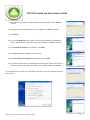
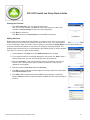
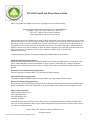
Ready to Begin?
Click Next to begin your setup process or click Cancel to exit the Setup Wizard.
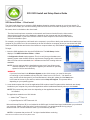
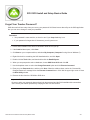
Setting Up a School Term
You cannot assign schoolwork to your students without school terms. There are a
couple of important points to keep in mind as you work with terms:
• A student can only work in ONE term at a time. If you assign work to a student in
more than one term, you must switch their active term each time they need to work
on an assignment from the non-active term. Although there is a View Other Term
button on the SOS Student Schoolwork screen, it does not allow students to work
in other terms. It only allows them to see what work is assigned to them in another
school term. They cannot perform any work on assignments in other terms until you
change their active term using the SOS Teacher program.
• Terms help you keep SOS School records organized. Create a new term for each
new school year.
To use the school term you created when you installed Switched-On Schoolhouse®
2010, click Next at the bottom of the School Term screen and skip to the Customizing
a Calendar section of this guide on page 22.
If you do want to create a new term:
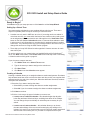
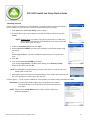
1. Click Add a Term on the School Term screen.
2. Type in the name you want to assign to the school term.
3. Click Save Term.
4. Click Next to see the Calendar screen appear.
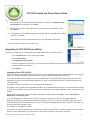
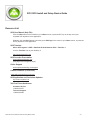
Creating a Calendar
Creating a calendar allows you to assign due dates to student assignments. Due dates
help students know how much work must be done each day so they can complete their
assigned work by the end of the school year. When due dates are turned off, students
must pace their schoolwork.
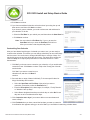
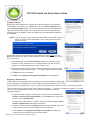
1.Determine if you want to assign due dates:
• Select Yes if you want to assign due dates to student assignments.
• Select No if you do not want to assign due dates to student assignments.
2.Click Next to continue.
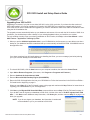
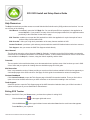
3.Click the circle next to the type of calendar you want to use:
• I want to use a Traditional calendar - this calendar begins the day after
Labor Day and lasts 180 school days, excluding time taken off for holidays.
You can change the pre-set holidays or school days as necessary for your
school.
• I want to use a Custom calendar – this calendar allows you to choose
the start and end days of the term as well as assigning any holidays to be
included. It is useful if you need to start a term at a time not usually associated
with the start of the school year or if you want to compress a school year.
SOS 2010 Home Ediition Install and Setup Basics Guide• 21