1
Deltasoft Services
SCHOOL MANAGEMENT SYSTEMS
MANUAL
FEE COLLECTION SYSTEM
How To Start
1.
2.
3.
4.
5.
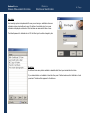
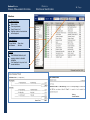
First of all Class wise Fee Structures are created in SETTINGS.
Use BULK FEE STRUCTURE to implement default fee to all the students.
To give concession to some students or customize their fee structures use STUDENT FEE STRUCTURE.
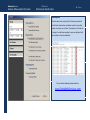
Generate first slips to all the students according to their fee structures.
Some of students might have arrears so add additional rows in details of first fee slip in UPDATE VOUCHER.
For example if someone has 4500 as arrears in tuition fee account then enter
Opening Bal Tuition Fee
4500
Main Cycle
1.
2.
3.
4.
5.
6.
7.
8.
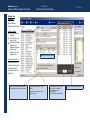
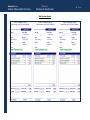
In the start of each fee period ( such as each month) fee vouchers are created .
Then printed fee vouchers are handed over to students.
Students submit their fee in Bank / School.
School copy ( one part of voucher ) is collected from Bank / Office.
Paid fee is entered in database with help of UPDATE VOUCHER.
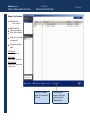
After Due Date List of Defaulters are checked.
Warning notices to defaulters are issued.
Summary reports are printed for hard copies.
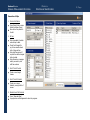
If Fee Structure is Revised ( normally in start of session )
Change fee structure in CLASSES.
Use BULK FEE STRUCTURE CHANGE to implement new fee Structure to all the students.
If % of discount is saved for some students then their new fee structure will be calculated according to that %.
2|Page