1
SCADAPack 50
Local configuration of
SCADAPack 50 (Kervisu)
Configuring using Kervisu
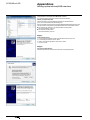
The SCADAPack 50 is configured locally using Kervisu, on a PC equipped with the
infrared interface sensor head and USB cable.
This guide gives details of:
bb The installation procedure for the infrared interface, see Appendices chapter.
bb The procedure for registering the SCADAPack 50, see Appendices chapter.
bb The procedure for activating the SCADAPack 50 to communicate with Kervisu,
see the chapter entitled: Commissioning V Wake-up SCADAPack 50 and activation
of local Kervisu connection.
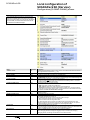
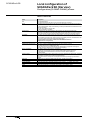
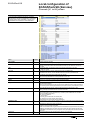
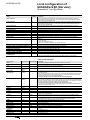
The actions needed for configuration are carried out under 4 section headings,
which correspond to the four screens described below:
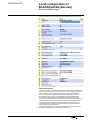
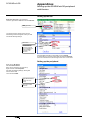
Configuration (GLOBAL-PARAM) screen
This is where the general operating settings are defined (names, logging and
transmission frequency, telephone number, etc.).
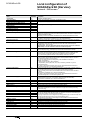
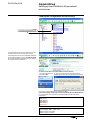
Channels (V1 to V8) screen
This is where the variables to be logged are defined: their names, types, slope, shift,
modes and alarm thresholds.
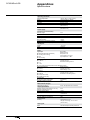
System screen
For the system control (traceability) and system settings.
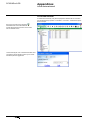
Counters screen
Where the indexes for the digital input counters (DI1 to DI4) can be pre-loaded,
whether they are used for pulse counting or time counting.
Network and SMS screen
Where the GSM/3G network and SMS configuration parameters are programmed.
Various commands can also be run from these screens, such as SMS send, reading
GSM/3G reception signal strength, etc.
Just to remind you…
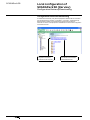
Kervisu is the configuration tool for the SCADAPack 50 data logger.
The device’s operational settings can be displayed in Kervisu. This paragraph
is intended for users who have not used Kervisu before:
Communication can only take place if Kervisu is in connected mode.
(click on the corresponding icon
, see the chapter entitled:
Commissioning V Wake-up SCADAPack and activation of local Kervisu connection.
NT00341-EN-03-SE-SCADAPack50-User-Manual
17