1
Goals
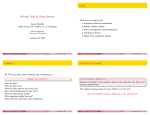
Writing Talks & Using Beamer
What are we trying to do?
Academic/scientific presentation
Aaron Rendahl
slides by Sanford Weisberg, based on work by G. Oehlert
Results of data analysis
Policy/management recommendations
School of Statistics
University of Minnesota
Teaching or lecture
Nobel Prize acceptance speech
January 28, 2009
STAT8801 (Univ. of Minnesota)
Writing Talks & Using Beamer
January 28, 2009
1 / 40
Audience
STAT8801 (Univ. of Minnesota)
Writing Talks & Using Beamer
January 28, 2009
2 / 40
Audience continued
Ed Tufte says that most important rule of speaking is:
Law of Audience Ignorance
Respect your audience!
Someone important in the audience always knows less than you think that
everyone should know.
Who are they?
Why are they here?
What do they need to learn from you?
How much background do they have?
What do they expect to get?
What questions might they ask?
What will they learn from other presenters?
STAT8801 (Univ. of Minnesota)
Writing Talks & Using Beamer
The audience always wants to know “What’s in it for me?”
You must address audience objectives or the talk will fail.
January 28, 2009
3 / 40
STAT8801 (Univ. of Minnesota)
Writing Talks & Using Beamer
January 28, 2009
4 / 40
How much time do you have?
Things to know
You must:
Never speed up!
Assume everyone is busy
You must:
Know your subject matter!
No need to tell everything you know
You must:
About one slide/overhead per minute
Know your limitations!
You must:
Never blame the audience!
STAT8801 (Univ. of Minnesota)
Writing Talks & Using Beamer
January 28, 2009
5 / 40
Organize
STAT8801 (Univ. of Minnesota)
Writing Talks & Using Beamer
January 28, 2009
6 / 40
January 28, 2009
8 / 40
Structure of a basic talk
This works most of the time
1
Determine the objective/goal of talk
Tell them what you are going to say,
then say it,
then tell them what you said.
2
Analyze the audience; you say different things to scientists, juries or
bus drivers.
Or ...
3
Identify takeaway message; build presentation around it
Get their attention, let them have it, then drive it home.
4
Organize your information; match content and structure to audience
and objective
Approach the talk logically:
5
Choose a look for presentation
1
Set up (opening)
2
Say it (body)
3
Repeat and conclude (summary)
Repetition not a vice.
STAT8801 (Univ. of Minnesota)
Writing Talks & Using Beamer
January 28, 2009
7 / 40
STAT8801 (Univ. of Minnesota)
Writing Talks & Using Beamer
Set up
At the start: The Introduction
The most memorable parts are beginning and end; make them work for
you.
Announce your topic clearly and state objective
Using an outline of the talk is often recommended, but I don’t do it.
Introductions can benefit from:
Personal anecdotes
Outline should be understandable by itself
Visual imagery
Don’t need abstract
Quotes
Let audience know importance and why they should care
Facts
Questions
Challenge
STAT8801 (Univ. of Minnesota)
Writing Talks & Using Beamer
January 28, 2009
9 / 40
At the end: The summary
STAT8801 (Univ. of Minnesota)
Writing Talks & Using Beamer
January 28, 2009
10 / 40
Structure of Case Study talks
You may decide to vary the order of some of these elements in any talk,
and you don’t need all of them for every talk.
Summarize and refer back to opener
1
Introduce the problem. For the class, this should be short because
everyone has seen the case study. Generally, it needs to engage the
audience.
2
Key takeaway message
3
Objectives
4
What you did: Models and Methodology (brief!)
5
Findings and implications
6
Recommendations
Link with key points/ideas
Be ready for questions
STAT8801 (Univ. of Minnesota)
Writing Talks & Using Beamer
January 28, 2009
11 / 40
STAT8801 (Univ. of Minnesota)
Writing Talks & Using Beamer
January 28, 2009
12 / 40
Technical talk
Back to School
Five things listener wants to know
Grammar
1
What is problem and why is it a problem
Spelling
2
What has been done about it before
Emphasis
3
What is presenter doing about it
Repetition
4
What is added value of presenter’s approach
Examples
5
Where do we go from here
6
. . . bibliographies, extra material for use with questions can be helpful
STAT8801 (Univ. of Minnesota)
Writing Talks & Using Beamer
January 28, 2009
13 / 40
Stage Presence
Practice! Practice! Practice! (and get feedback)
STAT8801 (Univ. of Minnesota)
Writing Talks & Using Beamer
January 28, 2009
14 / 40
Meetings
You should be
1
Positive, confident, enthusiastic
2
Facing the audience; make eye contact
Check location of room.
3
Speak slowly
Arrive early
4
Using a microphone is not a sign of personal weakness!
Meet session chair
5
Be careful with laser pointers, hold them steady
Stay whole session
6
Use humor wisely
Understand equipment: computers, projectors, microphones
7
Try to involve the audience
8
Use short simple phrases with no filler words like “Note that” or “It is
obvious that”
STAT8801 (Univ. of Minnesota)
Writing Talks & Using Beamer
January 28, 2009
15 / 40
STAT8801 (Univ. of Minnesota)
Writing Talks & Using Beamer
January 28, 2009
16 / 40
Preparing your talk
Tufte’s dissent
Apart from classroom teaching, using computer presentations is almost
universal.
PowerPoint and pdf-using-LATEX:
PowerPoint is a competent slide manager and projector. But rather than
supplementing a presentation, it has become a substitute for it.
Can look quite good
The presentation needs
Can use hi-res graphics, animations, etc.
Content
Often easy to make handouts
Simple, logical structure
But
Still not universal
Appropriate detail
High failure rate
Appropriate emphasis
Does not need fancy animations, transitions, etc.
Preparation time
Tendency for medium to be message
STAT8801 (Univ. of Minnesota)
Writing Talks & Using Beamer
January 28, 2009
17 / 40
PowerPoint
STAT8801 (Univ. of Minnesota)
Writing Talks & Using Beamer
January 28, 2009
LATEX
Ubiquitous
Available on most platforms
Large user base
Great at math
Stinks at mathematics, but. . .
Great flexibility
Extremely easy to use if no mathematics
Mostly academic user base
PowerPoint cost money, but free versions exist
Harder to use beyond basics than PowerPoint
Bill Gates is the antiChrist and MicroSoft is the spawn of Satan.
G.W. Oehlert and others
beamer, and other, packages designed to create talks
Great flexibility (also bad)
Multimedia much harder
Check http://www.norvig.com/Gettysburg/
STAT8801 (Univ. of Minnesota)
18 / 40
Writing Talks & Using Beamer
January 28, 2009
19 / 40
STAT8801 (Univ. of Minnesota)
Writing Talks & Using Beamer
January 28, 2009
20 / 40
Beamer
Beamer, top information
\documentclass{beamer}
\usepackage{wasysym,graphicx,pgfpages}
\usetheme{Boadilla}
These slides were prepared with the Beamer package in LATEX.
AT Xfile mystuff.tex on class webpage
1 L
E
2
Fill mystuff.tex with Beamer commands
3
pdflatex mystuff.tex on Linux produces mystuff.pdf
4
Use Adobe Reader or other pdf viewer
\title{Oral Presentation}
\author{Ima G. Student}
\date{January 22, 2008}
%
(see man colors on Linux for list of colors)
\definecolor{maroon}{rgb}{.6902,.1882,.3765}
\definecolor{sienna}{rgb}{.53,.31,.16}
\definecolor{gold}{rgb}{1,.84314,.0000}
\setbeamercolor{frametitle}{fg=maroon,bg=gold}
\usecolortheme[named=maroon]{structure}
Links to user manual and other useful documents are on the class web
page, including advice for Windows.
STAT8801 (Univ. of Minnesota)
Writing Talks & Using Beamer
January 28, 2009
21 / 40
Beamer title and table of contents
STAT8801 (Univ. of Minnesota)
Writing Talks & Using Beamer
January 28, 2009
22 / 40
January 28, 2009
24 / 40
Beamer example, continued
\begin{frame}
\frametitle{This is the frame title}
\begin{block}{This is a block title}
This is the block content.
\end{block}
\begin{document}
\frame{\titlepage}
%create titlepage
\pause
This appears after the pause:
\[
E(y|x) = \beta_0 + \beta_1x
\]
\frame{\tableofcontents} %create table of contents page
\section{Name of first section in table of contents}
Entries in the table of contents are generated by \section{} commands
STAT8801 (Univ. of Minnesota)
Writing Talks & Using Beamer
January 28, 2009
23 / 40
\alert{This is an alert in the alert color.}
%\end{frame}
STAT8801 (Univ. of Minnesota)
Writing Talks & Using Beamer
This is the frame title
Frames with computer output:
Use verbatim for computer output. This requires making the frame
containsverbatim.
\begin{frame}[containsverbatim]
\frametitle{Some computer output}
This has computer output:
% begin{verbatim}
Coefficients:
Estimate Std. Error t
(Intercept) 90.9609
37.3532
Pressure
0.7650
0.6608
Lpres
0.6649
0.3859
% end{verbatim}
% end{frame}
This is a block title
This is the block content
This appears after the pause:
E (y |x) = β0 + β1 x
This is an alert in the alert color.
STAT8801 (Univ. of Minnesota)
Writing Talks & Using Beamer
January 28, 2009
25 / 40
Some computer output
Writing Talks & Using Beamer
January 28, 2009
26 / 40
More beamer
Use itemize, description, and enumerate environments.
This has computer output:
To include graphics, save as pdf or png (or others), and use, for
example
Coefficients:
Estimate Std. Error t value Pr(>|t|)
(Intercept) 90.9609
37.3532
2.435
0.0289 *
Pressure
0.7650
0.6608
1.158
0.2664
Lpres
0.6649
0.3859
1.723
0.1069
STAT8801 (Univ. of Minnesota)
STAT8801 (Univ. of Minnesota)
value Pr(>|t|)
2.435
0.0289 *
1.158
0.2664
1.723
0.1069
Writing Talks & Using Beamer
January 28, 2009
\includegraphics[width=.8\textwidth]{mypic.pdf}
You can create pdf graphics in R using the pdf() device:
> pdf("mypic.pdf")
> plot(Y~X,dataframe)
> dev.off()
27 / 40
STAT8801 (Univ. of Minnesota)
Writing Talks & Using Beamer
January 28, 2009
28 / 40
Beamer and Sweave
Sweave, text only, set containsverbatim option
You can use Beamer and Sweave at the same time to use R output in your
presentation.
1
Name your main file myfile.Rnw rather than myfile.tex
2
Add the line
\<<echo=TRUE>>=
library(alr3)
data(forbes)
m1 <- lm(Lpres~Temp,forbes)
summary(m1)$coef
\@
\usepackage{Sweave}
Produces this:
> library(alr3)
> data(forbes)
> m1 <- lm(Lpres ~ Temp, forbes)
> summary(m1)$coef
to the preamble. (May not be needed.)
3
Create .tex file with R CMD Sweave myfile.Rnw
4
Create .pdf file with pdflatex myfile.tex
5
View the resulting .pdf file with konquerer or Acrobat reader.
6
Links to Sweave documentation on class website
STAT8801 (Univ. of Minnesota)
Writing Talks & Using Beamer
Estimate Std. Error
t value
Pr(>|t|)
(Intercept) -42.1377793 3.34019890 -12.61535 2.175977e-09
Temp
0.8954937 0.01645176 54.43147 1.186078e-18
January 28, 2009
29 / 40
STAT8801 (Univ. of Minnesota)
Writing Talks & Using Beamer
January 28, 2009
Using xtable
Draw graphics
The xtable package outputs data in LATEX format:
Name the section of output, for example:
\<<echo=FALSE,results=tex>>=
library(xtable)
xtable(summary(m1)$coef)
\@
\<<one,echo=TRUE,fig=TRUE,include=TRUE>>=
plot(Lpres~Temp,forbes)
abline(m1)
\@
Produces:
creates a file called mystuff1-one.pdf because fig=TRUE, and then
automatically prints it in the presentation because include=TRUE.
(Intercept)
Temp
Estimate
-42.14
0.90
Std. Error
3.34
0.02
t value
-12.62
54.43
Pr(>|t|)
0.00
0.00
30 / 40
alertHint: When using lattice graphics, you must use a command like
print(xyplot(Lpres~Temp,data=forbes))
STAT8801 (Univ. of Minnesota)
Writing Talks & Using Beamer
January 28, 2009
31 / 40
STAT8801 (Univ. of Minnesota)
Writing Talks & Using Beamer
January 28, 2009
32 / 40
Draw a graph automatically
Draw a graph but you size it
> plot(Lpres ~ Temp, forbes)
> abline(m1)
\<<two,echo=FALSE,height=4,width=5,fig=TRUE,include=FALSE>>=
plot(Lpres~Temp,forbes)
abline(m1)
\@
●
●
●
145
●
●
\vspace{-.5in}
●
140
Lpres
\includegraphics[width=0.5\textwidth]{beamer-two.pdf}
●
Can also use nogin option to documentclass so that size is equal to actual
size, not 80% of width.
●
●
●●
●
●
135
●
●
STAT8801 (Univ. of Minnesota)
Writing Talks & Using Beamer
January 28, 2009
33 / 40
STAT8801 (Univ. of Minnesota)
Writing Talks & Using Beamer
January 28, 2009
34 / 40
●●
195
200
205
210
Create a graph, but youTemp
size it
Advice
This graph is automatically sized to be 80% of the width of the page.
●●
145
●
●
●
Imitate other Beamer files when making first presentation.
140
Many pictures, short phrases
●
●●●
●●
135
Lpres
●
●
●
●
Simple styles/options are generally better
●●
195
Be consistent (don’t keep changing)
200
205
210
Beware of gratuitous use of color; some people can’t see colors
Temp
STAT8801 (Univ. of Minnesota)
Writing Talks & Using Beamer
January 28, 2009
35 / 40
STAT8801 (Univ. of Minnesota)
Writing Talks & Using Beamer
January 28, 2009
36 / 40
More advice
Evaluation should always be constructive
Have full references available.
Your name, the date, and contact info should be included
”Begin your criticism with a compliment. Remember this fellow has a lot of
time invested in this enterprise, and if your are going to get him to change
what he is doing, you need to convince him that you are on his side.”
Graphs need axis labels and need to be discussed
Keep math to a minimum
Tabled data should be relevant and properly laid out
The beginning of the beamer manual is a good reference for structuring
your beamer document.
STAT8801 (Univ. of Minnesota)
Writing Talks & Using Beamer
January 28, 2009
37 / 40
Be careful with words:
—Mosteller, Tukey and Cochran, Statistical Problems of the Kinsey Report
STAT8801 (Univ. of Minnesota)
Writing Talks & Using Beamer
January 28, 2009
38 / 40
January 28, 2009
40 / 40
Big Picture and Details
The Big Picture matters!
Not so good. . .
Your talk was total rubbish.
Better. . .
1
Were important elements of the talk missing?
2
Could you summarize what you were told in the talk?
3
Was it interesting?
I got lost as soon as you started the technical discussion. I couldn’t follow
what you were doing.
Details matter!
Even better. . .
1
Couldn’t hear?
When you set up your model, I could not follow the notation that was
used. It would have helped me if you. . .
2
Bad notation?
3
Poor English?
4
And so on.
STAT8801 (Univ. of Minnesota)
Writing Talks & Using Beamer
January 28, 2009
39 / 40
STAT8801 (Univ. of Minnesota)
Writing Talks & Using Beamer