1
This is the frame title
Frames with computer output:
Use verbatim for computer output. This requires making the frame
containsverbatim.
\begin{frame}[containsverbatim]
\frametitle{Some computer output}
This has computer output:
% begin{verbatim}
Coefficients:
Estimate Std. Error t
(Intercept) 90.9609
37.3532
Pressure
0.7650
0.6608
Lpres
0.6649
0.3859
% end{verbatim}
% end{frame}
This is a block title
This is the block content
This appears after the pause:
E (y |x) = β0 + β1 x
This is an alert in the alert color.
STAT8801 (Univ. of Minnesota)
Writing Talks & Using Beamer
January 28, 2009
25 / 40
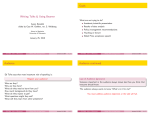
Some computer output
Writing Talks & Using Beamer
January 28, 2009
26 / 40
More beamer
Use itemize, description, and enumerate environments.
This has computer output:
To include graphics, save as pdf or png (or others), and use, for
example
Coefficients:
Estimate Std. Error t value Pr(>|t|)
(Intercept) 90.9609
37.3532
2.435
0.0289 *
Pressure
0.7650
0.6608
1.158
0.2664
Lpres
0.6649
0.3859
1.723
0.1069
STAT8801 (Univ. of Minnesota)
STAT8801 (Univ. of Minnesota)
value Pr(>|t|)
2.435
0.0289 *
1.158
0.2664
1.723
0.1069
Writing Talks & Using Beamer
January 28, 2009
\includegraphics[width=.8\textwidth]{mypic.pdf}
You can create pdf graphics in R using the pdf() device:
> pdf("mypic.pdf")
> plot(Y~X,dataframe)
> dev.off()
27 / 40
STAT8801 (Univ. of Minnesota)
Writing Talks & Using Beamer
January 28, 2009
28 / 40