1
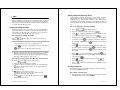
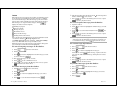
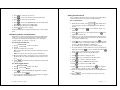
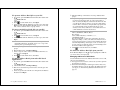
3. Type specific keywords in Get messages with field that your
pager will look for in incoming messages. Messages containing
one or more of these text strings will automatically be placed in
this inbox.
Ä Do not use the same text for more than one inbox.
4. Select
Area screen.
to accept the changes and return to the Message
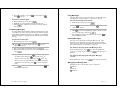
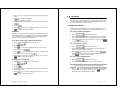
To set the alert type for an inbox:
1. Select
2. Press
from the menu wheel.
up or down to highlight the inbox requiring a new
alert type, then select
3. Select
4. Press
to the number of messages indicated.
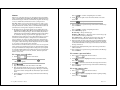
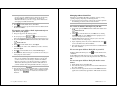
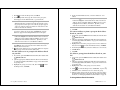
Age of Messages ↵ Keeps the messages that have been in
the inbox fewer days than the number of days indicated.
6. If the automatic cleanup is selected, type the maximum number
of days the message is retained in the inbox before it is deleted,
or the maximum number of messages retained before the oldest
message is deleted.
Ä Cleanup runs nightly, deleting only read messages and those
without alarms.
7. Select
Area screen.
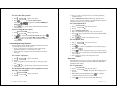
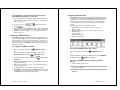
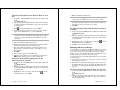
To delete a personal inbox:
.
from the Edit Inbox screen.
left or right in each alert mode field to select the
1. Select
2. Press
TIP Press
to sample the alert.
5. Select
Area screen.
to accept the changes and return to the Message
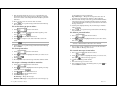
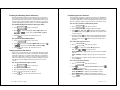
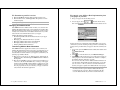
To view the messages in an inbox:
from the menu wheel.
from the menu wheel.
up or down to highlight the inbox you want to clean
up and press
2. Press
.
3. Select
.
Ä Cleanup deletes only read messages and those without alarms.
To assign a cleanup schedule to an inbox:
1. Select
from the menu wheel.
up or down to highlight the inbox you want to view,
then press
. A list of messages appears.
Ä
indicates messages with alarms.
3. Select the message you want to view.
4. Select
to return to the Messages list, or press
return to the menu wheel.
to
up or down to highlight the inbox requiring a cleanup
schedule, then select
3. Select
.
TIP All unread or alarmed messages in an inbox must be read,
deleted, or disabled before the inbox can be deleted.
1. Select
2. Press
up or down to highlight the inbox you want to delete,
3. Select
at the confirmation screen to delete the inbox
and return to the Message Area screen.
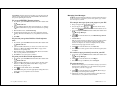
To clean up an inbox:
2. Press
from the menu wheel.
then select
alerts.
1. Select
to accept the changes and return to the Message
.
from the Edit Inbox screen.
4. Select
from the Set Alerts screen.
5. Select the cleanup option:
No Cleanup ↵ Keeps all messages.
Number of Messages ↵ Keeps the most recent messages up
42
PageWriter 2000X User’s Guide
Read
43