1
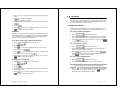
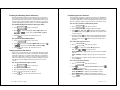
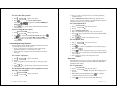
933B75-A2
6881033B75-A
W
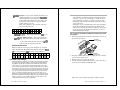
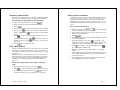
ATTENTION
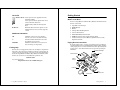
If you are currently using a PageWriter 2000 Smart Pager or a
PageWriter 2000X Two-Way Wireless Communications
Center, and you want to move your data from your old device
to your new device, visit this web site for complete
instructions:
http://www.mot.com/smartupgrade
DO NOT use the FLEX™ PC Partner Backup/Restore utility to
move data from your old device to your new device.
Qu
Gu ick S
ide
ta
Ins rt
ide
CAUTION
If you currently use an application that requires a subscriber service
and your PIN has changed, please contact your service provider
and give them your new PIN.
©1999 by Motorola, Inc., Personal Communications Sector
1500 Gateway Blvd., Boynton Beach, FL 33426-8292
PageWriter, FLEX, Y and Motorola, are trademarks or registered trademarks of Motorola, Inc.
Reg. U.S. Pat. & Tm. Off. All rights reserved. Printed in U.S.A. 10/99.
@6881033B75@
For additional information or assistance with this process,
call: 1-800-548-9954.
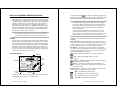
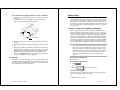
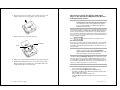
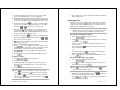
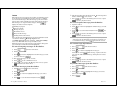
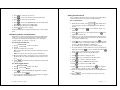
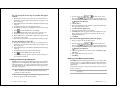
a. Open the front flip on the pager.
The splash screen (as shown on right) will
display within a few minutes. As the battery
charges, the charging indicator (as shown
bottom right) will move across the screen,
until the screen is completely covered. This
process usually takes about 10 minutes.
b. Leave your pager in the charger until the
Green LED on the charger turns on and the
Red LED turns off. This may take another
40-60 minutes. During this time, you can
begin to set up your pager starting on page
19 of the User Guide. After the battery has
charged to a minimum level, the Home
screen will display (page 6).
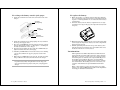
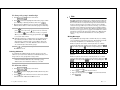
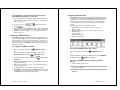
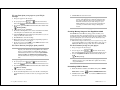
Charging the Battery
a. Plug the transformer into any standard
120Vac outlet (as shown on right).
b. Press the pager firmly into the charger until
it snaps into place and the Red LED on the
charger illuminates.
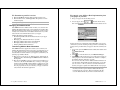
Installing the Charger
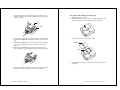
a. Holding the pager face down, press down on
the arrow in the center of the battery door
and slide the door away from the center of
your pager.
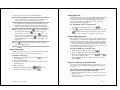
b. Match positive (+) marking on the battery
with the two-contact side of the pager’s battery compartment and the negative (-)
marking with the one-contact side of the
battery compartment.
c. Insert battery into the battery compartment
at an angle toward the outer edge of the
pager, ensuring the white lift tab is underneath the battery, and then press the battery down into place.
d. Fold the lift tab down on top of the battery,
and slide the battery door back into place.
Installing the Battery
Quick Start Guide
STATE LAW RIGHTS
SOME STATES DO NOT ALLOW THE EXCLUSION OR LIMITATION OF INCIDENTAL OR CONSEQUENTIAL DAMAGES, OR LIMITATION ON HOW LONG AN
IMPLIED WARRANTY LASTS, THEREFORE THE ABOVE LIMITATIONS OR
EXCLUSIONS MAY NOT APPLY. This warranty gives you specific legal rights and you
may also have other rights which vary from state to state.
Flat rate repair fees apply to pagers and accessories are not covered under warranty.
• Pagers received with non-conforming or non-Motorola housings or parts.
• Pagers that have been opened by, or had work performed by, anyone other than a
Motorola authorized pager service center.
• Pagers whose serial numbers do not match on the boards, or pagers in which the board
serial numbers don’t match the housing.
• Pagers that are incomplete such as those in which boards or components are missing
and/or incompatible.
Pager warranty will be VOID if any of the following conditions occur:
For information on how to receive service on Motorola pagers or
covered accessories, call 1-800-548-9954 or 1-800-793-7834 (TTY).
All parts and boards removed in the replacement process shall become the property of
Motorola. This warranty does not cover defects, malfunctions, performance failures or
damages to the unit resulting from use in other than its normal and customary manner,
misuse, accident or neglect, the use of non-conforming parts, or improper alterations or
repairs. This warranty does not cover wear and tear on covers or housings, nor the coverage or range over which the pager will receive signals.
Motorola pagers are shipped from the factory with a standard limited warranty of one (1)
year on parts and labor from date of purchase by the original end user purchaser, based
on proof of purchase. In the event of defect, malfunction, or failure to conform to specifications during the warranty period, Motorola, at its option, will either repair, replace or
refund the purchase price of the pager. Repair, at Motorola’s option, may include the
replacement of parts or boards with functionally equivalent reconditioned or new parts
or boards. Replaced parts and boards are warranted for the balance of the original warranty period.
This warranty sets forth the full extent of MOTOROLA’s responsibilities regarding the
pager. Repair, replacement, or refund of the purchase price, at MOTOROLA’s option, is
the exclusive remedy. THIS WARRANTY IS GIVEN IN LIEU OF ALL OTHER WARRANTIES, EXPRESS OR IMPLIED, INCLUDING WITHOUT LIMITATION, IMPLIED
WARRANTIES OF MERCHANTABILITY AND FITNESS FOR A PARTICULAR PURPOSE. THIS WARRANTY IS LIMITED TO THE DURATION CHOSEN. IN NO EVENT
SHALL MOTOROLA BE LIABLE FOR DAMAGES IN EXCESS OF THE PURCHASE
PRICE OF THE MOTOROLA PAGER, FOR ANY LOSS OF USE, LOSS OF TIME,
INCONVENIENCE, COMMERCIAL LOSS, LOST PROFITS OR SAVINGS OR OTHER
INCIDENTAL, SPECIAL OR CONSEQUENTIAL DAMAGES ARISING OUT OF THE
USE OR INABILITY TO USE SUCH PRODUCT, TO THE FULL EXTENT SUCH MAY
BE DISCLAIMED BY LAW.
Motorola warrants the pager against defects in material and workmanship under normal
use and service for the period of time specified below. This express warranty is extended
by Motorola, 1500 Gateway Blvd., Boynton Beach, Florida 33426 to the original end user
purchaser only and is not assignable or transferable to any other party.
ONE (1) YEAR STANDARD LIMITED WARRANTY
AND PROVISIONS (U.S.A. ONLY)
MOTOROLA LICENSE AGREEMENT
IMPORTANT-READ CAREFULLY: This license agreement is a legal agreement
between you and Motorola, which includes computer software and associated media
and printed materials, and may include “online” or electronic documentation
(“SOFTWARE”).
By installing, copying or using the SOFTWARE, you agree to be bound by the terms
of this license agreement. If you do not agree with the terms of this license agreement,
promptly return the unused SOFTWARE to the place from which you obtained it for
a full refund.
The copyrights laws and international copyright treaties, as well as other intellectual
property laws and treaties, protect this SOFTWARE.
1. You may install and use one copy of this SOFTWARE on a single computer. The
SOFTWARE may not be used by more than two (2) processors at any one time on
the single computer running the SOFTWARE.
2. You may not reverse engineer, decompile or disassemble the SOFTWARE.
3. The SOFTWARE is licensed as a single product. Its components may not be
separated for use on more than one computer.
4. You may not rent or lease the SOFTWARE.
5. You may transfer your rights under this license, provided you retain no copies,
you transfer all of the SOFTWARE (including all component parts, the media, and
printed materials and this license agreement) and the recipient agrees to the terms
of this license.
6. If you fail to comply with the terms of this license, Motorola may terminate this
license agreement, without prejudice to any other rights that Motorola may have. In
such event, you must destroy all copies of the SOFTWARE and all of its component
parts.
7. Motorola owns all title and copyrights in and to the SOFTWARE and any copies
of the SOFTWARE. Copyright laws and international treaties protect the SOFTWARE. However, you may either (1) make one copy of the SOFTWARE for backup
or archival purposes or (2) install the SOFTWARE on a single computer provided
that you keep the original solely for backup or archival purposes. You may not copy
the printed materials accompanying the SOFTWARE.
8. The SOFTWARE and documentation are provided with RESTRICTED RIGHTS.
Use, duplication, or disclosure by the Government is subject to restrictions set forth
in subparagraph (c)(1)(ii) of the Rights in Technical Data and Computer software
clause at DFARS 252.227-7013 or subparagraphs (c)(1) and (c)(2) of the Commercial
Computer Software-Restricted Rights at 48 CFR 52.227-19, as applicable. The
manufacturer is Motorola, Inc., 3301 Quantum Blvd., Boynton Beach, FL 334268622.
9. You agree that you will not export or re-export the SOFTWARE to any country,
person, entity or end users subject to U.S. export restrictions. You warrant that your
export privileges have not been suspended, revoked or denied by the U.S. Bureau of
Export Administration or any other federal agency.
10. EXPORT LAW ASSURANCES: You hereby agree to comply fully with the export
regulations of the United States of America. You agree that you will not export the
Software without an export license issued by the U.S. Department of Commerce. You
hereby agree to comply with all regulatory sanctions or restrictions involving a party
or an entity identified as Denied Parties or Specially Designated Nationals by the
U.S. Department of Commerce and/or the U.S. Department of Treasury.
Contents
Welcome ................................................................................ 1
Using This Manual ................................................................ 3
Conventions .............................................................................3
Finding Help ............................................................................4
Getting Started ...................................................................... 5
What’s in the Box? ...................................................................5
Paging Service Instructions ....................................................5
How Your PageWriter 2000X Pager Works ......................... 6
The
The
The
The
The
The
Flip ....................................................................................6
Home Screen .....................................................................6
Keyboard ...........................................................................9
Battery and Charger ......................................................12
Infrared Port ...................................................................17
Holster ............................................................................18
System Setup ...................................................................... 19
Turning On and Off Your PageWriter 2000X Pager ............19
Configuring Your PageWriter 2000X Pager ........................23
Setting the Date and Time ....................................................24
Assigning Alert Modes ...........................................................25
Assigning Alert Types ...........................................................26
Addresses .................................................................... 27
Entering Addresses ...............................................................27
Editing Addresses ..................................................................29
Deleting Addresses ................................................................30
Write ............................................................................. 31
Motorola, Inc. makes no representations or warranties with respect to the contents or use of this manual and specifically disclaims any warranties, express or implied, of merchantability or fitness for any specific purpose. Further, Motorola, Inc.
reserves the right to revise this publication and to make any modifications to its content, at any time, without obligation to notify
any party, person, or entity of such revisions or changes.
© 1999 by Motorola, Inc. All Rights Reserved.
Personal Communications Sector
1500 Gateway Blvd.
Boynton Beach, FL 33426-8292
Printed in the United States of America 4/99
T, Motorola, PageWriter, PC Partner, and FLEX are trademarks or registered trademarks of Motorola, Inc.
Reg. U.S. Pat. & TM. Off.
Writing Messages ..................................................................31
Importing Messages ...............................................................32
Adding Quick Text .................................................................33
Attaching Message Replies ...................................................33
Saving Your Message to the Drafts Inbox ............................33
Scheduling a Delayed Send ...................................................34
Filing a Message Draft ..........................................................34
Entering a One-Time Address ..............................................35
Read .............................................................................. 36
Reading Incoming Messages .................................................36
Setting a Reminder Message Alarm .....................................37
Sending Responses ................................................................37
Forwarding Messages ............................................................38
Filing Messages .....................................................................39
Deleting Messages .................................................................39
Contents
iii
Managing the Message Area .................................................39
Customize .................................................................... 47
Viewing System Status .........................................................47
Enabling and Disabling Alerts and Alarms .........................48
Setting Up Internet Fax Service ...........................................48
Customizing the User Interface ............................................49
Customizing Message Features ............................................50
Quiet Time .............................................................................51
Maintaining Inboxes and Applications .................................52
Setting the Alarm Clock ........................................................53
FLEX PC Partner .......................................................... 54
Introducing FLEX PC Partner ..............................................54
Installing FLEX PC Partner on Your PC .............................55
Linking Your PageWriter 2000X Pager to Your PC ............55
Configuring FLEX PC Partner .............................................56
Using the PC Partner Shell ..................................................57
Managing Your Address Book ...............................................58
Managing Your Messages .....................................................69
Installing and Removing Applications .................................70
Backing-up and Restoring Information ................................71
Checking Memory Usage on Your PageWriter 2000X .........73
Uninstalling FLEX PC Partner ............................................73
Memory Management System ........................................... 74
Proper Care and Cleaning .................................................. 75
General Safety Instructions ............................................... 76
Pager Transmitter Safety ......................................................76
Battery Safety ........................................................................76
Battery Charger Safety .........................................................76
Agency Approvals ..................................................................77
Patent Information .............................................................. 77
PageWriter 2000X Pager Specifications ........................... 78
Commonly Asked Questions ............................................. 79
PageWriter 2000X Pager .......................................................79
Messaging ..............................................................................80
Battery and Charger ..............................................................83
FLEX PC Partner ..................................................................84
Index .................................................................................... 87
iv
PageWriter 2000X User’s Guide
Welcome
Congratulations! Your new Motorola PageWriterTM 2000X TwoWay Wireless Communications Center is about to change the way
you communicate. With features such as wireless, smart paging
and user-upgradeable system software and applications, your
PageWriter 2000X pager places you in control of your personal
communications. You can now send messages, control incoming
messages, and customize the device with applications that you
select.
This pocket message center features a QWERTY keyboard and
high-resolution graphics display. It enables you to communicate
wirelessly with Internet email addresses, fax machines, and other
pagers, yet is small enough to comfortably wear on your belt or fit
in your pocket.
The PageWriter 2000X Two-Way Wireless Communications Center uses FLEXTM Operating System (FLEX OS), Motorola’s new
open-standard operating system for messaging products, and
FLEX Protocol for Two-Way Paging, Motorola’s high-speed twoway paging technology.
The built-in suite of software applications includes:
Read — Read incoming messages, including personal, service
bureau, and reminder messages.
Write — Create and send messages to another pager, an email
address, or a fax machine without searching for a phone. Receive
and respond to messages from the same device.
Addresses — Store your personal directory of names, phone
numbers, email addresses, and related information, and retrieve
easily.
Customize — Use set-and-forget functions to customize your
preferences such as message text size, unread message alerts (on/
off), and date/time formats.
Set Time — Quickly adjust the time or date to reflect your
movement between time zones or seasonal changes such as Daylight Savings Time.
Partner — Keep all your records in sync using Motorola’s FLEXTM
PC Partner connectivity software. Update the Address Book on
your computer by transferring your Address Book files from your
PageWriter 2000X Two-Way Wireless Communications Center to
your personal computer.
Additionally, changes made to your Address Book on your computer can be transferred back to your pager.
Welcome
1
Alarm Clock — Set audible or vibrating personal alarms at up to
three different times and frequencies.
Using This Manual
Radio Mode — Set your transmission mode to accommodate your
environment. Your PageWriter 2000X Two-Way Wireless Communications Center accommodates the special requirements of hospital or medical facilities and airline travel.
Conventions
Finally, everything you need in a smart, customizable paging
device! Life just got easier. Consolidate your communications onto
one device — your all-in-one PageWriter 2000X Two-Way Wireless
Communications Center from Motorola.
The efficiency and affordability of a pager…
The convenience of full text response.
This manual uses several conventions to differentiate between
command and key access on your PageWriter 2000X Two-Way
Wireless Communications Center and your personal computer
(PC). Specific conventions are also used to highlight additional
helpful information in the form of tips, notes, and cautions. Before
you begin, please refer to the following conventions:
On the PageWriter 2000X Pager
Icons represent each application on the
PageWriter 2000X menu wheel.
White buttons identify command buttons
that appear on the screen.
Gray keys identify PageWriter 2000X
keyboard keys.
Two keys means to press the first key,
release, then press the second key. Do not
hold down
or
while pressing the
next key.
Bold Text
Bold Text indicates text to select on the
PageWriter 2000X screen or to type into a
field.
Means to press the NavDiscTM (left,
right, up, down) to move within a field
(text field, list field, button field).
Means to press
to move between
fields (list field to button field).
“Select”
Means to highlight a list item, application icon, or command button, then press
.
2
PageWriter 2000X User’s Guide
Using This Manual
3
On the PC
Getting Started
Address Book Icons represent each application in the
PC Partner Shell.
Icons represent menu options that can be
selected from the menu bar.
E
Shadowed keys indicate PC keyboard
keys.
Bold Text
Bold text indicates menu options or command buttons to select or text to type into
a field.
Additional Information
TIP
Identifies actions you can perform to
increase your ease of use and efficiency.
Ä
Provides further information about the
procedural step or feature.
CAUTION
Identifies actions that can cause loss of
data or damage to the product.
Finding Help
We welcome your suggestions on how we can improve our products
and want to hear about any problems you may be experiencing. To
contact us about suggestions or concerns, or for more information
about the PageWriter 2000X Two-Way Wireless Communications
Center, its accessories, or other Motorola products, call:
What’s in the Box?
Your new PageWriter 2000X Two-Way Wireless Communications
Center comes with:
1 PageWriter 2000X Pager
1 NiMH Battery
1 Holster
1 Charger Base/Docking Station
1 120 Vac Transformer
1 RS232 Null Modem Serial Cable
1 FLEX PC Partner Connectivity Software Disk
• Product Literature (User’s Manual, Quick Reference Card,
Registration Card)
Paging Service Instructions
To begin paging service, contact your paging service provider for
activation instructions. Your PIN number and the phone number
of the paging service can be found in the literature provided by the
paging service. Use this manual for device-specific operating instructions.
PageWriter 2000X Pager
Product Literature
Holster
1-800-548-9954
Or, visit our website:
http://www.motorola.com/SmartPagers
Battery
Charger
Battery
Transformer
FLEX
PC Partner Disk
RS232 Cable
4
PageWriter 2000X User’s Guide
Getting Started
5
How Your PageWriter 2000X Pager Works
The PageWriter 2000X Two-Way Wireless Communications Center’s lightweight, wearable design allows you to open the flip and
read your messages while the pager is still in the belt holster. Audio
and vibrate alerts notify you of incoming and waiting messages.
The keyboard provides text entry capabilities that allow you to
send full text messages. All this is combined with the ability to add
applications, upgrade current applications, and, with the infrared
interface in the Motorola Deluxe model, upload and download
information to and from your computer.
TIP The PageWriter 2000X Two-Way Wireless Communications
Center displays a blank screen to conserve energy during
periods of inactivity. Press any key to awaken the pager.
The Flip
The front flip on the PageWriter 2000X Two-Way Wireless Communications Center houses and protects its LCD screen and antennae. Opening the flip awakens the pager, while closing the flip puts
the screen into sleep mode. When in sleep mode, your PageWriter
2000X Two-Way Wireless Communications Center continues to
work for you. It receives and stores incoming messages for access
at your convenience. You can set audible, vibrating, or silent alerts
to notify you when messages are received.
The Home Screen
Press the NavDiscTM
up or down to highlight an application.
Continue pressing the NavDisc in the same direction and the wheel
spins in that direction to display the next three applications.
TIP To select an application from the menu wheel without scrolling through the menu, press the first letter of the application’s name. The menu wheel spins to the first application
beginning with the selected letter. These are called shortcuts.
Shortcuts also work on menu lists such as your Message
Area container list.
If more than one application or more than one list entry
starts with the same letter, the shortcut takes you to the
first occurrence of the letter. Press the letter again and the
shortcut takes you to the next occurrence of the letter.
The Home screen also provides at a glance the basic status of your
PageWriter 2000X Two-Way Wireless Communications Center,
including:
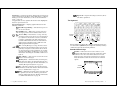
Date and Time — Always displays the date and time for your
convenience; select the Set Time application from the menu wheel
to change the date or time; select the Customize application from
the menu wheel to change the format for the date or time.
Alert Mode — Displays the current alert mode. Alert modes
override or enhance the assigned alert types. For more information,
see “Assigning Alert Modes” on page 25. To set specific alerts, see
“Assigning Alert Types” on page 26.
Loud — Enables all audible alerts to the loud volume.
Applications
Menu
Wheel
Date & Time
Alert
Mode
Soft — Enables all audible alerts to the soft
volume.
Vibrate — Enables all alerts to vibrate without changing
the individual alert settings.
Silent — Disables the alerts without changing the settings. Select Loud or Soft to enable the alert settings at the
preferred volume.
Battery Gauge — Displays a four-level graphic indicator of the
remaining power in the rechargeable battery.
Transmission
Status
Status Icons
The Home screen’s menu wheel provides quick access to both preloaded applications and those you add yourself.
6
PageWriter 2000X User’s Guide
Full — Approximately at full charge.
2/3 — Approximately at two-thirds capacity.
1/3 — Approximately at one-third capacity.
Low Cell — Almost drained of charge.
How Your PageWriter 2000X Pager Works
7
Status Line — On the menu wheel, displays the in-range/out-ofrange transmission status (Basic Service, Full Service, or Storing
Messages); for more information, see “To set the transmission
mode:” on page 23.
On application screens, explains the function of the highlighted
button or special status icon.
Caps Lock — Caps Lock setting is turned on; all letters will be capitalized.
The Keyboard
Special Status Icons — Displays graphic indicators for the
following conditions:
New Message Waiting — Unread messages are in
one or more inboxes.
Send/Receive — Full Service coverage. Two-way
messaging; turns on the transmitter and receiver.
Receive Only — Basic Service coverage. One-way
messaging; turns on only the receiver. Accompanied
by a symbol of a heart with a cross in it, sometimes
referred to as Hospital mode. The unit will never
transmit while in this safe mode for environments
with sensitive equipment (such as CAT Scan and
MRI equipment found in hospitals).
Off — Storing Messages coverage. You have manually turned off the transmitter and receiver. Accompanied by an airplane to show this is the safe mode
for electronic devices used in airplanes. See “Configuring Your PageWriter 2000X Pager” on page 23 for
information on turning the transmitter and receiver
back on.
Out of Range — Your pager is too far from a transmitter to receive messages.
Memory Low — Available memory is running low;
older messages will be automatically deleted to free
memory for new messages. For more information, see
“Memory Management System” on page 74.
Alt — Alt mode is turned on; the next key pressed
will indicate an Alt-mode function. For more information, see “Alt Functions” on page 11.
Shift — Shift mode is turned on; the next letter will
be capitalized, or the next control key pressed will
indicate a Shift-mode function. For more information,
see “Shift-mode Functions” on page 12.
8
PageWriter 2000X User’s Guide
Backlight/
Contrast
Select
Back
NavDisc
The PageWriter 2000X Two-Way Wireless Communications Center comes with a QWERTY keyboard. Special control keys and key
combinations provide the following functions.
Standard Control Keys
NavDisc — Moves the cursor within a field (i.e., text
field, list field, button field). Press the outside edge of the
NavDisc to move the cursor in that direction. In a text
field, moves the cursor between characters. In a button
field, the NavDisc scrolls the cursor between command
options.
Text Field
Cursor
Button Field
Additional Options
How Your PageWriter 2000X Pager Works
9
Tab — Moves the cursor between fields (e.g., text field to
button field). From the text field, press Tab to access the
button field. Continue pressing tab to cycle back to your
initial starting point, or press
to tab backward.
Shift — Activates the Shift-mode control keys. Press
then release. The status icon
appears on the
screen. The next letter pressed will be capitalized, or
the next control key pressed will indicate a Shift-mode
function. Shift-mode characters are color-coded white
on the keyboard near the corresponding control key.
Three other keys (
) provide Shift-mode access to
Back — Cancels input for the current screen and goes back to previous screen. Continue pressing
to return to the Home Screen.
Select — Selects a highlighted item from a list or activates the button highlighted by the cursor. Highlight the
list item or button, then press
three more symbols ( / ¢ - ). Do not hold down
while pressing the next key.
to select.
Shift mode turns off when
is pressed again or
when a key other than a Shift-mode key is pressed.
List Item
Backlight — Illuminates the screen and the keyboard.
The backlight remains on until the display times out,
the flip is closed, or you press
again.
Alt Functions
Highlighted
List Item
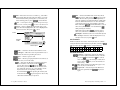
Thirteen symbols (colored blue on the keyboard) are available
using the Alt mode. The number keys plus three other keys (
) are used by pressing
Additional Options
Home — Returns to the menu wheel (Home) screen.
Backspace —When the cursor is positioned in text, it
deletes the character preceding the cursor.
Space — Inserts a space in text.
Enter — Inserts a paragraph return in text and acts as
a select key on non-text fields.
Alt — Activates the Alt-mode control keys, which are
color-coded blue on the keyboard. Press
, then
release. The status icon
appears on the screen.
The next key pressed will indicate the Alt-mode function. Alt-mode characters are color-coded blue on the
keyboard near the corresponding control key.
Do not hold down
while pressing the next key. Alt
mode turns off when
is pressed again or when a key
other than an Alt-mode key is pressed.
10
PageWriter 2000X User’s Guide
, then the corresponding key.
1
+
2
_
3
=
4
“
5
<
6
>
8
]
9
{
0
}
?
\
,
;
.
:
7
[
Alt-mode Functions
Contrast — Adjusts the contrast; the difference
between the lightest and darkest areas on the display. Press
, then hold down . The contrast
value will progress to extreme light or dark, then
reverse. Release
trast setting.
when you see the desired con-
Off — Turns off the pager. When the pager is off,
press any key to turn it back on.
Caps Lock — Activates Caps Lock. Each letter
pressed is capitalized until
is pressed
again.
How Your PageWriter 2000X Pager Works
11
Symbols — Activates the Symbols key. Fifteen (15)
additional symbols can be used. Press
to
view the Symbols screen, then press the key that
corresponds to the symbol you want to add to your
message. The original screen reappears with the
symbol added to your text.
Most of the symbols are also available on the keyboard using the Alt mode.
1 + 2 = 3 ~ 4 < 5 > 6 ^ 7 & 8
9
;
0 \ a
[
b
]
c
{
d
}
“
e |
BackTab — Reverses the direction of
key press.
for one
Page Up/Page Down — Activates Page Up and
Page Down and disables Page Right and Left for
TIP Before leaving on a trip, make sure the battery and any
extra batteries are fully charged. All rechargeable batteries
experience self-discharge, meaning that a small amount of
energy discharges everyday as a battery sits on the shelf.
Recharging the batteries to full charge should take an hour
or less per battery.
Recharging can be accomplished by placing your PageWriter
2000X Two-Way Wireless Communications Center in the
charger or by removing the battery and placing only the battery in the charger. For optimum performance, use the recommended Motorola charger.
To recharge the battery without removing it from
the pager:
1. Insert the transformer’s round connector into the connector on
the back of the charger.
Transformer
Two-pronged Plug
one key press. In the Message Area, press
to move to the top or bottom of the list.
Shift-mode Functions
Thirteen symbols (colored white on the keyboard) are available
using the Shift mode. The number keys plus three other keys (
) are used by pressing
, then the corresponding key.
1
!
2
@
3
#
4
$
5
%
6
^
8
*
9
(
0
)
?
/
,
¢
.
-
7
&
The Battery and Charger
Motorola batteries and chargers are made from the highest-quality
materials available. The battery and charger included with the
PageWriter 2000X Two-Way Wireless Communications Center
come with a one year warranty and should provide good performance well beyond the initial warranty period. However, rechargeable batteries do not last forever. At some point, batteries wear out
and must be replaced. If your battery’s performance has degraded
(e.g., the battery’s charge lasts only half as long as when it was
new), you should consider replacing your battery with a new
Motorola factory-assured battery. Batteries, as well as any other
Motorola PageWriter 2000X Two-Way Wireless Communications
Center accessory, can be purchased through your dealer, or by
calling Motorola direct at 1-800-548-9954.
12
PageWriter 2000X User’s Guide
Transformer
Round Connector
2. Insert the transformer’s two-pronged plug into any standard
120 Vac power supply outlet.
3. Hold the pager face up over the charger.
4. Position the pager with the Motorola logo on the same side as
the charger’s red and green LED indicators.
The battery can be charged separately or while it is in the
How Your PageWriter 2000X Pager Works
13
pager. The charger is intentionally designed so that you cannot place both the extra battery and the pager in the charger
at the same time.
To remove the battery for charging:
1. Hold the pager face down.
2. Press down on the arrow in the center of the battery door and
slide the battery door away from the center of the pager.
Logo
Indicators
5. Press the pager down into the charger until an audible click is
heard. The red LED indicator light means the battery is charging.
Ä A flashing red LED indicator means the battery is not making
a good contact. Ensure the pager is properly seated in the
charger.
6. When the green LED indicator lights, the battery is fully
charged. Slide the pager forward to release it from the charger.
3. Lift the battery door away from the pager.
Battery Door
Lift Tab
4. Using the white lift tab, lift the battery from the battery compartment.
7. Remove the round transformer connector from the back of the
charger, then remove the plug from the power supply.
14
PageWriter 2000X User’s Guide
How Your PageWriter 2000X Pager Works
15
To recharge the battery outside of the pager:
To replace the battery:
1. Insert the transformer’s round connector into the back of the
charger.
1. Match the positive (+) marking on the fresh battery with the
two (2) contact side of the pager’s battery compartment and the
negative (-) marking with the one (1) contact side of the battery
compartment.
2. Insert the battery into the battery compartment at an angle
toward the outer edge of the pager, then press the battery down
into place.
Transformer
Two-pronged Plug
Battery
Compartment
Transformer
Round Connector
2. Insert the transformer’s two-pronged plug into any standard
120 Vac power supply outlet.
3. Place the 3.6 V NiMH battery in the charger’s battery compartment by aligning the positive (+) and negative (-) markings on
the battery with those on the charger.
4. Press the battery firmly into place. The lit red LED indicator
light means that the battery is charging.
Ä A flashing red LED indicator means the battery is not making
a good contact. Ensure the pager is properly seated in the
charger.
5. When the green LED indicator becomes lit, the battery is fully
charged. Remove the battery from the front of the charger.
TIP Leaving the battery in the charger after the LED turns green
keeps the battery fully charged until removed. Keep your
spare battery fully charged by leaving it in your plugged-in
charger.
16
PageWriter 2000X User’s Guide
Ä Ensure the lift tab is underneath, not on top of, the battery. The
tab is designed to help lift the battery out of the compartment
during battery removal.
3. Fold the protruding lift tab down on top of the battery, then
slide the battery door back into place. An audible click can be
heard when the door is securely closed.
The Infrared Port
The PageWriter 2000X Two-Way Wireless Communications
Center includes an infrared (IR) port in the charger housing.
This device is used as a docking station for your pager when
transferring data to and from your computer. The IR port on
the docking station with the IR port on your PageWriter
2000X Two-Way Wireless Communications Center, enabling
data transmission. The docking station is connected to your
computer with the Motorola-provided RS232 null modem
cable.
When a data transfer is in process between the pager and a
PC, the green and red LED indicator lights on the PageWriter
2000X pager will flash intermittently.
How Your PageWriter 2000X Pager Works
17
To connect the docking station to your computer:
1. Connect one end of the RS232 cable to your computer’s nine-pin
serial port.
2. Connect the other end of the RS232 cable to the nine-pin
connector in the back of the docking station.
System Setup
Your PageWriter 2000X Two-Way Wireless Communications Center comes pre-configured and ready for use. Features are available
that allow you to re-configure your pager to more closely reflect
your lifestyle, set the date and time, and select the alert modes and
types. For information on customizing other features, see “Customize” on page 47.
Turning On and Off Your PageWriter 2000X Pager
9-pin
Serial
Ports
RS232 Cable
3. Insert the transformer’s round connector into the back of the
charger.
4. Insert the transformer’s two-pronged plug into the power supply.
5. Snap your PageWriter 2000X Two-Way Wireless Communications Center into the charger. You are now ready to access the
FLEX PC Partner application from your PageWriter 2000X
Two-Way Wireless Communications Center’s Home menu
wheel. See “FLEX PC Partner” on page 54 for more information
on using the FLEX PC Partner application.
The Holster
The durable, clip-on holster allows you to comfortably wear your
PageWriter 2000X Two-Way Wireless Communications Center on
your belt or pocket. Additional accessories are also available. For
more information, call 1-800-548-9954.
The rechargeable battery in your PageWriter 2000X Two-Way
Wireless Communications Center allows you to leave your pager
turned on 24 hours a day and, depending upon usage, can sustain
operation for approximately a week before requiring a recharge.
However, your PageWriter 2000X Two-Way Wireless Communications Center works much like your computer. Periodically turning
off your pager assists in clearing the random-access memory (RAM)
and can help optimize your pager’s performance. Turning off your
pager at night will also lengthen the time of your battery’s charge.
TIP Incoming messages are stored by the paging service until
your pager is turned back on and ready to receive messages.
Turn your pager off at night when you do not want to receive
messages, and place the pager in the plugged-in charger so it
will be fully charged and ready for use in the morning. If you
prefer to leave your pager on, use the Quiet Time feature to
specify the time period that message alerts will not be
played.
To turn on your pager:
Press any key.
To turn off your pager:
1. Press
-or2. Select
.
from the menu wheel.
To reset your pager:
Turn off your pager as indicated in the previous procedure, then
press any key to turn the pager back on.
-or1. Hold the pager face down.
18
PageWriter 2000X User’s Guide
System Setup
19
2. Press down on the arrow in the center of the battery door and
slide the battery door away from the center of the pager.
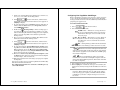
Migrating from Your PageWriter 2000 Smart
Pager to the PageWriter 2000X Two-Way Wireless
Communications Center
Attention! Current users of the PageWriter™ 2000 Smart Pager.
PLEASE READ THIS IMPORTANT INFORMATION
about migrating from your PageWriter 2000 Smart
Pager to the PageWriter 2000X Two-Way Wireless
Communications Center.
Congratulations! You are very close to enjoying all of the power of
your new PageWriter 2000X Two-Way Wireless Communications
Center. Please follow these instructions to successfully migrate
data and services from your PageWriter 2000 Smart Pager Version
1.0.50, 1.0.70.3 or 2.0.1.14 to your new unit. View your Smart Pager
Version number as follows:
3. Lift the battery door away from the pager.
Select
from the menu wheel, and then select
About PageWriter...
Reset Button
Lift Tab
If you have any of the version numbers listed above, these instructions will help you migrate all your data, messages, preferences,
and add-on applications (from Motorola Inc. or other sources), to
your new unit.
Caution! DO NOT use the PC Partner Restore utility to
migrate your data. Use only the System Maintenance Utility, the PC Partner Backup utility, and
these instructions to perform this operation.
4. Using a pen or other small pointed object, press the reset button.
5. Fold the protruding lift tab down on top of the battery, then
slide the battery door back into place. An audible click can be
heard when the door is securely closed.
If any application to be migrated has a subscriber service associated with it, and your PIN has changed, you will need to contact
the respective service provider and inform them that you have a
new PageWriter 2000X Two-Way Wireless Communications Center unit. They will probably ask you for your new PIN number or
code(s) to continue the service to your new unit.
PLEASE! Carefully read ALL the instructions first.
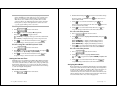
1. On your PC, install the new FLEX PC Partner application
(v.2.0.0.16) that came with your new unit.
2. Download the System Maintenance Utility for the
PageWriter 2000X Two-Way Wireless Communications Center
from the Motorola website:
http://www.mot.com/pw-solutions
Choose FLEX OS upgrade and follow the instructions for downloading.
20
PageWriter 2000X User’s Guide
System Setup
21
3. Insert your "old" PageWriter 2000 Smart Pager, version 1.0.50,
or 1.0.70.3, or 2.0.1.14 in the docking station.
4. Select
from the menu wheel, and then select
. Wait until the Connection Status screen appears on
your pager's display.
5. On your PC launch your new FLEX PC Partner application as
follows: Click the Start button, select Programs, and then
select FLEX PC Partner.
6. Double-click
Backup Utility to make a backup copy of
your "old" PageWriter 2000 Smart Pager. Make a note of the
name of the backup file. After the backup process is completed,
remove your "old" PageWriter 2000 Smart Pager from the
docking station.
7. Place your "new" PageWriter 2000X Two-Way Wireless Communications Center in the docking station.
8. Select
Configuring Your PageWriter 2000X Pager
Before attempting to send or receive messages, ensure your pager
is set to the proper transmission mode. You can also adjust the
message text size or turn on or off the audible keyboard clicks when
preparing your pager for use.
To set the transmission mode:
1. Select
Send/Receive — Full service coverage. Turns on
the receiver and transmitter for two-way message
transmission. Messages can be sent and received
from your pager.
Receive Only — Basic Service coverage. Turns on
only the receiver for one-way message transmission. Messages can be received but not sent from
your pager.
from the menu wheel, and then select
. Wait until the Connection Status screen appears on
your pager's display.
9. On your PC launch the System Maintenance Utility for the
PageWriter 2000X Two-Way Wireless Communications Center.
When prompted, choose the "My pager is not functioning
correctly" option; this causes the System Maintenance Utility to restore data from a backup file.
10.Then, choose "Restore my data using the backup file". Click
the Browse button, then move to the location of the backup file
created in Step 5, and select that file.
11.Follow the instructions for connecting to your pager to complete
the migration.
Now you are ready to enjoy your new PageWriter 2000X Two-Way
Wireless Communications Center!
For additional information or assistance with this process,
call: 1-800-548-9954
from the menu wheel.
2. Select the transmission mode:
Off — Storing Messages. Turns off the transmitter
and receiver. Messages cannot be sent or received.
TIP
Sometimes referred to as Hospital mode. The unit
will never transmit while in this safe mode for environments
with sensitive equipment such as CAT Scan and MRI equipment found in hospitals.
Off is recommended for airline travel. Radio
transmissions can interfere with flight navigation and communications. Follow FAA regulations. Turn off the transmitter while on airplanes.
3. Select
to return to the main screen.
Ä When the pager is in Off mode, messages are retained by the
paging service until you change modes (Send/Receive or Receive
Only).
TIP Off mode does not turn off your pager. It turns off the radio
frequency (RF) transmission. You can still use the applications on your pager to update your Address Book, schedule
reminders to yourself, or compose messages to be sent at a
later time.
22
PageWriter 2000X User’s Guide
System Setup
23
TIP When moving to another zone, reset your pager back to Full
Service Send/Receive mode until you receive your first page,
then you can put the pager back into Receive Only mode.
This allows you to tell the service provider where to find
your pager. Zones are defined by the paging service provider,
but in general, a major metropolitan area counts as a zone
(e.g., the greater Chicago area is one zone).
To change the message text size:
1. Select
2. Press
[Now NORMAL] ↵ Displays message text in the standard font
size.
[Now LARGE] ↵ Displays message text in a larger font size.
to
To turn on/off the audible keyboard click:
1. Select
2. Press
up or down to highlight Key Clicks, then press
to toggle between [Now ON] and [Now OFF].
to
Setting the Date and Time
Although your new PageWriter 2000X Two-Way Wireless Communications Center comes pre-configured, you might need to set the
correct date and time when you first receive your pager. Through
the Set Time application, you can also reset the date and time to
reflect your movement between time zones and for seasonal changes, such as Daylight Savings Time.
To set the date/time:
1. Select
24
from the menu wheel.
PageWriter 2000X User’s Guide
right or left to move
to access the Date field, then press
up or
down to change the numbers for the date. Press
to move between Date fields.
right or left
to
from the menu wheel.
2. Press
up or down to highlight Date Format, then press
to cycle between:
[Now DD/MM/YY] ↵ Displays day/month/year format.
[Now YY/MM/DD] ↵ Displays year/month/day format.
[Now MM/DD/YY] ↵ Displays month/day/year format.
3. Press
to access the button field, then select
accept the changes and return to the menu wheel.
from the menu wheel.
3. Press
to access the button field, then select
accept the changes and return to the menu wheel.
3. Press
1. Select
to toggle between:
3. Press
to access the button field, then select
accept the changes and return to the menu wheel.
the hour, minute, or AM/PM. Press
between Time fields.
To select the date format:
up or down to highlight Message Text,
or
up or down in each field to change
4. Press
to access the button field, then select
accept the changes and return to the menu wheel.
from the menu wheel.
then press
2. From the Time field, press
to
To select the time format:
1. Select
2. Press
from the menu wheel.
up or down to highlight Time Format,
then press
hr].
to toggle between [Now AM/PM] and [Now 24
3. Press
to access the button field, then select
accept the changes and return to the menu wheel.
to
Assigning Alert Modes
Four alert modes are available from the Home screen that quickly
and easily override the alerts without changing the settings. They
include Loud, Soft, Vibrate, and Silent. The alert modes allow you
to increase the volume of the alert when you are in a noisy
environment, decrease the volume for normal environments, substitute vibration when no sound is desired, and turn off the alerts
for environments where any alert is inappropriate.
System Setup
25
To select an alert mode:
1. From the Home screen, press
the alert mode icon.
to the right or
2. Press
to cycle to the desired alert mode.
3. Press
change.
or
to highlight
to exit the alert mode icon and accept the
Assigning Alert Types
Different alert types can be assigned to the inboxes that receive
your messages. This allows you to identify by sound the type of
message you are receiving. An alert type can be set for each of the
alert modes. If an audible alert mode (Loud or Soft) is selected from
the Home screen, the alert you assigned on the Set Alert Screen
will notify you of incoming messages.
To select an alert type:
1. Select
from the menu wheel.
2. Press
up or down to highlight the inbox for which you are
assigning an alert type, then select
.
3. Select
to bypass the Edit Inbox screen.
4. Press
left or right to scroll through the alert options. Press
to move between alert mode fields.
TIP Press
to sample the alert.
5. Select
Area screen.
to accept the changes and return to the Message
Addresses
The PageWriter 2000X Two-Way Wireless Communications Center contains an address book for storing the address information of
each person or group you might want to contact. You can include
the type of pager and its PIN, an email address, a fax number, home
and work phone numbers, and even miscellaneous notes for each
address entry. When viewing address entries, the status bar notifies you if there is additional information not displayed on the
screen.
TIP To view the additional data, press the NavDisc
scroll through the rest of the information.
down to
When you are ready to send a message, each person or group will
have an address entry for each type of address you have identified
that the PageWriter 2000X Two-Way Wireless Communications
Center can send messages to.
Ä The amount of entries in the Address Book is only limited by
the amount of free memory available (see “Viewing System
Status” on page 47 and “Checking Memory Usage on Your
PageWriter 2000X” on page 73).
Ä Group names are indicated in the list of Address Book Entries
with the label GROUP.
Ä Up to 25 members can be added to each group.
Entering Addresses
The Address Book contains addresses for individuals as well as for
groups of individuals. Group addresses allow you to compose and
send one message which is transmitted to each member of the
group.
TIP You can force address names to appear in a position in the
Address Book that you find convenient. For example, prefacing group names with a space forces all the groups to appear
at the top of the list. Using an underscore instead forces the
names to the bottom of the list.
To add an individual:
1. Select
from the menu wheel.
2. Select New Individual Entry.
26
PageWriter 2000X User’s Guide
Addresses
27
3. In the Name field, type the name for the entry as it should
appear in the Address Book (e.g., Cody, Catherine).
Ä The Address Book sorts address entries alphabetically based on
the first letter in the address name. Type the last name first if
you want to find addresses for individuals by their last name.
4. In the Carrier field, press
left or right to scroll through the
paging service providers. Highlight the name of your carrier,
then press
or
down to move to the next field
Ä If the paging carrier of the addressee is accessible from your
paging carrier,
appears next to the Pager field. If the
envelope does not appear, the Enter PIN field allows you to store
the pager information for reference only.
5. In the Pager field, press
to return to the Address Book Entries screen.
To add a group:
1. Select
4. Select the individual members to add to the group.
press
up or down to highlight an address entry, then
to select the entry.
appears next to each entry
selected. Press
again to de-select an entry, as required.
When you are finished selecting group members, press
to access the button field.
28
Addresses saved in your Address Book can be updated as information changes. To update Address Book files from your personal
computer (PC), review “FLEX PC Partner” on page 54, then see
“Managing Your Address Book” on page 58.
TIP Type as many characters of the address name as you want to
find the contact you are looking for. If the address cannot be
found, the pager will beep and display an error message.
To edit an individual address:
1. Select
from the menu wheel.
2. Press
up or down to highlight the address entry requiring
change then, select
.
3. Place the cursor in the field containing the information you
want to change.
In text fields, press
the new information.
-or-
to delete old information, then type
In scrolling fields, press
left or right to scroll within the
fields and highlight the correct information.
4. Select
to return to the Address Book Entries screen.
To change the name of a group:
from the menu wheel.
2. Select New Group Entry.
3. In the Group Name field, type the name for the group as it
should appear in the Address Book (e.g., Sales Team), then
select
.
TIP Press
Editing Addresses
left or right to scroll through the
pager types. Highlight the pager type, then press
or
down to move to the next field.
Ä
provides access to additional information about the PIN for
the selected pager type.
6. Enter the individual’s PIN and/or fax number.
7. Select
to access a supplemental screen where you can
enter other address information, such as email address, home
phone number, work phone number, and fax number.
8. Select
, then type any additional information in the
Notes text field.
9. Select
5. Select
to accept the changes and return to the Address
Book Entries screen.
PageWriter 2000X User’s Guide
1. Select
2. Press
from the menu wheel.
up or down to highlight the name of the group you
want to change, then select
.
TIP Press
to access the button field, then press
right to scroll through the options.
left or
3. From the Group Addresses screen, select
.
4. From the Change Group Name screen, press
current name, then type the new name.
to delete the
5. Select
then
to accept the change and return to
the group addresses screen.
Addresses
29
To change the group’s membership:
1. Select
from the menu wheel.
2. Press
up or down to highlight the name of the group to which
you are adding or deleting members, then select
.
3. From the Choose Members screen, select the entries from the
Address Book to add to or remove from the group’s membership.
TIP Press
press
up or down to highlight an address entry, then
to select the entry.
selected. Press
appears next to each entry
again to de-select an entry, as required.
When you are finished selecting group members, press
to access the button field.
TIP Remember! Deleting a member from a group will not delete
the individual member’s address from the Address Book.
After deleting a member from a group address, delete the
individual address, as needed. Addresses that are deleted
are automatically removed from groups.
4. Select
to accept the changes and return to the Address
Book Entries screen.
Deleting Addresses
A well maintained Address Book provides quick access to the
addresses you need. Delete addresses for individuals that you no
longer contact or for groups that no longer exist.
TIP Remember! Deleting group addresses will not delete the
individual member addresses. After deleting a group
address, delete the individual addresses, as needed.
Ä The deletion of addresses cannot be undone.
To delete an address:
1. Select
2. Press
select
from the menu wheel.
up or down to highlight the Address Book entry, then
.
3. Select
at the confirmation screen to delete the address
and return to the Address Book Entries screen.
30
PageWriter 2000X User’s Guide
Write
The Write application enables you to compose messages using the
QWERTY keyboard, insert Quick Text, and append your signature.
You can also choose to send your messages at a later time, file the
messages in inboxes prior to sending, and even place reminder
alerts on messages. When you send a new message, you return to
the Home screen and the status of the message is displayed there.
Messages can be sent to other Two-Way Wireless Communications
Centers, two-way pagers, one-way pagers, email addresses, and fax
numbers by selecting the appropriate address. See “Entering Addresses” on page 27 for more information on creating address
entries.
Writing Messages
The QWERTY keyboard provides a familiar key layout, enabling
you to quickly type and send your message. For information on Altmode keys and Symbols, see “Alt Functions” on page 11.
Thirteen symbols (colored blue on the keyboard) are available
using the Alt mode. The number keys plus three other keys(
) are used by pressing
, then the corresponding key.
1
+
2
_
3
=
4
“
5
<
6
>
8
]
9
{
0
}
?
\
,
;
.
:
7
[
For information on Shift-mode keys, see “Shift-mode Functions” on
page 12.
Thirteen symbols (colored white on the keyboard) are available
using the Shift mode. The number keys plus three other keys (
) are used by pressing
, then the corresponding key.
1
!
2
@
3
#
4
$
5
%
6
^
8
*
9
(
0
)
?
/
,
≤
.
-
7
&
To write a message:
1. Select
from the menu wheel.
2. Type your message, then press
3. Select
to access the button field.
.
Write
31
Adding Quick Text
4. Select the recipient(s) from the Address Book list.
TIP Each recipient can have more than one entry. Select the
recipient by the type of messaging device receiving the message (e.g., two-way pager, one-way pager, email, fax).
TIP Before sending messages to fax addresses, use the Customize application to record the Internet email address for your
Internet fax service. Fax addresses will not show up in the
‘Send To’ list if they haven’t entered an internet fax address.
TIP When selecting an entry, press
an address entry, then press
up or down to highlight
to select the entry.
appears next to each entry selected. Press
again to deselect an entry, as required. When you are finished selecting
recipients for your message, press
to access the button
field. Select ‘Review’ to see a short list of the addresses you
had selected.
TIP Press
from the Address Book list to return to the message and continue editing.
5. Select
to send your message.
The Import feature enables you to use text from a message stored
in one of your inboxes, as part of an outgoing message.
To import a message:
1. From the Compose Message screen, select
to view the
list of mailboxes.
2. Open the desired mailbox.
3. Open the existing message you want to use as the basis for your
outgoing message.
4. Edit as necessary.
recipient of the message, and then select
To add Quick Text to your message:
1. From the Compose Message screen, select
2. Press
.
up or down to highlight the desired text, then press
. The Quick Text appears in your message on the Compose
Message screen, ready for you to complete your message.
Attaching Message Replies
When sending a message to a two-way pager that returns canned
text responses, your PageWriter 2000X Two-Way Wireless Communications Center allows you to provide a selection of replies to
your message. Messages typed in the Replies fields will be available
to the person receiving your message. Rather than selecting the
canned messages available on their pager, they can select one of
the customized replies you have provided.
To attach Replies to your message:
Importing Messages
5. Send as you normally would: press
The Quick Text feature enables you to quickly add frequently used
text to your messages. This saves time and key strokes when
composing a message. See “Customizing Message Features” on
page 50 for information on composing your own Quick Text
through the Customize application.
, select
.
the
1. From the Compose Message screen, select
.
2. Type your choices of replies in the numbered fields.
Ä Fields are provided for sixteen replies. Use
and
to access the additional fields.
3. Select
transmits.
to attach the replies to your message when it
Saving Your Message to the Drafts Inbox
If a message comes in while composing a new message, you can
save the message to the Drafts inbox and display the incoming
message.
To save the current message to the Drafts inbox
while receiving an incoming message:
1. From the Compose Message screen, answer Yes to exit screen
and read it now.
2. Answer Yes to save current message to Drafts inbox and view
incoming message.
32
PageWriter 2000X User’s Guide
Write
33
Scheduling a Delayed Send
Entering a One-Time Address
Messages can be composed at your convenience and then scheduled
for automatic transmission later at the appropriate send time.
To schedule the transmission of a message:
1. From the Compose Message screen, select
.
2. Select the recipient(s) from the Address Book list.
3. Select
.
4. From the Time field, select the time when you want to send the
message. Press
up or down in each field to change the hour,
minute, or AM/PM. Press
fields.
5. Press
right or left to move between Time
to access the Date field. Select the date when you
want to send the message. Press
numbers for the date. Press
Date fields.
6. Select
up or down to change the
right or left to move between
to accept the schedule.
Filing a Message Draft
Partial or unfinished messages can be stored for later edit and/or
transmission. Saving your messages to an inbox avoids unnecessary text re-entry while allowing you to compose messages at your
convenience.
Similarly, partial or unfinished messages can be saved in the
Drafts inbox when an incoming message interrupts you. When a
message in the Drafts inbox is opened, the Write application is
launched (see “Saving Your Message to the Drafts Inbox” on
page 33).
Occasionally, you may send a one-time e-mail message from your
pager. For example, you want to send a demonstration e-mail
message, but you’ll never have a reason to send e-mail to this
individual again. In such a situation, you don’t want to save the
individual’s e-mail address, since it will only take up space on your
pager.
To set a one-time address:
1. At the menu wheel, select
, just as you ordinarily
would to send a message.
2. At the Compose Message screen, enter the text of the e-mail
message in the usual manner.
3. Select
.
4. At the Choose Recipients screen, select New Address (it should
be already highlighted).
5. At the New Address screen, press
to go directly to the
Address Type field, leaving the Name field blank. This tells your
pager not to save the information in the Address Book.
6. Press
left or right to select E-mail Address. Press
to
move to the E-mail Address field.
7. Enter the individual’s e-mail address just as you normally
would.
8. Select
. Note that at the Choose Recipients screen, the
last item is the e-mail address you just entered, and it has a
check mark next to it.
9. Select
. The e-mail message will be transmitted, but
nothing will be saved to your recipient list.
To file the draft of a message before transmission:
1. From the Compose Message screen, select
2. Press
.
up or down to highlight the inbox to which you want
to save your message draft, then select
. Your draft is
saved to the inbox for edit or transmission at a later time.
34
PageWriter 2000X User’s Guide
Write
35
Setting a Reminder Message Alarm
Read
The Read application enables you to read and respond to incoming
messages, forward or file messages, and delete messages. It also
allows you to manage the inboxes, folders, Outbox, and Trashcan
accessible from the Message Area.
To set a reminder message alarm:
Reading Incoming Messages
Incoming messages can be read as they are received or held in the
appropriate inbox to be read at a later time. The New Messages
screen takes you directly to the new message, or you can access
unread messages from the Message Area screen.
To read an incoming message:
Select
at the New Messages announcement screen to
display the message.
down or up to scroll within the message text. Press
Ä Messages that have already been read cannot be accessed from
this list of new messages. Use the Read application to view
previously read messages. See the next procedure for viewing
messages from the Message Area screen.
To read a message from the Message Area screen:
from the menu wheel.
2. Select the inbox containing the message.
Ä indicates an inbox containing at least one unread message.
indicates an inbox that contains only messages that have
already been read.
3. Select the message.
Ä
indicates a new, unread message.
indicates that you have already read the message.
indicates messages with alarms.
4. Select
to return to the Messages list, or press
return to the menu wheel.
36
PageWriter 2000X User’s Guide
from the menu wheel.
2. Type your reminder message, then select
to
.
3. Press
up or down to highlight the folder to which you want
to save your reminder message, then select
.
4. From the Time field, select the time when you want the alarm
up or down in each field to change the
hour, minute, or AM/PM. Press
Time fields.
5. Press
right or left to move between
to access the Date field. Select the date when you
want the alarm to remind you. Press
right or left to scroll between the messages.
1. Select
1. Select
to remind you. Press
TIP The top of the Message screen displays the quantity of new
messages waiting to be read (e.g., Message 1 of 4).
Press
Send yourself a reminder for meetings, special events, and other
important To Do’s. Reminder messages can be sent once or on a
regular basis (e.g., daily, weekly, monthly, yearly). When it’s important that you remember, send yourself a reminder message on
your PageWriter 2000X Two-Way Wireless Communications Center.
the numbers for the date. Press
Date fields.
up or down to change
right or left to move between
6. Press
to access the alert frequency field. Press
up or
down to highlight how often you want this message to remind
you, then press
.
7. Press
to access the button field, then select
accept the schedule.
to
8. Select
. At the scheduled time, your reminder message
is sent to you.
Sending Responses
Responding to messages is quick using pager-provided (canned)
text or the QWERTY keyboard.
To send a custom reply:
1. From the Message screen, select
is highlighted at the top of list.
. The Custom response
Read
37
2. Press
and write your reply.
send your response.
to send and press
to
Messages that have been read can be saved to an inbox. For more
information on creating inboxes, see “Inboxes” on page 40.
To send a canned reply:
To save a message to an inbox:
1. From the Message screen, select
.
2. Highlight one of the provided responses from the list.
3. Select
response.
1. From the Message screen, select
to confirm that you want to send the desired
2. Press
Your PageWriter 2000X Two-Way Wireless Communications Center enables you to share your received messages without retyping
them. Simply forward the message to an address in your Address
Book. Your signature is appended to the beginning of the forwarded
message.
up or down to highlight the inbox to which you want
to save your message, then select
.
3. Select
to return to the Messages list, or press
return to the menu wheel.
to
Messages can be deleted from either the Messages list or the
Message screen. Deleted messages are moved to the Trashcan,
where they are permanently erased when the Trashcan is emptied.
For more information, see “Trashcan” on page 46.
.
TIP Press
to access the button field, then
through the options.
to scroll
To delete a message from the Messages list:
2. Type a forwarding note if desired, then select
.
3. From the Choose Recipients screen, select the recipient(s), then
select
.
an address entry, then press
to scroll
Deleting Messages
To forward a message:
TIP When selecting an entry, press
.
TIP Press
to access the button field, then
through the options.
Forwarding Messages
1. From the Message screen, select
Filing Messages
up or down to highlight
to select the entry.
appears next to each entry selected. Press
again to deselect an entry, as required. When you are finished selecting
recipients for your message, press
to access the button
field.
4. Select
to return to the Messages list, or press
return to the menu wheel.
to
From the Messages list, press
up or down to highlight the
message you want to delete, then select
deleted.
. The message is
To delete a message from the open Message
screen:
From the Message screen, select
. The message is deleted.
Managing the Message Area
The Message Area contains three types of containers:
Inboxes
Outbox
Trashcan
38
PageWriter 2000X User’s Guide
Read
39
Inboxes
Select
Inboxes are containers that receive incoming messages transmitted to your PageWriter 2000X Two-Way Wireless Communications
Center. Three types of inboxes automatically organize the messages for you: Main Inbox, information services, and personal.
The Main Inbox receives general messages that are sent to your
pager. You can set message alerts and assign a cleanup schedule
to help maintain the contents, however, the Main Inbox cannot be
renamed, have routing rules assigned, nor be deleted.
Ä Routing rules are specific keywords or text strings that your
PageWriter 2000X Two-Way Wireless Communications Center
looks for in incoming messages. You can identify keywords or
text strings for personal inboxes. When keywords or text strings
are found, the message is placed in the appropriate inbox.
Information services inboxes receive subscriber messages, such as
world news, financial updates, and sports scores. Information
services inboxes can only be created, renamed, or deleted by the
information service provider. Changing information service inboxes requires a software change that is completed over-the-air (OTA)
or at a service center by the service provider.
Personal inboxes are inboxes that you can create to receive specific
types of messages. Incoming messages are automatically routed to
your personal inboxes based upon the routing rules you assigned
for each inbox. The number of incoming messages is reported when
you view the inbox. You can create, rename, or delete personal
inboxes at any time.
alerts.
TIP Press
to sample the alert.
7. Select
Area screen.
-or-
to accept the changes and return to the Message
Select
to continue configuring the inbox.
8. Select the cleanup option:
No Cleanup ↵ Keeps all messages.
Number of Messages ↵ Keeps the most recent messages up
to the number of messages indicated.
Age of Messages ↵ Keeps the messages that have been in
the inbox fewer days than the number of days indicated.
9. If the automatic cleanup is selected, type the maximum number
of days the message is retained in the inbox before it is deleted,
or the maximum number of messages retained before the oldest
message is deleted.
Ä Cleanup runs nightly deleting only read messages and those
without alarms.
10.Select
Area screen.
2. Press
40
to scroll
from the menu wheel.
up or down to highlight the inbox you want to rename,
then select
3. Press
.
to delete the current name, then type the new name.
2. Select
.
3. Type the name of the new inbox in the name field.
4. Type specific keywords in Get messages with field that your
pager will look for in incoming messages. Messages containing
one or more of these strings will automatically be placed in this
inbox.
4. Select
Area screen.
5. Select
Area screen.
-or-
2. Press
to accept the changes and return to the Message
PageWriter 2000X User’s Guide
to accept the changes and return to the Message
1. Select
from the menu wheel.
to access the button field, then
TIP Press
through the options.
to continue configuring the new inbox.
left or right in each alert mode field to select the
To rename a personal inbox:
To create a personal inbox:
1. Select
6. Press
to accept the changes and return to the Message
To assign routing rules:
1. Select
from the menu wheel.
up or down to highlight the inbox requiring routing
rules, then select
.
Read
41
3. Type specific keywords in Get messages with field that your
pager will look for in incoming messages. Messages containing
one or more of these text strings will automatically be placed in
this inbox.
Ä Do not use the same text for more than one inbox.
4. Select
Area screen.
to accept the changes and return to the Message
To set the alert type for an inbox:
1. Select
2. Press
from the menu wheel.
up or down to highlight the inbox requiring a new
alert type, then select
3. Select
4. Press
to the number of messages indicated.
Age of Messages ↵ Keeps the messages that have been in
the inbox fewer days than the number of days indicated.
6. If the automatic cleanup is selected, type the maximum number
of days the message is retained in the inbox before it is deleted,
or the maximum number of messages retained before the oldest
message is deleted.
Ä Cleanup runs nightly, deleting only read messages and those
without alarms.
7. Select
Area screen.
To delete a personal inbox:
.
from the Edit Inbox screen.
left or right in each alert mode field to select the
1. Select
2. Press
TIP Press
to sample the alert.
5. Select
Area screen.
to accept the changes and return to the Message
To view the messages in an inbox:
from the menu wheel.
from the menu wheel.
up or down to highlight the inbox you want to clean
up and press
2. Press
.
3. Select
.
Ä Cleanup deletes only read messages and those without alarms.
To assign a cleanup schedule to an inbox:
1. Select
from the menu wheel.
up or down to highlight the inbox you want to view,
then press
. A list of messages appears.
Ä
indicates messages with alarms.
3. Select the message you want to view.
4. Select
to return to the Messages list, or press
return to the menu wheel.
to
up or down to highlight the inbox requiring a cleanup
schedule, then select
3. Select
.
TIP All unread or alarmed messages in an inbox must be read,
deleted, or disabled before the inbox can be deleted.
1. Select
2. Press
up or down to highlight the inbox you want to delete,
3. Select
at the confirmation screen to delete the inbox
and return to the Message Area screen.
To clean up an inbox:
2. Press
from the menu wheel.
then select
alerts.
1. Select
to accept the changes and return to the Message
.
from the Edit Inbox screen.
4. Select
from the Set Alerts screen.
5. Select the cleanup option:
No Cleanup ↵ Keeps all messages.
Number of Messages ↵ Keeps the most recent messages up
42
PageWriter 2000X User’s Guide
Read
43
Ä Only messages that have already been sent ( ) or messages that
Outbox
The Outbox serves two purposes. It provides a transmission status
log for messages sent within the past day and acts as a holding
area for unsent messages. All sent messages go into the Outbox
and stay there until a scheduled cleanup of the Outbox takes place.
The messages are categorized into six types. Select
to
display the Outbox icon descriptions:
Sending in progress
failed to transmit ( ) can be resent.
5. Select
to return to the Message Area screen, or press
to return to the menu wheel.
To resend a failed message from the Outbox:
1. Open the Outbox.
Sent successfully
2. Press
up or down to highlight the failed message you want
to resend.
Message in queue
3. Press
Delayed send message
and
4. Select
to return to the Message Area screen, or press
to return to the menu wheel.
Sending failed (with an alert)
Due to the message transmission process, the transmission status
can alternate between Message in queue and
Sending in progress before attaining Sent successfully
status (see "The Home Screen" special status icons).
TIP If for any reason the message fails to transmit, the system
will present an automatically generated screen offering you
When the status of one of the messages in the Outbox changes, the
screen refreshes and the first item is highlighted.
To view message information:
1. Select
from the menu wheel.
2. Select
Outbox.
3. Press
up or down to highlight the unsent message you want
Ä
to cancel, then select
.
Only unsent messages can be canceled.
4. Select
to resend the message. Select
1. Select
To cancel outgoing messages in the Outbox:
at the confirmation screen.
if you desire to do so.
from the menu wheel.
2. Select
Outbox.
3. Press
up or down to highlight the message of
interest, then select
. The message, replies to the message, and the addresses the message and replies were sent to
displays.
4. Select
5. Select
to return to the Message Area screen, or press
to return to the menu wheel.
44
to access the button field, then select
.
Transmitter not on
.
5. Select
to return to the Message Area screen, or press
to return to the menu wheel.
To forward messages from the Outbox:
To resend messages from the Outbox:
1. Select
1. Select
2. Select
Outbox.
3. Press
up or down to highlight the message you want to
from the menu wheel.
2. Select
Outbox.
3. Press
resend.
up or down to highlight the message you want to
4. Press
to access the button field, then select
forward, then press
4. Select
PageWriter 2000X User’s Guide
from the menu wheel.
.
.
.
Read
45
5. Type a note to accompany the message being forwarded, then
select:
Customize
to forward to an address.
to forward to an inbox.
6. Select the address to which the message will be sent, then select
.
7. Select
.
Viewing System Status
8. Select
to return to the Message Area screen, or press
to return to the menu wheel.
Information available through the Customize application includes
system information, memory usage, and owner information.
Trashcan
To view system information:
Messages can be restored from the Trashcan until the Trashcan is
emptied. The Trashcan is emptied upon your request, when memory is running low, and each night. See “Memory Management
System” on page 74 for more information.
1. Select
from the menu wheel.
2. Select About PageWriter to view version, model, and operating system information. A list of applications is also provided.
To restore a message from the Trashcan:
3. Select
to return to the Customize screen, or press
to return to the menu wheel.
1. Select
To view memory usage:
2. Select
3. Press
from the menu wheel.
Trashcan.
up or down to highlight the message you want to
restore, then select
4. Press
.
up or down to highlight the inbox to which you want
to move the message, then select
.
1. Select
from the menu wheel.
2. Select Memory Usage to view summary of the amount of
memory in use by various elements.
3. Select
to return to the Customize screen, or
to
view more detail about current and total memory usage, or
press
to return to the menu wheel.
5. Select
to return to the Message Area screen, or press
to return to the menu wheel.
To view owner information:
To empty the Trashcan:
1. Select
1. Select
2. Select Owner Information to view your information.
from the menu wheel.
2. Select
Trashcan.
3. Select
.
4. Select
at the confirmation screen to delete the messages
from the Trashcan.
5. Select
to return to the Message Area screen, or press
to return to the menu wheel.
46
The Customize application provides a variety of features that allow
you to configure your PageWriter 2000X Two-Way Wireless Communications Center to suit your needs.
PageWriter 2000X User’s Guide
from the menu wheel.
TIP The information on this screen can be edited. Simply delete
any existing information and type the new information.
3. Select
to accept any changes to the owner information
and return to the Customize screen, or press
to return to
the menu wheel and discard any changes.
Customize
47
Enabling and Disabling Alerts and Alarms
The Unread Message Alert feature indicates that you have messages that were not read at the time they arrived and continue to
be unread. Using the same alerts you selected for the inbox receiving the message, the Customize application allows you to turn on
or off the Unread Message Alert feature, as well as the LED alarms.
To enable/disable the unread message alert:
Customizing the User Interface
The Customize application enables you to adjust your PageWriter
2000X Two-Way Wireless Communications Center to reflect your
preferences. Adjust the contrast level and message text size, select
the date and time formats, and even turn off or on the key clicks.
To use the contrast calibration guide:
1. Select
1. Select
2. Press
press
OFF].
3. Select
from the menu wheel.
up or down to highlight Unread Msg Alert, then
or
to toggle between [Now ON] and [Now
to return to the Customize screen.
To enable/disable LED alarms:
1. Select
from the menu wheel.
2. Press
up or down to highlight LED Alarms, then press
or
3. Select
to toggle between [Now ON] and [Now OFF].
to return to the Customize screen.
Setting Up Internet Fax Service
Before you can send fax messages you must first identify the email
address of the Internet fax service you intend to use. Through the
Customize application, record the email address of your Internet
fax service. If you make a change, your pager restarts so the change
takes effect. When you are ready to send a fax, simply select the
fax address from the Address Book for the person you want to
contact.
To set up an Internet fax service:
1. Select
from the menu wheel.
2. Select Internet Fax Service.
3. Type the email address for the fax service.
Ä Do not enter the fax number or “@” sign.
4. Select
to return to the Customize screen.
3. Press
, then hold down . Watch the Calibration Guide to
see how the shades of black, gray, and white are affected by your
contrast selection.
4. Continue holding
down. The contrast adjustment will automatically reverse when it reaches extreme light and extreme
dark contrasts. Release
when the desired contrast level is
reached.
To select message text size:
1. Select
2. Press
PageWriter 2000X User’s Guide
from the menu wheel.
up or down to highlight Message Text,
then press
or
to toggle between:
[Now NORMAL] ↵ Displays all message text in the standard
font size.
[Now LARGE] ↵ Displays all message text in a larger font
size.
3. Select
ize screen.
to accept the changes and return to the Custom-
To select the date format:
1. Select
from the menu wheel.
2. Press
up or down to highlight Date Format, then press
or
to cycle between:
[Now DD/MM/YY] ↵ Displays day/month/year format.
[Now YY/MM/DD] ↵ Displays year/month/day format.
[Now MM/DD/YY] ↵ Displays month/day/year format.
3. Select
screen.
48
from the menu wheel.
2. Select Contrast Help to display Calibration Guide.
to accept the change and return to the Customize
Customize
49
To select the time format:
1. Select
2. Press
from the menu wheel.
up or down to highlight Time Format,
then press
or
[Now 24 hr].
3. Select
screen.
to toggle between [Now AM/PM] and
to accept the change and return to the Customize
To turn on/off the key clicks:
Ä To save air time your signature is not already appended to
replied messages.
3. Select Add Signature when sent (check appears in box).
Messages can be saved to an inbox on an individual basis. All your
outgoing messages are saved to the Outbox.
To create Quick Text:
1. Select
from the menu wheel.
2. Select Edit Quick Text.
3. Select Add New Quick Text.
4. Type your Quick Text message of up to 100 characters.
1. Select
from the menu wheel.
up or down to highlight Key Clicks, then press
5. Select
screen.
to accept the change and return to the Quick Text
2. Press
to toggle between [Now ON] and [Now OFF].
6. Select
to return to the Customize screen.
or
3. Select
screen.
to accept the change and return to the Customize
To edit Quick Text:
1. Select
Customizing Message Features
Your PageWriter 2000X Two-Way Wireless Communications Center’s messaging features enable you to:
• Create a signature for your messages then automatically
append the signature to each message you send.
• Create and store frequently used text for inclusion in future
messages.
To create a signature:
1. Select
from the menu wheel.
3. Press
up or down to highlight the text requiring changes,
then select
4. Press
.
to delete existing text, then type your new message.
5. Select
screen.
to accept the change and return to the Quick Text
6. Select
to return to the Customize screen.
Quiet Time
2. Select Send Options.
3. Select the Signature text box, then type your message signature.
The Quiet Time feature lets you specify a daily time period during
which message alerts will not be played without modifying the
individual alert settings.
4. Select
screen.
To set quiet time:
to accept the change and return to the Customize
To automatically append your signature to each
message you originate:
1. Select
from the menu wheel.
2. Select Send Options.
1. Select
PageWriter 2000X User’s Guide
from the menu wheel.
2. Select Quiet Time Settings. The Quiet Time Settings screen
appears.
3. The On/Off switch is highlighted. Press
switch the setting between On and Off.
4. Press
50
from the menu wheel.
2. Select Edit Quick Text.
left or right to
to move to the hour in the Start Time field.
Customize
51
5. Press
up or down to set the hour.
6. Press
to move to the minute in the Start Time field.
7. Press
up or down to set the minute.
8. Press
to move to the AM/PM field in the Start Time field.
Press
up or down to select AM or PM.
9. Repeat Steps 4 through 6 for the End Time.
10.Select
to save the settings.
Message alerts will not be played during the time you set as Quiet
Time.
Maintaining Inboxes and Applications
Maintenance features such as Cleanup and Delete Applications
enable you to remove unwanted messages or applications from
your pager. To schedule the cleanup feature, see “To assign a
cleanup schedule to an inbox:” on page 42.
To clean up all inboxes:
1. Select
from the menu wheel.
2. Select Cleanup.
3. Select the containers to be cleaned:
All ↵ Deletes all read messages stored in inboxes that have no
alarms set.
Inboxes ↵ Deletes all read messages stored in inboxes.
Ä Messages deleted in the cleanup process are not stored in the
Trashcan. They are permanently deleted and cannot be recovered.
4. Select
ize screen.
to delete the messages and return to the Custom-
Set an audible or vibrating alert at up to three preset times. These
alarm clock alerts have no messages attached to them.
To set an alarm:
1. From the menu wheel, select
. The Alarm Clock
screen has three tabs that enable you to set three different
alarms.
2. Press
left or right, or
Alarm 3.
to select Alarm 1, Alarm 2, or
3. Press
down to move to the On/Off switch. Press
left or
right to select On or Off.
Ä A bell icon ( ) on an alarm’s tab indicates that the alarm is on.
A bell icon also displays on the status line of the menu wheel
screen when an alarm is set.
4. Press
to move to the Frequency field. Press
left or right
to select how often you want the alarm to go off. Your options
are Once, Weekends, Weekdays, or Every day.
If you didn’t select a frequency of Once, skip to Step 6.
5. If you selected Once, a Date field becomes active just below the
Frequency field. Press
to move to the Date field. Press
left or right to change the date (one day at a time).
6. Press
to move to the hour in the Time field.
7. Press
up or down to change the hour.
8. Press
to move to the minute in the Time field.
9. Press
up or down to change the minute.
10.Press
to move to AM/PM in the Time field.
To delete applications:
11.Press
up or down to select AM or PM.
1. Select
12.Press
to move to the Alert field. Press
left or right to
select the type of alarm you want (audible, vibrate, etc.).
13.To set other alarm times, repeat for the second and third alarm
tabs.
from the menu wheel.
2. Select Delete Applications.
3. Press
up or down to highlight the application requiring
deletion, then select
.
4. Select
at the confirmation screen to delete the application and return to the Customize screen.
52
Setting the Alarm Clock
PageWriter 2000X User’s Guide
14.Select
wheel.
to save the settings and return to the menu
Customize
53
FLEX PC Partner
Introducing FLEX PC Partner
The FLEX® PC Partner application enables you to transfer information between your personal computer (PC) and your PageWriter
2000X Two-Way Wireless Communications Center. The application enables you to manage the following common information
management tasks:
• Adding information to your Address Book on your PC, then
updating the Address Book on your pager
• Copying information from your pager to your PC (as a backup
or for editing purposes)
• Copying information from your PC to your pager
• Printing all messages stored on your pager
• Copying all messages stored on your pager to your PC
• Installing a new application on your pager
• Updating the operating system on your pager
The FLEX PC Partner application handles the various information
transfers and related operations with small component programs.
The Partner applets, or partlets, are accessed from a control panel
known as the Shell.
PC Hardware Requirements
In order to connect properly with your pager, your PC must meet
the following minimum requirements:
• IBM-compatible 486SX 66 MHz processor or greater
• 16 MB RAM
• 7 MB of available storage on the computer's hard drive
• VGA monitor with 640x480 resolution
• PageWriter 2000X Two-Way Wireless Communications Center
docking station to supply infrared connection (provided with
the unit)
PC Software Requirements
FLEX PC Partner Online Help
Online Help is accessible by pressing a on your PC keyboard at
any time while in the FLEX PC Partner application. Clicking the
Help button on a FLEX PC Partner dialog box brings up contextspecific help.
Installing FLEX PC Partner on Your PC
The FLEX PC Partner application includes a setup program that
automatically copies the program files to the appropriate folders
on your PC. Setup creates the folders for you if they don't already
exist.
To install FLEX PC Partner on your PC:
1. Insert FLEX PC Partner Disk into the disk drive on your PC.
2. From the Windows taskbar, click Start, then Run.
3. Select or type A:\SETUP.EXE. (If the disk is in a drive other
than A:, substitute the appropriate drive letter.) Press E.
4. Follow the prompts. Typically, you will want to accept the option
on each screen that Setup has already selected (the default).
5. When Setup is complete, click OK at each information window.
6. Click
to read the Release Notes. They contain important
information that might not have made it into the documentation. Close the Release Notes before continuing.
7. Select
FLEX PC Partner to start the PC Partner Shell.
Linking Your PageWriter 2000X Pager to Your PC
The connection that enables your pager and your PC to exchange
information is a combination of an infrared (IR) link and direct
cabling. The Deluxe charger, or docking station, has a built-in IR
port. When you snap your pager into the docking station the IR
port on your pager aligns with the IR port on the docking station.
The docking station is connected to one of your PC's serial ports
via the Motorola-supplied RS232 null modem cable. The LED on
your pager flashes RED and GREEN indicating IR communication
between the PC and your pager.
Windows 95, 98 or NT must already be installed on your PC.
54
PageWriter 2000X User’s Guide
FLEX PC Partner
55
To establish a connection between your pager
and FLEX PC Partner on your PC:
1. Snap your pager into the docking station. For information on
connecting the docking station to your PC, see “The Infrared
Port” on page 17.
2. On your pager, select
from the menu wheel.
3. Select
.
4. If this is the first time the FLEX PC Partner application is being
installed on your PC continue to the next section, "Configuring
FLEX PC Partner". Otherwise, see “Using the PC Partner
Shell” on page 57.
Configuring FLEX PC Partner
The FLEX PC Partner Configuration utility is run immediately
after installing FLEX PC Partner. It tells the FLEX PC Partner
application how your pager will be connecting to your PC. If you
change hardware (e.g., replace the charger with a new type of
charger) reconfigure the FLEX PC Partner application using the
following procedure.
Using the PC Partner Shell
The FLEX PC Partner application consists of individual component
applications accessible from the FLEX PC Partner Shell, known as
partlets. Since each partlet operates independently, they can be
used in any order. Except as noted below, you must establish a
connection between your pager and your PC in order to open a
partlet.
The following partlets are currently available:
• Address Book (does not require connection to pager)
• Memory Usage
• Message Manager (does not require connection to pager)
• Backup Utility
• Restore Utility
• Application Manager
• Partner Configuration
To configure FLEX PC Partner:
1. From your desktop, double-click
FLEX PC Partner.
-orFrom the Windows 95 taskbar, click Start, then point to
From your desktop, double-click
FLEX PC Partner and click
From the Windows 95 taskbar, click Start, then point to FLEX PC
FLEX PC Partner.
2. From the PC Partner Shell, double-click
Partner Configuration.
3. From the FLEX PC Partner Configuration dialog box, select the
appropriate serial port.
Ä If the port selection is not correct, an error message appears
(“No IR devices found”).
4. In the Adapter list box, select the appropriate adapter.
5. Click OK. If this is not the first time FLEX PC Partner has been
configured to your PC, click Yes to save your choices and close
the FLEX PC Partner Configuration partlet.
56
To open the FLEX PC Partner Shell:
PageWriter 2000X User’s Guide
FLEX PC Partner.
-orPartner and click
FLEX PC Partner.
To open a FLEX PC Partner partlet from the
Shell:
1. Double-click the partlet's icon.
TIP Right-clicking an icon also displays a pop-up menu you can
use to open a partlet.
2. If the FLEX PC Partner Connect dialog box appears, click
Connect.
FLEX PC Partner
57
To determine a partlet's version:
1. From the FLEX PC Partner Shell, click the partlet's icon.
2. From the File menu, click Properties. The partlet’s version
number displays.
TIP Right-clicking an icon also displays the File menu.
To transfer your Address Book information from
your pager to your PC:
1. Snap your pager into the docking station.
2. On your pager, select
then select
from the menu wheel,
and wait for the Connection Status screen:
Managing Your Address Book
The FLEX PC Partner Address Book enables you to transfer the
Address Book information from your PageWriter 2000X Two-Way
Wireless Communications Center to your PC. You can then conveniently view and edit name and address information on your PC
and send the revised information back to your pager.
Address Book management includes:
• Transferring Address Book information between your pager
and your PC
• Managing your Address Book files on your PC
• Managing Address Book entries for individuals
• Managing Address Book entries for groups
• Printing Address Book information
Transferring Address Book Information
The FLEX PC Partner application enables you to transfer your
Address Book information from your pager to your PC where it can
be easily edited or stored as a backup file. Edited Address Book
files should be transferred back to your pager to synchronize your
PC and pager Address Books.
Ä Files saved to your PC use an .ADR extension. Information in
.ADR files can be edited through the FLEX PC Partner Address
Book partlet.
Ä The amount of RAM in your pager is always checked when you
connect it to the PC. If the RAM is low, a message on the pager
warning of the low RAM condition displays, asking if you want
to reset your pager to free up used space in RAM. If you select
Yes, the pager restarts. If you select No, your pager automatically exits the PC Partner application.
58
PageWriter 2000X User’s Guide
Paging functions are temporarily suspended while your pager is
connected to your PC. Incoming messages will be retained by the
paging service provider until your pager is disconnected from your
PC.
3. On your PC, open the FLEX PC Partner Shell, then double-click
Address Book.
4. Click
, or from the File menu, click Get From Pager.
5. Click Connect. Status messages on your PC screen notify you
of the progress of the transfer. When the transfer is complete,
the Address Book is updated on your PC.
You can now add, edit, or delete Address Book information on
your PC. After editing Address Book information on your PC,
you can save it to a file on your PC or send the information
back to your pager to update the Address Book on your pager.
TIP When you select Get From Pager, the currently open Address
Book on your PC is replaced by the Address Book being
transferred from your pager. Before transferring the file,
save the Address Book on your PC to another file name.
FLEX PC Partner
59
TIP To merge Address Books, ensure the Address Books are
saved as separate .ADR file names, then merge them using
the Import/Merge menu command. See “To merge two
Address Book files on your PC:” on page 62 for instructions
on merging two Address Book files.
Managing Address Book Files
6. Click
TIP Delete .ADR files that you no longer need.
, or from the File menu, click Save.
7. Select the file location, type the name for the new Address Book
file, then click Save.
To transfer your Address Book information from
your PC to your pager:
1. Snap your pager into the docking station.
2. On your pager, select
from the menu wheel,
then select
and wait for the Connection Status screen.
3. On your PC, open the FLEX PC Partner Shell, then double-click
Address Book.
4. Click
, or from the File menu, click Open.
5. Select or type the name of the .ADR file you want to transfer,
then click Open.
6. Click
To create an Address Book file on your PC:
1. On your PC, open the FLEX PC Partner Shell, then double-click
Address Book.
2. Click
, or from the File menu, click New. If an existing
Address Book file is open, FLEX PC Partner prompts you to
save your changes before closing it.
3. A blank Address Book appears, ready for you to enter new
addresses and create new groups.
4. Upon completing entries in your new Address Book, click
,
or select the File menu, then click Save.
5. Select the file location, type the name for the new Address Book
file, then click Save.
To save an open Address Book file on your PC:
, or from the File menu, click Send To Pager.
7. Click Connect. Status messages on your PC screen notify you
of the progress of the transfer.
TIP If you have made changes to the Address Book on your pager
that are not included in the Address Book on your PC and
you do not want to lose the changes, transfer the Address
Book on your pager to your PC. Save the file to a different
.ADR name, then merge the file with the Address Book on
your PC. Send the final merged Address Book to your pager.
8. On your pager, select
.
Ä Your paging functions are suspended while a connection exists
between your pager and PC. When you have finished transferring data, select
to re-enable the send and receive
functions.
60
Managing your Address Book files comprises creating, saving,
opening, merging, importing and deleting the files.
Ä Your pager does not need to be connected to your PC to perform
the following procedures, unless noted otherwise.
PageWriter 2000X User’s Guide
With the Address Book file open, click
click Save.
, or from the File menu,
If this Address Book file has not been saved already, FLEX PC
Partner prompts you for a file name. Type the file name, then click
OK.
To save an open Address Book file under a new
name:
1. From the File menu, click Save As.
2. Select the file location, type the new name for the Address Book
file, then click Save.
Ä You do not need to type the file extension. The FLEX PC Partner
application automatically appends the .ADR default extension.
FLEX PC Partner
61
To open an Address Book file on your PC:
1. On your PC, open the FLEX PC Partner Shell, then double-click
Address Book.
2. Click
, or from the File menu, click Open.
3. Select the Address Book (.ADR) file you want to open, then click
Open. Once the desired Address Book file is open, you can add,
edit, or delete address entries or group entries.
To merge two Address Book files on your PC:
1. On your PC, open the FLEX PC Partner Shell, then double-click
Address Book.
2. Click
, or from the File menu, click Open.
3. Select the Address Book (.ADR) file you want to open, then click
Open.
TIP The second Address Book file you select will merge into the
first Address Book file. You might want to save a copy of the
first file prior to performing the merge.
Ä The Import/Merge command does not merge Address Book
groups.
4. From the File menu, click Import/Merge.
5. Select or type the name of the second Address Book file to be
merged, then click Open.
6. Click
, or from the File menu, click Save.
To import Address Books from other PC-based
applications:
1. On your PC, open the FLEX PC Partner Shell, then double-click
Address Book.
2. From the File menu, click Import/Merge.
Ä This menu command merges files into the currently open Address Book file.
3. Select or type the name of the file to be merged into the Address
Book, then click Open.
62
PageWriter 2000X User’s Guide
Ä The Import/Merge command does not merge Address Book
groups.
TIP Import/Merge supports .CSV, .VCF, and .ADR files for merging. You may import files that are of the same format as
those created by the Export command on the File menu. You
can edit the file with any editor to create the comma delimited file. There are database and spreadsheet programs that
use comma-delimited text and will make the job easier
should you have many addresses to convert The format of a
comma delimited text file is shown below.
"PersonName","PagerType","PagerPIN","Fax","HomePhone","WorkPhone","Email","Notes"
For example:
"John","SkyTel Two Way","7388281","","","",
"smith@5617383281","",
Note that fields that you don't have information for may be
skipped by adding "",. After your address book data has been
converted into this format, use the Partner Address Book and
select File/ImportMerge and navigate to the .csv file that you
created, and select it. The file will be opened and displayed in
the Partner Address Book application.
4. Click
, or from the File menu, click Save.
To delete an Address Book file from your PC:
From Windows Explorer or File Manager, highlight the .ADR file
you want to delete, then press D.
Managing Addresses of Individuals
Use the Individual menu on the Address Book main screen to add,
edit, or delete individuals.
Ä Your pager does not need to be connected to your PC to perform
the following procedures.
Ä Remember! Performing the following procedures affects only
the Address Book on your PC. To update the Address Book on
your pager, see “Transferring Address Book Information” on
page 58.
FLEX PC Partner
63
To add an individual to the Address Book on your
PC:
1. On your PC, open the FLEX PC Partner Shell, then double-click
4. Edit the individual’s information.
TIP Use the arrow keys to move the cursor within a field in the
upper pane. Use T to move the cursor between fields.
Ä The Notes field holds up to 100 characters. Once you have
Address Book.
2. Open the appropriate Address Book file. For more information,
see “Managing Address Book Files” on page 61 for instructions
on opening a file.
reached the 100-character limit, existing characters must be
deleted before more characters can be added.
5. Click OK.
3. Click
To delete an individual from the Address Book on
your PC:
, or from the Individual menu, click New.
4. In the Name field, type the name for the entry as it should
appear in the Address Book (e.g., Cody, Catherine).
TIP The Address Book sorts address entries alphabetically based
on the first letter in the address name. Type the last name
first if you want to find addresses for individuals by their
last name.
5. In the Pager Type field, select the pager type.
6. Type the individual’s PIN for their pager.
Ä The label and carrier-specific PIN entry instructions for this
field are determined by the selected pager type.
7. Type other address information, such as fax number, home
phone number, work phone number, email address, or your
personal notes.
8. Click OK.
9. The new entry appears in the address list.
Ä indicates the address is for an individual. Information for
the highlighted entry appears below the address list.
To edit an individual's information in the
Address Book on your PC:
1. On your PC, open the FLEX PC Partner Shell, then double-click
Address Book.
2. Open the appropriate Address Book file. For more information,
see “Managing Address Book Files” on page 61” for instructions
on opening a file.
3. Highlight the entry you want to edit, then click
the Individual menu, click Edit.
, or from
1. On your PC, open the FLEX PC Partner Shell, then double-click
Address Book.
2. Open the appropriate Address Book file. For more information,
see “Managing Address Book Files” on page 61” for instructions
on opening a file.
3. Highlight the entry you want to delete, then click
the Individual menu, click Delete.
4. Click Yes at the confirmation screen.
, or from
Managing Addresses of Groups
A group address is a collection of individual addresses associated
to one name in your Address Book. When you send a message to a
group, the message goes to all members of the group without
having to select each member individually. An individual in your
Address Book can be a member of several groups.
Use the Group menu on the Address Book main screen to add, edit,
or delete groups.
Ä Your pager does not need to be connected to your PC to perform
the following procedures.
Ä Remember! Performing the following procedures affects only
the Address Book on your PC. To update the Address Book on
your pager, see “Transferring Address Book Information” on
page 58.
To add a group to the Address Book on your PC:
1. On your PC, open the FLEX PC Partner Shell, then double-click
Address Book.
2. Open the appropriate Address Book file. For more information,
see ““Managing Address Book Files” on page 61” for instructions on opening a file.
64
PageWriter 2000X User’s Guide
FLEX PC Partner
65
3. Click
4. In the Available Addresses list, select the address(es) to be
added.
, or from the Group menu, click New.
4. In the Group Name field, type the name for the group as it
should appear in the Address Book (e.g., Sales Team).
TIP You can force address names to appear in a position in the
Address Book that you find convenient. For example, prefacing group names with a space forces all the groups to appear
at the top of the list. Using an underscore instead forces the
names to the bottom of the list.
5. In the Available Addresses list on the left, select the addresses
you want to add to the group, then click Add. The selected
addresses appear in the Group Members list on the right.
TIP To select a series of addresses, highlight the first address,
hold down S, then left click the mouse button on the last
address. To select multiple addresses that are not in a series,
highlight the first address, hold down C while you left
click the mouse button on each additional address.
6. When you have finished adding all the addresses for this group,
click OK. The new group appears in the address list on the
Address Book main screen.
Ä indicates the address is for a group. The addresses assigned
to this group are listed below the address list.
To add addresses to a group in the Address Book
on your PC:
1. On your PC, open the FLEX PC Partner Shell, then double-click
5. Click Add.
6. Click OK.
To remove addresses from a group in the Address
Book on your PC:
1. On your PC, open the FLEX PC Partner Shell, then double-click
Address Book.
2. Open the appropriate Address Book file. For more information,
see “Managing Address Book Files” on page 61 for instructions
on opening a file.
3. Highlight the name of the group you want to remove addresses
from, then click
, or from the Individual menu, click Edit.
4. In the Group Members list, select the address(es) to be removed.
5. Click Remove.
6. Click OK.
To delete a group from the Address Book on your
PC:
1. On your PC, open the FLEX PC Partner Shell, then double-click
Address Book.
2. Open the appropriate Address Book file. For more information,
see “Managing Address Book Files” on page 61 for instructions
on opening a file.
3. Highlight the group you want to edit, then click
the Group menu, click Edit.
TIP To select a series of addresses, highlight the first address,
hold down S, then left click the mouse button on the last
address. To select multiple addresses that are not in a series,
highlight the first address, hold down C while you left
click the mouse button on each additional address.
, or from
Address Book.
2. Open the appropriate Address Book file. For more information,
see “Managing Address Book Files” on page 61 for instructions
on opening a file.
3. Highlight the name of the group you want to delete.
4. Click
, or from the Group menu, click Delete, or press
D.
5. Click Yes at the confirmation screen to delete the group.
Ä This procedure deletes only the group name. It does not delete
the individual members of the group. To delete the individual
members, see “Managing Addresses of Individuals” on page 63.
Printing Address Book Information
66
PageWriter 2000X User’s Guide
FLEX PC Partner
67
The FLEX PC Partner application enables you to check or reset the
printer setting, then preview the printed Address Book information prior to printing the selection.
Managing Your Messages
To set up a FLEX PC Partner printer:
FLEX PC Partner’s Message Manager partlet transfers messages
from your pager to your PC so you can view, print, copy, or store
the messages on your PC.
1. On your PC, open the FLEX PC Partner Shell, then double-click
To transfer messages from your pager to your PC:
Address Book.
2. Open an Address Book file. For more information, see “Managing Address Book Files” on page 61 for instructions on opening
a file.
3. From the File menu, click Print Setup.
4. In the Print Setup dialog box, select the appropriate printer
settings. For more information, see your printer’s user’s manual.
5. Click OK.
To preview your printed Address Book information:
1. On your PC, open the FLEX PC Partner Shell, then double-click
Address Book.
2. Open the Address Book file you want to view. For more information, see “Managing Address Book Files” on page 61 for
instructions on opening a file.
3. From the File menu, click Print Preview. For more information, see your printer’s user’s manual.
4. Click Close to close the preview window.
1. Snap your pager into the docking station.
2. On your pager, select
then select
and wait for the Connection Status screen.
3. On your PC, open the FLEX PC Partner Shell, then double-click
Message Manager.
4. Click
, or from the File menu, click Get Messages From
Pager.
5. Click Connect.
The text on the status bar reflects the progress of the transfer
as the messages are retrieved from your pager. When the
transfer is complete, the status bar displays Ready, and the
retrieved messages appear on the screen.
6. Click
Address Book.
2. Open the Address Book file you want to print. For more information, see “Managing Address Book Files” on page 61 for
instructions on opening a file.
3. Click
, or from the File menu, click Print.
4. In the Print dialog box, select the appropriate settings. For more
information, see your printer’s user’s manual.
5. Click OK.
68
PageWriter 2000X User’s Guide
, or from the File menu, click Save As.
7. Select the file location, type the name for the message file, then
click Save.
To read messages previously stored on your PC:
1. On your PC, open the FLEX PC Partner Shell, then double-click
Message Manager.
To print your Address Book information:
1. On your PC, open the FLEX PC Partner Shell, then double-click
from the menu wheel,
2. Click
, or from the File menu, click Open.
3. Select the message (.PWM) file, then click Open.
To print messages:
1. Transfer from your pager to your PC the messages you want to
print. For more information, see “To transfer messages from
your pager to your PC:” on page 69.
2. Click
, or from the File menu, click Print. The messages
print using your default printer settings.
Ä Print Setup enables you to change printer options. For more
information, see your printer’s user’s manual.
FLEX PC Partner
69
To copy text from a message to another PC application:
1. Transfer the messages from your pager to your PC. For more
information, see “To transfer messages from your pager to your
PC:” on page 69.
2. In the Folder list, select the folder in which the desired message
is stored.
3. In the Messages list, select the desired message.
4. In the Message Text pane, highlight the text you want to copy.
5. Click
, or from the Edit menu, click Copy.
6. Start the application into which you want to paste the text.
7. Position the cursor where you want to paste the text.
8. From the Edit menu, click Paste to paste the message text at
the location of the cursor.
Ä Text cannot be pasted into or deleted from an existing message.
2. On your pager, select
from the menu wheel,
then select
and wait for the Connection Status screen.
3. On your PC, open the FLEX PC Partner Shell, then double-click
Application Manager.
4. Click Connect.
5. If the new application is on a diskette, insert the diskette into
the appropriate diskette drive.
6. Click Install New Application.
7. Select the application file to be installed.
8. Click Open. A message appears when the installation is complete, and the new application is included in the list on the
Application Manager.
9. Click Exit.
To remove an application from your pager:
To save messages to your PC:
1. Snap your pager into the docking station.
1. Transfer the messages from your pager to your PC. For more
information, see “To transfer messages from your pager to your
PC:” on page 69.
2. In the Folder list, select the folder in which the desired message
is stored.
3. In the Messages list, select the desired message.
2. On your pager, select
4. Click
, or from the File menu, click Save As.
5. Select the file location, type the file name for the message(s) to
be saved, then click Save.
Installing and Removing Applications
FLEX PC Partner’s Application Manager enables you to add new
applications to your PageWriter 2000X Two-Way Wireless Communications Center, or to remove applications that you no longer
use. It also displays the authentication code of any applications
installed on your pager.
TIP Before adding or removing applications from your PageWriter 2000X Two-Way Wireless Communications Center,
perform a backup of the data.
from the menu wheel,
then select
and wait for the Connection Status screen.
3. On your PC, open the FLEX PC Partner Shell, then double-click
Application Manager.
4. Select the application to be removed, then click Remove Application.
Ä Core applications cannot be removed.
5. Click Exit.
Backing-up and Restoring Information
The FLEX PC Partner Backup partlet enables you to copy the data
from your pager to your PC. The data that is backed up includes
your messages, your Address Book information, and your pager's
applications.
Use the Restore partlet to copy your pager data stored on your PC
back to your pager.
Caution! The Restore operation overwrites any existing data on
your pager.
To install a new application on your pager:
1. Snap your pager into the docking station.
70
PageWriter 2000X User’s Guide
FLEX PC Partner
71
To copy data from your pager to your PC for
backup:
1. Snap your pager into the charger.
2. On your pager, select
from the menu wheel,
then select
and wait for the Connection Status screen.
3. On your PC, open the FLEX PC Partner Shell, then double-click
Backup Utility.
4. At the initial screen, click Next.
5. At the Select Backup File screen, select a destination for the file
containing the saved information, then click Next.
Ä A default FLEX PC Partner folder is provided, however, you can
change its filename and location.
6. Click Connect to start the backup.
Ä File transfer may take several minutes, depending upon how
much data you have on your pager.
7. At the success screen, click OK to close FLEX PC Partner and
drop the connection to your pager.
Caution! All data on your pager (saved messages, Address Book
entries, and applications) is deleted and replaced by
the version of the data that was restored from your
PC. This means that if you made changes to your
Address Book on your pager after the last backup to
your PC, you will lose those changes during this
restore.
7. When the confirmation message appears, click OK.
Checking Memory Usage on Your PageWriter 2000X
The FLEX PC Partner Memory Usage partlet enables you to
monitor the allocation of persistent storage on your pager. When
the Memory Usage partlet indicates that the free memory on your
pager is getting low, you can increase the free memory level by
deleting old messages or applications.
Ä The memory usage levels refer to persistent flash storage (analogous to the hard drive on your PC) rather than volatile memory
(RAM). The Memory Usage partlet does not monitor RAM.
To restore data to your pager from your PC:
To check memory usage on your pager:
Caution! DO NOT use the PC Partner Restore Utility to
migrate your data from your PageWriter 2000 Smart
Pager to your PageWriter 2000X Two-Way Wireless
Communications Center. Use only the System Maintenance Utility, the PC Partner Backup Utility,
and the instructions on page 21 to perform this operation.
1. Snap your pager into the charger.
1. Snap your pager into the docking station.
2. On your pager, select
from the menu wheel,
then select
and wait for the Connection Status screen.
3. On your PC, open the FLEX PC Partner Shell, then double-click
Restore Utility.
4. At the initial screen, click Next.
5. At the Select Backup File screen, select the file containing the
saved information you want to restore to your pager, then click
Next.
72
6. Click Connect to start the restore.
PageWriter 2000X User’s Guide
2. On your pager, select
from the menu wheel,
then select
and wait for the Connection Status screen.
3. On your PC, open the FLEX PC Partner Shell, double-click
Memory Usage.
TIP If you add or delete information from your pager while
Memory Usage is open, click Refresh to update the memory
usage information.
4. Click Exit.
Uninstalling FLEX PC Partner
1. From the Windows taskbar, click Start, then point to FLEX
PC Partner and click
Uninstall FLEX PC Partner.
2. Click Yes at the confirmation screen to delete FLEX PC Partner
and all of its components.
FLEX PC Partner
73
Memory Management System
The PageWriter 2000X Two-Way Wireless Communications Center internal memory management system automatically performs
maintenance tasks. These tasks ensure sufficient memory is available to receive incoming messages and to support your processing
requirements. To maximize memory efficiency, messages are deleted in the following order:
Ä Messages deleted during the cleanup process are not moved to
the Trashcan; they are permanently deleted.
Ä Unread and alarmed messages are deleted from inboxes that
contain 250 messages or if the Number of Messages cleanup
option is selected and the limit for the number of messages has
been reached.
Trashcan — Automatically configured to empty each night at
midnight (you may specify the cleanup of inboxes and the Outbox,
as well); midnight cleanup deletes messages placed in the Trashcan
24 to 48 hours earlier. Messages placed in the Trashcan within the
last 24 hours are deleted at midnight the next day. The Trashcan
is the first container the system empties when memory space is
required (deleting as many messages as necessary to make room
for incoming messages).
Outbox — Deletes all sent/unsaved messages from the transmission area of the Outbox starting with the oldest message first. The
transmission status is retained but the text of each message is
deleted.
Main Inbox —Deletes all read messages from the Main Inbox
starting with the oldest message first.
Personal Inboxes — Deletes all read messages from personal
inboxes starting with the oldest message first.
Unread Messages — If memory space is still needed, deletes
unread messages from the inboxes in the order described above.
Ä Messages in Address Book entries and locked messages are not
subject to automatic deletion.
When a warning message is displayed, the PageWriter 2000X TwoWay Wireless Communications Center enables you to access the
View Memory Usage screen. Once you have determined the area
where cleanup may be most effective, you can select:
Cleanup All — Deletes all sent and read messages in all inboxes
and outboxes.
Cleanup Inboxes — Deletes all read messages in each inbox and
does not affect the trashcan or the outbox.
Proper Care and Cleaning
The PageWriter 2000X Two-Way Wireless Communications Center is durable, reliable, and can provide many years of dependable
service, but it is a precision electronic product. Water and moisture,
excessive heat, and extreme shock may damage the pager. Do not
expose your PageWriter 2000X Two-Way Wireless Communications Center to these conditions.
Use a soft, damp cloth to clean smudges and grime from your
PageWriter 2000X Two-Way Wireless Communications Center.
Do not immerse in water. Do not use alcohol or other
cleaning solutions.
To protect the operating system, applications, and data on your
PageWriter 2000X Two-Way Wireless Communications Center,
ensure that the PC from which you download files is protected by
up-to-date virus protection software. Remember to archive your
data, as needed.
Information Services Inboxes — Deletes all read messages
from each information service inbox starting with the oldest message first.
Reminders and Alarmed Messages — Deletes any alarmed
inbox message or Reminder where the alarm has already gone off;
messages are deleted in the following order:
1. Main inbox
2. Personal inboxes
3. Information Services inboxes
4. Reminders
Ä Alarmed messages that are set for periodic alarm (e.g. the alarm
goes off every week) will not be deleted.
74
PageWriter 2000X User’s Guide
Proper Care and Cleaning
75
General Safety Instructions
Follow these guidelines to ensure the safe use of your
PageWriter 2000X Two-Way Wireless Communications Center
and accessories.
Pager Transmitter Safety
The FAA has regulations concerning the use of electronic devices
aboard aircraft. When boarding an aircraft, set the radio transmitter mode to Off on your PageWriter 2000X Two-Way Wireless
Communications Center to avoid potential interference with aircraft radio communication or navigation equipment.
In hospital or blasting zones, set the radio transmitter mode to
Receive Only. This prevents potential transmission interference
with sensitive medical equipment or explosives devices.
Battery Safety
• Do not dispose of the rechargeable NiMH battery in fire. Batteries can explode when exposed to fire.
• To prevent injury or burns, do not allow metal objects to contact or short circuit the battery terminals.
• Recharge the Motorola 3.6 V NiMH battery (0186386G01) only
with the recommended Motorola battery charger
(0186388G02). Charging this battery by any other method or
with a product not approved by Motorola may cause damage to
the battery.
• Do not charge batteries other than Motorola’s 3.6 V NiMH battery (0186386G01) in the Motorola battery charger
(0186388G02). Charging other batteries can cause those batteries to burst or explode, resulting in personal injury or property damage.
16AWG for lengths up to 150 feet.
• Do not operate the charger with a damaged cord, transformer
block, or prongs; replace them immediately.
• Do not operate the charger if it has been damaged in any way;
take it to a qualified service technician.
• Do not disassemble the charger; if service or repair is required,
call Motorola at 1-800-548-9954. Incorrect reassembly can
result in a risk of electrical shock or fire.
• Maximum ambient temperature around the power supply
must not exceed 40±C (104±F).
• Keep battery contacts clean. Do not allow dirt or sticky substances to accumulate on the contacts. If you need to clean the
contacts, unplug the charger to reduce the risk of electrical
shock. Use a slightly dampened cloth to clean the contacts. Let
the contacts dry before plugging the charger into an AC outlet.
Do not immerse in water.
Agency Approvals
The PageWriter 2000X Two-Way Wireless Communications Center has been approved for use by the Federal Communications
Commissions (FCC) and Underwriters’ Laboratories, Inc. (UL).
The charger/docking station has been FCC approved and the transformer has been UL approved.
Patent Information
This product is manufactured under one or more Motorola U.S.
Patents. A partial listing of these patents is provided inside the
battery compartment. Other patents covering this product are
pending.
Battery Charger Safety
• Do not expose the charger to rain or snow.
• Use of an attachment not recommended or sold by Motorola
may result in a risk of fire, electric shock, or injury to persons.
• Make sure the cord is located where it will not be stepped on,
tripped over, pinched, or subjected to damage or stress.
• If you need to use an extension cord, make sure:
—the pins on the plug of the extension cord are the same number, size, and shape as those on the plug of the charger;
—the extension cord is properly wired and in good electrical
condition; and
—the cord size is 18AWG for lengths up to 100 feet and
76
PageWriter 2000X User’s Guide
Patent Information
77
PageWriter 2000X Pager Specifications
Commonly Asked Questions
Physical Dimensions
Size
3.75 x 2.85 x 1.2 in
95 x 72 x 29 mm
6.7 oz
190 g
9.3 in3
153 cc
Weight (w/battery)
Volume
Graphics Display
1/8 VGA
16 lines x 30 characters
240 x 160 pixels
4-level gray scale
EL backlighting
9 lines x 27 characters
Message Area
Power
Main Battery Pack
Charge Time
Backup Cell
Battery Life
Clock Retention Time
w/main battery removed
Max. Sound Pressure Level (at 12 inches)
3.6 V NiMH
1 hr
rechargeable
>7 days
15 min
72 dB
Memory
Total Memory
4.5 MB
4 MB Flash
3 MB (FLEX OS)
1 MB (Applications and Data)
512 KB RAM
Environment
Operating Temperature
Storage Temperature
Electrostatic Discharge (no permanent damage)
32± to 122±F
0± to +50±C
14± to 149±F
-10± to +65±C
15kV
Your PageWriter 2000X Two-Way Wireless Communications Center is a dynamic messaging device. It monitors and processes your
communications even when you are busy with other things. The
following questions reflect situations that may occur and are organized into four categories:
• PageWriter 2000X Pager
• Messaging
• Battery and Charger
• FLEX PC Partner
PageWriter 2000X Pager
Why won’t my pager power up?
Your PageWriter 2000X Two-Way Wireless Communications Center might not be accessing the power it requires.
• Make sure you have a battery in the battery compartment. If
not, insert a fresh battery.
• Make sure the battery is inserted properly. Check that the +
marking on the battery is positioned on the two-contact side of
the battery compartment. Press the battery into the compartment to ensure the battery is seated properly. For more information, see “To replace the battery:” on page 17.
• Recharge the battery or insert a fresh battery.
• If the front LED lights when you replace the battery and the
screen is still blank, your screen’s contrast may be too light.
Adjust the contrast. See "My screen is too dark (or too light).
How do I change it?".
My screen is too dark (or too light). How do I
change it?
You can quickly change the contrast by pressing
, then holding
down
until reaching the desired contrast. Your PageWriter
2000X Two-Way Wireless Communications Center also has a builtin calibration guide to help you select the best contrast level. For
more information, see Customizing the User Interface.
Periodically, the date and time are incorrect.
What causes this?
The clock will maintain its accuracy for about an hour after the
battery has been totally drained of power. To retain date and time
accuracy, replace the battery, as needed. During extended periods
of non-use (i.e., overnight), place your pager in the plugged-in
78
PageWriter 2000X User’s Guide
Commonly Asked Questions
79
charger so the battery will be fully charged in the morning. While
using your pager, an extra battery can be kept in the plugged-in
charger until needed.
Ä The charger is intentionally designed so that you cannot place
both the extra battery and the pager in the charger at the same
time.
My pager is acting funny. What’s wrong?
The amount of random access memory (RAM) available on your
pager constrains the number of processes that can run at any given
time. Symptoms of Low RAM status include:
• menu wheel won’t spin
• time and date disappear from the screen
• all inbox message counts display zero
• Customize list box is empty
• text box is empty when attempting to forward a message
• nightly cleanup failed to run
These symptoms allow the pager to conserve RAM use. Reset your
pager to correct the Low RAM status (turn your pager off, then
back on again). To avoid a Low RAM status, turn off your pager at
night when it is not being used.
Ä An Out-of-RAM status will cause the pager to reset itself.
Deleting my old messages did not help the Low
Memory status. What should I do?
Messages that are deleted from inboxes are held in the Trashcan
until the Trashcan is emptied. A cleanup schedule is assigned to
empty the Trashcan. When you delete messages from inboxes to
alleviate overuse of memory, you are only shifting memory use
from one file storage area to another. After deleting messages, you
must empty the Trashcan to free the memory for use (see “To empty
the Trashcan:” on page 46).
Messaging
Why don’t I receive messages?
Situations that will prevent you from receiving messages include:
• Your pager’s radio mode may be set to Off. From the Home
screen, the status line will display “Storing Messages”. Reset
your transmission mode to Send/Receive or Receive Only. For
information on resetting you transmission mode, see “To set
the transmission mode:” on page 23.
• Your pager might be out of range of the nearest transmitter.
Check the icon in the lower right corner of the Home screen. If
you are out of range, your messages will be transmitted when
80
PageWriter 2000X User’s Guide
you are back within transmission range.
Why does the Home screen status line read “Basic
Service” when the radio mode is set to Send/
Receive?
If you have just inserted a new battery or just disconnected the
pager from your PC, it can take a few minutes before you have “Full
Service” access. Your pager reregisters with the service provider
after any suspension in service. Also, if you are on the perimeter
of the transmission range, you might only have message reception
capabilities.
Why does the Home screen status line read “Storing Messages”?
When your pager loses access to your service provider’s paging
network, your messages are stored by the paging network until
your pager is ready to receive the messages. Reasons why your
pager might be unable to receive messages include:
• You have manually turned off transmission to your pager. This
occurs by setting the transmission mode to Off (see “To set the
transmission mode:” on page 23), or by turning off the pager
(see “To turn off your pager:” on page 19).
• The pager may be in Low Memory status. To prevent lost
incoming messages, transmission is turned off. Delete old messages from inboxes, then empty the Trashcan to increase the
available memory. For more information, see “Deleting Messages” on page 39, “To empty the Trashcan:” on page 46, and
“Memory Management System” on page 74).
• The battery might be too low to support two-way transmission.
Replace or recharge the battery.
Why don’t I get alerted for incoming messages?
Your pager alerts might be set to silent. Alerts can be silenced in
two ways:
• From the menu wheel, check to see if the pager is set to Silent
mode. If so, change the mode to Loud, Soft, or Vibrate. For
more information, see “To select an alert mode:” on page 26.
• Check the alert setting for each of your inboxes. If they are set
to silent, reset the alerts. For more information, see “To select
an alert type:” on page 26.
Ä If you are actively using the pager’s keyboard when receiving a
message, your keystrokes can cancel a message’s alert before
you hear or feel the alert.
Commonly Asked Questions
81
Why do I keep getting reminder alerts?
Why are messages disappearing from my inboxes?
Reminder alerts notify you of unread messages waiting in your
inbox. Check each of your inboxes (Main, Information Service,
Personal) for unread messages. Read the messages or disable the
unread message alert. For more information, see “To enable/disable the unread message alert:” on page 48.
Messages are removed from inboxes under two conditions:
• If you do not set a cleanup schedule for your inboxes, the autocleanup feature uses a default time frame of 5 days. Cleanup
rules can be set for inboxes through the Read application. For
more information, see “To assign a cleanup schedule to an
inbox:” on page 42.
• When your pager has reached Low Memory status, the oldest
read messages are deleted to free available memory for incoming messages. The order in which messages are deleted is discussed in “Memory Management System” on page 74.
Why does my pager keep alerting me to the same
message?
Your PageWriter 2000X Two-Way Wireless Communications Center sometimes receives garbled messages from the paging service
provider. If you have read a garbled message and checked the Alert
for improved msg? box, your pager will update the message when
a less garbled version is received from the paging service provider.
Your pager then alerts you to the change. If the updated version
also contains garbled text, your pager will accept additional updates and notify you of each change.
If you have chosen not to be alerted, but have not deleted the
message, your pager will update the message without notifying
you.
If you have deleted a garbled message, you will not receive a new
message alert for any improved message transmissions.
Why are my incoming messages placed in the
wrong inbox?
Two situations can cause a message to be placed in the wrong inbox:
• The text string you identified as your filter when setting up
the routing rules for your inbox might be too common. Any
message containing the text string you indicated will be
directed to the inbox using that filter. Detailed message filters
will help limit misrouted messages.
• If more than one inbox is assigned the same filter (text string),
the incoming message is sent to the first inbox that contains
the matching text string. Check the filters for each inbox. See
“To assign routing rules:” on page 41.
Why does the sending of my messages fail?
Ensure that you have Full Service transmission. Reset the transmission mode or, if you are out of transmission range, wait until
you are back in transmission range. Select Resend from the Outbox
to send your message.
Ä Some service providers limit the size of a message and if the
message is too big, it will fail to be sent.
82
PageWriter 2000X User’s Guide
Battery and Charger
The charger’s LED doesn’t light. What should I
do?
Use the following procedure to find the cause:
1. Check that your pager, or the battery alone, is inserted into the
charger correctly. See “The Battery and Charger” on page 12 for
instructions.
2. Unplug the transformer from the AC power supply.
3. Remove the pager (or battery) from the charger, then use an
ordinary pencil eraser to clean the six metal contacts on the
charger and the pager (or battery).
4. Plug the transformer back into the AC power supply to restore
the power.
5. Re-insert the pager or battery into the charger. If the charger’s
LED still does not light, have the charger checked by an authorized service technician.
What does a flashing red indicator light on the
charger mean?
The red flashing indicator light can mean one of four situations:
• The battery or pager may be seated improperly in the charger.
Ensure the battery or pager is properly inserted.
• The battery voltage has remained low for too long a period of
time and the battery cannot be recharged. Dispose of the battery properly and purchase a new battery.
• The battery temperature is outside the normal charging
range. Remove the battery and re-insert. If flashing continues,
remove the battery, wait one hour, and re-insert. If flashing
continues replace battery or have the charger checked by an
authorized service technician.
• Insufficient power is being delivered by the transformer. Plug
the transformer into another power source.
Commonly Asked Questions
83
Ä If the insufficient power is not corrected by changing the power
What caused my application installation to fail?
I just inserted a fresh battery, but it only lasted 2
days. Why?
The pager may be in a Low RAM status or you may be attempting
to load an application that is close in size to the available RAM.
Remove the pager from the charger. Reset the pager by turning it
off then back on again. Run the installation program again.
source, the charger might be malfunctioning. Have the charger
checked by an authorized service technician.
When your PageWriter 2000X Two-Way Wireless Communications
Center is set to two-way transmission but is not receiving Full
Service (i.e., you are out of range), the pager continues to attempt
to reestablish communication with the network. This acts as a
continuous drain on the battery. Whenever you leave a two-way
coverage zone, set the radio mode to One-way or Off to preserve
the battery.
Partner stopped working during a download and
is unresponsive. What should I do?
The battery might be drained of power. Replace or recharge the
battery, and restart the Partner download.
I haven’t used my pager in two months. When I
place the unit in the charger, I get a flashing red
light. Do I need a new battery?
Your battery is hyper-drained and it needs to be reconditioned.
1. Place the battery in the docking station. The light will blink red.
2. Let the battery sit overnight.
3. If the light is still flashing red in the morning, remove the
battery and put it back into the charger.
4. Repeat procedure until the light goes green. If after three
attempts the battery doesn’t charge to green, the battery cannot be reconditioned and must be replaced.
FLEX PC Partner
Why can’t I establish a connection between my
pager and my PC via the infrared interface?
Check the following before re-attempting to establish a connection:
• Make sure you have opened the FLEX PC Partner application
on your pager and selected
to get the Connect Status
screen.
• Make sure your pager is placed properly in the docking station
and that the RS232 cable and transformer are properly connected. For more information see “To connect the docking station to your computer:” on page 18.
• Make sure the communications port on your PC is correctly
set. For more information, see “To configure FLEX PC Partner:” on page 56.
84
PageWriter 2000X User’s Guide
Commonly Asked Questions
85
Index
A
accessories 18
activation 5
adapter 56
Address Book 27, 58
add a group 28, 65
add an individual 27, 64
create file on PC 61
delete entries 30, 65
delete files 63
edit an individual's address 29
edit group membership 30
edit group name 29
edit on PC 64
file management 61
forcing position in list to top or
bottom 27, 66
import files 62
import files from other PC-based
applications 62
merge files 62
open file on PC 62
print 67, 68
save file on PC 61
save file with new name 61
transfer data from pager to PC 59
transfer data from PC to pager 60
Addresses
application overview 1
ADR files 58
airline travel 23
Alarm Clock
application overview 2
Alarm clock
setting
alarm clock 53
alarmed messages
memory management 74
alarms
enable/disable 48
reminder message 37
See also alerts
alert modes 25
icon 7
overview 7
shut off alerts 7
alert types 26, 42
alerts 48
86
PageWriter 2000X User’s Guide
See also alarms
unread message 48
Alt functions 11
Alt-mode functions 11
Alt key 10
applications
delete 52
Home screen 6
install on pager 70
menu wheel 6
B
Back to Previous Screen key 10
back to previous screen key 10
Backlight key 11
Backspace key 10
backup 71
Backup Utility 72
Basic Service coverage 23
icon 8
battery 12
icon 7
insert into pager 17
recharge outside of pager 16
recharge while in pager 13
remove 15
safety instructions 76
battery charger 76
See charger
battery gauge
overview 7
book conventions 3
C
cancel outgoing messages 44
canned text
attach replies for addressee 33
See Quick Text
care and cleaning of pager 75
charger 12
docking station 18
safety instructions 76
Cleanup 52
cleanup
inboxes 75
Cleanup All
memory management 75
Cleanup Inboxes 42
memory management 75
configuration
FLEX PC Partner 56
Index
87
infrared port 56
pager 23
port settings, PC 56
connect pager to PC 18, 55
contrast
adjust 11, 49
calibration guide 49
icon 11
control keys 9
conventions 3
copy
data from pager to PC 72
data from PC to pager 72
message text 70
create
Address Book file 61
Quick Text 51
signature 50
Customize 47
application overview 1
D
date
format 25, 49
overview 7
set 24
delayed send 34
delete
Address Book entries 30, 65
Address Book files 63
applications 52
applications from pager 71
group’s address 67
inboxes 43
docking station 18
draft messages 34
E
edit
individual’s address 64
Quick Text 51
email
create addresses 27
individual 64
send messages to an email address
31
empty the Trashcan 46
Enter key 10
F
failed message
88
PageWriter 2000X User’s Guide
resend 45
FAQs 79
fax
create addresses 27, 64
send messages to a fax machine 31,
48
service 48
features 1
files
backup 71
FLEX PC Partner
application overview 1
configure 56
installation 55
online help 55
open partlets 57
program
description
and
instructions 54
FLEX PC Partner Shell
open the shell 57
overview 57
partlets 57
right-click menu 57
flip 6
forward messages 38, 45
Full Service coverage 23
icon 8
G
Get From Pager 59
group
add members 28, 66
create 28, 65
delete 67
delete members 67
members list 65
rename 29, 65
H
hardware
requirements, PC 54
update configuration 56
help
FAQs 79
Internet address 4
product support 4
technical support 4
holster 18
Home
phone number 64
home
Home key 10
screen 6
hospital environment 76
L
LCD screen 6
LED alarms 48
I
icons
alert mode 7
battery gauge 7
new message waiting 8
one-way transmission 8
smart transmission 8
special status 8
transmitter off 8
Import
add to message 32
import
Address Book files 62
Address Book files from other PCbased applications 62
inboxes 40
assign cleanup schedule 42
assign routing rules 41
clean up 42, 52
create 40
delete 43
memory management 74
rename 41
save a message 33, 39
set alert types 42
view messages 43
Information Services inboxes
memory management 74
infrared port
configure 56
connect pager to PC 55
connection 56
insert battery 17
installation
FLEX PC Partner 55
new applications on pager 70
Internet address 4
IR
See IR Port
IR Port 17
K
key click 24, 50
keyboard 9
control keys 9
NavDisc 9
Select key 10
M
Main Inbox
memory management 74
maximum characters allowed 64
memory
management 74
usage level 47, 73
memory management
alarmed messages 74
Cleanup All 75
Cleanup Inboxes 75
Information Services inboxes 74
Main Inbox 74
Outbox 74
personal inboxes 74
reminders 74
Trashcan 74
unread messages 75
menu wheel 6
merge Address Book files 62
Message Area 39
messages
cancel 44
canned responses 33, 38
cleanup schedule 41
copy text 70
custom responses 37
delete 39
details 45
drafts 34
forward 38, 45
print 69
read on the pager 36
read on the PC 69
reply 37
resend 44
restore 46
save copy of sent message 33
save on the PC 70
schedule send 34
text size 49
transfer from pager to PC 69
write 31
MPSHELL.EXE 57
N
NavDisc 7, 9
Index
89
navigation
NavDisc 9
Select keys 10
Tab key 10
notes 64
messages 69
preview 68
setting up printer 68
product support 4
O
one-time address 35
one-way transmission
icon 8
Outbox 44
cancel outgoing messages 44
forward messages 45
memory management 74
resend failed message 45
resend messages 44
view message information 45
overview 1
FLEX PC Partner Shell 57
PageWriter 2000X 6
owner information 47
P
pager
care and cleaning 75
configure 23
features overview 6
PIN 64
reset 19
specifications 78
type 64
virus protection 75
paging service, activate 5
partlets 57
open 57
PC Partner
program
description
and
instructions 54
personal inboxes
See inboxes
PIN
from paging service 5
port settings 56
power
off 11, 19
on 19
See charger
print preview 68
printer setup 68
printing
Address Book information 67, 68
90
PageWriter 2000X User’s Guide
Q
Quick Text
add to message 33
create 51
edit 51
R
Radio Mode
application overview 2
radio mode
set 23
Read 36
application overview 1
read messages
on the pager 36
recharge battery 13, 16
reminder message alarm 37
reminders
memory management 74
remove
applications from pager 71
group’s address 67
individual’s address 65
remove battery 15
replies, attaching 33
reply to messages 37
resend failed message 45
resend messages 44
reset pager 19, 80
restoration 71
restore messages 46
Restore Utility 72
right-click menu 58
routing rules 40, 41
rules, message routing 40
S
safety instructions 76
save
Address Book files 61
messages on the pager 39
messages on the PC 70
Select key 10
Send To Pager 60
service activation 5
Set Time
application overview 1
shell
See FLEX PC Partner Shell
Shift-mode functions 12
Shift key 11
shortcuts 7
shut off alerts, Silent mode 7
signature
append to messages 50
create 50
sleep mode 6
smart transmission
icon 8
software requirements, PC 54
Space key 10
specifications
PageWriter 2000X 78
status line 8
Storing Messages coverage 8, 23
symbols 12
system
information 47
setup 19
status 47
T
Tab key 10
technical support 4
text
See Import Message
text size 24, 49
time
format 25, 50
overview 7
set 24
transfer
Address Book data from pager to
PC 59
Address Book data from PC to
pager 60
Address Book information 58
messages 69
transmission
icons 8
set mode 23
status 8
status log 44
transmitter
OFF icon 8
safety instructions 76
Trashcan 39, 46
empty 46
memory management 74
restore messages 46
troubleshooting 79
battery and charger 83
FLEX PC Partner 84
messaging 80
PageWriter 2000X pager 79
U
uninstall
FLEX PC Partner 73
See also applications, delete
unread messages
alert 48
memory management 75
update
hardware 56
V
version number
FLEX Operating System 47
FLEX PC Partner partlets 58
PageWriter 2000X applications 47
view message information 45
virus protection 75
W
web address 4
work phone 64
Write 31
application overview 1
email 31
fax 31
Import Message 32
message 31
Quick Text 33
Index
91
Notes
92
PageWriter 2000X User’s Guide