1
Table of Contents
Defining Ellipse Object ................................................................................................. 51
Defining Inverse Object................................................................................................. 51
Using Text Wizard ............................................................................................... 52
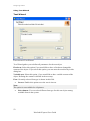
Text Wizard ................................................................................................................... 52
Text Wizard - Choosing Variable Text.......................................................................... 53
Text Wizard - Keyboard Input ....................................................................................... 53
Text Wizard - Counter ................................................................................................... 54
Text Wizard - Counter Continuation ............................................................................. 55
Text Wizard - Date Field ............................................................................................... 56
Text Wizard - Time Field .............................................................................................. 56
Text Wizard - Database ................................................................................................. 57
Text Wizard - Prefix and Suffix .................................................................................... 58
Using Bar Code Wizard ....................................................................................... 60
Bar Code Wizard ........................................................................................................... 60
Bar Code Wizard - Choosing Variable Bar Code .......................................................... 60
Bar Code Wizard - Keyboard Input ............................................................................... 61
Bar Code Wizard - Counter ........................................................................................... 61
Text Wizard - Counter Continuation ............................................................................. 61
Bar Code Wizard - Date Field ....................................................................................... 62
Bar Code Wizard - Time Field ...................................................................................... 62
Bar Code Wizard - Database ......................................................................................... 62
Bar Code Wizard - Prefix and Suffix............................................................................. 62
Using EAN.UCC 128 Wizard .............................................................................. 63
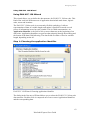
Using EAN.UCC 128 Wizard........................................................................................ 63
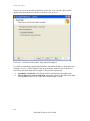
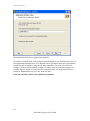
Step 1: Choosing the application identifier.................................................................... 63
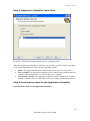
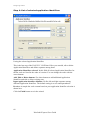
Step 2: Application Identifier Input Type ...................................................................... 65
Step 3: Entering the value for the Application Identifier ............................................... 65
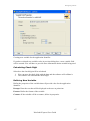
Calculating Check Digit ................................................................................................ 67
Defining New Variable .................................................................................................. 67
Step 4: List of selected application identifiers ............................................................... 68
Selecting Bar Code Type ..................................................................................... 69
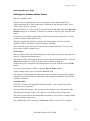
Settings for Advanced Bar Codes .................................................................................. 69
EAN.UCC 128 Bar Code........................................................................................... 69
PDF 417 2D Code...................................................................................................... 70
DataMatrix Bar Code................................................................................................. 70
MaxiCode 2D Code ................................................................................................... 71
Edit Bar Code Dialog Box ............................................................................................. 71
General Tab ................................................................................................................... 72
Check Digit Tab ............................................................................................................ 73
Human Readable Tab .................................................................................................... 74
Details Tab..................................................................................................................... 75
Supported Bar Code Types ............................................................................................ 76
Selecting Objects .................................................................................................. 77
Editing Objects ..................................................................................................... 77
Moving Objects .................................................................................................... 77
Aligning Objects .................................................................................................. 77
Resizing Objects................................................................................................... 78
Rotating Label ...................................................................................................... 78
Rotating Objects ................................................................................................... 79
Supported Graphics Formats ................................................................................ 79
Working with Pictures.......................................................................................... 80
Working with Variable Data.......................................................................... 80
Dynamic Data Overview ...................................................................................... 80
Working with Databases ...................................................................................... 80
Using Data from the Databases ............................................................................ 81
4
NiceLabel Express User Guide