1
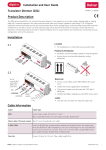
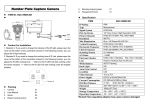
CONNECTION BNC CONNECTOR POWER CONNECTOR PSU Connect the video out port to your video cable running to the monitoring recorder. Check the power supply is of the correct level and connect your power supply into the power port on the Camera. View the picture on a monitoring device to check the power and video connection is working properly. Troubleshooting Ensure all power and cable connections are correct with the Camera, DVR and Test monitor if used. If all power and cable connections are correct and the camera picture can not be produced or configured then contact your supplier for technical support.