1
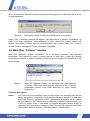
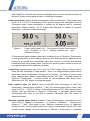
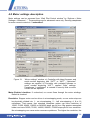
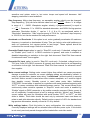
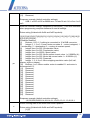
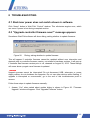
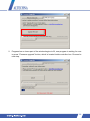
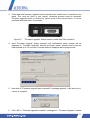
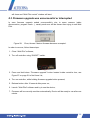
2. Check checkbox in “Step 2” if using “Big aperture” waveplate rotator. See pictures
below.
Standard rotator. “Step 2”
checkbox must be unchecked
Figure 7.
“Big aperture” rotator. “Step 2”
checkbox must be checked
Standard and "Big aperture" waveplate rotators.
3. Rotate waveplate by using buttons in section “Step 3”, and measure laser power after
the attenuator. Number on the buttons represents motor moving distance (measured in
stepper motor steps) and rotation direction. One step equals to 0.0115 degrees for
standard waveplate rotator and 0.005 degrees for big aperture attenuator, using
default settings. It is advisable to search for lowest power (max attenuation) position,
because usually it can be spotted more easily and accurately. Power meter is not
necessary for relative, coarse power attenuation, min power can be found using
visualizer.
4. Select appropriate option in “Step 4” when minimum or maximum power is found.
Angular offset is recalculated and shown in “Step 7” field every time “Step 4” selection
is clicked. At this moment, main calibration goal is completed and “Apply” button can
be clicked to apply changes. Further steps are optional, but can be set for
convenience.
5. Calibration result can be verified using buttons in “Step 5” panel. Usage example: click
“Drive to minimum power” button and wait till rotator stops. Use buttons “-10” and “10”
(located in “Step 2”) to ensure if current position is really of lowest power. If it is, click
“Apply”, else select “Minimum power” in “Step 4” again, to redefine offset. The same
can be done with maximum power point. Checking both min and max positions in
“Step 5” makes no sense.
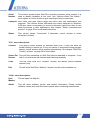
6. Non-ideality of polarizers and waveplate will cause losses, so 100 % percent
transmission will pass less energy than available, and 0 % transmission actually does
not block all radiation. Real maximal and minimal transmitted power can be measured
while calibrating Watt Pilot, in “Step 5”. These extreme values should be entered in
relevant fields of “Step 6”. For example, one uses 1 W laser, and 20 mW is measured
as minimal power, and 0.99 W as maximal power. So it is handy to check “Use
absolute power measurement units”, put value “0.02” into field “Minimum measured
value:”, “0.99” into “Maximum measured value:”, and write “W” into “Enter
21