1
This is one-direction only, pushing from the primary to the secondary (primary -> secondary) including properties, assets, active data results.
• First, all data in the secondary database associated with the job is deleted. Second,
the job record from the primary is pushed down to the secondary. This forces the job
in the secondary database to be an exact image of the primary's job regardless of what
already exists in the secondary database. Assets related to other jobs are pushed to the
secondary but the associated data results are not.
•
6.3.4
Point In Tree Download
This takes a point in the primary database asset tree or job tree and pushes all
assets, results, and their associated data to the secondary database.
• This is one-direction only, pushing from the primary to the secondary (primary -> secondary)
• This does not remove anything from secondary database, it just pushes items from
the primary to the secondary.
• No Jobs are sent to the secondary and jobs will not be added to the secondary Job
List.
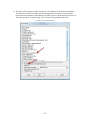
• This is launched by right-clicking at a folder level in the primary database Asset
Tree and selecting Point in Tree Download.
•
6.3.5
User Accounts Upload
Must have Administrator rights to run a User Account upload.
• Uploads account changes from a Secondary database to the master database.
• Any User Account changes made in a field or development database do not go
into effect immediately. To activate changes, run the User Account operation in
Database Utilities to upload to the master. User Account changes in the master must
be passed back down to activate in the secondary database.
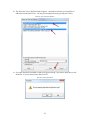
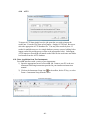
• This operation is launched in the User Account list. Right-click in the list. If there
are User Account changes there will be a menu item to upload user accounts. After
the User Account upload is finished, a Config synch is run automatically to
synchronize the changes back down to the secondary.
•
6.3.6
Form Upload
This is a Development Database only operation which will upload a single form,
its subforms, external documents, help and form update descriptions to the Master
Database.
• One direction from secondary to primary
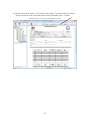
• This upload is launched by right-clicking a form in the Form Editor tree and
selecting Upload Form to Master.
•
-101-