1
INSTALLATION
EN
Network Setup
Basic Requirements
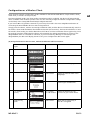
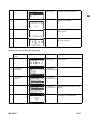
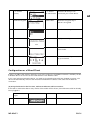
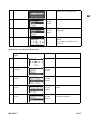
For the Wi-Fi IP Radio device to work properly under your existing network environment, your network must
feature the following:
You must have a router device with an enabled DHCP server function, so that it can automatically assign the
IP address to your computer or another network device.
If you already have a router device in your home, it will be easy to setup the Wi-Fi IP Radio device with your
existing network environment. If you don't know what you have on your home network, the following FAQ
will help you to troubleshoot before operating your Wi-Fi IP Radio device.
The minimum streams to receive Radio IP are :
192 kB/s for a normal quality,
640 kB/s for an upper quality.
How does your computer or Notebook PC access the Internet?
The answer might be one of the following:
Case I
I have to plug an Ethernet cable to the computer, and ...
... 1. I have to execute a dial-up program from my computer to link to the ISP service, and I can then access
the Internet.
` You need to purchase a (wireless) broadband router.
... 2. No extra dial-up program is executed in my computer, but I set a fixed IP address in my computer.
... 3. No extra dial-up program is executed in my computer, and I set a dynamic IP address in my computer.
` There is a router device in your home. You can configure the Wi-Fi IP Radio device in wired client mode to
operate it with your home network.
Case II
I use wireless connection, and ...
... 1. I have to execute a dial-up program from my computer to link to the ISP service, and I can then access
the Internet.
` There is no router device in your home. You need to purchase a new router device to upgrade your home
network.
... 2. No extra dial-up program is executed in my computer, but I set a fixed IP address in my computer.
` If the IP address is provided by your ISP supplier, there is probably no DHCP service in your home network.
You need to buy a new router device.
` If the IP address is a virtual IP, such as 192.168.xxx.xxx, you should have a router device. Therefore, the WiFi IP Radio device will function with your home network.
... 3. No extra dial-up program is executed in my computer, and I set the dynamic IP address in my computer.
` ... 3. There is a wireless router device in your home, the Wi-Fi IP Radio device will be able to operate with
your home network.
Moreover, the Wi-Fi IP Radio allows to play the music loaded in your PC, this one being connected to the same
router.
MD 85651
EN-11