1
Main Features
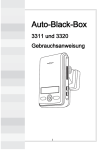
Unlike other in-car recording systems, the Drive Recorder is used to record both video
and audio data in a continuous loop fashion. If the vehicle is involved in an accident
such as a collision, impact, and sudden acceleration-related incident, this data is marked
and stored. One may thereafter analyze the data to find its root cause by playing back
the scenes of interest and where acceleration, vehicle speed, direction, and location are
available for review. Added to the recording are vehicle speed and direction and GPS location.
Continuous recording
The video and audio data from the front and interior views is continuously recorded while power on.
When the capacity of the SD card has been reached, the oldest files are overwritten by the latest ones
in a “round-robin”, first in, first out fashion.
Pre and post event recording
When impact or unusual acceleration or deceleration is detected by the built-in G-Sensor and has
exceeded the preset limit or one activates the manual emergency record button, the recorded video
data is locked-in and is erased only by an authorized party and by using a PC or laptop, accessing the SD
card. Event data records 1 minute before and 1 minute after(Note: The User may set the pre-event time
to either 1 minute, 2 minutes or 3 minutes of pre-event recording). The next time the SD card is read
by the unit, the unit’s set up parameters will be uploaded into the recorder. As previously mentioned,
stored event recording data in the SD card will not be erased by the unit, and where this must be done
manually by the user.
Playback of video/audio data
The recorded data can be played back using the provided playback soft ware which resides on the SD
card. By removing the SD card and accessing the Player folder and double clicking on the “Player.exe”
line starts the playback soft ware.
Data analysis
The recorded data can be easily analyzed for speed, vehicle location and direction of travel including
impact by using the Player that is found on conveniently on the supplied SD card.
02