1
Beam Cube User Guide
5
Beam Profile Measurement
Beam Profile Measurement
Most of the features of the BeamStar application can be
used with the SP camera of the Beam Cube device.
This section contains a summary of the BeamStar features.
Please look in the BeamStar User Manual for a detailed
description.
5.1
Default Startup
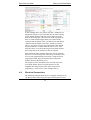
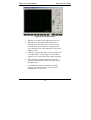
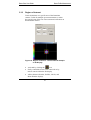
With the camera active when you start the BeamStar program,
you will see a display similar to that of Figure 9, below. Unless
you’ve used the “Start application with last settings” option, this
is the default startup with a working camera.
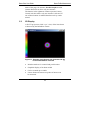
Figure 9: Default start up display
BeamStar can display any combination or number of
displays and profiles. Each display is controlled by its own
control page. Beginning with the lower left corner display,
and moving clockwise, the displays are:
21