1
Maintenance and Troubleshooting
SECTION 4
Table 4-1 continued
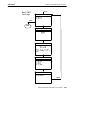
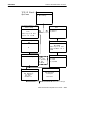
Basic Troubleshooting
Condition
Solution
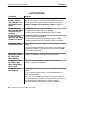
A Fully Charged
Battery Pack In
The Computer
Still Does Not
Bring It To Life.
None Of The LEDs
Light On The
Battery Pack.
Leave the same battery pack in your computer for at least
30 minutes, to allow some time to put some charge into
your backup battery. Then replace the battery pack with a
fully charged pack. Put the original battery pack into an
external battery charger.
The LEDs On The
Battery Pack Do
Not Match the
LEDs On The
Display
It takes a minute after you put in the battery pack for your
computer to check the status and display the updated
battery charge level.
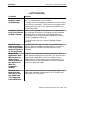
After A Weekend A
Fully Charged
Battery Pack Does
Not Last The
Normal Length Of
Time
The computer was left for the weekend without a battery
pack in it. Therefore, when you start out the week with the
fresh charged battery it has to build up the charge level in
the backup battery and that leaves less power for its
normal days use.
Computer Reboots
When A Battery
Pack Is Installed
The computer was not suspended (pressing the [I/O] key to
blank the display) before the battery was replaced.
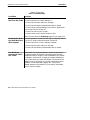
Putting The
Computer Into A
Charging Device
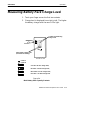
The Charge LED
Blinks Different
Colors
Another reason can be that the backup battery may be
drained. Recharge the computer for a minimum of 12 hours.
If a problem still exists then send your computer to the
service center.
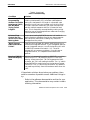
There is a fault state condition occurring in the battery
pack or the charger. For the complete details concerning
the sequence of the colors of the blinks refer to Section 2
Battery Charger LED and Error Codes on page 2-10.
6400 Hand-Held Computer User’s Guide
4-5