1
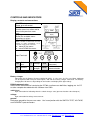
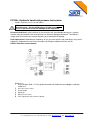
current
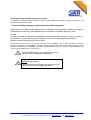
Do not apply voltage to the current
input terminal. Applied voltage can
cause the internal fuse to blow. If
the fuse blows, refer to Chapter 0
Replacing fuse in the PC700+.
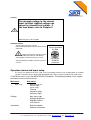
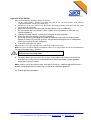
external sensor
Connect only reference sensors
manufactured by SIKA to the External Sensor
connector.
Always replace the cap/cover when
not in use and power OFF the unit before
connecting the external reference sensor.
Contact SIKA for available external reference
sensors.
ONLY connect
sensors provided
by SIKA
ENTERNAL
SENSOR
connector
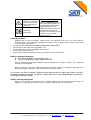
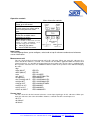
Operation menus and input setup
The menus are organized in levels, with each level leading to lower-levels of information or available
selections. At power-up, the display will INITIALIZE and restore previously defined and saved values.
To VIEW the menus, press the MENU SELECTION button. The following headings in this chapter
describe the menus and sub-menus.
Main menu
Sub-menus
Input setup
Measurement unit
Sensor input
Sensor range
Filtering
Number of digits
Reference input
Settings
Main menu type
Backlight brightness
Backlight timeout
LCD contrast
Information
Reference details
Software information
SIKA, Dr. Siebert & Kühn GmbH & Co. KG, Struthweg 7-9, 34260 Kaufungen, Germany
Tel: +49-5605-803-0, Fax: +49-5605-803-54, email: [email protected], web: www.SIKA.net
7/18