1
INTREPID User Manual
Library | Help | Top
Merging gravity datasets (T56)
2
| Back |
Using the Gravity Merge tool
To use Gravity Merge with the INTREPID graphic user interface
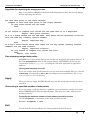
Note: If you wish to identify duplicate locations with the same 'group by' field
(usually station number), we recommend that you use geographical coordinates
(latitude / longitude). These coordinates are superior for locating duplicate points
spatially. See Old Datum and Projection Conversion (T12) for instructions on
changing to this system.
1
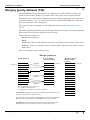
Choose Merge with Master from the Gravity menu in the Project Manager, or use
the command merge.exe. INTREPID displays the Gravity Merge window.
2
If you have previously prepared file specifications and parameter settings for
Gravity Merge, load the corresponding task specification file using Load Options
from the File menu. (See Specifying input and output files for detailed
instructions.) If all of the specifications are correct in this file, go to step 6. If you
wish to modify any settings, carry out the following steps as required.
3
Specify the dataset that you wish to include in the output dataset using Gravity
Merge. Use Specify Input from the File menu. (See Specifying input and output
files for detailed instructions.)
4
Specify the dataset into which you wish to insert the input dataset using Gravity
Merge. Use Specify Output from the File menu. (See Specifying input and output
files for detailed instructions.)
5
Specify the Key ('group by') field using the corresponding option from the File
menu (See Gravity Merge Key ('group by') field for details).
6
When you have made specifications and settings according to your requirements,
choose Apply. INTREPID will perform the Gravity Merge process and save
output dataset.
7
If you wish to record the specifications for this process in a task specification
(.job) file in order to repeat a similar task later or for some other reason, use
Save Options from the File menu. See Specifying input and output files for
detailed instructions.
8
If you wish to repeat the process, go to step 2.
9
To exit from Gravity Merge, choose Quit from the File menu.
This tool has a number of options available only if you use a task specification (.job)
file. The headings describing these options have parentheses (for example, (Turning
date stamping on or off)). A summary of the features appears in Notes in Task
specification file notes and example below.
You can execute Gravity Merge as a batch task using a task specification (.job) file
that you have previously prepared. See Using task specification files for details.
Library | Help | Top
© 2012 Intrepid Geophysics
| Back |