1
INTREPID User Manual
Library | Help | Top
Merging gravity datasets (T56)
3
| Back |
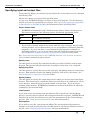
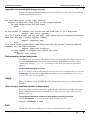
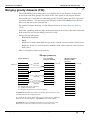
Specifying input and output files
To use Gravity Merge, you will need to specify the two vector datasets to be combined
and the key field.
Choose the options as required from the File menu.
In each case INTREPID displays an Open or Save As dialog box. Use the directory
and file selector to locate the file you require. (See "Specifying input and output files"
in Introduction to INTREPID (R02) for information about specifying files).
Vector dataset notes
•
INTREPID will identify X and Y fields from the dataset aliases for the process.
The dataset must have the following aliases identifying appropriate fields.
Alias
Field
X
X coordinate (location)
Y
Y coordinate (location)
•
If you wish to identify duplicate locations with the same 'group by' field (usually
station number), we recommend that you use geographical coordinates (latitude /
longitude). If you do not have a set of latitudes and longitudes available for
assigning to aliases, you can create them using the Projection Conversion tool.
See INTREPID’s supported datums and projections (R09) for instructions.
See "Vector dataset field aliases" in INTREPID database, file and data structures
(R05) for more information about aliases.
Specify Input
Use this option to specify the input dataset that you wish to include in the output
dataset. This dataset should contain the second part of the data to be combined.
Specify Key Field
Use this option to specify the name of the 'group by' for linking the data in the merge
process. Both datasets require the linking 'group by' field to have this name. See
Gravity Merge Key ('group by') field for details.
Specify Output
Use this option to specify the output dataset into which you wish to insert the input
dataset. This dataset may contain the first part of the data to be combined or can be
a new dataset. After the process it will contain all of the data. If you specify an
existing output dataset, INTREPID will build two internal hash tables to index the
existing key and location fields.
Load Options
If you wish to use an existing task specification file to specify the Gravity Merge
process, use this option to specify the task specification file required. INTREPID will
load the file and use its contents to set all of the parameters for the Gravity Merge
process. (See Using task specification files for more information).
Save Options
If you wish to save the current Gravity Merge file specifications and parameter
settings as an task specification file, use this option to specify the filename and save
the file. (See Using task specification files for more information).
Library | Help | Top
© 2012 Intrepid Geophysics
| Back |