1
INTREPID User Manual
Library | Help | Top
Merging gravity datasets (T56)
6
| Back |
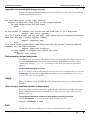
Algorithm for reporting the merge process
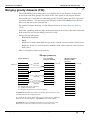
Here is a structured English statement of the algorithm used by the Gravity Merge
tool for reporting the process.
For each data point in the input dataset:
Compare it with each data point in the output dataset:
If (key field values are the same)
Then
If all fields to compare list values are the same then it is a duplicate
Report 'data point ignored';
If X or Y field values are not the same, then there are two different locations
with the same key (usually station number).
Report 'duplicate key'
Else
If X and Y field values match then there are two key values (usually station
numbers) for the same location
Report 'duplicate location';
If (any fields to compare list values are null)
Then
Report 'null fields'
Date stamping merged data points
INTREPID can 'date stamp' data points as they are merged to the output dataset. If
the field HISTORYDate exists in the output dataset, INTREPID will set it to the
current date (using a "yyyy/mm/dd" string) in each data point that it appends or
updates.
(Turning date stamping on or off)
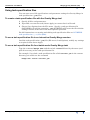
If you are using a task specification file you can turn date stamping off or on. Set the
TimeStamp = statement to YES or NO according to your requirements. See Using
task specification files for details.
Apply
When you choose Apply, INTREPID will carry out the merge process that you have
specified.
(Processing a specified number of data points)
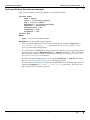
If you are using a task specification (.job) file you can limit the number of records
that INTREPID reads from the input dataset. This may save time when you are
trialing a process.
To specify the maximum number of input dataset records to process
Use the StopAfter = statement in the task specification file.
Example: StopAfter = 1000
Exit
To exit from the Gravity Merge tool, choose Quit from the File menu.
Library | Help | Top
© 2012 Intrepid Geophysics
| Back |