1
勹
v md曲 d洲 ow ng nterlⅡ e酬 be show⒍
m吱 opt onζ 蛭
"6s■ 、
lnput oρ t ons
1,2,3LoCk the screen
When the device k on、 short press the″ POWER″ keV、 the system wiIloCk the
screen and enterthe powersaⅥ ng mode In tho mode`the screen o turned o仉
but the system`su"° perauonal
A钆 eⅡ vards`select the input method of your preference
f you instaIa new input method、 you shou d go to″ setungs)Language&
to update the set刂 ngs before use
input>KEYBOARD&INPUT METHODs″
1,2,4swⅡ Ch0仟
When the deⅥ ce、 on`press and ho旧 the〃 POWE吖 keV for3se∞ nds、 the screen
wⅢ disp1aythe powero仟 inte汗 ace Connrm t° turn ofthe deviCe ond the system
wⅢ shutdown automaucaIy
125BatterΨ
Charg∶
Insertthe Micro sD card
ng
Insertthe Micro sD card into the引
Connectthe adapterto the device and the powersocketto charge the device
Note∶
mp酬
be
Ⅵ蓟be■
otin the bottom ofthe device′
ssheIunu you
hear a cIick
"s notrecommended
to charge
power
adapterfor
chβ rging vour deVice
Ⅵ using U$B Please use
rstthe
ume provided
y° u shouId
`hen to
charging
for the】
charge the ba仗 erV for atleast812hours
make sure
the batterV o fu||ˇ charged
When m char昏 ng mod⒐ thefdbMng m山 caung怡
127using the Micro sD Card
∞
con们 rm the device is charging
BroWse f"esin the memorv card
To browse Ⅱesin the memorv card引 mp y go to:″ MENu”
>”
F"e manage卩 >〃 sD
Card″
1)Remove M∶ cro sD card:C ose a"open ⅡIes from the card Ⅱrst、 then enter
into″ MENV>” sETΓ NGs〃 >” TF card and&device storage勹 c"ck〃 VnmountSD
the svstem wil|promptthat the micro sD card△ safe to
remove Note∶ Do n。tinsert the card bv force;tho card can on y be inserted
card″ Afterwards、
126sWitch Input Methods
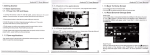
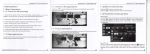
The device supports d fferentinput methods In the keyboard interface,as shown
beIow you can change the input setungs
in one direction
2)D°
n° t
remove the micro sD card before unmounung"`orthe card maY be
damaged
3)fthe mem° ry card o w"t← protected、 data can not be formotted or W冖 tten、
pIease remoˇ e the write pr° tection before such operations