1
128 Connected to the Comρ uter
2)R°
Connectthe device to the computer using the VsB cabIe Then se|ect〃 settings)
DeVe oper opu° ns)vsB debugging″ The∈ Ceros deVice wi connect wth the
computer,and vou can copV f"es to the deVice
"∶
ln app"cations
which support ro"ing gestures、
ng:
such as photo、 IE broˇ vser,ma"and
丨
ηap etc ˇ
ou can scro"the screen contents by s"ding yourfingers on the screen If
vou wantto stop the rd"ng screen、 you just need to touCh沈
12I3 "ome sCreeo
1)swⅡ ch
h°
me screen
you can change the home inter%ce by引 iding vour nngers on
In the home state、
the screen quickly
2)Cust° mH° me screen
Press the b ank areΦ on the home screen inte汗 ace for a few seconds,t wⅢ
the″ Choose wa Ipaperfrom″ menu ln here`you can setthe home screen
show
3)M° ve apuka刂 on kons h screen
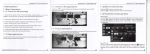
12,9BroWse the f"es on the device
d记 rtxdα
酽曰
t。
陡ethef es on由 e deM∞
Press the icons ofthe app"cations you need to move for severa|seconds、 tw"|
the moV ng model(the icon of app ication W"be tum big)`then drag
theicon to the de引 red poskion direCtly and re ease t by removing your
Πnger
from the screen TheiCon wilthen dropp to the dragged pos"ion
enter int°
4)MOve appⅡ
cat∶
o"ico"s sCreen to screen
Press for several seconds the icon of the app ications Vou need to tη
ove for severa
seconds、 Vou can then drag the icon to the Ieft side or right side ofthe screen
5、
0etet【
La,,啉
Press for severaI seconds the icon ofthe appⅡ
con to〃
12.10sta仗
uρ ρrograms
C"Ck° n anVthe opp"cation icon youˇ Vant to start
″(when the con hasturned big)、
×
u need to remove`drag the
″
ttom ofscreen wⅢ appear〃 ×
cation v°
the b°
`
then比 wiI deIete the app icauon
1,2,14sCreen Cestures
1,2.11Closθ Programs
Pre§
1)Click
managemdhtto dose the program
When vou need to use the on-screen keyboard`you just need to se|ect on
app"cation or press the button on the screen`then Cick on the item
s the■ ■ ic。 n con刂 nuousIy or the〃 EsC” keV,the dev ce wⅢ dose the acuve
program You can also use the corresponding function in the active apps
12.12screen0ρ erauon
2)ρ ress
When you wantto startthe ax/aibue opu。
1)z° °m in and zoom ou△
you only need to press the project
ln app icauons which supportzoom ge针 ures、 such as photo`lE broWser`ma"and
map`you canzoom n orout by put刂 ng two nngers。 n the sCreen and moVing
them towards or away from each other
3)s"de
5
sliding on the interfaCe w"h vour们
ns ofa pr蓟 eCt“ uch
as web page mo`
ngersto make vertica or a hor泛 ontaI dragging
6