1
State Voucher Reconciliation Update
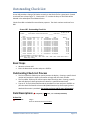
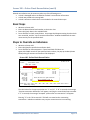
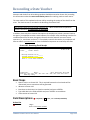
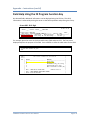
Limited modifications to a reconciled state voucher can be made on Screen 195. An entire
voucher may be unreconciled by entering the word “ALL” in the Item Nbr: field or by entering a
specific item number to unreconcile one item.
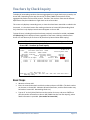
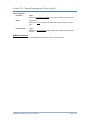
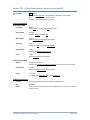
Screen 195 - Reconciled State Voucher Update
195 Reconciled State Voucher Update
Screen: ___
Voucher: 1524715
01/04/12 08:43
FY 2012 CC 02
Item Nbr: 001
Drop Flag: Y
Drop Date: 08/02/2011
Date State Paid: 07/21/2011
State Warrant Nbr:
0982426
Amt State Paid:
Date Paid:
Appr Year:
Appr Number:
Fund:
15.47
07/21/2011
2011
13058
0047
Voucher Information
Vendor: 1vvvvvvvvv5
SIGNAL-ALCORN INC
Voucher Amount: 15.47
Recon: 3 Batch - By line item
Enter-PF1---PF2---PF3---PF4---PF5---PF6---PF7---PF8---PF9---PF10--PF11--PF12--Hmenu Help EHelp
Type “ALL” in this field to unreconcile all items.
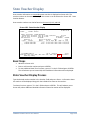
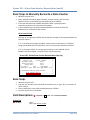
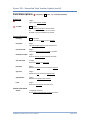
Basic Steps
•
•
•
Advance to Screen 195.
Type the information necessary for the update on the Action Line. You may unreconcile
one item number, or type “ALL” to unreconcile all items.
Enter modifications in the fields provided and press <ENTER>.
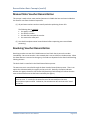
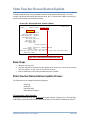
State Voucher Reconciliation Update Process
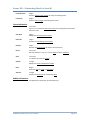
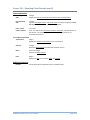
The fields that can be changed include the following:
Drop Flag
Drop Date
Date State Paid
State Warrant Number
To Unreconcile a State Voucher:
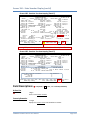
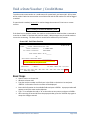
Changing the Drop Flag to ‘N’ will unreconcile the state voucher. Typing an ‘N’ in the Drop Flag:
field displays a pop-up window, which allows verification of the voucher modification process.
FAMIS Reconciliation Process User Manual
Page III-31