1
Section 1 - Product Overview
Installing Your IP Camera
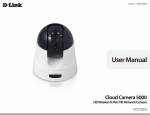
Before installing D-ViewCam, please make sure you have installed your D-Link IP camera(s) that will be managed by
D-ViewCam.
Step 1
Follow the installation procedures that came with your IP camera(s) to complete the camera installation process.
Step 2
Verify that you are able to view the video images from the IP camera(s) by accessing the camera’s built-in web
configuration page. It is recommended that all IP cameras be installed in the same subnet as your management PC
running the D-ViewCam software.
Step 3
Please refer to page 11 to add IP camera(s) to the D-ViewCam system.
Note: D-ViewCam is optimized for small-scale LAN environment. To protect the system and cameras from attack from
the Internet, place D-ViewCam behind a firewall or an IP sharing device.
D-Link D-ViewCam User Manual