1
INSTALLATION
Mechanics - Schmidt-Cassegrain
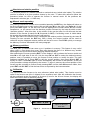
The Micro Focuser Digital_NET (MFD_NET) is designed to be compatible with most SchmidtCassegrain telescopes and other mounts with a standard 2 inches barrel (not BIG35 Digital_Net,
subsequently appointed BIG35N). The threaded ring (figure 7), must be removed by hand from
the focuser and attached firmly to the telescope, then connect the MFD_NET focuser rotating it if
needed and block it using the three thumbscrews near the base of the focuser. Along with the
MFD_NET two adapters are supplied (figure 7), the first permits to insert eyepieces and
accessories with a diameter of 1¼”, the seconds is designed for 2” accessories. The available
travel of the focuser is approx. 20 mm (10 mm for the upgrade of the MFD_PC). The positions
displayed on the hand controller are referred to the true steps of the stepper motor, 1000 steps
correspond to 1,000427 mm ( one steps is 0.001000427 mm or a 0,000039387 inches ).
Mechanics – Newton & BIG35N
This focuser supports the same accessories of the Schmidt-Cassegrain model. To mount the
focuser to the telescope use the supplied plate attaching it with screws at the same place of the
previous focuser of the telescope. Before mounting the MFD_NET it is mandatory to securely
attach the plate to the base of the focuser using the 4 thumbscrews supplied. The available
travel of the focuser is approx. 40 or 60 mm.
Electronics
The MFD_NET or BIG35N are a network system which is composed of two or more units
(Digital_Net also with the BIG35N model). The first unit is the control box (“controller”, which
can control up to 10 focusers, for Newton and Schmidt-Cassegrain telescopes). The other units
are the focusers. This network allows to control many focuser in a independent (multitasking)
way, using just one control box and one software. For example, it is possible to focus the main
telescope and the guide telescope at the same time MFD_NET or BIG35N.
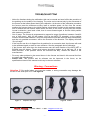
The MFD_NET comes with a cable for the 12Vcc power supply (12÷14,5 Vcc allowed range).
Optionally it’s available a power supply with an universal input (110/240 Vac 50/60 Hz) and 12
Vcc output. The 4-pins NET cable between the controller and the focuser is approx. 5 meters
long (from each focuser it’s possible to connect other 4-pins NET cables to control other
devices). The maximum length of the NET cable is 1 Km. The RS232 6-pins cable is 3 meters
long (maximum length: 15 mt, see figure 8) and must be connected between the controller and
the PC, using the DB9 adapter. We recommend to connect the all the cables before turning on
the MFD_NET. If a different power supply is used then it’s mandatory to verify the following
specifications: Minimum Vcc:. 12 Volts, maximum. 14,5 V. At least 1,25 Ampere for the current.
Introduction
The options and command of the MFD_NET or BIG35N are configurable via a “menu” system,
very easy to use. These options are divided in controller and focuser(s). A detailed description
about each menu is available below, section: CONTROLLER AND COMMANDS. Before modifying
any option please read with care the documentation available in this manual.
Keys
Four keys on the controller permit to operate and configure the MFD_NET or BIG35N:
IN, OUT, ENT and ESC. When in this manual they are printed in bold it means that these keys
should be pressed to perform the operation. Do not press more than one key at the same time,
all the commands require just a single click.
-3-