1
A) Absolute and relative position
The absolute position is a number referred to mechanical zero (whole tube inside). The relative
position is referred to a given position chosen by the user. To select this reference follow the
procedure below, be sure to operate the focuser in manual mode. All the positions are
expressed in microns (µm = 1/1000 mm).
B) Manual mode operating
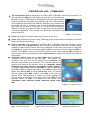
After having selected the focuser to be controlled pressing the ENT key, the display will show on
the first row the focuser model (on the left) and the letter M (on the right) (see figure 4). At this
point press ENT again: on the first row it will be displayed the focuser model and the current
temperature, on the second row the absolute position followed by the letter A which means
“absolute position”. After this data, in the middle of the row the letter I or O will mark the last
direction of the focuser (I stands for IN, O stands for OUT). If a blinking cursor is visible below
the number this means that the focuser is still moving.
On the right side of the second row it’s displayed the relative position, followed by the letter R.
Pressing for two seconds the ENT key, after a beep, the current position will be used as
reference and the displayed relative position will be set to zero. Press ESC quickly to manage
the Memory Positions discussed in the next paragraph.
C) Memory positions
The MFD_NET or BIG35N can store up to 6 positions in memory. This feature is very useful
when using a filter wheel since every filter may change the focus in a different way; another
advantage is the quick refocus when changing different cameras.
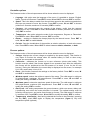
After selecting the focuser pressing ENT, on the display it will be shown the focuser model and
letter M on the right side of the row. Use the keys IN and OUT to select the desired memory
position: now it is possible to move the focuser to that position or modify its value. The total
positions available are 6. Press ENT to edit the current position, then press IN and OUT to
modify its value. Press ENT again to move automatically the focuser to that position, at the end
of the procedure a beep will played by the buzzer. To store in memory the current position of the
focuser set the controller to manual mode pressing OUT until the letter M becomes visible, then
press ENT and IN / OUT to find the best focus as reported by the instrumentation.
D) Calibration
This function sets the focuser to its zero reference (whole tube inside). This function must be
called if the focuser was hit or it slipped for an excessive load. After the calibration the focuser
will be positioned at the first quarter of its travel (5 mm for the 20 mm focuser, the display will
show the number 5000 as absolute position).
Temperature probe
Controller
Focuser
NET cable - 4 pins
To the PC through the DB9
adapter and the 6-pins
serial cable
Pow er supply
11 ÷ 14,5 Vcc
Figure 6 - Connection schematics
-6-
Serial port