1
AM8010 Precision Thermometer User’s Guide
4 General Operations
4.1 Mode switch setting
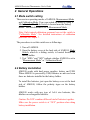
There are two operating modes of AM8010: Measurement Mode
and Calibration Mode. Users can switch the mode by using a
Mode Switch. The Mode Switch is located near the battery
holder. The default mode is set to Measurement Mode.
Note: Only trained calibration personnel can set the switch to
“Calibration Mode”. See detailed instructions of calibration
procedure in Chapter 7.
The procedures to set this switch are as followings。
1. Turn off AM8010.
2. Open the battery cover at the back side of AM8010. Mode
Switch, which is a sliding switch, is located besides the
battery holder.
3. Text “MEA” and “ADJ” indicate whether AM8010 is set to
“Measurement Mode” or “Calibration Mode”.
4.2 Battery installation
AM8010 works with dual power supplies: battery and USB.
When AM8010 is powered by USB, batteries are not used even
there are batteries installed in the battery holder.
To install the batteries, just open the battery cover at the back
side of AM8010, follow the polarity signs on the battery
holders.
AM8010 works with any type of AAA size batteries, like
alkaline or rechargeable batteries.
Caution: Do NOT combine different kind of batteries together.
Make sure the power switch is at “OFF” position when doing
battery installation.
8/33