1
Contents
Section 1 Getting to Know Your Camera........................................... 4
Overview.............................................................................. 4
Check the Components...................................................... 4
Safety Instructions.............................................................. 5
System requirements......................................................... 5
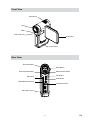
Front View............................................................................ 6
Rear View............................................................................. 6
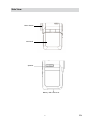
Side View............................................................................. 7
Section 2 Getting Started.................................................................... 8
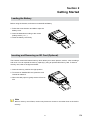
Loading the Battery............................................................ 8
Inserting and Removing an SD Card (Optional)............... 8
Protecting Data on an SD Card.......................................... 9
Turning the Camera On and Getting Started.................... 9
Turning the Camera Off...................................................... 9
Section 3 Record Mode..................................................................... 10
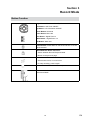
Button Function................................................................ 10
LCD Monitor Information.................................................. 11
H.264 Movie Recording.................................................... 12
Picture Recording............................................................. 12
Voice Recording................................................................ 13
Taking Close up Pictures................................................. 13
Using Digital Zoom........................................................... 13
Options for Record Menu................................................. 14
Operations for Record Mode........................................... 14
Default Setting and Validation......................................... 15
Movie Mode submenu Setting......................................... 16
Camera Mode Setting....................................................... 22
1
EN