1
TABLE OF CONTENTS
GDS-1000 Series User Manual
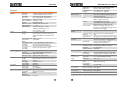
Trigger type overview ...........................................................64
Trigger parameter overview .................................................64
Use edge trigger ...................................................................66
Use video trigger ..................................................................67
Use pulse width trigger ........................................................68
Use single trigger mode .......................................................70
Force trigger level to 50% of input signal amplitude ..........70
I want to clean up the cluttered panel settings. .................. 96
The saved display image is too dark on the background.... 96
The accuracy does not match the specification. ................. 96
The SD card slot does not accept my card.......................... 96
System Setting ..................................................................71
View system information .....................................................71
Select menu language ..........................................................71
SAVE/RECALL................................................. 72
APPENDIX...................................................... 97
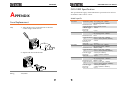
Fuse Replacement..............................................................97
GDS-1000 Specification .....................................................98
Model-specific...................................................................... 98
Common .............................................................................. 99
Declaration of Conformity ............................................... 101
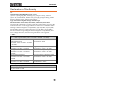
File Format/Utility .............................................................72
Display image file format .....................................................72
Waveform file format ...........................................................72
Setup file format...................................................................74
SD card utility .......................................................................75
Quick Save (HardCopy) .....................................................77
Save ..................................................................................79
File type/source/destination................................................79
Save panel setting ................................................................80
Save waveform .....................................................................81
Save display image ...............................................................82
Save All .................................................................................83
Recall ................................................................................86
File type/source/destination................................................86
Recall default panel setting ..................................................86
Recall reference waveform on the display ...........................88
Recall panel setting ..............................................................89
Recall waveform ...................................................................90
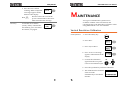
MAINTENANCE ............................................. 92
Vertical Resolution Calibration ..........................................92
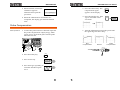
Probe Compensation .........................................................93
FAQ ................................................................ 95
The input signal does not appear on the display. ...............95
I want to remove some contents from the display..............95
The waveform does not update (frozen). ............................95
The probe waveform is distorted. ........................................96
Autoset does not catch the signal well. ...............................96
5
6