1
SISTEMAS
MEMOKEY 100C
Add or edit user codes
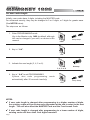
Codes are stored in memory in this order: position - code - action, as follows:
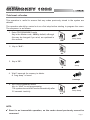
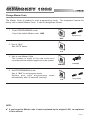
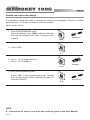
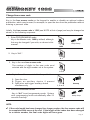
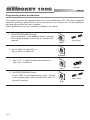
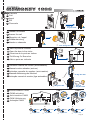
1. Enter PROGRAMMING mode
Key in the Master code, 1480 by default, although
this can be changed if you wish, as shown in this
manual.
beep-beep
1480
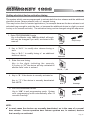
2. Key in the position.
This can be any number from 00 to 99.
See NOTE
below.
00...99
3. Key in the new code
Number of digits must coincide with digit number
length set in the system.
CCCC
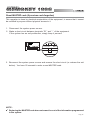
4. Key
in
the
associated
action.
1: Door will open.
2: Auxiliary device activates if present.
3: Door opens and auxiliary device activates
simultaneously.
1, 2 or 3
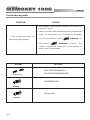
5. Exit PROGRAMMING mode
If you want to enter more codes go straight to step
2, if not simply key in “AA” to exit programming
mode.
System also exits programming
automatically after 20 seconds inactivity.
mode
beeeeep
beep-beep
AA
NOTES:
9 If the position to be set is already taken up, the new code cancels the previous
one. This is also valid for the factory preset codes, in positions 00, 01 and 02.
9 It is very important to make a list of the codes with their position and action.
Pag 7