1
SISTEMAS
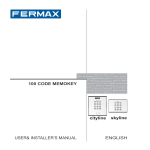
MEMOKEY 100C
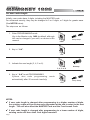
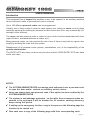
Set user codes length
Initially, user codes have 4 digits, including the MASTER code.
For enhanced security, they may be changed to 5 or 6 digits, or 3 digits for greater ease.
(See NOTES below).
The steps are as follows:
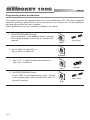
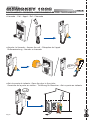
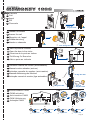
1. Enter PROGRAMMING mode
Key in the Master code, 1480 by default, although
this can be changed if you wish, as shown in this
manual.
beep-beep
1480
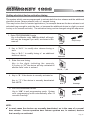
2. Key in “ A 4”.
A4
3. Indicate the new length (3, 4, 5 or 6).
beeeep
3, 4, 5 or 6
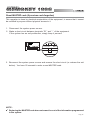
4. Key in “ A A” to exit PROGRAMMING
System also exits programming
automatically after 20 seconds inactivity.
mode
beep-beep
AA
NOTES:
9 If user code length is changed after programming to a higher number of digits,
the existing codes will have extra zeros appended at the end to adapt to the new
length. This will also affect the MASTER Code and the Free Access Code.
9 If user code length is changed after programming to a lower number of digits,
existing codes will have their final digits truncated.
Pag 6