1
Frequently asked questions
62
the same file size limit.
Q. When can a snapshot be taken?
A. You can take a static picture while EZWatch Pro is recording, playing, in pause mode, or in remote
view. The captured picture will be
saved as a BMP file. It can also be processed with the correct software, or printed.
Q. Can I use a camcorder or vcr as the source of the video input?
A. Yes, you can use the Video Server Card to view your video tapes which are played back by a
camcorder or vcr.
Q. What is the best color for VGA?
A. We strongly recommend to use the 24bit or 32bit color of VGA, so you can get the better video
image and the higher compression
rate for your transmission and storage.
Q. The phone call is ok, but there is no sound alarm?
A. We strongly recommend a modem that can support wave files, because the software will carry the
file for sound notification.
Q. How can I check the driver of the Video Server Card?
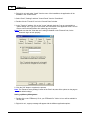
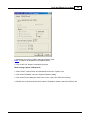
A. 1. Please click "Start", "Settings" and "Control Panel"
2. Click the "System" icon.
3. Select the "Device Manager" tab.
4. Select "Sound, video and game controller", then you will find out the Video Server Card.
Q. I forgot the password. What can I do?
A. If you forget the password, EZWatch Pro or the remote applications can not help you to find out the
password that you set before. Please
uninstall the software and applications first, and reinstall them again. The passwords will be reset
to default.
Q. Can I run another application while EZWatch Pro or the remote applications are recording or
playing?
A. Yes. The software has the capability of multi-tasking. They will run on the background, so you can
open another application.
Q. Should the same type of modems be used at both of the local site and the remote site to process
© 2001-2002 Automated Video Systems