1
61
EZWatch Pro
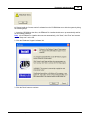
A. In Windows 98SE, you are missing a file required to run the EZWatch Pro loader. Please run the
VBRuntime.exe file from
the shipped CD as follows:
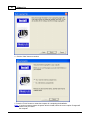
1. Install "VBRuntime" by selecting the file "VBRuntime.exe" from your EZWatch Pro software CD.
This
file is located inside the "System" folder.
2. After installation, the application will have all the required files to start.
Q. Can I install two Video Server Cards on my PC at the same time?
A. Yes, you can only install up to four Video Serve Cards in one PC system.
Q. When in the 1280x1024 graphics mode, the video screen does not display in a full screen?
A. The Video Server card needs more graphics memory at a higher resolution. The best graphics
mode is 800x600, 32-bit resolution
when using the EZWatch Pro software.
Q. What kinds of VGA cards have known compatibility problems with the Video Server Card?
A. The Trident 9685, Trident 9750 and Trident 9850 cards may cause compatibility problems. Please
check your local computer dealer.
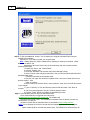
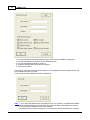
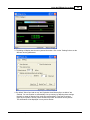
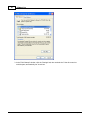
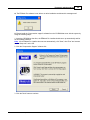
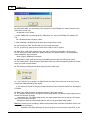
Q. The following message shows when playing back the video clips?
A. 1. If the output of your camera is in digital format, the Video Server Card can not be used. It only
accepts the traditional analog video signal.
2. The version of DirectX is corrupted. Please reinstall the correct DirectX version from the shipped
CD-ROM.
Q. What is the relation between the different settings of the image quality?
A. The software allows users to change the saved image quality. The different image quality that you
choose will influence the image
compression rate. The higher image quality, the lower compression rate you will get. This means
that you need to take more hard
disk space to save the compressed video file, but you will get a better image quality.
Warning: Unless you are recording in Motion or Sequential mode, be aware of Windows AVI file size
limitation when recording in
Standard mode. Since Windows XP is built on the core of 2K, because of the NTFS, it has
© 2001-2002 Automated Video Systems