1
Trouble Shooting Guide
1. How to shut down the Personal Server properly?
Ans.
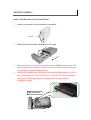
To shut down the System properly, press the Power button on the front panel for two seconds until
Power LED blinks then go off.
2. The Quick Setup Wizard can’t configure My Network setting.
Ans.
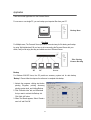
Make sure that your RJ-45 cable is connected with the Personal Server and your
PC/Switch.
Check the LAN LED of Personal Server, and make sure that it’s Green.
Check the power of the Personal Server, PC/Switch and make sure that it’s on.
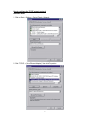
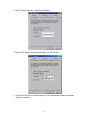
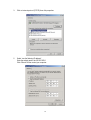
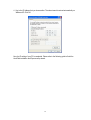
Check your PC’s IP address, make sure that it has a static IP or connects with a router with
DHCP Client. As for the setting, Please refer to the “IP Protocol Setup” Chapter.
The system is down. Reboot the system with Web-based UI or press the Default Button to
restore the factory default setting and reboot.
3. The Personal Server can’t find my HD and the Home page of Web-based UI display that the
“HD unable to use.
Ans.
There are some possibilities,
The HD is broken. Please change another HD
The HD jumper is not set as Master. Your HD jumper should be set to Master. Different Hard
Disk has different jumper settings; please refer to your Hard Disk manual for more
information.
The HD is unformatted. Please format it with our HD Format tool in Administration.
The partition format of HD is not EXT3, ex. NTFS. Please format it with the provided Format
tool in Administration.
4. I use Personal Server as a Web/ FTP server, but the users that outside the LAN can’t access it.
Ans.
To use Personal Server as a FTP server without fixed IP or domain name, please setup your DDNS
and Port Mapping of router (IP Sharing) first. As for the setting, please refer to the DDNS and Port
mapping in your router’s Manual.
5. I can’t access the Personal Server.
Ans.
Check the LAN LED of Personal Server, and make sure that it’s Green.
The system is down. Reboot the system with Web-based UI or press the Default Button to
restore the Factory default setting and reboot.
When the concurrently connected users are over five, the system will block other users who
want to access. Please check the Samba Users / FTP Users by clicking the “Click here for
more information…” on the Web-based UI.
50