1
The Front Panel
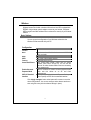
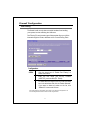
The front panel of the Wireless Router is shown below.
System LEDs
System LED indicators locate on the front panel for showing the operating
status of the whole device.
z
PWR (Power) LED
This indicator lights green when the Wireless Router is receiving power;
otherwise, it is off.
z
Status LED
The LED will be dark for a few seconds when the system is started.
After that, the LED will blink periodically to show the Wireless Router
is working normally. If the LED stays green/dark that means the
system failed, you need to contact your agent or try to reboot the
system.
Port LEDs (Wireless)
z
ACT LED
I.
When Wireless AP is ready for data transmitting and receiving,
it is steady green.
II. When the data is transmitting or receiving, it is blinking green.
Port LEDs (WAN)
Port LED (WAN)
indicators locate on the front
4